Elden Ring multiplayer lets up to three players explore and fight bosses together in co-op, while PvP covers invasions, invited duels and Colosseum battles for up to six players.
This guide covers how co-op summoning works, what each platform needs for online play, how to keep strangers out with a password, invasions, the Colosseums, the rules that limit a session and fixes when summon signs do not show.

How to play Elden Ring multiplayer?
Co-op runs through Summoning Pools and summon signs. One player is the host, and up to two others join the host's world as cooperators.
- Install the latest Elden Ring update on every player's system. Each patch note states that online play requires the current update.
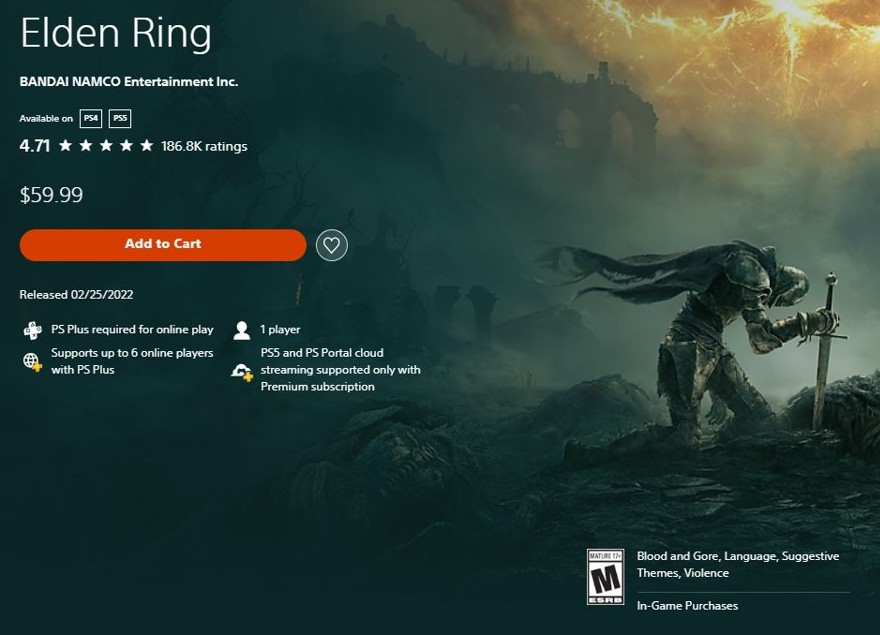
- On console, make sure each player has the membership the platform needs: PlayStation Plus on PS4 and PS5, or an eligible Game Pass plan on Xbox.
- Agree on one multiplayer password with your friends and have every player enter the same password in the game's settings, so your signs reach each other instead of strangers.
- As the helper, use the Small Golden Effigy to send your co-op sign to Summoning Pools, choosing Nearby Only or Include Distant Areas.
- As the host, travel to an activated Summoning Pool in the area you want help with and summon the sign that appears.
- Fight through the area and its boss together. A helper can use the Finger Severer to leave and return to their own world.
Helpers keep the Runes they collect while assisting. PlayStation's official preview notes that those Runes transfer back to the helper's own game when the session ends.
Does Elden Ring multiplayer need PS Plus or Game Pass?
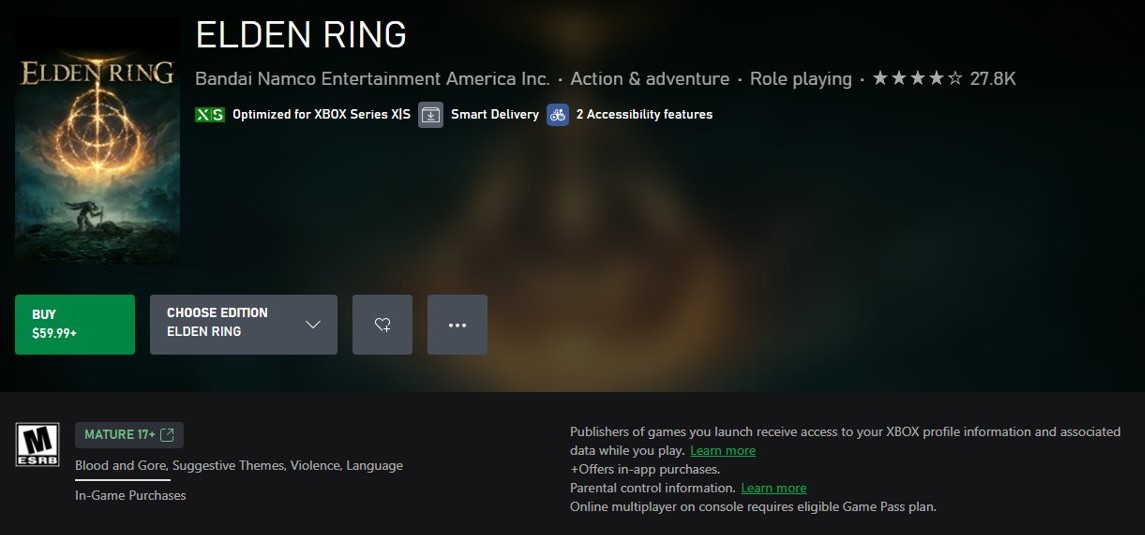
Online play on console needs the platform's paid membership. The Steam version lists no subscription for online play.
| Platform | Membership for online play | Online players | Cross-generation |
|---|---|---|---|
| PS5 and PS4 | PlayStation Plus, plus an account for PlayStation | Up to 6 online with PS Plus | PS4 and PS5 players can play together |
| Xbox Series X|S and Xbox One | An eligible Game Pass plan | Co-op 2-3 players, multiplayer 2-6 players | Xbox cross-gen multiplayer listed |
| PC (Steam) | None listed on the store page | Co-op with up to two other players; PvP in three Colosseums | Not applicable |
| Every platform | The latest game update installed | Same limits as above | Older versions cannot go online |
The Steam version needs at least Windows 10 64-bit, 12 GB of RAM, a GeForce GTX 1060 3 GB or Radeon RX 580 4 GB, and 60 GB of storage.
About the Elden Ring multiplayer
Elden Ring is a single-player game first, and every online mode is optional. Bandai Namco splits online play into cooperative play, competitive play and rescue play, alongside an asynchronous layer that shows traces of other players.
| Mode | What happens | Players |
|---|---|---|
| Cooperative play (PvE) | You summon other players, or are summoned, to clear an area and its boss | Host plus up to two cooperators |
| Invasions | A hostile player enters another player's world to defeat them | Invader against the host and any cooperators |
| Invited duels | Two players agree to fight one another | One-on-one |
| Colosseum battles | Arena fights in Limgrave, Caelid and Leyndell | Duels, free-for-alls and team battles up to six players |
| Rescue play | Players are summoned as hunters to help a host who is being invaded | Joins an invaded host's world |
| Asynchronous online elements | You feel the presence of other players without connecting to them in real time | Everyone playing online |
Balance changes made for PvP apply only when players fight each other. Bandai Namco states in its patch notes that those adjustments do not affect single-player or cooperative play.
Elden Ring co-op (PvE)
Summoning Pools are the markers found around the Lands Between, and they are the only way to summon other players for help inside dungeons. Activate each one you pass so it can receive signs.
- Activate every Summoning Pool you find. Active pools carry over into NG+.
- Open the map and use the Map Functions menu to enable or disable individual Summoning Pools.
- To help others, use the Small Golden Effigy and pick Nearby Only to stay local, or Include Distant Areas to send your sign further.
- To get help, go to an active Summoning Pool near the area boss you are stuck on and summon from the signs shown.
- Wait for the cooperator to arrive in your world, then explore and fight together.
- When the job is done, cooperators return to their own world with the Runes they earned.
Mohgwyn Palace is an exception. Co-op signs sent to distant areas skip its Summoning Pools, although Nearby Only still works when you are inside the palace.
How to prevent being summoned into a stranger’s game
You only join another player's world when your sign is in a Summoning Pool. A shared password and keeping your sign to yourself are the two controls that keep strangers out of co-op.
- Choose a multiplayer password with your friends that a stranger would not guess.
- Have every player in your group enter that exact password in the game's settings before anyone sends a sign.
- Send your sign with the Small Golden Effigy only when your friends are online and ready to summon you.
- Use Nearby Only rather than Include Distant Areas when you want your sign to reach only the area your friends are in.
- Use the Finger Severer to leave any session you do not want to stay in.
- Block a player through your platform's player list if they cause trouble. Patch 1.16.1 closed a way to bypass blocks on every platform.
To avoid all online contact, including invasions, play the game offline.
Elden Ring PvP multiplayer
PvP comes in three forms: invading another player's world, an invited duel, and the Colosseum arenas. Each uses its own balance rules for player-versus-player damage.
| PvP type | How you take part | Notes |
|---|---|---|
| Invasion | Use a Bloody Finger item such as the Festering Bloody Finger to enter another player's world | Since patch 1.06, invasions can reach a larger area, including distant areas |
| Invited duel | Fight another player by agreement | Listed by Bandai Namco as a separate PvP option from invasions |
| Colosseum | Enter the Colosseum in Limgrave, Caelid or Leyndell | Duels, free-for-alls, team battles and fights with spirit summoning enabled |
| Being invaded | Another player enters your world | Hunters can be summoned to help you through rescue play |
Recent patches keep tuning PvP damage. Patch 1.17, for example, reduced Rugalea's Roar against other players and raised the damage the Rakshasa's Great Katana wielder takes while attacking.
How to invade in Elden Ring with Festering Bloody Fingers
White Mask Varre's questline is the usual source of Festering Bloody Fingers. Since patch 1.06, the questline can also be advanced by defeating a new NPC instead of invading.
- Talk to White Mask Varre the first time you meet him.
- Defeat Godrick as you normally would.
- Find Varre at the Rose Church in Liurnia and pick the dialogue option that starts his quest.
- Accept the Festering Bloody Fingers he gives you.
- Use a Festering Bloody Finger to invade another player's world. You only need to enter it, not win the fight.
- Use the Finger Severer to leave and return to your own world.
- Complete three invasions, then speak to Varre again to continue his quest.
Varre then gives you the Lord of Blood's Favor, which must be soaked in a maiden's blood. That leads to the Pureblood Knight's Medal, which teleports you to Mohgwyn Palace.
Elden Ring Colosseum duels and team battles
The Colosseums opened in free update 1.08 in December 2022. They are the only place where up to six players fight at once.
| Colosseum feature | Detail |
|---|---|
| Locations | Limgrave, Caelid and Leyndell |
| Modes | One-on-one duels, free-for-alls and team battles |
| Maximum players | Six |
| Spirit summoning | Allowed in special fights that enable it |
| Consumables | Crafted items used in a battle are replenished when the session ends (patch 1.12) |
| Respawn | A short invincibility window applies after you respawn (patch 1.09) |
A Sacrificial Twig is no longer consumed when you die in the Colosseum, after a fix in patch 1.09.

Multiplayer rules and limitations
Several rules decide when you can summon, who counts toward the limit and where co-op works. Most of them show up as a missing sign or a blocked summon.
| Rule | What it means in practice |
|---|---|
| Three players in co-op | The host plus two other Tarnished is the maximum |
| NPC summons share the cap | Once the co-op party is full, NPC summon signs cannot be used either (fixed in patch 1.13) |
| Multiplayer areas | Co-op takes place inside multiplayer area borders tied to an area boss |
| Mohgwyn Palace | Distant co-op signs skip its Summoning Pools |
| Same game version | Every player must install the latest update to go online |
| Shadow of the Erdtree | Patch 1.12 or later is required to keep playing online and to play the expansion |
| Console membership | PS Plus on PlayStation, an eligible Game Pass plan on Xbox |
| PvP balance | PvP-only changes do not affect single-player or co-op damage |
The store listings for PlayStation, Xbox and Steam each describe play within that platform's own network. None of them lists cross-platform play between PC and console.
Elden Ring summon signs not showing
Can't see a summon sign
The Summoning Pool is not active, passwords differ, or nobody nearby has sent a sign.
- Activate the Summoning Pool, then check it is enabled in the Map Functions menu.
- Make sure every player entered the same multiplayer password, character for character.
- Ask the helper to resend the sign with Include Distant Areas if you are in a different region.
- Move to a Summoning Pool near an area boss, where co-op is allowed.
Online play is unavailable after a patch
One player has not installed the latest update.
- Close the game on every system.
- Install the pending Elden Ring update from Steam, PlayStation or Xbox.
- Launch the game again and let it connect to the online servers.
Can't connect to friends on PS5 or Xbox
The console membership has lapsed or the account is signed out.
- Check that your PlayStation Plus or Game Pass plan is active.
- Sign in to the same account that owns the game.
- Restart Elden Ring and send your sign again.
Elden Ring Nightreign multiplayer vs Elden Ring co-op
Elden Ring Nightreign is a separate game, not a mode inside Elden Ring. Its co-op is built around three-player expeditions rather than summon signs.
| If you want | Play | Why |
|---|---|---|
| To help friends through the main story and its bosses | Elden Ring co-op | Up to three players share the host's world |
| Matchmade sessions with two others and invites for friends | Elden Ring Nightreign | Built as a 3-player co-op experience in Limveld |
| To fight other players | Elden Ring PvP | Invasions, invited duels and the Colosseums |
| To keep progress in your own world | Elden Ring co-op as the host | Cooperators return to their own worlds after helping |
Nightreign is sold on its own and described by Bandai Namco as a standalone adventure in the Elden Ring universe.

Elden Ring multiplayer FAQ
How many players can play Elden Ring co-op?
Three. The host can be joined by up to two other players in cooperative play. The Colosseums raise the limit to six players for duels, free-for-alls and team battles.
Do you need PS Plus to play Elden Ring online?
Yes. PlayStation lists PS Plus as required for online play on PS4 and PS5. On Xbox, online multiplayer needs an eligible Game Pass plan, and the Steam version lists no subscription.
Is Elden Ring multiplayer crossplay?
The official store listings do not list crossplay between PC and console. PS4 and PS5 players can play together, and Xbox lists cross-generation multiplayer between Xbox One and Xbox Series X|S.
Do you keep runes when helping in Elden Ring co-op?
Yes. Runes you collect while helping in another player's world transfer back to your own game when you finish the co-op session.
How do you play Elden Ring with friends only?
Set the same multiplayer password as your friends in the game's settings, then send and summon signs at an active Summoning Pool. The password matches your signs to each other instead of to strangers.
Can you invade in Elden Ring?
Yes. Bloody Finger items such as the Festering Bloody Finger send you into another player's world as a hostile invader. Use the Finger Severer to leave and return to your own world.
Do NPC summons count toward the co-op limit?
Yes. Patch 1.13 fixed a bug that let NPCs be summoned after the maximum number of cooperative players was reached, so a full party cannot add an NPC summon.
Can you play Shadow of the Erdtree in co-op?
Yes. Players set up summon spots next to boss fights in the expansion. Patch 1.12 or later is required to keep playing online and to play Shadow of the Erdtree.