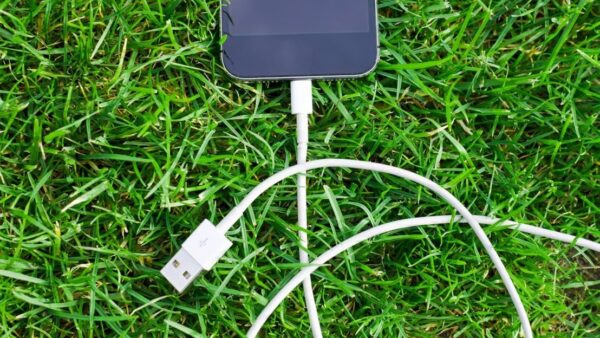
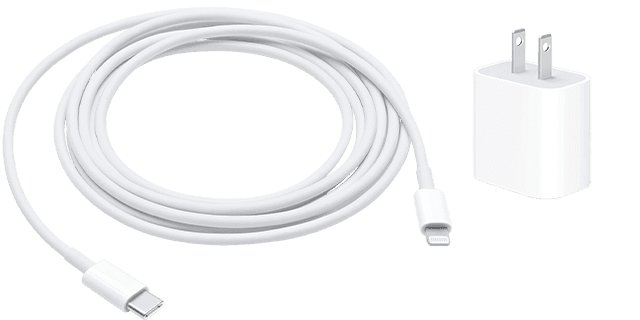
An iPhone 5 through iPhone 14 charges with a Lightning cable plugged into a regular USB power adapter, while iPhone 15 and later models use a USB-C cable instead.
This guide covers how to tell which connector your iPhone has, which cable and adapter to pair, how to fast charge over Lightning, how to spot a fake Lightning cable, and what to do when a Lightning charger stops working.
Does my iPhone use a Lightning or USB-C charger?
The cable end is what changes between models. The power brick can be any regular USB adapter that meets safety standards, including an Apple adapter from an iPad or Mac.
- Open Settings on the iPhone.
- Tap General, then tap About.
- Read the Model Name line, for example iPhone 14 or iPhone 16.
- If the model is iPhone 14 or earlier, starting from iPhone 5, buy a Lightning cable: USB-C to Lightning for a USB-C adapter, or USB-A to Lightning for an older rectangular-port adapter.
- If the model is iPhone 15 or later, buy a USB-C cable instead of a Lightning cable.
- Plug the cable into a power adapter and the adapter into a wall outlet.
Apple says iPhone continues to work with existing power adapters and USB-A to Lightning cables from earlier models, so a charger already in a drawer usually works.
Do all iPhones use Lightning cables?
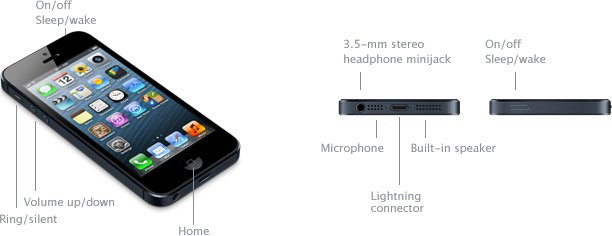
No. Apple used three connectors over the years, and the Lightning era ran from iPhone 5 to iPhone 14.
| iPhone models | Charging connector | Cable to use |
|---|---|---|
| iPhone 4S and earlier | 30-pin dock connector | Dock Connector to USB Cable |
| iPhone 5 to iPhone 14 models, iPhone SE (3rd generation) | Lightning | USB-C to Lightning cable, or USB-A to Lightning cable for an older adapter |
| iPhone 15, iPhone 16, iPhone 16e, iPhone 17 models, iPhone Air and later | USB-C | USB-C cable that complies with the USB-C standard |
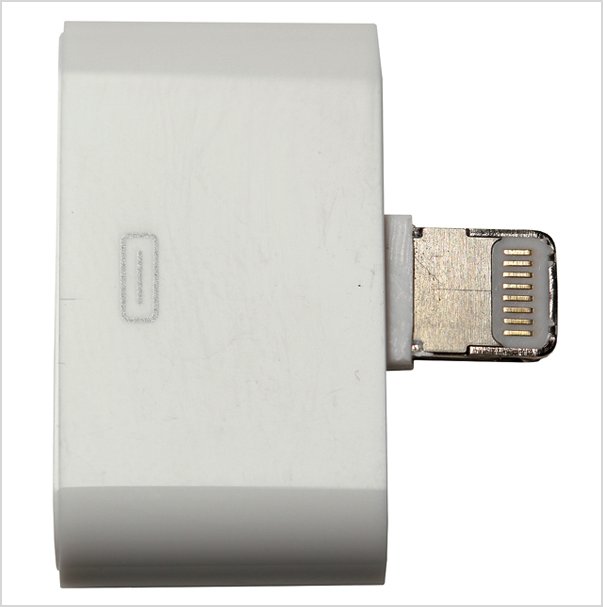
Apple also sold a Lightning to 30-pin Adapter with iPhone 5 so owners could keep using older dock accessories. Recent Lightning models such as iPhone 14 and iPhone SE (3rd generation) ship with a USB-C to Lightning cable and no power adapter.
Lightning charger vs regular charger for iPhone
A "Lightning charger" is really two parts: a Lightning cable and a USB power adapter. The adapter decides how fast the iPhone charges, and the cable has to fit both ends.
| Your situation | Use this | Why |
|---|---|---|
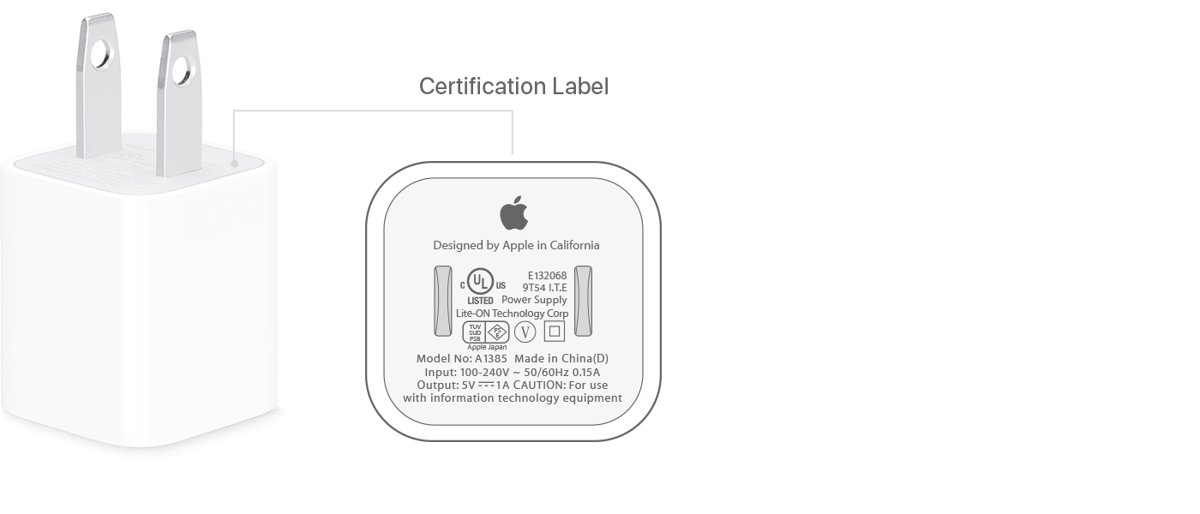
| You have an old Apple 5W cube with a rectangular USB-A port | USB-A to Lightning cable | Charges normally; most iPhones before iPhone 11 shipped with this 5W adapter |
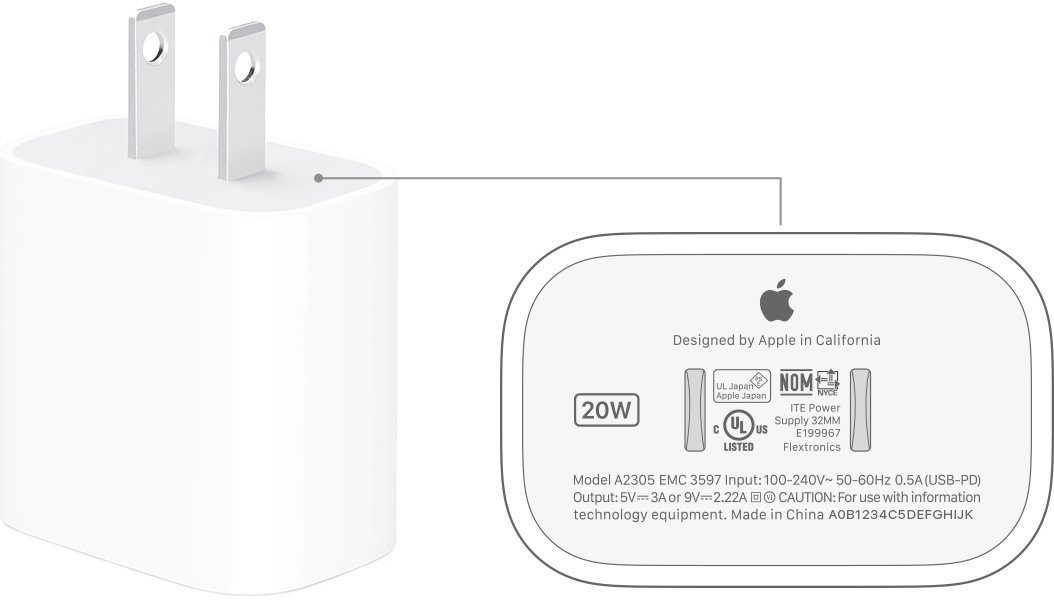
| You want fast charging on iPhone 8 to iPhone 14 | USB-C to Lightning cable plus an Apple 18W or higher USB-C adapter, or a third-party USB-C adapter with USB Power Delivery | Apple's fast-charge requirement for models before iPhone 15 |
| You have a Mac or iPad USB-C power adapter | USB-C to Lightning cable | Apple lists Mac USB-C power adapters as safe for iPhone |
| You are charging from a computer | The matching cable into the computer's USB port | iPhone can charge from a computer USB port as well as a wall adapter |
| You have an iPhone 15 or later | USB-C cable and a USB-C adapter | The iPhone has no Lightning port |
Third-party adapters are fine when they comply with applicable safety standards. Apple warns that other adapters might not, and charging with them could pose a risk of injury. Fast-charging adapter wattage varies by iPhone model, so match the adapter to the phone before you buy.
How to fast charge an iPhone with a Lightning cable
Fast charging over Lightning needs a USB-C to Lightning cable. A USB-A to Lightning cable plugged into the old 5W cube still works, just at normal speed.
- Check that the iPhone is an iPhone 8 or later model with a Lightning port.
- Get an Apple 18W or higher USB-C Power Adapter, or a comparable third-party USB-C adapter that supports USB Power Delivery.
- Connect the USB-C end of a USB-C to Lightning cable to the adapter.
- Plug the Lightning end into the iPhone.
- Plug the adapter into a wall outlet.
- Keep the iPhone at room temperature, because fast charging might not work when it is too hot or too cold.
On iPhone 14, Apple quotes up to 50% charge in around 30 minutes with a 20W or higher adapter paired with a USB-C to Lightning cable. A higher-wattage USB-C adapter, like the one that came with a Mac laptop, also works with iPhone for faster charging.
How to use a Lightning charger with a USB-C iPhone
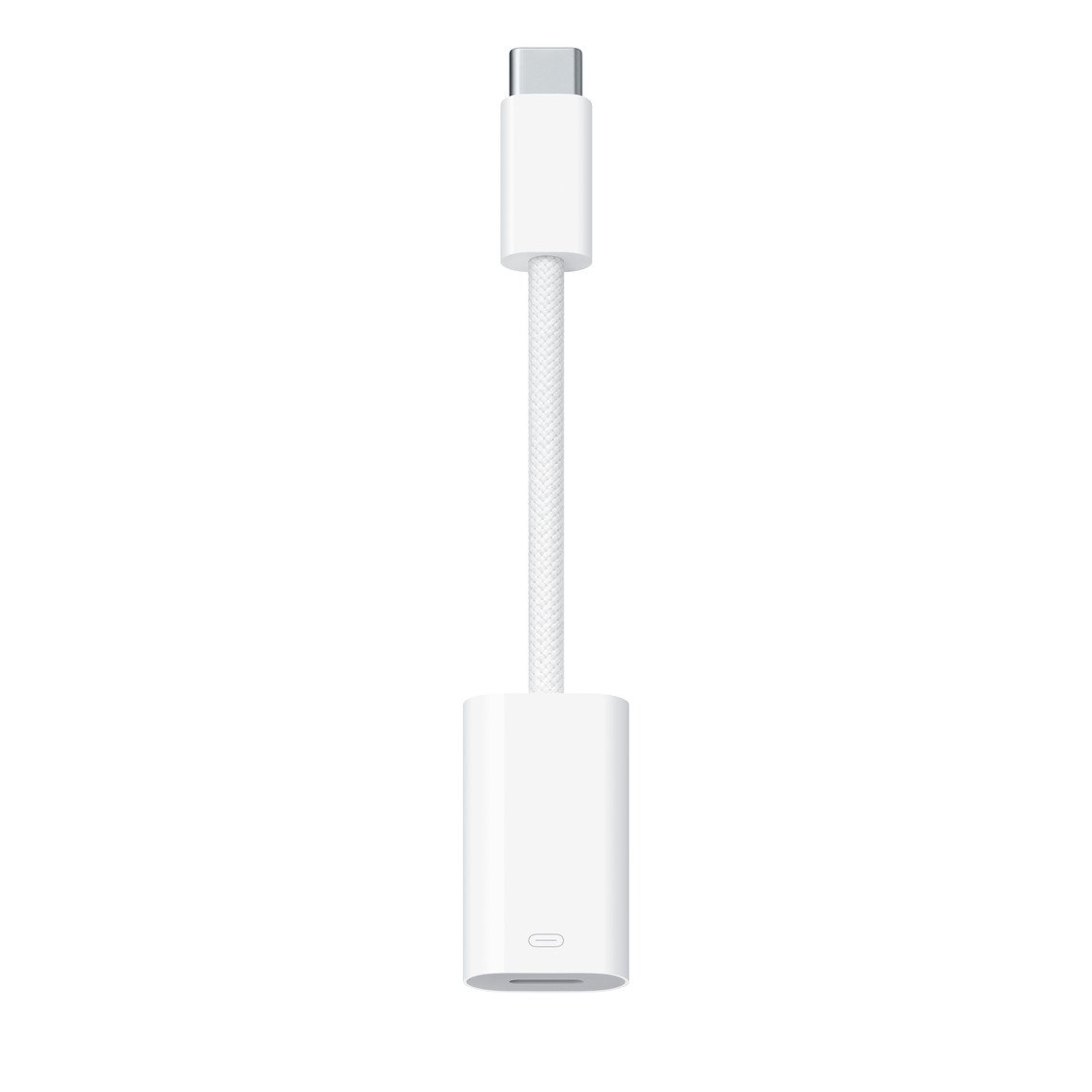
A Lightning cable will not fit iPhone 15 or later. Apple sells a USB-C to Lightning Adapter for owners who want to keep older Lightning accessories.
- Plug the Apple USB-C to Lightning Adapter into the iPhone's USB-C connector.
- Connect the Lightning accessory or Lightning cable to the adapter.
- Plug the other end of the cable into a power adapter or computer.
- Check the battery icon for the charging bolt.
- For everyday charging, switch to a USB-C cable that complies with the USB-C standard, like the one in the iPhone box.
Apple says the adapter supports power, data and audio. An iPhone 15 or later can also charge a small Lightning device through an Apple USB-C to Lightning cable.
How to spot a fake iPhone Lightning cable
Counterfeit or uncertified Lightning cables can damage the iPhone, overheat at the connector, or fail to charge. Certified third-party cables carry the MFi badge on the packaging.
| Check | Apple-branded or certified cable | Counterfeit or uncertified cable |
|---|---|---|
| Packaging | MFi badge on third-party packaging | No MFi badge |
| Printing on the cable | "Designed by Apple in California" plus assembly country and a 12-digit serial number, about seven inches from the USB end | Missing or different text |
| Lightning end | Single smooth piece, rounded gold or silver contacts, gray metallic faceplate, 7.7 mm x 12 mm boot | Several pieces, squared uneven contacts, white or black faceplate, varying size |
| USB-A end | Gold-plated contacts, trapezoidal interlocks, flat shell | Silver-plated contacts, right-angle interlocks, divot or notches in the shell |
iPhone Lightning charger not working
Lightning cable not charging the iPhone
A damaged cable or adapter, a loose connection, or debris in the charging port.
- Check the cable and adapter for breaks or bent prongs, and stop using damaged ones.
- Plug into a wall outlet and press each connection firmly, or try another outlet.
- Remove debris from the charging port on the bottom of the iPhone, then plug the cable in firmly.
- Restart the iPhone and let it charge for half an hour.
"This accessory may not be supported" with a Lightning cable
A dirty or damaged port, an uncertified accessory, or outdated software.
- Connect the iPhone directly to the charger with no adapters in between.
- Clear debris from the Lightning port.
- Try a different USB cable or charger.
- Update to the latest version of iOS.
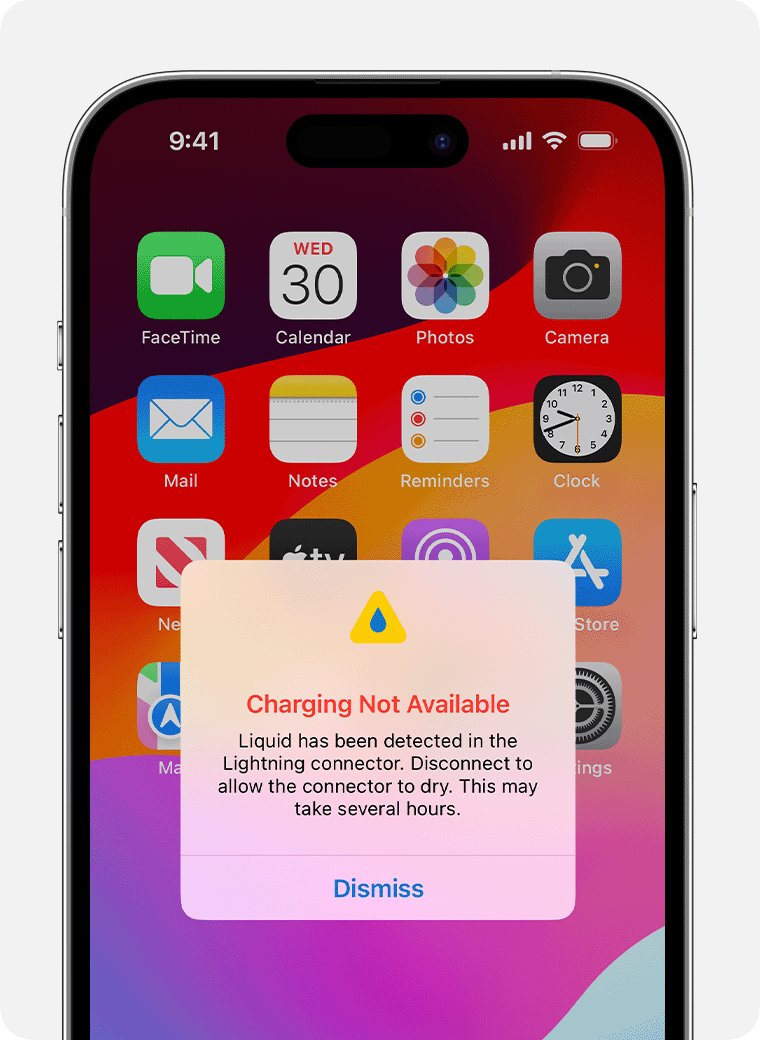
"Liquid detected in Lightning connector" or "Charging not available"
iPhone XS and later detect liquid in the Lightning port and block charging to prevent corrosion.
- Unplug the cable from the iPhone and the adapter.
- Tap the iPhone gently against your hand with the connector facing down.
- Leave it in a dry area with some airflow for at least 30 minutes, then try again.
- Allow up to 24 hours if the alert returns, and do not use rice, heat, compressed air or a cotton swab.
iPhone stops charging at 80% on a Lightning charger
Optimized Battery Charging or heat is holding the charge, not the cable.
- Leave the iPhone connected; it finishes charging closer to when you usually unplug.
- Move the iPhone and charger to a cooler place if the iPhone feels warm.
- Check Settings > Battery > Battery Health & Charging for the Optimized Battery Charging switch.
If the iPhone still will not charge after these steps, the port or battery may need attention, so fix an iPhone that is not charging before you book service.
iPhone Lightning charger FAQ
What is an iPhone Lightning charger?
An iPhone Lightning charger is a USB power adapter paired with a cable that has Apple's small, reversible Lightning plug on one end. iPhone 5 through iPhone 14 models charge through it. The other end of the cable is USB-A or USB-C to match the adapter.
What is a Lightning phone charger?
It is the charger used by iPhones from iPhone 5 to iPhone 14 and iPhone SE (3rd generation), named after Apple's Lightning connector. Other phones and iPhone 15 or later use USB-C, so a Lightning charger only fits those older iPhones and Lightning accessories.
Do all iPhones use Lightning cables?
No. iPhone 4S and earlier used the 30-pin dock connector, iPhone 5 through iPhone 14 use Lightning, and iPhone 15 and later models, including iPhone 16e and iPhone 17, use USB-C. Check Settings > General > About to see your model.
What iPhone charger came before Lightning?
The 30-pin dock connector came before Lightning. iPhone 4S shipped with a Dock Connector to USB Cable, and iPhone 5 switched to Lightning, with a Lightning to 30-pin Adapter available for older accessories.
Can I use a regular USB charger with a Lightning cable?
Yes. A USB-A to Lightning cable works with existing USB power adapters, and a USB-C to Lightning cable works with USB-C adapters and computer ports. Use Apple adapters or third-party adapters that comply with applicable safety standards.
Does a Lightning cable support fast charging?
Yes, on iPhone 8 and later. Use a USB-C to Lightning cable with an Apple 18W or higher USB-C Power Adapter, or a comparable third-party USB-C adapter that supports USB Power Delivery. A USB-A to Lightning cable does not meet that requirement.
Which Lightning charger should I buy for my iPhone?
For iPhone 8 to iPhone 14, buy a USB-C to Lightning cable and a 20W or higher USB-C power adapter that supports USB Power Delivery. That combination meets Apple's fast-charge requirement. Look for the MFi badge on any third-party Lightning cable.
Why is my Lightning cable not charging my iPhone?
The most common causes are a damaged cable or adapter, debris in the Lightning port, a loose outlet connection, or liquid in the connector. Inspect the cable, clean the port, try another outlet and cable, and restart the iPhone before charging for half an hour.
Can I use a Lightning charger on iPhone 15 or later?
Only with the Apple USB-C to Lightning Adapter, which supports power, data and audio. The Lightning plug does not fit the USB-C connector on iPhone 15 and later, so a USB-C cable is the simpler choice for daily charging.