Yes, you can pay cash at an Apple Store in person: Apple's own retail sales policies in the US and Canada spell out how cash purchases are refunded, but cash is not a payment option on apple.com or in the Apple Store app.
This guide covers buying in store with cash, what Apple accepts online, cash refunds over $750, and how Apple Cash, which is a digital card rather than physical money, works at the checkout.
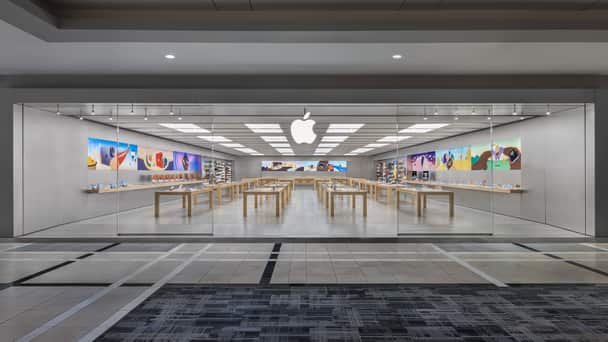
Can I pay cash at Apple Store?
Cash works for walk-in purchases at an Apple Store location. Online orders, including orders you pick up in store, are paid with the online payment methods, and none of those is cash.
- Before you go, check Apple Store inventory for the exact model so you do not carry cash to a store that has none in stock.
- Call or visit your local store if you plan a large cash purchase, and ask whether it takes cash for that amount.
- In the store, pick the product with an Apple Specialist and tell them you will pay with cash.
- Hand over the cash at checkout and take your receipt.
- Keep the receipt: Apple needs it for any return or exchange within the return window.
If you also want to use Apple Gift Cards in the same visit, present the physical card or the gift card email to the cashier at the time of payment.
Does the Apple Store accept cash?
Where you buy decides whether cash is on the table. This table follows Apple's US and Canadian sales policies and its Payment & Pricing page.
| Where you buy | Cash accepted? | What Apple says |
|---|---|---|
| Apple Store location in the US | Yes | The US Sales and Refund Policy covers returns of purchases made with cash or a cash equivalent |
| Apple Retail Store in Canada | Yes | The Canada policy covers returns of cash, cash equivalent and cheque transactions |
| apple.com and the Apple Store app | No | Apple lists the payment methods it accepts online, and cash is not one of them |
| Online order for in-store pickup | No | The order is paid online; business lease, wire transfers and money orders are not allowed for pickup items |
| Corporate tax-exempt purchase | No | Only corporate-issued credit cards are accepted: no cash, personal check or personal credit card |
| Phone order on 1-800-MY-APPLE | Ask | Some customers may qualify for other forms of payment, so Apple asks you to call a Specialist |
Apple Store payment methods online
If you cannot get to a store, these are the ways to pay on apple.com in the US. You can combine some of them on one order.
| Payment method | Notes |
|---|---|
| Apple Pay | Can be combined with Apple Gift Cards and Apple Account balance |
| Apple Card | Apple's own credit card, listed as a separate payment method |
| Credit or debit cards | American Express, Discover, MasterCard, UnionPay and Visa; up to two credit cards per order |
| PayPal | You sign in on the PayPal site; each shipment is charged separately |
| Apple Upgrade | Listed by Apple as an online payment option |
| Apple Business Lease | Through AFS Commercial Credit; not allowed for pickup items |
| Apple Gift Cards | Up to eight per online order, or up to 20 in one transaction at an Apple Store |
| Apple Account balance | Choose an amount at the payment step while signed in with your Apple Account |
Most debit cards have daily spending limits, and Apple reserves the funds the moment you order. If a debit or student card limit blocks an iPhone, ask your bank to raise it for the day, or pay in store with cash.
How to pay on Apple Store online
- Sign in with your Apple Account on apple.com or in the Apple Store app, then add the product to your bag.
- Go to checkout and choose delivery or pickup.
- At the payment step, choose Apple Pay, a credit or debit card, PayPal, or another listed method.
- To use a gift card, enter its PIN; to use your Apple Account balance, choose an amount to apply.
- Make sure the billing address matches the address your card issuer has on file.
- Place the order. Apple authorises the card first and charges it only when the order ships.
Gift cards issued by a credit card company can be combined with one credit card, but Apple Gift Cards cannot be used with PayPal or split credit card payments.
Apple Store cash refund policy
Cash buyers get their money back by check once the amount passes $750, so keep that in mind before paying cash for a Mac or an iPhone Pro.
| Rule | United States | Canada |
|---|---|---|
| Return window | 14 days from the date you receive the product | 15 days from the date you receive the product |
| Receipt | Required for a return or exchange | Original receipt required |
| Cash refunds over $750 | Apple mails a refund check within 10 business days | Apple mails a refund cheque within 10 business days |
| Return location | Any US Apple Store; ten or more of one product go back to the store where you bought them | Any Apple Store in the same country for an exchange |
Card refunds work differently: Apple sends them to the card-issuing bank within five business days, and you can request an Apple refund online for apps, subscriptions and Apple Store orders.
How to use Apple Cash at store
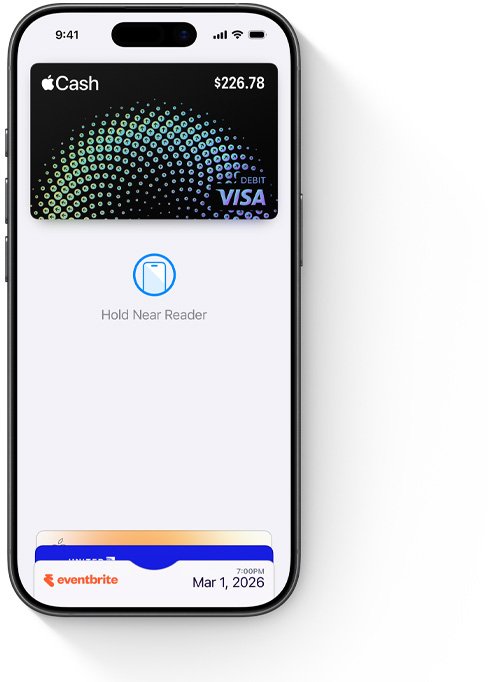
Apple Cash is not physical money. It is a digital card in the Wallet app that you spend with Apple Pay, so it works at the Apple Store and anywhere that shows the contactless payment symbol.
- At the checkout, double-click the side button on your iPhone.
- Tap your default card to see your other cards, then tap your Apple Cash card.
- Authenticate with Face ID, Touch ID or your passcode.
- Hold the top of your iPhone near the contactless reader.
- Wait until Done and a checkmark appear on the screen.
- If the terminal asks for a PIN to complete a debit transaction, enter a four-digit code such as 0000.
On Apple Watch, double-click the side button, scroll to the Apple Cash card and hold the display near the reader until you feel a tap.
How to put cash on Apple Pay
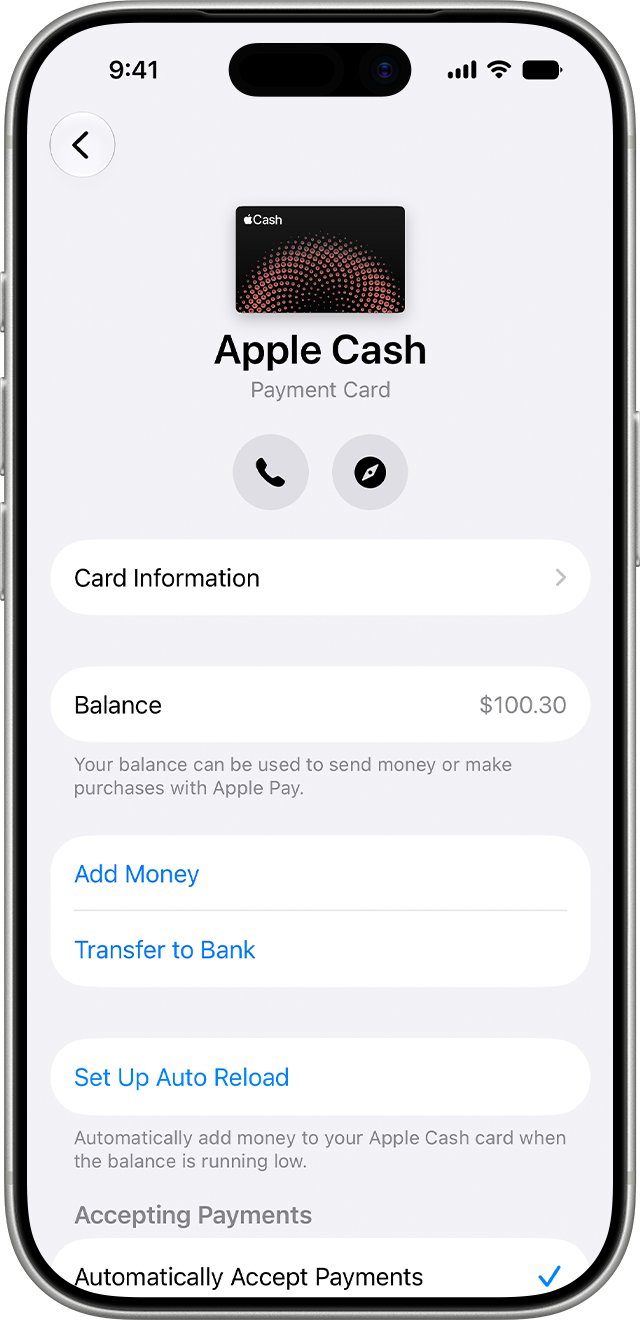
You add money to Apple Cash from a debit card connected in Wallet. Money other people send you in Messages or Wallet also lands on the same card automatically.
- Open the Wallet app on your iPhone.
- If you have not connected a debit card yet, tap the + button and add one.
- Tap your Apple Cash card, then tap the More button.
- Tap Add Money and enter an amount.
- Tap Add, then confirm with Face ID, Touch ID or your passcode.
Apple Cash is available only in the US, and you must be 18 and a US resident to send and receive money with your own account.
Getting cash from Apple Pay
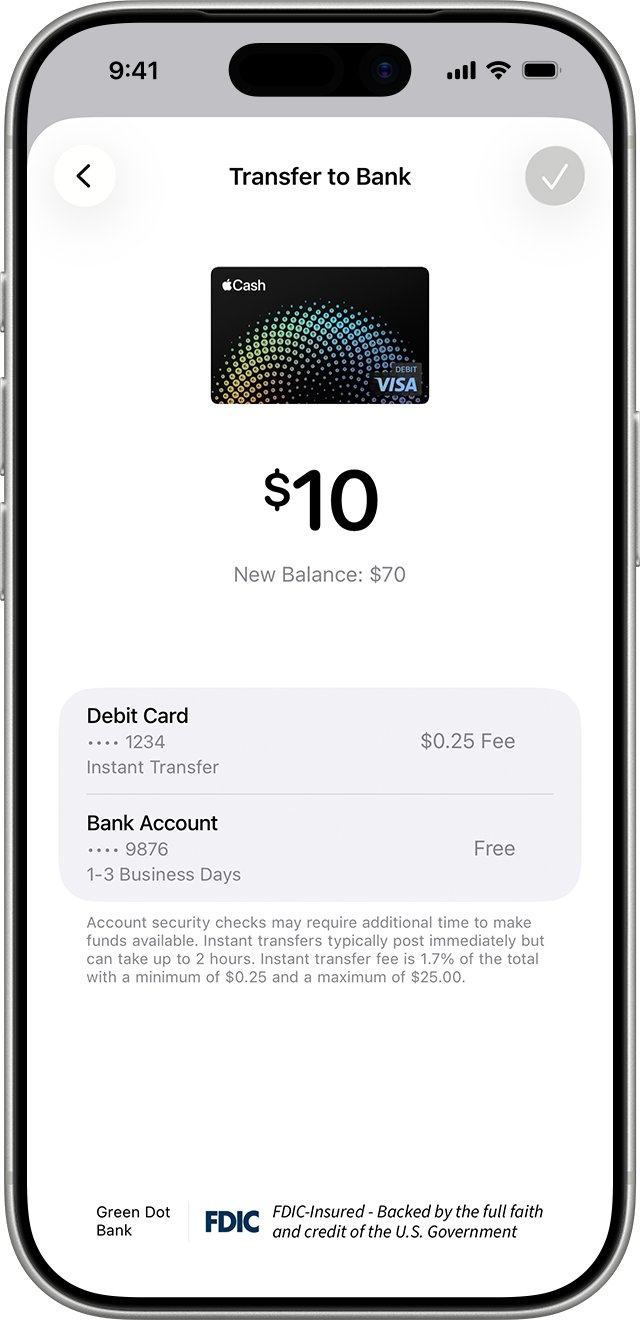
To turn an Apple Cash balance back into money in your bank, transfer it from Wallet. A bank transfer is free; Instant Transfer to a debit card costs 1.7% of the amount, with a $0.25 minimum and a $25 maximum.
- Open Wallet, tap your Apple Cash card, tap the More button, then tap Transfer to Bank.
- Enter an amount, tap the Close button, then tap Continue.
- Tap 1-3 Business Days for a free bank transfer, or Instant Transfer to send it to an eligible debit card.
- If no bank account is listed, tap Add A Bank Account and enter your routing and account numbers twice.
- Tap Done, double-click the side button and authenticate to confirm.
You can transfer up to $10,000 at a time and $20,000 in seven days, only to a US bank account. To change the debit card used, switch your Instant Transfer card in Wallet.
Apple Store payment declined or over your card limit
Card transaction limit is too low to buy an iPhone
Student and debit cards often carry daily spending limits that sit below the price of an iPhone or Mac.
- Call the number on the back of the card and ask the bank about its daily limit.
- Pay the balance in cash at an Apple Store, where cash is accepted.
- Or split an online order across Apple Gift Cards and one card, using the combinations Apple allows.
Credit or debit card payment error on apple.com
A card that is not activated, a typo, or a billing address that does not match the card account.
- Activate a new or reissued card first.
- Check the card type, number and expiration date, and remove dashes or spaces from the number.
- Make sure the billing address matches your card statement address.
- If everything is correct, call your card issuer, which may need to approve the purchase.
Card reader asks for a PIN when you pay with Apple Cash
Apple Cash has no PIN because every payment is approved with Face ID, Touch ID or a passcode.
- Enter any four-digit code, such as 0000, when the terminal asks for a debit PIN.
- Finish the payment and check the transaction in Wallet under your Apple Cash card.
Apple Store cash and Apple Cash FAQ
Does the Apple Store take cash?
Yes, in person. Apple's US and Canadian retail sales policies cover refunds for purchases paid in cash, which confirms cash is accepted at Apple Store locations. Cash is not accepted on apple.com, in the Apple Store app or for online orders you pick up in store.
Can I use Apple Cash in stores?
Yes. Apple Cash is a digital card in Wallet, so you can spend it with Apple Pay in stores, online and in apps. Double-click the side button, choose the Apple Cash card, and hold your iPhone near the contactless reader until Done appears.
Does Apple Cash work with Apple Pay?
Yes. Apple Cash is the money and Apple Pay is how you spend it. Apple Pay makes contactless purchases with Apple Cash, Apple Card, or any credit or debit card you add to Wallet.
Is Apple Cash Apple Pay?
No. Apple Cash is a way to send and receive money that sits on a card in Wallet, provided by Green Dot Bank. Apple Pay is the payment method that spends the money on that card, or on any supported credit or debit card.
Does Apple Cash cost money?
Moving Apple Cash to your bank account in one to three business days is free. Instant Transfer to an eligible debit card costs 1.7% of the transfer amount, with a $0.25 minimum and a $25 maximum, and you see the exact fee before you confirm.
Can you get cash from Apple Cash?
Yes, by transferring your balance to a US bank account or an eligible debit card. In Wallet, tap your Apple Cash card, tap More, then Transfer to Bank. You can move up to $10,000 per transfer and $20,000 in seven days.
Where to find Apple Cash?
Your Apple Cash balance lives on the Apple Cash card in the Wallet app. Open Wallet and tap the card to see your balance and latest transactions, or tap More and Card Details to add money, set up auto reload and update your bank account.
How to pay someone using Apple Cash?
In Messages, tap the + button, select Apple Cash, enter an amount and tap Send. Or open Wallet, choose your Apple Cash card, tap Send or Request, pick a contact and tap Send. You need a balance or a debit card in Wallet.
Why use Apple Cash?
Apple Cash lets you send and receive money in Messages, in Wallet or with Tap to Cash, and spend it anywhere Apple Pay works. Payments are approved with Face ID, Touch ID or a passcode, and Apple Card Daily Cash can land on it.