An iPhone 15 usually runs slow because storage is nearly full, Low Power Mode is on, the phone is too hot, an update is still finishing in the background, or the network is congested.
The fixes below work on iPhone 15, 15 Plus, 15 Pro and 15 Pro Max, and most also apply to iPhone 11 through iPhone 16 models.
How to fix iPhone 15 running slow
Work through these in order. Each one takes a minute, and the first three solve most slowdowns.
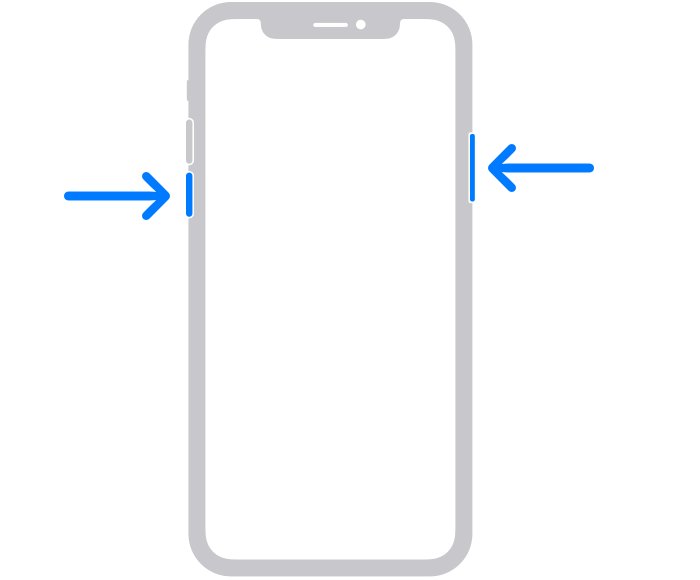
- Restart the iPhone: press and hold the side button and either volume button until the power-off slider appears, drag it, wait 30 seconds, then hold the side button until the Apple logo appears.
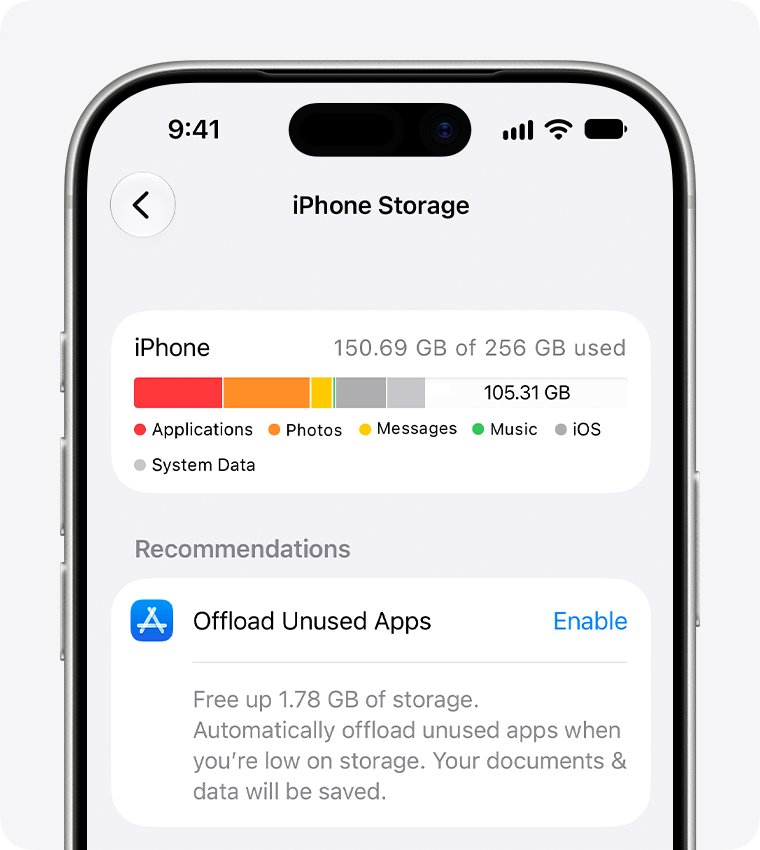
- Open Settings > General > iPhone Storage and make sure at least 1 GB is free. Offload or delete apps you don't use if it isn't.
- Open Settings > Battery > Power Mode and turn off Low Power Mode. A yellow battery icon means it's on.
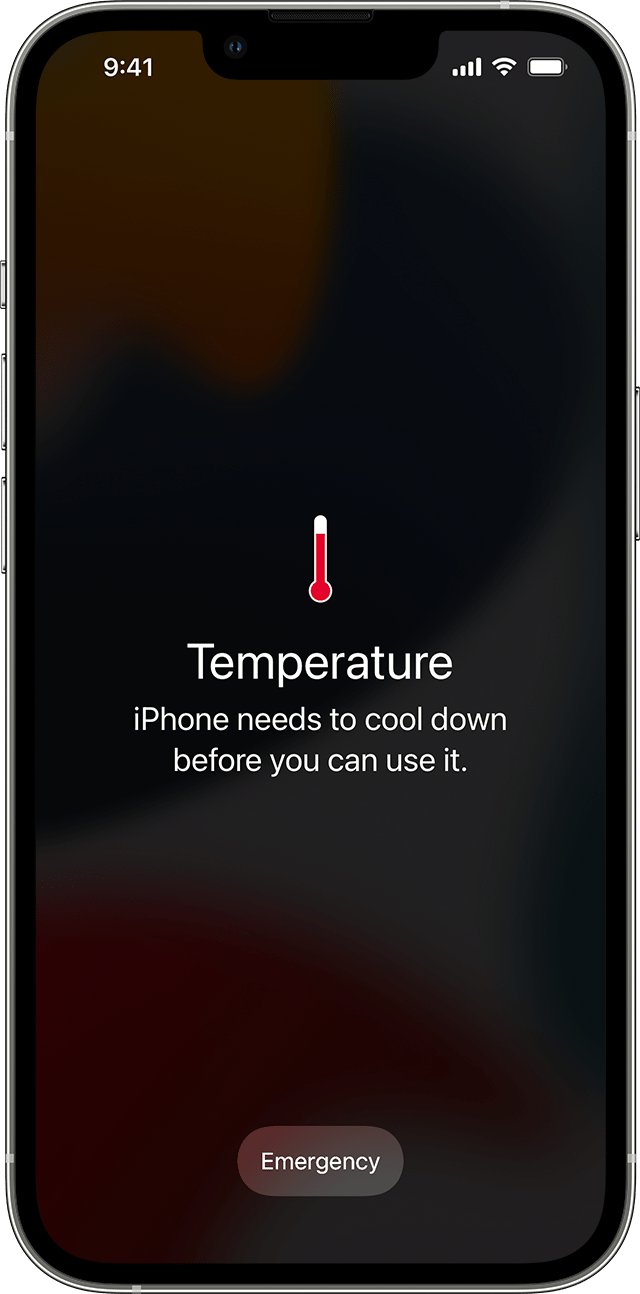
- If the iPhone feels hot, stop using it for a while and move it out of direct sunlight or a hot car.
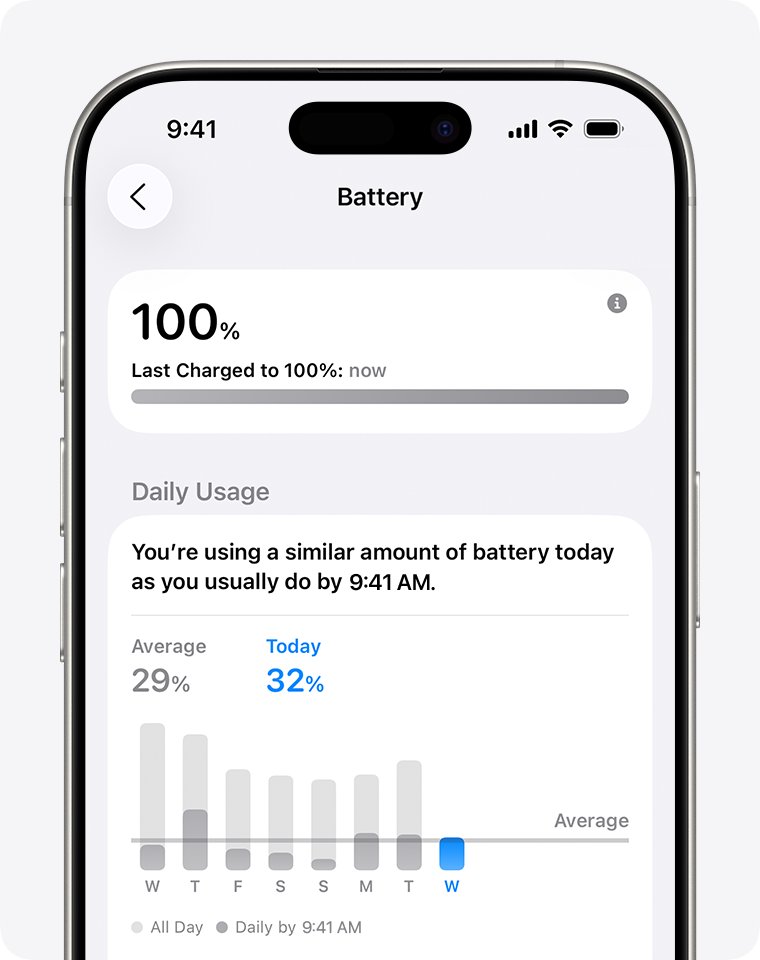
- Open Settings > Battery and look above Daily Usage for an Ongoing iOS Update or Ongoing Device Setup Insight. If one shows, give it a few days.
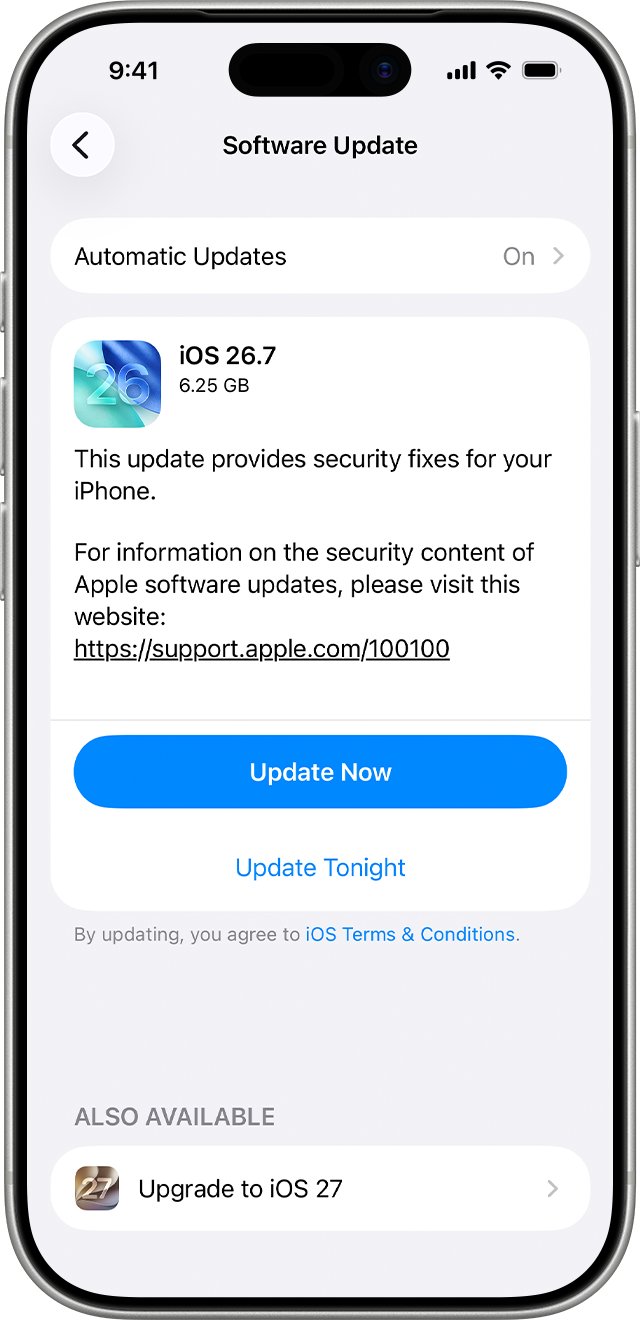
- Open Settings > General > Software Update and install any update shown.
- Open Settings > Battery > Battery Health and check whether a battery replacement is recommended.
Why is my iPhone 15 running so slow?
Match what you notice to a row, then go to the fix. Several causes can stack, such as a hot phone that is also low on storage.
| Cause | What you notice | Fix |
|---|---|---|
| Storage almost full | "Storage Almost Full" alert, apps slow to open or save | Keep at least 1 GB free in iPhone Storage |
| Low Power Mode on | Yellow battery icon, mail and iCloud Photos paused, dimmer screen | Turn off Low Power Mode in Power Mode |
| Too hot or too cold | Lower frame rates, dim display, slow charging or a temperature warning | Let the iPhone return to 0-35 °C (32-95 °F) |
| Update or setup finishing | Slow and warm for a few days after an iOS update, restore or new setup | Wait for the Ongoing iOS Update or Ongoing Device Setup Insight to clear |
| Network congestion | Web pages, feeds and app content load slowly, the rest of the phone is fine | Try Wi-Fi or another location; contact the carrier if it follows you |
| One app not responding | A single app freezes while the Home Screen works | Close that app and open it again |
| Aged battery | Longer app launch times and lower frame rates over months | Check Battery Health and replace the battery if Apple recommends it |
How to restart iPhone 15 when it's slow or frozen
A normal restart clears whatever was stuck in memory. Use a force restart only when the screen doesn't respond to the slider.
- Press and hold either volume button and the side button until the power-off slider appears.
- Drag the slider, then wait 30 seconds for the iPhone to turn off.
- Press and hold the side button on the right until you see the Apple logo.
- If the iPhone is frozen, force restart it instead: press and quickly release volume up, press and quickly release volume down, then press and hold the side button.
- Release the side button when the Apple logo appears.
A touch screen that misreads taps can make the iPhone feel slow. If taps still register wrongly after a restart, the iPhone may need service.
iPhone 15 storage full: free up space to speed it up
iOS removes items it can download again when space runs low, but Apple still recommends keeping at least 1 GB free to avoid slowdowns. A 512 GB iPhone 15 Pro Max can fill up too once video and photo libraries grow.
- Open Settings and tap General.
- Tap iPhone Storage and wait for the bar and app list to load.
- Tap Show All under the recommendations, read each one, then tap Enable or open it to review what it deletes.
- Tap an app you rarely use, then tap Offload App to free its space but keep its documents and data.
- Tap Delete App instead to remove the app and its data completely.
- Check the free space figure again and restart the iPhone.
Cached and temporary data may not count toward an app's usage, and iOS removes those files itself when it needs space.
Turn off Low Power Mode on iPhone 15
Low Power Mode saves battery by limiting features, which can make the iPhone feel sluggish. It reduces brightness, turns off some visual effects and Background App Refresh, pauses iCloud Photos and stops email fetch.
- Open Settings and tap Battery.
- Tap Power Mode.
- Turn off Low Power Mode.
- Or swipe down from the top-right corner to open Control Center and tap the battery icon.
- Check that the battery icon in the status bar is no longer yellow.
Low Power Mode turns itself off when the iPhone charges to 80% or higher. On iPhone 15 Pro and iPhone 15 Pro Max with iOS 26 or later, Adaptive Power can make performance adjustments on heavy days and turn on Low Power Mode when the battery reaches 20%.
iPhone 15 slow after update
After an iOS update, a restore from backup or setting up a new iPhone, tasks keep running in the background. They can affect battery life and thermal performance for a while, and the phone may feel warm and slow.
- Open Settings and tap Battery.
- Look just above Daily Usage for an Ongoing iOS Update or Ongoing Device Setup Insight.
- If one appears, keep the iPhone on Wi-Fi and charging overnight and check again after a few days.
- Open Settings > General > Software Update and install any newer update.
- Tap Automatic Updates on the same screen and turn on Automatically Install so later fixes install overnight.
If the slowdown began with iOS 26 in particular, these fixes for iOS 26 lag go into that release's specific problems. After you move data to a new iPhone, expect the same few days of background work.
iPhone 15 slow internet on Wi-Fi or cellular
When only web pages and app content are slow, the network is the usual cause. Network congestion and reconnecting to cell towers while moving both slow apps down, even with a strong signal.
- Open Settings > Wi-Fi and join a Wi-Fi network if you're on cellular.
- Wait a few minutes or move to a different location if you're on cellular in a busy area.
- Restart the iPhone and the Wi-Fi router.
- If nothing else helps, open Settings > General > Transfer or Reset iPhone > Reset, then tap Reset Network Settings.
- Contact your carrier if cellular data stays slow across several locations.
Reset Network Settings removes saved Wi-Fi networks and VPN settings, and renames the device to "iPhone" under About. Have your Wi-Fi passwords ready.
Close an app that's not responding on iPhone 15
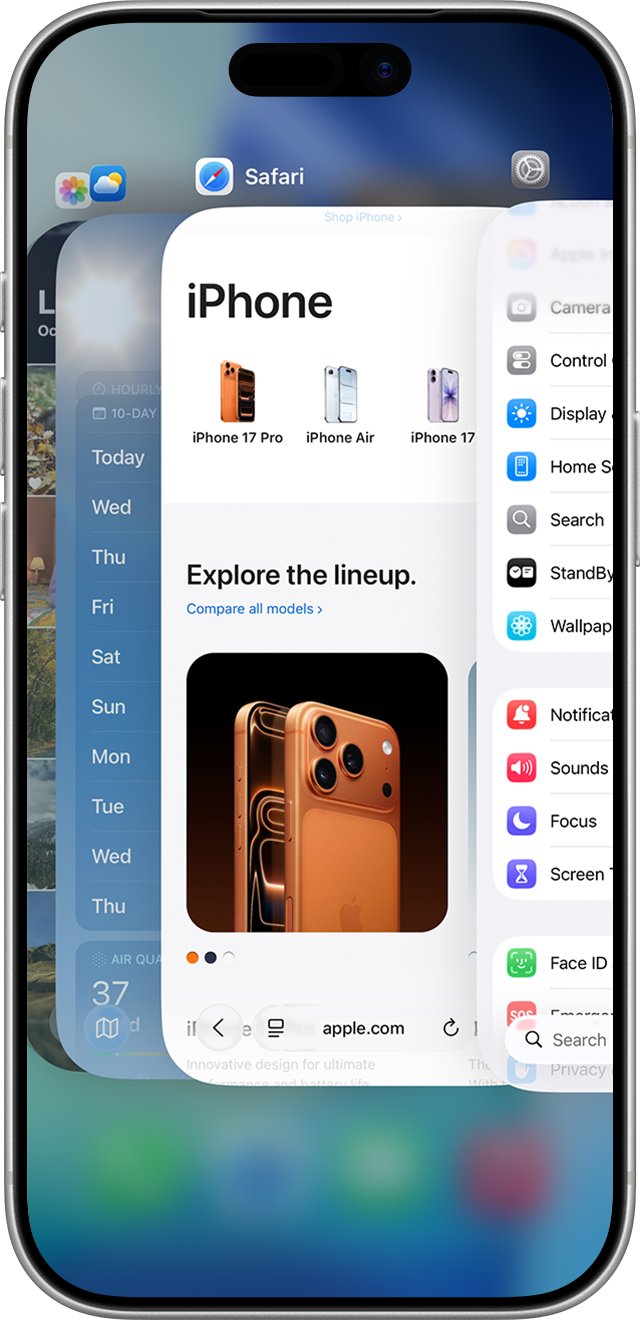
Close only the app that has stopped responding. Closing all your apps doesn't improve overall performance, and force closing apps unnecessarily can slow the iPhone down, because a reopened app has to reload all its data.
- Swipe up from the bottom to the middle of the screen and hold until you see the App Switcher.
- Swipe left or right to find the frozen app.
- Swipe up on its preview to close it.
- Open the app again from the Home Screen.
- If it keeps freezing, update it in the App Store or delete and reinstall it.
How to check iPhone 15 battery health
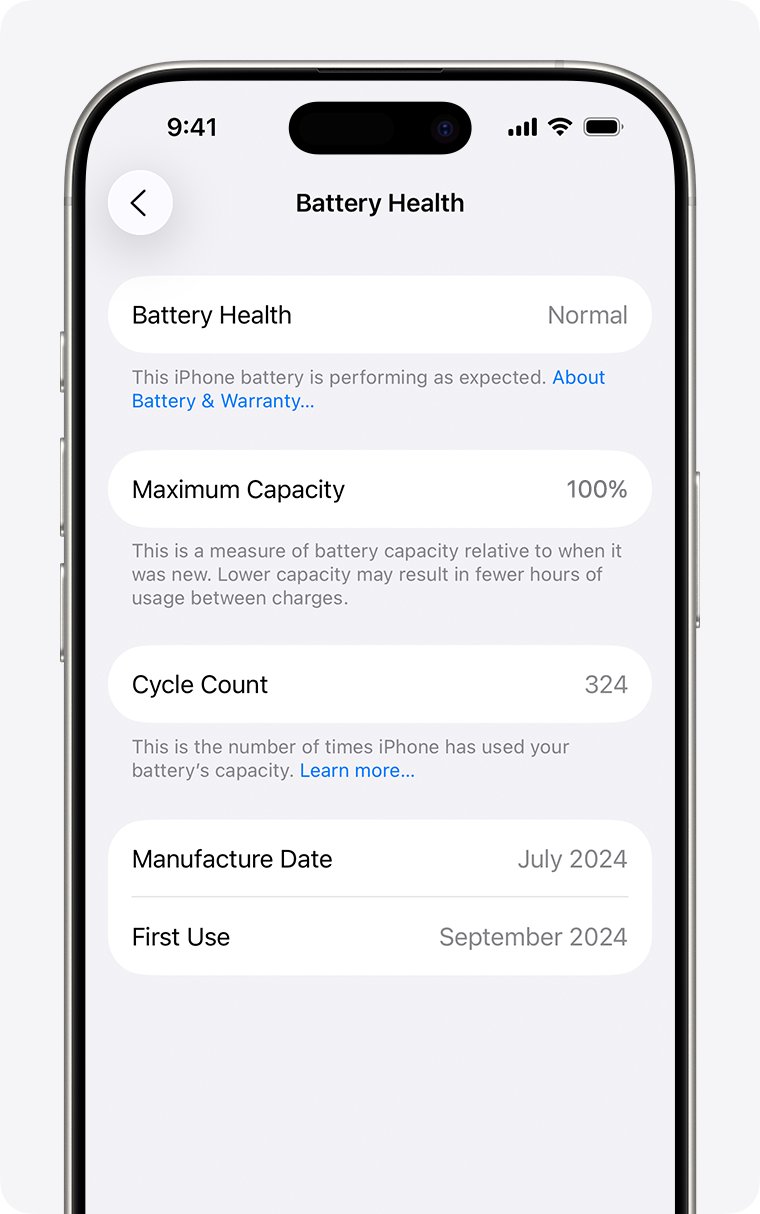
As a battery ages, iPhone 15 models can show longer app launch times, lower frame rates and slower wireless data. The Battery Health screen shows whether the battery is the reason.
- Open Settings and tap Battery.
- Tap Battery Health. On iPhone 11 to iPhone 14, the item is called Battery Health & Charging.
- Read Maximum Capacity, the cycle count, and the manufacture and first-use dates (iOS 17.4 or later on iPhone 15).
- Check the peak performance message. "Your battery is currently supporting normal peak performance" means the battery isn't slowing the iPhone.
- If Service shows next to Battery Health, or the screen says battery health is significantly degraded, book a battery replacement through Apple Support.
iPhone 15 batteries are designed to keep 80% of their original capacity at 1,000 complete charge cycles under ideal conditions. The exact figure depends on how the iPhone is used and charged.
Reset all settings on iPhone 15 without losing data
If the iPhone is still slow after the fixes above, a setting may be the cause. Reset All Settings returns every setting to its default but deletes no data or media, unlike a full factory reset.
- Back up the iPhone to iCloud or a computer first, so you can restore your old settings if the reset doesn't help.
- Open Settings and tap General.
- Tap Transfer or Reset iPhone, then tap Reset.
- Tap Reset All Settings and follow the onscreen prompts. Don't choose Erase All Content and Settings, which removes everything.
- Set up Wi-Fi, location and privacy settings and Apple Pay cards again afterwards.
iPhone 15 Pro Max running slow
iPhone 15 Pro Max is slow and hot
Heat makes the iPhone protect its parts by lowering performance, dimming the display and slowing charging.
- Stop gaming, filming or navigating for a while.
- Take the iPhone out of direct sunlight or a parked car.
- If a temperature warning appears, turn the iPhone off and let it cool in a cooler place.
- Remember it can run warm during setup, a restore, a major update, wireless charging and high-quality video streaming.
iPhone 15 is slow and the battery drains fast
Background work, a weak signal or an aged battery uses more power.
- Open Settings > Battery and check for suggestions or Insights above Daily Usage.
- Tap View All Battery Usage and look for apps marked Background Activity.
- Use Wi-Fi where you can, and turn on Airplane Mode in areas with no coverage.
- Check Battery Health for a replacement recommendation.
iPhone 15 is slow in the cold
Cold temperatures raise battery impedance and can reduce performance and battery life.
- Let it warm to room temperature before heavy use or charging.
- Expect battery life to return to normal once it's back above 0 °C (32 °F).
iPhone 15 Pro Max is still slow with plenty of free storage
A setting, an app or the battery is the cause rather than space.
- Turn off Low Power Mode and check whether Adaptive Power turned it on.
- Update iOS and every app in the App Store.
- Reset all settings, then test again for a day.
- If the slowdown stays, contact Apple Support for service.
"Unable to verify this iPhone has a genuine Apple battery"
The battery was replaced with one the iPhone can't verify, so its health details may be wrong.
- Don't rely on the Battery Health figures on that screen.
- Have the battery checked through Apple Support or an Apple Authorized Service Provider.
iPhone 15 running slow FAQ
Why is my iPhone 15 Pro Max running so slow?
The usual causes are full storage, Low Power Mode, heat, an update still finishing in the background, or a congested network. Restart it, keep at least 1 GB free, turn off Low Power Mode and check the Battery settings for an Ongoing iOS Update Insight.
Why is my iPhone 15 running so slow after an update?
After an iOS update, tasks keep running in the background and can affect battery life and thermal performance. Settings > Battery may show an Ongoing iOS Update Insight. Keep the iPhone charging on Wi-Fi and check again after a few days.
Why is my iPhone running slow?
Apple lists network conditions, an app that isn't responding, low storage, Low Power Mode, temperatures that are too hot or cold, and battery health as the main causes. Check each in that order, starting with a restart and the iPhone Storage screen.
Why is my iPhone 16 running slow?
The same checks apply to iPhone 16 models: restart, free up storage, turn off Low Power Mode under Settings > Battery > Power Mode, and let the iPhone cool. Adaptive Power on iPhone 16 can also adjust performance to make the battery last longer.
Why is my iPhone 14 running slow?
Check storage, Low Power Mode, temperature and pending updates first. On iPhone 14, battery details are under Settings > Battery > Battery Health & Charging; an aged battery can cause longer app launch times and lower frame rates.
Why is my iPhone 11 running slow?
An iPhone 11 is old enough for battery aging to matter. Open Settings > Battery > Battery Health & Charging and check the peak performance message. If a replacement is recommended, a new battery can restore full performance.
Does closing apps make an iPhone faster?
No. Close an app only when it stops responding. Force closing apps unnecessarily can slow the iPhone down, because reopening a closed app takes longer while it reloads all its data.
How much free storage does an iPhone need to run well?
Keep at least 1 GB free to avoid slowdowns. iOS clears items it can download again when space runs low, but the iPhone Storage screen in Settings > General shows recommendations and the apps you can offload or delete.
Will a new battery make my iPhone faster?
Only if the battery is the cause. If Battery Health shows Service, or says the battery is significantly degraded, replacing it restores full performance and capacity. If it says normal peak performance, look at storage, heat and settings instead.