To fix an iPhone 4 activation error, restart the phone, join a reliable Wi-Fi network and try again once Apple's System Status page shows iOS Device Activation as available; if it still fails, activate it through a computer.
This guide covers each activation message an iPhone 4 can show, SIM and carrier-lock alerts, Activation Lock, a recovery mode restore, and what still works on an iPhone 4 today.
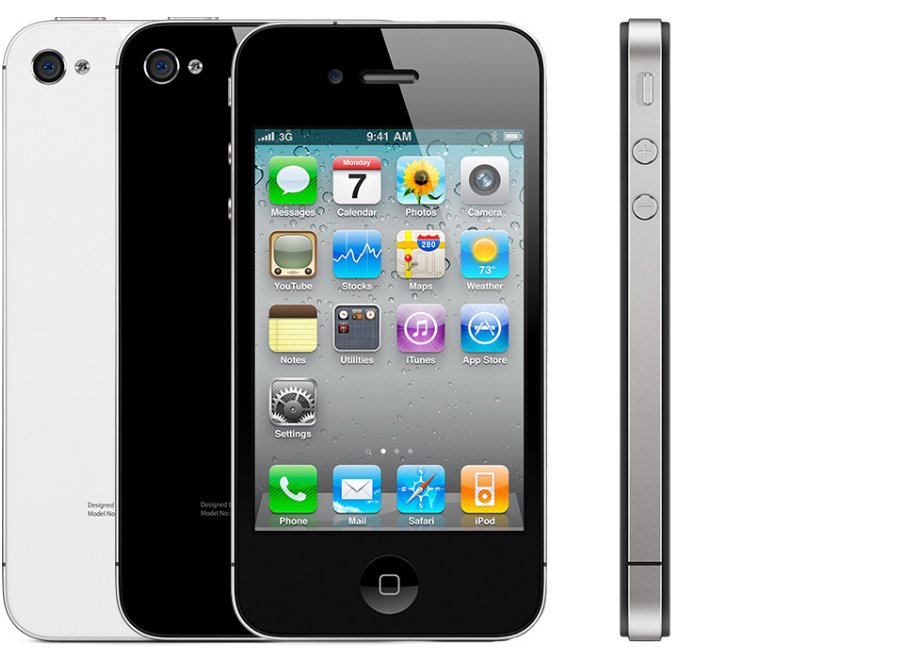
How to fix iPhone 4 activation error
These are the steps Apple gives for any iPhone that will not activate, in the order that clears most cases. Stop as soon as setup moves past the activation screen.
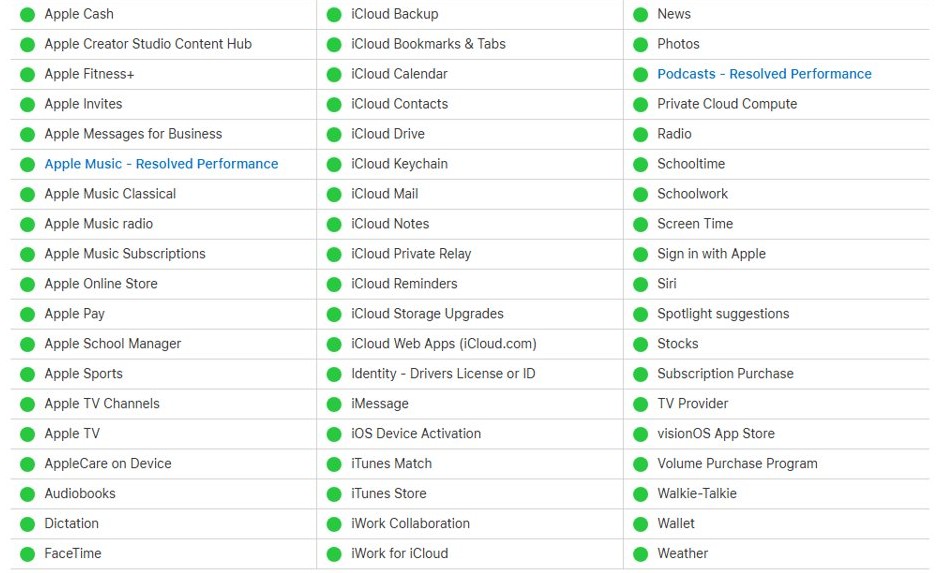
- Open apple.com/support/systemstatus on another device and find iOS Device Activation. If its box is not green, wait and try again later.
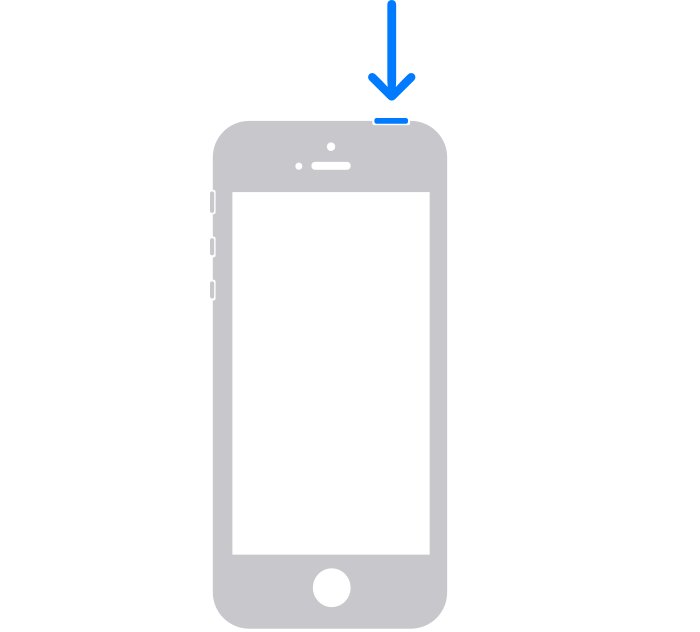
- Turn off the iPhone 4: press and hold the top button until the power-off slider appears, then drag the slider.
- Wait 30 seconds, then press and hold the top button until the Apple logo appears.
- Join a reliable Wi-Fi network instead of using cellular data. The iPhone 4 only connects to 2.4GHz Wi-Fi, so pick a network that broadcasts on that band.
- If the screen says the activation server is temporarily unavailable or cannot be reached, wait a few minutes and repeat the restart and Wi-Fi steps.
- If activation still fails, connect the iPhone 4 to a computer and activate it there (next sections).
If the phone asks for a password during activation, that prompt means Activation Lock is on. Skip to the Activation Lock section below.
iPhone 4 activation error messages and what they mean
Match the exact wording on the iPhone or the computer to a row, then go straight to that fix.
| Message you see | What it means | What to do |
|---|---|---|
| Activation server is temporarily unavailable or cannot be reached | Apple's activation service is down or the connection dropped | Check System Status, restart, use Wi-Fi, wait a few minutes and retry |
| A password prompt during setup | Activation Lock is on for a previous Apple Account | Enter the Apple Account and password that set up the phone |
| The SIM card inserted in this iPhone does not appear to be supported | The iPhone 4 is locked to another carrier | Ask the original carrier to unlock it, or use that carrier's SIM |
| No SIM or Invalid SIM | The micro-SIM is missing, loose, inactive or faulty | Reseat the micro-SIM, confirm the plan is active, try another SIM |
| SIM card or eSIM isn't compatible or is invalid (on the computer) | The carrier does not accept that SIM for this phone | Contact the carrier |
| The activation information was invalid | The phone sent bad activation data | Restore the iPhone 4 in recovery mode |
| Activation information could not be obtained from the device | The computer could not read activation data from the phone | Restore the iPhone 4 in recovery mode |
Activate iPhone 4 with iTunes, Finder or the Apple Devices app
Apple's next step after a failed on-device activation is to let a computer activate the phone. On a Mac, the iPhone appears in Finder (or iTunes on older macOS); on Windows, use the Apple Devices app from the Microsoft Store or the latest iTunes.
- Update the computer to the latest version of macOS, or install the latest iTunes or Apple Devices app on Windows.
- Make sure the computer is connected to the internet.
- Connect the iPhone 4 to the computer with the cable that came with it.
- Find the iPhone: in the Finder sidebar under Locations on a Mac, or in the sidebar of Apple Devices on Windows. Select Trust if Windows asks.
- Wait while the computer detects and activates the iPhone.
- If an alert offers Set up as New or Restore from Backup, the iPhone 4 is activated. Choose one and finish setup.
- If the computer shows a SIM or activation-information error instead, use the matching fix in the sections below.
If the computer will not see the phone at all and shows error 0xE800000A in iTunes, fix the connection first, then repeat these steps.
iPhone 4 SIM card not supported during activation
A GSM iPhone 4 needs a working micro-SIM from a carrier it is allowed to use. The CDMA model has no SIM tray, so this section applies only to the GSM model (A1332 on the back cover).
- Confirm with the carrier that the SIM has an active plan.
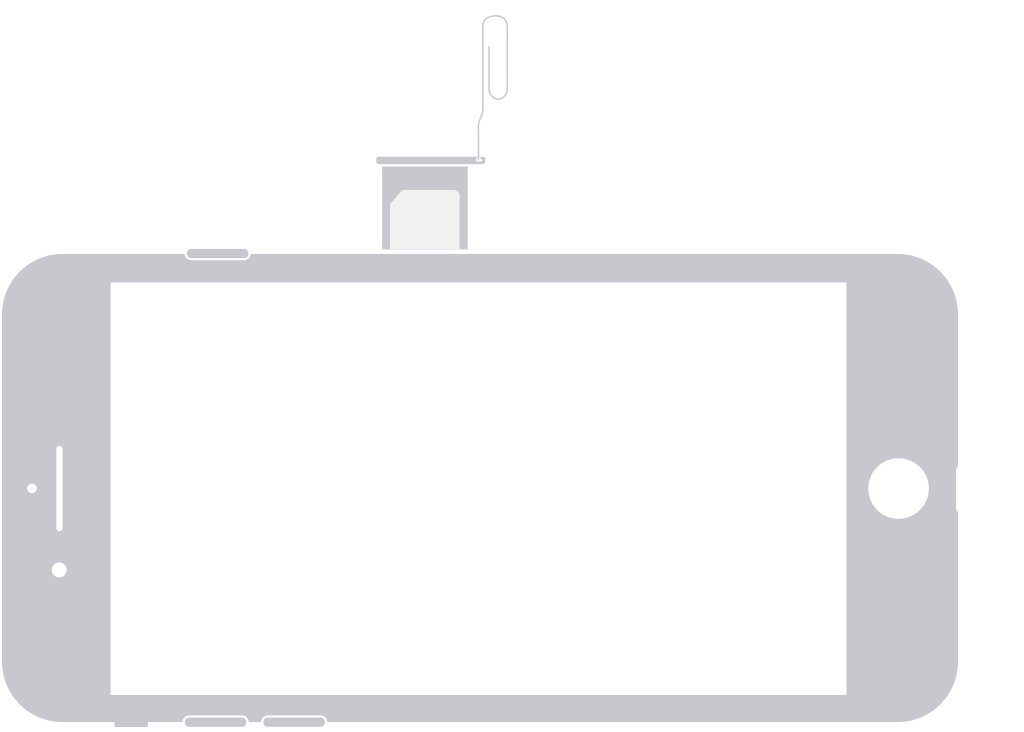
- Turn off the iPhone 4, then find the SIM tray on its right side.
- Insert a paper clip or SIM-eject tool into the hole beside the tray and push gently toward the phone. Do not force it.
- Take out the micro-SIM, place it back in the tray using the notched corner as a guide, and slide the tray in fully in the same orientation. Use only the tray that came with the iPhone 4.
- Turn the iPhone back on and try activation again.
- If the alert says the SIM does not appear to be supported, contact the carrier the phone was originally sold for and ask it to unlock the iPhone. Apple cannot unlock it.
- After the carrier confirms the unlock, remove the old SIM and insert the new carrier's SIM. The iPhone activates with it.
A carrier unlock request can take a few days. If no other SIM is available after the unlock, Apple's route is to back up the iPhone, erase it, then restore that backup.
Restore iPhone 4 in recovery mode when activation information was invalid
Apple's fix for "the activation information was invalid" or "activation information could not be obtained from the device" is to put the iPhone 4 into recovery mode and restore it. A restore erases everything on the phone and reinstalls iOS, so try Update first if the computer offers it.
- Update the Mac, or install the latest Apple Devices app on the Windows PC.
- Connect the iPhone 4 to the computer with a USB cable.
- Open Finder on the Mac or Apple Devices on the PC.
- On the iPhone 4, press and hold the Home button and the top button together. Keep holding until the recovery mode (connect to computer) screen appears.
- When the computer offers Update or Restore, choose Restore.
- Wait while the computer downloads iOS. If the download takes longer than 15 minutes and the phone leaves recovery mode, let the download finish and enter recovery mode again.
- When the restore completes, set up the iPhone 4 and let it activate over Wi-Fi.
If the restore stops with an iPhone 4 error 9 message, the phone lost its connection mid-restore; reconnect and try again with another cable or port. Apple says the phone needs service if recovery mode fails or a button sticks.
iPhone 4 Activation Lock: enter the Apple Account password
A password prompt on the activation screen is Activation Lock, which ties the phone to the Apple Account that last used Find My iPhone on it. Only that account's owner can clear it, and the owner can reset the Apple Account password if it is forgotten.
- Enter the Apple Account email and password that were used to set up the iPhone 4, or the device passcode if the screen offers it.
- If you do not remember the Apple Account, try the email address or phone number you use for other Apple services.
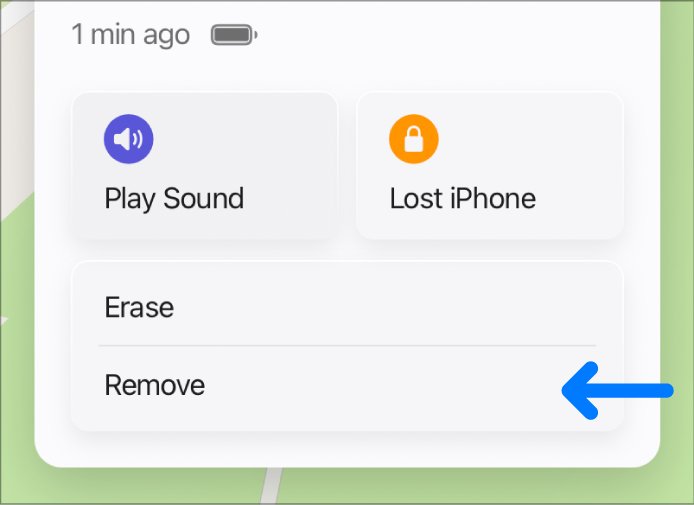
- If you bought the phone used, ask the previous owner to sign in at icloud.com/find, select the iPhone 4 and click Remove This Device.
- Restart the iPhone 4 and try activation again after the device is removed.
- If the phone is yours and you still cannot remove the lock, start an Activation Lock support request with Apple and include your proof of purchase.
An iPhone 4 owned by a business or school is handled by that organization's IT department, not by Apple support.
How to tell if your iPhone 4 is activated
- On a computer, look for the Set up as New or Restore from Backup alert. Apple says that alert means the iPhone is activated.
- On the phone, setup continues past the activation screen without a server, SIM or password message.
- After setup, a GSM model shows a carrier name and signal bars in the status bar if its SIM and plan are working.
- If the status bar shows No Service instead, activation finished but the cellular network is the problem (see the next section).
Does the iPhone 4 still work on cellular networks?
An iPhone 4 can finish activation and still be of limited use, because its radios and service status date from 2010. The facts below come from Apple's spec sheet and support pages.
| Item | iPhone 4 detail | What it means today |
|---|---|---|
| Cellular radios | GSM model: UMTS/HSDPA/HSUPA and GSM/EDGE. CDMA model: CDMA EV-DO Rev. A. No LTE | It depends on 3G networks, which carriers are phasing out |
| No Service after activation | Apple tells owners of iPhone 5s, 5c or earlier to contact the carrier | Ask the carrier whether it still supports the phone |
| Wi-Fi | 802.11b/g/n, 802.11n on 2.4GHz only | Wi-Fi still works on 2.4GHz networks |
| SIM | Micro-SIM (3FF) tray on the right side; CDMA model has no tray | A nano-SIM from a newer phone needs the carrier to supply a micro-SIM |
| Apple service status | Listed as obsolete worldwide | Apple no longer offers hardware service or parts |
iPhone 4 still won't activate
Activation server unavailable on iPhone 4
Apple's activation service is busy or down, or the phone's connection is unreliable.
- Check iOS Device Activation on Apple's System Status page.
- Restart the iPhone 4 and join a 2.4GHz Wi-Fi network.
- Wait a few minutes, then try again or switch to activation through a computer.
iPhone 4 says No SIM or Invalid SIM
The micro-SIM is loose, inactive or damaged, or the tray is not seated.
- Confirm the plan is active with the carrier.
- Remove the micro-SIM, reinsert it and make sure the tray closes completely.
- Try another SIM, or ask a carrier store to test with one. If the test SIM works, replace yours.
iPhone 4 frozen on the activation screen
Setup has stopped responding.
- Force restart: press and hold the top button and the Home button until the Apple logo appears.
- Join Wi-Fi and try activation again.
- If it freezes again, activate it with a computer.
My iPhone 4 is disabled
Too many wrong passcode attempts locked the phone, and only an erase clears it.
- Turn off the iPhone 4 and connect it to a Mac or Windows PC.
- Put it in recovery mode by holding Home and top until the recovery screen appears.
- Choose Restore in Finder or Apple Devices. This erases the phone.
- Set the phone up again; Activation Lock then asks for the Apple Account password.
iPhone 4 shows No Service after activation
The iPhone 4 is a 3G device, and carriers are phasing out 3G networks.
- Restart the iPhone 4.
- Contact the carrier and ask whether it still supports a 3G-only phone.
- Use the iPhone 4 on Wi-Fi if the carrier no longer supports it.
iPhone 4 activation error FAQ
How do you restore an iPhone 4 with iTunes?
Connect the iPhone 4 to the computer, open iTunes, Finder or Apple Devices, then hold Home and the top button until the recovery screen appears. Choose Restore. The restore erases the phone and reinstalls iOS, so back it up first if you can.
How do you hard reset an iPhone 4?
Press and hold the top button and the Home button together until the Apple logo appears, then let go. This force restart does not erase anything. It is the first fix when the iPhone 4 freezes on the activation screen.
How do you turn off an iPhone 4?
Press and hold the top button until the power-off slider appears, then drag the slider. Wait 30 seconds before turning it back on with the same top button, which you hold until the Apple logo appears.
How do you fix a disabled iPhone 4?
A disabled iPhone 4 has to be erased with a computer. Put it in recovery mode, choose Restore in Finder, iTunes or Apple Devices, then set it up again. The process can take up to an hour and deletes the phone's data.
How do you reset an iPhone 4 without the password?
Use recovery mode and a computer to restore it, which erases the passcode along with your data. After the restore, Activation Lock still asks for the Apple Account password that was used on the phone, so you need that account to finish setup.
How do you erase an iPhone 4?
The surest way on an iPhone 4 that will not activate is a recovery mode restore from a computer. Choosing Restore reinstalls iOS and removes all content and settings, leaving the phone ready for a fresh setup.
How do you recover an iPhone 4?
Connect it to a computer, hold Home and the top button until the recovery mode screen appears, then choose Update to keep data or Restore to erase it. Apple says to try Update first when both options are offered.
Does the iPhone 4 still work?
It still powers on and works on 2.4GHz Wi-Fi, but it is a 3G-only phone that Apple lists as obsolete. Carriers are phasing out 3G, so ask your carrier whether it still supports the phone for calls and data.
Can I still use the iPhone 4?
Yes, as a Wi-Fi device once it activates, but expect limits. Apple no longer offers hardware service or parts for it, and cellular service depends on whether your carrier still runs a network the iPhone 4 can use.