The iPhone 12, iPhone 12 mini, iPhone 12 Pro and iPhone 12 Pro Max all run iOS 27, the current version, and Apple has not announced a date when their updates end.
This guide covers what Apple's own release history shows about security updates after a model is dropped, the vintage and obsolete rules, and how to keep an iPhone 12 updated.
How long will the iPhone 12 be supported
Apple lists all four iPhone 12 models as compatible with iOS 27.2, and the iOS 27.2.1 security update released on 9 November 2026 covers iPhone 11 and later.
Your iPhone 12 is fully supported today, with both new iOS features and security fixes. Keep it on the latest iOS 27 release. Apple does not publish end-of-support dates for iPhone. Its own security release list shows that models dropped from a new major iOS version keep receiving security updates on their last version for years afterwards, so support does not stop on the day a new iOS skips a model.
iPhone 12 models compatible with iOS 27
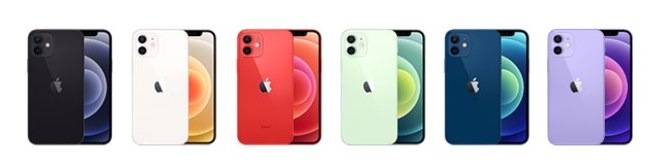
All four models were introduced in 2020. Use the model number to tell them apart if the back of the phone is in a case.
| Model | Display | iOS 27 | Model number (United States) |
|---|---|---|---|
| iPhone 12 mini | 5.4-inch Super Retina XDR | Supported | A2176 |
| iPhone 12 | 6.1-inch Super Retina XDR | Supported | A2172 |
| iPhone 12 Pro | 6.1-inch Super Retina XDR | Supported | A2341 |
| iPhone 12 Pro Max | 6.7-inch Super Retina XDR | Supported | A2342 |
Every iPhone 12 model uses the A14 Bionic chip. The iOS 27 compatibility list starts at iPhone 11, so the iPhone 12 family is not the oldest generation on it.

How long will iPhone 12 receive security updates
Apple's security releases page is the best evidence of how long older iPhones keep getting fixes. These are the update lines Apple was still shipping in 2026 for phones that newer iOS versions no longer support.
| iPhone models | Year introduced | Security update line | Recent release listed by Apple |
|---|---|---|---|
| iPhone XS, iPhone XS Max, iPhone XR | 2018 | iOS 18.7 | iOS 18.7.12, 9 November 2026 |
| iPhone 8, iPhone 8 Plus, iPhone X | 2017 | iOS 16.7 | iOS 16.7.16, 11 May 2026 |
| iPhone 6s, iPhone 7, iPhone SE (1st generation) | 2015 and 2016 | iOS 15.8 | iOS 15.8.8, 11 May 2026 |
| iPhone 11 and later, including iPhone 12 | 2019 onward | iOS 27 and iOS 26.7 | iOS 27.2.1 and iOS 26.7.3, 9 November 2026 |
This is a pattern, not a promise. Apple has not said which models the next major iOS version will support or how long any older update line will continue.
Only the newest iOS gets every new feature, so a phone on an older security line still loses access to features that arrive later.
When does iPhone 12 support end
Software support and hardware repair are separate clocks. Apple's repair policy is tied to when it last distributed a product for sale, not to when it launched.
| Apple status | When it applies | What it means | iPhone 12 today |
|---|---|---|---|
| Supported | Less than 5 years since Apple last distributed the product | Service and parts from Apple service providers | Yes, not on the vintage or obsolete lists |
| Vintage | More than 5 and less than 7 years since Apple stopped distributing it | Service for up to 7 years, subject to parts availability | No |
| Obsolete | More than 7 years since Apple stopped distributing it | Apple discontinues all hardware service | No |
For comparison, iPhone 11 Pro and iPhone 11 Pro Max are already on Apple's vintage list, yet both still run iOS 27. Vintage status does not switch off software updates.
How to update iPhone 12 to iOS 27
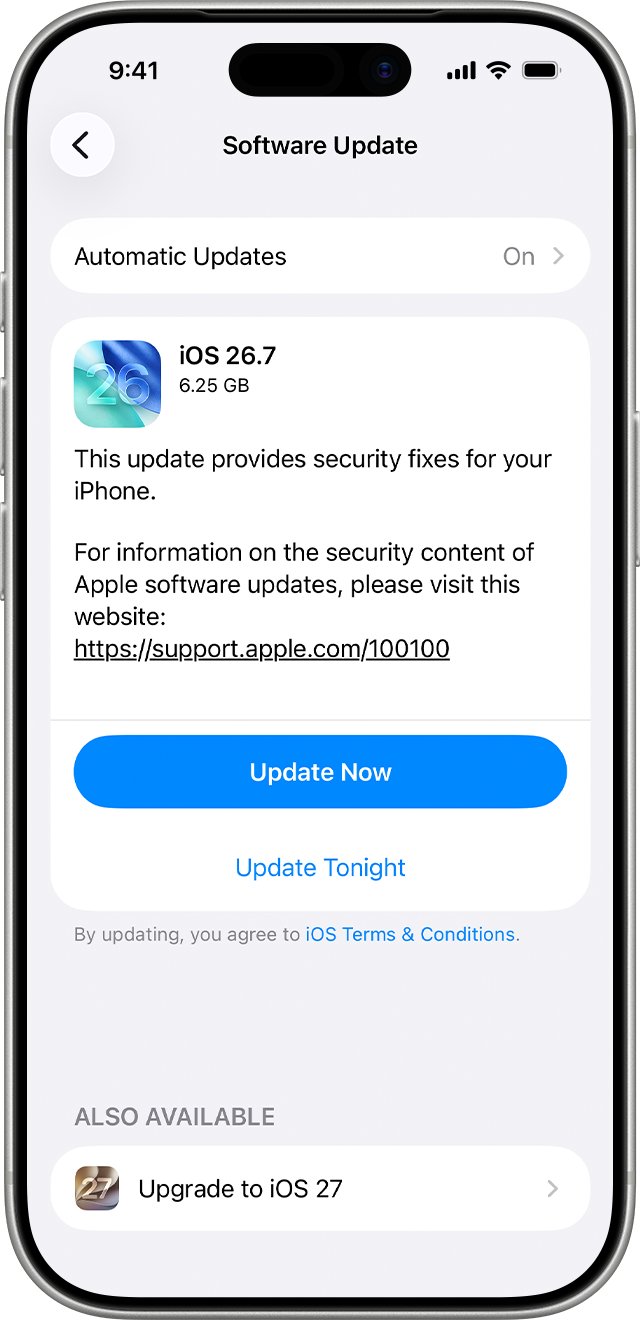
Your data and settings stay in place when you update, but back up first in case the install is interrupted. The same steps get iOS 27 on an older iPhone that is still on iOS 26.
- Back up your iPhone with iCloud or your computer.
- Plug the iPhone into power and connect to Wi-Fi.
- Open Settings and tap General.
- Tap Software Update. The installed iOS version is shown, along with any available update.
- Tap Download and Install, then follow the onscreen instructions.
- Enter your passcode when asked and leave the iPhone on power until it restarts.
Update iPhone 12 using a Mac or Windows PC
Use a computer when the update does not appear on the phone, or when a wireless iOS update keeps failing.
- Connect the iPhone to your computer with a cable.
- On a Mac with macOS 10.15 or later, select your iPhone in the Finder sidebar, then click General.
- On a Mac with macOS 10.14 or earlier, or on Windows, open iTunes, click the iPhone button near the top left, then click Summary.
- Click Check for Update.
- Click Update to install the available version.
How to turn on automatic updates on iPhone 12
Automatic updates are the simplest way to get every security fix the day Apple releases it.
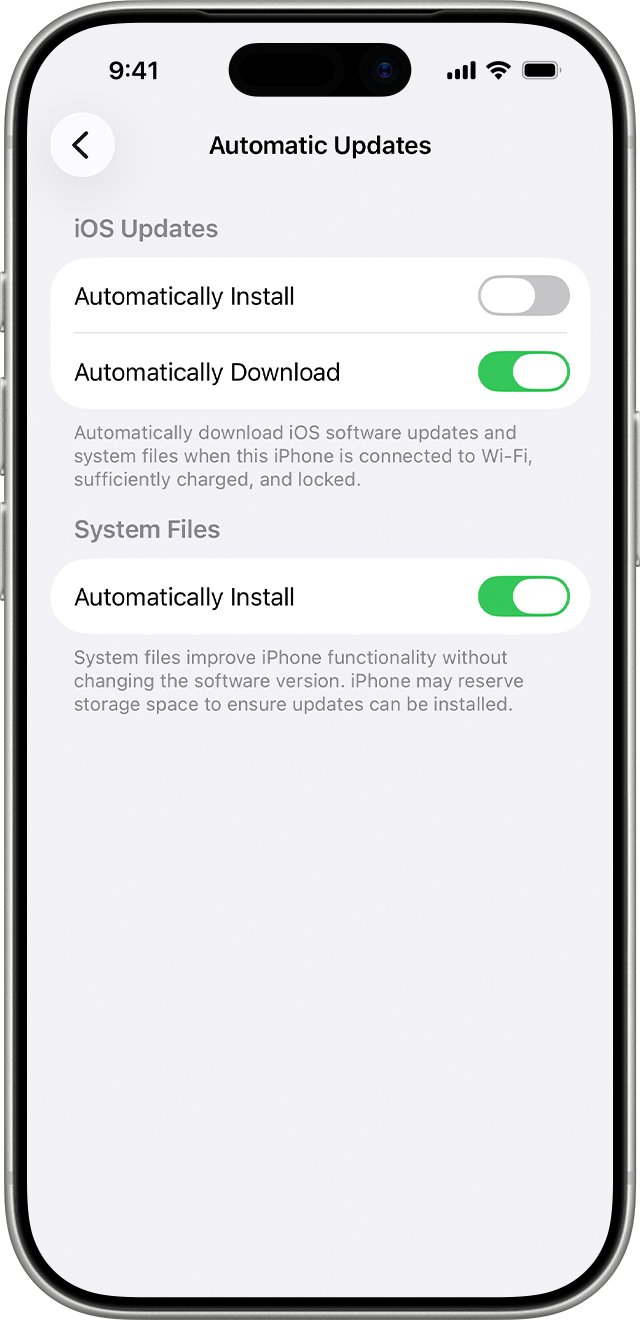
- Open Settings and tap General.
- Tap Software Update, then tap Automatic Updates.
- Turn on Automatically Install to have the iPhone install updates overnight while it charges on Wi-Fi.
- Or turn off Automatically Install and turn on Automatically Download to install later yourself.
- To get only system file updates, turn off Automatically Install under iOS Updates and turn on Automatically Install under System Files.
You are notified before an automatic install starts. After any iOS update is installed, Apple does not let you downgrade to the previous version.
What iOS version is my iPhone 12 on
- Open Settings and tap General.
- Tap Software Update.
- Read the installed iOS version at the top of the screen.
- Compare it with the latest version on Apple's security releases page, which listed iOS 27.2.1 as the newest release on 9 November 2026.
If the screen says your iPhone is up to date and shows an iOS 27 version, the phone has every security fix Apple has released for it.
How long will the iPhone 12 last
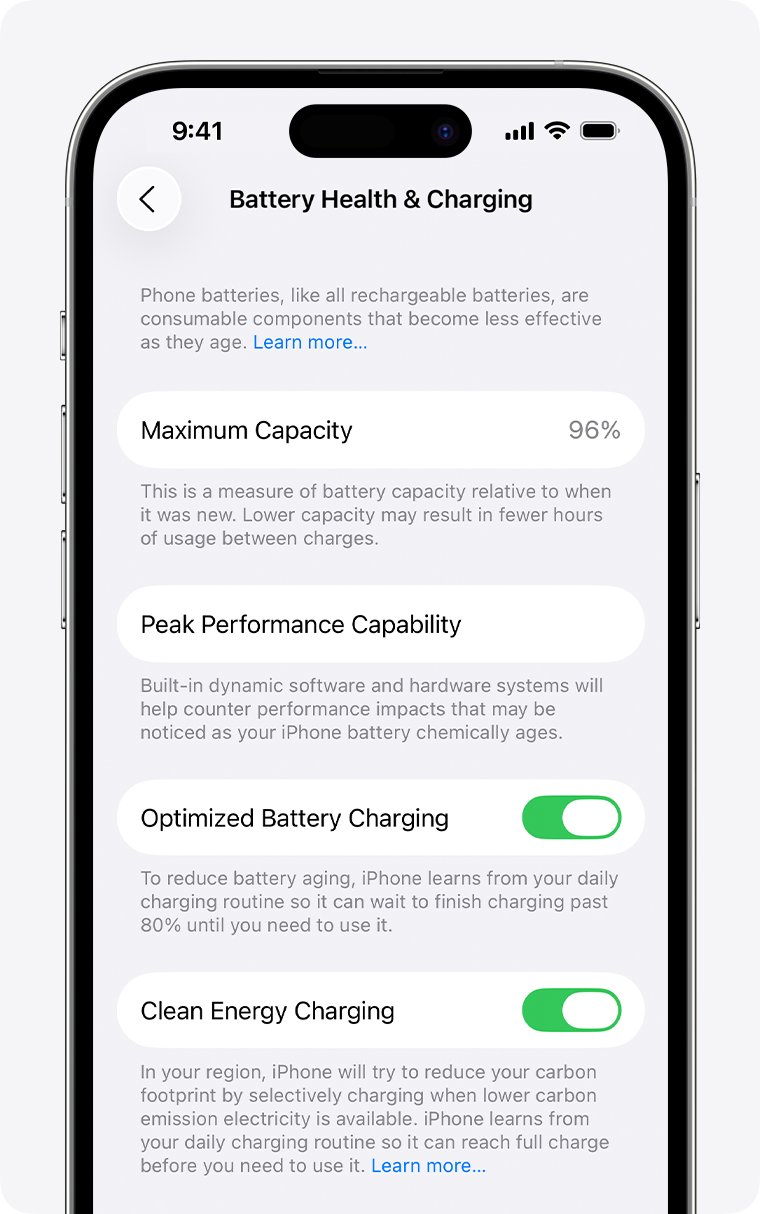
The battery usually wears out before software support does. Apple measures battery lifespan in charge cycles, not years.
| Question | What Apple states |
|---|---|
| How long the battery is designed to last | iPhone 14 models and earlier keep 80 percent of original capacity at 500 complete charge cycles under ideal conditions |
| Where to check battery health | Settings > Battery > Battery Health |
| What the Battery Health screen shows | Maximum capacity and Peak Performance Capability |
| When to replace the battery | When the screen says the battery's health is significantly degraded |
| Who can replace it | Apple or an Apple Authorized Service Provider, under warranty or for a charge |
A battery replacement restores full capacity and performance, which is often what keeps an iPhone 12 useful for the rest of its update life. If cellular speed dropped after a past update, you can fix slow iPhone 12 Pro cellular data separately.
Why is my iPhone 12 taking so long to update
The update is not showing in Software Update
Some updates are not offered wirelessly, and a VPN or proxy can block the update servers.
- Turn off any VPN or proxy and check Software Update again.
- If the update still does not appear, update with a Mac or Windows PC as shown above.
The update asks for more space
The installer needs free storage to unpack the update.
- Tap Continue to let the iPhone remove apps temporarily. They reinstall automatically after the update.
- Or tap Cancel and delete content yourself to free space, then try again.
The download or install is very slow
Wireless updates depend on network conditions and need steady power.
- Plug the iPhone into power and connect to a reliable Wi-Fi network.
- Turn on Automatically Install so the next update installs overnight while the phone charges.
An alert appears when updating wirelessly
The wireless update could not finish on this connection.
- Restart the update from Settings > General > Software Update.
- If the alert returns, connect the iPhone to a computer and click Check for Update.
iPhone 12 iOS updates FAQ
How long will the iPhone 12 mini be supported?
The iPhone 12 mini has the same support as the rest of the iPhone 12 family. It runs iOS 27, and Apple has not announced an end date. It received iOS 27.2.1 on 9 November 2026.
How long will the iPhone 12 Pro be supported?
The iPhone 12 Pro and iPhone 12 Pro Max are on Apple's iOS 27 compatibility list, so both get current features and security fixes. Apple has not said when support will end.
When is iPhone 12 supported until?
Apple does not publish a date. Based on its release history, older iPhones keep receiving security updates on their last iOS version for years after newer versions drop them. iPhone XS and XR, from 2018, still got a fix in November 2026.
Will the iPhone 12 get iOS 28?
Apple has not announced the iOS 28 compatibility list. Today the iPhone 12 runs iOS 27, and iPhone 11 is the oldest model iOS 27 supports, which puts the iPhone 12 one generation above the cut-off.
What year did the iPhone 12 come out?
Apple introduced the iPhone 12, iPhone 12 mini, iPhone 12 Pro and iPhone 12 Pro Max in 2020. All four use the A14 Bionic chip and are supported by iOS 27.
How many inches is the iPhone 12?
The iPhone 12 has a 6.1-inch display. The phone is 5.78 inches (146.7 mm) tall, 2.82 inches (71.5 mm) wide and 0.29 inch (7.4 mm) deep, and weighs 5.78 ounces (164 grams).
How long should an iPhone 12 last?
The phone lasts as long as its battery and software support allow. Its battery is designed to keep 80 percent of original capacity at 500 complete charge cycles, and a battery replacement restores full capacity.
Is the iPhone 12 vintage or obsolete?
No. No iPhone 12 model appears on Apple's vintage or obsolete lists, so Apple service providers can still repair it. The iPhone 11 Pro and iPhone 11 Pro Max are already vintage.