Call Xfinity at 1-800-934-6489 (1-800-XFINITY) to talk to a real person, or open Xfinity Assistant online and ask for help until it connects you with a chat agent.
This guide covers the phone, chat, text, store, social media and accessibility routes, plus which one suits each billing, repair or cancellation problem.
Xfinity customer service number to talk to an agent
Xfinity lists 1-800-934-6489 under Connect with an agent on its own website. Have your account details nearby before you dial.
- Find your Xfinity account number in the Xfinity app or your online account.
- Call 1-800-934-6489.
- Answer any automated prompts by naming your problem, such as billing, repair or cancellation.
- Ask the agent for a summary of what was changed before you end the call.
Xfinity agent by phone, chat or store: where to start
| Your problem | Start here | Why |
|---|---|---|
| General account or service question | Call 1-800-934-6489 | It is the agent number Xfinity publishes |
| Repair, billing or account issue, and you can type | Chat with Xfinity Assistant | It connects you with an online agent if your issue isn't fixed |
| Internet, TV or phone is down | Check the Xfinity Outage Map | The map shows the outage cause and estimated repair time without a call |
| Charge you don't recognize | Call or chat, then ask to dispute it | You must dispute within 120 days of it showing on your bill |
| Fee or outage credit | Ask Xfinity Assistant for a credit | It transfers you to an agent if the request doesn't qualify |
| Missing payment, refund or down cable wire | Use the Report an Issue page | It creates a tracked request with email updates |
| Cancelling service | Call, schedule a call or visit a store | These are the three routes Xfinity lists for cancelling |
| Disability-related support | Call 1-855-270-0379 | A dedicated team handles accessibility services |
Why is it important to speak to a real person at Xfinity?
Xfinity Assistant handles many routine jobs, including bills and appointments. Some situations still end with a person, and Xfinity's own pages say so.
| Situation | What a person does |
|---|---|
| Xfinity Assistant can't fix your issue | An agent takes over the conversation in an online chat |
| A credit request doesn't qualify | An agent reviews it after Xfinity Assistant gives the reason |
| A charge looks wrong | Someone reviews the charge with you and guides you through the dispute |
| You want to cancel service | An agent or store employee handles the cancellation |
| An appointment can't be cancelled online | Xfinity staff cancel it, since some appointments need direct contact |
| You use American Sign Language | An ASL-fluent agent helps by videophone |
How to talk to a real person at Xfinity? All the steps
Use this order if your first attempt didn't reach anyone. Each step is covered in more detail in its own section below.
- Dial the official Xfinity number, 1-800-934-6489.
- Name your problem clearly when the automated menu asks for it.
- Open Chat with Xfinity Assistant on the Xfinity support page if the call doesn't reach an agent.
- Tap Ask Xfinity Assistant in the Xfinity app if you prefer your phone.
- Use Schedule a call on the Xfinity cancellation and service-change page if that is your reason for contacting Xfinity.
- Visit an Xfinity Retail Store for help in person.
- Message @XfinitySupport on X or send a Facebook message on Messenger.
How to get past the Xfinity automated menu
Xfinity's support pages publish no menu map and no key that skips the automated prompts. Treat any "press 0" code you find elsewhere as unconfirmed, because Xfinity doesn't document one.
- Listen to the first prompt before you press anything.
- State the reason for your call in a few words, such as "billing" or "internet repair".
- Enter or confirm the account details the system requests.
- Say that the suggested fix didn't help if the system offers self-service first.
- Switch to Xfinity Assistant chat if the phone route keeps looping.
These routes apply only to Xfinity. If you also have a Verizon line, reaching a person at Verizon Wireless uses its own customer service numbers.
How to chat with an Xfinity agent online
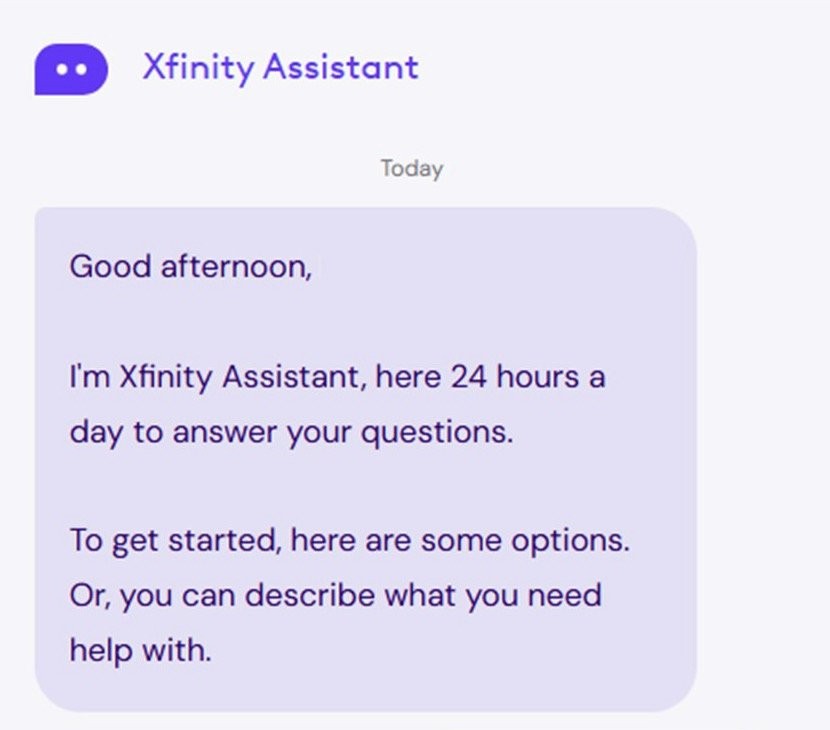
Xfinity Assistant is a virtual assistant, not a person, and it opens the conversation. Xfinity says it connects you with an agent for online chat if your issue isn't fixed.
- Go to the Support page on xfinity.com.
- Click Chat with Xfinity Assistant.
- Sign in so the chat can use your account data.
- Describe your repair, billing or account problem.
- Work through the suggested steps until the chat offers an agent.
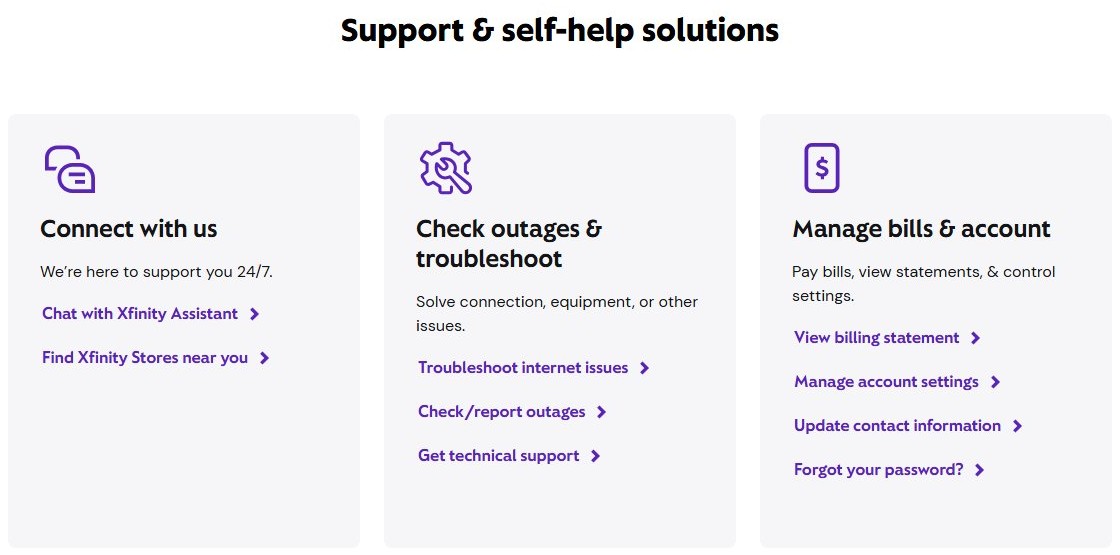
Where to find Xfinity Assistant in the Xfinity app and on TV
| Where you are | What to select |
|---|---|
| Xfinity app | Services tab, then Ask Xfinity Assistant |
| Xfinity Home app | More tab, then Chat with an Agent |
| Xfinity Stream app | Settings (person icon) at the top left, then Xfinity Assistant |
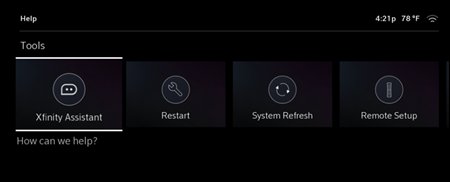
| X1 TV Box | X1 Help Menu, under Tools, then the Xfinity Assistant tile (not on RNG150 boxes) |
| Xfinity Voice Remote on X1 or Flex | Say "Xfinity Assistant", then ask your question |
| Any mobile phone | Text your question to 266278 |
The Xfinity app needs iOS 17.2 or later, or Android 12.0 or later. It doesn't work on Windows or Amazon phones, or with Xfinity Prepaid Internet.
How to request a callback from Xfinity
Xfinity's cancellation and service-change page has a Schedule a call option. Its support articles don't describe a general callback button in the Xfinity app, so call or chat for other problems.
- Go to xfinity.com/cancel.
- Scroll to the Looking to cancel? section.
- Select Schedule a call.
- Follow the on-screen prompts and keep your phone available at the time you choose.
How to visit an Xfinity store for in-person support
Xfinity Retail Stores can help with mobile offers, adding or changing services, and paying your bill. Most stores offer appointments, but not all of them, so confirm the store's hours at xfinity.com/stores first.
- Open the Xfinity Retail Store Locator and enter a location, or select Use current location.
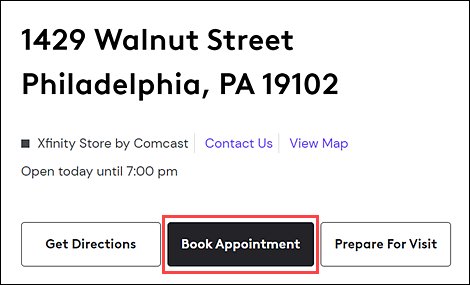
- Select a store, then click Book Appointment if the link appears below the address.
- Click I have Xfinity service and sign in with your Xfinity ID and password.
- Select a reason for your visit, then click Next: Add a Note.
- Select a date and time, then click Next: Confirm contact details.
- Confirm your details and click Book appointment.
- Click Check In in the confirmation email once you have arrived or parked.
How to contact Xfinity support on social media
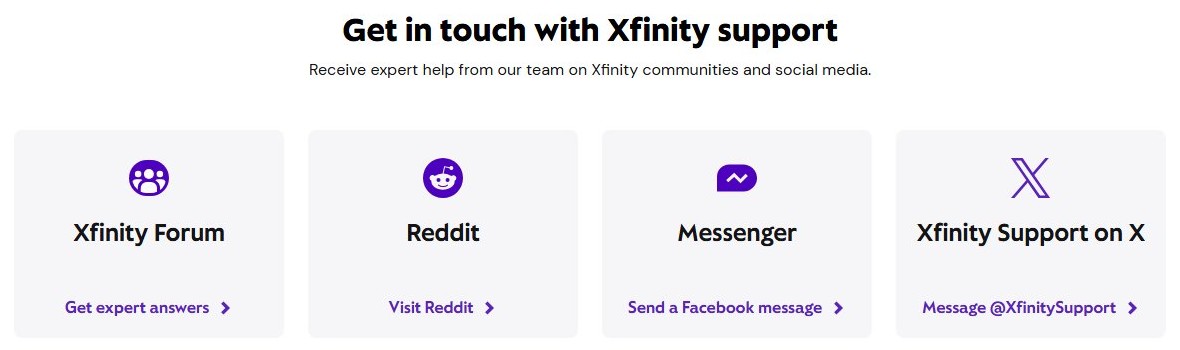
Xfinity's contact page lists these channels for help from its support team. Never post your account number, address or password in a public reply.
| Channel | What to do |
|---|---|
| X | Message @XfinitySupport |
| Facebook Messenger | Send a Facebook message from the Xfinity contact page |
| Xfinity Forum | Post a question for expert answers |
| Open the Xfinity Reddit link on the contact page |
Xfinity accessibility support phone number and ASL agents
Xfinity runs a separate Accessibility Support Center for customers with disabilities. It helps with closed captioning, voice guidance, large-button remotes, braille bills and service troubleshooting.
| Contact route | Details |
|---|---|
| Phone | 1-855-270-0379, 8:00 a.m. to 11:00 p.m. Eastern Time, seven days a week |
| What to say on the phone | Say "accessibility" or name the issue, such as "large-button remote" |
| [email protected] | |
| Text | Text "Accessibility" to 266278 for self-service help and FAQs |
| American Sign Language | Call the ASL Support Center by videophone, or say "American Sign Language" to Xfinity Assistant on your Voice Remote |
Where can I find my Xfinity account number?
Have this number ready before you call or chat. Only Primary and Manager users can view the full number online, and Viewer users can't see it in the app.
- Sign in to the Xfinity app with your Xfinity ID and password.
- Select the Account tab, then select Account settings.
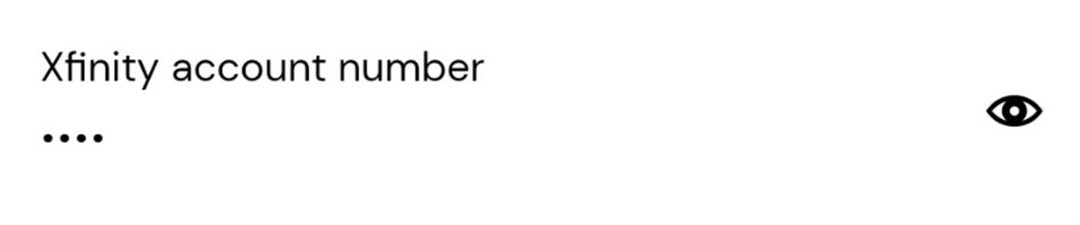
- Find the number under Account details, and select the eye icon to show all of it.
- For Xfinity Mobile, select Account, then Bill details under Xfinity Mobile, then View bill.
Tips for reaching a live representative faster
Xfinity doesn't publish wait times or quieter hours to call. These steps cut the time you spend once you are connected, and they sometimes remove the need for a call.
| Tip | What it saves |
|---|---|
| Check the Outage Map or text OUT to 266278 first | A call about a problem Xfinity already knows about |
| Sign in before you open chat | Repeating account details, because the chat can read your account data |
| Start in Xfinity Assistant for repair issues | Basic checks, since it follows the same troubleshooting steps agents use |
| Text "appt" to 266278 about a technician visit | A call to view, reschedule or cancel an appointment, if you are the Primary owner with a verified number |
| Enter "credit" in Xfinity Assistant for eligible fees | A call for a credit it can issue itself, if you are a Primary or Manager user |
| Gather your account number and bill dates | Time spent searching for them while the agent waits |
How to tell if an Xfinity customer service number is real
Scammers pose as Xfinity agents and spoof familiar caller IDs. Xfinity advises contacting a provider directly through a trusted number or website, and it never requests payment by gift card or cryptocurrency.
- Dial 1-800-934-6489 yourself instead of returning an unexpected call.
- Open xfinity.com directly instead of using a link from a text or email.
- Hang up if a caller asks for gift cards, cryptocurrency or other unusual payment.
- Refuse to share passwords, one-time passcodes or your Social Security number on an unexpected call.
- Report a suspected scam to the FTC at 1-877-FTC-HELP.
Xfinity customer service not helping: what to do
Xfinity Assistant won't connect you with an agent
The chat offers an agent only once its guided steps haven't fixed the issue.
- Finish the steps it suggests and tell it the problem remains.
- Call 1-800-934-6489 if the chat still doesn't transfer you.
Xfinity agent won't remove a charge
Xfinity keeps a charge when its records show someone on the account approved it.
- Check that you are within 120 days of the charge showing on your bill.
- Ask to dispute the charge and note what the agent tells you.
- Wait for the result, which usually arrives by phone or email within 30 days.
Xfinity technician appointment can't be changed online
Only Manager-level users and above can change appointments, and some need direct contact.
- Sign in as the Primary or a Manager user.
- Click More Details on the appointment banner to reschedule or cancel.
- Call Xfinity if the appointment can't be cancelled online.
If your problem is with home equipment instead of the account, logging in to your Xfinity router lets you check its settings before you call.
Talk to a real person at Xfinity FAQ
What is the Xfinity customer service phone number?
The Xfinity customer service number is 1-800-934-6489, also written as 1-800-XFINITY. Xfinity lists it on its website for connecting with an agent. Customers with disabilities can use the separate accessibility line, 1-855-270-0379.
Is Xfinity customer service open 24/7?
Xfinity advertises 24/7 support, and Xfinity Assistant is available online at any hour. Its pages don't state separate hours for phone agents. The Accessibility Support Center runs from 8:00 a.m. to 11:00 p.m. Eastern Time, seven days a week.
Does Xfinity have live chat with a real person?
Yes, but the chat starts with Xfinity Assistant, which is a virtual assistant. If it can't fix your issue, it connects you with an agent who chats with you online. Open it from the Xfinity support page or the Xfinity app.
Can I text Xfinity to reach customer support?
Yes. Text your question to 266278 to reach Xfinity Assistant on a mobile device. You can also text OUT to that number to check for outages. Standard data and messaging rates may apply to those texts.
Can I cancel Xfinity service online without talking to anyone?
Xfinity's cancellation page tells customers to call 1-800-934-6489, schedule a call, or visit an Xfinity Store. It lists no online self-service cancellation for standard plans. NOW Internet has its own cancellation instructions, linked from the same page.
Can I get help at an Xfinity store instead of calling?
Yes. Xfinity Retail Stores help with mobile offers, service changes, bill payments and cancellations. Most locations offer bookable appointments, though not all do. Check store hours at xfinity.com/stores before you travel, and bring your account details.
How do I complain about an Xfinity bill?
Review the bill, then call or chat with Xfinity and ask to dispute the charge. You have 120 days from when it appears, and most reviews finish within 30 days. Taxes, standard rate increases and promotions ending on schedule can't be disputed.
How do I report an Xfinity outage?
Open the Xfinity Outage Map and click Report an outage if your problem isn't already listed. You can also text OUT to 266278 to check your area, or sign in to the Xfinity app, which shows outage information when your location is affected.