To update your Apple Account phone number on iPhone, go to Settings > your name > Sign-In & Security > Two-Factor Authentication, add the new trusted number, then remove the old one.
That trusted number receives your verification codes. An Apple Account can also hold a sign-in number, a primary number in some countries, and a Messages and FaceTime number, so the steps below cover each one.
Update Apple Account phone number on iPhone
Add the new number before you remove the old one. Two-factor authentication needs at least one trusted number, and a single trusted number cannot be removed.
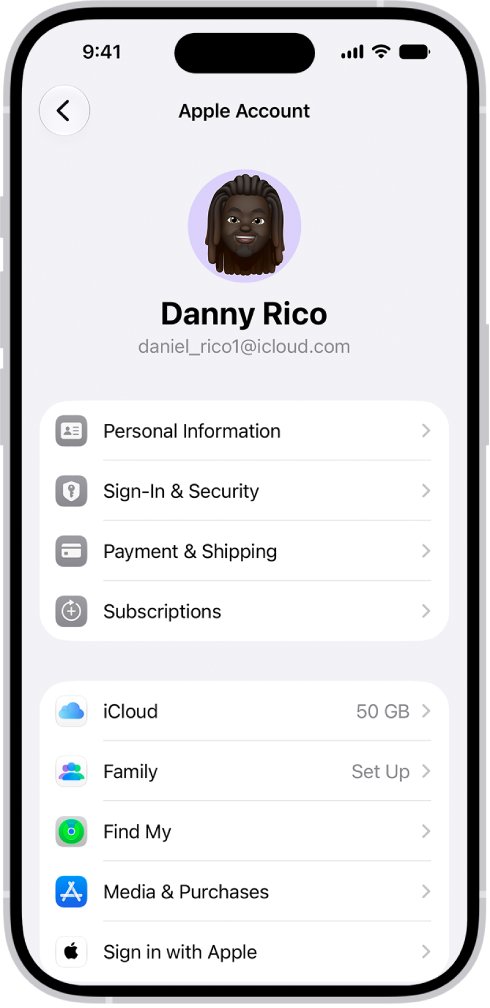
- Open Settings and tap your name.
- Tap Sign-In & Security.
- Tap Two-Factor Authentication.
- Tap Add a Trusted Phone Number, then enter the new number.
- Enter the verification code sent to the new number.
- Tap the remove button next to the old number.
- Tap Done.
The same steps work on iPad. Do this while you can still use the old number, because Apple may ask for a code sent to a current trusted number.
Apple Account trusted phone number vs sign-in phone number
Your account can list one number in several roles. Match the number you want to change to the row below.
| Phone number | What it does | Where to change it |
|---|---|---|
| Trusted phone number | Receives two-factor verification codes by text or phone call | Sign-In & Security > Two-Factor Authentication |
| Sign-in phone number | Lets you sign in with that number and receive messages | Sign-In & Security > Email & Phone Numbers |
| Primary phone number | Acts as your Apple Account user name, offered for new accounts in Brazil, China mainland, India and Mexico | Sign-In & Security, then tap the primary number |
| Messages and FaceTime number | Shows your number in Messages and FaceTime; needs an active SIM or eSIM | Settings > Apps > Messages > Send & Receive |
Update Apple Account phone number on Mac
You may be asked for your Apple Account password or Mac login password during these steps.
- Choose Apple menu > System Settings, then click your name at the top of the sidebar.
- Click Sign-In & Security, then click Two-Factor Authentication.
- Below Verify Using, click Add a Trusted Phone Number.
- Enter the verification code sent to a current trusted number, if prompted.
- Choose the country code, enter the new number, select text or phone call, then click Next.
- Enter the code sent to the new number and click Next.
- Select the old number, then click Remove from Account.
Change Apple Account phone number at account.apple.com
Use the website when you have no Apple device nearby. It works from any browser, including one on a Windows PC.
- Go to account.apple.com and sign in to your Apple Account.
- Click Sign-In and Security.
- Choose Account Security.
- In the Trusted Phone Number section, add the new number and enter the code you receive.
- Remove the old number from the same section.
Add phone number to sign in to Apple Account
Any email address or phone number on file can sign in to your account. On iPhone, this setting is also under Sign-In & Security.
- On your Mac, open System Settings and click your name.
- Click Sign-In & Security.
- Below Email & Phone Numbers, click Add an Email or Phone Number.
- Enter the phone number, then click Next.
- Enter the code sent to that number, then click Next.
To remove a number, select it below Email & Phone Numbers and click Remove from Account. On the web, sign in at account.apple.com, select Sign-In and Security, then choose Email & Phone Numbers.
Change Apple Account primary phone number
This applies only if your account signs in with a mobile number instead of an email address. The new number must use the same country code as the old one.
- Go to Settings or System Settings, then choose your name.
- Tap or click Sign-In & Security.
- Tap or click your primary phone number.
- Select Remove from Account, or turn off Primary Phone Number to keep the old number on the account.
- Choose another number already on your account, or add a new primary number.
- Follow the onscreen steps to enter and verify the new number.
A number already on your account as a Messages, shared or trusted number does not need verification. On the web, go to Sign-In and Security > Apple Account, enter the number, and select Change Apple Account.
Change Apple Account phone number to email address
An email address makes sign-in and recovery easier, and Apple may prompt you to switch if you no longer own the number.
- Go to Settings or System Settings, then choose your name.
- Tap or click Sign-In & Security, then your primary phone number.
- Tap Remove from Account, or turn off Primary Phone Number to keep the number.
- Choose Add New Primary Phone or Email.
- Choose Existing Email Address, or New iCloud Email Address for a free iCloud address.
- Follow the onscreen steps to enter and verify the address.
Update phone number for iMessage and FaceTime on iPhone
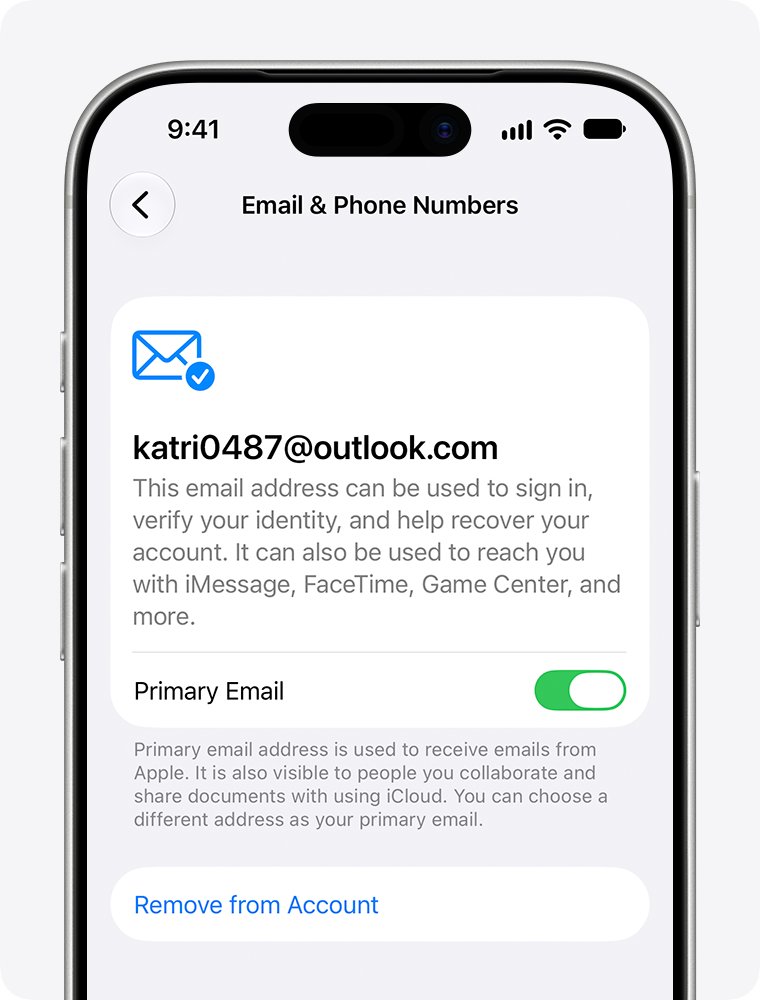
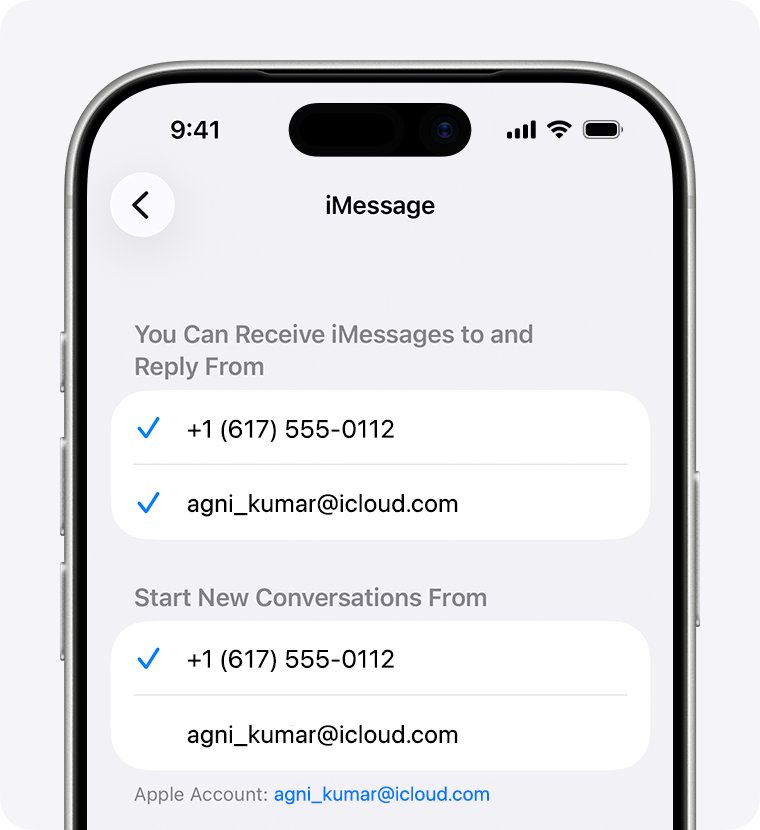
Messages and FaceTime use the number on your active SIM or eSIM. This screen also matters when texts come from @icloud.com instead of your number.
- Open Settings, tap Apps, then tap Messages.
- Make sure iMessage is on, and wait a moment for it to activate.
- Tap Send & Receive, then select your phone number and Apple Account.
- Go back to Settings > Apps > FaceTime.
- Select your phone number and Apple Account under You can be reached by FaceTime at.
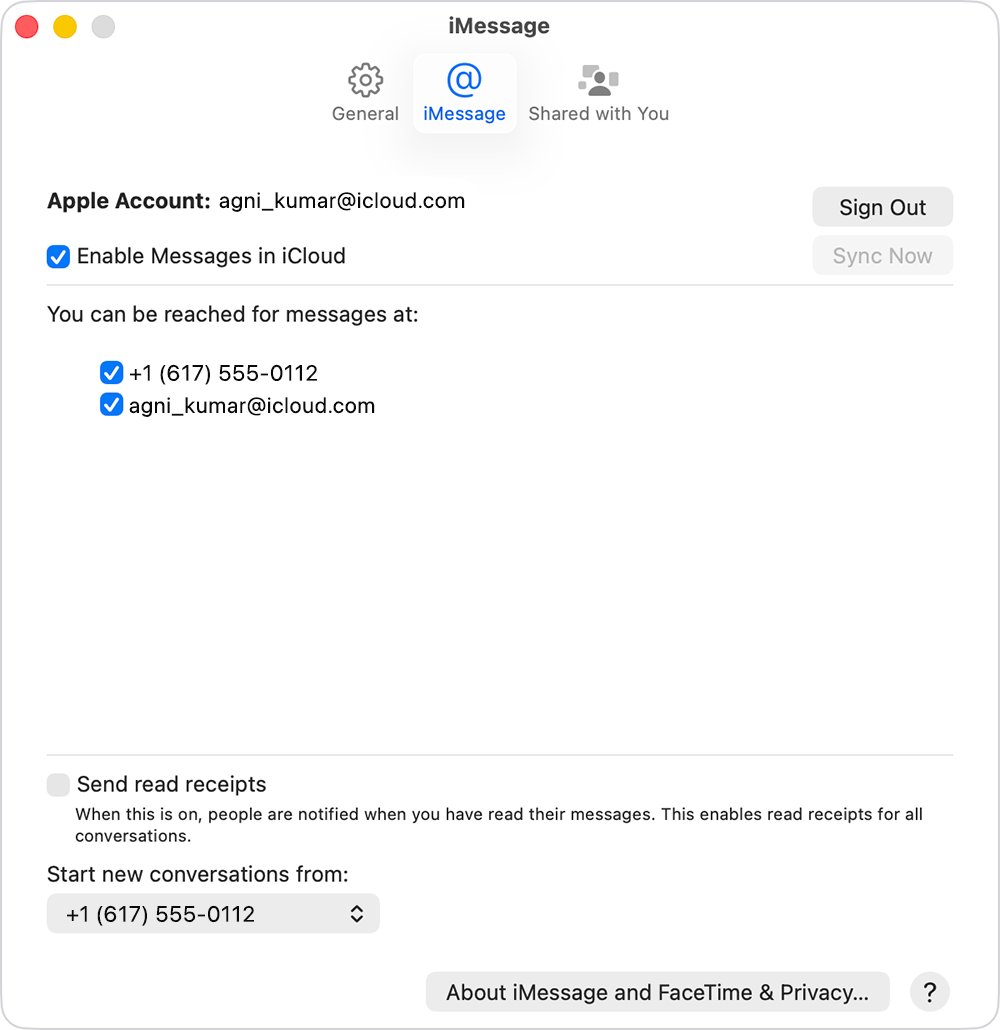
- On your Mac or iPad, select the number in Messages and FaceTime settings.
Change Apple Account phone number without old number
If you will have the old number back within a few days, wait; that is the fastest route. If you still have a signed-in trusted device, use it to add the new number. If the number is gone for good, you can still recover the account without your old phone number.
- Try to sign in to your Apple Account.
- Select Didn't Get a Code? or Can't get to your devices? on the verification code screen.
- Choose Can't use [phone number].
- Follow the onscreen steps to start recovering the account.
- Add your new trusted number once you can sign in again.
Account recovery can take a few days or longer, and contacting Apple cannot speed it up. Have your account details ready before you start Apple Account recovery.
How to see phone numbers on Apple Account
Check both lists, because a number can appear in one and not the other.
- Open Settings and tap your name.
- Tap Sign-In & Security and read the numbers listed under Email & Phone Numbers.
- Tap Two-Factor Authentication and read the trusted numbers.
- Confirm the new number appears and the old number is gone.
For a live test, sign in on a browser at account.apple.com and choose to receive the verification code at the new number.
What happens when you change Apple Account phone number
Apple lists these effects for changing a primary phone number. A trusted number change mainly affects where your verification codes go.
| Question | What happens |
|---|---|
| Contacts, purchases and account data | You keep access to all of them |
| A number already used by another Apple Account | You cannot use it |
| Your old number after 30 days | Another person might link it to an Apple Account for Messages and FaceTime, so tell people who reach you on it |
| Moving to another country or region | Change your account's country or region first, then change the number; the new number must verify by SMS |
| Messages from Apple on a phone-based account | They arrive as iMessage and can be viewed on account.apple.com |
How to update my Apple Account information
Everything else on your account sits in the same Settings > your name screen. Go to System Settings on a Mac.
| What to update | Where to go |
|---|---|
| Name, birthdate or photo | Personal Information |
| Apple Account email | Sign-In & Security, then tap your primary email address |
| Password | Sign-In & Security > Change Password |
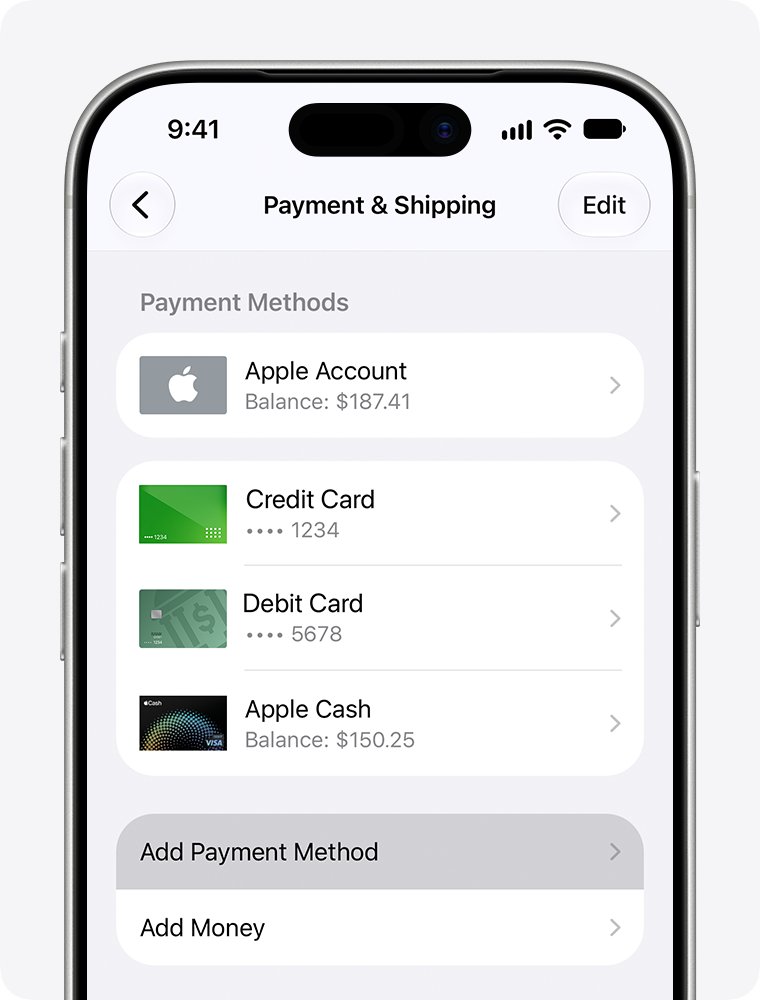
| Shipping address | Payment & Shipping |
| Payment method | Payment & Shipping, then tap the method and tap Edit |
| Subscriptions | Subscriptions |
If you forgot the password rather than wanting to change it, reset your Apple Account password from the sign-in screen.
Apple Account phone number not updating
Apple Account will not remove the only trusted phone number
Two-factor authentication needs at least one trusted number at all times.
- Add the new number under Two-Factor Authentication.
- Enter the verification code sent to it.
- Remove the old number.
Phone number cannot be removed because iMessage or FaceTime uses it
Apple blocks removing a number that Messages or FaceTime is still using.
- On your iPhone, go to Settings > Apps > Messages > Send & Receive, tap your Apple Account, then tap Sign Out.
- Go to Settings > Apps > FaceTime, tap your Apple Account, then choose Sign Out.
- If that iPhone is out of reach, change your Apple Account password, which removes its numbers from your iPad and Mac.
- Try to remove the number again.
New phone number is already in use by another Apple Account
A previous owner of the number may still use it to sign in to their own account. They cannot see your information.
- Sign in with an email address on your account instead.
- Keep the email address as your sign-in, because only the previous owner can remove the number from their account.
- Try the number again once it is free.
Apple verification code not arriving at the new number
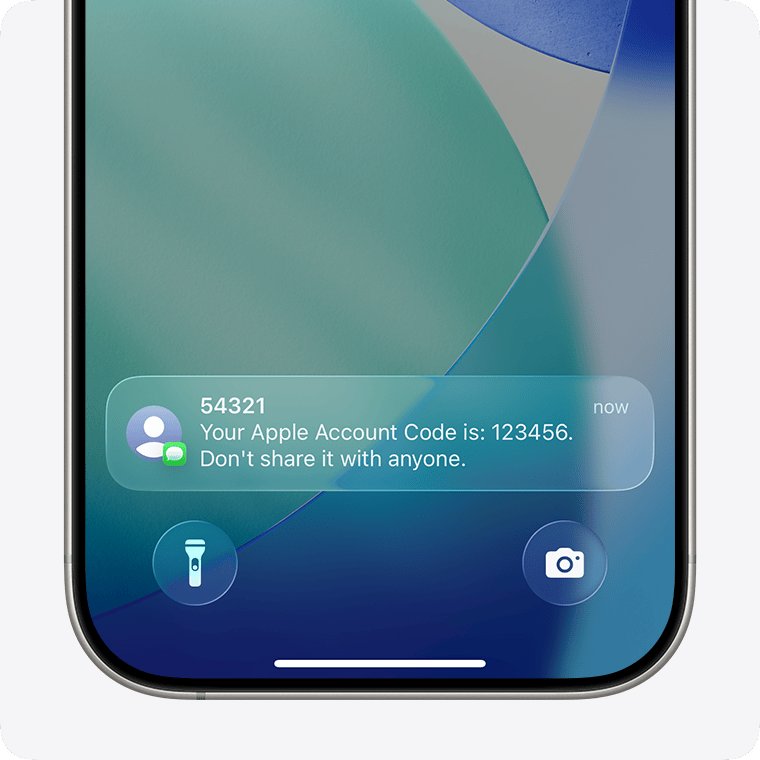
Unknown Senders filtering can hide the text in Messages.
- In Messages, open the Unknown Senders folder and look for the code.
- Go to Settings > Apps > Messages, scroll to Unknown Senders, and tap Allow Notifications.
- Turn on notifications for Time Sensitive messages.
- Request the code again, and choose a phone call if the option appears.
New primary phone number is rejected after moving abroad
A new primary number must use the same country code as the old one.
- Change your Apple Account country or region first.
- Make sure the new mobile number can be verified by SMS.
- Change the primary number, or switch the account to an email address.
Apple Account phone number FAQ
How to update phone on Apple Account?
Go to Settings, tap your name, then Sign-In & Security and Two-Factor Authentication. Tap Add a Trusted Phone Number, verify the new number with its code, and then remove the old number from the same screen.
How to update Apple Account email?
Go to Settings, tap your name, tap Sign-In & Security, then tap your primary email address. Choose Remove from Account or turn off Primary Email, then add and verify a new address. You keep your contacts and purchases.
How to update address on Apple Account?
Go to Settings, tap your name, then tap Payment & Shipping. You may need to authenticate with Face ID or Touch ID. Select or update the shipping address there, and it applies to purchases from the Apple Store.
How to update Apple Account settings?
Open Settings on iPhone or System Settings on Mac and select your name. Personal Information, Sign-In & Security and Payment & Shipping hold most options. On the web, sign in at account.apple.com to change the same account details.
How to change Apple Account on phone?
Sign out of the current Apple Account, then open Settings and tap Apple Account. Tap Use Another Apple Device or Sign in Manually, enter the other account's email address or phone number and password, and add the six-digit code.
How to update my Apple phone?
Back up the iPhone, plug it in and connect to Wi-Fi. Open Settings, tap General, then tap Software Update. If an update is available, tap Download and Install and follow the instructions. This updates iOS, not your phone number.
What does Apple Account information has been updated mean?
Apple sends email notifications about your account to its primary address. If you made a change, no action is needed. If you did not, skip any links in the email, sign in at account.apple.com directly, and change your password.