An iPhone that does not ring for incoming calls almost always has Silent mode or a Focus such as Do Not Disturb turned on, the ringer volume turned down, or Screen Unknown Callers set to silence numbers that are not in your contacts.
The fixes below work through each cause in order, from the side button to call forwarding, Bluetooth audio and calls answered on a Mac or iPad.
How to fix iPhone not ringing for incoming calls
These five checks fix most iPhones that stay quiet when a call comes in. Test with a call from a saved contact after each one.
- Open Control Center and tap the Silent mode button so it is off, or go to Settings > Sounds & Haptics and turn off Silent Mode.
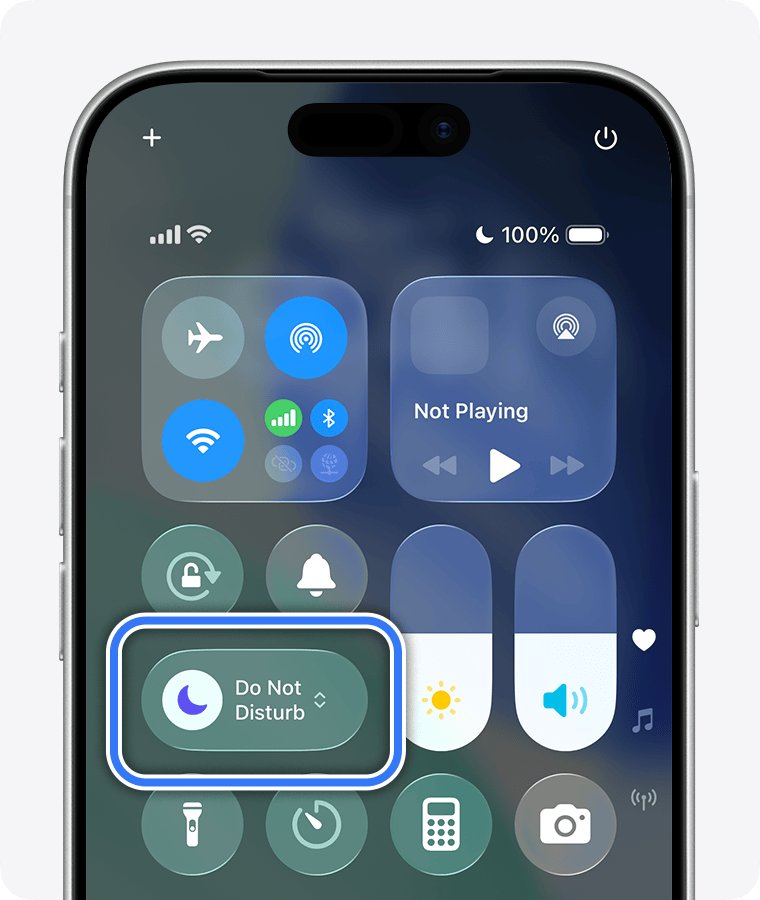
- In Control Center, tap any highlighted Focus, such as Do Not Disturb, Sleep or Work, to turn it off.
- Go to Settings > Sounds & Haptics and drag the Ringtone volume slider up.
- Go to Settings > Apps > Phone, tap Screen Unknown Callers and select Never.
- Go to Settings > General > Software Update and install any iOS update offered.
Why is iPhone not ringing for incoming calls?
Each cause leaves a clue on the screen or in the call history, which tells you which fix to use.
| Cause | What you notice | Fix |
|---|---|---|
| Silent mode is on | Silent mode icon in the status bar; iPhone may still vibrate | Turn off Silent mode with the Action button, Ring/Silent switch or Control Center |
| A Focus is on | Focus icon in the status bar and on the Lock Screen | Turn off the Focus or allow calls from the people who need to reach you |
| Ringer volume is very low | Calls arrive but the ringtone is barely audible | Raise the Ringtone slider in Sounds & Haptics |
| Unknown callers are screened or silenced | Only numbers not saved in Contacts fail to ring | Set Screen Unknown Callers to Never |
| Call forwarding is on | Call Forwarding icon in the status bar; calls never reach the iPhone | Turn off Call Forwarding in Phone settings |
| The caller is blocked | One person says your phone never rings | Unblock the contact in Blocked Contacts |
| Audio goes to another device | The ringtone plays in headphones, the car or a Mac | Disconnect the device or change Call Audio Routing |
How to turn off Silent mode on iPhone
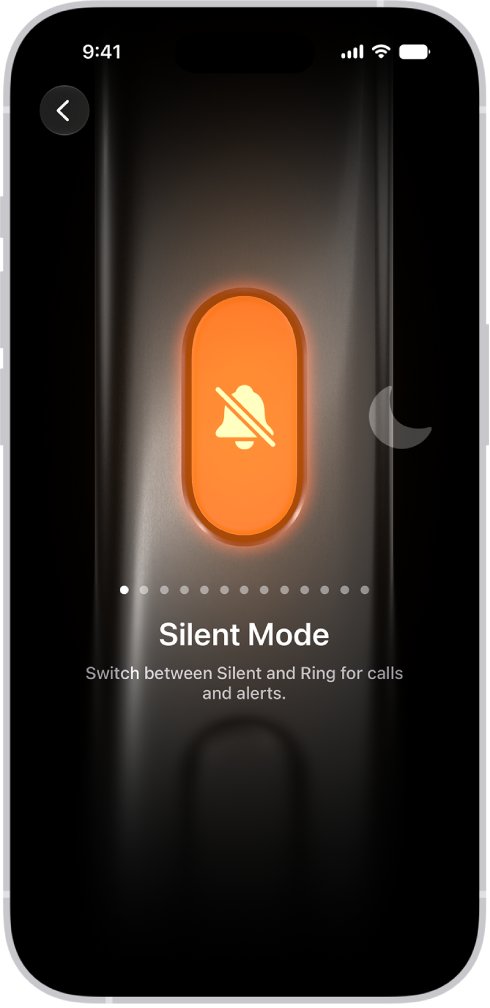
When Silent mode is on, iPhone does not ring or play alerts, although it may still vibrate. Newer models have an Action button in place of the Ring/Silent switch.
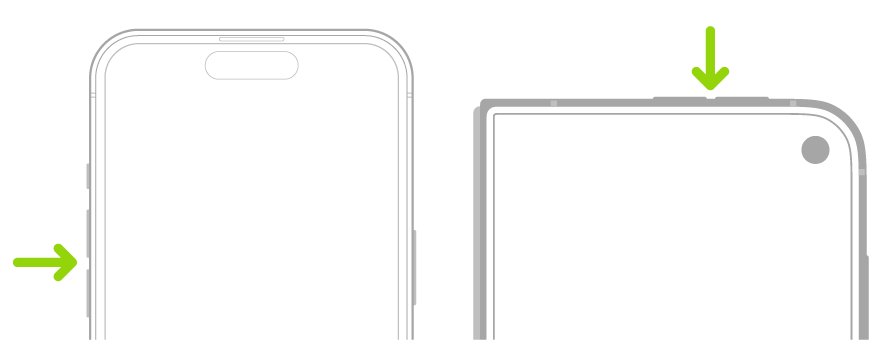
- On a model with an Action button, press and hold the Action button until Silent mode turns off.
- On a model with a Ring/Silent switch, flip the switch toward the front of the iPhone.
- Or open Control Center and tap the Silent mode button.
- Or go to Settings > Sounds & Haptics and turn off Silent Mode.
- Check that the Silent mode icon has gone from the status bar.
If the Action button no longer switches Silent mode, go to Settings > Action Button and swipe to Silent Mode, the default action.
How to allow calls during Do Not Disturb on iPhone
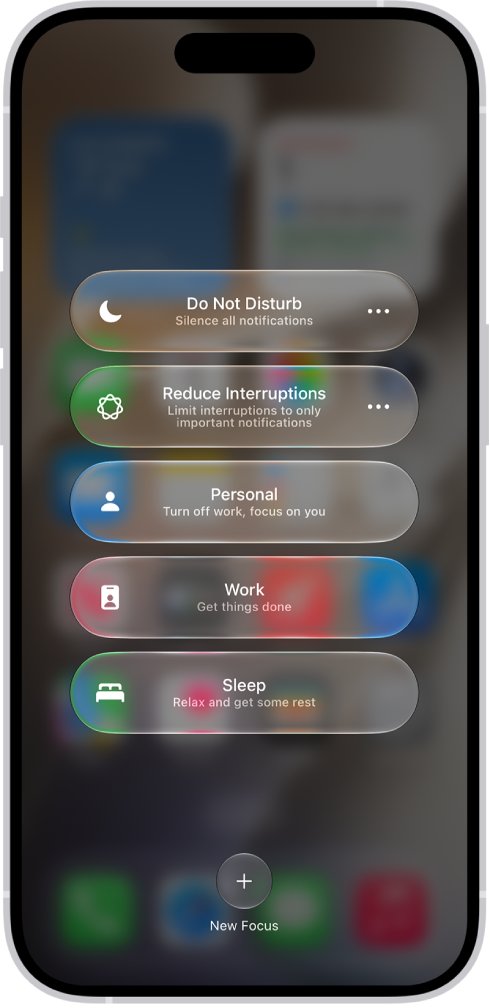
A Focus silences calls from anyone you have not allowed. A scheduled Focus, such as Sleep, can turn itself on every night without you noticing.
- Go to Settings > Focus and tap the Focus you use, such as Do Not Disturb, Sleep or Work.
- Tap People (or Choose People).
- Tap Allow Notifications From and add the contacts whose calls must ring.
- Turn on the options to allow calls from groups of people and to allow repeated calls, which lets a second call from the same person within 3 minutes ring.
- Go back and check Set a Schedule so the Focus does not turn on at times you expect calls.
- For one vital contact, open Contacts, select the person, tap Edit > Ringtone and turn on Emergency Bypass.
Emergency Bypass lets that contact's calls make sound and vibrate even when your iPhone or notifications are silenced.
How to turn up ringer volume on iPhone
The volume buttons control media while audio is playing and the ringer at other times, so the ringer can be turned down by accident.
- Go to Settings > Sounds & Haptics.
- Under Ringtone, drag the volume slider toward the right.
- Tap Ringtone and tap a tone to preview it through the speaker.
- Turn off Change with Buttons if you want the volume buttons to stop changing the ringer.
- Check any person who never rings: open Contacts, tap the name, tap Edit and look at the ringtone set for them.
If the preview is silent or distorted at full volume, the speaker itself may need clearing out the speaker holes or a repair check.
iPhone not ringing on some calls
When only unknown numbers or one person fail to ring, a call screening, filter or block setting is the cause. Saving important numbers in Contacts makes sure they always ring.
- Go to Settings > Apps > Phone.
- Tap Screen Unknown Callers and select Never so unsaved numbers ring like any other call.
- Under Call Filtering, turn off Unknown Callers so those calls stay in your normal call list.
- Check the spam filter under Call Filtering; calls it flags as spam are silenced and sent to voicemail.
- Tap Blocked Contacts and, for any number blocked by mistake, swipe left and tap Unblock.
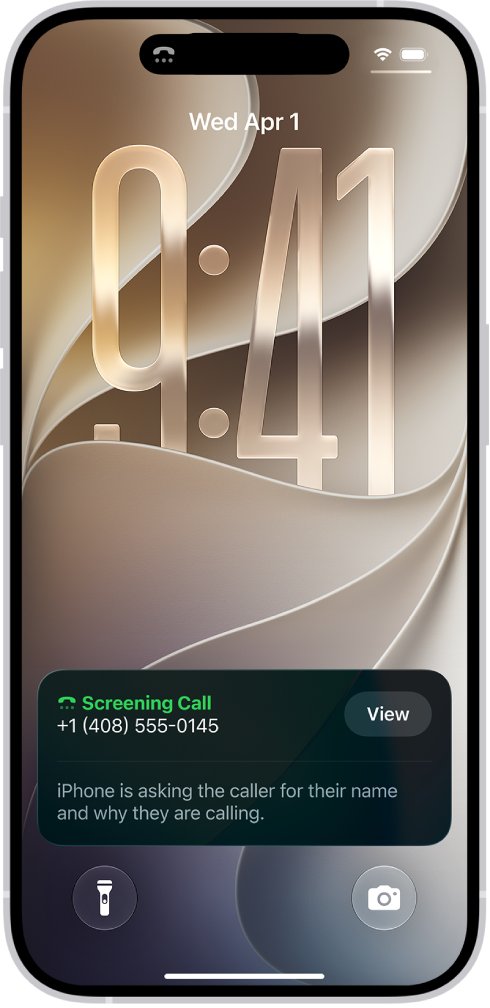
Ask Reason for Calling answers unknown numbers first and rings only after the caller explains, while Silence sends them straight to voicemail. Calls are not screened while roaming. To keep real spam out without silencing everyone, you can block spam calls on iPhone one number at a time.
iPhone calls not ringing and going straight to voicemail
If callers reach voicemail without your iPhone ever lighting up, the call is being forwarded or the iPhone has no usable connection.
- Look for the Call Forwarding icon in the status bar.
- Go to Settings > Apps > Phone > Call Forwarding and turn off Call Forwarding.
- In the same Phone settings, turn on Wi-Fi Calling so calls arrive over Wi-Fi when cellular signal is weak; if it is missing, your carrier does not offer it.
- Install the latest iOS from Settings > General > Software Update.
- Ask someone to call you again and watch your recent calls on iPhone to see whether the call registers.
Call forwarding in Settings works on GSM networks; on a CDMA carrier or for conditional forwarding, the carrier controls it, so contact them to switch it off.
My iPhone incoming calls are not ringing
Calls ring on a Mac or iPad instead of the iPhone
Calls on Other Devices relays your iPhone calls to nearby Apple devices on the same Wi-Fi and Apple Account.
- Go to Settings > Apps > Phone > Calls on Other Devices.
- Turn off the devices that should not take calls, or turn off Allow Calls on Other Devices.
- Test with an incoming call while the iPhone is unlocked.
The ringtone plays in Bluetooth headphones or the car
A connected Bluetooth headset or car system can carry the call audio instead of the iPhone speaker.
- Open Control Center and turn off Bluetooth, or disconnect the headphones.
- Go to Settings > Accessibility > Touch > Call Audio Routing.
- Choose the audio destination you want, such as the iPhone speaker, then test a call.
iPhone vibrates but does not ring
Silent mode is on; iPhone can still vibrate while it is silenced.
- Turn off Silent mode with the Action button, the Ring/Silent switch or Control Center.
- Go to Settings > Sounds & Haptics and raise the Ringtone slider.
- Tap Ringtone and confirm a tone is selected and plays.
iPhone stopped ringing at night or at work
A Focus, often Sleep, turns on by schedule, location or app.
- Go to Settings > Focus and open the Focus that turns on.
- Under Set a Schedule, edit or remove the schedule.
- Allow the contacts who must reach you under People.
iPhone not ringing FAQ
Why is my iPhone not ringing for incoming calls?
Silent mode, a Focus such as Do Not Disturb or Sleep, a low ringer volume or Screen Unknown Callers set to Silence are the usual causes. Turn off Silent mode and Focus, raise the Ringtone slider and set Screen Unknown Callers to Never.
Why does my iPhone not ring on some calls?
If only unsaved numbers fail to ring, Screen Unknown Callers or the spam filter is silencing them. If one person never gets through, check Settings > Apps > Phone > Blocked Contacts and the ringtone set on their contact card.
Why is my iPhone 15, 16 or 17 not ringing for incoming calls?
On models with an Action button, a press and hold turns Silent mode on and off, so it is easy to silence by accident. Press and hold it again, or turn off Silent mode in Control Center, then check Focus and the ringer volume.
Why is my iPhone 13 or iPhone 14 not ringing for incoming calls?
On models with a Ring/Silent switch, a switch flipped toward the back puts iPhone in Silent mode. Flip it toward the front, then check Focus, the Ringtone volume slider and Screen Unknown Callers.
Why do my iPhone calls go straight to voicemail without ringing?
Call forwarding, a Focus, Screen Unknown Callers set to Silence or a blocked number can all send calls to voicemail. Turn off Call Forwarding in Phone settings, turn off Focus and set Screen Unknown Callers to Never.
Does Do Not Disturb stop my iPhone from ringing?
Yes. Do Not Disturb and other Focus modes silence calls except from people you allow. Add contacts under the Focus's People settings, allow repeated calls, or turn on Emergency Bypass for a contact who must always ring.
Why does my iPhone ring on my Mac but not on my iPhone?
Calls on Other Devices relays calls to a nearby Mac or iPad, and a Bluetooth headset or car can take the ringtone. Turn off the extra devices in Settings > Apps > Phone > Calls on Other Devices and disconnect Bluetooth audio to test.