Xbox One plays selected original Xbox and Xbox 360 games, and Xbox Series X|S plays those plus most Xbox One games, with the official Xbox library listing 3,995 compatible titles in November 2026.
This list covers the notable games from each generation, the titles with FPS Boost, the games that are excluded, and how to check and play any title you own.
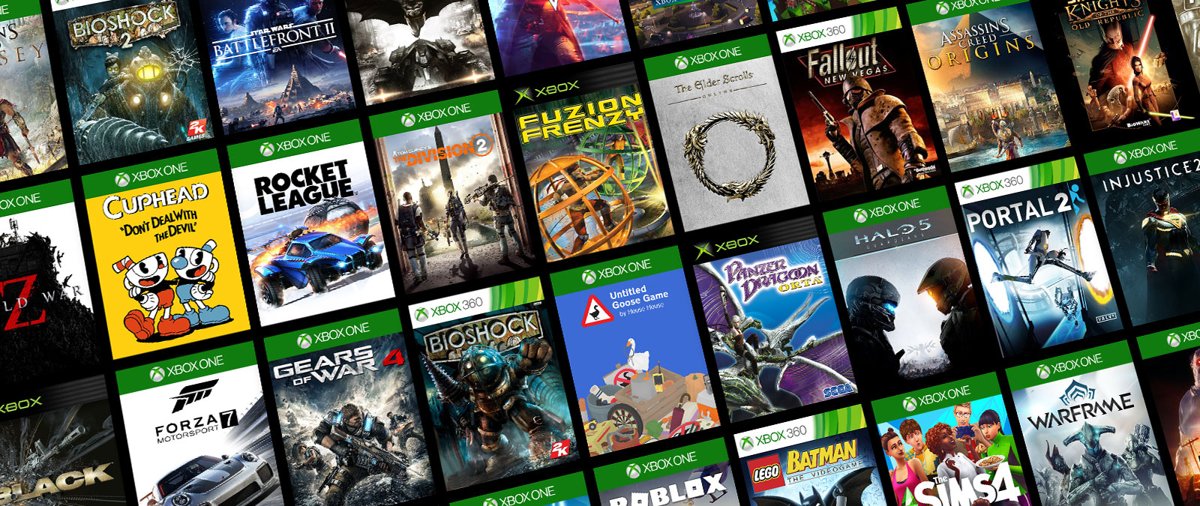
List of backwards compatible Xbox games by console
Backward compatibility is free and works on every current Xbox console. What you can play depends on the console you own.
| Console you own | Original Xbox games | Xbox 360 games | Xbox One games |
|---|---|---|---|
| Xbox One, One S, One X | Selected titles | Selected titles | All |
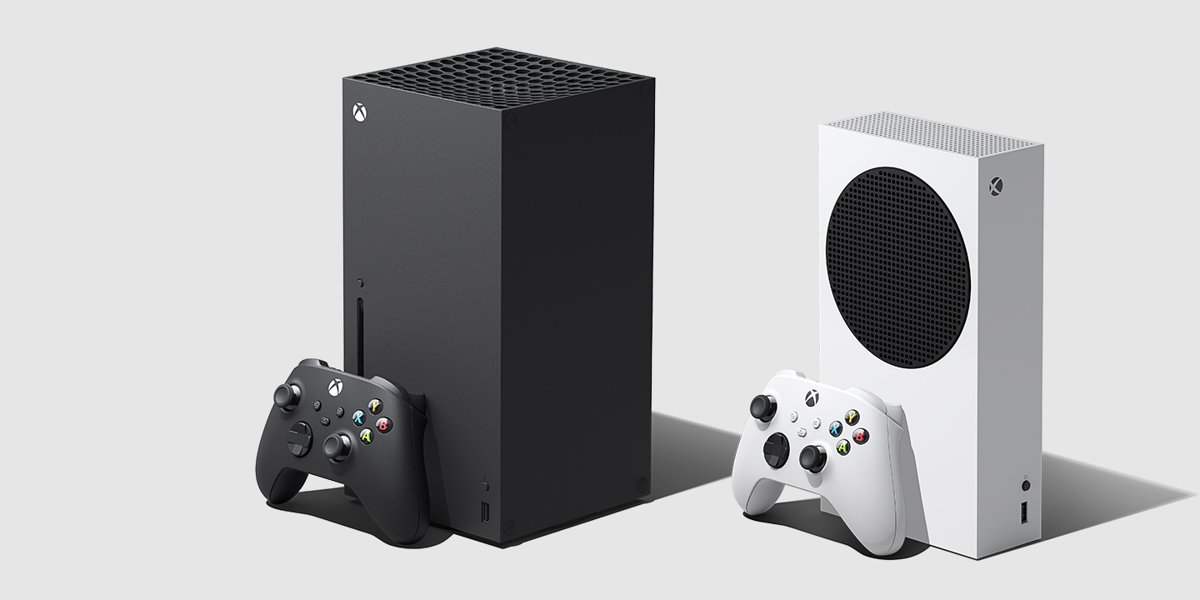
| Xbox Series X | Selected titles, disc or digital | Selected titles, disc or digital | Most titles, disc or digital |
| Xbox Series S | Selected titles, digital only | Selected titles, digital only | Most titles, digital only |
The full searchable catalog is the Xbox Backward Compatible Games Library on xbox.com, with filters for Xbox One games, Xbox 360 games and Original Xbox games.
How Xbox backward compatibility works (discs vs digital, licensing, emulation explained)
The program started in 2015 on Xbox One. Each older game runs in the console's compatibility mode only after Microsoft tests it and the original publisher agrees, which is why the catalog is a selected list rather than every game ever made.
| How you own the game | What happens on Xbox One or Series X|S |
|---|---|
| Digital purchase | Compatible games you own show up in the Ready to Install section of your console |
| Disc | Insert the disc and the console downloads the game to its drive; the disc must stay in the drive while you play |
| Xbox Game Pass | Many backward compatible games are in the Game Pass library, so you can play them without buying them |
| Disc on Xbox Series S | Not possible, because Series S has no disc drive and plays digital games only |
Games run in the original form the developer made, with enhancements such as Auto HDR and higher resolution layered on by the console. Microsoft says more than 500,000 hours of testing went into meeting Series X|S quality standards.
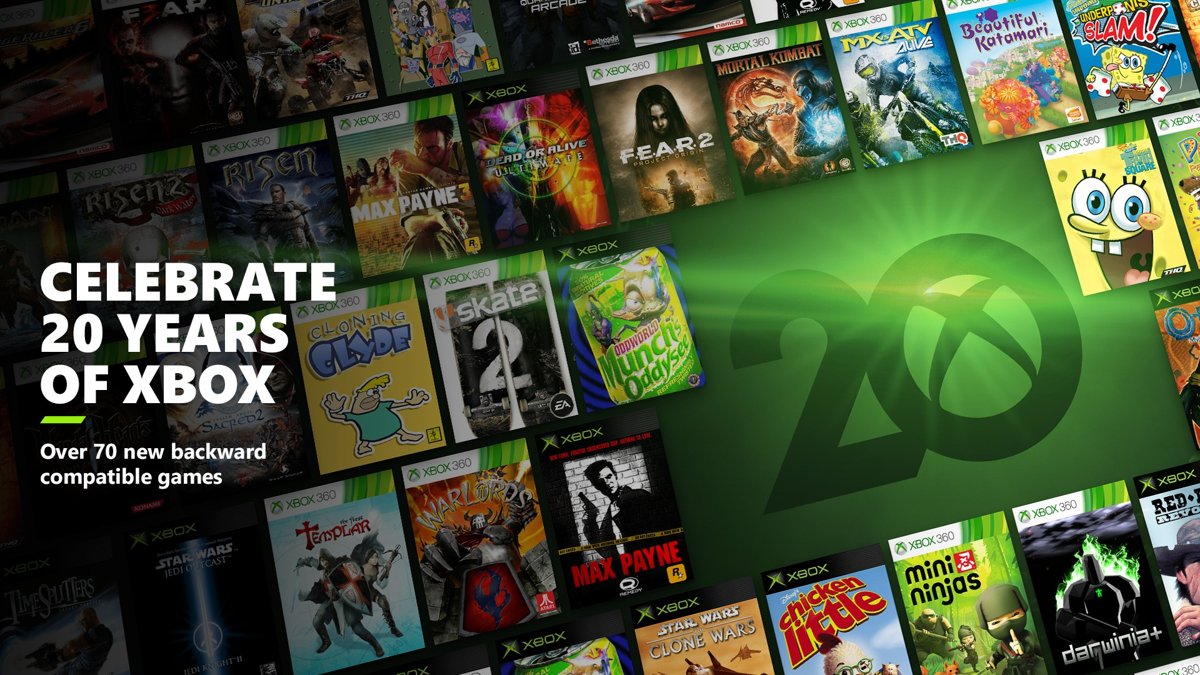
Xbox (2001) backward compatible games list
The original Xbox list is the shortest of the three. The final batch in November 2021 added more than 20 original Xbox games at once.
| Original Xbox game | Notes |
|---|---|
| Dead or Alive Ultimate | Added in the November 2021 anniversary batch |
| Star Wars: Jedi Knight II | Added in November 2021 |
| Star Wars: Starfighter | Added in November 2021 |
| Otogi series | Added in November 2021 |
| Fusion Frenzy | Featured in the official backward compatibility library |
Every original Xbox game gets a resolution increase on current consoles. Original Xbox games have no achievements and no Xbox Live online multiplayer, but offline co-op, party play and system link work where the game supported them.
Xbox 360 backward compatible games list
Xbox 360 makes up most of the older catalog. These are notable titles that Xbox has confirmed as backward compatible, several with FPS Boost on Series X|S.
| Xbox 360 game | Extra on Xbox Series X|S |
|---|---|
| Gears of War franchise | FPS Boost |
| Fallout 3 | FPS Boost |
| Fallout: New Vegas | FPS Boost |
| The Elder Scrolls IV: Oblivion | FPS Boost |
| Dragon Age: Origins | FPS Boost |
| Dead Space 2 and Dead Space 3 | FPS Boost |
| Alan Wake | FPS Boost |
| Sonic Generations | FPS Boost |
| F.E.A.R. and F.E.A.R. 3 | FPS Boost |
| Binary Domain | FPS Boost |
| NIER | FPS Boost |
| Max Payne series | Whole series playable since November 2021, with Auto HDR |
| Skate, Skate 2 and Skate 3 | Whole franchise playable since Skate 2 was added in November 2021 |
| Fable Anniversary | Featured in the official library |
Many of these can be bought digitally in the Microsoft Store, and you can also play them from your own disc on Xbox One or Series X.
Xbox One games playable on Xbox Series X|S (native, Smart Delivery, and cross-gen titles)
Most Xbox One games play on Xbox Series X|S. Xbox keeps a short list of excluded titles on its support site.
| Type of Xbox One game | What you get on Series X|S | Examples |
|---|---|---|
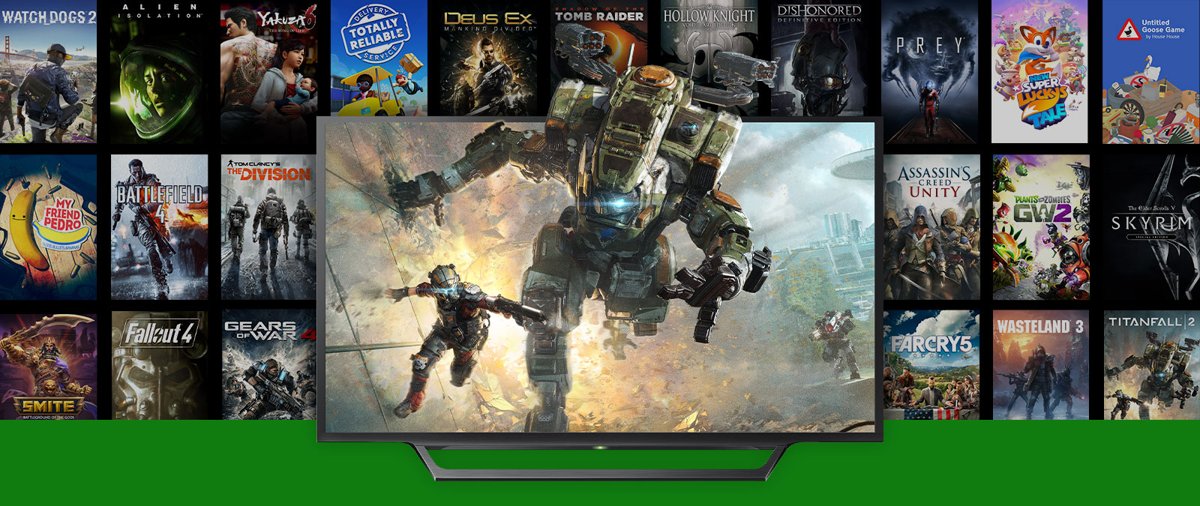
| Native Xbox One game | Runs in compatibility mode with faster loading and Quick Resume | Titanfall 2, Sunset Overdrive |
| Smart Delivery title | The Series X|S version downloads automatically at no extra cost when it exists | Gears 5, Halo Infinite, Cyberpunk 2077, Destiny 2, Assassin's Creed Valhalla, Yakuza: Like a Dragon |
| Cross-gen title without Smart Delivery | Plays as the Xbox One version unless you buy the Series X|S version separately | Depends on the publisher |
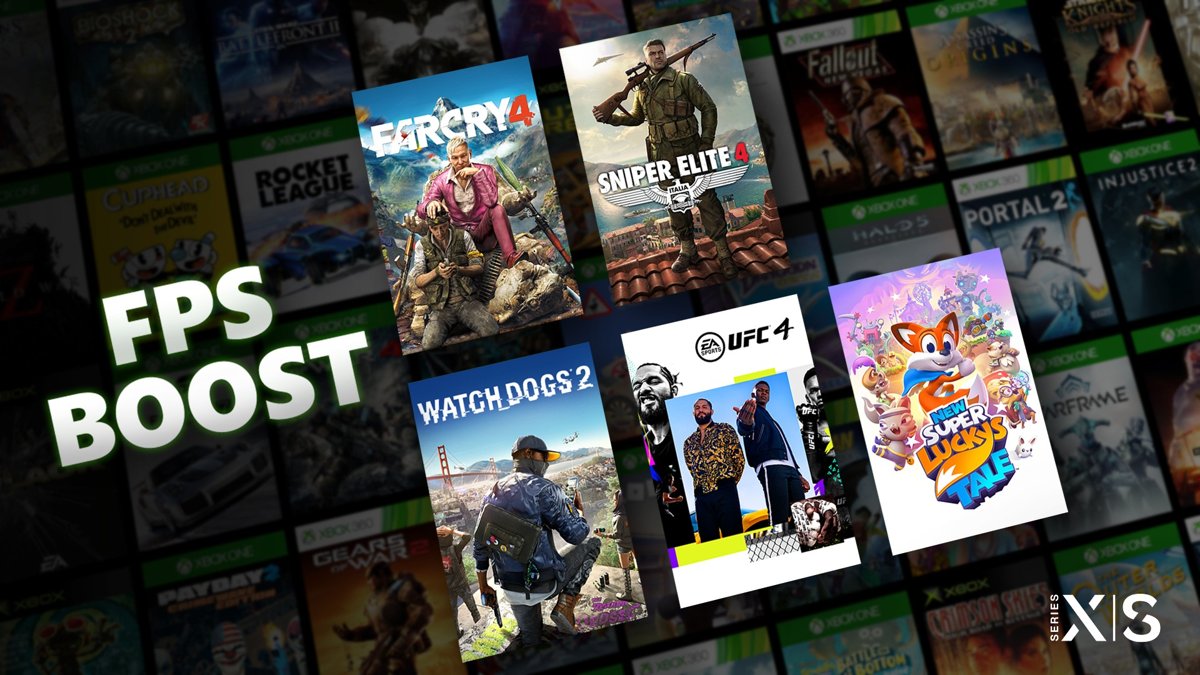
| Xbox One game with FPS Boost | Higher frame rate with no developer patch | Far Cry 4, Watch Dogs 2, Sniper Elite 4, UFC 4, Fallout 4, Skyrim Special Edition |
Smart Delivery also works with physical discs when the publisher supports it. Your game library and progress carry over from Xbox One to Series X|S.
Enhanced backward compatible games: FPS Boost, Auto HDR, resolution & performance upgrades
Series X|S adds enhancements to older games with no update needed from the developer or the player.
| Enhancement | What it does | Games with it |
|---|---|---|
| FPS Boost | Nearly doubles the original frame rate, and in a few games quadruples it | Far Cry 4, New Super Lucky's Tale (up to 120 fps), Sniper Elite 4, UFC 4, Watch Dogs 2, Dishonored: Definitive Edition, Skyrim Special Edition, Fallout 4, Fallout 76, Prey |
| FPS Boost for Xbox 360 games | Doubles the original frame rate up to 60 fps | Gears of War franchise, Fallout 3, Fallout: New Vegas, Oblivion, F.E.A.R., NIER |
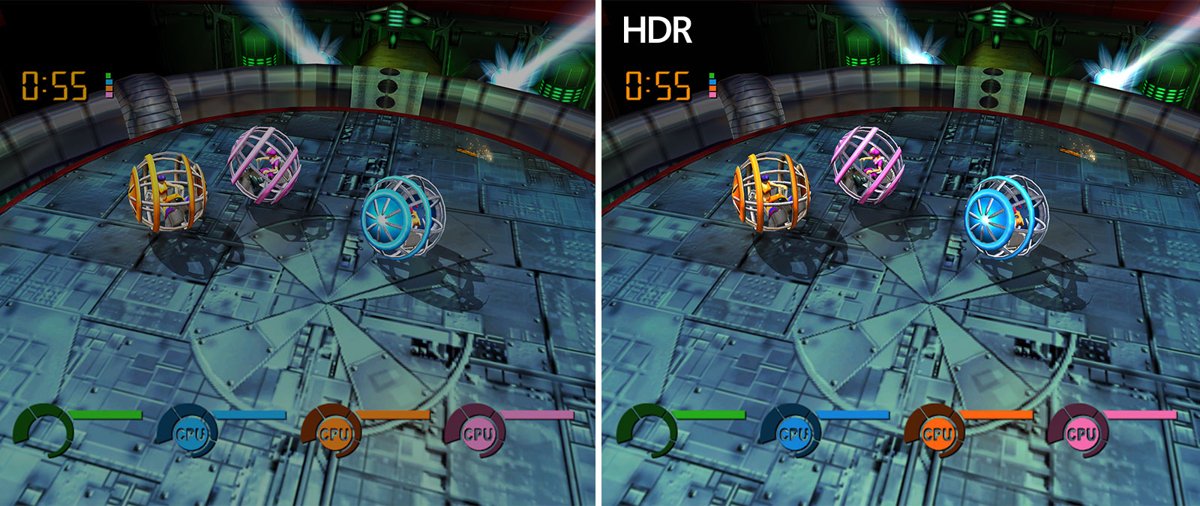
| Auto HDR | Adds HDR to SDR games made before HDR existed | All titles from the November 2021 batch, and many more |
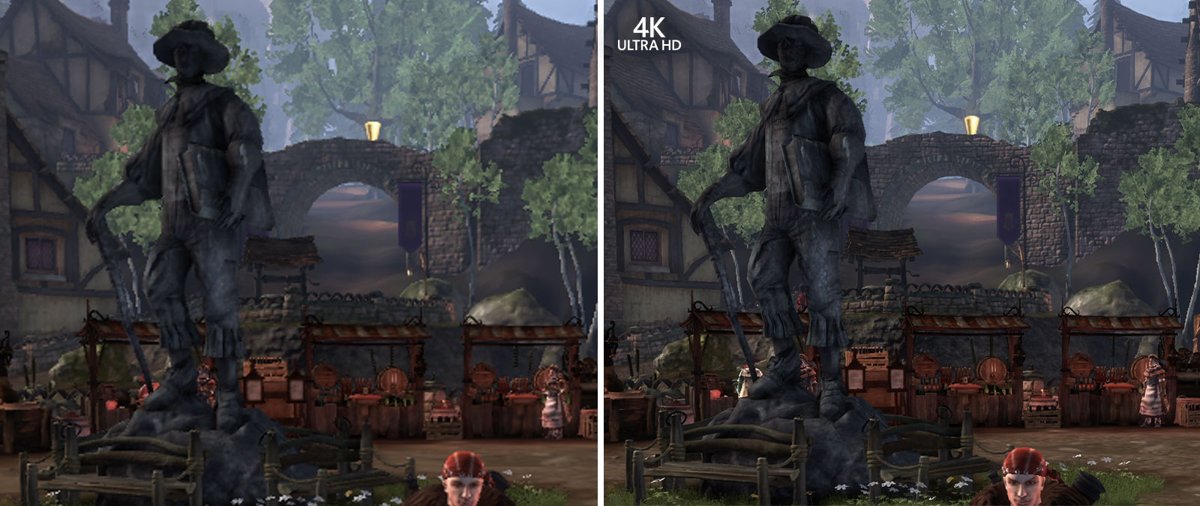
| Improved resolution | Renders select titles at up to 4K on Series X|S | Selected Xbox 360 and original Xbox games |
| Xbox One X Enhanced | Higher resolution, faster frame rates or better textures on Xbox One X | Selected titles |
FPS Boost also reached Xbox Cloud Gaming in November 2021 for 33 titles, including Fallout 4, Fallout 76 and The Evil Within 2.
Performance differences between Xbox One, One X, Series S, and Series X
The same backward compatible game looks different depending on the console. Original Xbox games show the clearest gap.
| Console | Original Xbox resolution increase | FPS Boost | Auto HDR | Discs |
|---|---|---|---|---|
| Xbox One and One S | 2x | No | No | Yes |
| Xbox One X | 4x | No | No | Yes |
| Xbox Series S | 3x | Yes | Yes | No, digital only |
| Xbox Series X | 4x | Yes | Yes | Yes |
Xbox One X Enhanced titles get their extra detail on One X, while FPS Boost and Auto HDR need a Series X|S console.
Games that are not backward compatible (delisted, licensing issues, and exceptions)
Microsoft ended additions to the catalog in November 2021, saying it had reached the limit of what it could bring forward because of licensing, legal and technical constraints.
| Case | Can you play it? |
|---|---|
| Original Xbox or Xbox 360 game not in the library | No; the list will not grow beyond the November 2021 batch |
| Delisted game you already own digitally | Yes, if it is in the compatible catalog; it appears in Ready to Install |
| Compatible game no longer sold | Only from a disc you own or an earlier digital purchase |
| Xbox One game on the excluded list | No, not on Series X|S |
| Disc game on Xbox Series S | No, because Series S has no disc drive |
| Online play in an original Xbox game | No; offline co-op and system link only |
How to access and play backward compatible games (discs, store purchases, subscriptions)
You do not pay again for a compatible game you already own. Pick the route that matches how you got it.
- For a game you bought digitally, open your games library on the console and look in Ready to Install.
- Select the game and choose Install, then launch it when the download ends.
- For a disc, insert it into an Xbox One or Xbox Series X and let the console download the game.
- Keep the disc in the drive every time you play.
- To buy a compatible game, search for it in the Microsoft Store on the console or on xbox.com.
- To play without buying, look for it in the Xbox Game Pass library.
- For online multiplayer, add an Xbox Game Pass subscription that includes online console play.
How to turn on FPS Boost and Auto HDR on Xbox Series X|S
FPS Boost and Auto HDR are per-game switches. Turn one off if a game behaves differently from the original.
- Highlight the game in your library.
- Press the Menu button on the controller.
- Open Manage game.
- Select Compatibility Options.
- Turn FPS Boost or Auto HDR on or off.
- Launch the game and press the Xbox button to see the FPS Boost indicator.
How to check if a game is backward compatible on Xbox
- Open the Xbox Backward Compatible Games Library at xbox.com/games/backward-compatibility.
- Under Collections, choose Xbox 360 games, Original Xbox games or Xbox One games.
- Type the game's name in the Search box.
- If the game appears, it plays on Xbox One and Series X|S.
- For an Xbox One game on Series X|S, select See excluded games to check the exceptions.
Frequently asked questions, preservation notes, and the future of Xbox backward compatibility
Does backward compatibility cost extra?
No. Backward compatibility is free on Xbox One and Xbox Series X|S. You can play compatible original Xbox and Xbox 360 games you already own, plus Xbox One games on Series X|S, without paying again.
Which Xbox generations are supported?
Four generations are covered. Xbox Series X|S plays its own games, most Xbox One games, and selected Xbox 360 and original Xbox games. Xbox One plays its own games plus the same selected Xbox 360 and original Xbox games.
Will Microsoft add more backward compatible games?
No new older games are planned. In November 2021 Xbox called its 70+ title batch the final addition, citing licensing, legal and technical limits, and said it would explore other ways to preserve games, such as cloud gaming.
Can Xbox Series S play Xbox 360 discs?
No. Xbox Series S has no disc drive and plays digital games only. Buy the digital version, or use an Xbox One or Xbox Series X, which accept original Xbox, Xbox 360 and Xbox One discs of compatible games.
Do my saves, DLC and achievements carry over?
For supported games, your saves, add-ons and achievements carry over to Series X|S. Original Xbox games are the exception: they have no achievements, and their old saves do not transfer, though saves made on Xbox One or Series X|S sync through the cloud.
Can you play original Xbox games online on Xbox One?
No. Original Xbox games do not support Xbox Live online multiplayer or in-game marketplaces on current consoles. Offline co-op, party play with several controllers and system link still work where the game supported them.
Why is not every game backward compatible?
Each game needs testing and a partnership with its original creator, and licensing rules out some titles. Xbox said in November 2021 it had reached the limit of what licensing, legal and technical constraints allow.
Do backward compatible games run better on Xbox Series X?
Yes. Series X adds faster loading, Quick Resume, Auto HDR and, on supported titles, FPS Boost and higher resolution. Original Xbox games render at four times their original resolution on Series X and Xbox One X.
Is backward compatibility the same as Game Pass?
No. Backward compatibility lets you play older games you own, while Game Pass is a paid subscription. Many backward compatible games are included in Game Pass, so subscribers can play them without buying them.