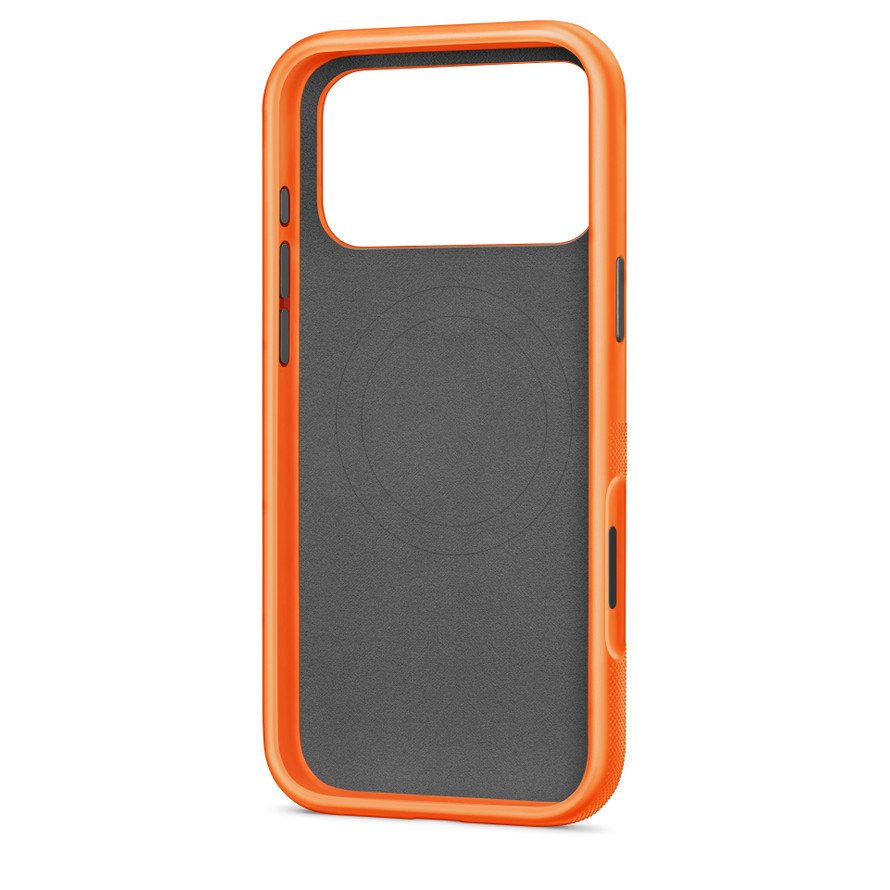
A MagSafe case is an iPhone case with a ring of magnets built into its back that lines up with the MagSafe magnets inside the iPhone, so MagSafe chargers, wallets and battery packs still snap on and charge through the case.
Below are the five facts that matter, followed by how the system works, which iPhone models support it, how it compares with a standard case, and how to spot a case that only claims to be MagSafe-compatible.
What is a MagSafe case?
Apple introduced MagSafe on iPhone 12 in October 2020. A normal case puts plastic between the phone's magnets and the accessory, which weakens the hold. A MagSafe case carries its own magnets so the accessory snaps to the case instead.
| Fact | What it means for you |
|---|---|
| 1. It has a magnet ring in the back | MagSafe chargers, wallets and battery packs snap to the case in the right spot every time |
| 2. It only does its job on MagSafe iPhones | iPhone 12 and later (except iPhone 16e) have the matching magnets inside the phone |
| 3. You charge through it | Apple says MagSafe chargers snap to the back of iPhone or its MagSafe case, so the case stays on |
| 4. Charging speed comes from the charger and phone, not the case | Up to 25W on recent models with a 30W adapter; the case does not raise or set that number |
| 5. Keep cards out of the gap | Magnets can damage magnetic strips and RFID chips in cards caught between phone and charger |
How the MagSafe system works
MagSafe is an array of magnets arranged around the iPhone's wireless charging coil. The magnets pull a charger or accessory into the exact position where the coils line up, which is why charging is faster and more efficient than on a flat pad.
| Part | Where it sits | What it does |
|---|---|---|
| Magnet array | Inside the iPhone, around the charging coil | Pulls accessories into alignment |
| Charging coil | Inside the iPhone, centre of the ring | Receives power from a MagSafe or Qi charger |
| Case magnet ring | Inside the back of a MagSafe case | Extends the magnetic hold through the case |
| Accessory magnets | Charger, wallet, battery pack or mount | Snap onto the phone or case |
| Power check | MagSafe Charger and iPhone | Confirms it is safe to deliver maximum power; plug the charger in before placing the phone |
If you put the iPhone on the MagSafe Charger before connecting the charger to power, lift the phone off, wait three seconds and place it back to get full power.
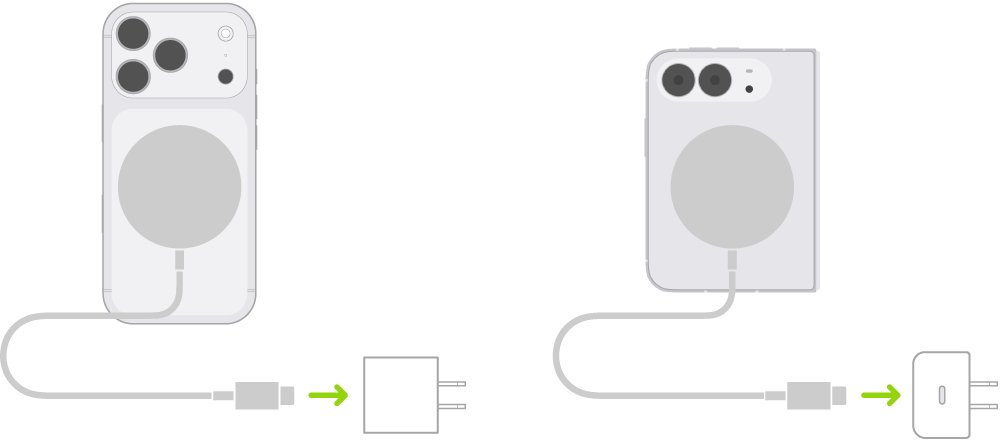
MagSafe vs regular wireless charging
| MagSafe charging | Regular Qi wireless charging | |
|---|---|---|
| Supported iPhones | iPhone 12 and later, except iPhone 16e | iPhone 8 and later |
| Alignment | Magnets snap the charger into place | You place the phone in the centre of the pad yourself |
| Peak power | Up to 25W (iPhone 16 Plus, 16 Pro Max, 17 series, 18 Pro); 22.5W on iPhone 16 and 16 Pro; 20W on iPhone Air; 15W on iPhone 15 and earlier | Up to 7.5W on many Qi-certified chargers |
| Use while charging | You can hold and use the phone with the charger attached | The phone has to stay on the pad |
| Shifting off the charger | Magnets hold it in place | A vibration can move the phone and stop charging |
Charging is lower when a USB-C or Lightning accessory such as wired headphones is plugged in at the same time, for example 7.5W on iPhone 15 and earlier.
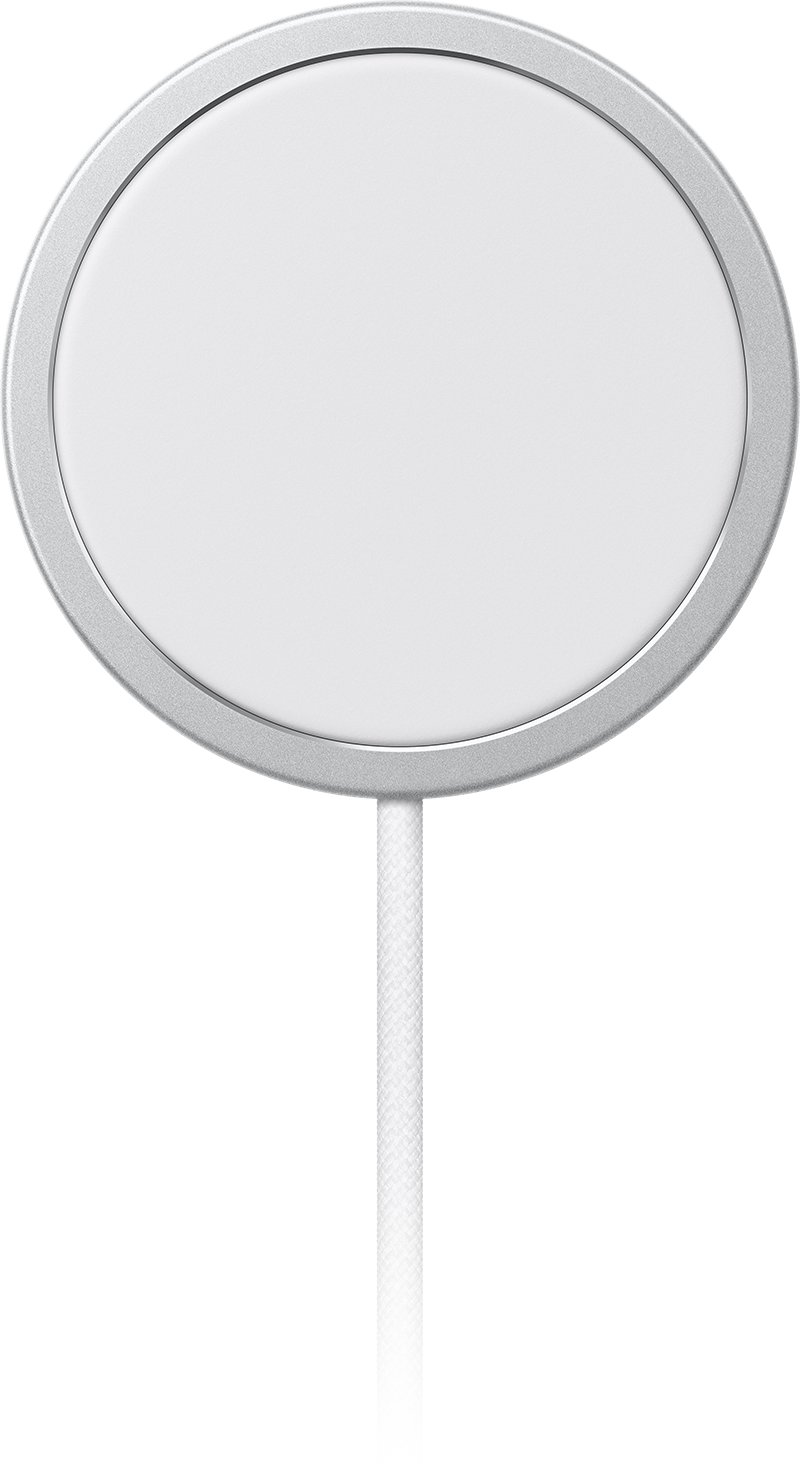
Common features of a MagSafe case
| Feature | Why it is there |
|---|---|
| Built-in magnet ring | Holds MagSafe chargers and accessories through the case |
| Thin back over the coil | Lets wireless power pass without a thick layer slowing it |
| Model-specific cut-outs | Each case fits one iPhone model's camera and buttons; Beats cases add a Camera Control cut-out |
| Material choice | Apple sells silicone, clear and TechWoven versions; third-party cases add rugged, kickstand and leather designs |
| Visible ring or marking | Many clear and printed cases show where the magnets sit so you can line up accessories |
Which devices work with MagSafe cases?
A MagSafe case only adds magnets to the case; the phone still needs MagSafe inside for the case to charge at MagSafe speeds. Each case is also cut for one model, so buy the case named for your exact iPhone.
| Device | MagSafe built in? | What a MagSafe case gives you |
|---|---|---|
| iPhone 12, 13, 14 and 15 models | Yes | Full magnetic hold and MagSafe charging, up to 15W |
| iPhone 16, 16 Plus, 16 Pro, 16 Pro Max | Yes | Full support; 22.5W to 25W peak depending on model |
| iPhone 17, 17 Pro, 17 Pro Max, iPhone Air, iPhone 17e | Yes | Full support; up to 25W on 17 models, 20W on iPhone Air, 15W on 17e |
| iPhone 18 Pro, 18 Pro Max | Yes | Full support, up to 25W |
| iPhone 16e, iPhone 11, XS, XR, X and 8 | No | Qi charging only; a MagSafe case adds a magnet ring but the phone charges at Qi speeds |
| Pixel 10 and Pixel 11 phones | No; they use Google Pixelsnap magnets | Use a Pixelsnap case made for the Pixel model, not an iPhone case |
MagSafe cases vs. standard phone cases
| MagSafe case | Standard case | |
|---|---|---|
| Accessory hold | Strong snap for chargers, wallets and battery packs | Weak or no hold; accessories slide off |
| MagSafe charging | Charges through the case at full MagSafe speed | May charge, but alignment is up to you; thick or metal cases can stop it |
| Price at Apple | $49 to $59 for Apple's own cases | Cheaper non-magnetic cases are common from other brands |
| Drop protection | Depends on the case design, not on the magnets | Depends on the case design |
| Card risk | Do not keep cards between the case and a charger | Same rule for any wireless charger |
What is a MagSafe case good for? Pros and cons
| Advantages of MagSafe cases | Potential drawbacks of a MagSafe case |
|---|---|
| Chargers snap into the right spot, so charging starts first time | Costs more than a plain case of the same material |
| You can hold and use the phone while it charges | Magnetic strips and RFID chips in cards can be damaged if they sit between phone and charger |
| Wallets, battery packs, mounts and stands attach without adhesive | Magnets can affect pacemakers and defibrillators; keep the phone at least 6 inches (15 cm) away, 12 inches (30 cm) when charging wirelessly |
| Keeps MagSafe charging speeds with the case on | Gives no MagSafe speed on iPhone models without MagSafe inside |
If you have an implanted medical device, ask your physician and the device maker for their specific guidance before carrying a phone with MagSafe accessories close to it.
Best accessories to use with a MagSafe case
| Accessory | What it does | Note |
|---|---|---|
| MagSafe Charger | Snaps on and charges at up to 25W on recent iPhones | Needs a 30W or larger USB-C adapter for top speed |
| MagSafe Battery or Battery Pack | Adds battery life on the go | The iPhone Air MagSafe Battery fits iPhone Air only |
| iPhone Wallet with MagSafe | Holds cards on the back of the phone or case | Can be added to Find My; remove it before charging |
| MagSafe Duo Charger | Charges an iPhone or AirPods and an Apple Watch together | Works with iPhone 12, 13 and 14 models |
| Magnetic mounts, grips and stands | Hold the phone in a car, on a desk or in your hand | Made by third-party brands; check they say MagSafe-compatible |
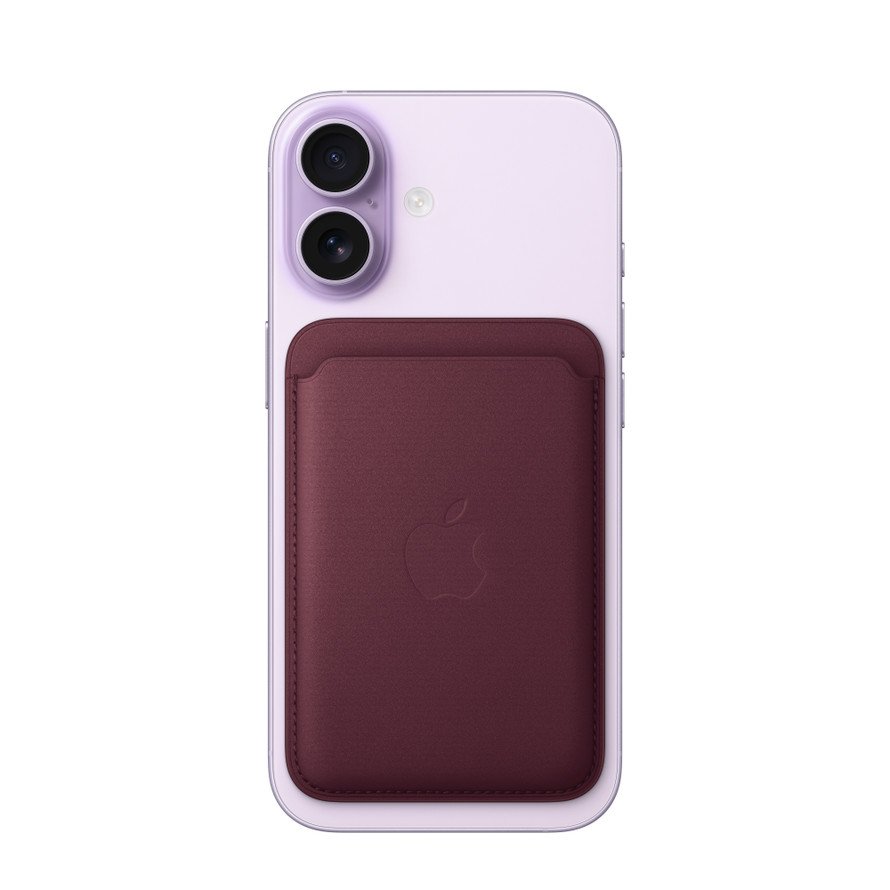
How to tell if a case is truly MagSafe-compatible
- Check the name on the box or listing: Apple uses Case with MagSafe, and Apple Store listings from other brands say MagSafe compatible.
- Look for a built-in magnet ring; on clear cases it is visible as a circle in the back.
- Put the case on your iPhone and hold a MagSafe Charger or wallet near the back; it should snap into the centre on its own.
- Connect the MagSafe Charger to power and attach it to the cased iPhone; the charging symbol should appear. If it stays blank, work through the fixes for an iPhone that is not charging.
- Return a case that only says "wireless charging compatible"; that means thin enough for Qi, not magnetic.
Explore the best MagSafe cases
Apple's own store lists these MagSafe cases for current iPhone models. Prices are Apple's US list prices in October 2026.
| Case | Type | Apple price |
|---|---|---|
| Apple Silicone Case with MagSafe (iPhone 18 Pro, 18 Pro Max) | Soft-touch silicone | $49 |
| Apple Clear Case with MagSafe (iPhone 18 Pro Max) | Clear, shows the magnet ring | $49 |
| Apple TechWoven Case with MagSafe (iPhone 18 Pro, 18 Pro Max) | Woven fabric finish | $59 |
| Beats Case with MagSafe and Camera Control (iPhone 17 Pro, 17 Pro Max) | Slim | $45 |
| Beats Kickstand Case with MagSafe and Camera Control | Built-in stand | $59 |
| Beats Rugged Case with MagSafe and Camera Control | Heavier drop protection | $79 |
| Tech21 FlexQuartz Case (iPhone 17 Pro, 17 Pro Max) | Third-party, MagSafe compatible | $54.95 |
MagSafe case FAQ
What's the purpose of a MagSafe case?
A MagSafe case keeps the iPhone's magnetic hold working through the case. MagSafe chargers, wallets, battery packs and mounts snap to its built-in magnet ring and line up with the phone's charging coil, so you never have to take the case off.
What are some downsides of MagSafe cases?
They cost more than plain cases, and their magnets can damage magnetic strips and RFID chips in cards caught between the phone and a charger. Magnets can also affect pacemakers and defibrillators, so keep the phone at least 6 inches away from an implant.
Does MagSafe charging affect battery life?
Apple says the iPhone or charger might get slightly warmer during wireless charging. If the battery gets too warm, iOS might limit charging above 80 percent to protect battery lifespan, then resumes when the temperature drops.
Is a MagSafe case required for wireless charging?
No. Every iPhone from iPhone 8 onward charges on a Qi-certified pad without any case. A MagSafe case only matters if you want MagSafe chargers and accessories to snap on with a case fitted. Thick, metal or battery cases can stop wireless charging.
Do MagSafe cases work with Android phones like Samsung or Pixel?
No. MagSafe cases are cut for specific iPhone models and will not fit an Android phone. Pixel 10 and Pixel 11 phones have Google's own built-in Pixelsnap magnets and use Pixelsnap cases and Qi2 magnetic accessories instead.
Can a PopSocket be used with a MagSafe case?
A grip sold as MagSafe-compatible snaps onto a MagSafe case and comes off for charging. An adhesive grip stuck over the magnet ring blocks MagSafe chargers and weakens the magnetic hold, so keep the ring clear if you charge wirelessly.
Do MagSafe cases protect an iPhone as well as regular cases?
Protection depends on the case design, not the magnets. A rugged MagSafe case protects like a rugged standard case, and a slim one like a slim one. Check the maker's drop-protection claims for the specific model you are buying.
Will a MagSafe case slow down charging?
Not if it is a real MagSafe case on a MagSafe iPhone. Apple designs MagSafe chargers to snap to the back of the iPhone or its MagSafe case, and peak speed is set by the iPhone model and power adapter, up to 25W on recent models.
What accessories connect to MagSafe cases?
MagSafe chargers, the MagSafe Duo Charger, MagSafe battery packs, the iPhone Wallet with MagSafe, and third-party magnetic car mounts, stands and grips all attach to a MagSafe case. Remove a wallet before you place the phone on a charger.
Should you get a MagSafe case?
Get a MagSafe case if you have an iPhone 12 or later and use, or plan to use, a MagSafe charger, wallet, battery pack or car mount. A standard case blocks most of the magnetic hold, so accessories slip and chargers misalign. On iPhone 16e or iPhone 11 and earlier, a plain case that is thin enough for Qi charging does the same job for less money.