Reset your Apple Account password by choosing Forgot password? on any Apple sign-in screen and following the prompts, or change it in Settings on an iPhone, iPad or Mac that is already signed in.
This guide covers every route Apple offers: a trusted device, iforgot.apple.com, the Apple Support app on a borrowed device, account recovery, and fixes when the reset fails.
Reset your Apple Account password with Forgot password
Apple ID is now called Apple Account. The same email address or phone number and password still sign you in, so every Apple ID reset guide applies to it.
- Open the sign-in screen where you are stuck: device setup, the Apple Account sign-in in Settings, or the App Store sign-in for a purchase.
- Select Forgot password? or Forgot password or don't have an Apple Account?.
- Enter the email address or phone number of your Apple Account.
- Approve the prompt on your trusted device, or enter the verification code sent to your trusted phone number.
- Type a new password, enter it a second time and confirm.
- Sign in again with the new password on every device that asks for it.
A trusted device is an iPhone, iPad, Apple Watch, Apple Vision Pro or Mac where you already signed in with two-factor authentication. If none is at hand and you will have one soon, wait for it: recovery is faster with it.
Apple Account password reset options for your situation
| Your situation | Use this | Why |
|---|---|---|
| You are still signed in on an iPhone, iPad, Apple Watch or Vision Pro | Settings > [your name] > Sign-In & Security > Change Password | No recovery needed; the device already proves who you are |
| You are still signed in on a Mac | System Settings > [your name] > Sign-In & Security > Change Password | Uses your Mac login password as proof |
| New phone, same phone number | Forgot password? with a code sent to your trusted phone number | The trusted number is a recovery factor on its own |
| No Apple device of your own | Apple Support app on a borrowed device, Reset Password > Help Someone Else | Nothing you enter is stored on the borrowed device |
| Signed in on the web but not on any device | account.apple.com > Sign-In and Security > Password | Works when the site cannot redirect you to a trusted device |
| No trusted device and no recovery factors | Account recovery at iforgot.apple.com | Apple restores access after a fixed waiting period |
| Child in your Family Sharing group | Settings > Family > child's name > Change Password | A parent's trusted device can reset a Child Account |
How to reset my Apple password on iPhone or iPad
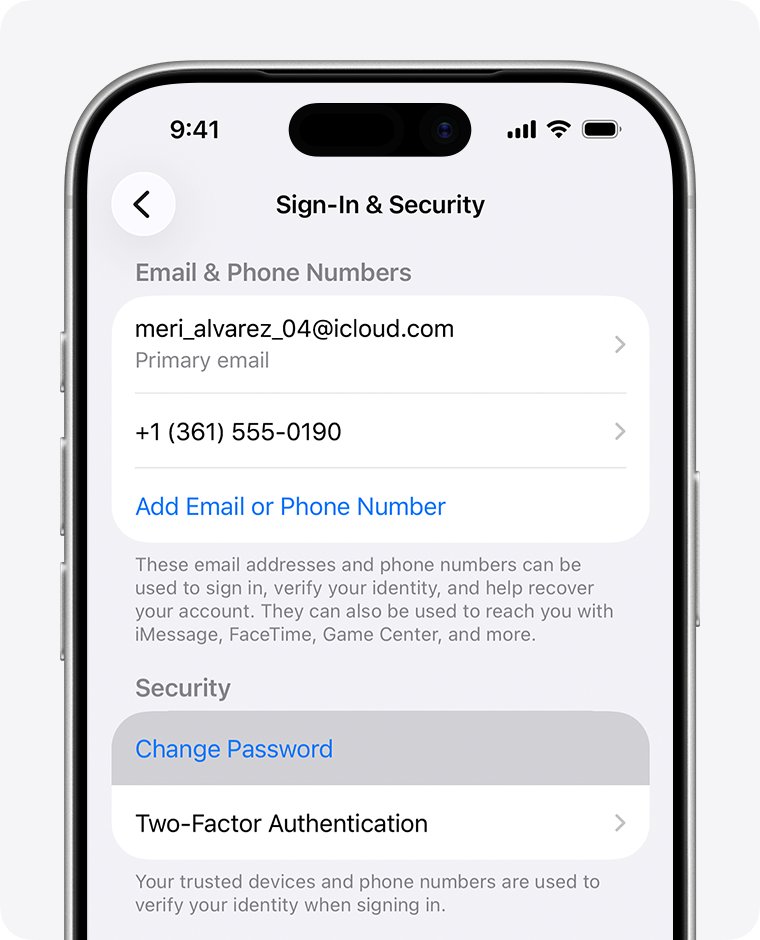
If your iPhone or iPad is still signed in, change the password there. The device counts as proof of identity, so you skip account recovery entirely.
- Open the Settings app and tap your name at the top.
- Tap Sign-In & Security.
- Tap Change Password.
- Follow the onscreen instructions to set the new password.
- Choose Remove Other Devices to force a fresh sign-in everywhere, or Keep All Devices Signed In.
The same path works on Apple Watch and Apple Vision Pro. With Stolen Device Protection on, Apple can require a one-hour wait before the change goes through.
Change Apple Account password on Mac
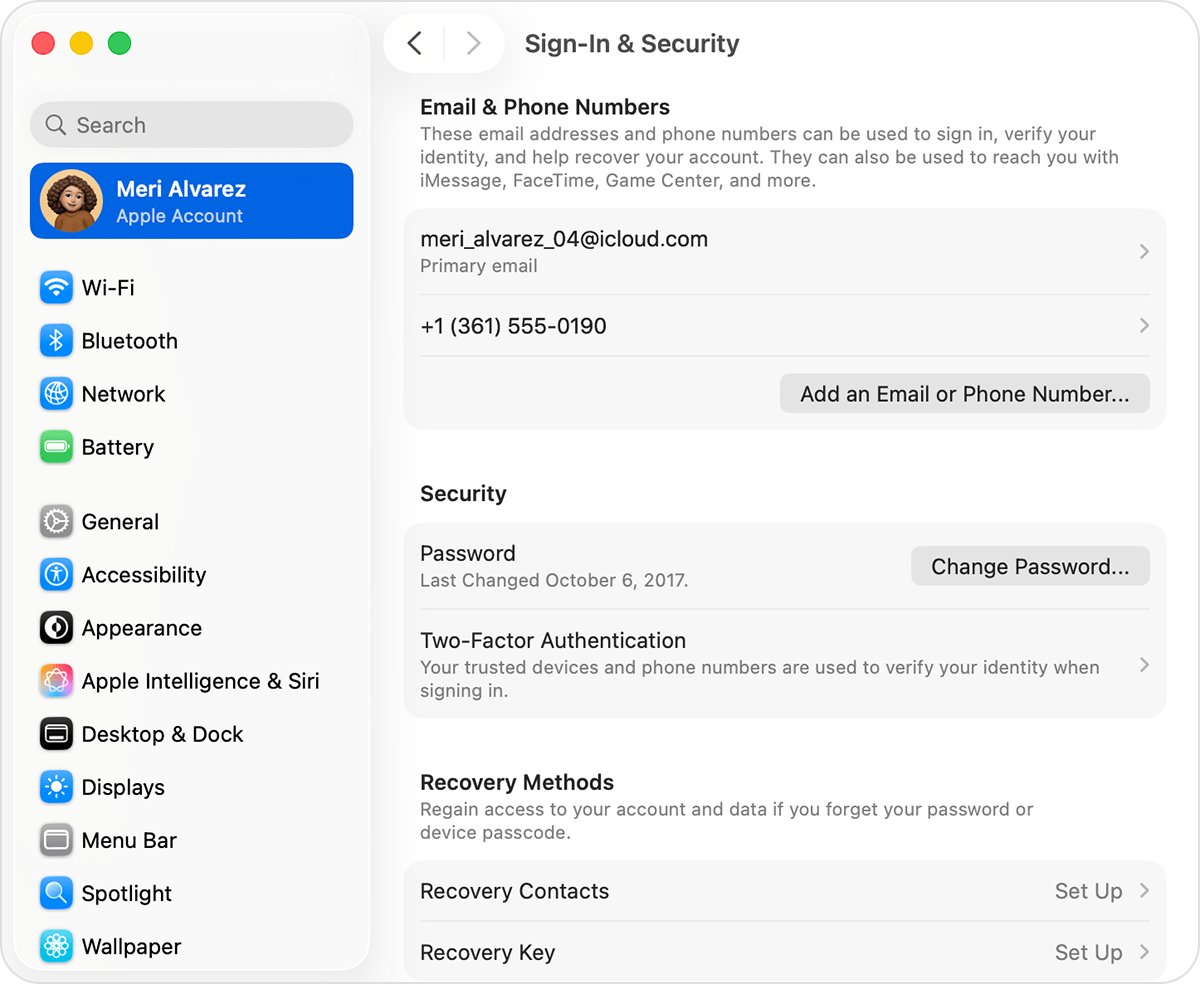
- Choose the Apple menu, then System Settings.
- Click your name at the top of the sidebar.
- Click Sign-In & Security.
- Click Change Password.
- Enter the password you use to unlock your Mac.
- Follow the onscreen instructions to set the new Apple Account password.
Your Mac login password and your Apple Account password are separate. If the Mac login is the one you forgot, change the MacBook login password instead.
Reset Apple ID password online at iforgot.apple.com
The iforgot.apple.com site handles both normal resets and account recovery. When it can, it sends a prompt to a trusted device instead of resetting on the web.
- Open iforgot.apple.com in Safari on a device running iOS 17, iPadOS 17 or a current macOS release.
- Enter your Apple Account email address or phone number.
- Follow the prompt sent to your trusted device, or enter the verification code sent to your phone.
- Answer any recovery factor requests, such as access to your account email or the CVV of your card on file.
- Set the new password and confirm it.
If you are already signed in at account.apple.com, a simpler route exists: go to Sign-In and Security and choose Password to change it there.
Reset Apple Account password with the Apple Support app
Use this on a friend's or family member's iPhone or iPad, or on a device at an Apple Store during a Genius Bar appointment. The details you type are not stored on that device.
- Install or open the Apple Support app from the App Store.
- Scroll to Support Tools.
- Tap Reset Password.
- Tap Help Someone Else.
- Enter your Apple Account email address or phone number.
- Follow the onscreen prompts to verify your identity and set a new password.
Change a child's Apple Account password with Family Sharing
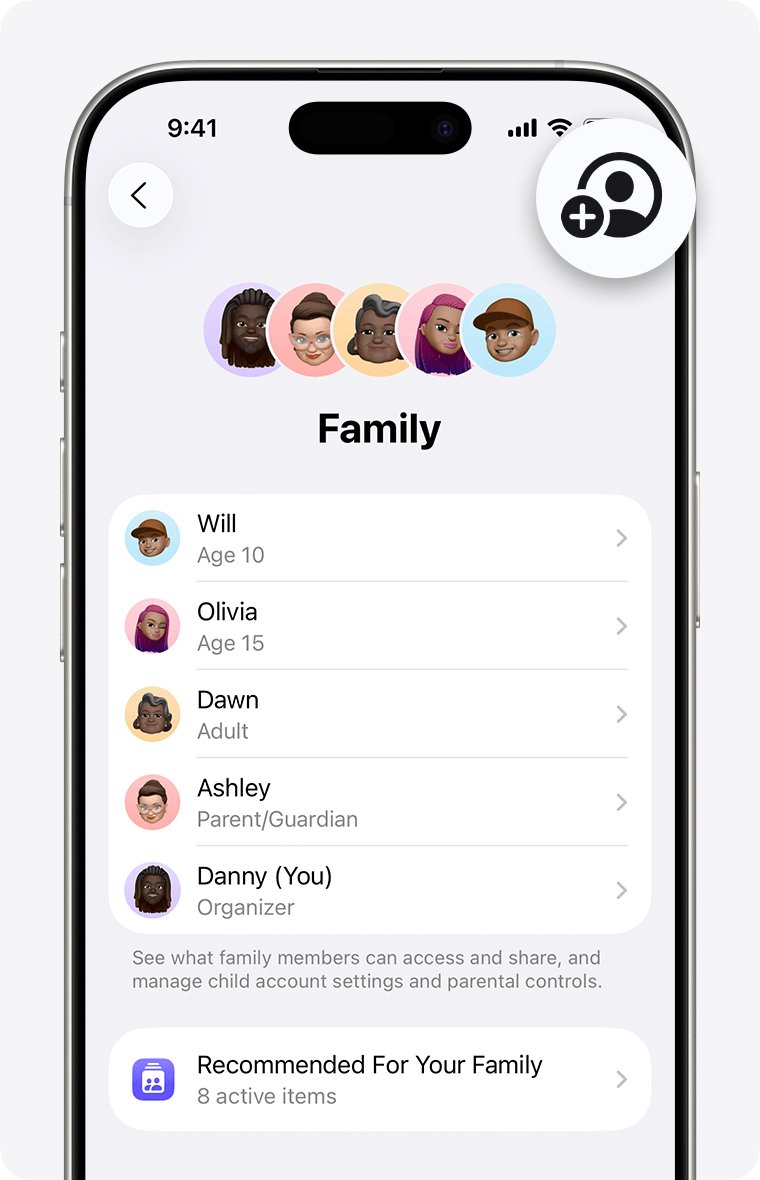
- On your own iPhone, iPad or Apple Vision Pro, open Settings and tap Family.
- Tap your child's name.
- Tap Change [child's name] Password. If Screen Time is on, open Personal Information first.
- Follow the onscreen instructions to set the new password.
- Give the new password to your child, or sign them in on their device yourself.
You can also change a child's password in Settings on the child's own device.
Apple Account recovery factors you can be asked for
Without a trusted device, Apple checks recovery factors instead. Have them ready before you start, because each one you can provide shortens the process.
| Recovery factor | What Apple asks for | Tip |
|---|---|---|
| Trusted phone number | The verification code sent by text or call | A new phone with the same number still receives it |
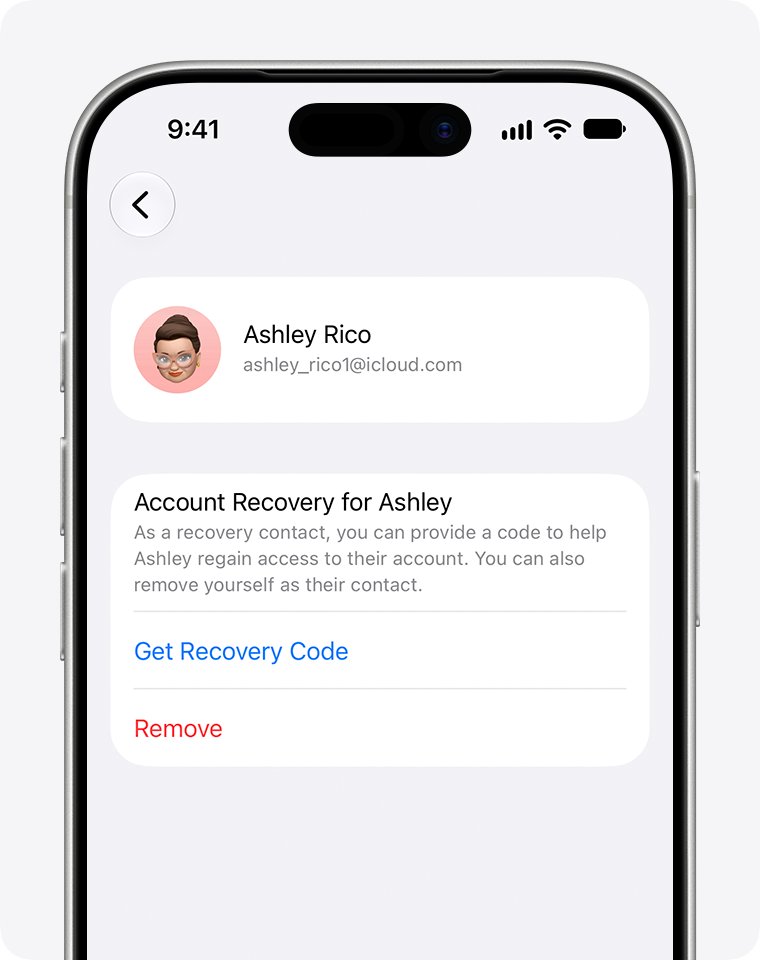
| Recovery contact | A 6-digit code from the person you chose | Contact them first so they are ready |
| Apple Account email address | Access to that inbox | Any email or phone number linked to the account signs you in |
| Card on file | The CVV of the credit card on your account | If the bank declines the check, choose Don't have access to this card |
| Recovery key or security key | The recovery key or the physical security key | Accounts with these use a separate recovery process |
Apple account recovery: how long it takes and what to do
Account recovery is the last resort when you have no trusted device and cannot supply recovery factors. Apple fixes the waiting period, and Apple Support cannot shorten it.
| Stage | What happens | What you do |
|---|---|---|
| Start | Request made at iforgot.apple.com or in the Apple Support app | Enter the same email and phone number every time |
| Within 72 hours | Confirmation email (or iMessage) with the date and time access returns | Check spam or junk if it does not arrive |
| Waiting period | Several days or longer, set for your account | Turn off signed-in Apple devices if you started on the web |
| Ready | Email plus a text or automated call to the number you gave | Follow the instructions, or go to apple.com/recover after the stated time |
Signing in with your old password, or using any device still signed in to the account, cancels the request. Sending a second request does not speed it up and can extend the wait.
Sign in with your new Apple Account password
- On each device that shows a sign-in prompt, enter the new password.
- Sign in at account.apple.com with the new password to confirm it works on the web.
- If you started account recovery, open iforgot.apple.com with the same details and confirm no request is still active.
Apple ID password reset not working
Why can't I reset my Apple ID password?
You have no trusted device and cannot provide the recovery factors Apple asks for.
- Look for any old iPhone, iPad or Mac still signed in to the account and change the password there.
- Try every email address and phone number you have used with the account.
- Ask your recovery contact for their 6-digit code if you set one up.
- If none of that works, request account recovery at iforgot.apple.com.
Why does Apple ID password reset take so long?
Account recovery has a fixed security waiting period of several days or more.
- Wait for the confirmation email, which arrives within 72 hours.
- Do not submit a second request.
- Keep signed-in Apple devices turned off if you started on the web.
- Check the expected time at iforgot.apple.com with the same details you used to start.
Your Apple Account has been disabled or locked for security reasons
Too many wrong password or account detail attempts locked the account automatically.
- Reset the password with Forgot password? to unlock it.
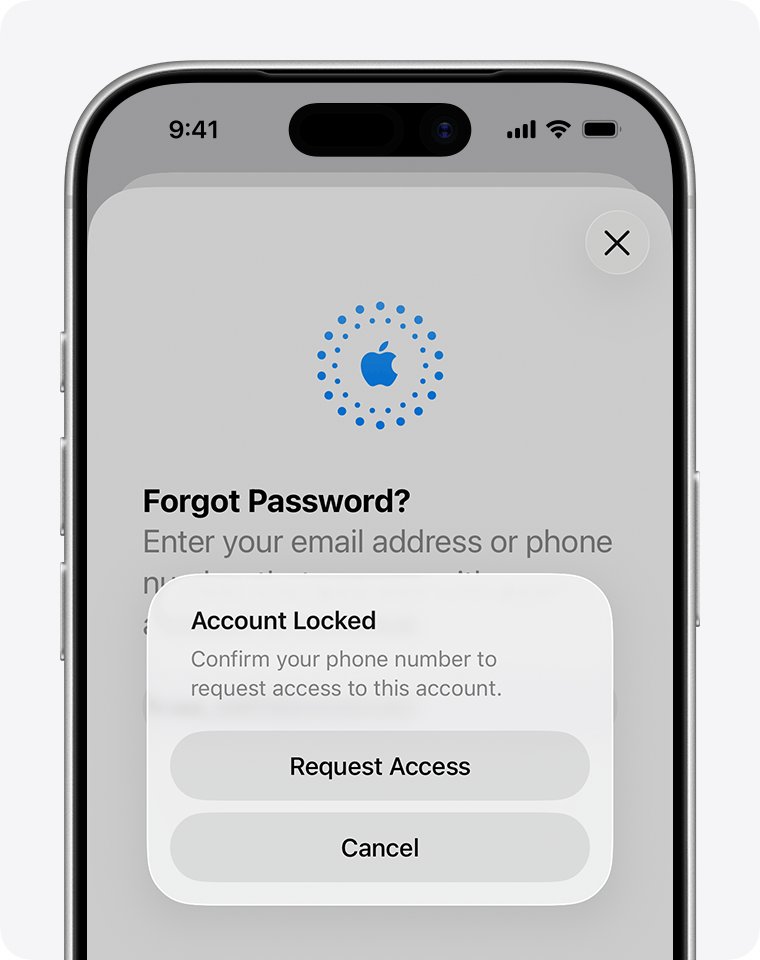
- If the alert says the account is locked or not active, tap Request Access in the alert.
- If access is denied, create a new Apple Account or start an Activation Lock support request with proof of purchase.
The card CVV is rejected even though it is correct
The card issuer declined the verification check.
- Select Don't have access to this card.
- Continue with the remaining recovery factors.
I reset my Apple password and it won't work
Devices still hold the old password, or the change needs the Stolen Device Protection delay to finish.
- Enter the new password on the device that keeps asking, not the old one saved there.
- If iPhone shows a security delay, wait the full hour and try again.
- Confirm you are entering the password for the right account by trying each email address or phone number you use.
Apple Account password reset FAQ
How do I reset my Apple ID password?
Apple ID is now Apple Account, so the steps are identical. Choose Forgot password? on any Apple sign-in screen, verify with your trusted device or phone number, and set a new password. On a signed-in device, use Settings > your name > Sign-In & Security > Change Password.
How do I reset my Apple password on iPhone?
Open Settings, tap your name, tap Sign-In & Security, then tap Change Password. Follow the onscreen instructions to set the new password. If the iPhone is not signed in, tap Forgot password? on the sign-in screen instead.
How do I reset my Apple ID password online?
Go to iforgot.apple.com, enter your Apple Account email or phone number, and follow the prompts. Apple sends a prompt to a trusted device when it can. If you are already signed in at account.apple.com, open Sign-In and Security and choose Password.
Why does Apple take so long to reset a password?
A normal reset with a trusted device or phone number takes minutes. The long wait applies only to account recovery, which Apple uses when you cannot prove your identity. That waiting period protects the account, lasts several days or more, and Apple Support cannot shorten it.
Why can't I reset my Apple password?
Usually you have no trusted device and cannot supply recovery factors such as your trusted phone number or account email. Find any device still signed in to the account and change the password there, or request account recovery at iforgot.apple.com.
Can I reset my Apple password on a computer?
Yes. On a Mac, use System Settings > your name > Sign-In & Security > Change Password. On any computer where you can sign in at account.apple.com, open Sign-In and Security and choose Password to change it in the browser.
What is a trusted device for an Apple Account?
A trusted device is an iPhone, iPad, Apple Watch, Apple Vision Pro or Mac where you already signed in to your Apple Account with two-factor authentication. Apple uses it to confirm your identity, which makes it the fastest way to reset a forgotten password.
Does resetting my Apple Account password sign me out of other devices?
Only if you choose it. When you change the password on iPhone or iPad, Apple offers Remove Other Devices, which forces a new sign-in everywhere, or Keep All Devices Signed In. Devices that stay signed in keep working normally.