Discord refuses an invite when the link has expired or is mistyped, when you are already in 100 servers, when the server has paused invites, or when you are banned from that server.
This guide shows how to tell which cause you have, the fix for each one, and what the server owner can change on their side.
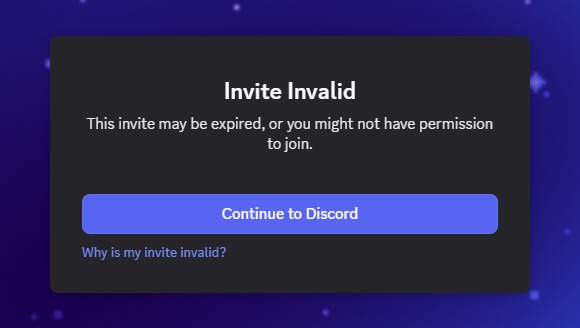
Fix Discord unable to accept invite
Try these in order. Most invite failures clear at step 2 or step 3.
- Copy the invite again exactly as sent; invite codes are case-sensitive.
- In Discord, click the + icon at the bottom of the server list, select Join a Server, paste the link and click Join Server.
- If it still fails, ask the person who invited you for a new link, because the old one may have expired or run out of uses.
- Count your servers; if you are in 100 (or 200 with Nitro), leave one and try again.
- Ask a server admin whether invites are paused or whether your account is banned.
- If nothing works, contact Discord Support at dis.gd/contact.
Why am I not able to accept a Discord invite?
| Cause | What you see | Who can fix it |
|---|---|---|
| The invite expired | Invite invalid or expired; server invites last 7 days by default | The inviter, by sending a new link |
| The code is wrong or was deleted | Invalid invite; a deleted code can never be reused | You (recheck the code) or the inviter |
| The invite hit its maximum number of uses | The link stops working for new people | The inviter, with a new link |
| You are in 100 servers (200 with Nitro) | Discord will not add another server | You, by leaving a server |
| The server paused invites | A notice that invites are paused and you cannot join | A server admin with Manage Server permission |
| You are banned from the server | Unable to accept invite, even with a fresh link | Only a server admin, by revoking the ban |
| The group DM is full or the link is over 48 hours old | A group DM invite that no longer works | The group owner |
| The inviter blocked you | A group DM invite that will not open | The inviter |
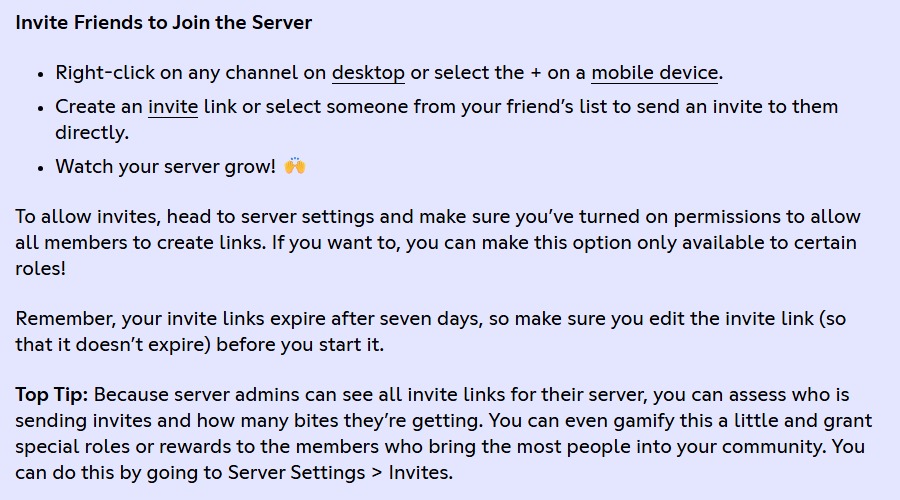
How do I fix Invalid invite on Discord?
An invalid invite means the code is wrong, expired or deleted. Discord does not bring old codes back, so the fix is a correct or fresh link.
- Compare the code you pasted with the original, letter by letter, including upper and lower case.
- Remove any extra spaces or characters copied before or after the link.
- Ask the inviter to send a new invite rather than the old one.
- Paste the new link through + > Join a Server > Join Server.
- If the link opens a join screen instead, set your nickname and privacy choices, then click Accept.
Discord 100 server limit: leave a server to accept an invite
A free Discord account can be in at most 100 servers, and Nitro raises the cap to 200. If Nitro ends while you are over 100, you cannot join new servers until you drop back under 100.
- Scroll your server list to judge how many servers you are in.
- Right-click a server you no longer use.
- Select Leave Server and confirm.
- Repeat until you are under the limit.
- Open the invite again and join.
Discord unable to accept invite: am I banned?
If a brand-new link from the same server still fails while it works for other people, a ban is the likely reason. Discord bans are IP-based, so a ban can follow your network as well as your account.
- Ask a friend to open the same invite; if it works for them, the link itself is fine.
- Contact the server owner or a moderator outside that server and ask whether you are banned.
- Ask them to revoke the ban in the server's Server Settings; only server admins can do this.
- Once the ban is lifted, open a fresh invite and join.
Creating a new account to get around a ban is not a fix, because the ban is tied to your network as well.
Fix Discord invites not working as a server owner
If several people report the same problem, check the server's invite settings.
- Open Server Settings > Invites; if invites are paused, select Enable Invites.
- Hover over a channel and click Create Invite.
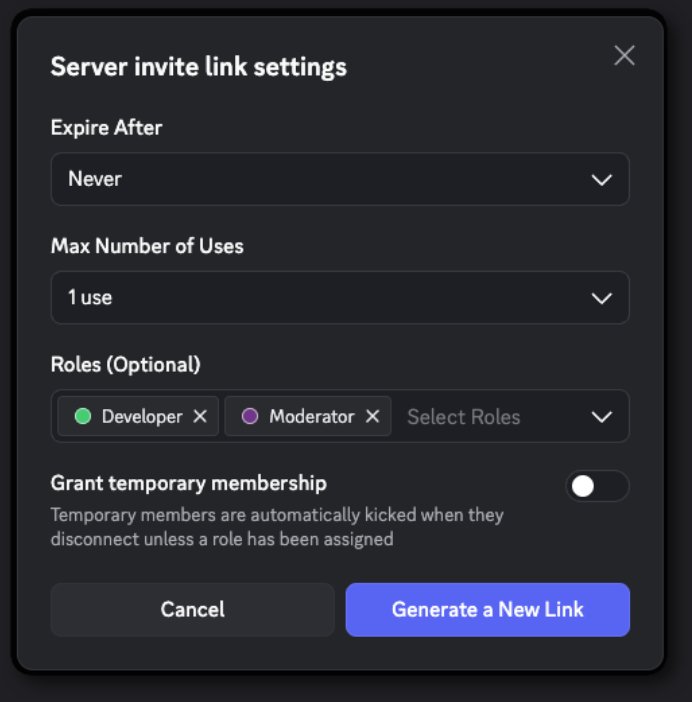
- Select Edit Invite Link and set how long the link lasts and the Max number of uses, choosing No limit if you want it unlimited.
- Leave Grant temporary membership off unless you want people removed when they disconnect.
- Select Generate a New Link and send the new link.
- If a specific person is still blocked, review the server's ban list in Server Settings and revoke their ban.
A server can hold up to 999 unique invite codes, so old unused invites can be cleared if you reach that cap.
How to accept a Discord server invite
Accept an invite in the desktop app or in a browser.
- Copy the invite link you were sent.
- Open Discord and click the + icon at the bottom of the server list.
- Select Join a Server.
- Paste the invite link and click Join Server.
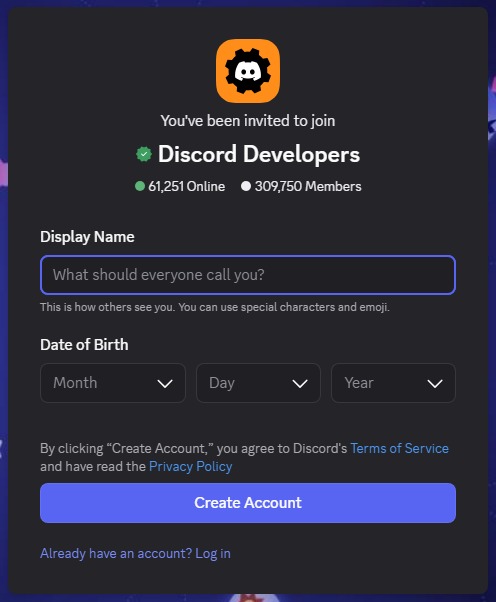
- Or click the invite link directly, choose your server nickname and privacy options, and click Accept.
If the desktop app misbehaves, try the same link after you open Discord in a web browser.
Did my Discord invite work?
- Look for the new server icon in the server list on the left.
- Open the server and confirm you can see its channels.
- Send a message in a text channel; if you cannot, the server's verification level is holding you back rather than the invite.
Why are Discord invites not working?
Joined the server but cannot send messages or join voice
The server's verification level needs a verified email, an account older than 5 minutes, 10 minutes in the server, or a verified phone number.
- Verify the email address on your Discord account.
- Wait out the 5-minute or 10-minute timer if the server uses Medium or High.
- Add and verify a phone number if the server uses Highest; a verified phone overrides the other requirements.
Group DM invite not working
Group DM invites expire after 48 hours, stop working once the group has 10 members, and do not work for people the inviter has blocked.
- Ask the group owner for a new invite.
- Ask them to make room if the group already has 10 members.
Discord shows a JavaScript error when you open the invite
The Discord desktop app's local data is damaged.
- Quit Discord.
- Press Windows + R, type
%appdata%and delete the Discord folder. - Press Windows + R, type
%LocalAppData%and delete the Discord folder. - Reinstall the Discord app, then open the invite again.
Invites still fail and none of the causes fit
An account-level problem only Discord can see.
- Ask the inviter for a fresh link and try it in the browser as well as the app.
- Contact Discord Support at dis.gd/contact with the invite link and the exact message.
Discord unable to accept invite FAQ
What does "unable to accept invite" mean on Discord?
It means Discord would not add you to the server from that link. The usual reasons are an expired or invalid link, the 100-server limit, paused invites, or a ban from that server.
Does unable to accept invite mean I am banned?
Not always. Check first that the link is fresh and that you are under 100 servers. If a new link works for others but fails only for you, a ban is likely, and only that server's admins can lift it.
How long does a Discord invite last?
A server invite lasts 7 days by default, unless the creator changed the duration or the max number of uses. Group DM invites expire after 48 hours.
How many Discord servers can I join?
A free or Basic account can join 100 servers. Nitro raises the limit to 200. If Nitro lapses while you are above 100, leave servers until you are under 100 before joining more.
How do I accept an invite on Discord?
Click the invite link and select Accept, or click the + icon at the bottom of the server list, choose Join a Server, paste the link and click Join Server.
Why are Discord invite codes case-sensitive?
Discord treats upper and lower case as different characters in a code, so a code typed with the wrong case points to a different, usually invalid, invite. Copy and paste the link instead of retyping it.
Can I get an expired Discord invite to work again?
No. An expired or deleted invite cannot be restored with the same code. Ask a member with invite permission to create a new link.
Should you contact Discord Support about an invite?
Ask for a fresh invite and check your server count before contacting Discord Support. Expired links and the 100-server limit cause most failures, and bans or paused invites can only be fixed by the server's own admins.