The CentOS Stream download is free from centos.org, and CentOS Stream 10 is the newest version. You get an ISO image, write it to a USB flash drive from Windows 11, Windows 10, macOS or Linux, and install it on a PC or server.
CentOS Stream is built by Red Hat Enterprise Linux engineers and sits just ahead of RHEL development. Builds exist for Intel and AMD PCs, ARM64 machines, IBM Power and IBM Z.
Below are the official ISO links, the right image for your hardware, USB and install steps, checksum checks, and fixes for the problems that stop a first install.
Check the CentOS Stream system requirements
Confirm your processor first. On Windows, open Settings, then System, then About, and read System type. An x64-based processor needs an x86_64 ISO; an ARM-based one needs the aarch64 ISO.
| Specification | Detail |
|---|---|
| Software | CentOS Stream, a Linux distribution for servers and PCs |
| Developer | The CentOS Project, with Red Hat Enterprise Linux engineers |
| Latest version | CentOS Stream 10 (Coughlan), Linux kernel 6.12 |
| License / price | Free and open source |
| Processor (Stream 10) | AMD/Intel 64-bit at x86-64-v3, ARM 64-bit (ARMv8.0-A), IBM POWER9, IBM z14 |
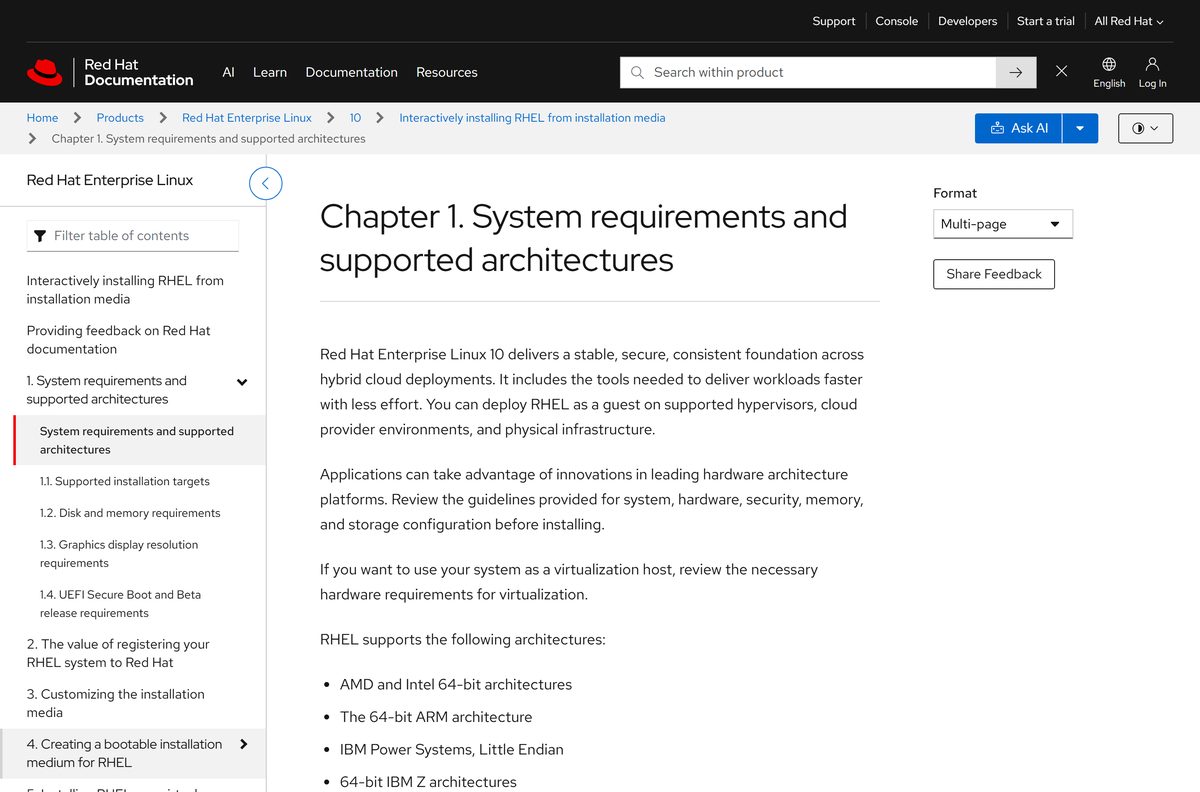
| Memory | 1.5 GiB for a USB or DVD install on x86_64 and ARM; 3 GiB (x86_64) or 4 GiB (ARM) for a network install |
| Disk space | 10 GiB minimum |
| Display | 800 x 600 minimum, 1024 x 768 recommended for the graphical installer |
| Support until | Stream 10: May 31, 2030. Stream 9: May 31, 2027 |
| Official download source | centos.org download page |
| Last verified | 2026-09-25 |
The memory, disk and display figures come from the RHEL 10 installation requirements, since CentOS Stream 10 is the branch RHEL 10 minor releases are built from.
Which CentOS Stream download do you need?
Match your hardware to one row. Most desktop PCs, laptops and x86 servers need the x86_64 DVD ISO.
| Your machine | Download | Size | Link |
|---|---|---|---|
| Intel or AMD PC or server with x86-64-v3 support | CentOS Stream 10 DVD ISO (x86_64) | 10 GB | Stream 10 x86_64 DVD ISO |
| ARM64 server or ARM computer | CentOS Stream 10 DVD ISO (aarch64) | 9.4 GB | Stream 10 aarch64 DVD ISO |
| Older Intel or AMD processor without x86-64-v3 support | CentOS Stream 9 DVD ISO (x86_64) | 15 GB | Stream 9 x86_64 DVD ISO |
| Fast internet and a small USB drive | CentOS Stream 10 boot ISO (x86_64), pulls packages over the network | 893 MB | Stream 10 x86_64 boot ISO |
| Cloud VM or KVM host | GenericCloud images | Varies | Stream 10 cloud images |
The DVD ISO installs without a network connection. The boot ISO is smaller but downloads every package during setup.
Download CentOS Stream from centos.org
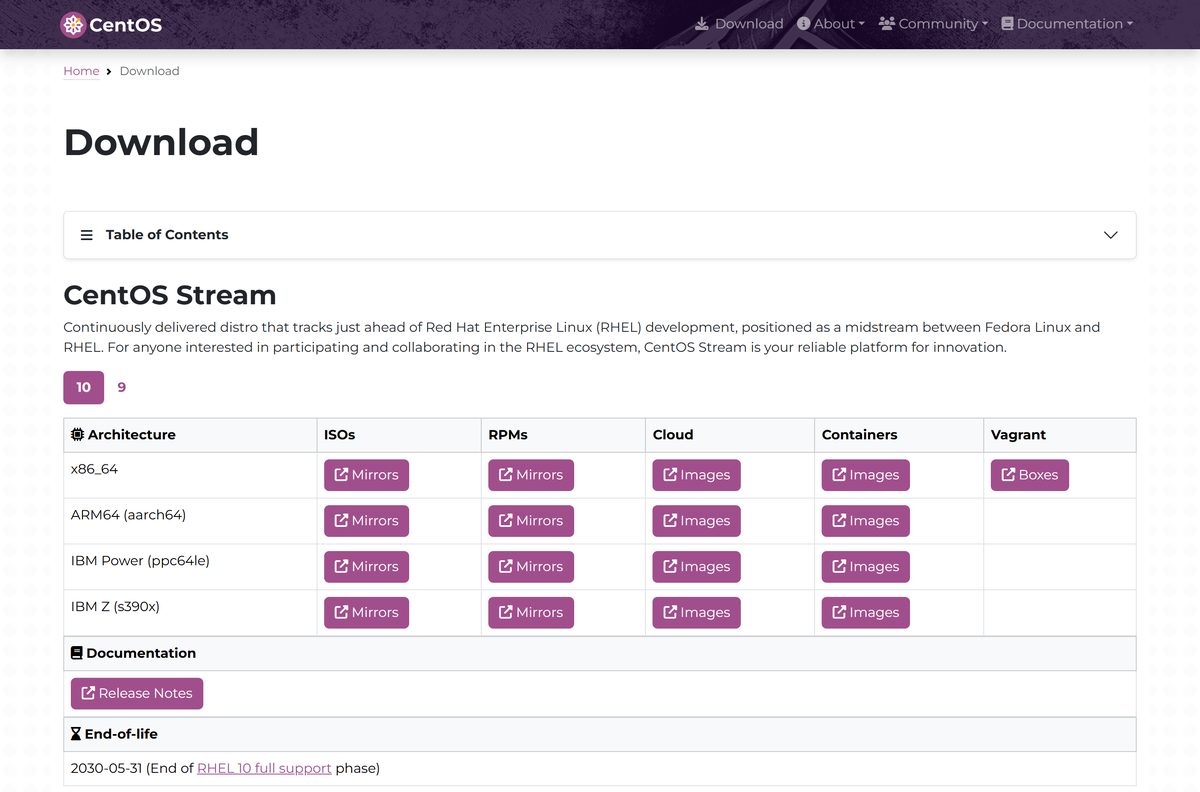
Every official CentOS Stream image starts at centos.org. The ISO links send you to a nearby mirror automatically, which is normal, and the checksum files prove the image is intact.
- CentOS Stream download page — Stream 10 and 9 tabs with ISOs, RPMs, cloud and container images
- CentOS Stream 10 x86_64 ISO folder — DVD ISO, boot ISO and SHA256SUM files
- CentOS Stream 10 aarch64 ISO folder — ARM64 DVD and boot ISOs
- CentOS Stream 9 x86_64 ISO folder — DVD ISO 15 GB, boot ISO 1.5 GB
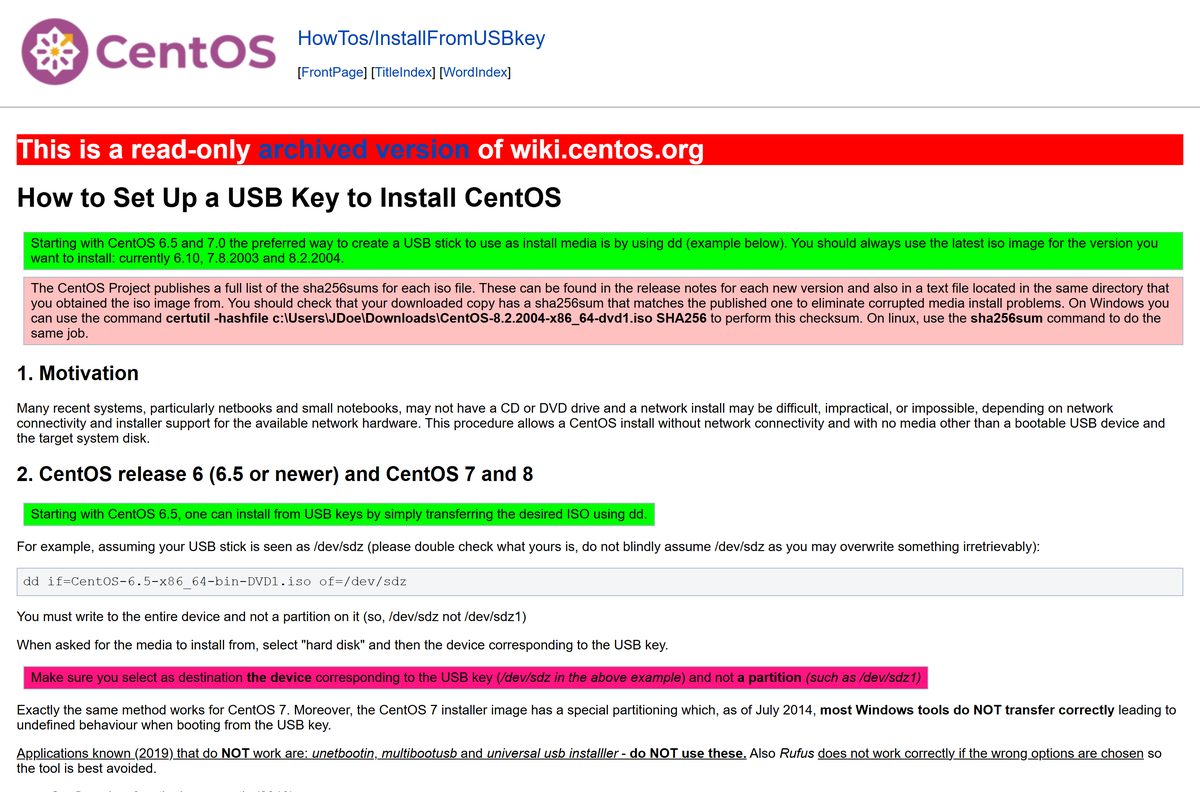
- CentOS Stream 10 release notes
- CentOS mirror list — Pick a mirror near you
Should you install CentOS Stream 10 or CentOS Stream 9?
Both versions are on the download page. The decision turns on your processor and how long you need updates.
Install CentOS Stream 10 on any processor that supports x86-64-v3. Install CentOS Stream 9 only on older x86_64 hardware. Stream 10 is maintained until May 31, 2030, ships kernel 6.12, and uses Wayland by default. It targets the x86-64-v3 level, so older CPUs cannot run it. Stream 9 runs on those CPUs but ends on May 31, 2027.
Stream 10 also drops some desktop packages, including the Xorg server, GIMP, LibreOffice and Inkscape. The CentOS Stream 10 release notes list every change.
How to make a CentOS Stream USB drive on Windows
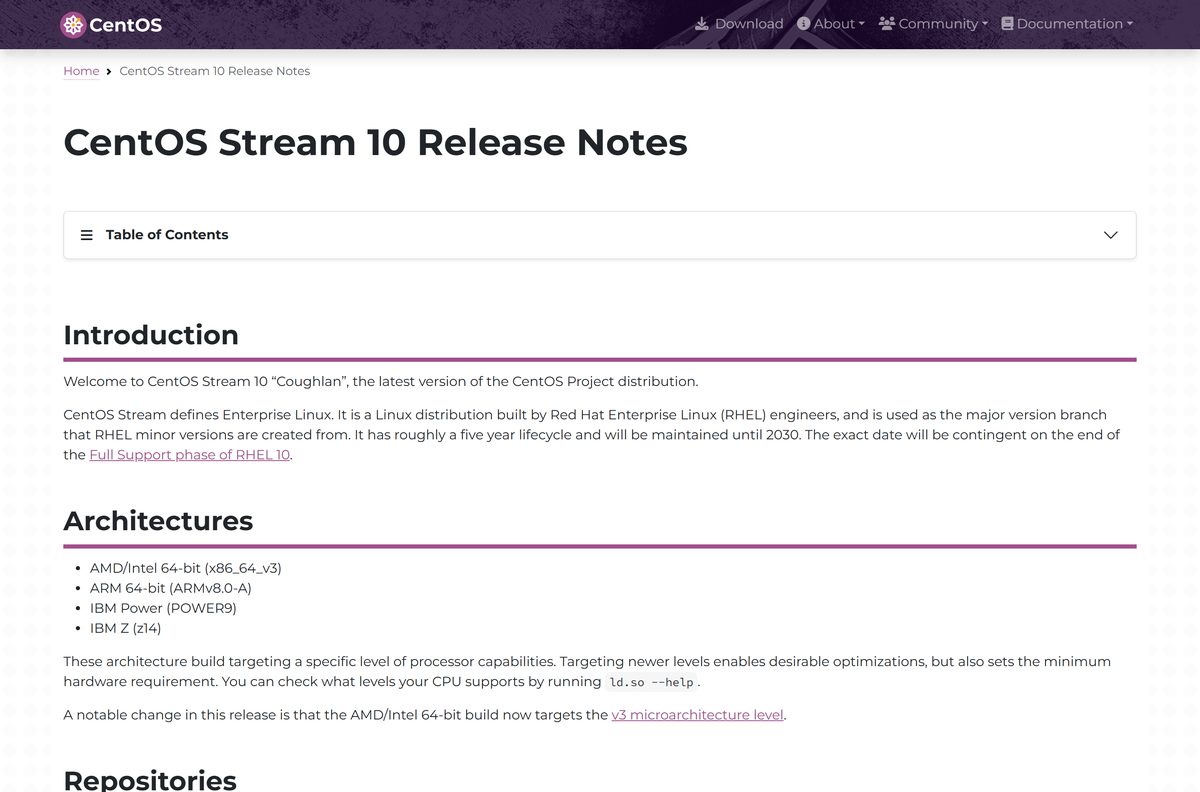
Write the ISO as a raw image. Tools that copy files onto the stick, such as UNetbootin, multibootusb and Universal USB Installer, produce a drive that misbehaves at boot. Writing the image erases the USB drive, so copy off your files first.
- Download the CentOS Stream ISO from the download page.
- Download Fedora Media Writer for Windows from the Fedora download page and install it.
- Launch Fedora Media Writer and choose Custom image.
- Select the CentOS Stream ISO you downloaded.
- Plug in a USB flash drive larger than the ISO and pick it from the device list. The 10 GB DVD ISO needs a 16 GB drive.
- Click Write and wait for the write and check to finish.
Win32 Disk Imager, Rawrite32 and dd for Windows also write the image correctly, according to the CentOS USB guideInstallFromUSBkey.html). Red Hat notes that Fedora Media Writer is a community tool it does not support.
How to install CentOS Stream on a PC or server
A full install writes to the internal drive. Back up your files first, and decide in the installer whether CentOS Stream takes the whole disk or free space next to Windows.
- Shut the machine down, insert the USB drive, and power it on.
- Open the boot menu with your PC maker’s boot key and select the USB drive.
- Choose the install entry from the boot menu and wait for the graphical installer.
- Pick your language on the Welcome screen and click Continue.
- Open Installation Destination, select the target disk, and choose automatic or custom partitioning.
- Open Software Selection and pick the base environment you want, such as a server or a workstation with a desktop.
- Under User Settings, set up the Root Account and use User Creation to add your own account.
- Click Begin Installation, then Reboot System when it finishes, and remove the USB drive.
Red Hat’s interactive installation guide covers each installer screen in depth, and the steps match CentOS Stream.
How to verify the CentOS Stream ISO checksum
Check the ISO before you write it. A mismatch means a corrupted or tampered download, so fetch it again.
- Open the ISO folder for your version, such as the Stream 10 x86_64 folder, and open the .SHA256SUM file that matches your ISO name.
- On Windows, open PowerShell in the folder that holds the ISO.
- Run Get-FileHash .\CentOS-Stream-10-latest-x86_64-dvd1.iso -Algorithm SHA256 .
- Compare the output with the hash in the SHA256SUM file. Every character must match.
- On macOS, run shasum -a 256 followed by the ISO name. On Linux, run sha256sum followed by the ISO name.
The CentOS checksum guidesha256sum.html) lists the same commands for each system.
Which CentOS Stream download do you need for your Mac?
CentOS Stream has no macOS app. A Mac is useful for writing the USB installer that another machine boots from.
| Your goal | What to do | Link |
|---|---|---|
| Make a USB installer for an Intel or AMD PC | Download the x86_64 ISO and write it with dd to the /dev/rdisk device | Stream 10 x86_64 DVD ISO |
| Make a USB installer for an ARM64 server | Download the aarch64 ISO and write it the same way | Stream 10 aarch64 DVD ISO |
| Check the ISO first | Run shasum -a 256 in Terminal and compare it with the SHA256SUM file | CentOS checksum guidesha256sum.html) |
Writing to /dev/rdisk instead of /dev/disk is faster on macOS. Double-check the disk number with diskutil list, because dd overwrites the target without asking.
Is CentOS Stream free?
There is no paid edition of CentOS Stream, no licence key and no trial period.
Yes, CentOS Stream is free to download, install and use on any number of machines. It is community-driven free software from the CentOS Project. Any site that charges for a CentOS Stream ISO is reselling an image that centos.org gives away.
Fix CentOS Stream not booting or installing
CentOS Stream 10 will not boot on an older PC
The processor does not support the x86-64-v3 level that Stream 10 targets.
- Download the CentOS Stream 9 x86_64 ISO instead.
- Write it to USB and install as normal.
The USB drive does not boot or the installer fails partway
The drive was made with a tool that copies files instead of writing the raw image.
- Rewrite the drive with Fedora Media Writer, Win32 Disk Imager or dd.
- Avoid UNetbootin, multibootusb and Universal USB Installer for CentOS images.
- Verify the ISO checksum, then try another USB port or drive.
Windows refuses to write to the USB drive
Windows still has the drive mounted.
- Close File Explorer windows that show the drive.
- Eject or unmount the drive, then start the write again.
The installer finds no packages to install
You booted the boot ISO, which needs a network package source.
- Connect the machine to the network in the installer before opening Software Selection.
- Or write the full DVD ISO instead, which installs offline.
Choose a replacement for CentOS Linux 7 or 8
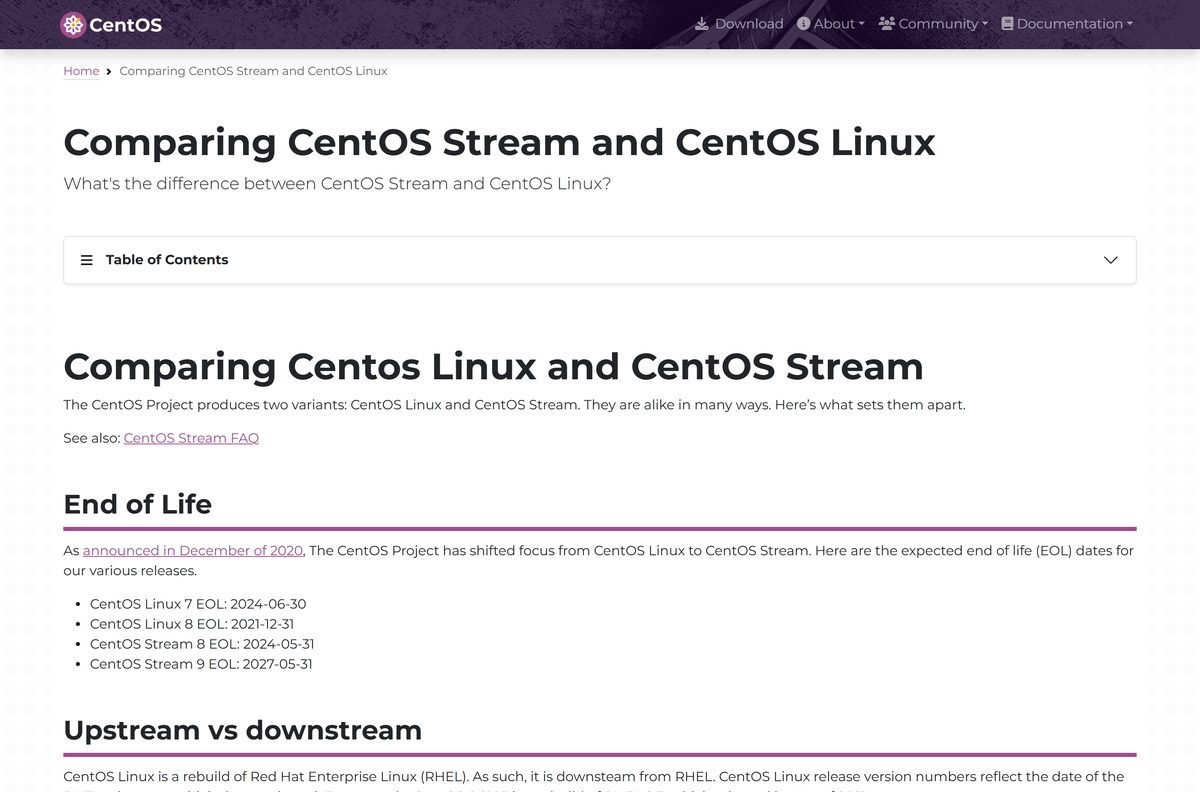
CentOS Linux is gone. CentOS Linux 8 reached end of life on December 31, 2021, and CentOS Linux 7 on June 30, 2024. CentOS Linux was a downstream rebuild of released RHEL; CentOS Stream is the upstream, public development branch for RHEL, with updates released as they are ready.
| Option | Best for | Link |
|---|---|---|
| CentOS Stream 10 | New servers and PCs on current hardware | CentOS Stream download |
| CentOS Stream 9 | Older x86_64 hardware, with updates until May 2027 | CentOS Stream 9 |
| Fedora Linux | A desktop that sits upstream of CentOS Stream with newer software | Fedora Workstation |
| CentOS Linux 7 or 8 archive | Reference only; no security updates | CentOS Vault |
The CentOS Linux EOL notice explains that old content moved to vault.centos.org for permanent archiving. Do not run an archived release on a machine that faces the internet.
Frequently asked questions
Is CentOS Stream free?
Yes. CentOS Stream is free, open source software from the CentOS Project. There is no licence key, subscription or paid edition for the ISO images on centos.org.
Where is the official CentOS Stream download?
The official page is centos.org/download. It links the ISO, RPM, cloud, container and Vagrant images for CentOS Stream 10 and CentOS Stream 9 on x86_64, ARM64, IBM Power and IBM Z.
What is the latest version of CentOS Stream?
CentOS Stream 10, codenamed Coughlan, is the newest major version and ships Linux kernel 6.12. The ISO images are rebuilt regularly, so the latest file always carries the newest packages.
Is CentOS Linux dead?
CentOS Linux reached end of life. CentOS Linux 8 ended on December 31, 2021, and CentOS Linux 7 ended on June 30, 2024. Old releases stay archived on vault.centos.org without updates, and the project now builds CentOS Stream.
What is the difference between CentOS Linux and CentOS Stream?
CentOS Linux was a rebuild of released RHEL, downstream of it. CentOS Stream is the upstream, public development branch for RHEL, so updates land as they are ready instead of in batched minor releases.
Can I install CentOS Stream on a Windows 11 or Windows 10 PC?
Yes. Write the ISO to a USB flash drive from Windows with Fedora Media Writer, then boot the PC from the drive and run the installer. The installer can replace Windows or use free disk space.
Should I download CentOS Stream 10 or 9?
Choose CentOS Stream 10 on hardware that supports the x86-64-v3 level, since it is supported until May 31, 2030. Choose CentOS Stream 9 for older x86_64 processors; it reaches end of life on May 31, 2027.
How big is the CentOS Stream ISO?
The CentOS Stream 10 x86_64 DVD ISO is about 10 GB and the boot ISO is about 893 MB. The CentOS Stream 9 x86_64 DVD ISO is about 15 GB.
Does CentOS Stream run on a Mac?
There is no macOS app. You can write the ISO to a USB drive from macOS with dd, and use the ARM64 (aarch64) ISO for ARM hardware or the x86_64 ISO for Intel and AMD PCs.
How much RAM does CentOS Stream need?
Red Hat’s RHEL 10 guide, which CentOS Stream 10 tracks, lists 1.5 GiB of RAM for a USB or DVD install on x86_64 and ARM, and at least 10 GiB of free disk space.