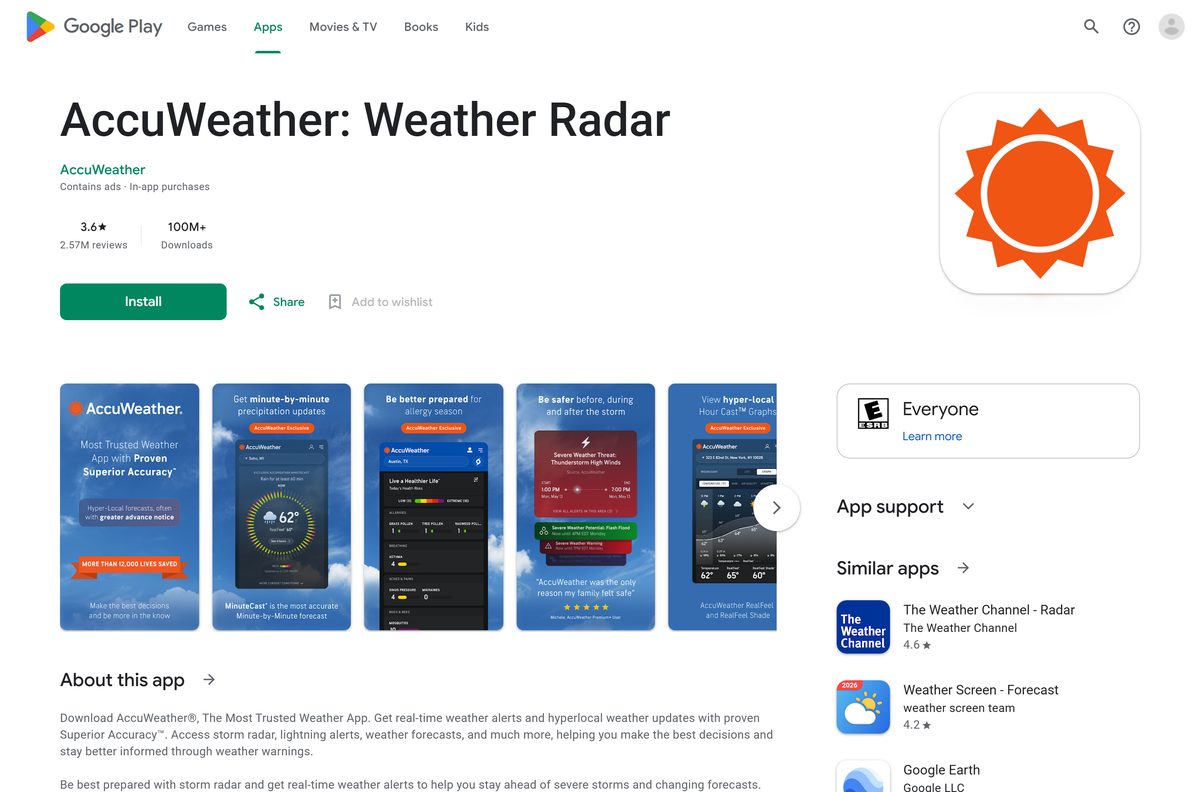
An AccuWeather download takes about a minute on any device. On a phone, you get the free AccuWeather app from the App Store or Google Play. On a Windows 11 or Windows 10 PC or a Mac, you install accuweather.com as a desktop app from Chrome, Edge or Safari.
Sign in with the same free AccuWeather account on each device, and a Premium+ subscription follows you across iPhone, Android and the website.
This guide covers which download fits each device, the official links, install steps for Windows and Mac, what Premium+ adds, and fixes for the app not updating or showing ads after you pay.
Which AccuWeather download do you need?
Match your device to a row. Phone, TV and watch rows install from a store, and desktop rows install from the browser.
| Your device | What to install | Size |
|---|---|---|
| iPhone or iPad on iOS 17.0 or later | AccuWeather on the App Store | 173.8 MB |
| Android phone, tablet, Android TV or Wear OS watch | AccuWeather on Google Play | Play states no size |
| Windows 11 or Windows 10 PC | accuweather.com, installed as an app in Chrome or Edge | Nothing to download |
| Mac on macOS Sonoma 14 or later | accuweather.com, added to the Dock from Safari | Nothing to download |
| Apple Watch or Apple TV | AccuWeather on the App Store; the watch app needs the iPhone app first | Covered by the iPhone listing |
The watch apps need the phone app installed first. They sync favorite locations with it.
Download AccuWeather from the official sources
AccuWeather International, Inc. publishes the phone apps and runs the website on these addresses. Use these links and nothing else.
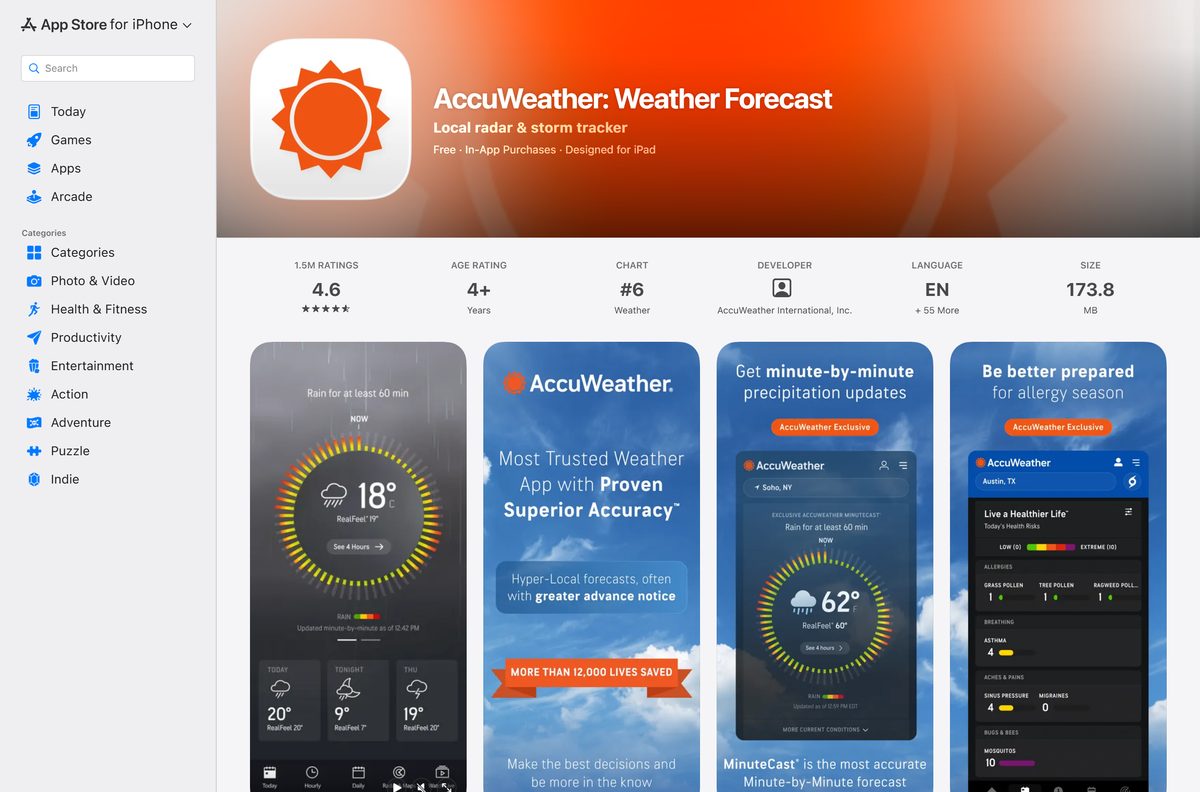
- AccuWeather: Weather Forecast on the App Store — 173.8 MB · seller AccuWeather International, Inc., iOS 17.0 or later
- AccuWeather: Weather Radar on Google Play — 100M+ downloads, phones, tablets, TV and Wear OS
- AccuWeather website — use it in a browser or install it as an app on Windows and Mac
- AccuWeather support FAQ — accounts, subscriptions, widgets and privacy settings
The App Store listing shows 4.6 stars from 1.5 million ratings and support for English plus 55 more languages.
Check the AccuWeather requirements
The desktop route has no hardware floor of its own. The browser you use sets the minimum.
| Field | Value |
|---|---|
| App | AccuWeather |
| Developer | AccuWeather International, Inc. |
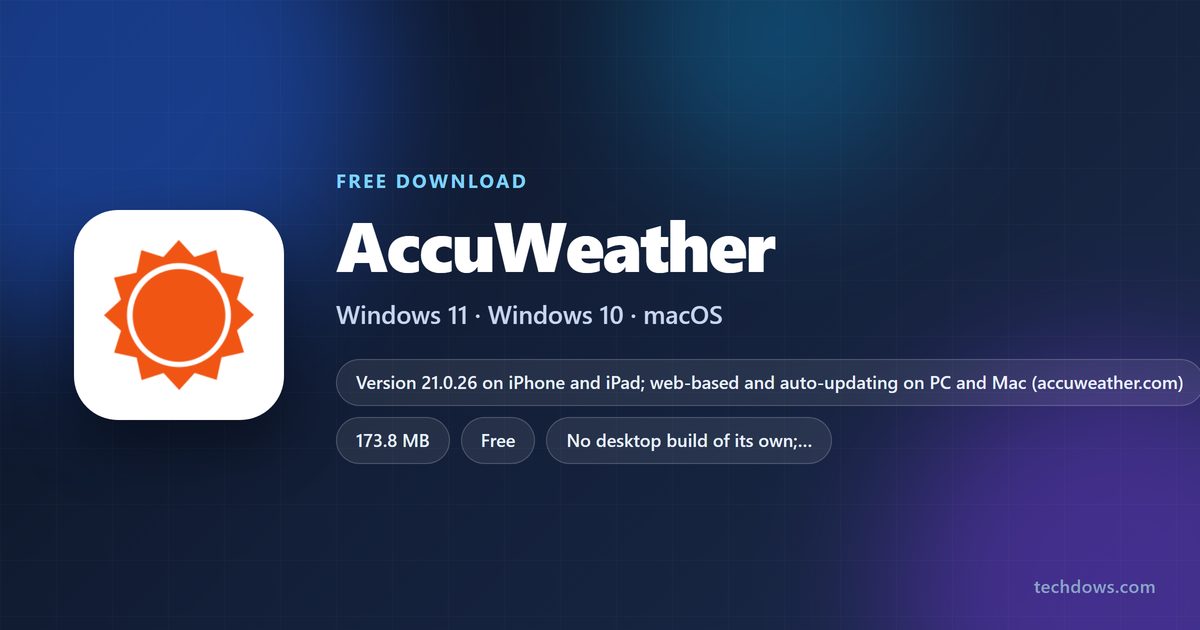
| Latest version | 21.0.26 on iPhone and iPad (21 September 2026); web-based and auto-updating on PC and Mac |
| Price | Free with ads; optional Premium+ subscription, monthly or yearly |
| iPhone and iPad | iOS 17.0 or later, 173.8 MB |
| Other Apple devices | Apple Watch and Apple TV |
| Android | Phones, tablets, Android TV and Wear OS through Google Play |
| Windows | Windows 11 and Windows 10 through accuweather.com in Chrome or Edge |
| Mac | accuweather.com in a browser; the Safari web app needs macOS Sonoma 14 or later |
| Architecture | No desktop build; runs in the browser on any processor it supports |
| Offline installer | None |
| Official source | accuweather.com, the App Store and Google Play |
| Last verified | 2026-09-25 |
How to install AccuWeather on Windows 11 and 10 with Chrome
Chrome turns accuweather.com into a windowed app that opens from the taskbar. It runs without tabs or an address bar.
- Open Chrome and go to accuweather.com.
- Search for your city or ZIP code so the app opens on your local forecast.
- Select More, the three-dot button at the top right.
- Select Cast, save, and share, then Install page as app.
- Rename the app to AccuWeather if you want, then select Install.
- Right-click the new window’s taskbar icon and select Pin to taskbar.
Allow location access when the site asks, and it shows weather for your current area automatically.
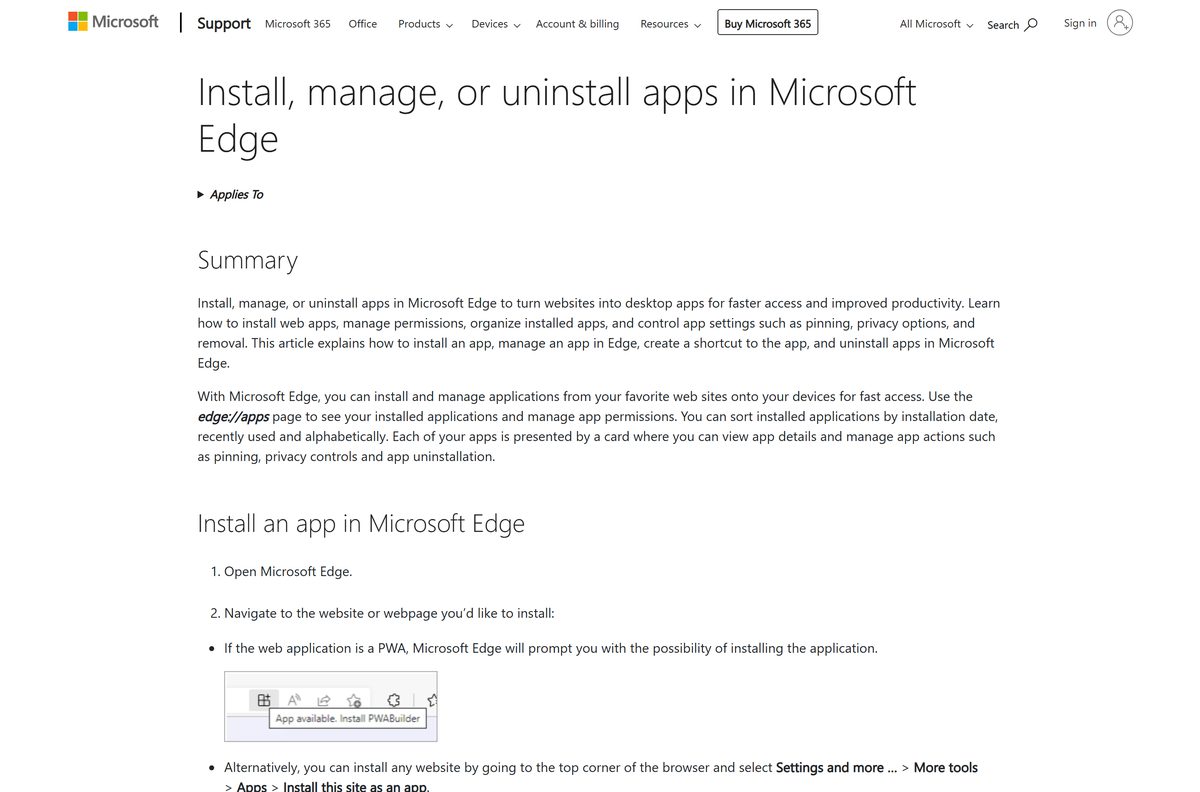
Install AccuWeather on Windows with Microsoft Edge instead of the Store
A Microsoft Store search for AccuWeather returns no app from AccuWeather. Edge builds the same windowed app with nothing extra to download.
- Open Microsoft Edge and go to accuweather.com.
- Select Settings and more, the three-dot button at the top right.
- Select More tools, then Apps, then Install this site as an app.
- Name the app and select Install.
- Go to edge://apps and select Details on the AccuWeather card.
- Select Pin to taskbar or Pin to Start.
Skip Store apps that use the AccuWeather name but list a different publisher. MSN Weather from Microsoft is the built-in Store alternative.
Which AccuWeather download do you need for your Mac?
The App Store version of AccuWeather covers iPhone, iPad, Apple Watch and Apple TV. On a Mac, accuweather.com runs as a web app.
| Your Mac | What to do | Source |
|---|---|---|
| macOS Sonoma 14 or later | Safari: File > Add to Dock on accuweather.com | Apple |
| Older macOS with Chrome | Chrome: More > Cast, save, and share > Install page as app | |
| Any Mac, no install | accuweather.com in a normal browser tab | AccuWeather |
| You also check the weather on an iPhone | AccuWeather on the App Store, 173.8 MB | Apple App Store |
To add the Safari app, open accuweather.com, choose File > Add to Dock, type a name and click Add. A Mac App Store search for AccuWeather returns no AccuWeather app.
Is AccuWeather free?
Yes. The AccuWeather app and website are free with ads, and Premium+ is an optional paid subscription. AccuWeather states that advertising keeps its weather services free for all users. Logging in with a free account makes you a Plus member, which unlocks longer forecasts and more saved locations in the app. Premium+ is billed monthly or yearly and removes ads in the app, reduces ads on the website, and adds AccuWeather Alerts, exclusive map layers, 90-day daily forecasts, a 10-day HourCast and premium widgets. The App Store lists an annual Premium+ plan with a free trial, though AccuWeather says a trial is not always offered.
Premium and Platinum are older paid plans that are no longer sold. Existing Premium and Platinum owners keep an ad-free app, but those plans do not reduce ads on the website.
Should you use the AccuWeather phone app or the website on your computer?
Use the phone app for alerts and widgets, and accuweather.com on your computer for radar and long-range planning on a larger screen. The phone app sends push notifications for government alerts and lightning, puts widgets on the home and lock screen, and holds favorite locations. The website sends browser notifications only while the browser is open, and it remembers recent searches through cookies instead of saved favorites. Most Premium+ benefits appear in the app, while the website shows fewer ads and AccuWeather Alerts when you log in.
Log in with one AccuWeather account on both, and a Premium+ subscription applies to each.
How to check your AccuWeather version and update it
The web app on a PC or Mac has no version number. It loads the current accuweather.com every time it opens.
- In the phone app, tap the Menu icon, the three lines at the top right.
- Tap Settings and scroll to the bottom to see App Version and Web Version.
- On an iPhone, open the App Store, tap your profile picture and tap Update next to AccuWeather.
- On Android, open Google Play, tap your profile picture, then Manage apps & device, and update AccuWeather.
- On a PC or Mac, keep Chrome, Edge or Safari up to date, because the web app runs inside the browser.
App Version is the installed release. Web Version is the content and feature set AccuWeather delivers to the app.
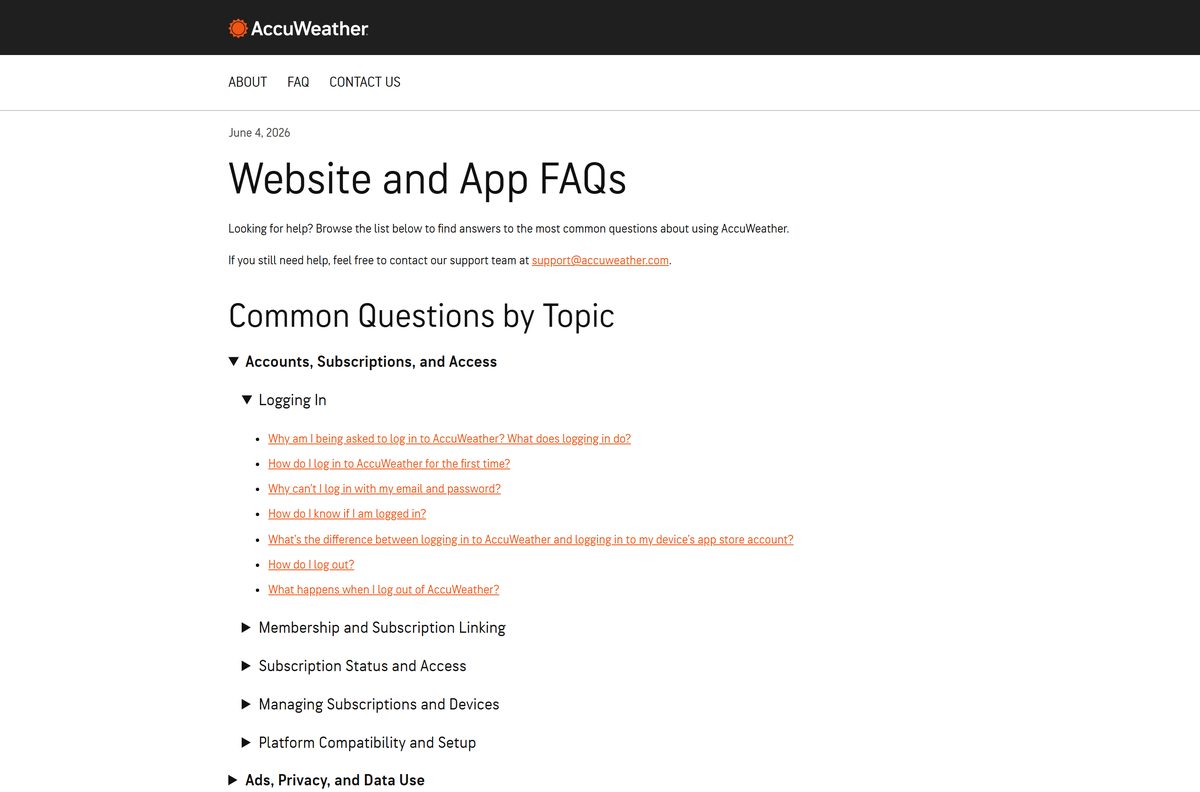
How to sign in so Premium+ works on every device
A paid subscription links to the AccuWeather account you use the first time you log in to the app. Use that same account everywhere else.
- Open the AccuWeather app and tap the empty Account icon at the top right.
- Choose Continue with Google, Continue with Apple or Sign Up with Email.
- If you already have an account, tap the Log in link at the bottom of the Sign Up screen instead.
- Confirm the Account icon turns solid, which means you are logged in.
- On a second phone, tablet or the website, log in with the same AccuWeather account.
Your AccuWeather account email does not need to match your Apple ID or Google Play account.
Fix AccuWeather not installing, updating or dropping your subscription
The Microsoft Store has no AccuWeather app
AccuWeather publishes no app package for Windows.
- Open accuweather.com in Edge or Chrome.
- Install the page as an app with the steps above.
- Ignore Store results from other publishers that carry the AccuWeather name.
The iPhone app will not install
AccuWeather needs iOS 17.0 or later.
- Open Settings > General > About to check the iOS version.
- Update through Settings > General > Software Update.
- On an iPhone that cannot update, use accuweather.com in Safari instead.
You see ads after paying for Premium+
The app is not recognizing the subscription on that device.
- Sign in to the device with the Apple ID or Google Play account that bought the subscription.
- Log in to the app with the AccuWeather account you used the first time.
- Close and restart the app, then uninstall and reinstall it if ads remain.
The location or temperature is stuck
Location access is limited, or background refresh is restricted for widgets.
- Open the app and pull down on the screen to refresh.
- On Android, go to Settings > Location > App location permissions > AccuWeather and choose Allow all the time.
- Turn off battery saver limits for AccuWeather if widgets still lag.
Add to Dock is missing in Safari
Safari web apps need macOS Sonoma 14 or later.
- Open the Apple menu and select About This Mac to check the macOS version.
- Update macOS if the Mac supports Sonoma or later.
- On an older Mac, install accuweather.com as an app from Chrome instead.
How to uninstall AccuWeather and cancel Premium+
Uninstalling the app does not cancel a subscription or delete your AccuWeather account. Cancel the subscription where you bought it.
- In Chrome, open the AccuWeather app window, select More, then Uninstall, and select Remove.
- In Edge, go to edge://apps, select Details on the AccuWeather card, then Uninstall, and confirm.
- On a Mac, open Applications in your home folder in Finder and drag the AccuWeather web app to the Trash.
- On an iPhone or Android phone, press and hold the AccuWeather icon and choose the remove or uninstall option.
- To cancel an app subscription on iOS, open the App Store, then Apple ID > Subscriptions.
- On Android, open Google Play, then Account > Subscriptions.
- For a website subscription, log in on accuweather.com and select Manage Your Benefits under the Account icon.
If AccuWeather came preinstalled on your phone, you can usually disable it but not delete it.
Which weather app should you use on Windows instead?
If you want a native Windows app rather than a web app, these are the Store options from established publishers.
| App | Publisher | Best for |
|---|---|---|
| accuweather.com as a web app | AccuWeather | MinuteCast, RealFeel and AccuWeather forecasts on a PC |
| MSN Weather | Microsoft Corporation | A free native Windows app with no setup |
| MyRadar | ACME AtronOmatic | Animated radar on the desktop |
Install accuweather.com as a web app if you want the same forecast on your PC and your phone.
Frequently asked questions
Is AccuWeather free to download?
Yes. The AccuWeather app is free on the App Store and Google Play, and accuweather.com is free in any browser. Ads pay for the free version. Premium+ is an optional monthly or yearly subscription that removes ads in the app.
What is the official AccuWeather download page?
Use AccuWeather: Weather Forecast on the App Store for iPhone and iPad, and AccuWeather: Weather Radar on Google Play for Android. On a PC or Mac, open accuweather.com and install it as an app from your browser.
Can I download AccuWeather on Windows 11?
Yes, as a web app. Open accuweather.com in Edge, select Settings and more, then More tools, Apps and Install this site as an app. AccuWeather then opens from the Start menu and the taskbar.
How big is the AccuWeather download?
The iPhone and iPad app is 173.8 MB on the App Store. Google Play shows no size for the Android app. The desktop route downloads no installer, because accuweather.com runs inside the browser.
Is there an AccuWeather .exe or offline installer for PC?
No. AccuWeather publishes no .exe, .msi or .dmg, and the Microsoft Store has no AccuWeather app. Install accuweather.com as an app from Edge or Chrome, which needs an internet connection to load forecasts.
Is there an AccuWeather app for Mac?
Yes, as a web app. On macOS Sonoma 14 or later, open accuweather.com in Safari and choose File, then Add to Dock. The App Store version covers iPhone, iPad, Apple Watch and Apple TV only.
What does AccuWeather Premium+ include?
Premium+ removes ads in the app, reduces ads on the website, and adds AccuWeather Alerts, exclusive map layers, 90-day daily forecasts, a 10-day HourCast and premium widgets. It is billed monthly or yearly through the store or the website.
Is the AccuWeather app safe?
Yes, when it comes from the App Store listing sold by AccuWeather International, Inc. or the Google Play listing published by AccuWeather. The app uses location data for forecasts and ads, and you can change targeted advertising under Settings, then Privacy Settings.
Why do I still see ads after buying Premium+?
The app is not recognizing your subscription on that device. Sign in with the store account that bought it, log in with the AccuWeather account you first used, then restart or reinstall the app.