The Google Gemini download is free, and Google now ships a desktop app for Windows 10, Windows 11 and Apple silicon Macs. Press Alt + Space on Windows or Option + Space on Mac to open it once installed.
Older Macs and Chromebooks run the same assistant from gemini.google.com, installed as a Chrome web app. Phones take the free iPhone or Android app.
This guide covers the desktop installers, the Chrome web app, what the Google AI plans add, the system requirements, and fixes for an app that will not install or sign in.
Which Google Gemini download do you need?
Match your device first, then your account. Every route opens the same Gemini chat and syncs history through your Google Account.
| Your device | What to get | Notes |
|---|---|---|
| Windows 10 or Windows 11 PC with 8 GB of RAM | Gemini for Windows (GeminiSetup.exe) | Needs 200 MB free disk space |
| Mac with Apple silicon on macOS Sequoia 15.0 or later | Gemini for Mac (.dmg) | Intel Macs are not supported |
| Intel Mac, Chromebook, Linux or a locked-down PC | Gemini on the web | Install it as a Chrome web app |
| Chrome user who wants Gemini beside every page | Gemini in Chrome | Click Ask Gemini at the top of Chrome |
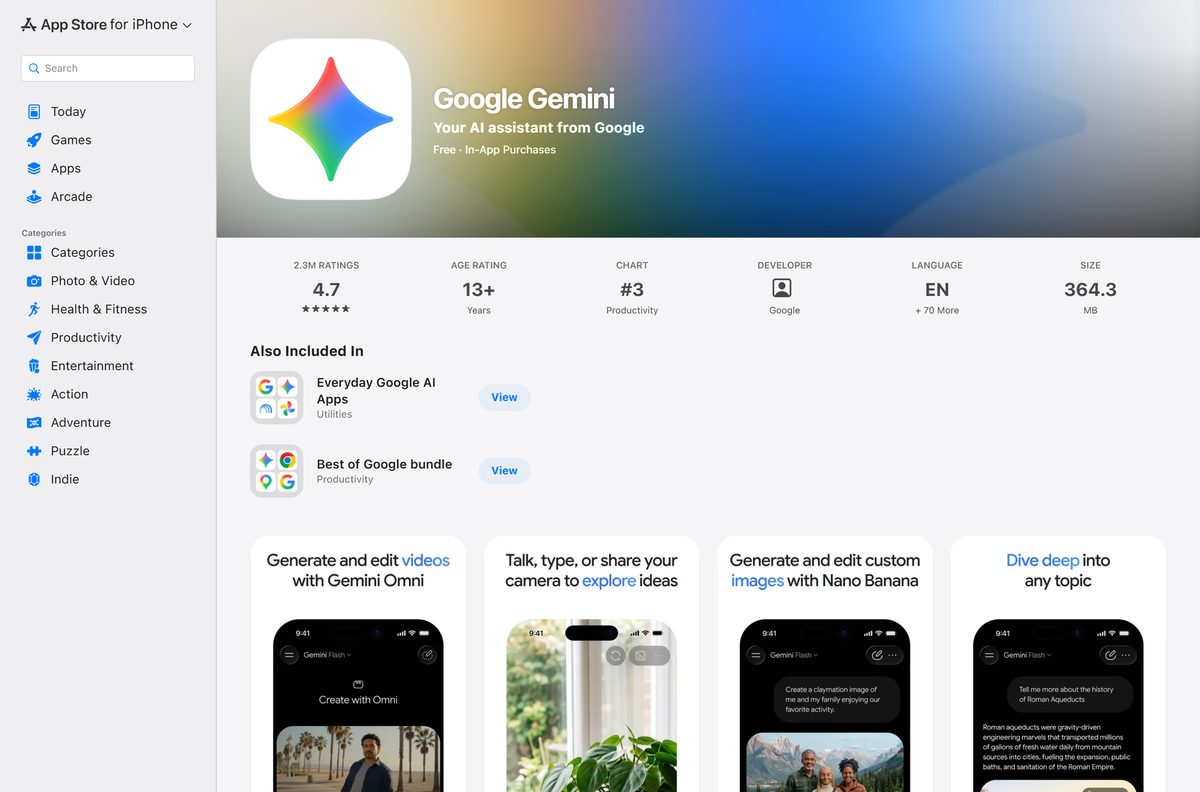
| iPhone or iPad on iOS 17.4 or later | App Store listing | 347.4 MB |
| Android phone | Google Play listing | Rated 4.6 from 46.7M reviews |
A work or school Google Account needs an administrator to turn on Gemini access before any of these routes sign in.
Download Google Gemini for Windows 11, Windows 10 and Mac
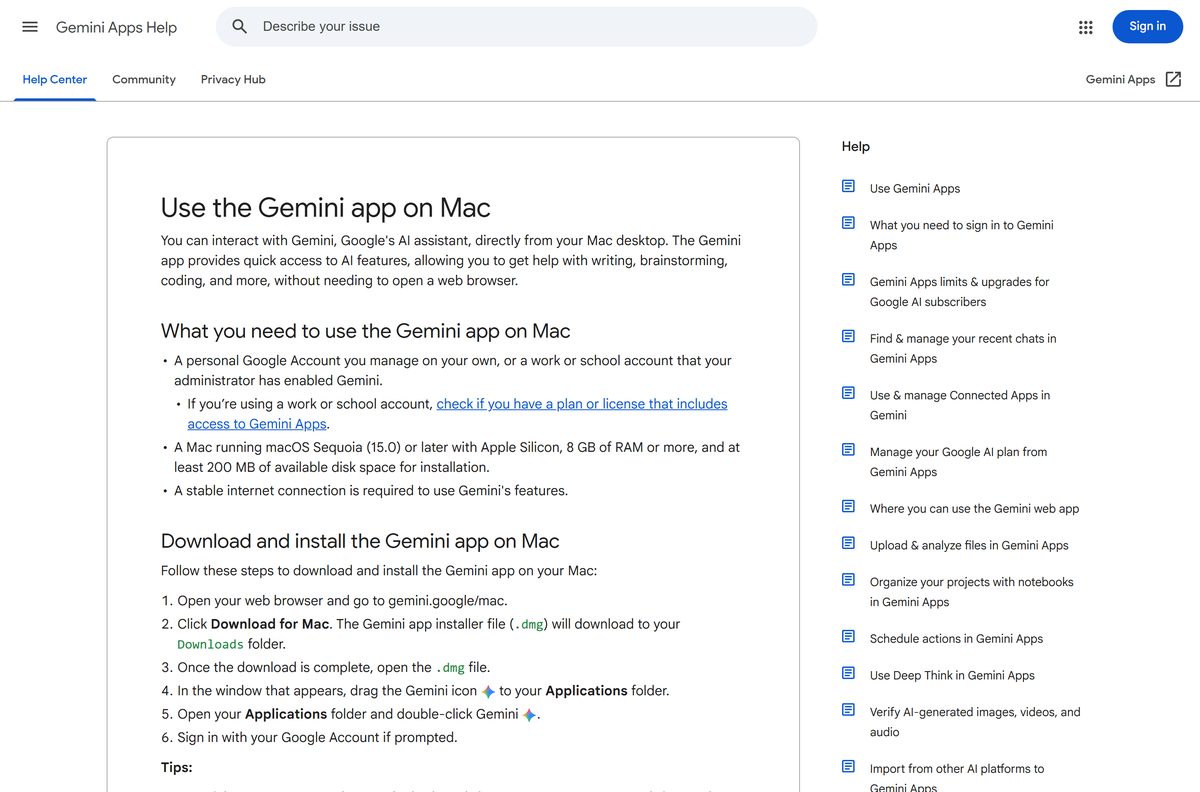
Google hosts the desktop installers on gemini.google/desktop and gemini.google/mac. The help articles below carry the same download buttons alongside the requirements.
- Gemini for Windows help article with the Download link — GeminiSetup.exe, Windows 10 or later
- Gemini for Mac help article with the Download for Mac link — .dmg, macOS Sequoia 15.0 or later, Apple silicon
- Gemini on the web — no download, free Flash-Lite model without signing in
- Google Gemini on the App Store — 347.4 MB · free, Google LLC, rated 12+
- Google Gemini on Google Play — free, Google LLC, 1B+ downloads
Any other site offering a Gemini setup file is not Google. Check the publisher reads Google LLC on phone stores before you tap Get or Install.
How to install Google Gemini on Windows 11 and 10
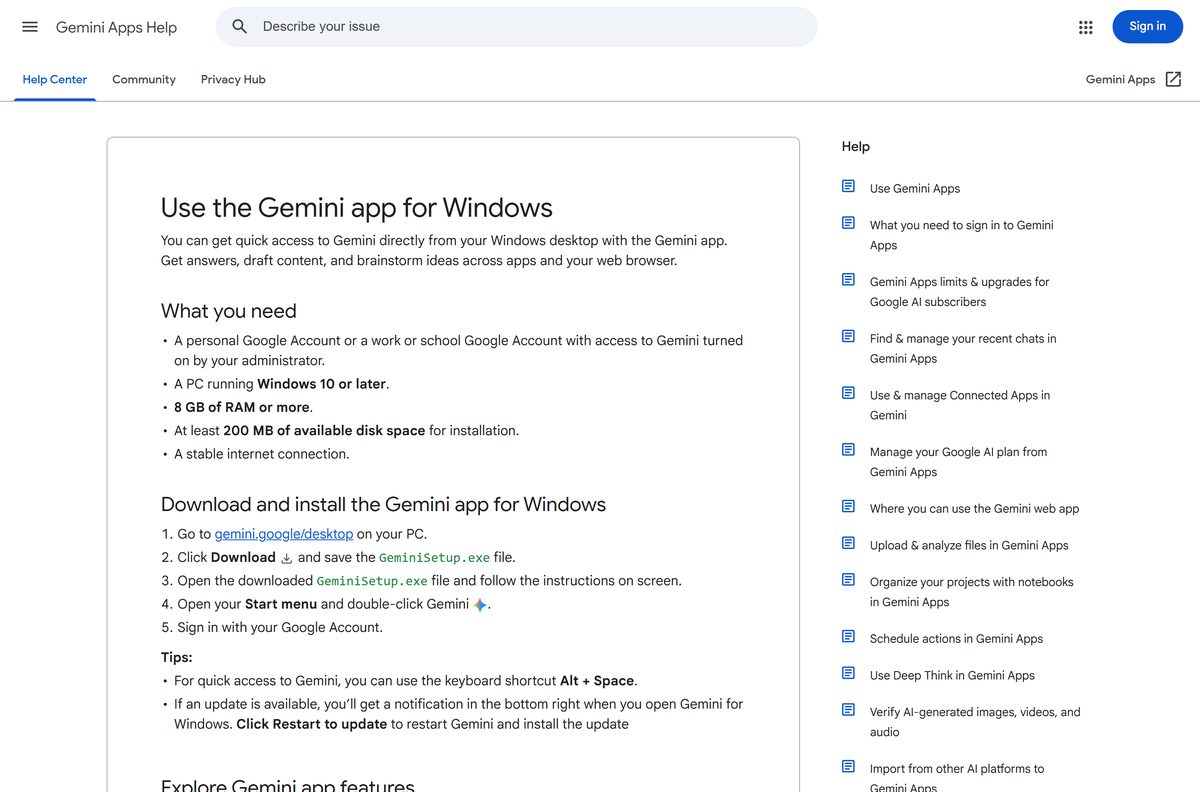
Confirm the PC has 8 GB of RAM and 200 MB of free disk space before you start.
- Open the Gemini for Windows help article, or go to gemini.google/desktop in your browser.
- Select Download and save GeminiSetup.exe.
- Open GeminiSetup.exe from your Downloads folder.
- Follow the on-screen prompts until setup finishes.
- Open Start and select Gemini.
- Sign in with your Google Account.
- Press Alt + Space from any app to bring up the Gemini chat window.
When a new build is ready, Gemini shows an update notification in the bottom right as the app opens.
Install Google Gemini as a web app from Chrome
Use this route on an Intel Mac, a Chromebook, Linux, or any PC where you cannot run a setup file. The web app opens in its own window and pins to the taskbar or Dock.
- Open Chrome and go to gemini.google.com.
- Sign in with your Google Account.
- Select More (the three dots) at the top right.
- Choose Cast, save, and share, then Install page as app.
- Confirm the name and select Install.
- Launch Gemini from the Start menu, Dock or chrome://apps .
New to the browser itself? The Google Chrome download guide covers the installer.
Which Google Gemini download do you need for your Mac?
Open the Apple menu and select About This Mac. The Chip line and the macOS version decide the route.
| Your Mac says | Get this | Why |
|---|---|---|
| Apple M-series chip, macOS Sequoia 15 or later | Gemini for Mac (.dmg) | Native app with Option + Space |
| Apple M-series chip, macOS Sonoma 14 or older | Gemini on the web | Update macOS first, then install the app |
| Intel processor | Gemini on the web | The Mac app runs on Apple silicon only |
To install, open the downloaded .dmg and drag the Gemini icon to Applications. Launch it from Applications and sign in with your Google Account.
Is Google Gemini free?
Every Gemini app is free to download, and a Google Account unlocks chat history and model switching.
Yes. Install the free app and upgrade only when you hit the usage limit. Without a plan, Gemini uses standard limits that refresh every 5 hours up to a weekly cap, with a 32k-token context window. Google AI Plus doubles those limits, AI Pro quadruples them with a 1 million token window, and AI Ultra adds Deep Think with 5x or 20x AI Pro limits. The plans are sold through Google One, and any other seller of Gemini access is not Google.

Should you use the Gemini desktop app or Gemini in Chrome?
Both are free and use the same account. The difference is where Gemini sits.
Install the desktop app when you want Gemini over any program, and use Gemini in Chrome when your work lives in the browser. The desktop app opens from Alt + Space or Option + Space above any window, and the Mac build can share a window with Speak to Window. Gemini in Chrome adds an Ask Gemini button at the top of the browser and needs you signed in to Chrome outside Incognito mode.
How to update Google Gemini on every device
The desktop apps handle updates themselves. Phones update through their stores.
- On Windows, open Gemini and watch for the update notification in the bottom right.
- Select the notification to install the new build.
- On iPhone, open the App Store, tap your profile picture and select Update beside Google Gemini.
- On Android, open Google Play, tap your profile icon, then Manage apps & device and Update all.
- For the web app and Gemini in Chrome, keep Chrome itself up to date.
Check your computer against the Google Gemini system requirements
Google publishes the same memory and disk figures for Windows and Mac.
| Item | Detail |
|---|---|
| Software | Google Gemini |
| Developer | Google LLC |
| Latest version | Desktop apps self-update; iPhone app 1.2026.3770306 |
| License | Free; Google AI Plus, Pro and Ultra plans raise limits |
| Supported OS | Windows 10 or later, macOS Sequoia 15.0 or later, iOS 17.4 or later, Android |
| Architecture | Apple silicon only on Mac; no processor type listed for Windows |
| Memory | 8 GB of RAM or more |
| Disk space | At least 200 MB free |
| Connection | Stable internet connection |
| Account | Personal Google Account, or a work or school account with Gemini turned on |
| Age | 13 or older; 18 or older in the EEA, Switzerland and the UK |
| Official download source | Gemini Apps Help Center |
| Offline installer | No |
| Last verified | 2026-09-24 |
On Windows, open Settings > System > About to check Installed RAM.
How to open Google Gemini with a keyboard shortcut
Both desktop apps install a global shortcut, so Gemini opens over whatever you are doing.
- Press Alt + Space on Windows or Option + Space on Mac to open the chat window.
- Type your question, or drop in a file or image to analyze.
- On Mac, press and hold fn to talk to Gemini with Speak to Window.
- Open the app settings to change either shortcut if another tool already uses it.
Speak to Window works in English only and is still rolling out, so some Macs lack it for now.
Fix Google Gemini not installing or signing in
Match the symptom, then apply the fix under it.
The Mac app will not open or install
The Mac is Intel-based or runs a macOS release older than Sequoia 15.0.
- Open the Apple menu and select About This Mac.
- If the Chip line names an Intel processor, use gemini.google.com as a Chrome web app instead.
- If the chip is Apple silicon, open System Settings > General > Software Update and install macOS Sequoia or later.
- Download the .dmg again and drag Gemini to Applications.
A work or school account cannot sign in
The administrator has not turned on Gemini access for the account.
- Ask your IT team whether your plan includes access to Gemini Apps.
- Sign in with a personal Google Account in the meantime.
The Ask Gemini button is missing from Chrome
Chrome is out of date, you are not signed in, or the window is Incognito.
- Open Settings > About Chrome and install any update.
- Sign in to Chrome with your Google Account.
- Close Incognito windows and open a normal one.
- Open Settings > AI innovations > Gemini in Chrome and turn on Show Gemini at the top of the browser.
The Windows app installs but answers do not load
Gemini needs a stable internet connection for every reply.
- Open gemini.google.com in a browser to confirm the service loads.
- Turn off any VPN or proxy and reopen Gemini.
- Sign out and back in with your Google Account.
How to uninstall Google Gemini
Removing the app keeps your chats, because they are stored in your Google Account.
- On Windows, open Settings > Apps > Installed apps.
- Find Gemini, select the three dots beside it and choose Uninstall.
- On Mac, quit Gemini, open Applications and drag Gemini to the Trash.
- For the Chrome web app, open it, select More, choose Uninstall Gemini and select Remove.
- Tick Also delete data from Chrome to clear the web app’s stored data.
Which Google Gemini alternatives should you consider?
Each of these also runs on Windows and Mac for free, with paid tiers on top.
| App | Platforms | Price | Pick it when |
|---|---|---|---|
| ChatGPT | Windows, Mac, iPhone, Android | Free tier plus paid plans | You want OpenAI models in a desktop app |
| Microsoft Copilot | Windows, Mac, iPhone, Android | Free; Microsoft 365 plans raise limits | You live in Windows and Microsoft 365 |
| Gemini in Chrome | Windows, Mac, Chromebook Plus | Free | You want Gemini beside the page you are reading |
Stay with Gemini when your mail, calendar and files already sit in Gmail, Google Calendar and Google Drive.
Frequently asked questions
Is the Google Gemini download free?
Yes. The Windows and Mac desktop apps, the iPhone app and the Android app are all free with a Google Account. Google AI Plus, Pro and Ultra plans are optional upgrades that raise usage limits and unlock larger context windows.
What is the official Google Gemini download page?
Google links gemini.google/desktop for Windows and gemini.google/mac for Mac from its Gemini Apps Help Center. Phones install from the App Store or Google Play, both published by Google LLC, and gemini.google.com runs in any browser.
Does Google Gemini work on Windows 11?
Yes. Google lists Windows 10 or later for the Gemini desktop app, which covers every Windows 11 release. The PC also needs 8 GB of RAM or more and at least 200 MB of free disk space.
How big is the Google Gemini download?
Google does not publish a download size for GeminiSetup.exe or the Mac disk image. Its requirement is at least 200 MB of free disk space on both Windows and Mac, and the iPhone app is 347.4 MB.
Is there a Google Gemini offline installer?
No. Google ships a single GeminiSetup.exe on Windows and a .dmg on Mac, and both apps need a stable internet connection. Gemini generates every answer on Google servers, so it does not work offline.
Is Google Gemini available for Mac?
Yes. The Mac app installs from a .dmg linked at gemini.google/mac and needs macOS Sequoia 15.0 or later, an Apple silicon chip and 8 GB of RAM. Intel Macs cannot run it and should use gemini.google.com instead.
Does Google Gemini run on ARM64 or Intel Macs?
On Mac, the app supports Apple silicon only, so Intel Macs are excluded. For Windows, Google lists Windows 10 or later with 8 GB of RAM and names no processor requirement.
Is Google Gemini safe to install?
Yes, when it comes from Google. Take the desktop installer only from the link in the Gemini Apps Help Center, and the phone apps only from listings published by Google LLC on the App Store and Google Play.
What is the latest Google Gemini version?
The iPhone and iPad app reached version 1.2026.3770306 on 23 September 2026. Google publishes no version number for the desktop apps, which show an update notification when a new build is ready.
Why won’t Google Gemini install on my computer?
The Mac app refuses Intel Macs and anything older than macOS Sequoia 15.0. On a work or school account, an administrator must turn on Gemini access first, and users under 13 cannot sign in.
What does a Google AI plan add to Gemini?
Without a plan you get standard limits and a 32k-token context window. AI Plus doubles the limits, AI Pro quadruples them with a 1 million token window, and AI Ultra adds Deep Think and the highest limits.
How do I open Gemini with a keyboard shortcut?
Press Alt + Space on Windows or Option + Space on Mac to open the Gemini chat window. On Mac, press and hold the fn key to use Speak to Window, and change both shortcuts in the app settings.