You can install Google Classroom as a desktop app on Windows 11, Windows 10 and Mac in about a minute, straight from Chrome or Edge. It opens in its own window, sits in the Start menu and pins to the taskbar like any other program.
Classroom is free for students, teachers and personal Google Accounts. Google Play and the App Store carry the official apps for Android, iPhone and iPad.
Below: the right route for each device, Google’s official links, installing on Windows and Mac, signing in and joining a class, and fixes for common sign-in problems.
Which Google Classroom download do you need?
Match your device to a row. On a computer, the app installs from the browser you already have.
| Your device | What to install | Size |
|---|---|---|
| Windows 11 or Windows 10 PC | Google Classroom, installed as an app in Chrome or Edge | No separate download |
| Mac | Google Classroom, installed as an app in Chrome | No separate download |
| Chromebook or Linux PC | Google Classroom in Chrome | No separate download |
| Android phone or tablet | Google Classroom on Google Play | Play states no size |
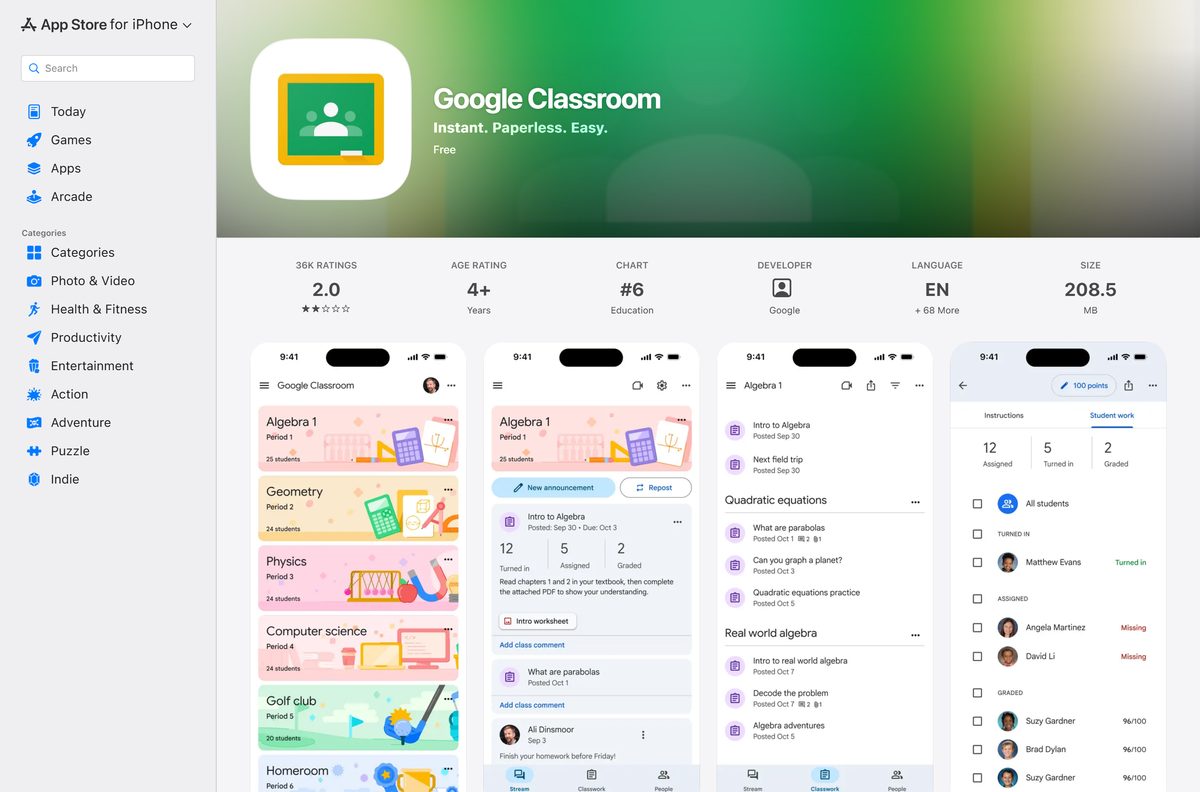
| iPhone or iPad | Google Classroom on the App Store | 198.8 MB |
Download Google Classroom from Google’s official sources
Google publishes Classroom at these addresses. A download portal offering a Classroom .exe is repackaging a website, so skip it.
- Google Classroom on the web — sign in, then install it as an app from Chrome or Edge
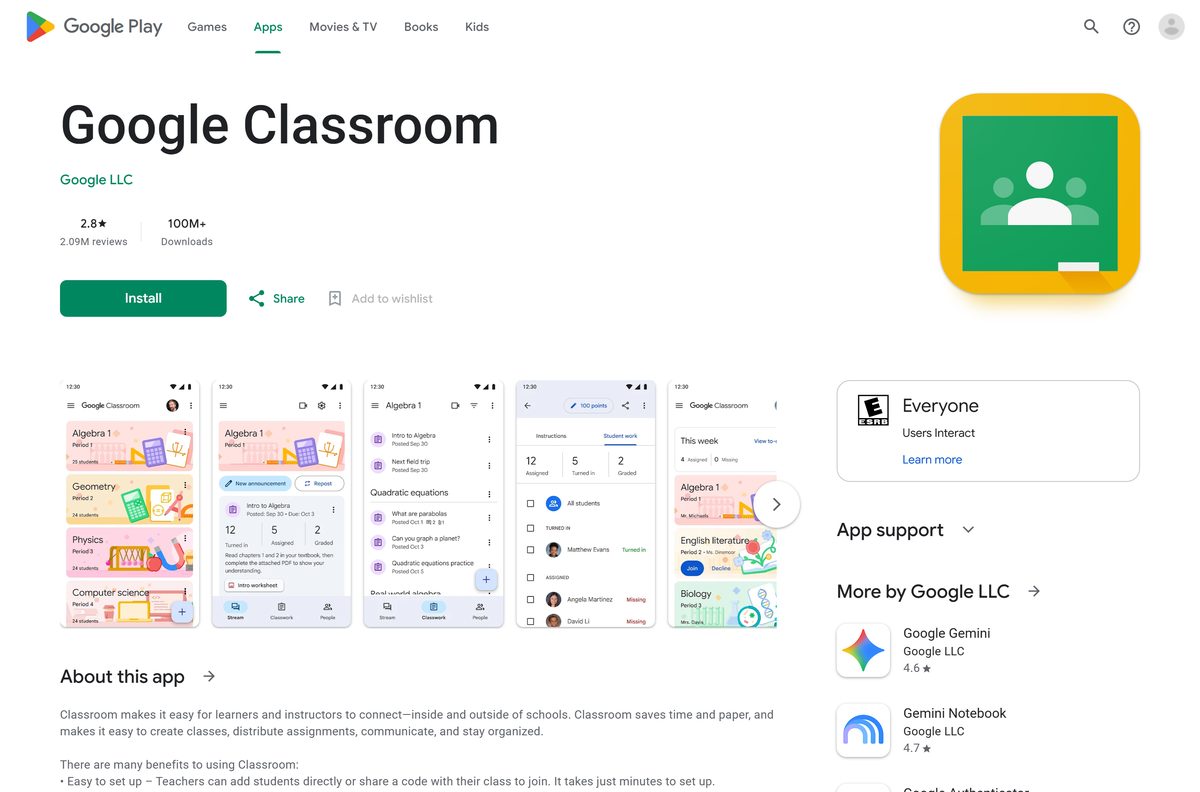
- Google Classroom on Google Play — Google LLC, 100M+ downloads, updated 4 September 2026
- Google Classroom on the App Store — 198.8 MB · iPhone and iPad, iOS 17.0 or later
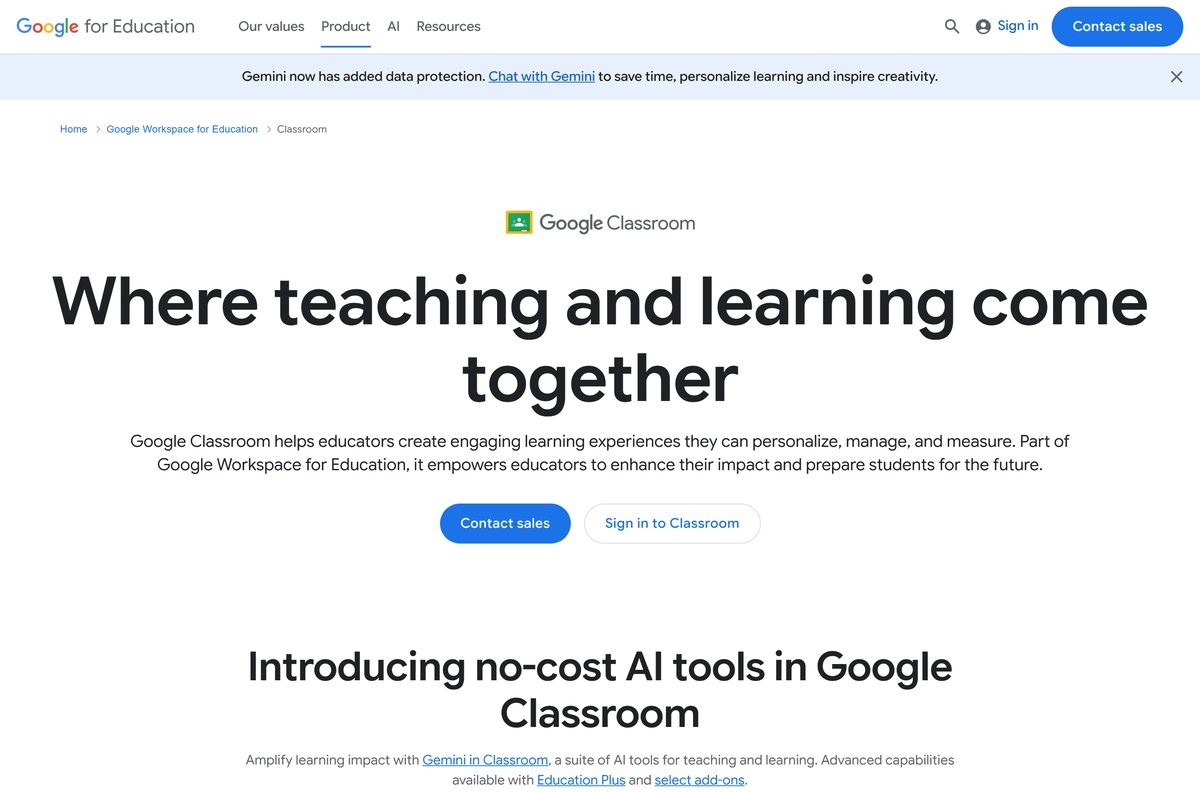
- Google Classroom product page — features, editions and school sign-up
Check the Google Classroom system requirements
Classroom sets no hardware floor of its own. Your browser and an internet connection set it.
| Field | Value |
|---|---|
| Developer | Google LLC |
| Latest version | Web-based, auto-updating |
| Price | Free |
| Supported OS | Windows 11, Windows 10, macOS, ChromeOS and Linux in a browser; Android; iOS and iPadOS 17.0 or later |
| Accounts | School account, personal Google Account or Google Workspace account |
| Internet | An active connection is required to sign in |
| Architecture | None of its own, Classroom uses the browser’s build |
| Offline installer | None |
| iPhone and iPad app size | 198.8 MB |
| Official source | classroom.google.com |
| Last verified | 2026-09-19 |
Chrome itself needs Windows 10 or later on Intel, Windows 11 and up on ARM, and macOS 13 Ventura and up.
How to install Google Classroom on Windows 11 and 10 as a desktop app
Chrome turns Classroom into a windowed app with its own taskbar icon. It opens without tabs or an address bar.
- Open Chrome and go to classroom.google.com.
- Sign in with your school account or personal Google Account.
- Select More, the three-dot button at the top right.
- Select Cast, save, and share, then Install page as app.
- Follow the on-screen prompt and select Install.
- Right-click the new window’s taskbar icon and select Pin to taskbar.
- Open Classroom from the Start menu and confirm your classes load in their own window.
Manage or remove installed web apps later from chrome://apps.
Install Google Classroom with Microsoft Edge instead of the Store
The Microsoft Store has no Google Classroom package, so Edge is the built-in route on Windows 11. It creates the same kind of app window Chrome does.
- Open Microsoft Edge and go to classroom.google.com.
- Sign in to your Google Account.
- Select Settings and more, the three-dot button at the top right.
- Select More tools, then Apps, then Install this site as an app.
- Name the app and select Install.
- Open edge://apps, select Details on the Classroom card, and choose Pin to taskbar or Pin to Start.
The same Details panel offers Create Desktop shortcut for a desktop icon.
Which Google Classroom download do you need for your Mac?
Install Classroom from Chrome on a Mac. The steps match Windows, and the app lands in the Dock and Launchpad.
| What you want | What to use | Where it comes from |
|---|---|---|
| Classroom in its own window | Install page as app in Chrome for Mac | |
| Classroom in Safari or another browser | classroom.google.com | |
| Classroom on an iPhone or iPad | Google Classroom on the App Store, 198.8 MB | Apple App Store |
The App Store listing covers iPhone and iPad and names no Mac, so the Chrome app is the Mac version.
How to sign in to Google Classroom and join a class
Classroom also runs in any browser tab with nothing installed. These steps work in the desktop app and the browser alike.
- Go to classroom.google.com and select Go to Classroom.
- Enter your email address and select Next, then your password and Next.
- Review the welcome message and select Accept.
- With a school account, select I’m A Student or I’m A Teacher, then Get Started.
- Select Join class at the top.
- Enter the class code from your teacher and select Join.
Class codes are 6 to 8 letters and numbers, with no spaces or symbols, and capitalization matters.
Which account to sign in to Google Classroom with
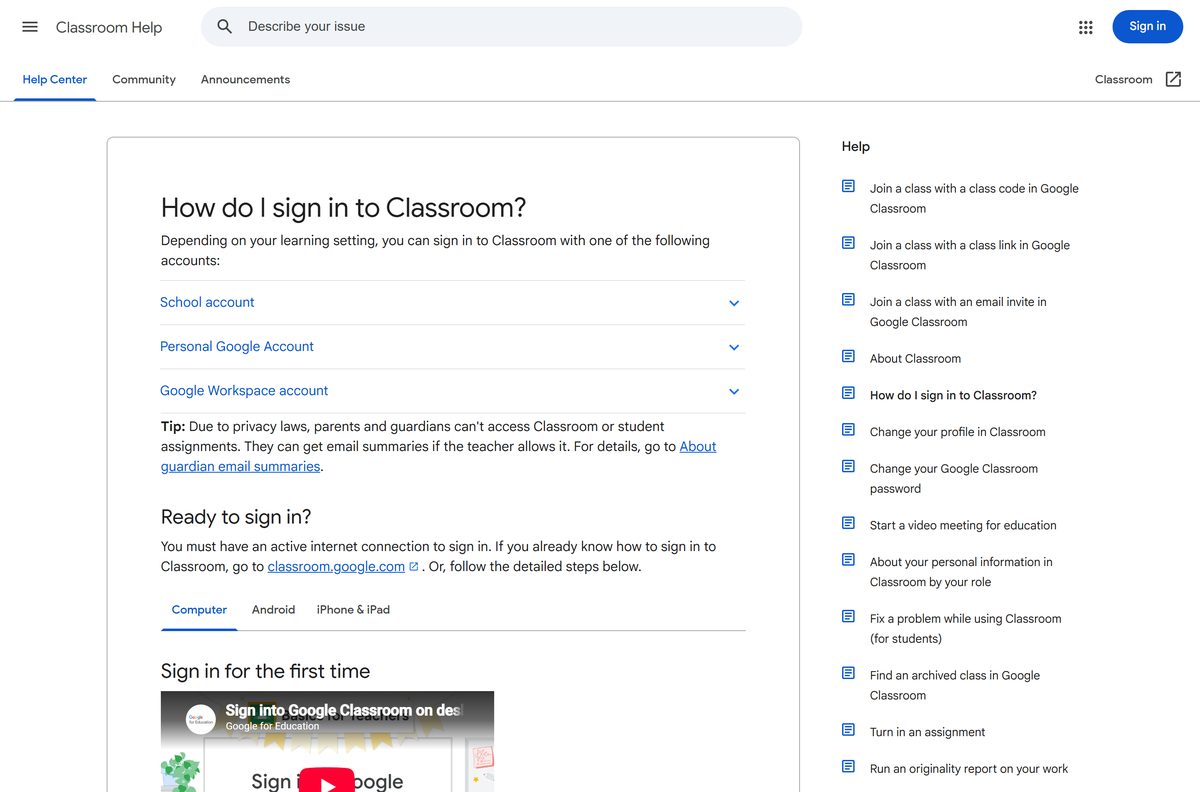
The account decides which features you get. Signing in with the wrong one is the most common reason a class will not appear.
| Account | Who sets it up | Use it for |
|---|---|---|
| School account | An accredited school using Google Workspace for Education | Classes run by your school |
| Personal Google Account | You, or a parent or guardian | Homeschool, clubs and tutoring outside a school |
| Google Workspace account | Your organization’s admin | Organizations on Workspace or Workspace for Nonprofits |
Children aged 13 and under should only use Classroom with a Google Workspace for Education or Workspace for Nonprofits account. Personal accounts lose some features, such as guardian invitations.
Is Google Classroom free?
Yes. Google Classroom costs nothing for students, teachers and anyone with a personal Google Account. Classroom is included in every Google Workspace for Education edition, and Education Fundamentals is provided at no cost to qualified schools. The App Store lists the app as Free, and Google Play charges nothing. Education Plus and select add-ons unlock advanced capabilities for schools. A site charging for a Classroom installer is selling a file Google does not make.
How to update Google Classroom on each device
Classroom on a computer has no version number to check. Google updates it on the server, so the browser always loads the current build.
- On a PC or Mac, keep Chrome or Edge up to date, and the Classroom app follows.
- On Android, open Google Play, select your profile picture, then Manage apps & device, and update Google Classroom.
- On iPhone or iPad, open the App Store, select your profile picture and update Classroom from the list.
- Restart the app after the update and sign in again if asked.
The App Store listed version 3.66.300051780 on 8 September 2026.
How to check a Google Classroom download really came from Google
An .exe or .dmg named Google Classroom did not come from Google. Check any download against these points.
- Read the address bar before signing in. Classroom runs at classroom.google.com, and sign-in happens at accounts.google.com.
- On Google Play and the App Store, confirm the publisher reads Google LLC.
- Right-click any file claiming to be Classroom, open Properties, then Digital Signatures, and reject a signer that is not Google.
- Delete the file and install from the browser instead.
Fix Google Classroom not signing in, not installing or not joining a class
You cannot sign in to Classroom
The wrong account is signed in, or the school admin has not turned Classroom on.
- Check your internet connection.
- Select your profile picture and switch to the account your teacher used.
- If an error says the admin has not activated Classroom, ask your teacher to contact the admin.
- Reset a school account password through your teacher, or a personal one through Google account recovery.
The class code does not work
The code was typed wrong or entered under another account.
- Confirm you are signed in with the right account.
- Retype the code with exact capitalization and no spaces.
- Ask your teacher to share the code or invitation again.
The Install page as app option is missing
The menu item appears only on a regular Chrome tab showing the site.
- Leave Incognito or Guest mode and open a normal Chrome window.
- Update Chrome, then reopen classroom.google.com.
- Check chrome://apps in case Classroom is already installed.
You cannot create a class
Students with school accounts cannot create classes.
- Sign in with a teacher account from your school.
- For homeschool or tutoring, sign in with a personal Google Account instead.
How to uninstall Google Classroom from a PC or Mac
Removing the app removes the window and its shortcuts. Your classes and coursework stay in your Google Account.
- Open the Google Classroom app window in Chrome.
- Select More at the top right, then Uninstall Google Classroom.
- Tick Also delete data from Chrome if you want local data gone, then select Remove.
- In Edge, open edge://apps, select Details on the Classroom card, then Uninstall.
- Confirm whether to delete app history and data, then select Uninstall.
Which class app to use instead of Google Classroom
Classroom fits schools already on Google accounts. Pick Teams when your school runs Microsoft 365.
| App | Publisher | Cost | Best for |
|---|---|---|---|
| Google Classroom | Free | Assignments, grading and class posts with Google accounts | |
| Microsoft Teams for Education | Microsoft | Free sign-up | Class teams, assignments and Word, Excel and PowerPoint files |
Frequently asked questions
Is Google Classroom free?
Yes. Google Classroom costs nothing for students, teachers and personal Google Accounts. Schools get it in Education Fundamentals at no cost, and Education Plus adds paid advanced capabilities.
Is Google Classroom free for personal use?
Yes. You can sign in to Classroom with a personal Google Account for homeschool, clubs or tutoring. Some features, such as guardian invitations, are not available on personal accounts.
How do I download Google Classroom on Windows?
Open classroom.google.com in Chrome or Edge, sign in, and install it as an app from the browser menu. It then opens from the Start menu in its own window on Windows 11 and 10.
What is the official Google Classroom download page?
On a computer, the official address is classroom.google.com, which installs as an app from Chrome or Edge. Phones and tablets get the Google LLC apps on Google Play and the App Store.
What is the Google Classroom download size?
On a PC or Mac, nothing sizeable downloads, because the app installs from the browser. The iPhone and iPad app is 198.8 MB, and Google Play lists no size for Android.
Is there a Google Classroom offline installer?
No. Google makes no .exe, .msi or .dmg for Classroom. The desktop app installs from Chrome or Edge, and signing in requires an active internet connection.
Is there a Google Classroom app for Mac?
Install Classroom as an app from Chrome on a Mac and it opens from the Dock. The App Store listing covers iPhone and iPad only, and Google ships no Classroom DMG.
Is Google Classroom 64-bit or ARM64?
Google Classroom has no build of its own, so the browser’s architecture applies. Chrome runs on Windows 10 or later on Intel, on Windows 11 on ARM, and on macOS 13 Ventura and up.
Is it safe to download Google Classroom from other sites?
Those files are not Google’s. Install from classroom.google.com in Chrome or Edge, Google Play or the App Store, and check that the publisher reads Google LLC.
What is the latest version of Google Classroom?
Classroom on a computer has no version number and updates on Google’s servers. The App Store listed version 3.66.300051780 on 8 September 2026, and Google Play updated on 4 September 2026.
Why can’t I create a Google Classroom?
Students with school accounts cannot create classes. Sign in with a teacher account from your school, or use a personal Google Account for homeschool or tutoring classes.
Why won’t Google Classroom work or sign in?
Usually the wrong account is signed in or the school admin has not activated Classroom. Switch to the account your teacher used, check your connection, and ask your teacher to contact the admin.