You cannot revert to the former Weather app on iPhone, because Apple offers no way to install an earlier version of the built-in Weather app.
This guide shows how to change the forecast view that changed, restore Weather if it disappeared, fix it when it stops updating and tell Apple what you want back.
Can you revert to the old Weather app on iPhone?
Weather is a built-in Apple app, and its look changes with iOS updates. Apple's support pages describe how to update iOS, but none describe a route back to an earlier Weather design.
Redownloading Weather from the App Store restores the app, not an older version of it.
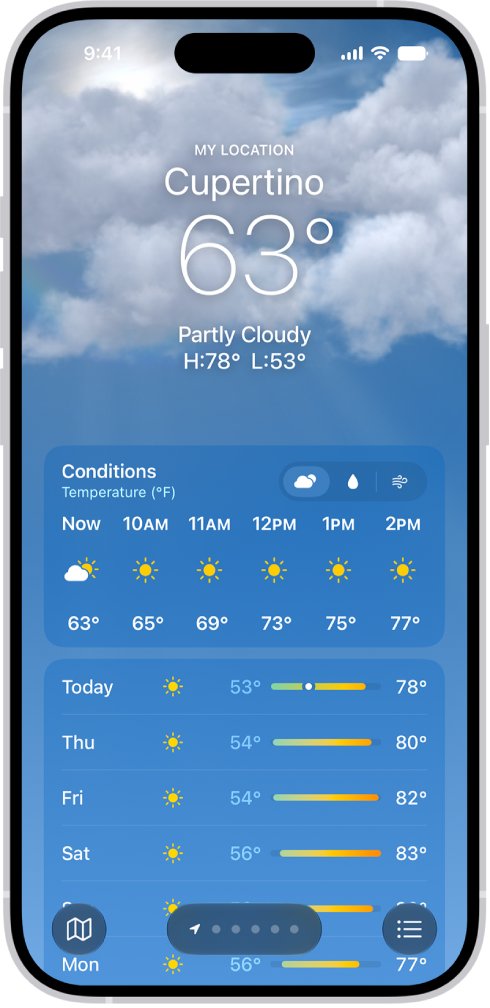
Keep the current Weather app and change its forecast display, units and saved locations to get closer to the view you used before. There is no supported downgrade for a built-in app, and the display options inside Weather cover the main complaint: the hourly and daily graphs that replaced the old list.
If a missing feature is the problem, send it to Apple through the Weather feedback page, covered below.
How to change the hourly forecast view in the iPhone Weather app
The graph that appears when you tap a forecast is one of several views. You can switch what it shows instead of reading the default chart.
- Open the Weather app on your iPhone.
- Swipe the hourly forecast left or right to read upcoming hours as a simple row.
- Tap a symbol above the hourly forecast to switch between Conditions, Precipitation and Wind.
- Tap the hourly forecast to open the detailed forecast view.
- Tap the condition menu in that view to change the weather condition the graph shows.
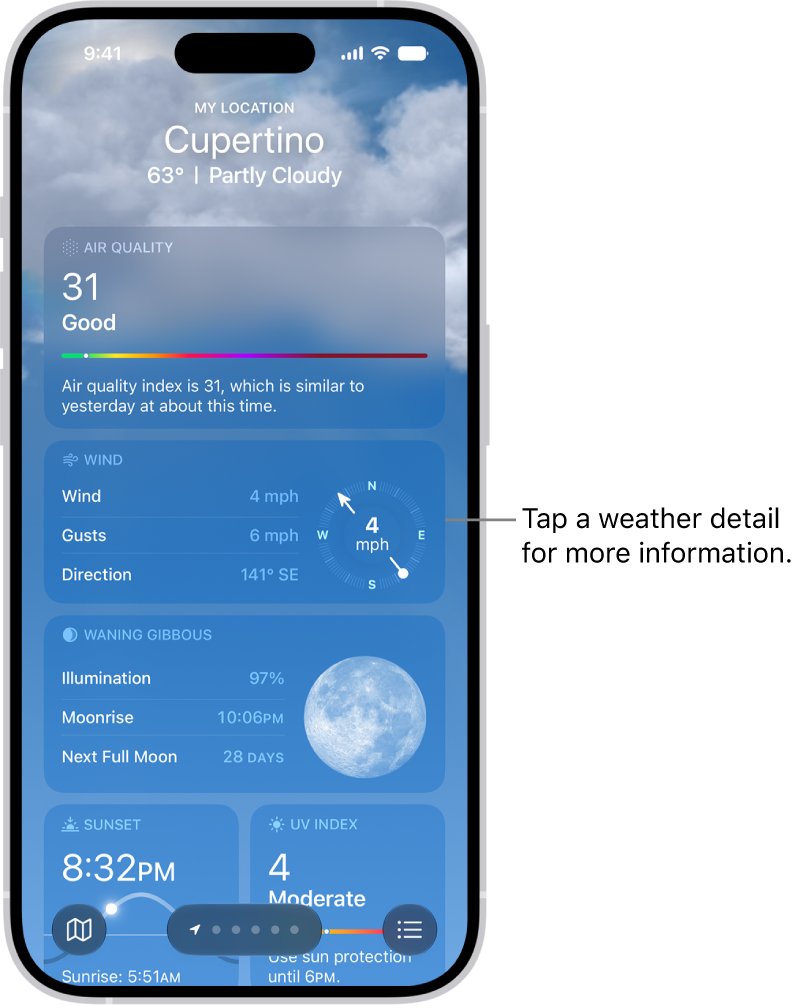
- Scroll the location's page for severe weather alerts, air quality, UV index, wind, visibility and moon phases.
Tap the Averages detail to compare today's temperature or precipitation with the historical average.
How to change weather units on iPhone
- Open the Weather app.
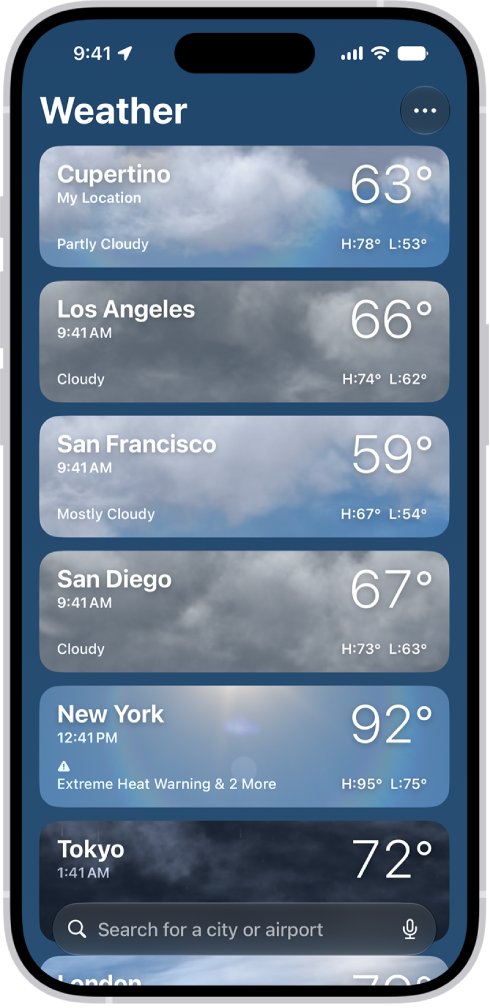
- Tap the list icon to show your locations.
- Tap the more icon, then tap Units.
- Tap Fahrenheit, Celsius or Use system setting for temperature.
- Tap the menu next to wind, precipitation, pressure or distance and choose a unit.
Wind can show miles per hour, kilometers per hour, knots or Beaufort.
How to remove a city from the Weather app on iPhone
A tidy location list makes the swipe between cities feel closer to the older layout.
- Open the Weather app.
- Tap the list icon to display your saved locations.
- Swipe left on the city you want to remove.
- Tap the delete button.
- To reorder the rest, touch and hold a location and move it up or down.
To add a city, tap the search field, type the city or neighborhood, tap the result and tap the add button. Your list syncs across devices signed in to the same Apple Account.
How to reinstall the Weather app on iPhone
If Weather vanished from the Home Screen, it may only have moved to App Library. Removing an app from the Home Screen does not delete it.
- Open the App Store on your iPhone.
- Search for Weather, using the exact app name.
- Tap the Redownload button.
- Wait for the app to restore.
- Open Weather from your Home Screen and allow location access when asked.
Restoring Weather on iPhone also restores it on a paired Apple Watch.
How to delete the Weather app on iPhone
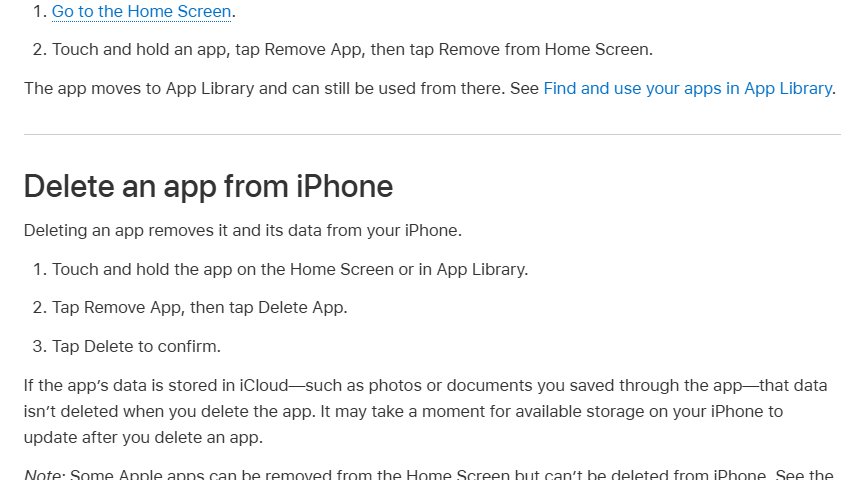
Weather is one of the built-in apps you can delete on iOS 14 or later. Deleting it also removes its data and settings.
- Touch and hold the Weather app on the Home Screen or in App Library.
- Tap Remove App.
- Tap Delete App.
- Tap Delete to confirm.
Without Weather, weather information also disappears from Notification Center and from Apple Watch complications. To hide the app but keep those, tap Remove from Home Screen instead of Delete App.
How to send feedback about the iPhone Weather app
Apple collects product feedback through a public form, and Weather has its own entry.
- Open apple.com/feedback in a browser.
- Under iOS and iPadOS Apps, select Weather.
- Describe the old feature you want back, such as a plain hourly list for future days.
- Fill in the remaining fields and submit the form.
The feedback form is for suggestions. If Weather shows wrong data or crashes, report a problem to Apple Support instead.
Why are weather apps so different?
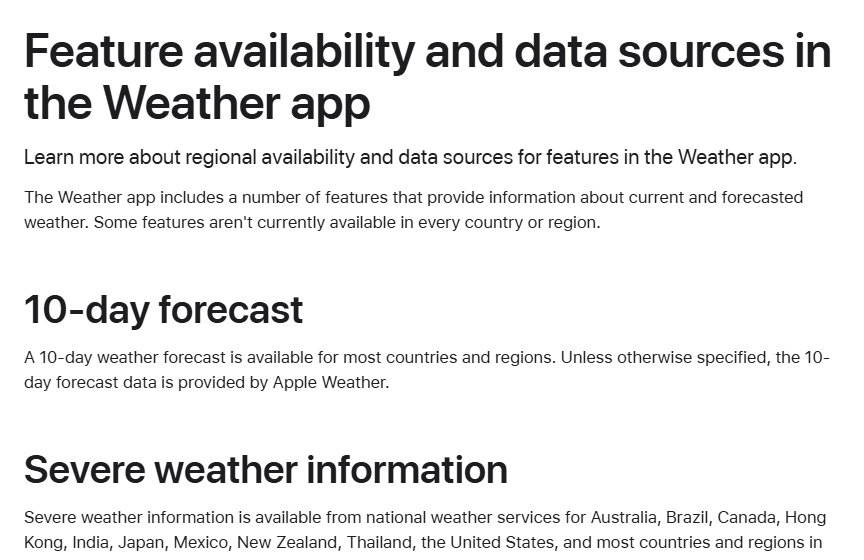
Each weather app, from Apple Weather to Weather Underground, uses its own forecast data and models, so two apps can disagree about the same hour. The iPhone Weather app takes most data from Apple Weather and some from national weather services.
| Weather feature | Data source | Availability |
|---|---|---|
| 10-day forecast | Apple Weather | Most countries and regions |
| Severe weather information | National weather services; QWeather in China mainland | Australia, Brazil, Canada, Hong Kong, India, Japan, Mexico, New Zealand, Thailand, the US and most of Europe |
| Next-hour precipitation | Apple, using national weather service data | Australia, Ireland, Japan, the UK and the US |
| Air quality | BreezoMeter; QWeather in China mainland | About 20 countries, including the US, UK, Canada and India |
| Temperature, wind and precipitation maps | Apple Weather | Most countries and regions |
Older releases used The Weather Channel for some data. iOS 14.1 and earlier showed its air quality figures, and iOS 15.2 and earlier could show its map data. Today the Apple Weather app draws on the sources in the table instead.
Weather app not working on iPhone
Weather app not updating for your current location
Location Services or Precise Location is off for Weather.
- Open Settings and tap Privacy & Security.
- Tap Location Services, then tap Weather.
- Allow location access. Choose Always if you also want weather notifications.
- Turn on Precise Location.
- Open Weather, tap the list icon and tap My Location.
My weather app disappeared
The app was removed from the Home Screen or deleted.
- Look for Weather in App Library, where removed apps stay usable.
- If it is not there, open the App Store, search Weather and tap Redownload.
No severe weather or rain notifications
Notifications are off, or location access is not set to Always.
- Open Weather, tap the list icon, tap the more icon and tap Notifications.
- Allow notifications if prompted.
- Below Current Location, turn on Severe Weather and Next-Hour Precipitation.
- If prompted, tap Go to Settings and change location access to Always.
Air quality or next-hour rain is missing
These features are not available in every country or region.
- Check the availability table above for your country.
- Add a location in a supported region to confirm the feature works on your iPhone.
To update the Weather app itself, go to Settings > General > Software Update and install the latest iOS. Weather has no separate update.
iPhone Weather app revert FAQ
What happened to my weather app on iPhone?
An iOS update changed its design, or the app was removed from your Home Screen. Removed apps stay in App Library. A deleted Weather app can be restored from the App Store with the Redownload button.
How do I reset the Weather app on iPhone?
iPhone has no reset button for Weather. Delete the app by touching and holding it and tapping Remove App, Delete App and Delete, then redownload it from the App Store. This clears its data and settings.
How do I reinstall the Weather app?
Open the App Store, search for Weather using the exact name and tap Redownload. Wait for it to restore, then open it from the Home Screen. A paired Apple Watch gets the app back too.
How do I update the Weather app?
Update iOS. Go to Settings > General > Software Update and tap Download and Install if an update is available. The built-in Weather app changes with iOS updates rather than separately.
Where is my Weather app?
Check App Library, because removing Weather from the Home Screen moves it there without deleting it. If it is not in App Library, it was deleted, and you can redownload it from the App Store.
How do I remove a location from the Weather app?
Open Weather, tap the list icon, swipe left on the location and tap the delete button. The change syncs to your other devices signed in to the same Apple Account.
Why is the Weather app not working?
Location Services for Weather is usually off, or the feature you want is not offered in your region. Turn on location access and Precise Location for Weather in Privacy & Security > Location Services.
Can I get the old Weather app back by downgrading iOS?
Apple provides no supported way to go back to an earlier iOS release for this purpose. Change the Weather display options instead, and send Apple feedback through apple.com/feedback under Weather.