Open msn.com/en-us/play or zone.msn.com in any browser and select a game to play MSN free games instantly, with no download.
This guide covers the game categories, how MSN Games compares with Microsoft Casual Games on The Zone, and fixes for games that will not load.

How to play free MSN games online
- Open Microsoft Edge, Chrome, Firefox or Safari.
- Go to zone.msn.com, the home of Microsoft Casual Games, or msn.com/en-us/play.
- Select Play for Free Now! or scroll to Top FREE Games.
- Pick a game, such as Microsoft Solitaire Collection, and select Play Now.
- Wait for the game to load in the browser tab, then start playing.
The games run in the browser, so nothing needs to be installed on Windows, macOS or ChromeOS, unlike the best free PC games you download and keep.

Browse free MSN games by category
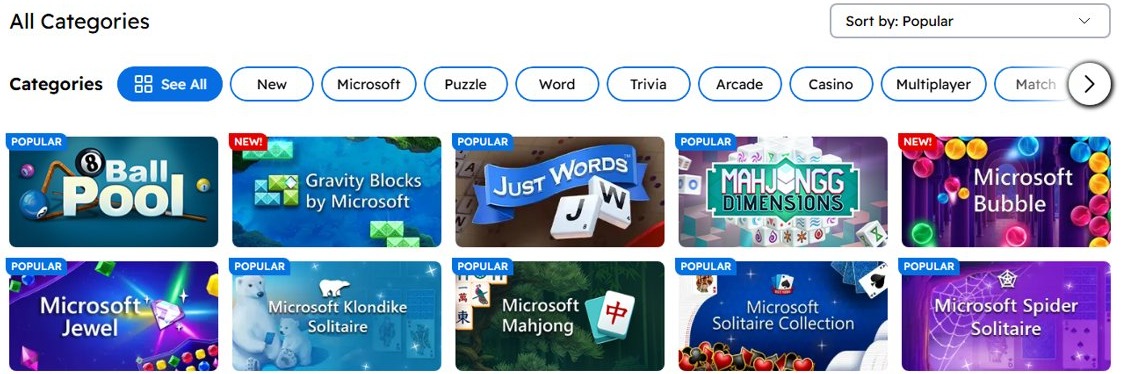
The Zone sorts its free games into ten categories: Microsoft, Puzzle, Word, Trivia, Arcade, Casino, Card, Multiplayer, Match and Strategy.
| Category | Example games on The Zone | Good for |
|---|---|---|
| Microsoft | Microsoft Solitaire Collection, Microsoft Mahjong, Microsoft Sudoku, Microsoft Jewel | Classic Windows-style games |
| Puzzle | Microsoft Jigsaw, Gravity Blocks by Microsoft, Microsoft Gem Drop, Zoo Boom | Short logic sessions |
| Word | Microsoft Wordament, Microsoft Word Twister, Just Words, Outspell, Microsoft Crosswords | Vocabulary and crossword fans |
| Trivia | TRIVIA FOR YOU, True Trivia, Code Word, Family Feud | Quick quiz rounds |
| Arcade | Microsoft Bubble, Bubble Town, Bubble Shooter, 8 Ball Champion | Fast, reflex-based play |
| Casino and card | Texas Hold'em, Blackjack, Spades, Pinochle, Press Your Luck Slots | Card games played for fun, not money |
| Match | Microsoft Jewel, Jewel Quest, Microsoft Mahjong 3D | Match-3 and tile-matching |
MSN free games vs. Microsoft Casual Games
Both front doors are run by Microsoft on msn.com domains. The Zone page itself carries the title Microsoft Casual Games – The Zone.
| Question | MSN Games (msn.com/en-us/play) | Microsoft Casual Games (zone.msn.com) |
|---|---|---|
| Where you find it | The Play section of the MSN portal | The Zone website |
| Main focus | Browser games inside the MSN news and feed experience | Hundreds of free games, sorted into ten categories |
| Casino section | Not its focus | Has The Zone Online Casino for free-to-play casino games |
| Best for | Readers who keep MSN as their homepage | Players who want to browse the full catalogue |
How to play Microsoft Solitaire Collection free online
- Go to zone.msn.com.
- Find Microsoft Solitaire Collection under Top FREE Games.
- Select Play Now.
- Choose a mode, such as Klondike or Spider, when the game opens.
Microsoft Mahjong and Microsoft Sudoku sit in the same list and open the same way. If you prefer an installed version, you can download Microsoft Solitaire Collection instead.

Check that an MSN game loaded correctly
- Look for the game board or title screen in the tab, not a blank frame.
- Click once inside the game to confirm it responds.
- Turn up the tab volume if the game should play sound.
Troubleshooting free MSN games issues
MSN game shows a blank or black screen
A stale page or a blocked script stops the game from starting.
- Reload the tab with Ctrl + F5 on Windows or Cmd + Shift + R on Mac.
- Turn off content blockers for zone.msn.com and reload.
- Open the game in another browser to rule out a browser problem.
MSN game loads slowly or freezes
An outdated browser or too many open tabs leaves the game short of memory.
- Close tabs you do not need.
- Update your browser to the latest version.
- Clear the browser cache, then reopen the game.
Game progress or scores are missing
Browser games keep progress in site data, which clearing cookies or private windows remove.
- Play in a normal window, not InPrivate or Incognito.
- Avoid clearing cookies for msn.com if you want progress kept.
Why you should play free MSN online games
Use zone.msn.com when you want classic Microsoft games like Solitaire, Mahjong and Sudoku in a browser for free. The games are run by Microsoft, need no installation and cover puzzle, word, trivia, arcade and card categories in one place.
MSN free games frequently asked questions
Are MSN games free?
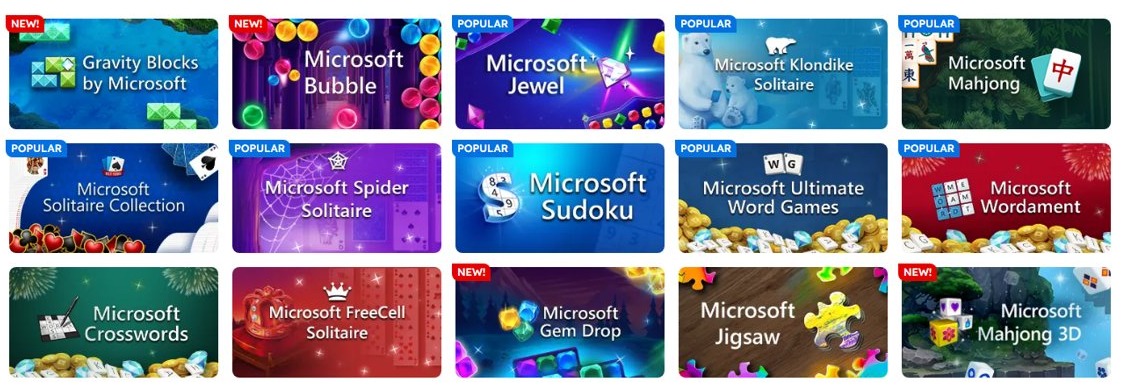
Yes. The Zone advertises hundreds of free games, from classics such as Microsoft Solitaire Collection to newer titles like Gravity Blocks by Microsoft. They play in the browser at no cost.
Do I need to download MSN games?
No. MSN games run inside the browser tab, so you open zone.msn.com, pick a game and select Play Now.
Is Microsoft Casual Games the same as MSN Games?
They overlap. The Zone at zone.msn.com is titled Microsoft Casual Games, while MSN's Play section is the games area of the MSN portal. Both are Microsoft services.
Which classic games are on MSN?
The Zone lists Microsoft Solitaire Collection, Microsoft Mahjong, Microsoft Sudoku, Spades, Pinochle and Texas Hold'em, alongside word games such as Microsoft Wordament.
Is the MSN casino real money?
The Zone Online Casino is a free-to-play section. Its slots and card games are played for fun inside The Zone.
Why will an MSN game not load?
A stale page, a content blocker or an outdated browser is usually the cause. Hard-refresh the tab, allow the site in your blocker and update the browser.