To set up voicemail on Android, open the Phone app, tap the dialpad, press and hold 1, and follow your carrier's prompts to create a PIN and record a greeting.
This guide covers the setup call for Verizon, AT&T and T-Mobile, visual voicemail in the Phone by Google app, Samsung phones, changing your greeting and the problems that stop voicemail from working.
Step by step tutorial to set up voicemail on Android
Voicemail lives on your carrier's servers, not on the phone, so the first setup always happens on a call to your mailbox. Do it from the phone that carries your number.
- Open the Phone app.
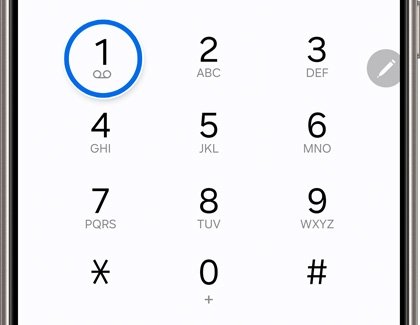
- Tap Dialpad (or Keypad) at the bottom of the screen.
- Press and hold 1 until the phone dials your voicemail.
- Enter the temporary or default PIN if the system asks for one.
- Create a new voicemail PIN when prompted. Verizon and T-Mobile both accept 4 to 7 digits.
- Record your name when asked, then record your greeting.
- Hang up once the system says setup is complete.
If holding 1 does nothing, your carrier may not have stored a voicemail number on the phone yet. Use the carrier code in the next sections instead, such as *86 on Verizon.
How to set up voicemail on Android phone by carrier
Each US carrier runs its own mailbox, so the dial code and PIN rules depend on who supplies your service. Find your carrier in the first column.
| Your carrier or setup | Do this | Why |
|---|---|---|
| Verizon, basic voicemail | Dial *86, pick a language, set a 4 to 7 digit password | Verizon's setup call for Android phones on basic voicemail |
| Verizon, visual voicemail | Open the Voicemail app and follow the prompts | Verizon Android phones ship with a Visual Voicemail app |
| AT&T | Press and hold 1 on the keypad | AT&T routes the 1 key to your mailbox |
| T-Mobile | Press and hold 1, or open the Visual Voicemail app | Setup must run from the phone tied to the voicemail on your plan |
| Phone by Google app with a supported carrier | Turn on Visual voicemail in the app's voicemail settings | Messages then appear in the app's Voicemail tab |
| Forgot or never had a PIN | T-Mobile: dial #793#. Verizon: My Verizon or *611 | Both carriers send or reset the PIN without a store visit |
Verizon voicemail setup on Android
Verizon's basic voicemail is free with an eligible calling plan. Your mailbox has no password protection until you create one, so finish this setup before anyone else can call in.
- Open the Phone app and dial *86, then press the call button.
- Press 1 for English, then press #.
- Enter a 4 to 7 digit password and press #. A first password cannot use repeating or consecutive digits.
- Record your name and press #, then press # again to confirm.
- Record your greeting and press #, then press # again to confirm.
The basic mailbox stores up to 20 messages, each up to 3 minutes long. From another phone, call your own 10-digit mobile number to reach the same mailbox.
Verizon visual voicemail setup on Android
Verizon Android phones include a Visual Voicemail app that cannot be removed. Basic Visual Voicemail is free with a smartphone plan, and Premium Visual Voicemail adds transcripts for $2.99 per line per month.
- Turn on Mobile data. Verizon's Android Visual Voicemail does not work over Wi-Fi.
- Open the Voicemail app.
- Follow the on-screen prompts and accept the terms.
- Enter your basic voicemail password when asked.
- Reset the password in My Verizon or by dialing *611 if you have forgotten it.
Premium Visual Voicemail is not available on prepaid accounts. New Android phones and upgrades include 30 days of Premium at no extra cost.
AT&T voicemail setup on Android
AT&T connects the 1 key to your mailbox on every phone. The first call walks you through the setup prompts.
- Open the Phone app and switch to the keypad.
- Press and hold 1.
- Enter your voicemail password if prompted.
- Follow the voice prompts to finish setup.
- Press * at any time to return to the main menu.
Inside the mailbox, 9 saves a message, 7 deletes it, and 0 then 4 replays it.
For AT&T visual voicemail, Google phones show messages in the Phone app's Voicemail tab, and Samsung phones use the Visual Voicemail app. Your data plan must include visual voicemail access.
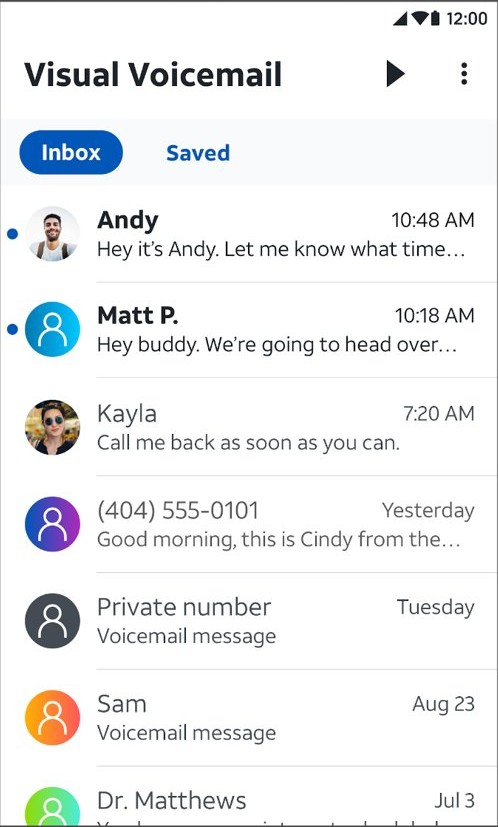
T-Mobile voicemail setup on Android
T-Mobile requires setup from the phone associated with the voicemail on your plan, or from its Visual Voicemail app.
- Press and hold 1 on the keypad, or open the Visual Voicemail app.
- Enter your default PIN when asked. If you do not know it, hang up and dial #793#.
- Wait for the text message with a temporary PIN, then type that PIN on the keypad.
- Create a new PIN of 4 to 7 digits when prompted.
- Record your greeting and your name to complete setup.
T-Mobile deletes saved messages once the auto-save period ends, which runs from 14 to 30 days depending on the voicemail type.
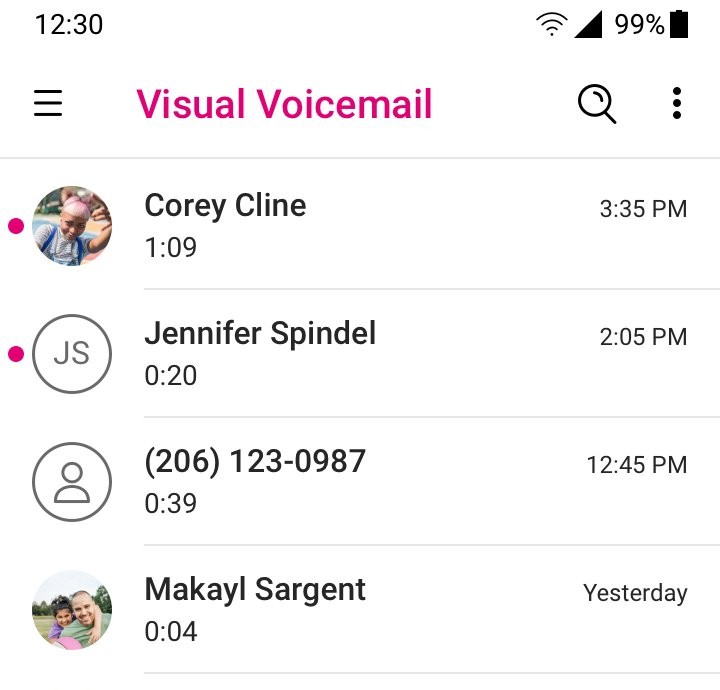
Visual voicemail setup on Android
The Phone by Google app shows each message in a list you can play in any order. It needs Android 9 or later and a carrier that supports the feature: AT&T, Cellcom, Coriolis, Google Fi, O2, Orange and T-Mobile.
- Open the Phone app.
- Tap More options (the three dots), then tap Settings.
- Tap Voicemail.
- Turn on Visual voicemail.
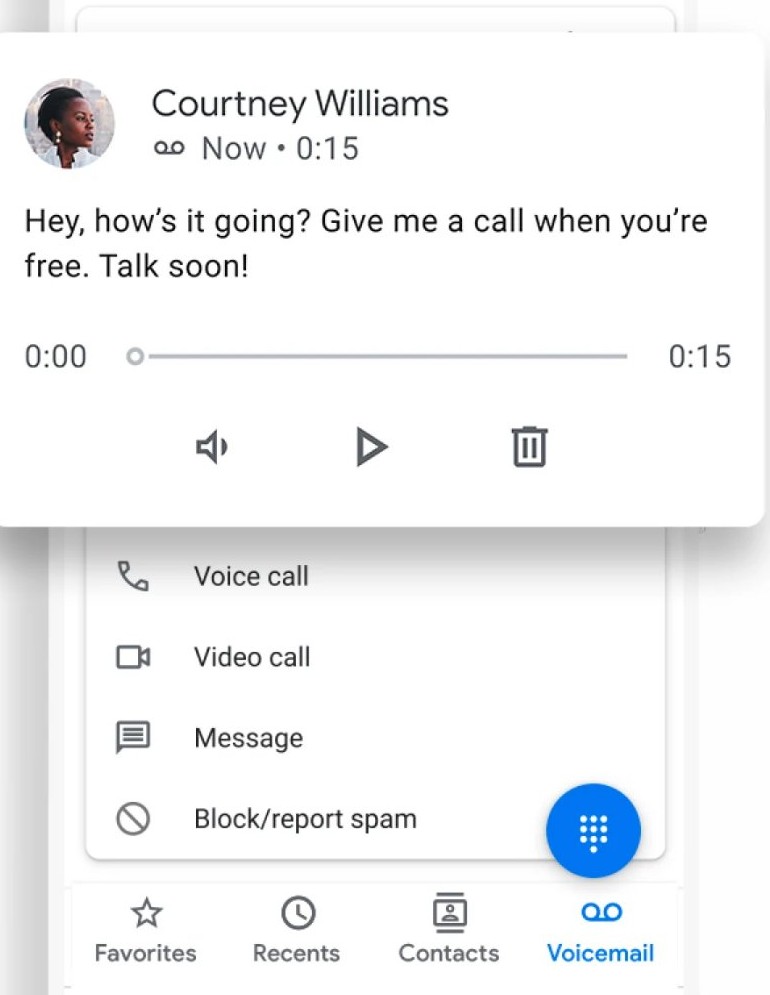
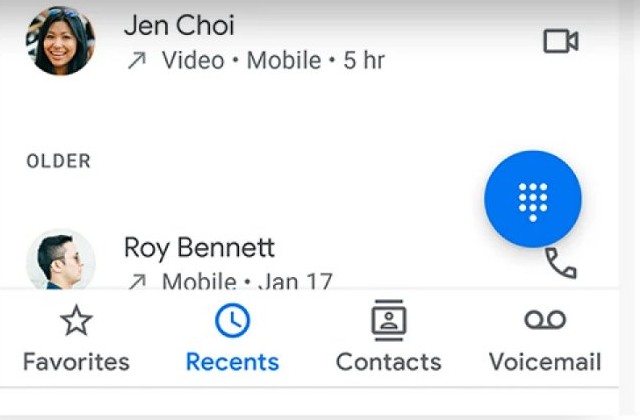
- Return to the main screen and tap Voicemail at the bottom to see your messages.
Using your carrier's own voicemail app turns visual voicemail off in the Phone app. On a phone with two SIMs, each SIM gets its own voicemail tab, and changing the data SIM can switch the feature off.
How to set up voicemail on Android Samsung
Samsung Galaxy phones reach the carrier mailbox the same way as any Android phone. The difference is visual voicemail, which comes from a separate app rather than a tab in the dialer.
- Open the Phone app and switch to the keypad.
- Press and hold 1 to call your carrier's mailbox.
- Create your PIN and record your greeting when prompted.
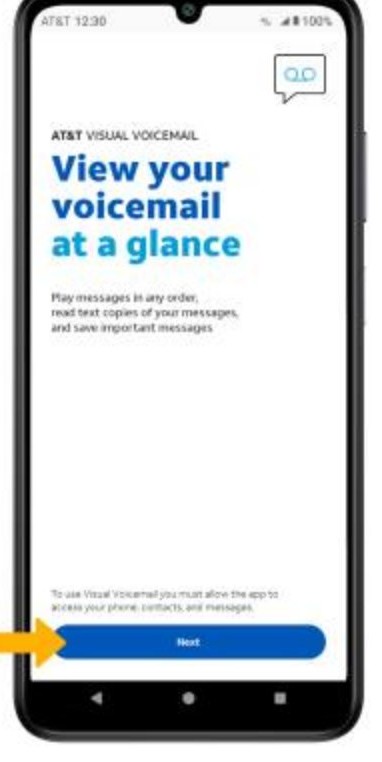
- Open the Visual Voicemail app (AT&T) or the Voicemail app (Verizon) for a message list.
- Enter your voicemail PIN when the app asks for it.
Motorola and other phones that use the Phone by Google app follow the visual voicemail steps above.
Android voicemail settings in the Phone app
In the Phone by Google app, every voicemail option sits under More options > Settings > Voicemail.
| Setting | Where to find it | What it does |
|---|---|---|
| Visual voicemail | Voicemail > Visual voicemail | Shows messages in the Phone app's Voicemail tab |
| Voicemail transcription | Voicemail > Voicemail transcription | Adds English or Spanish text on Android 8.0 or later with a supported carrier |
| Service | Voicemail > Advanced Settings > Service | Picks which carrier handles your voicemail |
| Setup | Voicemail > Advanced Settings > Setup | Sets up the voice mailbox |
| Notifications | Voicemail > Notifications | Changes the alert for new messages |
| Vibration | Voicemail > Notifications > Advanced > Vibration | Makes the phone vibrate for new voicemail |
Transcription carriers include Charter, Comcast (Xfinity), Freedom, O2, T-Mobile on Pixel, Tracfone and Visible. If Voicemail transcription is missing, turn on visual voicemail first. Turning transcription off deletes the recordings and text stored in the Phone app.
How to change voicemail greeting on Android
The greeting is stored in the carrier mailbox, so you change it from the mailbox menu rather than from Android settings.
- Press and hold 1 to call your voicemail.
- Enter your PIN.
- Choose the greeting option from the main menu. On T-Mobile it is 3 – Create a greeting.
- Record the new greeting after the tone.
- Listen back and save it when the menu offers the choice.
To hear the greeting the way callers do, call your own number from another phone or ring straight to voicemail without your phone ringing.
How to check voicemail on Android
A working mailbox shows new messages in three places. Ask a friend to leave a short test message, then use any of these.
- Swipe down from the top of the screen and tap the Voicemail notification.
- Or open the Phone app, tap Dialpad, and press and hold 1.
- Or tap Voicemail at the bottom of the Phone app if visual voicemail is on.
- Expand a message and tap Send to to share the recording with another app.
If the Voicemail tab is missing, call your mailbox instead. The tab only appears when visual voicemail is active.
Why can't I set up voicemail on Android
Pressing and holding 1 does nothing
The phone has no voicemail number stored, or the wrong carrier is selected as the voicemail service.
- Dial your carrier's code directly, for example *86 on Verizon.
- In the Phone app, open Settings > Voicemail > Advanced Settings > Service.
- Make sure your carrier is selected.
No voicemail notifications after switching phones
Your account still has a visual voicemail plan the new phone does not list in the Phone app.
- Ask your mobile service provider to move you to basic voicemail.
- Check that Service under Advanced Settings shows your carrier.
- Restart the phone and leave yourself a test message.
Visual voicemail will not load messages
Visual voicemail downloads messages over cellular data, and Verizon's Android version does not work on Wi-Fi.
- Turn on Mobile data.
- Close your carrier's voicemail app if you want the Phone app's visual voicemail, since the two cannot both be active.
- Turn Visual voicemail off and on again in Settings > Voicemail.
Forgot voicemail password or PIN
The mailbox locks you out until you reset the PIN with the carrier.
- On T-Mobile, dial #793# and type the temporary PIN from the text message.
- On Verizon, reset it in My Verizon or call *611 from your phone.
- On other carriers, contact the carrier's support line.
Tips for setting up voicemail on Android
| Tip | Why it matters |
|---|---|
| Set a PIN on day one | A Verizon mailbox has no password until you create one |
| Avoid repeated or consecutive digits | Verizon refuses them for a first password, and they are easy to guess |
| Keep mobile data on for visual voicemail | Messages download over the cellular connection, not Wi-Fi |
| Save important messages | T-Mobile deletes messages after its 14 to 30 day auto-save period |
| Record the greeting in a quiet room | Callers hear it every time you miss a call |
| Use one voicemail app | A carrier voicemail app switches off visual voicemail in the Phone app |
Android voicemail setup FAQ
How do I set up voicemail on an Android phone?
Open the Phone app, tap the dialpad and press and hold 1. Your carrier's mailbox answers and asks you to create a PIN, record your name and record a greeting. Verizon customers can also dial *86 to start the same setup call.
How do I enable voicemail on Android?
Voicemail is enabled by your carrier, and you activate it by completing the first setup call with 1 or your carrier's code. For a message list, open the Phone app, tap More options, Settings, Voicemail, and turn on Visual voicemail if your carrier supports it.
How do I use voicemail on Android?
Tap the voicemail notification, or press and hold 1 in the Phone app's dialpad to hear messages. With visual voicemail on, tap Voicemail at the bottom of the Phone app and play any message in the order you choose.
How do I set up voicemail on an Android Motorola phone?
Press and hold 1 in the Phone app and follow your carrier's prompts, exactly as on other Android phones. Motorola phones that use the Phone by Google app turn on visual voicemail under More options, Settings, Voicemail.
How do I know if I have a new voicemail?
Android shows a voicemail notification at the top of the screen when a message arrives. With visual voicemail, the message also appears in the Phone app's Voicemail tab. You can change the alert sound or vibration under Settings, Voicemail, Notifications.
Can I access my voicemail from another phone?
Yes. On AT&T, call your own 10-digit mobile number and press * when your greeting plays, then follow the prompts. Verizon customers call their 10-digit number from another phone. T-Mobile customers dial 1-805-637-7249, enter their number and press * during the greeting.
What if I forget my voicemail password?
Reset it through your carrier. T-Mobile customers dial #793# and receive a temporary PIN by text. Verizon customers reset it in My Verizon or by calling *611 from the phone. Other carriers reset it through their support line.
Can I change my voicemail greeting?
Yes. Call your voicemail by pressing and holding 1, enter your PIN, and pick the greeting option in the main menu. On T-Mobile that is option 3, Create a greeting. The new greeting replaces the old one once you save it.
Why can't I set up my voicemail?
The usual causes are a missing voicemail number, the wrong carrier under Voicemail, Advanced Settings, Service, or a forgotten PIN. On T-Mobile, setup must also run from the phone tied to the voicemail on your plan.
Is visual voicemail free on Android?
Basic Visual Voicemail is free on Verizon smartphone plans, and Premium costs $2.99 per line per month. On AT&T, your data plan must include visual voicemail access. Visual voicemail also uses cellular data to download messages.