Open a Small Memory Dump (DMP) file in Windows 11 with WinDbg, the free Microsoft debugger: choose File > Open crash dump, pick the file in C:\Windows\Minidump, then run !analyze -v.
This guide covers installing WinDbg, opening and reading the minidump, configuring Windows to write small dumps, and fixing the usual problems when a dump will not load.
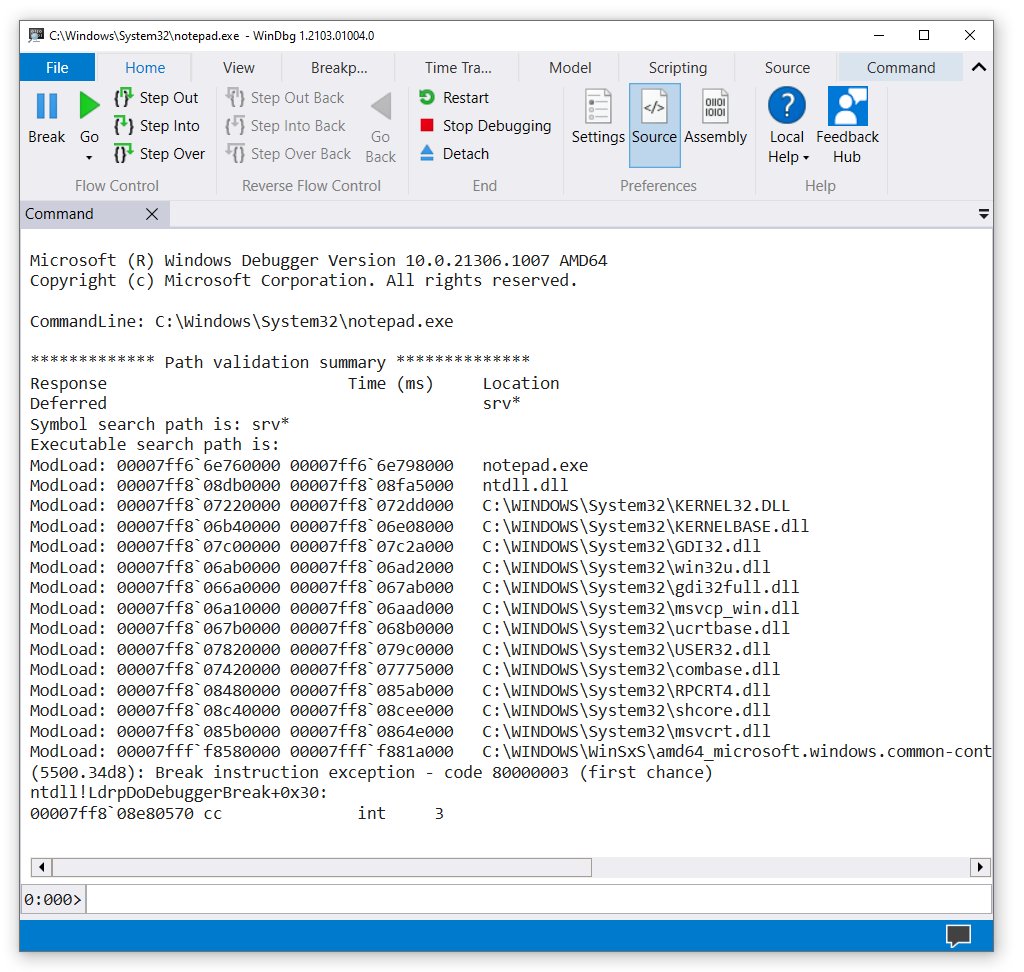
How to open and read Small Memory Dump (DMP) files
WinDbg reads every Windows crash dump type, including the small minidump Windows writes after a blue screen.
- Open Terminal (Admin) and run
winget install Microsoft.WinDbg, or install WinDbg from the Microsoft Store. - Launch WinDbg from the Start menu. Run it as administrator so it can read files in the Windows folder.
- Open the File menu and choose Open crash dump, or press Ctrl + D.
- Browse to
C:\Windows\Minidump, select the newest.dmpfile and select Open. - Wait for the symbols to load, then type
!analyze -vin the command box and press Enter. - Read the bug check code and the MODULE_NAME or IMAGE_NAME lines to see which driver was running at the crash.
If the dump points at a driver, update or roll back that driver first. A dump that names only ntoskrnl.exe usually needs more crashes or a larger dump type to narrow down.
What is a memory dump?
A memory dump is the debugging information Windows writes to disk when it stops on a Stop error, also called a blue screen or bug check. Windows can write one of several dump types.
| Dump type | What it records | Default location |
|---|---|---|
| Small memory dump | Stop code and parameters, loaded driver list, the processor and thread that stopped, the kernel-mode call stack | %SystemRoot%\Minidump, one dated file per crash |
| Kernel memory dump | Memory used by the kernel, HAL and kernel-mode drivers; no user-mode memory | %SystemRoot%\Memory.dmp, overwritten each crash |
| Complete memory dump | All physical memory at the moment of the crash | %SystemRoot%\Memory.dmp, overwritten each crash |
| Automatic memory dump | A kernel memory dump with automatic page file sizing | %SystemRoot%\Memory.dmp |
| Active memory dump | Like a complete dump, but filters out pages unlikely to matter | %SystemRoot%\Memory.dmp |
Small dumps are kept as a history. Windows gives each a date-encoded name, so Mini022900-01.dmp is the first dump from February 29, 2000.
Where to find memory dump files in Windows 11
| File | Path | Registry value that sets it |
|---|---|---|
| Small memory dumps | C:\Windows\Minidump |
MinidumpDir (default %SystemRoot%\Minidump) |
| Kernel, complete, automatic and active dumps | C:\Windows\MEMORY.DMP |
DumpFile (default %SystemRoot%\Memory.dmp) |
Both values live under HKEY_LOCAL_MACHINE\System\CurrentControlSet\Control\CrashControl. If the folder is empty, Windows has not written a dump yet or dump writing is turned off.
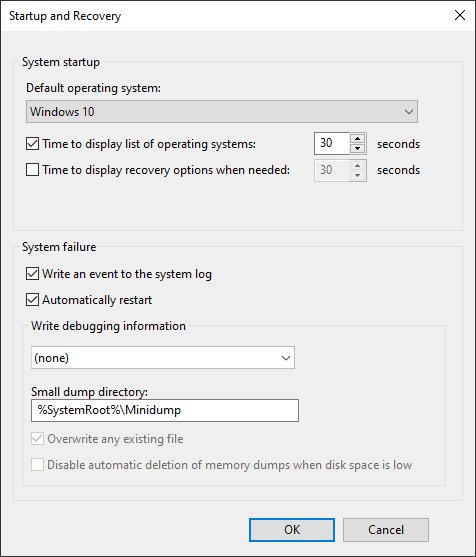
How to configure Windows 11 to create a small memory dump
- Type advanced system settings in the Start search box and open the result.
- On the Advanced tab, under Startup and Recovery, select Settings.
- In the Write debugging information list, select Small memory dump.
- Check the Small dump directory box. Change the path only if you want the files elsewhere.
- Select OK twice and restart Windows so the change takes effect.
Windows needs a paging file of at least 2 MB on the boot volume to write a small dump. A complete memory dump needs a paging file as large as installed RAM plus 257 MB.
To capture a full picture of a hard-to-diagnose crash, choose Complete memory dump or Kernel memory dump in the same list.
Open a minidump with WinDbg from the command line
WinDbg can load a dump straight from Command Prompt or Terminal, with the Microsoft symbol server set in one line.
windbg -y srv*C:\Symbols*https://msdl.microsoft.com/download/symbols -z C:\Windows\Minidump\<file>.dmp-y sets the symbol path, caching symbols from the Microsoft symbol server in C:\Symbols. -z names the dump file to open. Replace <file> with the dump name.
You should see: WinDbg opens with the dump loaded and prints the bug check summary in the command window.
The console debugger kd takes the same switches if you prefer a text-only session.
WinDbg commands to read a minidump
- Type
!analyze -showand press Enter to display the Stop code and its parameters. - Type
!analyze -vand press Enter for the verbose analysis, including the probable cause. - Type
lm N Tand press Enter to list the loaded modules with their status and path. - Look up the bug check code on Microsoft Learn's bug check reference to see what the Stop error means.
Dumpchk.exe, part of Debugging Tools for Windows, can also confirm that a dump file was written correctly without needing symbols.
How to create a memory dump to test WinDbg
Windows can deliberately crash from the keyboard so you can prove dumps are written. Save your work first, because the crash stops the PC immediately.
- Open Registry Editor and go to
HKEY_LOCAL_MACHINE\System\CurrentControlSet\Services\kbdhid\Parametersfor a USB keyboard, or...\Services\i8042prt\Parametersfor a PS/2 or many laptop keyboards. - Create a DWORD (32-bit) Value named
CrashOnCtrlScrolland set it to1. - Restart the PC.
- Hold the right Ctrl key and press Scroll Lock twice.
- After the restart, open the new dump in WinDbg. It should report bug check
0xE2MANUALLY_INITIATED_CRASH.
Delete the CrashOnCtrlScroll value afterwards so the shortcut cannot crash the PC by accident.
Memory dump file not opening or not created
The Minidump folder is empty after a blue screen
Dump writing is set to none, or the paging file is missing or too small.
- Open Startup and Recovery settings and confirm Write debugging information is not set to (none).
- Confirm the boot drive has a paging file of at least 2 MB.
- Restart Windows after any change.
Access denied when opening the dump
Files under C:\Windows need administrator rights to read.
- Close WinDbg.
- Right-click WinDbg in Start and choose Run as administrator.
- Open the dump again, or copy it to your Desktop first and open the copy.
WinDbg shows symbol errors or wrong module names
The symbol path is not set, so WinDbg cannot match the dump to Windows binaries.
- Type
.symfix C:\Symbolsand press Enter to point at the Microsoft symbol server. - Type
.reloadand press Enter. - Run
!analyze -vagain.
How to get rid of memory dump files
- Copy any dump you still need to analyze to another folder.
- Open
C:\Windows\Minidumpin File Explorer and delete the old.dmpfiles, approving the administrator prompt. - Delete
C:\Windows\MEMORY.DMPif it exists and you no longer need it. - To stop new dumps, set Write debugging information to (none) in Startup and Recovery and restart.
Turning dumps off removes the evidence you need if blue screens return, so a small memory dump is the better low-space setting.
Small memory dump FAQ
How do I open a memory dump file?
Install WinDbg from the Microsoft Store or with winget install Microsoft.WinDbg. Open it as administrator, choose File > Open crash dump, select the .dmp file and run !analyze -v to see the cause of the crash.
What is a memory dump?
A memory dump is a file Windows writes when it stops on a blue screen error. It holds the Stop code, the loaded drivers and the state of the thread that failed, so a debugger can show what caused the crash.
Where do I find memory dump files?
Small memory dumps are in C:\Windows\Minidump, one dated file per crash. Kernel, complete, automatic and active dumps are written to C:\Windows\MEMORY.DMP, which is overwritten by the next crash.
How do I enable a complete memory dump?
Open Advanced system settings, select Settings under Startup and Recovery and choose Complete memory dump in Write debugging information. The paging file must hold all installed RAM plus 257 MB. Restart Windows to apply it.
How do I create a memory dump in Windows?
Windows creates one automatically on every Stop error when dump writing is enabled. To create one on demand, set the CrashOnCtrlScroll registry value, restart, then hold right Ctrl and press Scroll Lock twice.
How do I fix a memory dump?
A dump is not broken in itself; it records a crash. Open it in WinDbg, note the driver named by !analyze -v, then update, roll back or remove that driver. If the file will not load, check the symbol path and administrator rights.
How do I get rid of memory dump files?
Delete the files in C:\Windows\Minidump and the C:\Windows\MEMORY.DMP file in File Explorer with administrator approval. To stop new ones, set Write debugging information to (none) in Startup and Recovery.
Can I open a DMP file without WinDbg?
Microsoft's own tools for reading kernel dumps are WinDbg, the KD console debugger and Dumpchk.exe. Dumpchk only verifies a dump and shows basic details; WinDbg is needed to analyze the cause.