To cancel your Audible subscription, sign in at Audible.com, select your name, choose Membership details, select Cancel membership, then select Confirm cancellation.
That works when Audible bills you directly; this guide also covers Apple App Store and Google Play billing, pausing instead, and what happens to your credits and books.
How to cancel my Audible subscription (desktop website)
Use a computer browser and the account that holds the active membership. You can sign in with your Amazon account details.
- Go to Audible.com and sign in.
- Select your name in the top navigation.
- Select Membership details.
- Select the Cancel membership link.
- Work through any offers or reason prompts Audible shows on the way.
- Select Confirm cancellation.
Audible then sends a confirmation email. Your benefits stay active until the end of the current billing cycle.
Which cancellation method should you use?
The right route depends on who bills you, not on which device you listen on.
| How you pay | Where to cancel | Why |
|---|---|---|
| Audible charges your card directly | Audible.com, Membership details | Audible holds the subscription |
| Charge comes from Apple | iPhone or iPad Settings, Subscriptions | Apple bills it, so the Audible site cannot cancel it |
| Charge comes from Google Play | Google Play Store, Payments & subscriptions | Google bills it, so the Audible site cannot cancel it |
| You want to keep credits for later | Pause membership on Audible.com or in the app | Payments stop for 30 to 90 days without losing credits |
| None of the above works | Audible Contact us page | Customer service can find the account that bills you |
Why is cancelling Audible so confusing?
Three things trip most people up: billing partners, more than one account, and the app itself.
| Source of confusion | What is going on |
|---|---|
| No cancel button in the app | Deleting or uninstalling the Audible app does not cancel a membership |
| Cancel link missing on Audible.com | The membership is billed by Apple or Google, or you are signed in to a different account |
| Amazon sign-in | Audible accounts use Amazon credentials, so a second Amazon login can hold a separate membership |
| Offers before the final button | Audible shows pause and plan-switch options before you confirm |
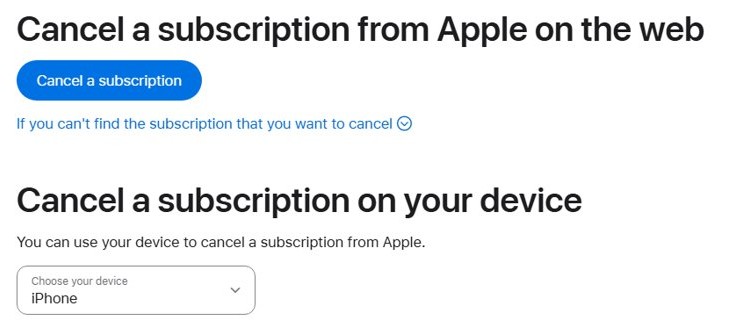
Other ways to cancel your Audible membership
Use these routes for mobile browsers, Apple billing and Google Play billing. If you signed up through Amazon, sign in to Audible.com with the same Amazon details and use the website steps.
Cancel on a phone browser (mobile web)
Audible billing, no computer handy.
- Open Audible.com in your phone's browser and sign in.
- Select the main menu, then select your name.
- Select Membership details.
- Select Cancel membership, then Confirm cancellation.
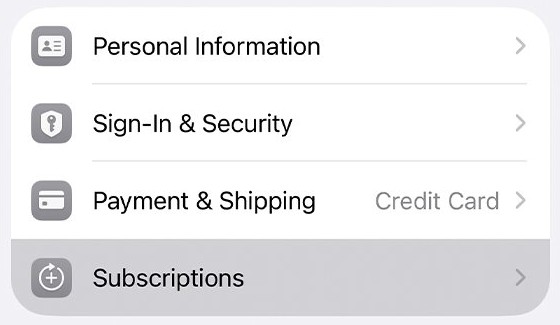
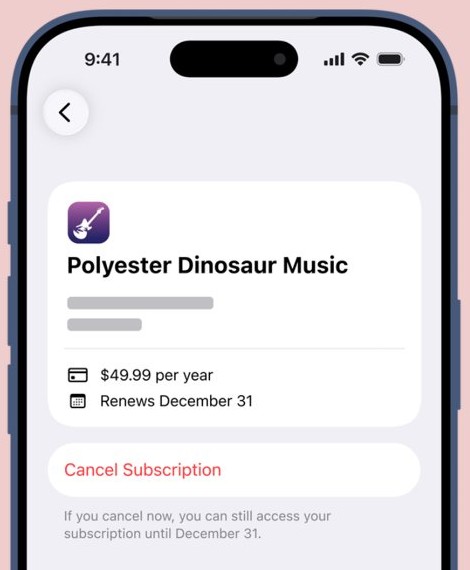
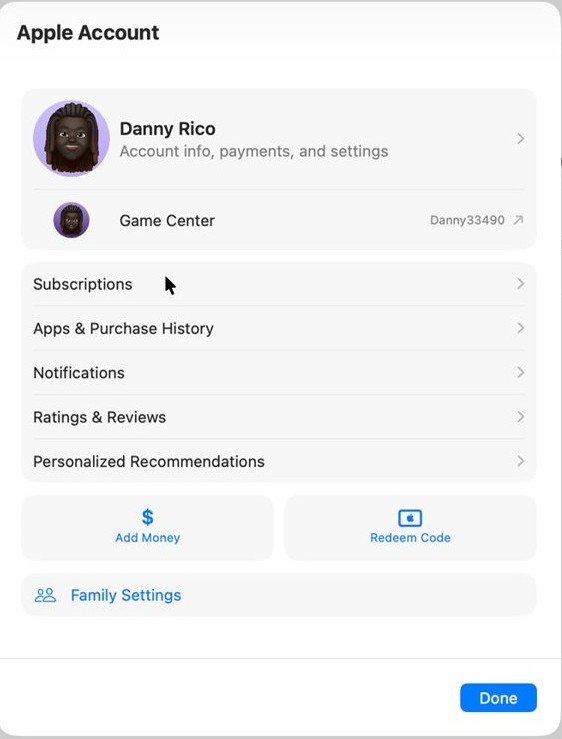
Cancel an iPhone or iPad subscription in Settings
Apple bills the membership.
- Open Settings or the App Store app.
- Tap your name.
- Tap Subscriptions, then tap Audible.
- Tap Cancel Subscription and confirm.
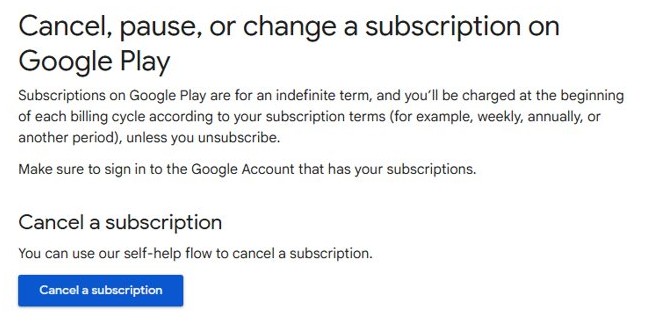
Cancel an Android subscription in Google Play
Google Play bills the membership.
- Open the Google Play Store and select your Profile icon.
- Select Payments & subscriptions, then Subscriptions.
- Select Audible, then Cancel subscription.
- Choose a reason and select Continue.
Pause your membership instead
Monthly plan with at least 30 days of paid membership; annual plans cannot pause.
- On Audible.com, select your name, then Membership details.
- Select the Pause membership link. In the app, go to Profile, the Membership tab, then Manage.
- Choose 30, 60 or 90 days.
- Confirm the pause.
Cancel by phone or live chat
Online routes fail or you cannot find the billing account.
- Open the Contact us page on Audible.com.
- Sign in and choose the membership topic.
- Pick the phone or chat option offered and ask an agent to cancel.
What happens to your credits, books and billing
Titles you bought with a credit or a card stay in your Library, and you can download them as often as you like after you cancel.
Unused membership credits are forfeited at the end of your final billing cycle. Credits issued through the App Store or Google Play do not expire and stay on the account.
Titles from the included catalog lock and show a lock icon. They unlock again if you rejoin.
Spend every remaining credit and download the audiobooks you want before you confirm the cancellation. Benefits run until the end of the billing cycle you already paid for, but leftover credits vanish when it ends.
How to confirm your Audible membership is cancelled
- Look for the cancellation confirmation email from Audible.
- Sign in to Audible.com, select your name and open Membership details.
- Check that the page no longer shows a next billing date.
- For Apple or Google billing, open Subscriptions again; if Cancel Subscription is gone, it will not renew.
Still can't cancel? Try these fixes
No Cancel membership link on Audible.com
Apple or Google bills the plan, or you are in the wrong account.
- Check your bank statement for an Apple or Google charge.
- If it is Apple or Google, cancel in that store instead.
- Otherwise sign out and sign in with your other email address or Amazon login.
Still charged after deleting the app
Removing the app never cancels a membership.
- Follow the website steps or the store steps above.
- Confirm the cancellation email arrives.
Cancel my Amazon Audible subscription but the charge says Amazon
The Audible membership is tied to an Amazon login.
- Sign in to Audible.com with that Amazon email and password.
- Open Membership details and cancel there.
- If nothing shows, contact Audible customer service from Contact us.
Frequently asked questions
How do I cancel my Amazon Audible subscription?
Sign in to Audible.com with the Amazon email and password tied to the membership. Select your name, open Membership details, select Cancel membership, then Confirm cancellation. If Apple or Google bills you, cancel in that store.
Can I cancel Audible from the app?
Deleting the Audible app does not cancel your membership. Cancel on Audible.com, or in the App Store or Google Play Store if they bill you. The app can pause an eligible monthly membership from Profile, Membership, Manage.
Do I lose my audiobooks if I cancel Audible?
No, any title you bought with a credit or a card stays in your Library and can be downloaded again any time. Titles from the included catalog lock after cancellation and unlock if you rejoin.
What happens to my unused Audible credits?
Unused membership credits are forfeited at the end of your final billing cycle, so spend them first. Credits issued through the Apple App Store or Google Play do not expire and remain on the account.
Will Audible refund my last charge?
Audible's cancellation pages do not promise a refund. Your benefits continue until the paid period ends. To ask about a recent charge, contact Audible customer service through the Contact us page.
Can I resubscribe to Audible later?
Yes, your Audible account stays active after cancellation and you can rejoin a membership at any time. Locked included-catalog titles come back when you rejoin. With Apple or Google billing, wait until the cancellation completes first.
Can I pause Audible instead of cancelling?
Yes, eligible monthly members can pause for 30, 60 or 90 days, up to 90 days every 12 months. You need 30 days of paid membership first, and annual plans cannot be paused.
Is there an Audible cancel subscription phone number?
Audible routes phone and chat support through its Contact us page on Audible.com. Sign in, pick the membership topic and choose the contact option offered for your region.
Quick summary
Cancel on Audible.com under Membership details, or in the App Store or Google Play if they bill you. Use up your credits first, because they are forfeited when the final billing cycle ends, while purchased books stay yours.