You can put Fubo on a Windows 11, Windows 10 or Mac desktop in about a minute. Sign in at fubo.tv in Edge or Chrome, then install the page as an app. Windows adds a Start menu shortcut, and the live TV player opens in its own window.
The Fubo app is free to install on computers, phones and TVs. Watching needs a paid plan, and some plans start with a free trial for new customers.
Below are the official links, the Windows and Mac setup, the phone apps, plan choices and fixes for playback that stalls.
Which Fubo download do you need?
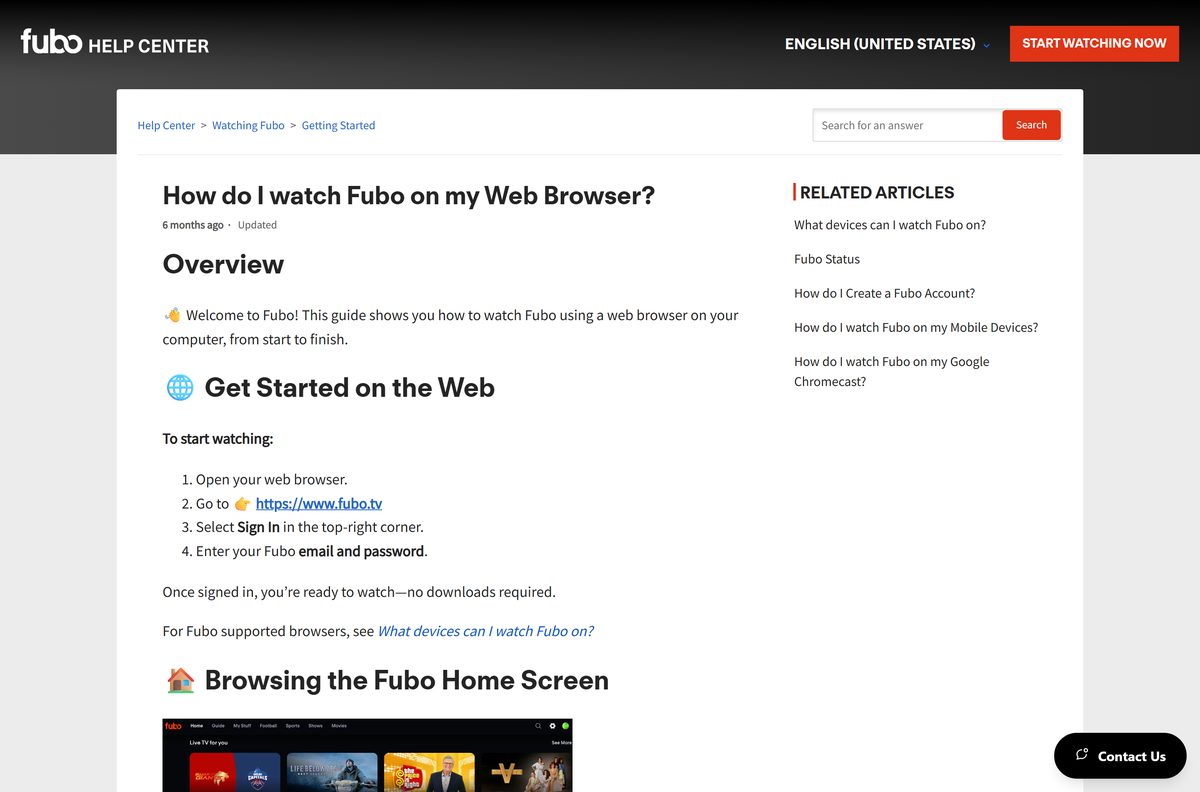
Match the device in front of you to a row. One Fubo account signs in on all of them.
| Your device | What to get | Minimum |
|---|---|---|
| Windows 11 or Windows 10 PC | Sign in at fubo.tv, then install it as an app in Edge or Chrome | Latest Chrome, Edge or Firefox |
| MacBook, iMac or Mac mini | Sign in at fubo.tv in Safari or Chrome | Latest Safari, Chrome, Edge or Firefox |
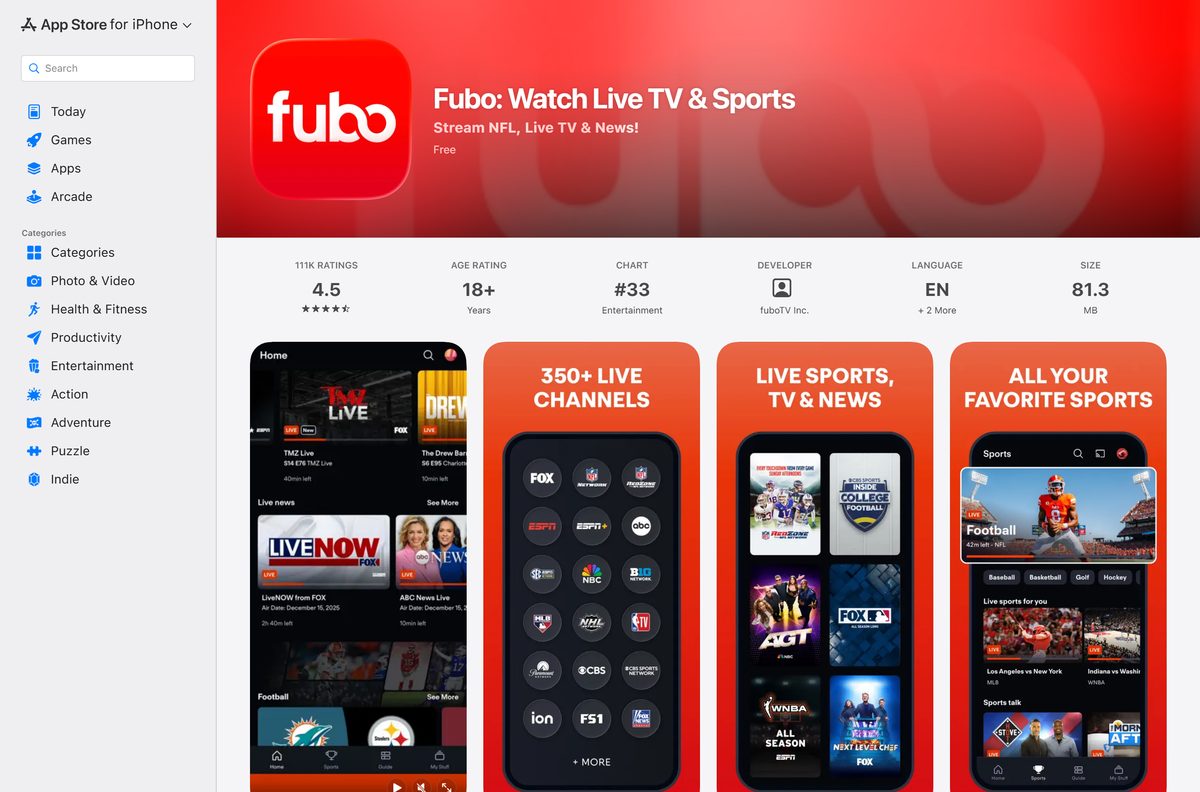
| iPhone or iPad | Fubo on the App Store, 81.3 MB | iOS or iPadOS 17.0 |
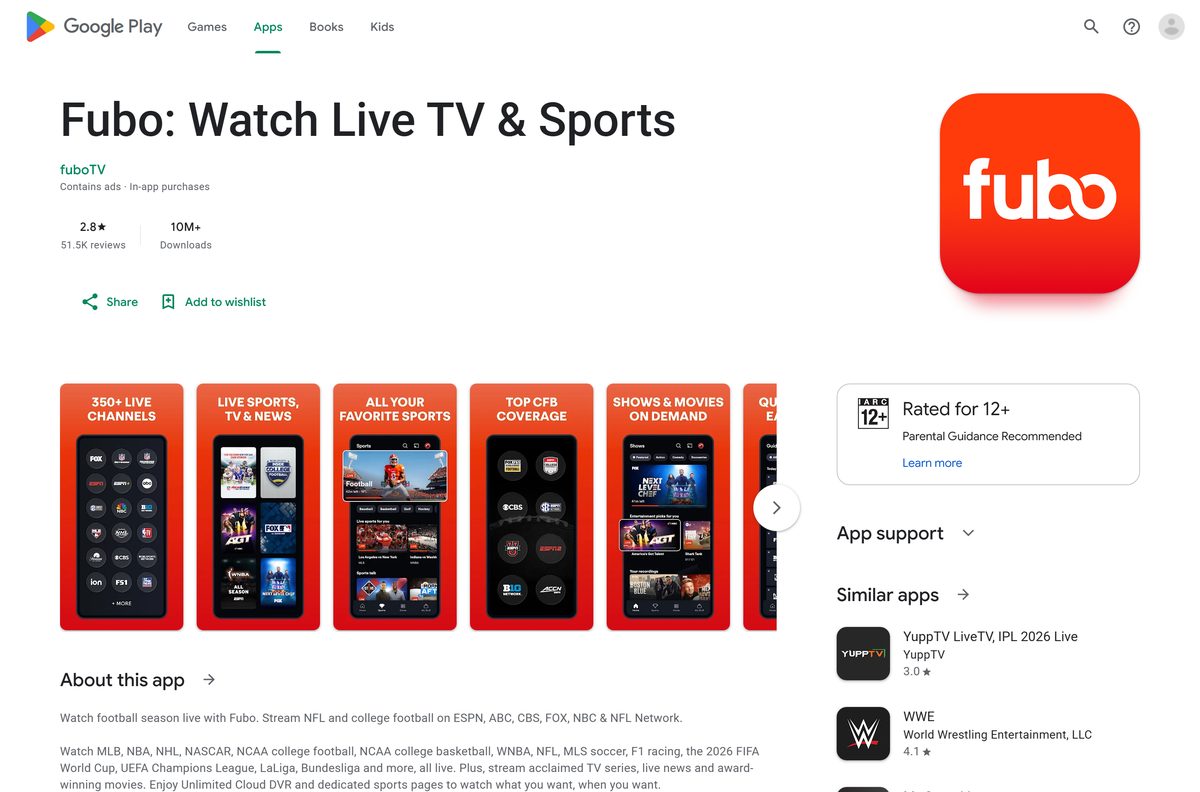
| Android phone or tablet | Fubo on Google Play | Android 7.0, Play Protect certified |
| Smart TV, streaming stick or Xbox | Per-device steps in the Fubo Help Center | See the device list |
A computer gets no setup file. The shortcut you install belongs to the browser, and the player loads from fubo.tv.
Download Fubo from its official pages
Every link below is published by Fubo or by the store that distributes its apps.
- fubo.tv, the sign-in and web player — Chrome, Edge, Firefox or Safari on Windows and Mac
- How do I install the Fubo app? — official steps for every supported device
- Fubo on the App Store — 81.3 MB · seller fuboTV Inc.; iPhone, iPad, Apple Vision and Apple TV
- Fubo on Google Play — package tv.fubo.mobile
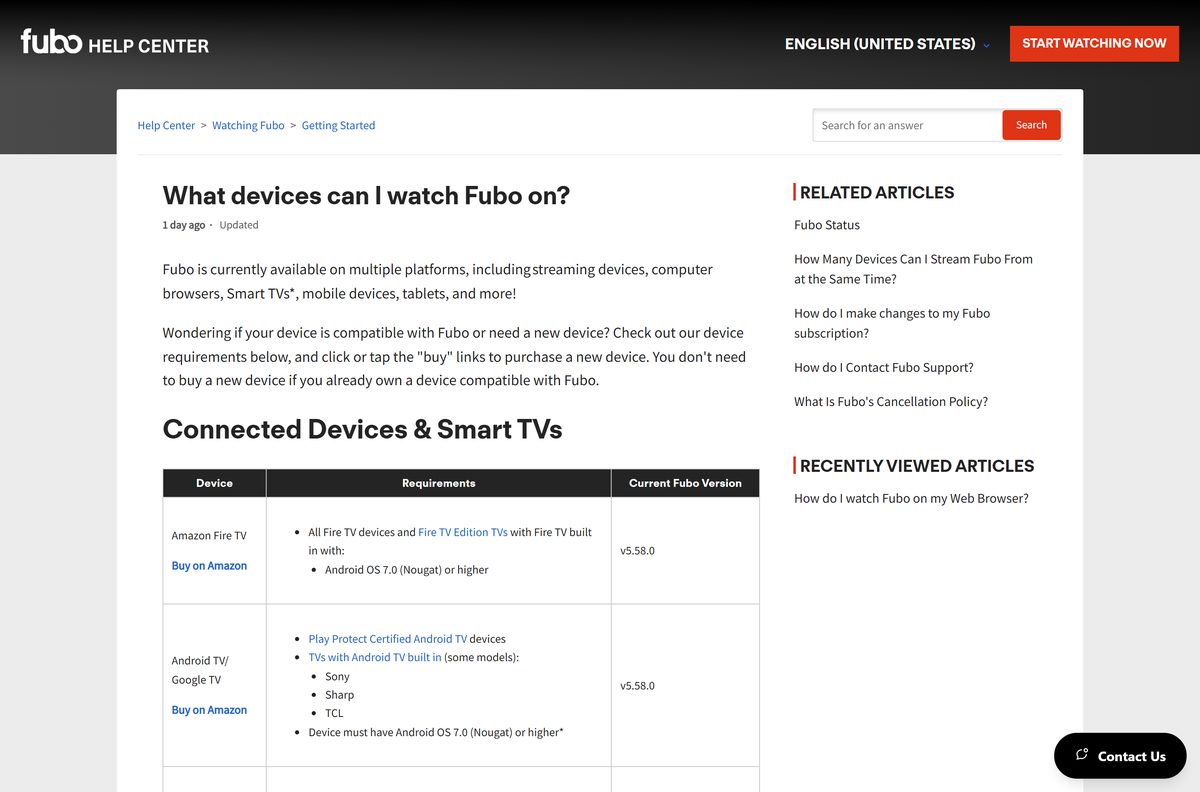
- What devices can I watch Fubo on? — browser, phone and TV requirements
A site offering a Fubo exe, msi or dmg for a computer is not Fubo.
Check the Fubo system requirements before you sign up
The floor is a current browser, a fast enough connection and a United States location. No processor, memory or disk figure applies to a computer.
| Field | Value |
|---|---|
| Software | Fubo |
| Developer | fuboTV Inc. |
| Latest version | 8.5.0 (App Store build; the web player is not versioned) |
| License | Free to install; a paid plan is needed to watch, with a free trial on some plans |
| Windows | Windows 11 and Windows 10 with the latest Chrome, Edge or Firefox |
| macOS | Latest Safari, Chrome, Edge or Firefox |
| Mobile | iOS and iPadOS 17.0+ (App Store build), Android 7.0+ |
| Architecture | Browser-based on desktop: x64, ARM64 and Apple silicon |
| Desktop download size | None; nothing installs on a PC or a Mac |
| App Store size | 81.3 MB |
| Offline installer | No |
| Internet speed | 7+ Mb/s for 720p on the web, 25+ Mb/s for 4K |
| Availability | United States and U.S. territories |
| Last verified | 2026-09-25 |
Three 720p streams at once need about 21 Mb/s. Fubo’s speed guide lists the rest.
How to install Fubo on Windows 11 and 10
Edge and Chrome both turn the Fubo player into a Start menu entry. The window drops the address bar and behaves like any other desktop app.
- Open Microsoft Edge or Google Chrome and go to fubo.tv.
- Select Sign In in the top-right corner.
- Enter your Fubo email and password, then pick a profile.
- In Edge, select the three dots, then Apps, then Install this site as an app.
- In Chrome, select the three dots, then Cast, save and share, then Install page as app.
- Name the shortcut and select Install.
- Right-click the new Start menu entry and choose Pin to taskbar.
No account yet? Start the sign-up on fubo.tv, confirm the trial end date at checkout, then sign in.
Which Fubo download do you need for your Mac?
Every Mac uses the same web player, so the chip inside does not change the answer. The browser does.
| Your Mac browser | What to do | Result |
|---|---|---|
| Safari | Sign in at fubo.tv | Plays in a Safari tab; allow cookies for fubo.tv |
| Google Chrome | Sign in at fubo.tv, then Install page as app | A Fubo window with its own Dock icon |
| Microsoft Edge | Sign in at fubo.tv, then Install this site as an app | A Fubo icon in the Dock |
| Firefox | Sign in at fubo.tv | Plays in a Firefox tab |
Apple’s Mac catalogue lists no Fubo build. The App Store app runs on iPhone, iPad, Apple Vision and Apple TV instead.
Install the Fubo app on a phone or tablet
The phone apps are free and sign in with the same account as the desktop player.
- On an iPhone or iPad, open the App Store listing and tap Get.
- On Android, open the Google Play listing and tap Install.
- Wait for the download to finish, then tap Open.
- Select Sign In and enter your Fubo email and password.
- Choose a profile and start a channel from the Guide.
If the store shows no Fubo app, check that the device’s country is set to the United States.
Is Fubo free?
Installing costs nothing. Watching live channels needs a paid plan.
Start with the free trial if your plan offers one, then keep the plan only if your channels are in it. Some Fubo plans include a free trial for new customers. You enter a credit or debit card, the checkout page shows the exact end date and time, and the trial converts to a paid plan when it ends. Former subscribers may get Fubo Free, which plays 170+ ad-supported channels on select devices, but not local channels or regional sports.
Fubo publishes current prices on fubo.tv, and they vary by plan and add-on. Read the free trial rules before you enter a card.
Which Fubo plan should you pick, Pro or Elite?
Both plans carry the Fubo base channels, Unlimited DVR and Unlimited Screens. The split is picture quality and extras.
Choose Elite if you watch on a 4K TV. Choose Pro for everything else. Elite adds 4K, Fubo Extra and News Plus to the base plan. On a laptop or phone, 4K rarely matters, and Pro covers the same regional MLB, NHL and NBA games where available. Core, Ultra and Sports + News exist only in select markets, and Latino is the Spanish-language plan.
See every current plan and add-on in What Plans and Add-ons does Fubo Have?.
What Fubo runs on, and how many screens you get
One plan covers every device below. Stream limits follow the plan, not the hardware.
| Device | Requirement |
|---|---|
| Web browsers on PC and Mac | Latest Chrome, Edge, Firefox or Safari |
| iPhone and iPad | App Store build needs iOS or iPadOS 17.0 |
| Android phones and tablets | Android 7.0 Nougat or higher, Play Protect certified |
| Apple TV | 4th generation or newer, tvOS 13.0 or higher |
| Amazon Fire TV | Android OS 7.0 or higher |
| Roku | Full support on model 3700X or newer |
| Samsung, LG and Vizio TVs | Samsung 2017+, LG 2018+ with webOS 4.0, Vizio SmartCast 2016+ |
| Xbox | Xbox One, One S and One X |
| Simultaneous streams | 10 on your Home Network plus 3 away from home |
The three away-from-home streams must run on phones, tablets or web browsers. See Fubo’s screen limits for the Latino plan.
How to check your Fubo version and update it
The web player updates itself on the server, so a desktop needs no update step. Phones and tablets do.
- On Windows or Mac, keep the browser current: open its About page and restart it when an update is waiting.
- Reload fubo.tv to pick up the newest player.
- On an iPhone or iPad, open the App Store, tap your account picture and find Fubo under updates.
- Tap Update next to Fubo if it appears.
- On Android, open Google Play, tap your profile icon, then Manage apps & device.
- Select Updates available and update Fubo.
Fubo ended support for Fire TV and Android devices that cannot run Android 7.0, so update the operating system first on older hardware.
Fix Fubo not working on Windows 11 or 10
Most desktop failures are a location check, a browser extension or a weak connection, not a broken install.
Fubo shows an error or loads only part of the page
A VPN or proxy that hides your location. Fubo cannot be used through a VPN.
- Disconnect the VPN or proxy.
- Reload fubo.tv and sign in again.
- Check the Fubo Status page for an outage.
Video will not play, or playback stalls
An ad blocker, a browser extension or blocked cookies.
- Turn off ad blockers and extensions for fubo.tv.
- Allow cookies and pop-ups for fubo.tv.
- Refresh the page or restart the browser.
- Change to another channel, then switch back.
The picture buffers or drops to low quality
The connection is below the speed the stream needs.
- Close other apps and tabs that use the connection.
- Test your speed; 720p on the web needs 7 Mb/s or more.
- Unplug the router for about a minute, then plug it back in.
- Relaunch Fubo when the network is back.
The browser offers no option to install the page as an app
Safari or Firefox, which lack that command, or an old Edge or Chrome build.
- Open the page in Microsoft Edge or Google Chrome.
- Update the browser from its About page and restart it.
- Follow the Common Troubleshooting Steps if the problem stays.
How to uninstall Fubo and cancel the plan
Removing the app does not stop billing. Cancel the subscription separately.
- On Windows, open Start, right-click the Fubo shortcut and choose Uninstall.
- Sign in at fubo.tv and choose a profile.
- Click the settings icon, then My Account.
- Select Subscription, scroll down and select Cancel.
- Skip any discount offer and click CANCEL SUBSCRIPTION.
- Click OK on the confirmation page.
A canceled trial ends at once, while a paid plan runs to the end of the billing period. Roku-billed plans cancel at Roku; see How do I Cancel My Fubo Subscription?.
Which other ways can you watch Fubo?
The desktop player is one of several front doors to the same account.
| Route | Who it suits | What you need |
|---|---|---|
| fubo.tv in a browser | Windows and Mac | Latest Chrome, Edge, Firefox or Safari |
| The App Store build | iPhone, iPad and Apple TV | iOS or iPadOS 17.0 for the current build |
| The Google Play build | Android phones and tablets | Android 7.0 or newer |
| Roku, Fire TV and smart TVs | The main living-room screen | A supported model |
| Chromecast | Casting from a phone | Chromecast 2nd gen or newer |
| Fubo Free | Former subscribers | Select devices; not Roku or Samsung TV |
For a 4K picture, use a TV device with the Elite plan rather than a browser tab.
Frequently asked questions
Is there a Fubo download for Windows 11 or Windows 10?
There is no setup file. Fubo supports the latest Chrome, Edge, Firefox and Safari on PC and Mac, so you sign in at fubo.tv and, in Edge or Chrome, install the page as an app. Windows then adds a Start menu shortcut that opens in its own window.
Is the Fubo app free to download?
Yes. The App Store and Google Play builds are free, and installing the desktop shortcut costs nothing. Watching needs a paid Fubo plan. Some plans include a free trial for new customers, which requires a credit or debit card at sign-up.
How long is the Fubo free trial?
The length varies by plan and offer, and Fubo shows the exact end date and time at checkout. The trial is for new customers only. Cancel before it ends to avoid the first charge; canceling ends the trial immediately.
Is there a Fubo app for Mac?
No. Apple’s Mac catalogue lists no Fubo build, and the App Store version targets iPhone, iPad, Apple Vision and Apple TV. On a Mac you sign in at fubo.tv in Safari, Chrome, Edge or Firefox, and Chrome can install the page as an app.
Is there a Fubo offline installer?
No. Fubo compiles nothing for Windows or macOS, so there is no exe, msi, dmg or pkg to keep. The web player loads from fubo.tv each time and streams live, so it needs an internet connection anyway.
How big is the Fubo app?
The App Store build 8.5.0 is 81.3 MB, or 81,340,416 bytes, and needs iOS or iPadOS 17.0 or later. On a PC or a Mac nothing is downloaded, because the player runs inside the browser.
Does Fubo run on ARM64 laptops and Apple silicon Macs?
Yes. The desktop route is a web player, so it runs wherever a current Chrome, Edge, Firefox or Safari runs. That covers x64 PCs, Windows on ARM laptops, and Intel or Apple silicon Macs.
What is the latest version of Fubo?
The App Store build is 8.5.0, released on 16 September 2026. The web player at fubo.tv has no version number, because Fubo updates it on the server. TV apps carry their own numbers, listed on Fubo’s device page.
Is the Fubo app safe to install?
Yes, from official sources. Get it from the App Store, Google Play or your TV’s own store, or use fubo.tv in a browser. Any site offering a Fubo exe or dmg for Windows or Mac is not Fubo, so skip it.
How many screens can watch Fubo at once?
Current English plans allow up to 10 devices at once on your Home Network, plus 3 more away from home on phones, tablets or web browsers. That is 13 streams in total. The Latino plan allows 2 by default.
Why won’t Fubo play in my browser?
The usual causes are a VPN, an ad blocker or an out-of-date browser. Fubo cannot be used through a VPN. Update the browser, turn off extensions for fubo.tv, allow cookies and pop-ups, then reload the page.
Does Fubo work outside the United States?
Mostly no. Fubo’s US programming is available only in the United States and U.S. territories. Canada and Spain have separate Fubo services with different channels, and a VPN blocks playback on any plan.






