To get a Steam refund, sign in at help.steampowered.com, select the purchase and choose I'd like to request a refund; Valve approves games bought within the last 14 days and played for under two hours, for any reason.
This guide covers the full request, the rules for DLC, gifts, pre-purchases, subscriptions and Steam Deck hardware, where the money lands, and what to do when a refund is late or denied.
Can you get a refund on Steam?
Yes. Request it at help.steampowered.com within 14 days of purchase and with less than two hours of playtime, and Valve refunds the game for any reason, including a PC that misses the requirements or a game you simply did not enjoy. Valve's refund policy promises a full refund within a week of approval, paid to your Steam Wallet or back to the original payment method. Requests outside the 14-day and two-hour limits are still reviewed, so it is worth asking even when you miss them.
Step-by-step guide to requesting a Steam refund
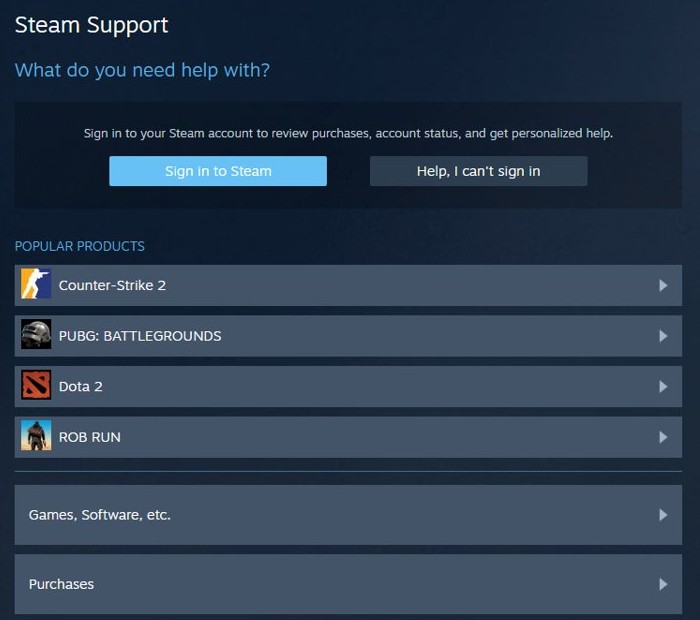
The request is made on the Steam Support site, so sign in with the same account that made the purchase.
- Open help.steampowered.com in a browser.
- Select Sign in to Steam and sign in with the account that made the purchase.
- Select Purchases, or Games, Software, etc. if you are refunding a game from your library.
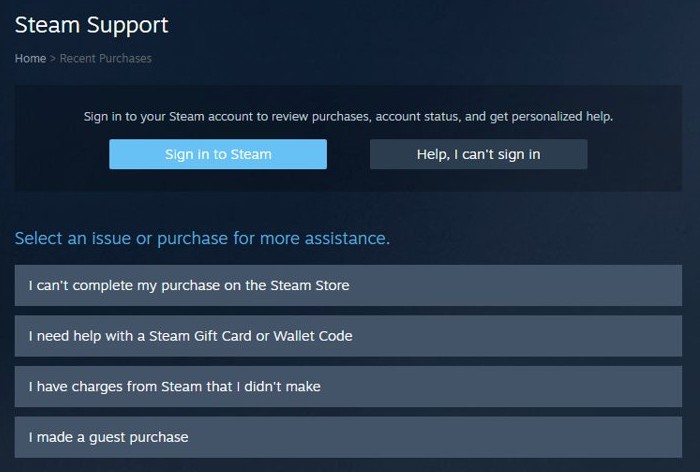
- Select the game, DLC, bundle or order you want refunded.
- Select the problem you are having with that purchase.
- Select I'd like to request a refund.
- Choose where the money goes: your Steam Wallet or the original payment method, where that method supports refunds.
- Pick the reason category, add a short note explaining the problem, and submit the request.
Once Valve approves the request, the full amount arrives within a week. Games bought through the Xbox app or Microsoft Store come under Microsoft Store and Xbox refund rules instead.
Understanding Steam's refund policy
Every purchase type has its own window. The 14-day and two-hour rule covers games and software; other content follows the limits below.
| Purchase type | Refund window | Condition |
|---|---|---|
| Games and software | 14 days from purchase | Played for less than two hours |
| DLC | 14 days from purchase | Base game played under two hours since the DLC was bought; DLC not consumed, modified or transferred |
| In-game items in Valve games | 48 hours from purchase | Item not consumed, modified or transferred |
| In-game items in other games | Only if the developer opts in | Steam says at checkout whether the item is refundable |
| Bundles | 14 days from purchase | Combined playtime of every item under two hours; nothing transferred |
| Steam Wallet funds | 14 days from purchase | Bought on Steam and none of the funds spent |
| Renewable subscriptions | 48 hours after purchase or after each renewal | Subscription not used in the current billing cycle |
| Pre-purchases | Any time before release; 14 days from release date after that | Early Access and Advance Access playtime counts toward the two hours |
| Gifts | 14 days from purchase | Under two hours of playtime; a redeemed gift needs the recipient to request it |
What Steam purchases are not refundable
| Purchase | Why Steam will not refund it |
|---|---|
| CD keys and Steam Wallet cards bought from other stores | Valve cannot refund purchases made outside Steam; ask the seller instead |
| Games you were VAC banned in | A Valve Anti-Cheat ban removes the right to a refund for that game |
| Movies, series, episodes and tutorials | Video content is not refundable unless it came in a bundle with refundable non-video items |
| DLC marked nonrefundable on its store page | Some third-party DLC, such as content that irreversibly levels up a character, is excluded before purchase |
| In-game items already used | Consumed, modified or transferred items no longer qualify |
| Steam Wallet funds already spent | Wallet refunds apply only to unused funds |
If you redeemed a Steam key bought from a reseller, the refund has to come from that reseller, not from Valve.

Gathering necessary information for your refund request
| What to check | Limit | Why it matters |
|---|---|---|
| Account | The account that bought the item | Only that account sees the purchase on the support site; a redeemed gift is refunded by the recipient |
| Purchase date | Within 14 days (48 hours for in-game items and subscriptions) | Pre-purchases count from the release date, not the purchase date |
| Playtime | Under two hours | For DLC, only playtime on the base game since the DLC was bought counts |
| Item state | Not consumed, modified or transferred | Applies to DLC, in-game items and bundle contents |
| Payment method | Must support refunds in your country | If it does not, the money goes to your Steam Wallet |
| Reason and note | One reason plus a short explanation | A clear note helps when the request falls outside the standard limits |
Does a Steam refund go to your Steam Wallet or card?
| How you paid | Where the refund goes | Note |
|---|---|---|
| Payment method that supports refunds in your country | Steam Wallet or the original method, your choice | Steam lists supported methods per country on its refund payment methods page |
| Payment method that does not support refunds | Steam Wallet only | Valve credits the full amount to the Wallet instead |
| Steam Wallet balance | Steam Wallet | Hardware bought with Wallet funds is also refunded to the Wallet |
| Gift you bought for someone | The purchaser's original payment | Funds return to the buyer even when the recipient requests the refund |
How long does a Steam refund take?
Expect the full refund within a week of Valve approving the request, whether it goes to your Steam Wallet or back to your payment method. The week starts at approval, not at submission. Steam Deck and other hardware are different: Valve reimburses within 14 days after it receives the returned hardware.
How to refund a gift on Steam
| Gift status | Who requests the refund | Who gets the money |
|---|---|---|
| Not yet redeemed | The purchaser, within 14 days and under two hours of playtime | The purchaser |
| Redeemed by the recipient | The recipient, under the same 14-day and two-hour limits | The purchaser |
The recipient starts the request from their own account at help.steampowered.com, using the same steps as any other purchase.
Steam refund for pre-purchases, Early Access and Advance Access
| Situation | What applies |
|---|---|
| Pre-purchase not playable before release | Refund any time before release; the 14-day and two-hour period starts on release day |
| Advance Access pre-purchase | Refund any time before Advance Access starts; the 14-day period starts on release day |
| Playing during Early Access or Advance Access | That playtime counts against the two-hour limit |
| Beta testing before release | Beta playtime does not count toward the two hours |
Steam Deck refund policy
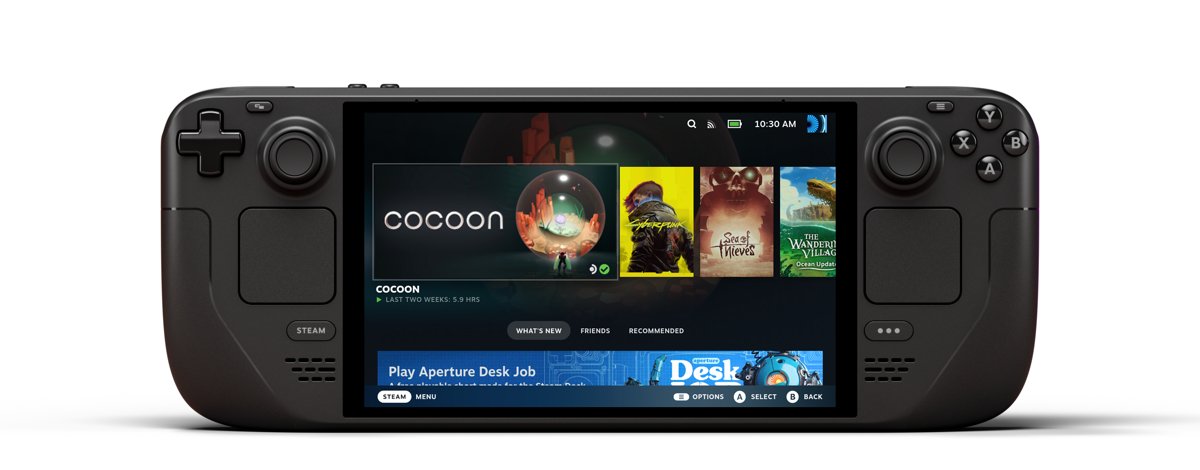
Steam Deck, Valve Index and their accessories follow the Hardware Refund Policy rather than the two-hour rule.
| Rule | Detail |
|---|---|
| Cancellation window | 14 days from the day you receive the hardware |
| How to request | Sign in at help.steampowered.com, select the order and the problem, then press I'd like to request a refund |
| Return deadline | Ship the hardware back within 14 days of cancelling, following Valve's instructions |
| Return shipping | You pay the direct cost of returning the hardware |
| Refund timing | Within 14 days after Valve receives the hardware, including the cheapest delivery charge |
| Condition | Modified or abused hardware may not qualify, or may be refunded minus its lost value |
EU and UK right of withdrawal on Steam
| Right | How it works on Steam |
|---|---|
| Statutory withdrawal for digital content | Ends 14 days after purchase or when you first start downloading, whichever comes first |
| Steam's own refund policy | Still applies after the statutory right ends, including the two hours of play |
| How to withdraw | Use the support form at help.steampowered.com; a letter to Valve also works |
| Faulty games | Consumers in some jurisdictions have extra refund rights for faulty games |
Can you refund a Steam game and rebuy it on sale?
Yes. Refunding a game you bought just before a sale and buying it again at the sale price is not treated as refund abuse. Valve does stop offering refunds to accounts that appear to use them to get free games, so keep requests to purchases that genuinely did not work out. Before you delete your Steam account, request any refund you still qualify for.
Common Steam refund issues and troubleshooting tips
Steam refund not received after a week
The refund went to your Steam Wallet because the payment method does not support refunds, or the bank has not posted it yet.
- Open your Steam Wallet balance and check whether the amount was credited there.
- Open the Steam refund payment methods page and check whether your payment method supports refunds in your country.
- Sign in at help.steampowered.com, select the same purchase and contact Steam Support with the purchase details.
Steam refund request rejected
The purchase is past 14 days, over two hours of playtime, or in a category Steam does not refund.
- Compare the purchase date and playtime with the limits in the policy table above.
- Check that the item is not a CD key from another store, video content, a VAC-banned game or a used in-game item.
- Submit a new request with a clear note if the game is faulty or the rejection looks wrong.
Steam refund after 14 days or two hours of playtime
The request falls outside the standard window, but Valve still reviews it.
- Request the refund at help.steampowered.com anyway; Valve says it will take a look.
- Explain the problem in the note, for example a crash or a game that will not launch.
- If you live in the EU, UK or another region with faulty-goods rules, mention that the game is faulty.
Refund option missing for a DLC or in-game item
The item is consumed, modified or transferred, or the developer has not enabled in-game refunds.
- Check the item's store page or checkout notice for a nonrefundable label.
- For a Valve game, request the in-game refund within 48 hours of purchase.
- Ask the game's developer about in-game items from other publishers, since Steam cannot refund them.
If a game will not start because of an anti-cheat error, try to repair Easy Anti-Cheat before you decide on a refund.
Steam refund frequently asked questions (FAQs)
Can I refund a game after 14 days on Steam?
You can ask. The standard policy covers 14 days from purchase, but Valve says it reviews requests that fall outside the rules. Pre-purchased games are different: their 14 days start on the release date.
How many times can I request refunds on Steam?
Steam sets no fixed number. Valve may stop offering refunds to an account that appears to abuse them to get free games, so requests should be for purchases that genuinely did not work out.
What happens if my Steam refund is denied?
The charge stands. You can submit a new request with a clearer note, especially if the game is faulty, and consumers in some regions have extra legal rights for faulty games.
Can I refund gift purchases on Steam?
Yes. Unredeemed gifts can be refunded by the buyer within 14 days and two hours of play. A redeemed gift qualifies under the same limits if the recipient requests it, and the money returns to the buyer.
How long does a Steam refund take?
Valve issues the full refund within a week of approving the request. Steam hardware returns take longer: reimbursement arrives within 14 days after Valve receives the returned device.
Can I refund DLC on Steam?
Yes, within 14 days of purchase if the base game has been played for under two hours since the DLC was bought and the DLC has not been consumed, modified or transferred. Some third-party DLC is marked nonrefundable before purchase.
Does a Steam refund go back to my card?
It can. You choose your Steam Wallet or the original payment method, but if your payment method does not support refunds in your country, the full amount goes to your Steam Wallet.
Can I get a refund on Steam Wallet funds?
Yes, within 14 days of purchase, provided the funds were bought on Steam and none of them have been spent. Steam Wallet cards bought from other retailers cannot be refunded by Valve.