Yes, for iPhone and iPad: Minecraft bought from the Microsoft Store does not unlock the App Store version, so you buy it again there for $6.99.
A Mac is different, because the PC bundle includes Minecraft: Java Edition, which runs on Mac. This guide covers what each purchase includes, how to install what you already own, and why a purchase can fail.
Minecraft from the Microsoft Store on iPhone, iPad and Mac
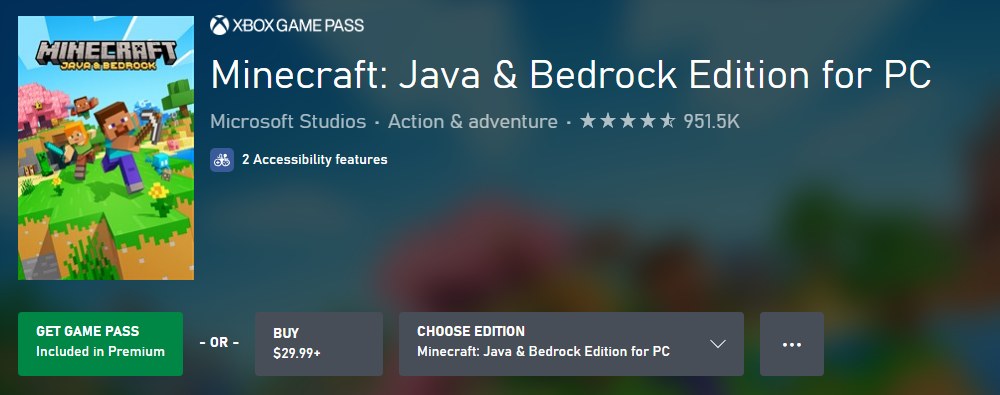
The Microsoft Store sells Minecraft: Java & Bedrock Edition for PC, and its store page lists PC as the platform it plays on.
The iPhone and iPad game is a separate App Store app sold by Mojang AB, and App Store purchases belong to your Apple Account, not your Microsoft account.
| Device you want to play on | Do you have to buy it again? | What to do |
|---|---|---|
| Windows 10 or Windows 11 PC | No | Install it from your Microsoft Store library and sign in with the account that bought it |
| Mac | No, for Java Edition | Get the Minecraft Launcher for macOS from Minecraft.net/download and sign in with the same Microsoft account |
| Linux PC | No, for Java Edition | Get the Linux launcher from Minecraft.net/download and sign in with the same Microsoft account |
| iPhone or iPad | Yes | Buy Minecraft in the App Store for $6.99 with your Apple Account |
| iPhone or iPad you bought it on before | No | Redownload it free from your App Store purchases |
Bedrock Edition runs only on Windows in the PC bundle, so a Mac cannot run Minecraft for Windows from that purchase.
Should I buy Minecraft from Microsoft Store or the App Store
Buy where you play most. Each store licenses only its own platforms, so a family playing on a PC and an iPad needs both purchases.
| Your situation | Buy this | Why |
|---|---|---|
| You play on a Windows PC | Minecraft: Java & Bedrock Edition for PC from the Microsoft Store ($29.99+) | One purchase installs both Java Edition and Minecraft for Windows |
| You play on a Mac only | Minecraft: Java & Bedrock Edition for PC | Java Edition runs on Mac; the Bedrock part runs only on Windows |
| You play on iPhone or iPad | Minecraft from the App Store ($6.99) | The PC bundle does not include an iOS or iPadOS licence |
| You already pay for Xbox Game Pass Premium or Ultimate | Play the PC bundle through Game Pass | The Xbox store lists the PC bundle as included in Premium (PC) and Ultimate |
| You want to play with friends on other devices | Any Bedrock version | Bedrock Edition supports cross-platform play across console, mobile and PC |
How to download Minecraft if already bought on PC
A Microsoft Store purchase stays in your library, so a new or reset PC never needs a second copy.
- Open the Microsoft Store app and sign in with the Microsoft account that bought Minecraft.
- Open your Microsoft Store library and select My Library.
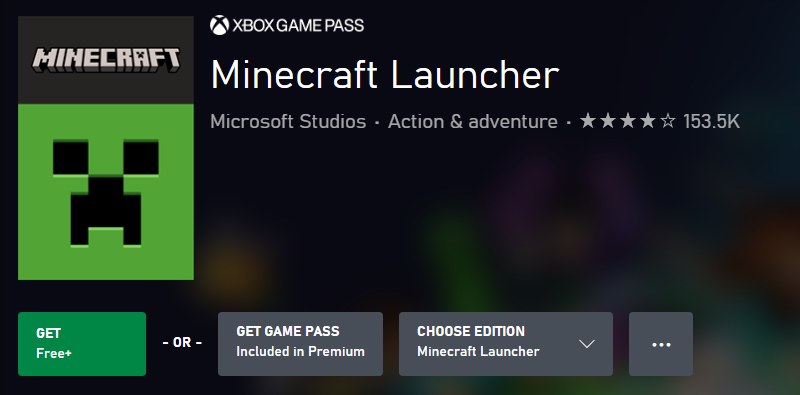
- Find Minecraft Launcher or Minecraft: Java & Bedrock Edition for PC in the list.
- Select the Download icon next to it to install it.
- Open the Minecraft Launcher and sign in with the same Microsoft account.
- Pick Minecraft: Java Edition or Minecraft for Windows in the launcher, then install and start it.
If the game is not in your library, sign in to the Microsoft account Order history page and look for the purchase there. The Minecraft Launcher on Windows handles both editions once it is installed.
How to get Minecraft on iPhone and iPad from the App Store
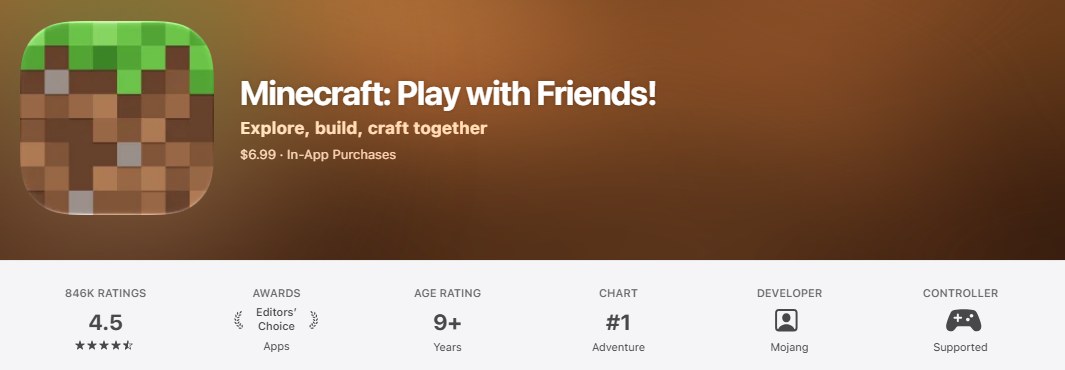
The App Store version is Minecraft: Bedrock Edition. It needs iOS 14.0 or later and takes about 1.3 GB of storage.
- Open the App Store app on your iPhone or iPad.
- Tap Search, type Minecraft, and open the Minecraft app from Mojang.
- Tap the price, $6.99, to buy it.
- Authenticate with Face ID, Touch ID or your passcode to complete the purchase.
- Open Minecraft when the download finishes and sign in with your Microsoft account to use online play and Realms.
If a download icon shows instead of the price, your Apple Account already owns the app. Tap the icon to download it again for free.
How to get Minecraft after already bought on iPhone
An App Store purchase follows your Apple Account, so any iPhone or iPad signed in to that account can redownload it.
- Open the App Store app.
- Tap your picture or the account icon.
- Tap Apps & Purchase History, then tap Your Apps.
- If you are in a Family Sharing group, tap My Apps or choose the family member who bought it.
- Find Minecraft in the list and tap the download icon next to it.
How to play Minecraft on Mac with a Microsoft Store purchase
The PC bundle includes Minecraft: Java Edition, which runs on Windows, Mac and Linux. Players not on Windows get the launcher from Minecraft.net.
- On your Mac, open a browser and go to Minecraft.net/download.
- Download the Minecraft Launcher for macOS and install it.
- Open the Minecraft Launcher.
- Sign in with the Microsoft account that bought Minecraft: Java & Bedrock Edition for PC.
- Select Minecraft: Java Edition and start the game.
Java Edition worlds and saves are not compatible with Bedrock Edition, so worlds from an iPad or Minecraft for Windows do not open in Java Edition on the Mac.
What Minecraft: Java & Bedrock Edition for PC includes
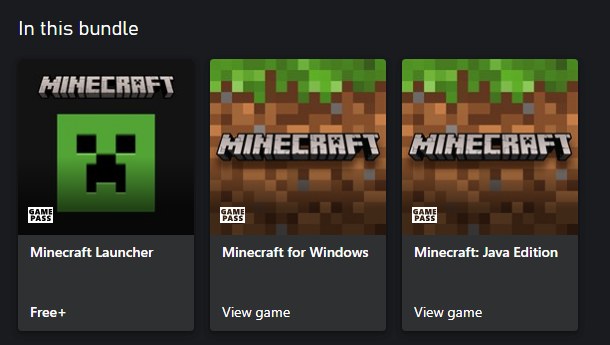
Microsoft's PC listing is a bundle of three items, and it was released on June 7, 2022.
| Item in the bundle | Runs on | Notes |
|---|---|---|
| Minecraft Launcher | Windows, Mac and Linux | Free; the Windows copy comes from the Microsoft Store, other systems use Minecraft.net/download |
| Minecraft: Java Edition | Windows, Mac and Linux | Community servers or Realms for Java for private play |
| Minecraft for Windows (Bedrock Edition) | Windows only | Cross-platform play with console, mobile and PC; Minecraft Marketplace |
| Price | Microsoft Store and Xbox store | From $29.99; Deluxe Collection from $39.99 adds 700 Minecoins and add-ons |
| Not included | iPhone, iPad, Android, consoles | The store page lists PC as the only platform for this bundle |
Minecraft Marketplace and Minecoins across devices
Marketplace content belongs to Bedrock Edition only. Microsoft's support page says Marketplace content bought once works on Xbox console or PC with no expiration.
| Item | Where it works | What to know |
|---|---|---|
| Minecraft Marketplace content | Bedrock Edition | Buy once and use it on Xbox console or PC, according to Xbox Support |
| Minecoins | Bedrock Edition | The Marketplace currency; Java Edition has no Marketplace |
| Marketplace Pass | Bedrock Edition | Subscription with 150+ worlds, skins and texture packs, refreshed monthly |
| Realms Plus | Bedrock Edition | Cross-play with up to 10 friends on a private server |
| Realms for Java | Java Edition | Private server for up to 10 friends on Java Edition |
| Java Edition worlds | Java Edition only | Not compatible with Bedrock Edition |
None of these subscriptions is required to play. Online play on an Xbox console needs at least Xbox Game Pass Essential.
When did Microsoft buy Minecraft
Microsoft announced on September 15, 2014, that it would acquire Mojang, the Stockholm studio behind Minecraft, for $2.5 billion.
| Question | Answer |
|---|---|
| Does Microsoft own Minecraft? | Yes. Microsoft owns Mojang and the Minecraft franchise |
| When was the deal announced? | September 15, 2014 |
| What did Microsoft pay? | $2.5 billion |
| Did Minecraft stay on other platforms? | Microsoft said it would keep Minecraft on PC, iOS, Android, Xbox and PlayStation |
| What if I bought Minecraft before Microsoft? | Java Edition owners from the Mojang account era moved their purchase to a Microsoft account through the Mojang account migration |
Xbox Support keeps a Mojang to Microsoft account migration FAQ for players whose launcher no longer shows an older Java purchase.
Why can't I buy Minecraft on PC or iPhone
Why won't Microsoft let me buy Minecraft
A payment, subscription or account problem blocks the Microsoft Store purchase.
- Check that your credit card is up to date on the Microsoft account Payment options page.
- Check that no subscription payment is overdue on the Services page.
- Check that your Microsoft account and Xbox account are not suspended.
- Check that your security software is not blocking the payment confirmation window.
- Try the purchase again, or run Microsoft's guided support troubleshooter from the Troubleshoot buying issues page.
Why can't I buy Minecraft on a child account
Child accounts need an adult to approve purchases on both stores.
- On Windows or Xbox, ask the adult in your Microsoft family group to approve the request.
- On iPhone or iPad, send the Ask to Buy request and wait for the family organizer or a parent to approve it.
- Ask the parent to approve within 24 hours, or send the request again if it expires.
- Parents can find a missed Ask to Buy request in Messages on their iPhone, iPad, Mac or Apple Watch.
Why can't I purchase Minecraft on iPhone
Your Apple Account has no valid payment method.
- Open Settings and tap your name.
- Tap Payment & Shipping and sign in if asked.
- Tap Add Payment Method and enter the card details.
- Make sure the billing name and address match your bank's records, then tap Done.
- Return to the App Store and tap the Minecraft price again.
Launcher says you don't own Minecraft: Java Edition
The launcher is signed in with a Microsoft account that did not buy the game, or an old Mojang account was never migrated.
- Sign out of the Minecraft Launcher.
- Sign in to the Microsoft account Order history page with each of your accounts and find the one that lists Minecraft.
- Sign in to the launcher with that account.
- If the purchase dates from the Mojang account era, follow the Mojang to Microsoft account migration FAQ on Xbox Support.
Bought Minecraft on wrong Microsoft account
The licence belongs to the account that paid, and Microsoft's usage rules do not allow licences to be transferred.
- Sign in to the Microsoft Store and the Minecraft Launcher with the account that made the purchase to play it.
- Open Order history on that account to confirm the order.
- Contact Microsoft Support about the order if you need help with it.
Minecraft Microsoft Store and App Store purchase FAQ
Should I buy Minecraft from Microsoft Store?
Buy it from the Microsoft Store if you play on a Windows PC. Minecraft: Java & Bedrock Edition for PC costs from $29.99 and includes Java Edition and Minecraft for Windows. It does not cover iPhone or iPad, which need the App Store version.
Does Microsoft own Minecraft?
Yes. Microsoft announced its $2.5 billion acquisition of Mojang, the studio that makes Minecraft, on September 15, 2014. Mojang still develops the game, and the App Store lists Mojang AB as the seller of the iPhone and iPad version.
What if I bought Minecraft before Microsoft?
Java Edition bought with an old Mojang account still counts, but it had to be moved to a Microsoft account through the Mojang account migration. If your launcher says you do not own Java Edition, check the migration FAQ on Xbox Support.
How do I download Minecraft if I already bought it?
On a Windows PC, open the Microsoft Store library, select My Library and download the Minecraft Launcher. On iPhone or iPad, open the App Store, tap your picture, then Apps & Purchase History and Your Apps, and tap the download icon next to Minecraft.
Can you get Minecraft on Microsoft Store?
Yes. The Microsoft Store sells Minecraft: Java & Bedrock Edition for PC from $29.99, plus Deluxe and Ultimate collections. Xbox Game Pass Premium on PC and Game Pass Ultimate also include the PC bundle while the subscription is active.
Why won't Microsoft let me buy Minecraft?
The usual causes are an expired card, an overdue subscription payment, a suspended Microsoft or Xbox account, or a payment window blocked on the PC. Child accounts also need an adult in the family group to approve the purchase.
If I bought Minecraft on another laptop, do I have to buy it again?
No. A Microsoft Store purchase is tied to your Microsoft account, not the laptop. Sign in to the Microsoft Store on the new laptop with the same account, open My Library and download the Minecraft Launcher.
Does buying Minecraft on iPhone give me the PC version?
No. The App Store purchase licenses the iPhone and iPad app only. The PC bundle is a separate Microsoft Store purchase, although Bedrock Edition on iPhone, iPad and Windows can play together through cross-platform play.