A child's Screen Time usually stops updating on a parent's iPhone because the family's devices run different software versions, so update every device in the Family Sharing group to iOS 27, iPadOS 27 or macOS 27, or turn on Share Across Devices for the child if any device stays on iOS 26 or earlier.
This guide covers where the child's report lives in iOS 27 and in older versions, the settings that stop usage from syncing, how to compare both phones, and fixes for the common symptoms.
How to fix child's Screen Time not updating on parent's iPhone
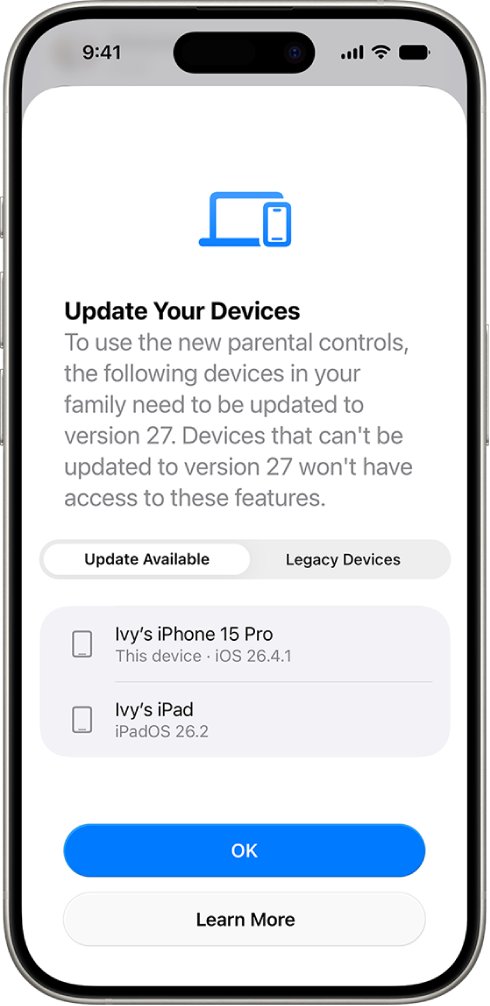
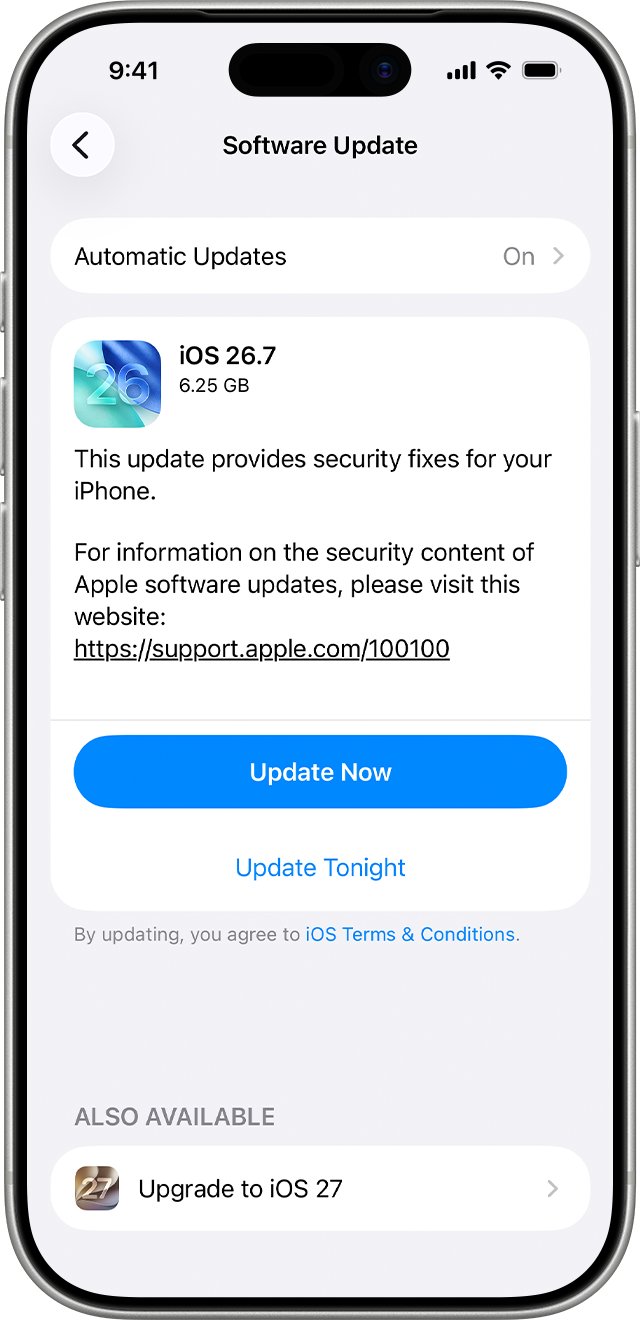
Apple's newer parental controls sync only when the parent's and child's devices run version 27. Start by finding the device that is behind.
- On your iPhone, open Settings and tap Family.
- Tap View Family Devices and note any device that still needs an update.
- On each listed device, open Settings > General > Software Update.
- Tap Download and Install and follow the onscreen instructions. Keep the device on power and Wi-Fi.
- Back on your iPhone, go to Settings > Family and tap Get Started to transfer your existing parental controls.
- Tap your child's name and check that Daily Average and Most Used Today show today's use.
The upgrade needs every device used in the last 90 days by a parent, guardian or managed child to be updated to version 27. An old iPad in a drawer that the child used last month still counts.
Why is Screen Time not updating for my child?
Match what you see on your iPhone to a row, then apply the fix in that row.
| What you see | Likely cause | Fix |
|---|---|---|
| Settings stop syncing after an update | Some family devices are on version 27 and others are not | Update the remaining devices from View Family Devices |
| A device cannot be updated at all | It is listed under Legacy Devices | Manage it with iOS 26 Screen Time and Share Across Devices, or locally with the Screen Time passcode |
| Report shows the iPhone but not the child's iPad (iOS 26 or earlier) | Share Across Devices is off for the child | Turn it on under Settings > Screen Time > your child's name |
| Report is empty (iOS 26 or earlier) | App & Website Activity is off for the child | Tap Turn On App & Website Activity for the child |
| Usage mixes the child's and an adult's apps | The child is signed in with a shared or adult Apple Account | Create a Child Account and sign the child's device in to it |
| You see one device's numbers only | The report is filtered to a single device | Tap Devices in the activity report and choose all devices |
How to see child's Screen Time on my iPhone
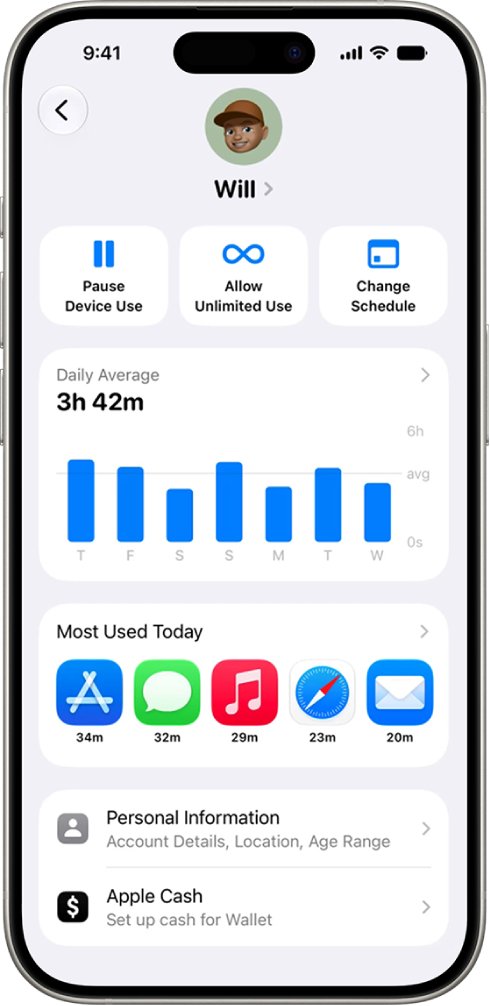
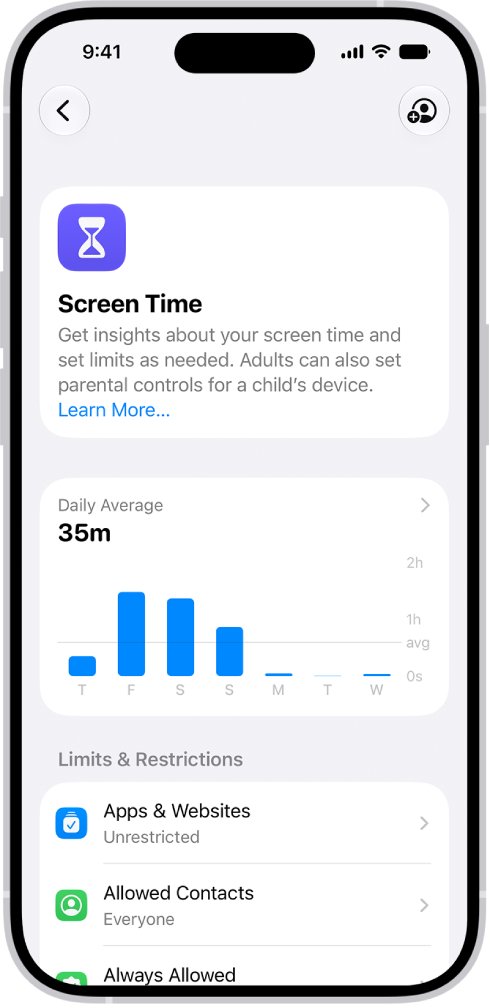
In iOS 27 the child's report sits in the Family section of Settings, not under Screen Time as it did before. A Mac shows the same report.
- Open Settings on your iPhone and tap Family.
- Tap your child's name.
- Read Daily Average for the past week and Most Used Today for today's top apps.
- Tap Daily Average for more detail, then select Day or Week.
- Scroll to Pickups and Notifications for how often the child picks up the device and how many alerts arrive.
On a Mac, open System Settings, click Family, then click your child's name. From the same screen you can pause the child's device, allow unlimited use for a day, or change the schedule.
How to view child's Screen Time on iOS 26
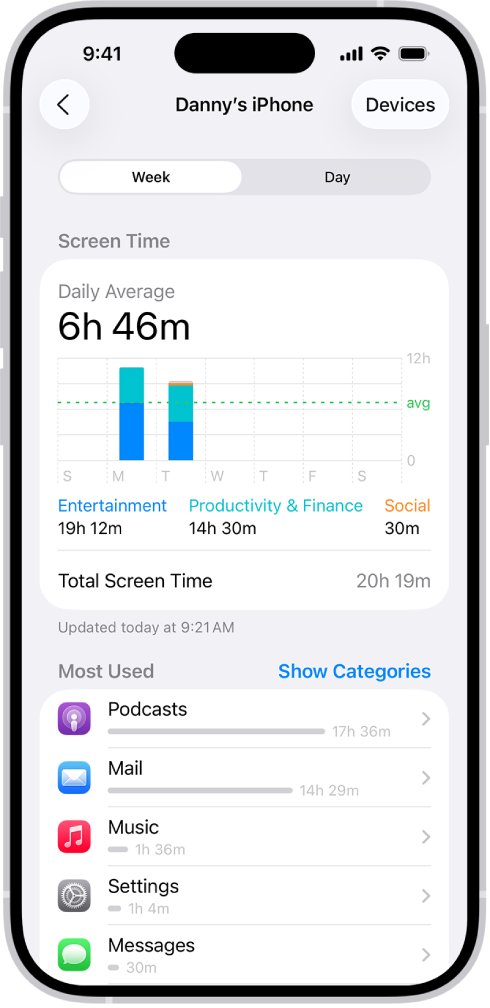
Families with a device that cannot run version 27 keep the older Screen Time layout, where the child's report sits under Screen Time in Settings.
- Open Settings on your iPhone and tap Screen Time.
- Scroll down and tap your child's name under Family.
- Tap See All App & Website Activity.
- Tap Devices and choose the device you want to see, or all of the child's devices.
- Tap Week for weekly use or Day for daily use, and swipe left or right to see earlier history.
The Screen Time widget on your Home Screen also opens a child's report. Tap the widget, then tap the child's name in the list of family members.
Turn on Share Across Devices for child Screen Time
On iOS 26 and earlier, a child's iPhone, iPad and Mac each keep separate Screen Time data unless Share Across Devices is on. With it off, the report on your iPhone can miss whole devices.
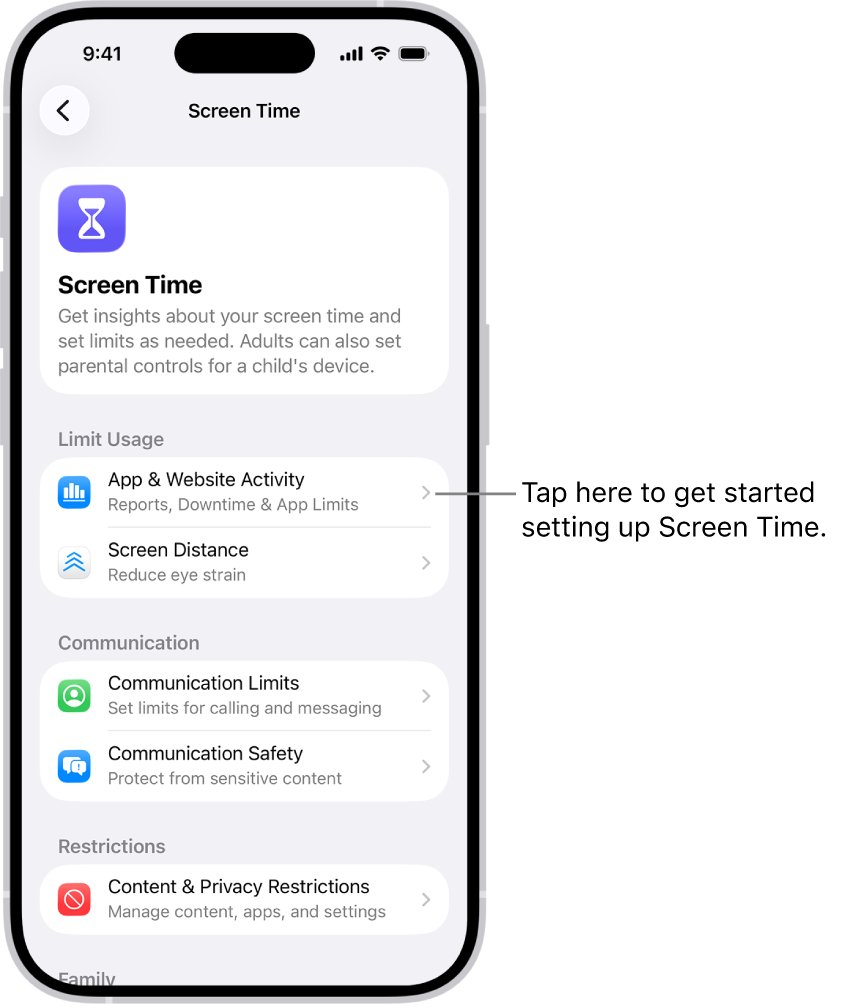
- Open Settings on your iPhone and tap Screen Time.
- Tap your child's name.
- Tap App & Website Activity, then tap Turn On App & Website Activity if it is off.
- Scroll down and turn on Share Across Devices.
- Enter the Screen Time passcode if asked.
With Share Across Devices on, the limits and schedules you set apply on all of the child's devices signed in to the same Apple Account, and the report combines their usage.
How to tell if child's Screen Time is syncing to parent's iPhone
Compare the child's own figure with the one your iPhone shows for the same day.
- On the child's iPhone, open Settings > Screen Time and tap Daily Average.
- Tap Day and note today's total and the most used app.
- On your iPhone, open Settings > Family, tap the child's name and tap Daily Average.
- Tap Day and compare today's total and top app with the child's phone.
- If your iPhone shows an earlier day's figures, go back to the decision table above and work through the row that matches.
Screen Time not working on child's iPhone
Each symptom below lists the cause Apple's documentation points to and the fix.
Can't upgrade to the new parental controls
A device used in the last 90 days by a parent, guardian or child is still below version 27.
- Open Settings > Family > View Family Devices and find the device that needs an update.
- Update it from Settings > General > Software Update.
- If you no longer have the device, remove it from your Apple Account device list.
- Tap Get Started in Settings > Family once the list is clear.
A family device can't update to iOS 27
Older hardware that can't run version 27 appears under Legacy Devices.
- Open Settings > Family > View Family Devices and tap Legacy Devices.
- Keep managing that device with the iOS 26 Screen Time settings.
- Or set limits locally on that device with its Screen Time passcode.
Child's Screen Time shows nothing on my phone
On iOS 26 and earlier, reporting is off when App & Website Activity is turned off for the child.
- Open Settings > Screen Time and tap your child's name.
- Tap App & Website Activity, then Turn On App & Website Activity.
- Ask the child to use the device for a while, then check the report again.
Child's usage mixes with your own apps
The child shares an Apple Account with another family member, which Apple says the parental controls do not support.
- Create a Child Account for the child and make sure it is part of your Family Sharing group.
- Sign the child's device in to that Child Account.
- Set up Screen Time for the child again from Settings > Family > the child's name > Screen Time.
Downtime blocks apps you set to Always Allowed
The allowed list and the schedule are out of step on the child's device.
- Open Settings > Family, tap the child's name and check the apps and people that are always allowed.
- Work through the fixes for Downtime blocking Always Allowed apps if Safari or Chrome stays blocked.
Child Screen Time on iPhone FAQ
Why is Screen Time not updating?
Most often the family's devices run different versions, or a device the child used in the last 90 days is still below version 27. On iOS 26 and earlier, Share Across Devices or App & Website Activity being off for the child has the same effect.
How do I manage Screen Time for my child?
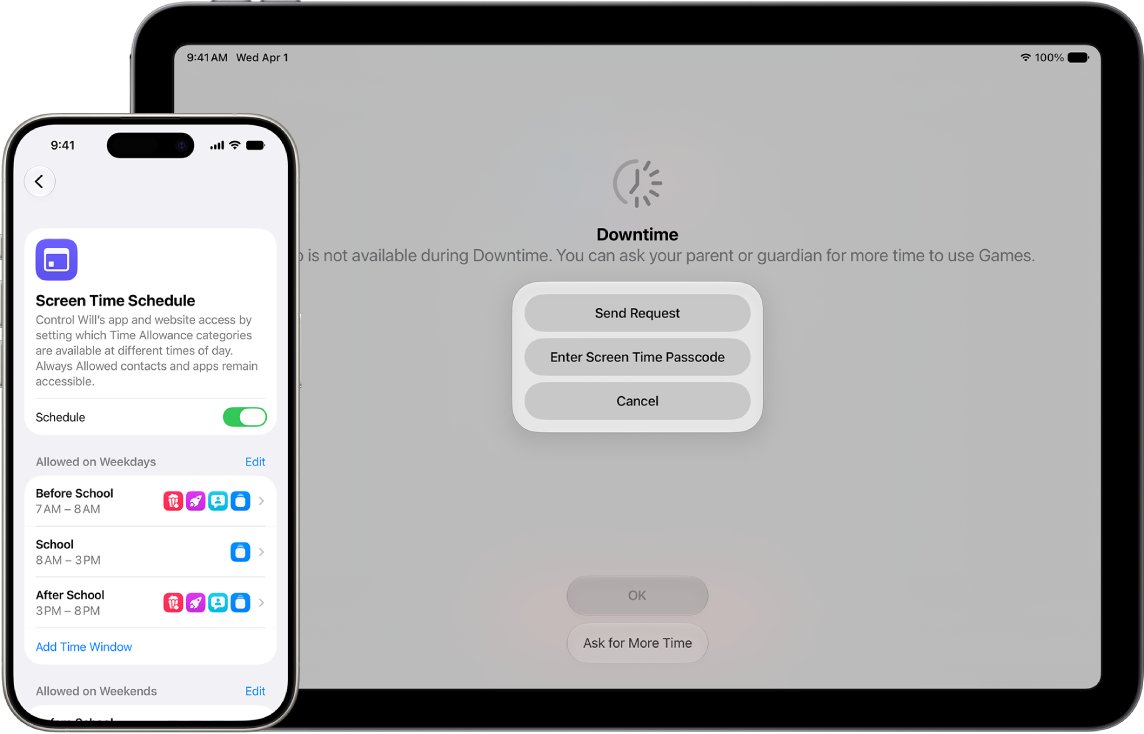
Set up Family Sharing and a Child Account, then open Settings > Family and tap your child's name. From there you set Time Allowances, Screen Time Schedules, allowed apps and websites, contacts and content restrictions.
How do I reduce Screen Time for kids?
Use Time Allowances to give the child a daily time budget across categories such as Entertainment, Games and Social Media. Open Settings > Family > your child's name > Time Allowances and tap the Add button.
How do I stop Screen Time for kids for a while?
Open Settings > Family, tap your child's name and use the pause control. Most apps and notifications on the child's device are blocked until you turn it back on. The same screen can allow unlimited use for a trip.
Can I see my child's Screen Time on a Mac?
Yes. On a Mac with macOS 27, open System Settings, click Family and click your child's name to see their daily average and most used apps. The Mac must be in the same Family Sharing group.
Can I turn off Screen Time on my child's iPhone?
In some states, countries and regions, Screen Time and content restrictions can't be turned off for children under 18. Where they can, you change the child's settings from Settings > Family on your own device. You can also delete apps on a child account instead of blocking them.
Should children have Screen Time?
The American Academy of Pediatrics Family Media Plan, which Apple's family guide is built on, helps families balance screen time with sleep, exercise, schoolwork and time with friends and family. Screen Time Schedules let you put that plan into practice on the child's device.