Shockwave games will not launch because Adobe ended Shockwave Player and Chrome, Firefox and Safari removed the plug-in system it ran on, so the fix is to play a version of the game that needs no plug-in.
This guide shows how to tell which games are affected, where to look for replacements, why third-party installers are a bad idea, and how to remove the old player from Windows.
How to fix Shockwave games not working
No browser setting brings Shockwave back. These steps separate a game that truly needs the old player from a browser game with an ordinary loading fault.
- Update your browser. In Chrome, select More > Help > About Google Chrome, then select Relaunch if it appears.
- On a Mac, update Safari through System Settings > General > Software Update.
- Open the game page again and read what appears where the game should be.
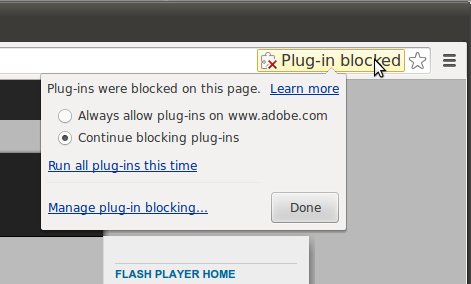
- If the page asks for Shockwave Player or a plug-in, stop there, because that build of the game cannot run in a current browser.
- Search for the same game by name on MSN Games, in Microsoft Store or in the App Store on a Mac.
- If the page asks for nothing but stays blank, clear that browser's cache and reload the page.
Do not download a Shockwave installer from another site to get past the prompt. The section on safety below explains why.
Shockwave games not working: what each case means
Find the row that matches your screen and start with the action it names.
| Your situation | What to do | Why |
|---|---|---|
| The page asks you to install Shockwave Player | Look for a newer version of the game elsewhere | Adobe's Shockwave download address now leads to an end-of-life FAQ, not an installer |
| The page says a plug-in is missing or unsupported | Try the game's name on MSN Games or in an app store | Chrome, Firefox and Safari removed support for this type of plug-in |
| A game asks for Adobe Flash instead | Treat it the same way and remove any old Flash Player | Adobe has blocked Flash content from running in Flash Player since January 12, 2021 |
| The game area stays blank with no prompt | Clear the browser cache, then update the browser | Google lists clearing cache and cookies as a fix for website loading issues |
| One game fails while others on the site play | Replace only that game | The site is working, so the fault is limited to that game's older build |
| No page on the site loads at all | Test another browser, device and network | This points to the site or your connection, not to the plug-in |
How to play Shockwave games on a Windows PC or Mac today
A game that needs the old player has to be replaced, and the closest match is usually a newer build of the same title. Start with the browser route, because it needs no install.
- Write down the exact name of the game and its publisher, if the page shows one.
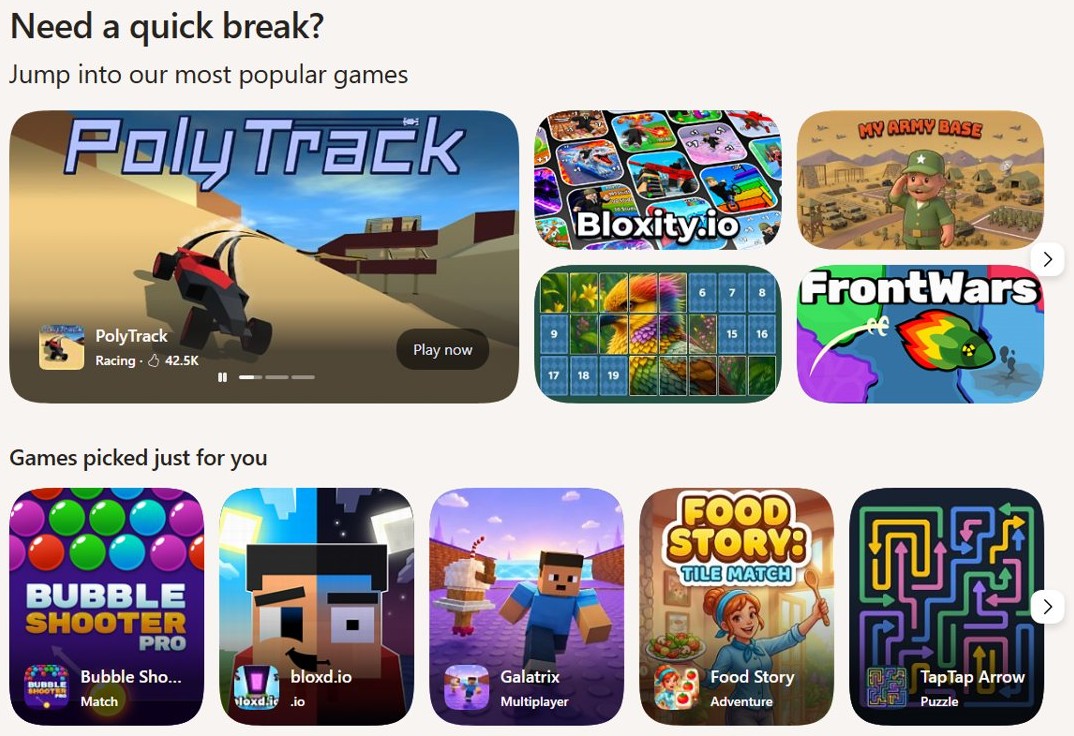
- Open MSN Games and look for the title or a similar one.
- On Windows, open Microsoft Store, select its games section and search for the title.
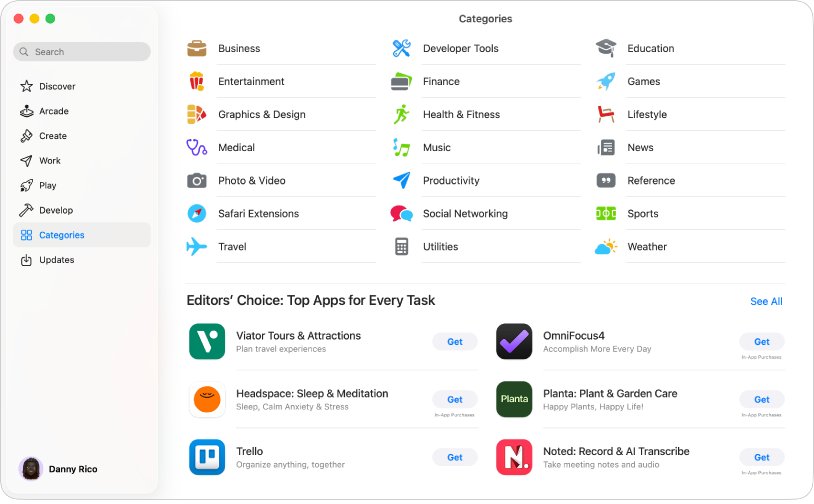
- On a Mac, open the App Store and search for the title.
- Check that the listed publisher matches the game you remember before you install anything.
- Launch the new version and confirm it opens without asking for a plug-in.
Larger PC titles usually arrive through one of the PC game launchers instead of a web page, so start there when the game has a full desktop release.
If the original title is gone for good, a list of free PC games is a practical place to find something new.
Shockwave games not loading in Chrome, Edge or Safari
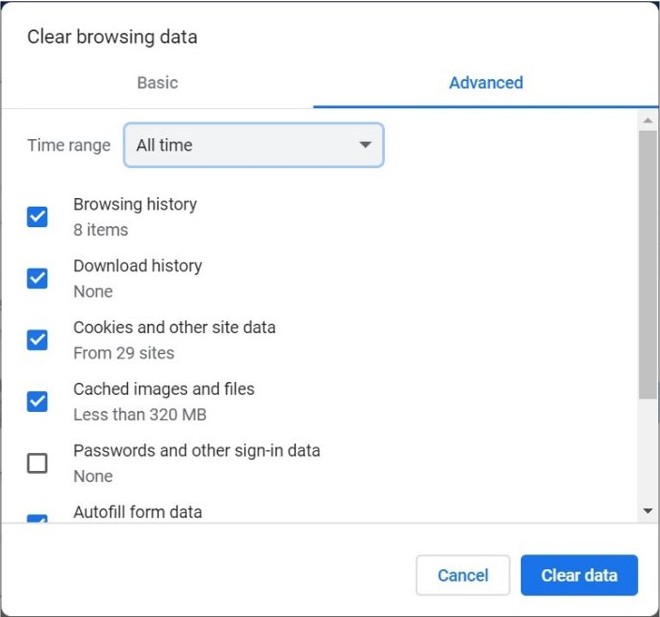
Use this only when the page shows no Shockwave or plug-in prompt. Clearing data can sign you out of websites, so have any game account details ready.
| Browser | Clear the cache here | Then |
|---|---|---|
| Google Chrome | More > Delete browsing data, choose a time range, select Cookies and other site data, then Delete data | Reload the game page |
| Microsoft Edge | Settings and more > Settings > Privacy, search, and services > Clear browsing data > Choose what to clear, then Clear now | Reload the game page |
| Safari on Mac | Safari > Settings > Privacy > Manage Website Data, select the site, then Remove | Reload the game page |
A page that still asks for nothing and still shows nothing may be down or broken on the publisher's side, so try another game on the same site.
How to uninstall Adobe Shockwave Player on Windows
An old copy of Shockwave Player cannot make games run in a current browser, so it serves no purpose on a PC you use today. Removing it takes a minute.
- Select Start > Settings > Apps > Installed apps.
- Find the entry with Shockwave in its name.
- Next to that entry, select More > Uninstall.
- Follow the directions on the screen and restart the browser.
- If the entry does not appear there, open Control Panel > Programs > Programs and Features.
- Right-click the Shockwave entry, select Uninstall or Uninstall/Change, then follow the directions on the screen.
Remove any leftover Flash Player too. Adobe strongly recommends that everyone uninstall Flash Player, and its end-of-life page gives instructions for Windows and Mac.
How to tell if a game needs Shockwave Player
A short test tells you whether to keep troubleshooting or move on to a replacement.
- Open the game page in an updated copy of Chrome, Edge, Firefox or Safari.
- Wait for the game area to finish loading, then read any message inside it.
- Look for the words Shockwave, Flash or plug-in; any of them means the game depends on retired technology.
- Open a different game on the same site for comparison.
- If that game plays with no prompt, the site works and only the first game needs replacing.
What happened to Shockwave games and Shockwave Player?
Shockwave games stopped working through a series of browser and vendor changes, not one fault on your computer. This is why reinstalling a browser does not help.
| Product | What changed | Effect on games |
|---|---|---|
| Adobe Shockwave Player | The old download address, get.adobe.com/shockwave, now redirects to Adobe's Shockwave end-of-life FAQ |
Adobe no longer offers the player from that address |
| Google Chrome | NPAPI plug-in support was permanently removed in Chrome 45 in September 2015 | Plug-in games stopped loading in Chrome |
| Mozilla Firefox | Firefox 52 removed support for NPAPI plug-ins other than Flash | Non-Flash plug-ins stopped running in Firefox |
| Apple Safari | Safari 12 removed legacy NPAPI plug-ins other than Flash, and the Safari 14 release notes say Safari no longer supports Flash | Plug-in games stopped running in Safari on a Mac |
| Adobe Flash Player | Support ended on December 31, 2020, and Flash content has been blocked since January 12, 2021 | Flash games stopped running in Flash Player |
| Internet Explorer | Microsoft says support for the Internet Explorer 11 desktop app ended on certain operating systems on June 15, 2022 | The old standalone browser route is no longer a supported option |
Can Shockwave games run in Internet Explorer mode in Edge?
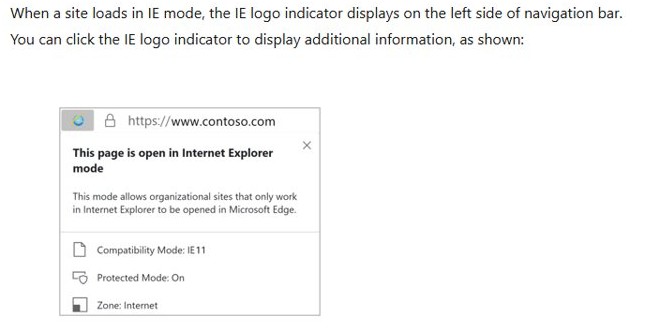
Internet Explorer mode in Edge looks like the obvious workaround because Microsoft says it supports ActiveX controls. On a non-Enterprise PC with Edge 141 or later, you can add a page under Settings > Default Browser > Internet Explorer mode pages.
Adding a page changes how Edge renders the site. It does not supply the missing player.
Do not expect Internet Explorer mode to bring a Shockwave game back. The game would still need Adobe's Shockwave control, and Adobe's download address no longer offers it. Microsoft built this mode for organizations with legacy websites, not for retired game plug-ins.
Is Shockwave Player safe to download from other sites?
A Shockwave Player installer offered by another site does not come from Adobe's own download address, which now leads to its end-of-life FAQ.
Skip every third-party Shockwave Player download, including ones labeled free or official. Adobe warns that unauthorized Flash Player downloads are a common source of malware and viruses, and the same risk applies to any retired plug-in offered by an unknown site. Even a clean copy could not run games in a current browser.
Shockwave games problems on Windows and Mac
Shockwave games won't launch on a Mac
Safari removed support for legacy plug-ins in Safari 12 and later dropped Flash too, so updating macOS will not restore them.
- Update macOS under System Settings > General > Software Update so Safari is current.
- Open the game page again and check for a Shockwave or plug-in prompt.
- If the prompt appears, search for the game in the App Store instead.
Is Shockwave Games down?
A site outage and a missing plug-in look alike at first, but a plug-in prompt means the site itself has responded.
- Open the site in a second browser.
- Try a phone on cellular data to rule out your home network.
- Open another game on the site to see whether only one title is affected.
- Try again later if no page on the site loads from any device.
How to run Shockwave Flash
Adobe has blocked Flash content from running in Flash Player since January 12, 2021, and has removed its Flash Player download pages.
- Uninstall any old Flash Player using the instructions on Adobe's end-of-life page.
- Look for a newer build of the game from its publisher.
- Avoid any site that offers a replacement Flash Player installer.
How to use Shockwave Player
An installed copy of the player has no current browser to run in, so there is no setting to change.
- Remove the player from Windows under Settings > Apps > Installed apps.
- Search for the game on MSN Games, in Microsoft Store or in the App Store.
- Play the version that opens without a plug-in prompt.
Shockwave games FAQ
What happened to Shockwave games?
Games built for Adobe Shockwave Player lost their route to run. Adobe's old download address now leads to a Shockwave end-of-life FAQ, and Chrome, Firefox and Safari removed the plug-in support the player relied on. Only newer builds that need no plug-in still play.
How do I play Shockwave games?
Play a newer version of the game that does not need Shockwave Player. Search for its name on MSN Games, in Microsoft Store or in the App Store on a Mac. A game that still asks for the plug-in cannot run in a current browser.
Is Adobe Shockwave Player still supported?
No. Adobe's former Shockwave download address now redirects to its Shockwave end-of-life FAQ, so Adobe does not offer the player from that address. Chrome, Firefox and Safari have also removed the plug-in support it relied on, which leaves no current browser path.
Do I need Adobe Shockwave Player?
No. A current browser cannot use it, so installing it would not fix a game on Windows or Mac. Remove any old copy from Windows under Settings > Apps > Installed apps, and look for a game version that opens with no plug-in prompt.
Is Shockwave Games down?
Test it before you assume an outage. Open the site in a second browser and on a phone using cellular data. If pages load but a game asks for a plug-in, the site is up and that game needs the retired player.
Are Shockwave games safe?
The main risk is a third-party installer, not the game itself. Adobe warns that unauthorized Flash Player downloads are a common source of malware and viruses, and the same caution applies to Shockwave copies. Never install a plug-in just to get a game page working.
How do I run Shockwave Flash?
You cannot run it in Adobe Flash Player any more. Adobe has blocked Flash content from running in the player since January 12, 2021, and has removed its download pages. Uninstall any old copy and look for a newer build of the game.
How do I use Shockwave Player?
You do not need to change anything in it, because no current browser can use it. Remove old copies from Windows and search for a version of your game that plays without a plug-in on MSN Games or in an app store.