When Boot Camp screen brightness stops working after an Nvidia GPU driver update, roll back the display driver in Device Manager, then repair Apple's Windows support software if the brightness control is still missing.
This guide covers Intel Macs running Windows 10 in Boot Camp: rolling back or removing the Nvidia driver, restoring Apple's drivers, stopping Windows Update from reinstalling the new driver, and fixing a black screen.
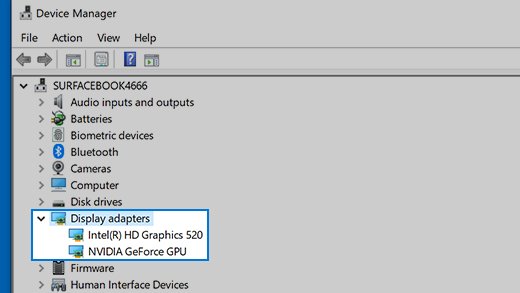
How to roll back an Nvidia driver in Boot Camp Windows 10
Microsoft notes that reinstalling the previous driver often fixes a problem that began right after a driver update. You must be signed in with administrator permissions.
- Start your Mac in Windows and search the taskbar for device manager, then open it.
- Expand Display adapters.
- Right-click the Nvidia adapter and select Properties.
- Open the Driver tab and select Roll Back Driver.
- Choose a reason and select Yes.
- Restart the Mac and test the Change brightness for the built-in display slider under Settings > System > Display.
If Roll Back Driver is greyed out, Windows has no previous driver to restore. Uninstall the Nvidia driver or repair the Boot Camp drivers instead.
Why Boot Camp brightness stopped working after an Nvidia driver update
Apple lists "You can't adjust the brightness of your built-in display in Windows" as a reason to install its Windows support software. A new graphics driver is the change to undo first, then the Apple drivers are the next thing to restore.
| What you see | Do this | Why |
|---|---|---|
| Brightness broke right after the driver update | Roll back the driver in Device Manager | Puts the previous driver back |
| Roll Back Driver is greyed out | Uninstall the driver, then repair Boot Camp | Windows kept no earlier driver |
| Slider is missing or does nothing after a rollback | Repair the Windows support software | Apple lists fixed brightness as a driver symptom |
| Brightness breaks again after a few days | Stop drivers coming through Windows Update | Windows Update can reinstall the same driver |
| Brightness keys need Fn, or act as F1 and F2 | Change the Keyboard setting in Boot Camp Control Panel | The driver is fine and the key setting changed |
| Mac has AMD graphics, not Nvidia | Update the AMD graphics driver | Apple sends AMD graphics issues to AMD's drivers |
Which Macs have Nvidia graphics in Boot Camp?
Open Device Manager and expand Display adapters to see exactly what your Mac reports. These Apple specifications show how the graphics differ between similar models.
| Mac | Graphics listed by Apple | Driver route |
|---|---|---|
| MacBook Pro (Retina, 15-inch, Mid 2012) | Intel HD Graphics 4000 and Nvidia GeForce GT 650M | This guide |
| MacBook Pro (Retina, 15-inch, Mid 2014) | Intel Iris Pro Graphics, with Nvidia GeForce GT 750M on some models | This guide |
| MacBook Pro (Retina, 15-inch, Mid 2015) | Intel Iris Pro Graphics, with AMD Radeon R9 M370X on some models | AMD driver, not Nvidia |
| Any Apple silicon Mac | Not applicable | Boot Camp runs only on Intel Macs |
Uninstall the Nvidia display driver in Device Manager
Use this when there is no earlier driver to roll back to. Windows attempts to reinstall a driver for the adapter after the restart.
- Open Device Manager and expand Display adapters.
- Right-click the Nvidia adapter and select Properties.
- On the Driver tab, select Uninstall Device.
- Select Delete the driver software for this device, then select OK.
- Restart the Mac and wait for Windows to reinstall a driver.
- Test brightness in Settings > System > Display.
If the check box does not appear, start Windows in Safe Mode and repeat these steps.
Reinstall Boot Camp drivers after an Nvidia driver update
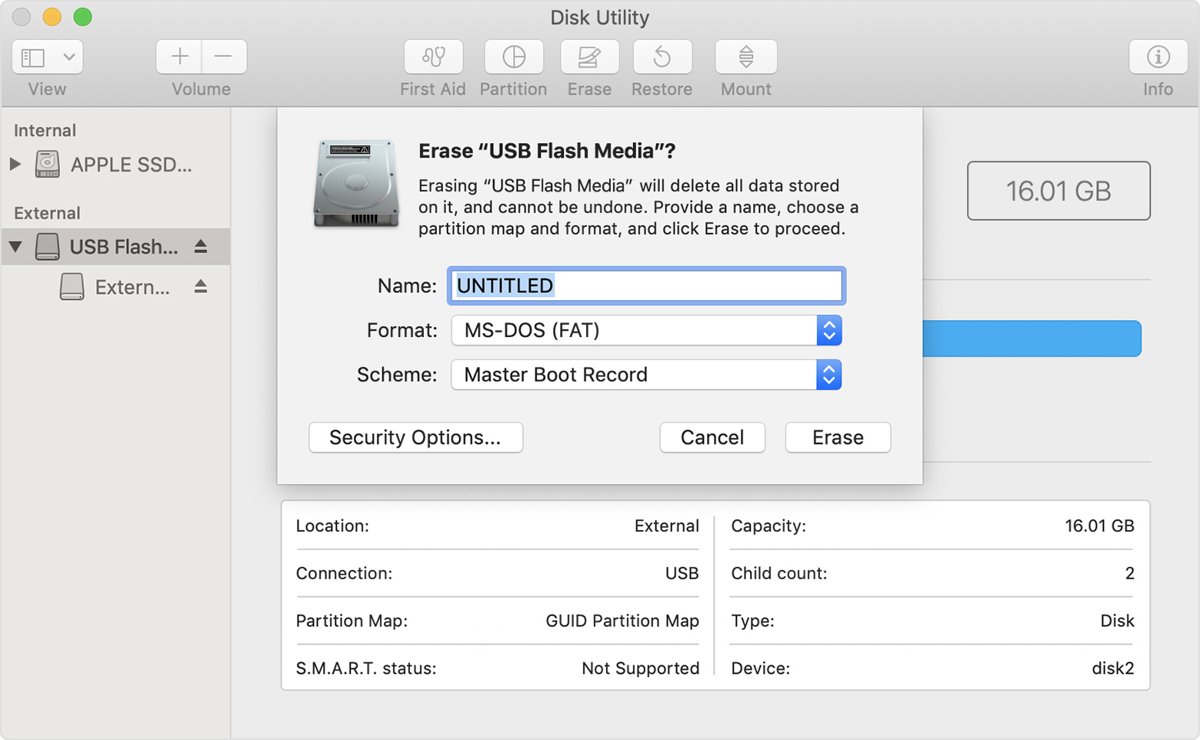
Repair runs the Boot Camp installer over your existing setup, so it is the next step once the driver change alone has not helped. You need a USB flash drive of 16GB or larger, formatted as MS-DOS (FAT) with Master Boot Record, to download the Boot Camp drivers and run them in Windows.
- Start your Mac in macOS and plug in the flash drive.
- Open Boot Camp Assistant from the Utilities folder.
- Choose Action > Download Windows Support Software and save it to the flash drive.
- Restart in Windows with the drive still connected.
- Open the drive in File Explorer and run Setup, then select Yes to allow changes.
- Select Repair, and select Continue Anyway if a Windows Logo testing alert appears.
- Select Finish, then Yes to restart.
Update Boot Camp support software with Apple Software Update
Apple delivers Boot Camp support updates through two apps, so check Apple's tool as well as Windows Update.
- In Windows, open the Start menu and select Apple Software Update.
- Select the updates you want to install, then select Install.
- Follow the onscreen instructions and restart if asked.
- Check brightness under Settings > System > Display.
Stop Windows Update reinstalling the Nvidia driver in Boot Camp
Windows downloads driver updates automatically, so a rollback can be undone later. Windows 10 has a policy that keeps drivers out of quality updates. Set it in the Local Group Policy Editor, and use Pause updates for 7 days on the Windows Update page as a short-term alternative.
- Press Win + R, type
gpedit.mscand press Enter. - Go to Computer Configuration > Administrative Templates > Windows Components > Windows Update.
- Double-click Do not include drivers with Windows Updates.
- Select Enabled, then select OK.
- Restart the Mac and roll the driver back again if Windows already replaced it.
To allow driver updates again, set the same policy to Not Configured. Optional drivers listed under View optional updates do not install automatically, so leave them unselected.
Install an Nvidia driver manually on a Mac with Boot Camp
Try this last, when Windows has no working driver and Apple's Repair did not restore one. It is the standard way to manually install a device driver, but NVIDIA's driver page does not list Boot Camp as an option, and Apple names only Windows Update and Apple Software Update as its update routes. Download only from NVIDIA's own site.
- On NVIDIA's driver page, select the product category, series, product, operating system and language for your Mac's GPU.
- Choose a driver type. NVIDIA describes Production Branch/Studio as the choice for most users who want stability.
- Save the driver, extract it if needed, and note the folder.
- In Device Manager, right-click the Nvidia adapter and select Update driver.
- Select Browse my computer for drivers, then Browse, choose the folder and select OK.
- Select Next, then Close, and restart the Mac.
If the driver version the update installed is the one that broke brightness, choose a different release instead of the same one again.
Boot Camp brightness keys and display settings in Windows 10
Once the driver is working, these are Apple's brightness controls for Windows, alongside the standard ways to adjust screen brightness in Windows 10. If only the keys misbehave, you can also change the Fn key setting without touching any driver.
- Press the increase or decrease brightness key on the Mac keyboard, holding Fn if nothing happens.
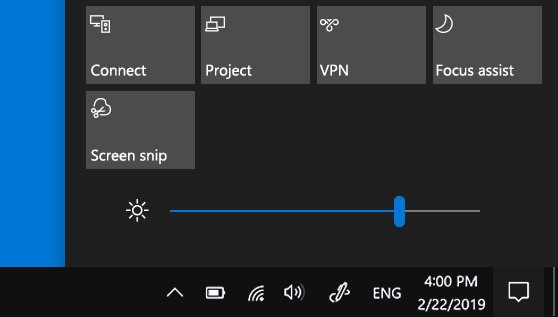
- Select the Start button, choose Settings, then System, then Display, and set the brightness there.
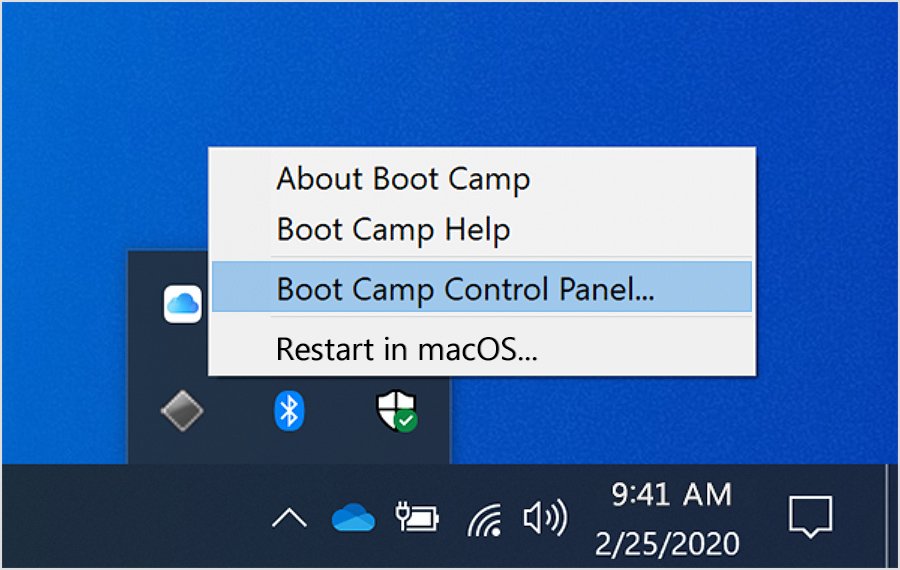
- Click the arrow on the right of the taskbar, click the Boot Camp icon and choose Boot Camp Control Panel.
- Click Keyboard and clear Use all F1, F2 etc. keys as standard function keys to use the keys without Fn.
- For an external display, click Display in the same panel and set the brightness, if your display model offers it.
How to tell if the Nvidia driver is working in Boot Camp
- In Device Manager, right-click the Nvidia adapter and select Properties.
- On the General tab, check that Device status reads "This device is working properly".
- Open Settings > System > Display and drag the Change brightness for the built-in display slider to both ends.
- Watch the screen dim and brighten as you drag.
- Restart the Mac and test again, to confirm the setting survives a restart.
Boot Camp brightness slider missing after Nvidia driver update
Brightness slider missing after the Nvidia driver update
Windows is not getting brightness control from the installed drivers.
- Roll back or uninstall the Nvidia driver.
- Run Setup from the Windows support software on your flash drive and select Repair.
- Restart and check Settings > System > Display again.
Roll Back Driver is greyed out
Windows has no previous driver stored for the adapter.
- Select Uninstall Device on the same Driver tab.
- Select Delete the driver software for this device and select OK.
- Restart, then run the Boot Camp Repair if brightness is still fixed.
Boot Camp icon or Boot Camp Control Panel is missing
The Boot Camp support software is not installed or is damaged.
- Download the Windows support software from Boot Camp Assistant in macOS.
- Run Setup in Windows and select Repair.
- Open the Boot Camp icon from the taskbar's hidden icons after the restart.
External monitor brightness does not change
The Windows built-in display slider applies only to built-in screens.
- Use the buttons or menu on the monitor itself.
- Check Boot Camp Control Panel > Display for brightness options on supported display models.
Windows 10 black screen after update on Boot Camp
Mac starts to a black or blue screen in Windows
Apple lists this as a sign that the Windows support software needs installing.
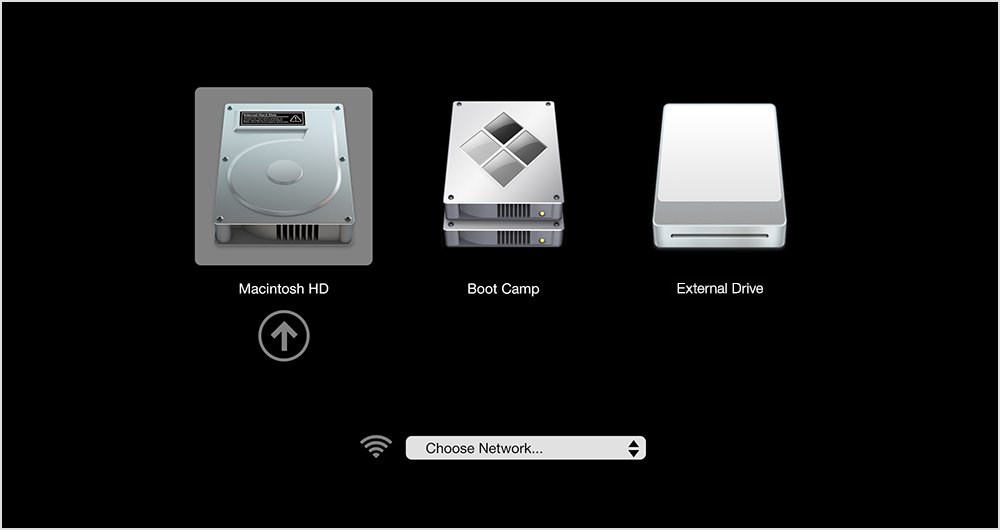
- Hold the Option key during startup and choose your macOS volume.
- Download the Windows support software to a flash drive with Boot Camp Assistant.
- Hold Option at startup again and choose the Boot Camp volume.
- If Windows opens, run Setup from the flash drive and select Repair.
Windows will not finish starting after the update
An update installed before the last restart may be stopping Windows from starting.
- Let Windows fail to start a few times so that the Windows Recovery Environment opens.
- Select Troubleshoot > Advanced options > Uninstall Updates.
- Select Uninstall latest quality update and restart.
Boot Camp Nvidia driver brightness FAQ
Why did Boot Camp brightness stop working after I updated my Nvidia driver?
Windows brightness control on a Mac depends on working drivers, and Apple lists fixed brightness as a Windows support software symptom. Apple does not publish a cause specific to Nvidia, so roll back the driver first and repair the Boot Camp drivers next.
Can you roll back an Nvidia driver in Boot Camp?
Yes, if Windows kept the earlier driver. Open Device Manager, expand Display adapters, open the Nvidia adapter's Properties, and select Roll Back Driver on the Driver tab. You need administrator permissions, and a greyed-out button means there is nothing to restore.
Does Windows Update install Nvidia drivers on a Mac in Boot Camp?
It can. Windows downloads driver updates automatically, and hardware partners publish certified drivers through Windows Update. Enable the Do not include drivers with Windows Updates policy to keep drivers out of quality updates.
Should you use Nvidia's driver or Apple's driver in Boot Camp?
Start with Apple's. Apple's update routes for Boot Camp are Windows Update and Apple Software Update, and NVIDIA's driver page does not list Boot Camp. Install a driver from NVIDIA only when Apple's Repair leaves Windows without a working driver.
Does Boot Camp support Windows 11 or Apple silicon Macs?
Apple lists a 64-bit version of Windows 10 Home or Windows 10 Pro as the requirement, on Intel Macs only. Windows 11 is not on that list, and Apple silicon Macs cannot use Boot Camp at all.
Do Windows 10 Boot Camp installs still get updates?
Windows 10 support ended on October 14, 2025, so the PC no longer gets free software or security fixes from Microsoft. Your Mac keeps running Windows 10, and Boot Camp support updates still go through Apple Software Update.