HTTPS means HyperText Transfer Protocol Secure, the encrypted version of HTTP that uses TLS to protect everything sent between your browser and a website.
This guide covers how HTTP and HTTPS work, what HTTPS protects, how to tell if a site uses it, how to switch a website to HTTPS, and how HTTPS compares with VPN encryption.
What does HTTPS mean?
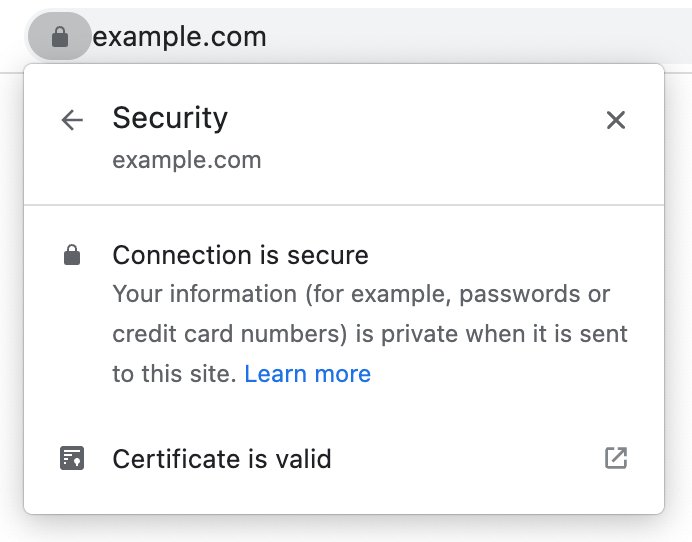
The "S" stands for Secure. A page that starts with https:// travels over a TLS-encrypted connection, so other people on the network cannot read or quietly change it.
HTTPS is HTTP sent through TLS encryption. It keeps passwords, card numbers and messages private between you and the site, and it proves the site holds a valid certificate for its domain name. Plain HTTP sends data as readable text, so anyone between you and the server can read or alter it. HTTPS adds encryption, integrity checks and server authentication, which is why banking, shopping and login pages depend on it.
HTTP and HTTPS explained: How the internet works
HTTP is the request-and-response protocol behind the web. Your browser sends a request, such as GET for a page, and the server answers with a response that holds the HTML, images or scripts.
Before HTTP/2, these messages were plain, human-readable text. That makes HTTP easy to debug, and easy for anyone on the path to read.
| Feature | HTTP | HTTPS |
|---|---|---|
| Full name | HyperText Transfer Protocol | HyperText Transfer Protocol Secure |
| Address starts with | http:// | https:// |
| Default port | 80 | 443 |
| Transport | TCP | TCP wrapped in TLS encryption |
| Who can read the data in transit | Anyone on the network path, such as a public Wi-Fi operator or an attacker | Only your browser and the server |
| Protection against tampering | None | Changes in transit are detected |
| Proof of the site's identity | None | A digital certificate tied to the domain name |
| Label in Chrome | Info or Not secure | Default (Secure) |
HTTP is also stateless: each request stands alone. Cookies sit on top of it to keep you logged in or to remember a shopping basket.
HTTPS explained: Making HTTP secure
HTTPS adds Transport Layer Security (TLS) under HTTP. TLS was formerly called Secure Sockets Layer (SSL); SSL 3.0 from 1996 is long superseded, though many people still say "SSL certificate".
| TLS handshake step | What happens |
|---|---|
| 1. Agree on a TLS version | Browser and server pick a version. TLS 1.3 is current and most widely used; TLS 1.2 is still in use; TLS 1.0 and 1.1 should no longer be used |
| 2. Agree on a cipher suite | They choose the algorithms for key agreement, authentication, encryption and message authentication |
| 3. Authenticate the server | The server presents a certificate holding a signed copy of its public key, which binds the key to the domain name |
| 4. Agree on a secret key | Both sides arrive at a shared secret key for the session |
| 5. Encrypt the traffic | Every message, including HTTP headers and bodies, is encrypted and decrypted with that key |
The result gives three protections: encryption, so data cannot be read in transit; integrity, so it cannot be secretly modified; and authentication, so the browser knows it reached the real domain. Together they defend against manipulator-in-the-middle attacks, where an attacker sits between you and the server.
Benefits of HTTPS for websites and visitors
| Benefit | Who gains | What it means in practice |
|---|---|---|
| Private data in transit | Visitors | Passwords, card numbers and form entries cannot be read on public Wi-Fi or by anyone on the path |
| Tamper protection | Visitors and site owners | Nobody in the middle can inject ads, malware or altered text into the page undetected |
| Site authentication | Visitors | The certificate proves the browser is talking to the domain in the address bar |
| Access to modern browser features | Site owners | Browsers treat HTTPS pages as a secure context, and many powerful web APIs only run in one |
| No browser warnings | Site owners | Chrome labels HTTP pages Not secure, and warns before opening them when Always use secure connections is on; Firefox shows an insecure connection icon on HTTP pages too |
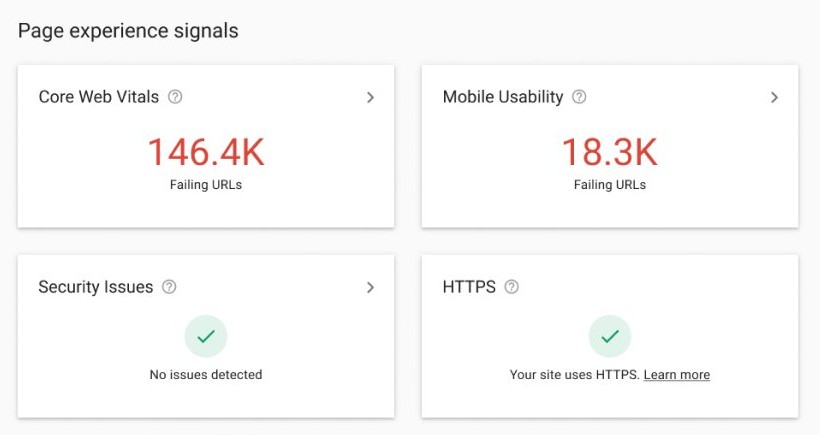
| Search visibility | Site owners | Google lists HTTPS as part of page experience and offers an HTTPS report in Search Console |
How to tell if a website uses HTTPS
- Open the page in Chrome on your computer.
- Look at the address bar and check that the address starts with https://. Select the address if Chrome hides the start of it.
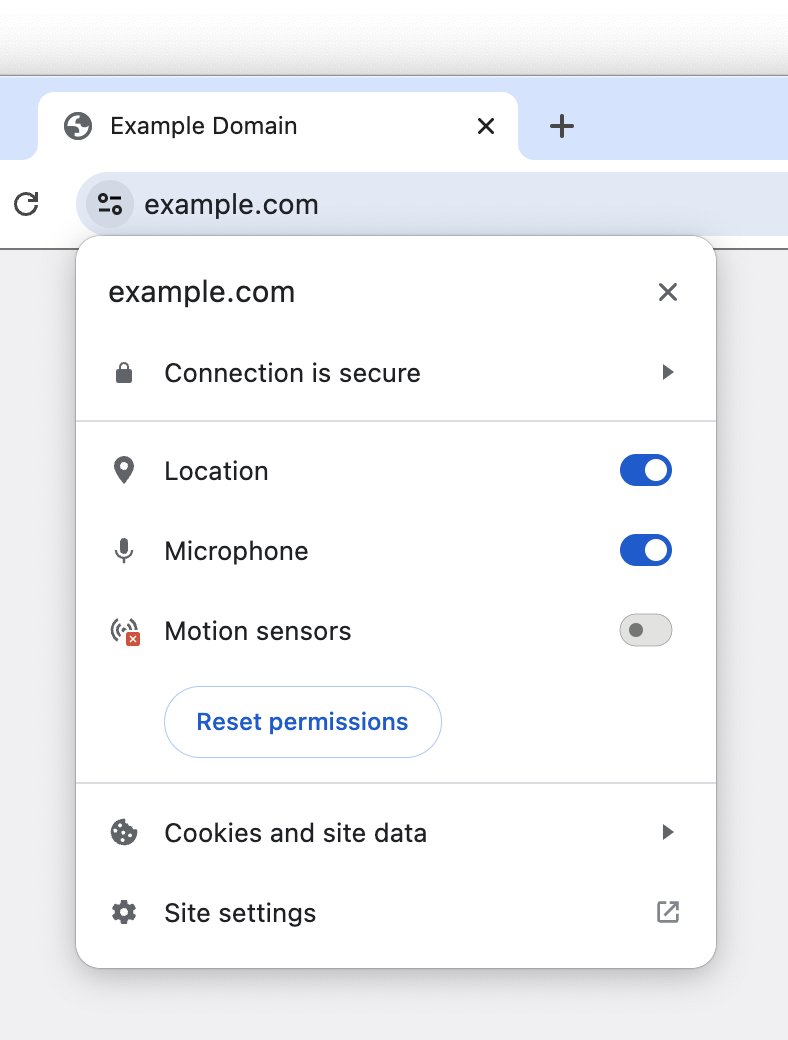
- Check the security symbol to the left of the web address.
- Select the symbol to see the connection status, cookies and site data, and site settings.
- Read the domain name in the address bar and make sure it is the site you meant to visit.
A secure connection only proves the link is private. It does not prove the site is honest, so check the site name before you enter sensitive details.
What does "not secure" mean in Chrome?
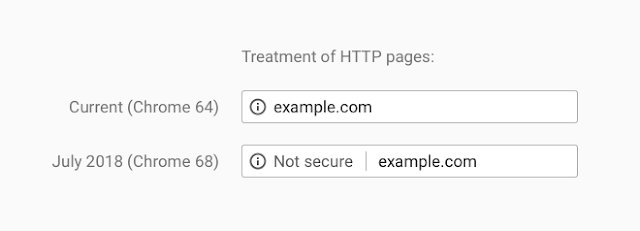
Chrome changes the icon next to the site address when it cannot set up a private connection or when a site may be unsafe.
| Chrome symbol | What it means | What to do |
|---|---|---|
| Default (Secure) | Information you send or get through the site is private between you and the site | Still check the site name before you share sensitive data |
| Info or Not secure | The site does not use a private connection, so others may see or change what you exchange | Avoid entering passwords or payment details; only the site owner can fix it by moving to HTTPS |
| Not secure (red) | The privacy of the connection is compromised | Proceed with caution and enter no personal details |
| Dangerous | Safe Browsing flagged the site as harmful | Do not use the site |
How to always use HTTPS in Chrome
The Always use secure connections setting, which grew out of Chrome's HTTPS-First Mode, makes Chrome switch addresses to HTTPS where it can, and warn you before it opens a site that only supports HTTP.
- Open Chrome on your computer.
- Select More (the three dots) at the top right, then select Settings.
- Select Privacy and security on the left, then select Security.
- Under Secure connections, turn on Always use secure connections.
- Choose Warns you for insecure public sites, or Warns you for insecure public & private sites to include intranet sites.
- On Android, tap More > Settings > Privacy and security and turn on Always use secure connections under Security.
With the setting on, a site that does not support HTTPS shows a "Your connection to this site is not secure" warning before it loads.
How to switch a website from HTTP to HTTPS
Many web hosts turn on HTTPS by default or with one setting, as Blogger does for blogspot blogs, and manage the certificate for you. Check your hosting control panel before you set it up by hand.
- Get a TLS certificate for every domain and subdomain you serve. Let's Encrypt, a nonprofit certification authority, issues them free.
- Install the certificate and configure the server for TLS 1.2 or TLS 1.3, using Mozilla's TLS recommended configurations as a guide.
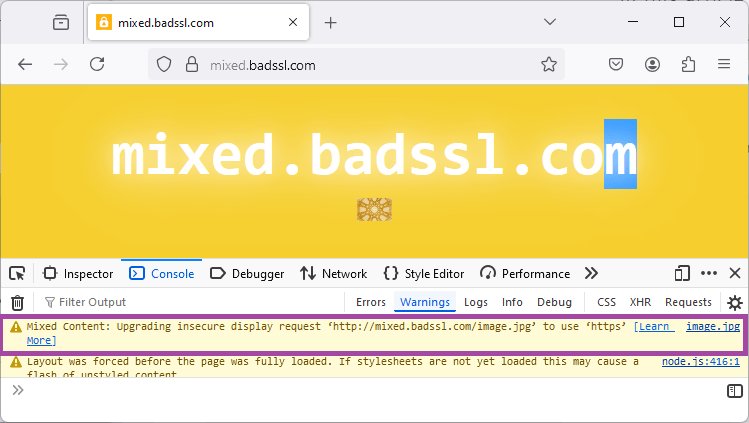
- Change scripts, stylesheets, images and fonts to load over HTTPS so the page has no mixed content.
- Add the
upgrade-insecure-requestsdirective to your content security policy if old pages still reference HTTP files. - Redirect every HTTP address to its HTTPS version with a 301 Moved Permanently response.
- Send the
Strict-Transport-Securityheader so browsers go straight to HTTPS on later visits. - Check robots.txt on the HTTPS site and add both HTTP and HTTPS variants in Google Search Console.
Expect search rankings to move for a few weeks while the new URLs are recrawled. An HTTP to HTTPS move does not need Google's Change of Address tool.
VPN encryption versus HTTPS explained
HTTPS protects your connection to one website. A VPN builds an encrypted tunnel from your device to a VPN server, and every app's traffic goes through it.
| Question | HTTPS | VPN |
|---|---|---|
| What is encrypted | Traffic between your browser and one HTTPS site | All device traffic between you and the VPN server |
| Where encryption ends | At the website's server | At the VPN server, which then connects to the site for you |
| Your IP address | Visible to the website | Replaced by the VPN server's IP address |
| Protects HTTP-only sites | No | Only between you and the VPN server |
| What your internet provider can monitor | Not the encrypted page content | Not your browsing activity, which is encrypted up to the VPN server |
| Cost and setup | Free and automatic in the browser | Usually a paid app and subscription |
The two stack well. A VPN does not replace HTTPS: once traffic leaves the VPN server for an HTTP site, it is readable again, so the Not secure warning still matters.
How to choose a secure VPN
VPN providers all describe their service as private and fast. These are the claims you can check on a provider's own site before you pay.
| Criterion | What to look for | Why it matters |
|---|---|---|
| No-logs policy | A written policy plus independent audit reports the provider publishes | The VPN server sees your traffic, so its logging practice decides your privacy |
| Protocols | WireGuard, OpenVPN or a documented in-house protocol | Modern, audited protocols carry the encryption |
| Kill switch | Blocks all traffic if the VPN drops | Stops your real IP address or unencrypted data leaking during a reconnect |
| Simultaneous devices | A stated limit that covers your phones, computers and tablets | Unprotected devices fall back to your normal connection |
| Jurisdiction | The country whose law governs logging | Some laws can force a provider to log; others, such as Swiss law, cannot |
| Business model | A paid plan, or a free tier covered by the same no-logs policy | A free service with no clear funding can log and sell browsing data |
Most powerful VPNs for safer browsing
The table lists well-known VPN services with features taken from each provider's own feature and pricing pages. It does not rank speed, because speed depends on your connection and the server you pick.
| VPN | Protocols | Devices at once | Privacy and security features |
|---|---|---|---|
| ExpressVPN | Lightway, OpenVPN, WireGuard; AES-256 encryption | Up to 14 | No-logs policy audited by firms including PwC, KPMG and Cure53; Internet Kill Switch; split tunneling; tracker and malicious site blocker |
| Surfshark | Modern VPN protocols | Unlimited | 4,500+ servers; Dynamic MultiHop double VPN; kill switch; obfuscated servers; Rotating IP |
| IPVanish | WireGuard and multiple other protocols | Unlimited | Verified no-logs policy; servers in 150 regions; RAM-only servers in some cities; double VPN |
| Proton VPN | Stealth and other secure protocols | 10 on paid plans | No-logs policy under Swiss law, including free users; open-source audited apps; kill switch; Secure Core; NetShield; free tier with servers in 10 countries |
HTTPS meaning FAQ
What is the difference between HTTP and HTTPS?
HTTPS is HTTP sent over a TLS-encrypted connection. HTTP sends data as readable text on port 80, while HTTPS encrypts it on port 443, detects tampering and proves the site's identity with a certificate.
Is HTTP secure?
No. HTTP has no encryption, so anyone between you and the server can read or change the data. Chrome marks HTTP pages Info or Not secure, and you should not enter passwords or payment details on them.
How does HTTPS work?
The browser and server run a TLS handshake. They agree on a TLS version and cipher suite, the server proves its identity with a certificate, and both sides agree on a secret key that encrypts every message after that.
Does HTTPS mean a website is safe?
No. HTTPS means the connection is private and the site holds a certificate for its domain. A scam site can also use HTTPS, so check the domain name and avoid sites Chrome labels Dangerous.
What port does HTTPS use?
HTTPS uses port 443 by default, and HTTP uses port 80. Browsers leave the port out of the address when a site uses these standard ports.
Is SSL the same as TLS?
TLS is the successor to SSL. SSL 3.0 dated from 1996 and has been replaced by TLS, with TLS 1.3 the current version. The term "SSL certificate" survives, but today's certificates are used with TLS.
Do I need a VPN if a site uses HTTPS?
Not for the privacy of that site's content, which HTTPS already encrypts. A VPN adds encryption for all your device traffic and hides your IP address from websites, which helps on public Wi-Fi and with HTTP-only sites.
Is an HTTPS certificate free?
It can be. Let's Encrypt, a nonprofit certification authority, issues TLS certificates free, and many web hosts set up and renew HTTPS for you by default.