The eufy Security download is free for iPhone, iPad and Android, and it is the app you use to set up and watch eufy cameras, doorbells and HomeBase systems. On a Windows 11, Windows 10 or Mac computer, you sign in to the same account through the eufy Security Web Portal in your browser.
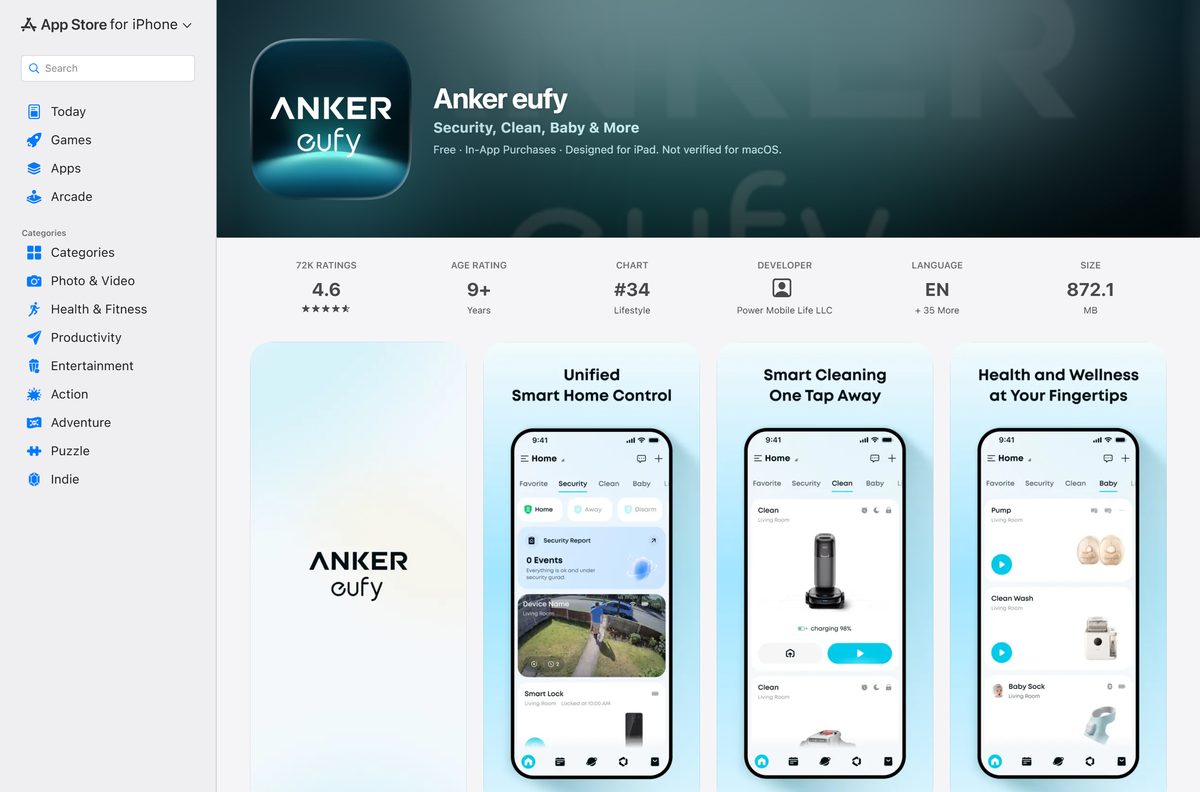
The app now appears in both stores as Anker eufy, the all-in-one eufy app that also runs eufy Clean, Baby and Pet devices. The iPhone and iPad build is 872.1 MB and needs iOS 15.1 or later.
This guide covers which store to use, install steps for each phone, the web portal on a PC or Mac, what the cloud plans add, and fixes for setup problems.
Which eufy Security download do you need?
Match your device to a row, then use the link in that row. Every row signs in to the same eufy account and the same cameras.
| Your device | What to install | Size |
|---|---|---|
| iPhone or iPad on iOS 15.1 or later | Anker eufy on the App Store | 872.1 MB |
| Android phone or tablet on Android 8.0 or later | Anker eufy on Google Play | Play states no size |
| Windows 11 or Windows 10 PC, or Mac | Security Web Portal link on eufy.com | Nothing to install; runs in the browser |
Download eufy Security from the official stores
The eufy.com footer still labels these links eufy Security App. Both open the Anker eufy listing, which is the same app under its new name.
- eufy Security app links on eufy.com — Footer links for iOS, Android and the Security Web Portal
- Anker eufy on the App Store — 872.1 MB · iPhone and iPad, iOS 15.1 or later, free
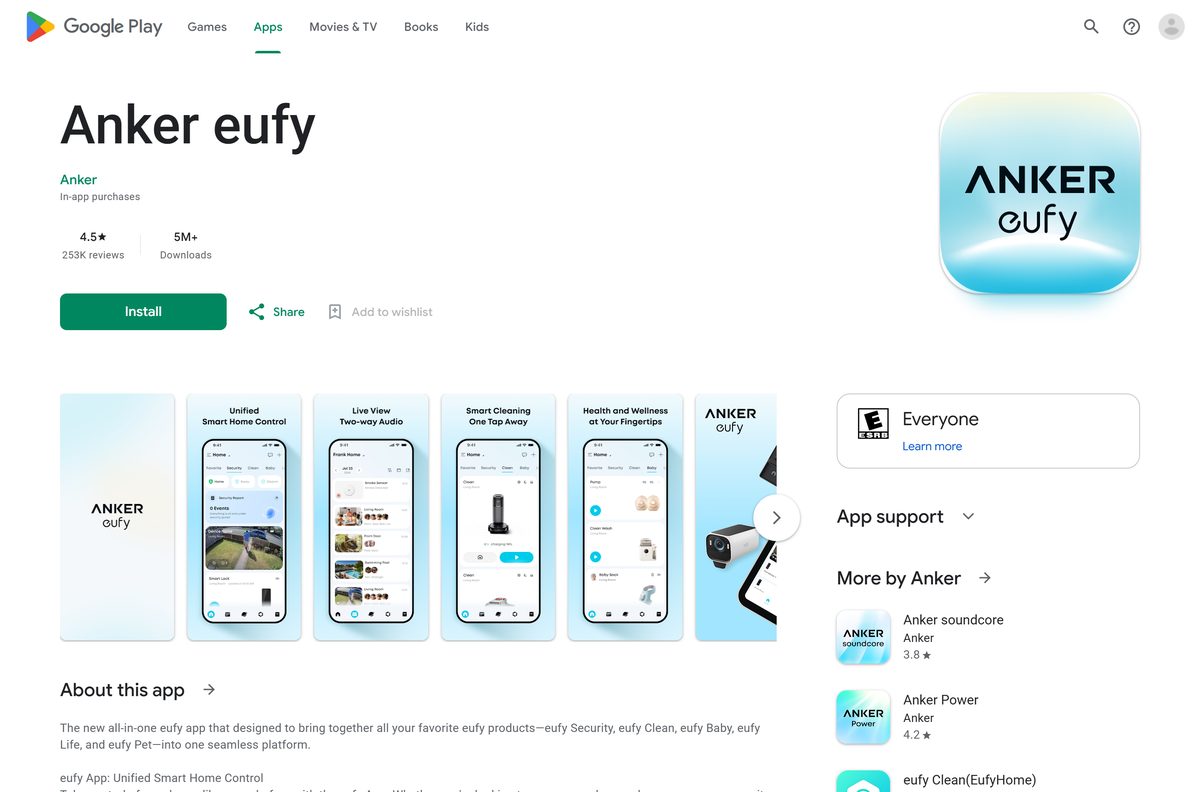
- Anker eufy on Google Play — Developer Anker, free with in-app purchases, 5M+ downloads
On the phone itself, search the store for eufy App and open the listing named Anker eufy. The older eufy Clean and eufylife apps are separate listings for other product lines.
Check the eufy Security system requirements
The phone runs the app, while the cameras and HomeBase need their own network conditions. Check both before you unbox the hardware.
| Field | Value |
|---|---|
| Software | eufy Security (listed as Anker eufy) |
| Developer | Anker (seller Power Mobile Life LLC on the App Store) |
| Latest version | 6.1.10 on iPhone and iPad (21 September 2026); Android updated 21 September 2026 |
| Price | Free, with optional eufy cloud storage plans |
| iPhone and iPad | iOS 15.1 or later |
| Android | Android 8.0 or above |
| Windows and Mac | No desktop app; Security Web Portal in a browser |
| Download size | 872.1 MB on the App Store; Google Play states no size |
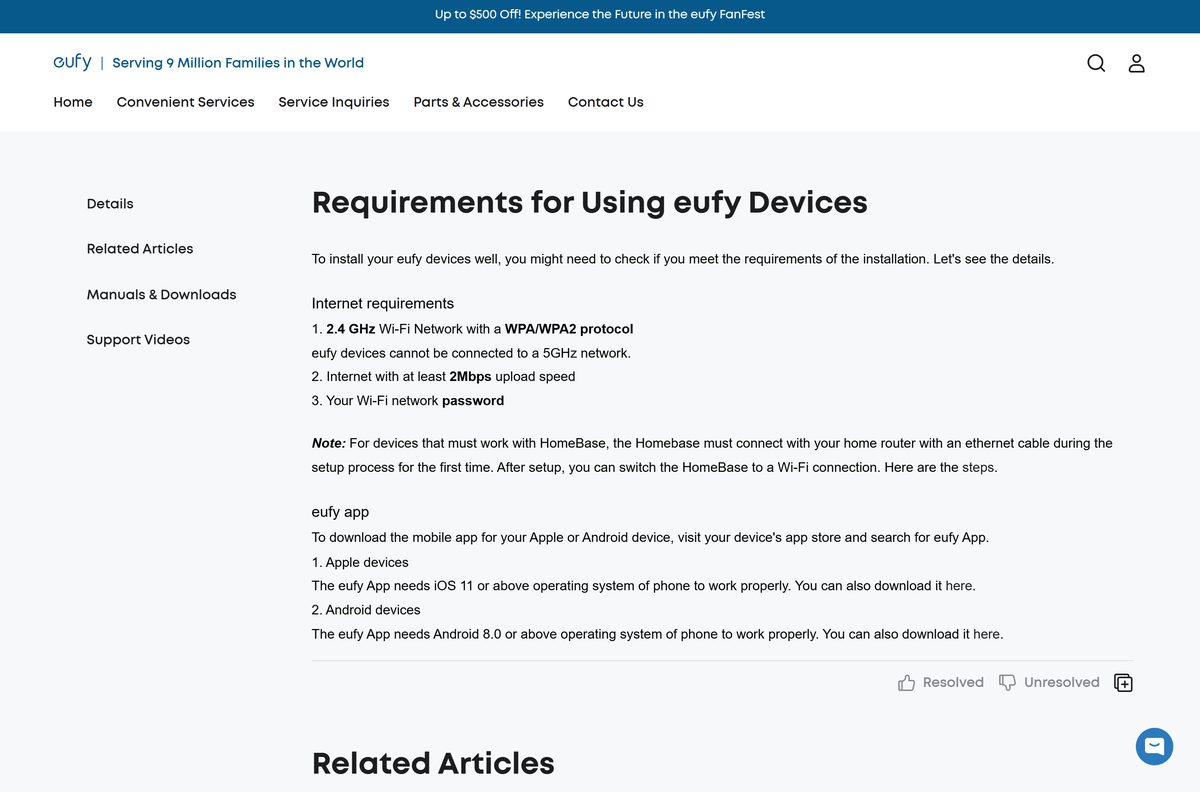
| Wi-Fi | 2.4 GHz with WPA/WPA2, at least 2 Mbps upload; 5GHz is not supported |
| Offline installer | None |
| Official source | eufy.com, the App Store and Google Play |
| Last verified | 2026-09-25 |
A HomeBase must connect to your router with an Ethernet cable during first setup. You can switch it to Wi-Fi afterwards. The full list sits on the eufy requirements page.
How to install eufy Security on an Android phone or tablet
Check that the phone runs Android 8.0 or later before you start. Keep your Wi-Fi password handy for camera setup.
- Open the Google Play Store on your Android phone or tablet.
- Search for eufy App and open the Anker eufy listing from developer Anker.
- Tap Install and wait for the download to finish.
- Tap Open.
- Sign up for a eufy account, or log in if you already have one.
- Turn on two-step verification for the account.
- Add your HomeBase, camera or doorbell and follow the pairing prompts.
Android lists the app as Anker eufy on your home screen once it installs.
How to install eufy Security on an iPhone or iPad
The build is an 872.1 MB download, so start it on Wi-Fi.
- Open the Anker eufy listing on your iPhone or iPad.
- Check that the seller reads Power Mobile Life LLC.
- Tap Get, then confirm with Face ID, Touch ID or your Apple Account password.
- Tap Open once the install finishes.
- Sign up for a eufy account, or log in with your existing one.
- Turn on Face ID or Touch ID login for faster access.
- Add your first eufy device and follow the pairing prompts.
One eufy account works on several phones at once. Share cameras with family from the app instead of sharing your password.
How to use eufy Security on a Windows PC or Mac
eufy publishes no Windows or Mac version of the app. The eufy.com footer links a Security Web Portal at mysecurity.eufylife.com instead, and it opens in Edge, Chrome or Safari.
Sign in with the same email and password you use in the phone app. Add new cameras and HomeBase units from the phone, because the requirements page ties setup to the mobile app.
| What you want | What to do |
|---|---|
| Reach your eufy account on a Windows 11, Windows 10 or Mac computer | Open the Security Web Portal from the eufy.com footer |
| Add a new camera, doorbell or HomeBase | Use the app on a phone or tablet |
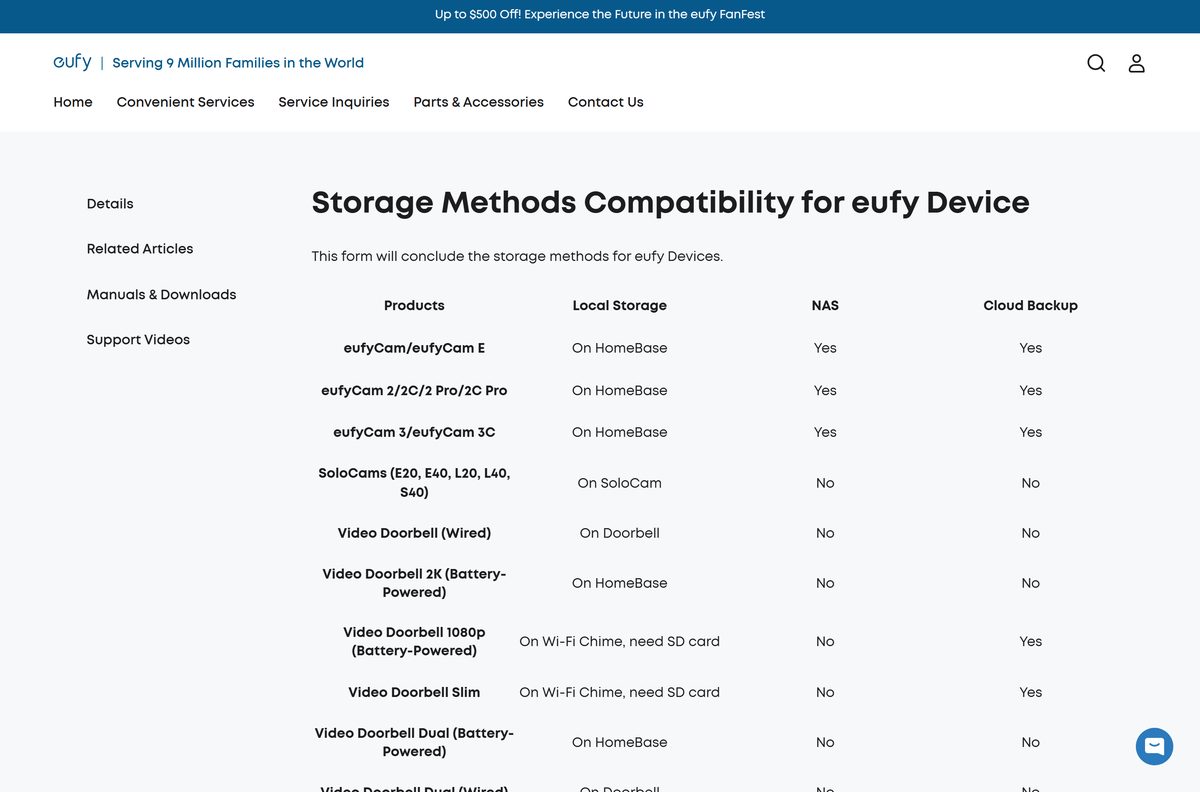
| Check where your clips are stored | Read the eufy storage methods table |
| Buy or compare a cloud plan | eufy cloud storage plans |
Skip any site offering a eufy Security EXE, DMG or desktop installer. eufy does not publish one.
Is eufy Security free?
Yes. The app is free, and a cloud plan is optional. Most eufy cameras record to local storage on the HomeBase, the camera itself or an SD card, with no monthly fee. The Basic cloud plan costs $3.99 a month or $39.99 a year for one device. The Plus plan costs $13.99 a month or $139.99 a year and covers every device. Both keep 30 days of video.
Cloud backup is not available on every model. SoloCams, the wired Video Doorbell and smart locks keep footage locally only, so check the storage table before you pay.
How to verify the eufy Security app is genuine
The app has no installer file to checksum. The store listing and its publisher are the proof.
- Open the listing from the eufy.com footer or the links above, not from a search ad.
- On Google Play, check that the developer reads Anker and the listing shows 5M+ downloads.
- On the App Store, check that the seller reads Power Mobile Life LLC, which also sells the eufy Clean and eufy Baby apps.
- Confirm the listing title reads Anker eufy.
- Delete any eufy app file you got from a third-party site.
Turn on two-step verification in the app. It stops someone with your password from signing in to your cameras.
How to check your eufy Security version and update it
eufy ships app updates through the stores. Version 6.1.10 is the current iPhone and iPad build.
- Open the App Store or Google Play on your phone.
- Search for Anker eufy and open the listing.
- Tap Update if the button shows. Open means you already have the newest build.
- Update your phone’s system software if it is below iOS 15.1 or Android 8.0.
- Open the app and update device firmware when it prompts you.
Fix eufy Security not installing or not adding devices
The store says the app is not compatible with your device
The phone runs below iOS 15.1 or Android 8.0.
- On iPhone or iPad, open Settings, then General, then Software Update.
- On Android, open Settings and check the Android version.
- Install any pending update, then retry the store listing.
- Use another phone or tablet if yours cannot reach the minimum version.
A camera or doorbell will not join your Wi-Fi
eufy devices cannot connect to a 5GHz network, and they need at least 2 Mbps of upload speed.
- Connect the phone to your 2.4 GHz Wi-Fi network before you start setup.
- Check that the router uses WPA or WPA2 security.
- Enter the Wi-Fi password exactly, including capital letters.
- Move the device closer to the router and retry.
The app cannot find your HomeBase
A new HomeBase needs a wired connection for its first setup.
- Connect the HomeBase to your router with the Ethernet cable.
- Start the HomeBase setup again in the app.
- Switch the HomeBase to Wi-Fi in the app after setup finishes.
The app crashes or will not load your cameras
An outdated app build or a stuck session.
- Update the app from the store.
- Force quit the app and open it again.
- Restart your phone.
- Uninstall the app, reinstall it and log in again.
eufy Security support answers on +1 (800) 988-7973 and at [email protected].
How to uninstall and reinstall eufy Security
Your devices, settings and cloud plan live on your eufy account, not on the phone. Clips on a HomeBase or SD card stay on that hardware.
- On Android, open the Play Store, tap your Profile icon, then Manage apps & devices and Manage.
- Select Anker eufy and tap Uninstall.
- On iPhone, touch and hold the eufy icon, tap Remove App, then Delete App, and tap Delete to confirm.
- Restart the phone.
- Reinstall by searching for eufy App in the store.
- Log in with the same email address as before.
Apple’s remove apps guide and Google’s delete apps guide cover the same steps.
Frequently asked questions
Is the eufy Security app free?
Yes. The app, now listed as Anker eufy, is free on the App Store and Google Play. Most eufy cameras record to local storage at no cost, and the Basic and Plus cloud plans are optional.
What is the official eufy Security download page?
The eufy.com footer carries the official eufy Security App links for iOS and Android, plus the Security Web Portal. Both store links open the Anker eufy listing from Anker.
Can I download eufy Security on a Windows 11 PC?
No. eufy publishes no Windows app. On a Windows 11 or Windows 10 PC, open the Security Web Portal linked in the eufy.com footer and sign in with your eufy account in the browser.
How big is the eufy Security download?
The iPhone and iPad app is 872.1 MB on the App Store. Google Play does not state a size for the Android app, because it varies by device. Start the download on Wi-Fi.
Is there a eufy Security APK or offline installer?
No. eufy links only to the App Store, Google Play and its browser-based web portal. It publishes no EXE, DMG or standalone APK, so any site offering one is not an official source.
Is there a eufy Security app for Mac?
No. The Mac App Store carries no eufy app. On a Mac, open the Security Web Portal from the eufy.com footer in Safari or Chrome, or use the app on an iPhone or iPad.
Does eufy Security have a 64-bit or ARM64 build for PC?
The question does not apply, because there is no desktop build. The app runs on iOS 15.1 or later and Android 8.0 or above, and each store delivers the right build for your phone.
Is the eufy Security app safe to install?
Yes, from the official stores. The Google Play listing comes from Anker, and the App Store listing comes from Power Mobile Life LLC, which also sells the eufy Clean and eufy Baby iPhone apps.
What is the latest eufy Security version?
Version 6.1.10 on iPhone and iPad, released on 21 September 2026. Google Play shows the Android app updated on the same day. Tap Update on the store listing to get it.
Why won’t eufy Security install on my phone?
The phone is usually below the minimum system version. The App Store listing needs iOS 15.1 or later, and eufy lists Android 8.0 or above. Update the system software, then retry.
Why is the eufy Security app now called Anker eufy?
eufy merged its apps into one all-in-one eufy app for Security, Clean, Baby, Life and Pet devices. The listing kept the same App Store and Google Play address as the old eufy Security app.
Do I need a subscription to use eufy cameras?
No. Most eufy cameras store clips on the HomeBase, the camera or an SD card. A cloud plan adds 30 days of off-site video from $3.99 a month for one device.