To cancel Hulu, open your Account page on Hulu.com in a browser, select Cancel under Your Subscription, choose Continue to Cancel if a pause offer appears, then select Cancel Subscription.
That works when Hulu bills you directly; this guide also covers Apple, Google Play, Roku, Amazon and other billing partners, and how to confirm the cancellation went through.
How to Cancel Hulu Through the Hulu Website
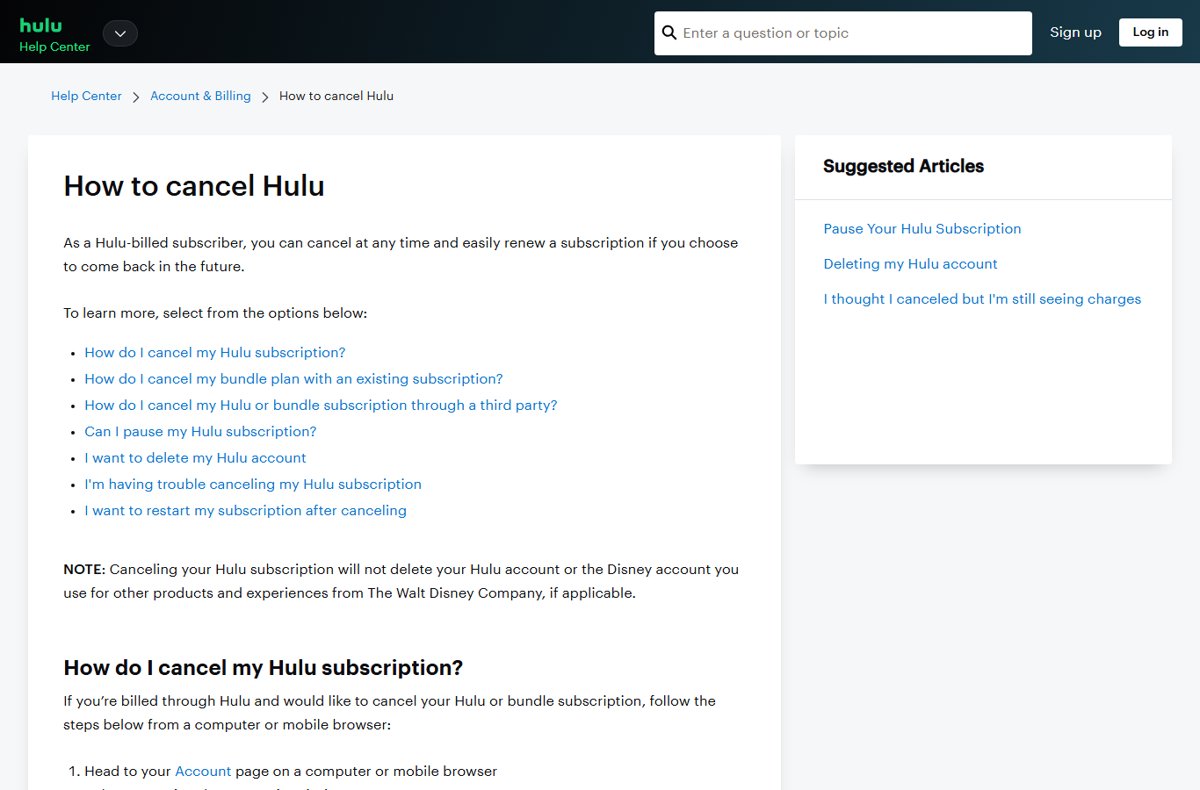
Use a computer or mobile browser. These steps apply when Hulu bills you directly, for a Hulu plan or a bundle.
- Go to Hulu.com in a browser and log in.
- Open your Account page.
- Select Cancel under Your Subscription.
- If Hulu offers to pause your subscription instead, select Continue to Cancel.
- Select Cancel Subscription.
Hulu then sends a confirmation email to the address on file. Keep it for your records.
Check How Your Hulu Subscription Is Billed
Who bills you decides where you cancel. Check before anything else, because cancelling in the wrong place does nothing.
- Log in to your Account page on Hulu.com.
- Find the Payment Information section.
- Read the billing party listed there: Hulu, or a partner such as Apple, Google, Amazon, Roku, Disney, Spotify or a phone or cable company.
- If it says Hulu, use the website steps above; otherwise use the matching section below.
Some subscription details are not shown on the Hulu Account page for partner-billed accounts. A bank or card statement also names the company that charges you.
Where to cancel, by billing party
| Who bills you | Where to cancel | Notes |
|---|---|---|
| Hulu | Hulu.com Account page | Cancel any time; pause is also offered |
| Apple (App Store) | iPhone or iPad Settings > [your name] > Subscriptions | Cancel with the Apple Account that bought it |
| Google Play | Google Play app subscriptions | Uninstalling the Hulu app does not cancel it |
| Roku | Contact Hulu at 877-824-4858 | Roku processes the charge, but Hulu manages the subscription |
| Amazon | Your Amazon account, using Amazon Help's instructions | Hulu points Amazon-billed subscribers to Amazon Help |
| Disney+ bundle signed up through Disney+ | Disney+ account or Disney+ Support | Manage the bundle where you bought it |
| HBO Max bundle signed up through HBO Max | HBO Max account or HBO Max support | Manage the bundle where you bought it |
| Spotify, T-Mobile, Verizon, Xfinity, Optimum, Kroger | The partner's own account page or support | Steps vary by partner |
How to Cancel Hulu on iPhone or iPad
Use this only if Apple bills you for Hulu. Cancelling inside the Hulu app does not stop an App Store subscription.
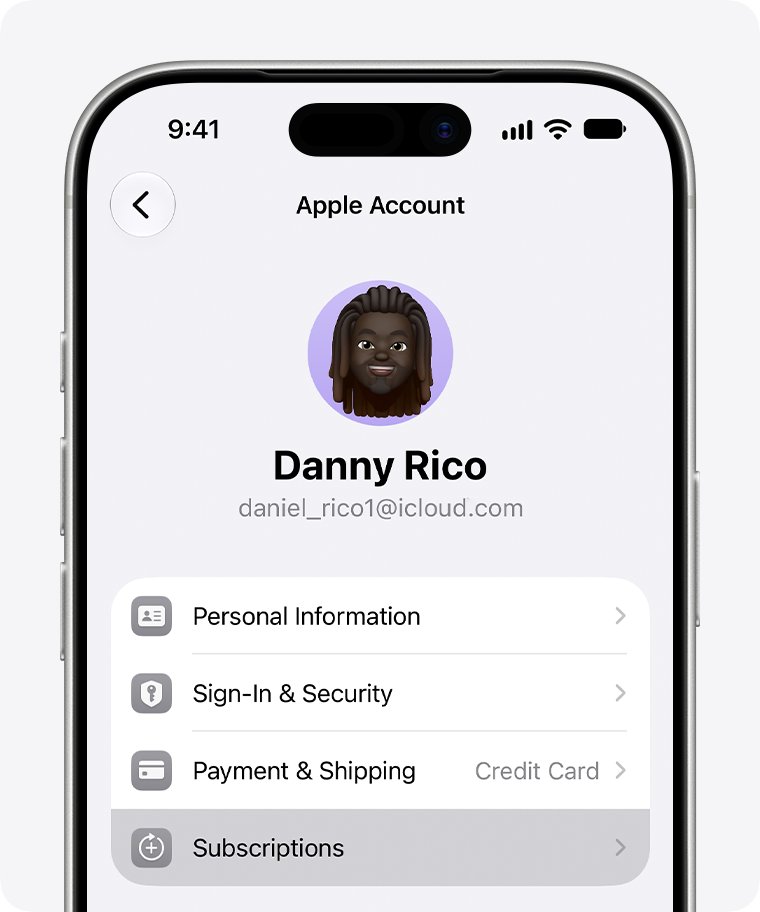
- Open Settings and tap your name.
- Tap Subscriptions.
- Tap Hulu.
- Tap Cancel Subscription; scroll down if you do not see it.
- If there is no Cancel button, or an expiration message appears in red, the subscription is already cancelled.
If Hulu is not listed, search your email for "receipt from Apple" to see which Apple Account paid. A family member's subscription can only be cancelled by that family member.
How to Cancel Hulu Through Google Play
Use this if Google Play bills you. Sign in to the Google Account that holds the subscription first.
- On your Android phone or tablet, open your subscriptions in Google Play.
- Select the Hulu subscription.
- Tap Cancel subscription.
- Follow the on-screen instructions to finish.
Google warns that uninstalling the app does not cancel the subscription. You can also cancel from Google Play on a computer.
How to Cancel Hulu Through Roku, Amazon, or Another Third Party
Roku is the exception to the usual rule: even when Roku bills you, Hulu manages the subscription, so the cancel button on Roku's site is not the route.
- Roku: call Hulu at 877-824-4858 or contact Hulu support, as Roku instructs.
- Roku: if Hulu asks for your CIB (Customer Identifier for Billing), copy it from your Roku invoice in your Roku purchase history.
- Amazon: follow Amazon Help's instructions to cancel the subscription from your Amazon account.
- Disney+ or HBO Max bundles: cancel in the Disney+ or HBO Max account you signed up through.
- Spotify, T-Mobile, Verizon, Xfinity, Optimum or Kroger: cancel through that partner's account or support.
If you no longer want a partner to bill you, Hulu suggests cancelling there and signing up directly at Hulu.com.
What Happens After You Cancel Hulu
| Situation | What happens |
|---|---|
| Paid Hulu or bundle plan | You keep watching until the end of the current billing cycle and are not charged again |
| Hulu free trial | Access continues to the end of the trial, with no charge afterwards |
| Hulu + Live TV free trial | Access ends immediately on cancellation |
| Your Hulu account | Not deleted; cancelling does not delete the Hulu or Disney account |
| Bundle plus an older standalone plan | The other plan keeps billing at its current price unless you cancel it separately |
| Coming back later | Sign up again with the same login |
Want a cheaper plan instead? Hulu-billed subscribers can switch plans or remove add-ons under MANAGE PLAN and MANAGE ADD-ONS without cancelling.
How to Confirm Your Hulu Subscription Was Canceled
- Log in to your Account page on Hulu.com.
- Look at the subscription status under Overview.
- "Your subscription will be canceled" or "Your subscription is about to cancel" means it worked; the page shows the cancel date.
- "Your Next Charge" means the account is still active, so repeat the cancel steps.
- Check your inbox for Hulu's confirmation email.
A prompt to Renew your subscription means the account is already fully cancelled. If you are still charged, you may have a second Hulu account or a partner-billed subscription.
Fix it when Hulu will not let you cancel
There is no Cancel option on the Hulu Account page
A third party bills you, so the subscription is cancelled with that partner.
- Check Payment Information on the Account page for the billing party.
- Cancel with that partner, using the sections above.
- Roku-billed subscribers contact Hulu directly at 877-824-4858.
Hulu is still charging you after you cancelled
The cancellation did not finish, or there is a second account or bundle.
- Check the status on your Account page; "Your Next Charge" means it is still active.
- Search your email for other Hulu, Apple, Google or Roku receipts.
- Contact Hulu support, which is available 24 hours a day, 7 days a week.
The cancel page keeps showing a pause offer
Hulu offers a pause before cancellation.
- Select Continue to Cancel.
- Select Cancel Subscription on the next screen.
Frequently Asked Questions
How do I cancel my Hulu subscription?
If Hulu bills you, open your Account page on Hulu.com, select Cancel under Your Subscription, choose Continue to Cancel if a pause offer appears, and select Cancel Subscription. Partner-billed subscriptions are cancelled with Apple, Google, Amazon or the other partner.
Why can't I cancel my Hulu subscription?
Usually because a third party bills you. Check the Payment Information section on your Hulu Account page. If Apple, Google, Amazon or another partner is listed, cancel there. If Roku bills you, contact Hulu directly.
Why won't Hulu let me cancel my subscription?
Hulu cannot cancel subscriptions that a partner manages, such as Apple or Google Play. Cancel with the billing party shown on your Account page. If you are billed by Hulu and still cannot cancel, contact Hulu support, available around the clock.
Can I pause Hulu instead of cancelling?
Yes, if Hulu bills you. Hulu-billed subscribers can pause for up to 12 weeks from the Your Subscription section of the Account page. Pausing is not available for annual plans, gift cards, promotions or most partner billing, except Amazon and Roku.
Do I keep Hulu until the end of the month after cancelling?
Yes. You keep access until the end of your current billing cycle and are not charged again. Free trials also run to the end, except Hulu + Live TV trials, which end immediately when you cancel.
Does cancelling Hulu delete my account?
No. Cancelling stops billing but does not delete your Hulu account or the Disney account you use for other Disney products. You can sign back in and renew later with the same login.
How do I cancel Hulu on Roku?
Contact Hulu at 877-824-4858, even if Roku bills you. Roku processes the charge, but Hulu manages the subscription. Have your Customer Identifier for Billing (CIB) from your Roku invoice ready.
How do I restart Hulu after cancelling?
Log in with the same email and password and renew from your Account page. If you only paused, select Restart Subscription next to Pause Scheduled, then Cancel Pause, and you are billed straight away.
Bottom Line
Check Payment Information on your Hulu Account page first, then cancel with whoever bills you. Hulu-billed plans cancel in four clicks on Hulu.com, while Apple, Google Play and Amazon subscriptions only stop in those stores. Confirm the status reads that your subscription will be canceled before you stop checking.