The Xfinity app download for a Windows 11, Windows 10 or Mac computer takes about a minute. Open xfinity.com/stream in Edge or Chrome, sign in with your Xfinity ID, then install the page as an app. Windows adds a Start menu shortcut, and Xfinity Stream opens in its own window with live TV, On Demand and your cloud DVR.
Xfinity Stream costs nothing extra for Xfinity customers. Xfinity TV, Xfinity Internet and NOW TV accounts can all sign in, and the same Xfinity ID works on iPhone, Android and streaming TV boxes.
Below are the official links, the Windows and Mac setup, the system requirements, and fixes for a portal that refuses to play.
Which Xfinity app download do you need?
Match the device in front of you to a row. One Xfinity ID covers every route.
| Your device | What to get | Minimum version |
|---|---|---|
| Windows 11 or Windows 10 PC | Install xfinity.com/stream as an app in Edge or Chrome | Latest Edge, Chrome or Firefox |
| MacBook, iMac, Mac mini or Mac Studio | Sign in at xfinity.com/stream in Safari or Chrome | macOS 11; macOS 10.14.4 for Safari |
| iPhone or iPad | Xfinity Stream on the App Store, 126.5 MB | iOS 17.6 |
| Android phone or tablet | Xfinity Stream on Google Play | Android 7.0 |
| You want to pay a bill or restart a modem | The separate Xfinity app for phones | iOS 17.2, Android 10.0 |
There is no setup file for a computer. The installed shortcut belongs to the browser, not to a separate program.
Download Xfinity Stream from its official pages
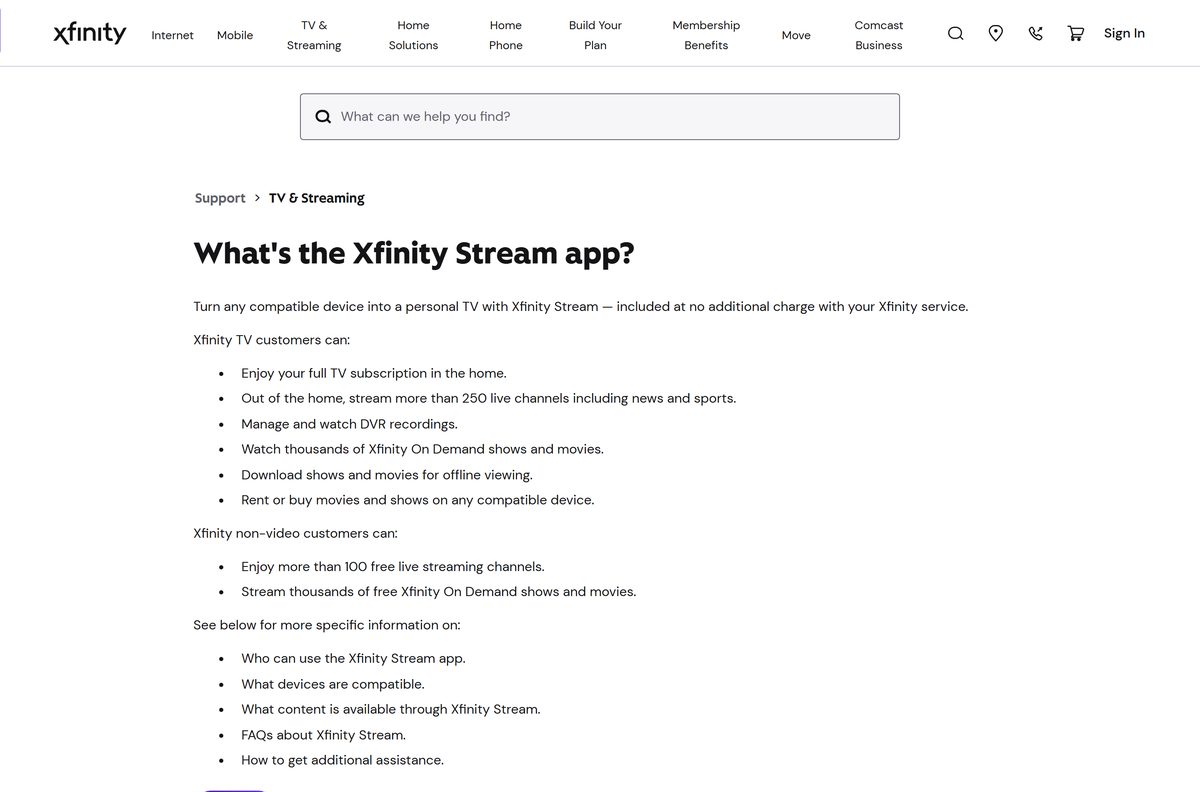
Every link below is published by Xfinity or by the store that distributes its mobile app.
- xfinity.com/stream, the Xfinity Stream portal — Edge, Chrome, Firefox or Safari on Windows and Mac
- Get started with the Xfinity Stream portal — sign-in and computer registration steps
- Xfinity Stream on the App Store — 126.5 MB · seller Comcast Interactive Media; needs iOS 17.6 or later
- Xfinity Stream on Google Play — package com.xfinity.cloudtvr; Android 7.0 or later
- Xfinity Stream app minimum system requirements — iOS, Android, Amazon Fire and web
A site offering an Xfinity Stream exe, msi or dmg is not Xfinity.
Check the Xfinity Stream system requirements before you sign in
Xfinity’s floor for a computer is low. The real requirement is a current browser with JavaScript and cookies turned on.
| Field | Value |
|---|---|
| Software | Xfinity Stream |
| Developer | Comcast (Comcast Interactive Media) |
| Latest version | 7.27.1 (App Store build; the web portal is not versioned) |
| License | Included with Xfinity TV, Internet or NOW TV service |
| Windows | Windows 11 or Windows 10 in desktop mode; latest Edge, Firefox or Chrome |
| Windows hardware | 3 GHz Pentium 4 or Athlon 3400, 128 MB RAM, 64 MB video card |
| macOS | macOS 11 or later; macOS 10.14.4 or later with Safari |
| Mac hardware | Intel Core Duo 1.83 GHz, 256 MB RAM, 64 MB video card |
| Not supported | Windows tablets and phones, Linux, other devices |
| Architecture | Browser-based on desktop: x64, ARM64 and Apple silicon |
| Desktop download size | None; nothing installs on a PC or a Mac |
| App Store size | 126.5 MB |
| Offline installer | No |
| Last verified | 2026-09-24 |
Internet Explorer does not load the portal. Use Edge on Windows instead.
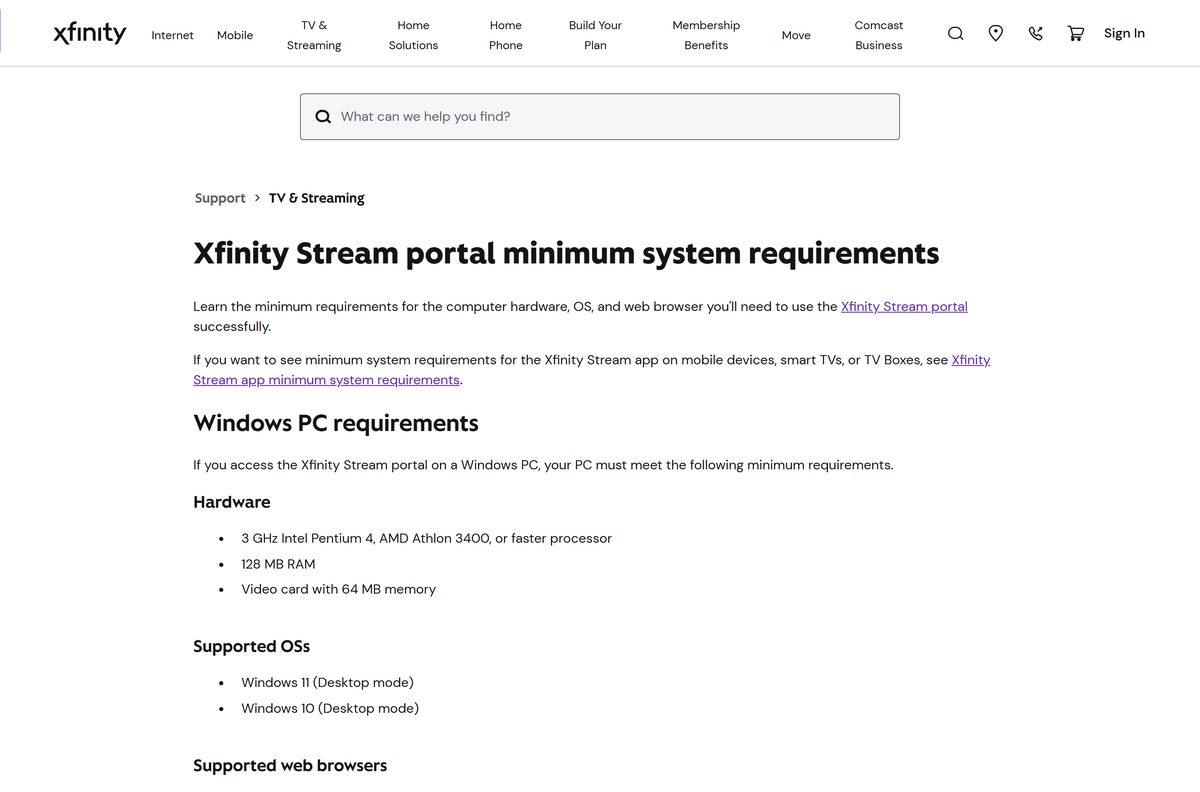
How to install Xfinity Stream on Windows 11 and 10
Edge and Chrome both turn the portal into a Start menu entry. The window drops the address bar and behaves like any other desktop app.
- Open Microsoft Edge or Google Chrome and go to xfinity.com/stream.
- Select Sign In and enter your Xfinity ID and password.
- Register the computer to your account when the portal asks, then select Yes to accept the terms of activation.
- In Edge, select the three dots, then Apps, then Install this site as an app.
- In Chrome, select the three dots, then Cast, save and share, then Install page as app.
- Name the shortcut and select Install.
- Right-click the new Start menu entry and choose Pin to taskbar.
Tick Stay signed in on a personal computer so the portal recognises it next time.
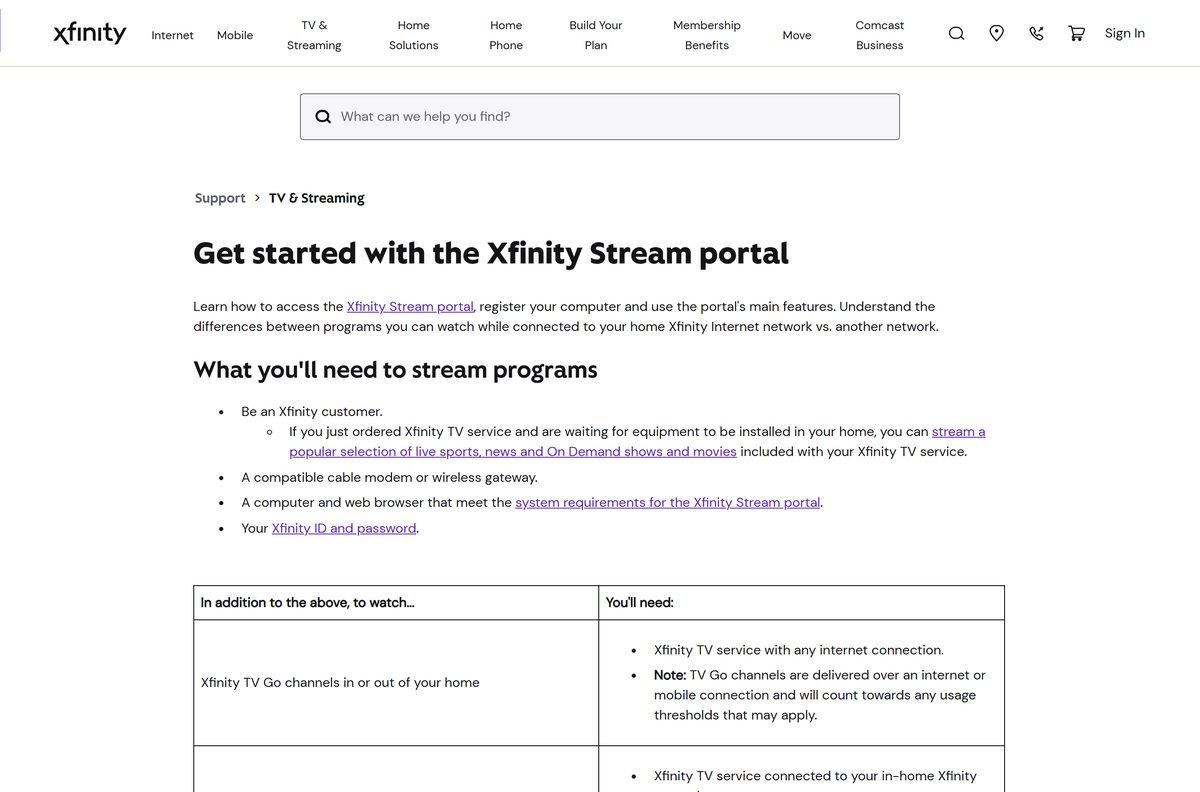
Which Xfinity Stream download do you need for your Mac?
Apple’s catalogue carries no Mac build, so a Mac plays the same portal a PC does.
| Your Apple device | What to do | Minimum version |
|---|---|---|
| MacBook Air, MacBook Pro, iMac or Mac mini | Sign in at xfinity.com/stream in Safari | macOS 10.14.4 with the latest Safari |
| A Mac where you want a dock icon | Open xfinity.com/stream in Chrome and install it as an app | macOS 11 with the latest Chrome |
| iPhone or iPad | Xfinity Stream on the App Store, 126.5 MB | iOS 17.6 |
| Apple TV box | Xfinity Stream device list | Apple TV and AirPlay listed |
Firefox and Edge also work on a Mac, from macOS 11 onward.
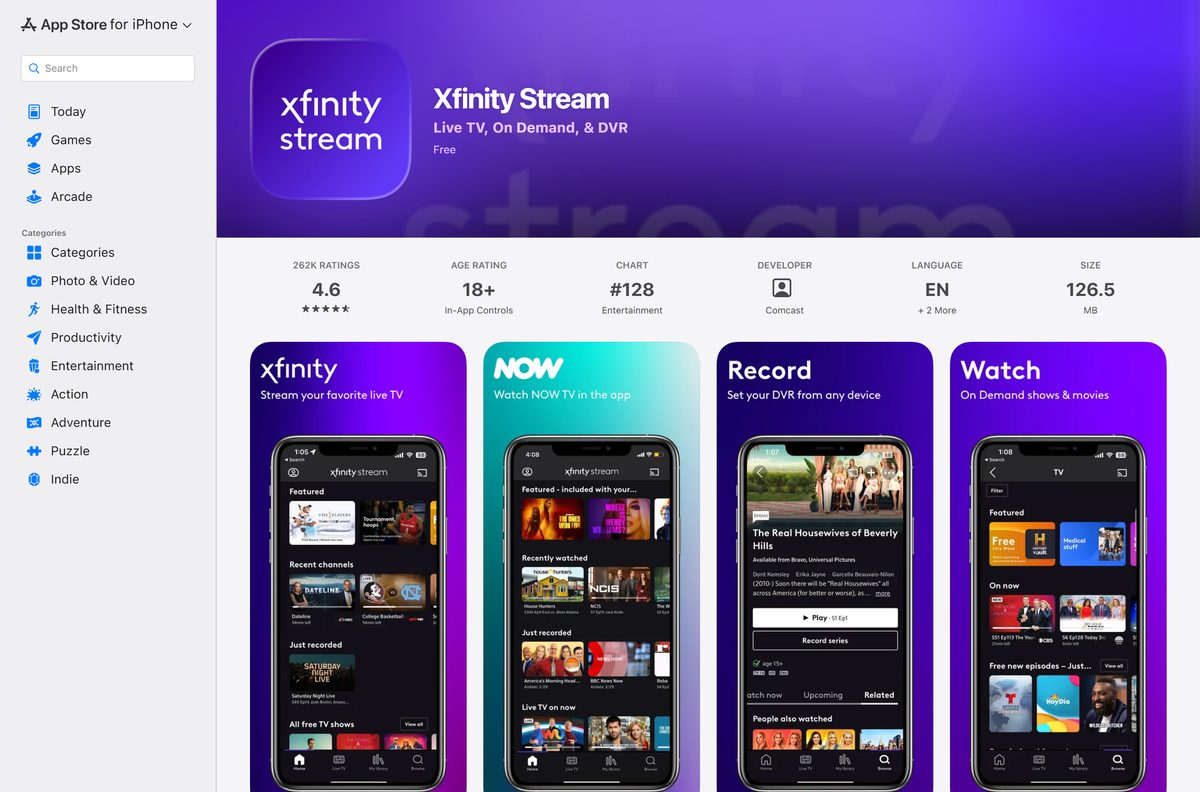
Install the Xfinity Stream app on a phone or tablet
The mobile builds add one thing the portal lacks: downloads for offline viewing.
- Open the App Store on an iPhone or iPad, or Google Play on Android.
- Search for Xfinity Stream and confirm the publisher is Comcast.
- Tap Get or Install.
- Open the app and sign in with your Xfinity ID and password.
- Tap the download icon on a show, movie or DVR recording to keep it for offline viewing.
Amazon Fire TV, Fire Stick and Fire tablets install the app from the Amazon Appstore on Fire OS 6 or later.
Is the Xfinity app free?
Installing costs nothing. Watching needs an active Xfinity account.
Xfinity Stream is free for Xfinity customers and plays nothing without an Xfinity ID. Xfinity states there is no charge for customers to use Stream because it is included with Xfinity service. An Xfinity TV plan is not required: Xfinity Internet and NOW TV customers sign in with the same Xfinity ID. Pay-per-view events and some X1 On Demand subscription services are not available on the portal.
Anyone selling an Xfinity Stream licence or activation key is not Comcast.
Should you install Xfinity Stream or the Xfinity app?
Comcast ships two apps with similar names. They do different jobs.
Install Xfinity Stream to watch TV. Install the Xfinity app on a phone to pay bills, check outages or restart a modem. Xfinity Stream plays live channels, On Demand and cloud DVR on computers, phones and TV boxes. The Xfinity app manages the account, runs on iOS 17.2 or later and Android 10.0 or later, and Xfinity says it does not work on Windows. On a PC, use the portal for TV and xfinity.com in the browser for the account.
What Xfinity Stream plays at home and away
Your location decides the channel list. Home means connected to your own Xfinity network.
| Content | On your home network | Away from home |
|---|---|---|
| Live TV | Full channel lineup | Up to 200+ TV Go channels, where licensing permits |
| Xfinity On Demand | Full library | Many titles; some are in-home only |
| Cloud DVR recordings | Yes | Yes, completed recordings |
| Pay-per-view events | Not on the portal | Not on the portal |
| Offline downloads | Mobile apps only | Mobile apps only |
TV Go streams over a mobile connection count toward any data limit on that plan.
How to check your Xfinity Stream version and update it
The portal updates itself on every visit. Only the browser and the mobile apps need attention.
- In Edge, open Settings, then About Microsoft Edge, and let it install any update.
- In Chrome, open Settings, then About Chrome, and select Relaunch if prompted.
- On an iPhone, open the App Store, tap your profile, and update Xfinity Stream if listed.
- On Android, open Google Play, tap your profile, then Manage apps and device, and update it there.
- Compare the App Store build with the current 7.27.1 release.
Xfinity needs app version 7.8.0 or later on iOS and 7.4.1 or later on Android to play all content.
Fix Xfinity Stream not working on Windows 11 or 10
Most desktop failures are a stale browser cache or a blocked cookie, not a broken install.
The portal shows error TVAPP-00114 or asks you to clear the cache
Stale cached files from an earlier session.
- Clear the cache in Edge, Chrome or Firefox settings.
- Close the browser and wait two minutes.
- Open xfinity.com/stream again and sign in.
- Select Try Again if the message stays on screen.
The page loads but a recording or channel will not play
A blocked script, cookie or browser extension.
- Confirm JavaScript and cookies are enabled for xfinity.com.
- Open a private or incognito window and sign in there.
- Turn off ad blockers on the tab if the private window plays.
- Work through Xfinity’s portal troubleshooting steps.
Some channels are missing on a laptop
You are away from your home Xfinity network.
- Connect to your home Xfinity Wi-Fi for the full lineup.
- Check whether the title is marked for in-home viewing only.
- Watch a completed cloud DVR recording instead, which plays anywhere.
The browser offers no option to install the page as an app
An old browser build, or Safari, which has no such command.
- Update the browser from its About page and restart it.
- Switch to Edge or Chrome on Windows.
- On a Mac in Safari, add the page to Favourites instead.
How to uninstall Xfinity Stream from a PC
Removing the shortcut leaves your Xfinity account and DVR recordings untouched.
- Open Settings on Windows 11, then Apps, then Installed apps.
- Find the Xfinity Stream entry created by Edge or Chrome.
- Select the three dots, then Uninstall, and confirm.
- In Edge, open edge://apps and remove the entry if it still appears.
- Sign out at xfinity.com/stream on a shared computer to end the session.
Which other ways can you watch Xfinity Stream?
The desktop portal is one of many front doors to the same account.
| Route | Who it suits | What you need |
|---|---|---|
| xfinity.com/stream in a browser | Windows and Mac | Latest Edge, Chrome, Firefox or Safari |
| The App Store build | iPhone and iPad | iOS 17.6 or later |
| The Google Play build | Android phones and tablets | Android 7.0 or later |
| Amazon Fire TV and Fire Stick | A TV without an Xfinity box | Fire OS 6 or later |
| Roku, Apple TV, LG and Samsung TVs | A smart TV or streaming box | The Xfinity Stream app from that device’s store |
| Xfinity Flex or Xumo TV | Xfinity streaming hardware | The built-in app |
Chromecast and AirPlay send the picture from a phone to a TV.
Frequently asked questions
Is the Xfinity app free to download?
Yes. Xfinity Stream is free for Xfinity customers, because it is included with Xfinity service. You need an Xfinity ID from an Xfinity TV, Xfinity Internet or NOW TV account. Without an account, the app and the portal play nothing.
Where is the official Xfinity Stream download page?
On a computer, the official route is the Xfinity Stream portal at xfinity.com/stream. Phones use Xfinity Stream on the App Store, published by Comcast Interactive Media, or on Google Play under the package com.xfinity.cloudtvr.
Does Xfinity Stream work on Windows 11?
Yes. Xfinity lists Windows 11 and Windows 10 in desktop mode, with the latest Microsoft Edge, Firefox or Google Chrome. Windows tablets in tablet mode and Windows phones are not supported. Install the portal as an app in Edge or Chrome for a Start menu shortcut.
How big is the Xfinity Stream download?
Nothing downloads on a PC or a Mac, because the portal runs in the browser. The App Store build for iPhone and iPad is 126.5 MB and needs iOS 17.6 or later.
Is there an Xfinity Stream offline installer for PC?
No. Xfinity publishes no exe, msi or dmg for Xfinity Stream. The portal loads from xfinity.com each time, so a computer needs a live connection. Offline downloads of shows and DVR recordings work in the iPhone and Android apps.
Is there an Xfinity Stream app for Mac?
No. Apple’s catalogue lists no Mac build. On a Mac, sign in at xfinity.com/stream in Safari on macOS 10.14.4 or later, or in Chrome, Firefox or Edge on macOS 11 or later.
Does Xfinity Stream run on ARM64 and Apple silicon?
Yes. The desktop route runs inside the browser, so it works on x64 and ARM64 Windows PCs and on Apple silicon Macs. The browser handles the architecture, and Xfinity’s minimum hardware is a 3 GHz Pentium 4 on Windows.
Is Xfinity Stream safe to install?
Yes, from xfinity.com/stream, the App Store or Google Play. The desktop shortcut is created by Edge or Chrome, not by a downloaded file. Any site offering an Xfinity Stream setup file for Windows is not Comcast.
What is the latest version of Xfinity Stream?
The App Store build is version 7.27.1, released on 14 September 2026. The web portal at xfinity.com/stream has no version number and updates itself each time you load it.
Why won’t Xfinity Stream install or play on my PC?
Usually a stale cache or a blocked cookie. Clear the browser cache, close the browser for two minutes, and sign in again. Confirm JavaScript and cookies are on. Internet Explorer does not load the portal, so use Edge or Chrome.
Can I use Xfinity Stream with only Xfinity Internet?
Yes. Xfinity says a TV subscription is not required, and Xfinity Internet and NOW TV customers can sign in with their Xfinity ID. The channels you see depend on your plan and on whether you are home.
What is the difference between Xfinity Stream and the Xfinity app?
Xfinity Stream plays live TV, On Demand and cloud DVR. The Xfinity app manages bills, outages and devices, and runs only on iOS 17.2 or later and Android 10.0 or later. Xfinity says the Xfinity app does not work on Windows.