The Dashlane download for Windows 11, Windows 10 and Mac is the Dashlane browser extension. Add it to Chrome, Edge, Firefox, Brave or Opera, sign in, and your vault autofills logins on every site.
Setup takes about a minute from the Chrome Web Store, Edge Add-ons or Firefox Add-ons. Safari users on a Mac install the Dashlane app from the Mac App Store, which carries the Safari extension.
Below: the right store for your browser, install steps for Windows and Mac, the 14-day trial and current prices, updates, fixes for a gray icon, and a clean removal.
Which Dashlane download do you need?
Match the browser you use every day to its official store. Each listing is published by Dashlane and free to install.
| Your browser or device | Get Dashlane from | Size |
|---|---|---|
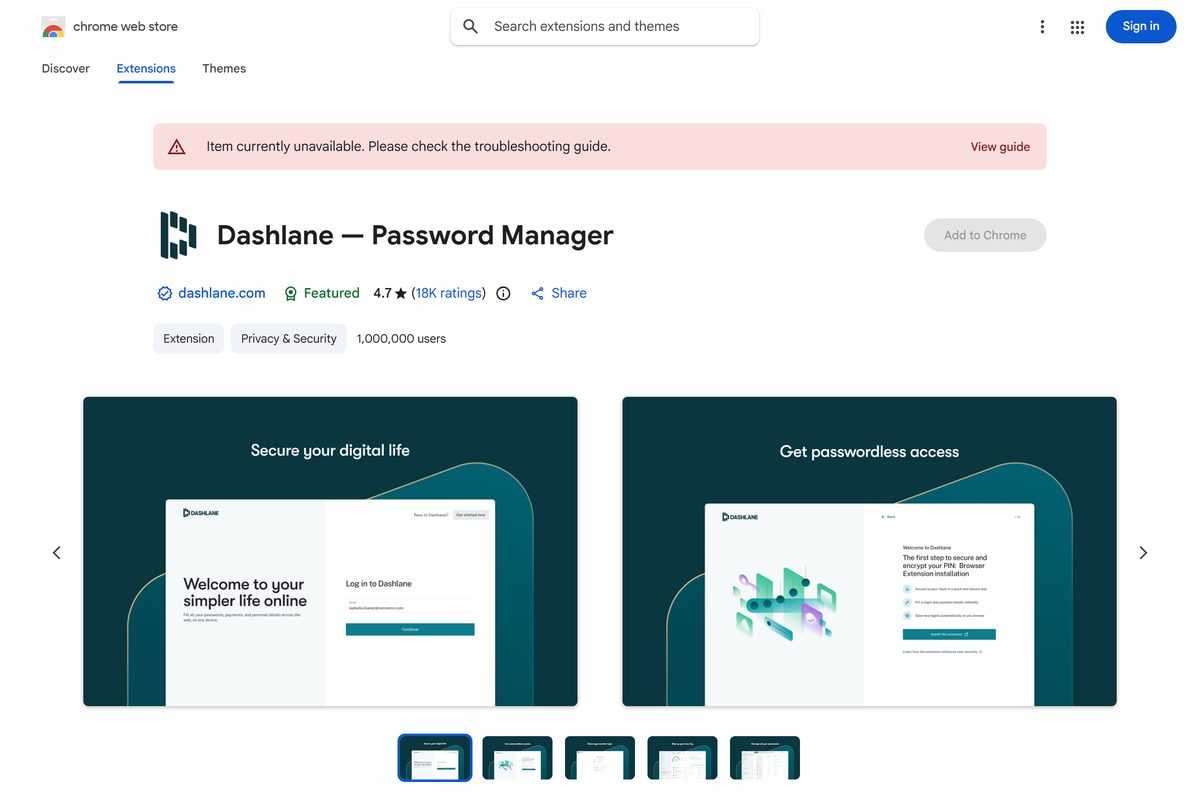
| Chrome, Brave, Opera or another Chromium browser on Windows, Mac, Linux or ChromeOS | Chrome Web Store | 24.66 MiB |
| Microsoft Edge on Windows 11, Windows 10 or Mac | Microsoft Edge Add-ons | Not listed |
| Firefox on any computer | Firefox Browser Add-ons | 20.9 MB |
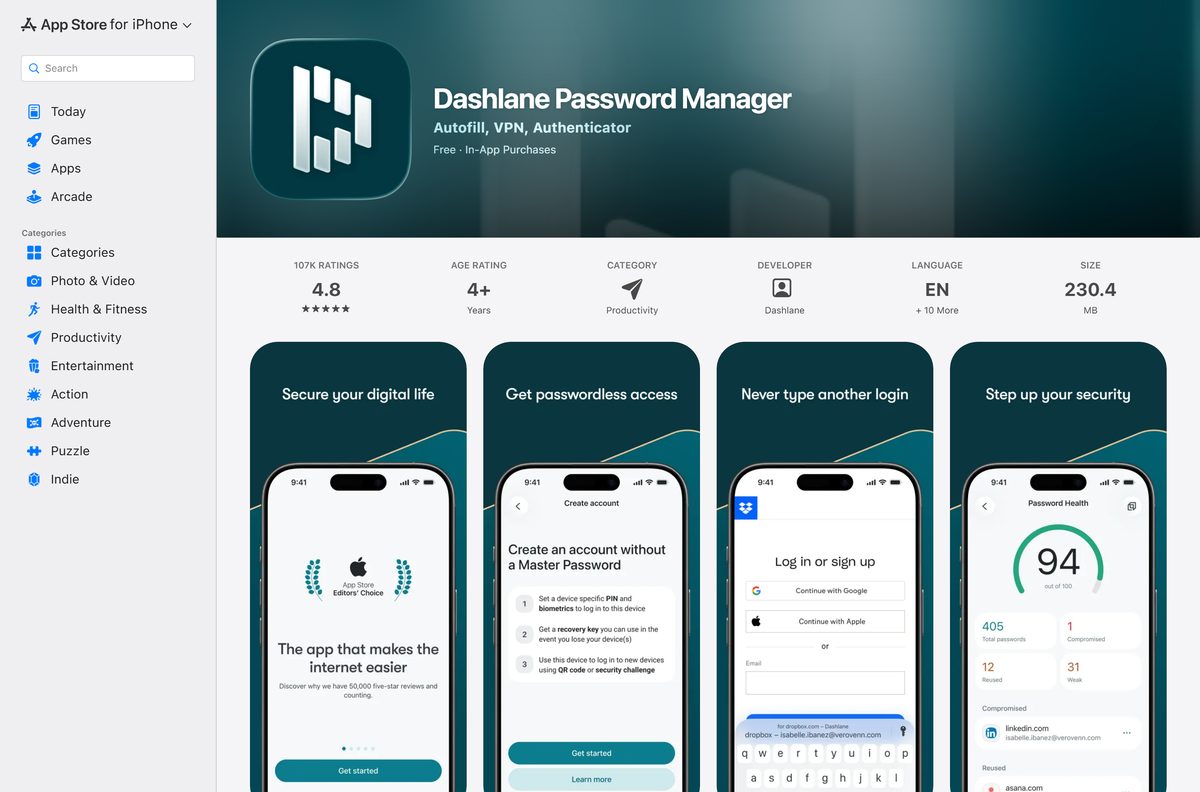
| Safari on a Mac with macOS 15 Sequoia or later | Mac App Store | 230.4 MB |
| iPhone or iPad with iOS 18.0 or later | App Store | 230.4 MB |
| Android phone or tablet | Google Play | Not listed |
Install the extension in every browser you use on a computer. The mobile apps sync the same vault, with no limit on devices.
Download Dashlane for Windows 11, Windows 10 and Mac
Dashlane’s own download page sends you to the store that matches the browser you open it in.
- Dashlane download page — detects your browser and opens the right store
- Dashlane for Chrome — 24.66 MiB · version 6.2638.0, also for Brave and Opera
- Dashlane for Microsoft Edge — version 6.2638.0
- Dashlane for Firefox — 20.9 MB · Firefox 63 or later
- Dashlane for Mac and Safari — 230.4 MB · macOS 15 Sequoia or later
- Dashlane for Android
Install Dashlane only from these official stores. Any .exe or .dmg offered by a download portal is not a Dashlane file.
How to install Dashlane on Windows 11 and 10
These steps use Chrome. They also work in Brave, Opera and other Chromium browsers.
- Open the Dashlane extension page in the Chrome Web Store.
- Select Add to Chrome.
- Select Add extension in the confirmation pop-up.
- Select the Extensions icon, the puzzle piece in the toolbar.
- Select the Pin icon next to Dashlane so the Dashlane D stays next to the address bar.
- Select the D icon and create an account, or log in with your existing one.
- Start the 14-day Premium trial, or pick a plan, when Dashlane asks.
A red or orange D means you are logged out. A green or blue D means the vault is open and autofill is on.
Install Dashlane in Microsoft Edge or Firefox
Edge and Firefox use their own add-on stores. The extension works the same way once it is in.
Microsoft Edge
Edge Add-ons lists the extension as Dashlane — Password Manager.
- Open the Dashlane listing on Microsoft Edge Add-ons.
- Select Get, then Add extension.
- Select Extensions in the toolbar and turn on Show in toolbar for Dashlane.
- Select the D icon and log in.
Firefox
Firefox Add-ons lists it as Dashlane Password Manager and needs Firefox 63 or later.
- Open the Dashlane page on Firefox Browser Add-ons.
- Select Add to Firefox, then Add.
- Select Extensions in the toolbar, then Pin to Toolbar from the Dashlane menu.
- Select the D icon and log in.
Which Dashlane download do you need for your Mac?
Open the Apple menu and select About This Mac to read your macOS version before you choose.
| Your Mac | What to install | Notes |
|---|---|---|
| Safari on macOS 15 Sequoia or later | Dashlane from the Mac App Store | Installs the macOS app and the Safari extension together, 230.4 MB |
| Chrome, Brave or Opera on any macOS version the browser supports | Chrome Web Store extension | Same extension as on Windows |
| Microsoft Edge on Mac | Edge Add-ons extension | Same extension as on Windows |
| Firefox on Mac | Firefox Add-ons extension | Needs Firefox 63 or later |
| Safari on macOS 14 Sonoma or older | Update macOS, or use Chrome, Edge or Firefox | The Safari extension needs macOS 15 |
After the Mac App Store install, open Safari > Settings > Extensions, tick Dashlane, and allow it on all websites. The extension is off until you do.
Is Dashlane free?
Dashlane is free to install and free for 14 days. The Free plan ended on 16 September 2025, and Dashlane no longer sells monthly billing.
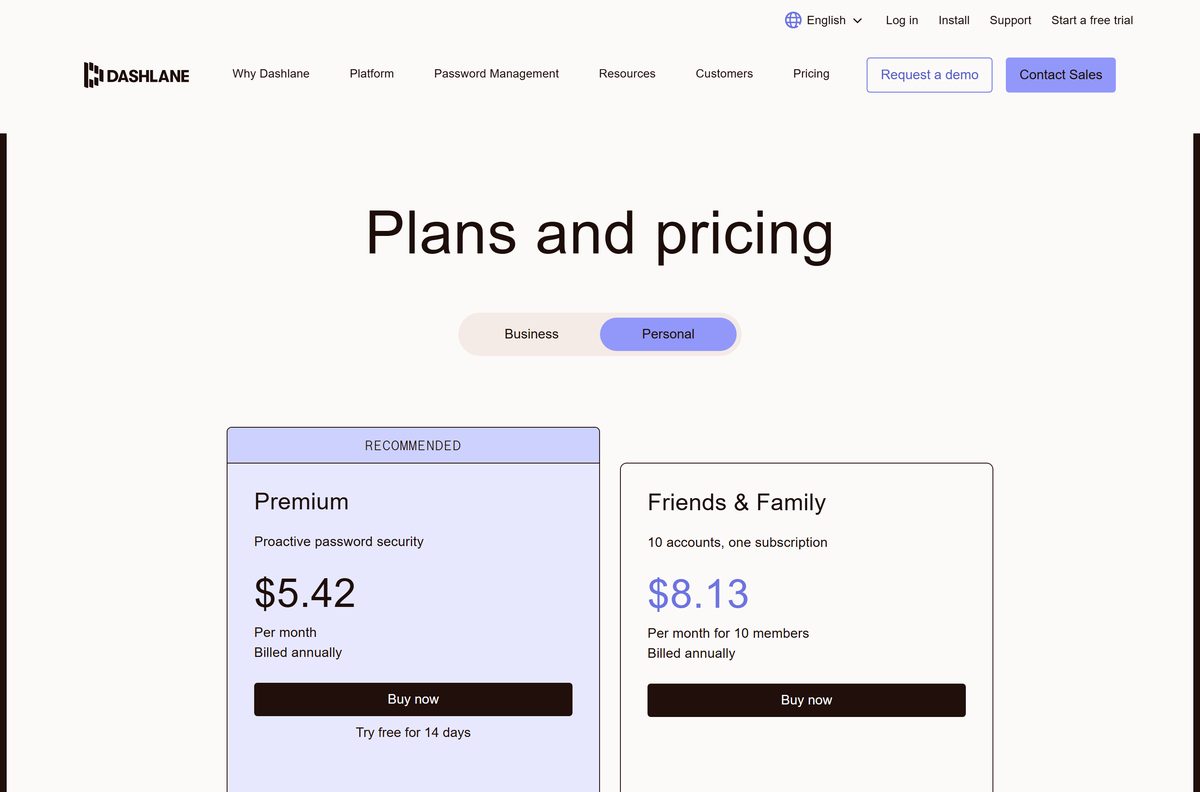
Premium costs $5.42 a month, billed annually. Friends & Family costs $8.13 a month for 10 members, billed annually, and gives each member a private vault.
Both plans store unlimited passwords on unlimited devices, with Dark Web Monitoring, secure sharing and phishing alerts. The Hotspot Shield VPN comes with Premium, but not with the trial.
Start the 14-day Premium trial, then buy Premium or Friends & Family if you keep using it. When a trial or plan lapses, Dashlane lets you log in and export your passwords, but you cannot add, edit, copy or view them. Plan your export before day 14 if you do not intend to pay.
Should you look for the old Dashlane desktop app?
No. Dashlane discontinued the Windows and Mac desktop apps and began shutting them down on 10 January 2022.
Since 1 October 2025, the extension is the only way to log in on a computer. Direct logins at app.dashlane.com and console.dashlane.com no longer work.
Install the browser extension, not a desktop setup file. An old Dashlane desktop installer cannot log in to the service, so it does nothing. To open the full vault window, select the D icon, then Open the web app.
How to check your Dashlane version and update it
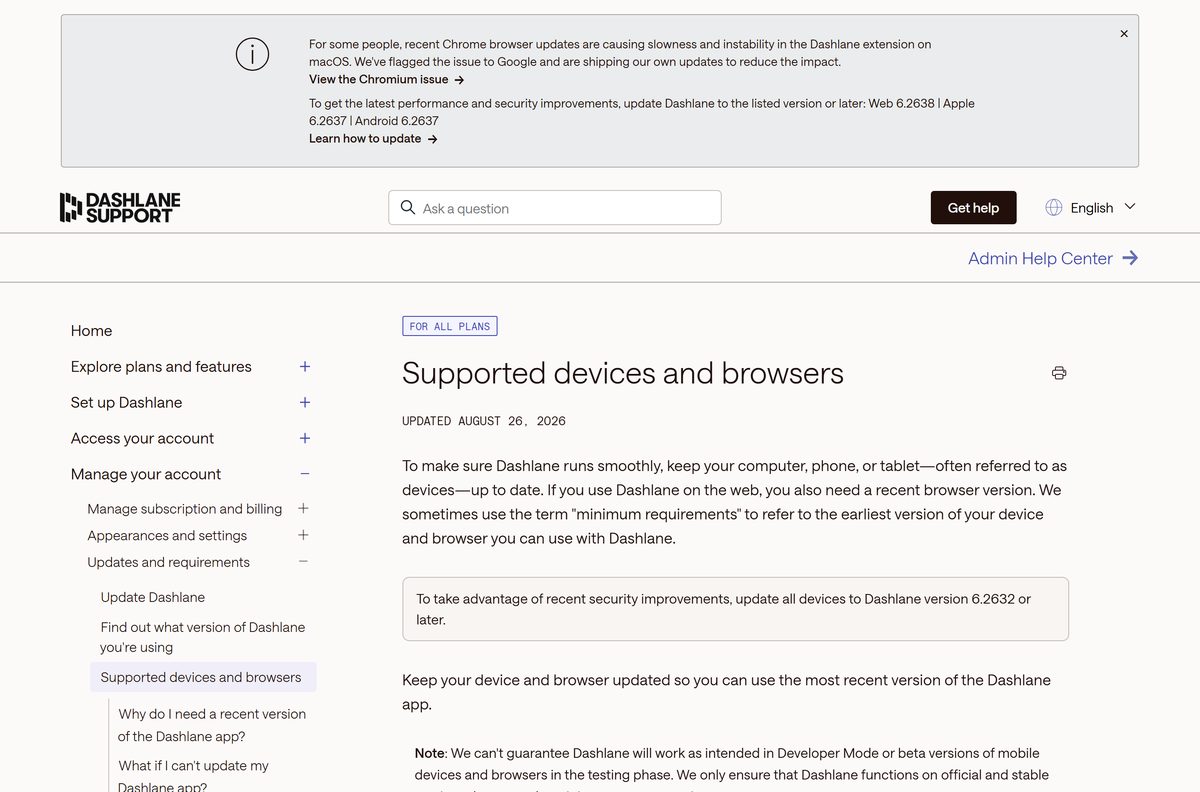
Dashlane asks every device to run version 6.2632 or later. Browser stores update extensions on their own, but you can force it.
- Type chrome://extensions in the Chrome address bar, or edge://extensions in Edge, and press Enter.
- Turn on Developer mode at the top of the page.
- Read the version number on the Dashlane card.
- Select Update to pull the latest release from the store.
- In Firefox, open about:addons, select the gear icon, then Check for Updates.
- On a Mac with Safari, open the App Store, select Updates, and update Dashlane.
Chrome 114 or earlier cannot update the extension at all. Update the browser first.
Check the Dashlane system requirements
| Field | Value |
|---|---|
| Software | Dashlane Password Manager |
| Developer | Dashlane SAS |
| Latest version | 6.2638.0 (Chrome and Edge extension), 6.2637.0 (Firefox, Mac and iPhone) |
| License | Paid, with a 14-day Premium trial |
| File size | 24.66 MiB Chrome extension; 230.4 MB Mac App Store app |
| Supported OS | Any Windows, macOS, Linux or ChromeOS computer with a current browser; Safari needs macOS 15 or later; iOS 18.0 or later; Android |
| Browsers | Chrome, Edge, Firefox, Safari, Brave, Opera and other Chromium browsers, last two major versions |
| Architecture | Follows the browser: x64 or ARM64 |
| Official download source | dashlane.com/download |
| Offline installer | No |
| Last verified | 2026-09-24 |
DuckDuckGo’s browser does not accept extensions, so Dashlane cannot run in it.
Fix Dashlane not installing or working on Windows 11 or 10
The Dashlane D icon is missing
The extension is installed but not pinned to the toolbar.
- Select the Extensions icon in the browser toolbar.
- Select the Pin icon next to Dashlane.
The D icon is red, orange or gray
You are logged out of the extension.
- Select the D icon.
- Enter your login details and approve the sign-in.
Dashlane will not open at app.dashlane.com
Direct website logins ended on 1 October 2025.
- Install the extension from your browser’s official store.
- Log in through the D icon, then select Open the web app.
The extension will not install or update
The browser is too old. Dashlane needs one of the last two major versions.
- Open Settings > About Chrome, or Settings > About Microsoft Edge, and let the browser update.
- Restart the browser and install Dashlane again.
Dashlane is missing in Safari
The Safari extension is off by default, or the Mac runs macOS 14 or older.
- Open Safari > Settings > Extensions and tick Dashlane.
- If Dashlane is not listed, update to macOS 15 Sequoia or later from System Settings > General > Software Update.
How to uninstall Dashlane
Export your passwords first if you are leaving Dashlane. Removing the extension does not delete your account or vault.
- In Chrome or Edge, right-click the D icon in the toolbar.
- Select Remove from Chrome or Remove from Microsoft Edge, then confirm with Remove.
- In Firefox, right-click the D icon and select Remove Extension, then Remove.
- On a Mac, open Finder > Applications, drag Dashlane to the Trash, and empty it.
- Repeat in every browser where the D icon still appears.
Choose what to do when the Dashlane trial ends
Each personal plan covers unlimited passwords and devices. The difference is how many people it protects.
| Option | Use it when | Cost |
|---|---|---|
| Premium | One person needs the vault, sharing, alerts and VPN | $5.42 a month, billed annually |
| Friends & Family | Up to 10 people each need a private vault | $8.13 a month for 10 members, billed annually |
| Export to CSV | You are moving to another password manager | Free, and available after the trial ends |
| Business plans | A company needs policies, SSO and an Admin Console | Quote from Dashlane, 14-day trial |
Frequently asked questions
Is there a Dashlane app for Windows 11?
Dashlane runs on Windows 11 as a browser extension for Chrome, Edge, Firefox, Brave and Opera. The standalone Windows desktop app was retired in 2022, and the extension is now the only way to log in on a PC.
Is Dashlane free to download?
Yes, every store listing is free to install. Using Dashlane beyond the 14-day Premium trial needs a paid plan, because the Free plan ended on 16 September 2025. Premium is $5.42 a month, billed annually.
What is the official Dashlane download page?
It is dashlane.com/download. The page detects your browser and opens the matching store: the Chrome Web Store, Microsoft Edge Add-ons, Firefox Browser Add-ons or the Mac App Store.
Is there a Dashlane app for Mac?
Yes. The Mac App Store app installs a macOS app plus the Safari extension, and it needs macOS 15 Sequoia or later. On Chrome, Edge or Firefox for Mac, install the browser extension instead.
What happens when the Dashlane trial ends?
You can still log in, but you can only export your passwords. You cannot add, edit, copy or view them until you buy Premium or Friends & Family. The trial lasts 14 days and excludes the VPN.
Is there a Dashlane offline installer?
No. Dashlane publishes no .exe, .msi or .dmg for Windows or macOS. The extension installs from your browser’s store, and the Mac app installs from the Mac App Store.
How big is the Dashlane download?
The Chrome extension is 24.66 MiB and the Firefox add-on is 20.9 MB. The Mac App Store app, which also runs on iPhone and iPad, is 230.4 MB.
Why is my Dashlane icon gray?
A gray, red or orange D means you are logged out of the extension. Select the icon and log in. A green or blue D means the vault is unlocked and autofill is ready.
Can I use Dashlane at app.dashlane.com?
Not directly. Direct logins there ended on 1 October 2025. Log in through the extension, then select Open the web app to see the full vault in a browser window.
Does Dashlane work in DuckDuckGo?
No. The DuckDuckGo browser does not allow extensions, so the Dashlane extension cannot run there. Use Chrome, Edge, Firefox, Safari, Brave or Opera on your computer instead.
Which Dashlane version is current?
The Chrome and Edge extension is 6.2638.0, updated 14 September 2026. The Firefox add-on and the Apple app are 6.2637.0. Dashlane asks every device to run 6.2632 or later.