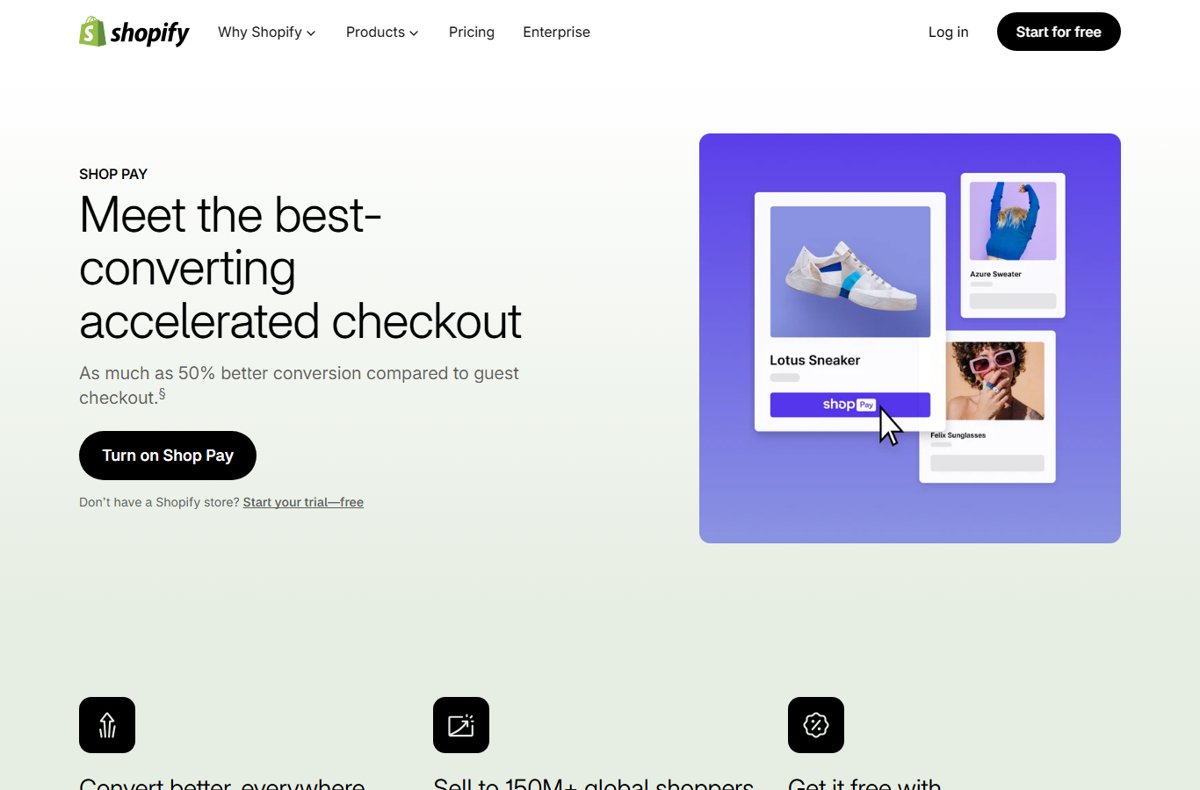
Shop Pay is a checkout wallet from Shopify that saves your email, shipping addresses, cards and phone number, so participating stores fill them in when you pay.
The Shop app is the separate shopping and delivery tracking app that holds that wallet, and this guide covers both, plus Shop Pay Installments, security settings and how to delete your account.
Introduction to Shop Pay
Shopify uses one name for several related pieces, and most confusion comes from mixing them up. Match the thing you saw to its row.
| What you saw | What it actually is | What it does for you |
|---|---|---|
| A Shop Pay button on a store's product page, cart or checkout | Shop Pay, the payment wallet | Fills in your saved email, address and card after a six-digit code or passkey check |
| Shop in the App Store or Google Play, or the website shop.app | The Shop app, made by Shopify | Lets you browse Shopify stores, pay with Shop Pay and track deliveries |
| An option to split the price into payments at checkout | Shop Pay Installments | A loan serviced by Affirm, offered only at some stores in Australia, Canada, the UK and the US |
| A Shop Cash balance at checkout | Shop Cash, the Shop rewards program | Credit earned through promotional offers and spent at stores that accept Shop Pay |
| A QR code at a shop's register | Shop Pay in a retail store | Opens checkout on the Shop website so you can pay from your phone |
In short: Shop Pay is how you pay, and the Shop app is where you manage that wallet and follow your orders.
What Is Shop Pay App?
Shopify describes Shop as a shopping destination and delivery tracking app. It runs on iOS and Android, and on the web at shop.app, though delivery tracking works only in the mobile app.
| Part of the Shop app | What it does | App or web |
|---|---|---|
| Discover and shop | Browse products from participating Shopify stores, follow stores and save favourites | Both |
| Shop Pay wallet | Stores your email, up to 20 shipping addresses, up to 10 credit cards with billing addresses, and a mobile number | Both |
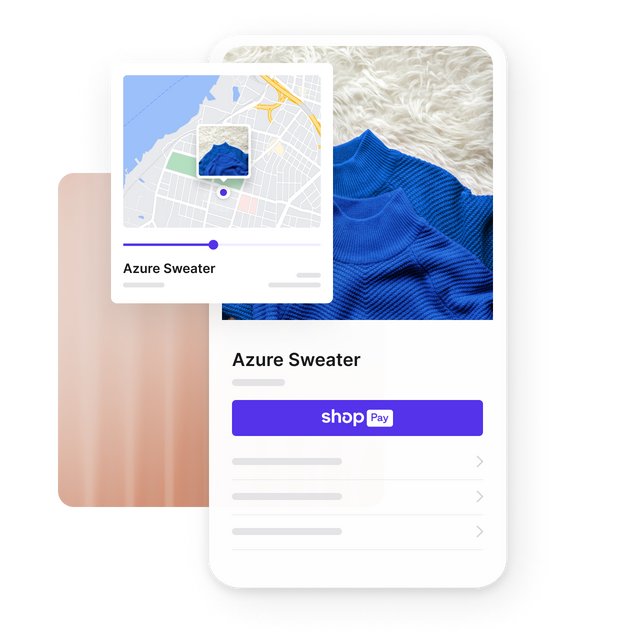
| Orders tab | Tracks deliveries on a map with carrier updates and a predicted delivery date | App only |
| Shop Cash | Shows your rewards balance and when it expires | Both |
| Shop Pay Installments | Shows your payment schedule and lets you make early or manual payments | Both |
| Account page | Holds your name, phone number, security settings and data and privacy controls | Both |
Your email address is the account's unique identifier and cannot be changed. To use a different email, create a new account and delete the old one.
How Does Shop Pay Work?
Shop Pay keeps your details encrypted on Shopify's side and checks it is you before it fills them in. Shop Pay is also the default checkout inside the Shop app and on the Shop website.
Here is what a normal Shop Pay purchase on a participating online store looks like.
- On a store that offers Shop Pay, select the Shop Pay button on the product page, in the cart or at checkout.
- Enter your email address, or select the passkey icon in the email field.
- Confirm it is you: follow the passkey prompt, or enter the six-digit SMS code in the Confirm it's you section.
- Select Send me a code by email instead if you verified your Shop email address during setup and your phone is not to hand.
- Optional: in the Ship to section, select Set as default to make that address your default for Shop Pay orders.
- Review the order, then select Complete purchase.
After you check out with Shop Pay on a store, you are signed in with Shop on that store. That gives you its customer account for orders, your profile and loyalty points where the store offers them.
Shopify states that your details are shared with the store only when you place an order.
Key Features of Shop Pay App
These are the features Shop's own help centre documents. Anything a store adds on top, such as a loyalty scheme, is the store's feature, not Shop Pay's.
| Feature | How it works | Limits Shop states |
|---|---|---|
| Accelerated checkout | Saved email, address and card are filled in after a code or passkey check | Only on stores that offer Shop Pay |
| Multiple addresses and cards | Save up to 20 shipping addresses and up to 10 credit cards | Cards are managed in Wallet, addresses in Shipping addresses |
| Local payment methods | Bancontact, BLIK, EPS, iDEAL | Wero, MobilePay, Multibanco, Przelewy24, Swish, TWINT and USDC | Only where the store offers them through Shopify Payments; not for subscriptions |
| Installments and pay later | Split an eligible order into payments through Affirm | Australia, Canada, UK and US only; some stores only |
| Order tracking | Orders arrive from Shop Pay purchases, connected Gmail or Outlook, forwarded emails or a typed tracking number | Mobile app only |
| Subscriptions | Pay for subscription orders on participating stores | Local payment methods and Installments cannot be used |
| In-store payments | Scan the register's QR code and pay on the Shop website | Completed on the website, not in the app |
| Shop Promise | Badge on eligible products with a predicted delivery date | Late eligible orders may qualify for $5.00 USD in Shop Cash |
Benefits of Shop Pay
The benefits differ for shoppers and store owners. The merchant figures below are Shopify's own marketing claims, labelled as such.
| Who | Benefit | Source of the claim |
|---|---|---|
| Shoppers | No retyping of address and card details on every Shopify store that accepts Shop Pay | Shop Help Center |
| Shoppers | Shop Pay orders appear in the Shop app for tracking without extra setup | Shop Help Center |
| Shoppers | Shop Cash on eligible purchases and the Shop Promise late-delivery guarantee on eligible orders | Shop Help Center |
| Merchants | Shop Pay is included with Shopify Payments, and transactions are processed at Shopify Payments rates | Shopify Help Center |
| Merchants | Up to 50% better conversion than guest checkout, based on a 2023 study Shopify commissioned | shopify.com marketing page |
| Merchants | Access to 150M+ global shoppers through the Shop app | shopify.com marketing page |
Security and Privacy Aspects
Shop Pay protects the account with a second check at checkout rather than a password. Knowing when a code should arrive helps you spot one you did not ask for.
| Protection | What Shopify says it does |
|---|---|
| Encrypted storage | Saved email, addresses, cards and phone number are encrypted; shipping and billing details sit on Shopify's PCI compliant servers |
| Limited sharing | Your information is shared with a store only when you place an order there |
| SMS verification code | A six-digit code arrives on a new device or browser, or when you select Shop Pay at checkout; the text reads "XXXXXX is your Shop verification code" |
| Email code | An alternative six-digit code sent to your primary Shop Pay email |
| Passkeys | Sign in with face, fingerprint or device PIN instead of a code; needs a verified Shop Pay account |
| Sign out everywhere | Ends every Shop Pay session; also happens automatically when you change your phone number |
| Store requirements | Stores selling in the Shop app must meet trust, safety and fraud-prevention requirements |
| Data erasure | The Shopify Privacy controls page has an Erase my data option for Shop and Shop Pay data |
Erasing data from Shop does not erase it from the stores you bought from. Ask each store directly for that.
How to add a passkey and sign out of every device
A passkey removes the need to wait for an SMS code. Signing out everywhere is the right move after using a shared device or seeing activity you do not recognise.
- In the Shop app, tap the Account icon.
- Tap Sign in & security.
- To add a passkey, tap Passkeys, tap the add icon, then tap Continue on the Add a passkey screen.
- Tap Continue on the Sign in dialog and verify your identity with your device's face, fingerprint or PIN prompt.
- To end all sessions instead, go back to Sign in & security and tap Sign out of all devices.
- Tap Sign out in the dialog to confirm.
On the web, sign in at shop.app, click the Account icon, click Sign in & security, and click Add passkey under Passkeys.
Installing and Using Shop Pay
There are two ways to get a Shop Pay account. You can set it up in the Shop app, or save your details the first time you pay on a store that offers it.
To set it up in the app, install Shop from the App Store or Google Play, then follow these steps.
- Open the Shop app and tap Get Started.
- Choose how you want to sign in, then follow the prompts to set your primary email as an order source.
- On the Account page, in the Set up Shop Pay section, enter your mobile phone number and tap Continue.
- Enter the verification code, then enter your shipping address.
- Tap Save Address.
- Enter the card you want to use and tap Save card.
No app route: at a participating store's checkout, fill in your contact and shipping details, then enter your mobile number in the Shop Pay section. The order confirmation says your details are saved to Shop Pay.
How to pay with Shop Pay in a physical store
Some shops that use Shopify's point-of-sale system offer Shop Pay at the register. Staff show you a QR code instead of a card terminal prompt.
- Scan the QR code at the register with your phone's camera.
- Tap the link to open the checkout on the Shop website.
- Review your details, then tap Pay now.
- Pick a receipt option on the store's device, or read the order confirmation page in your browser.
In-store purchases finish on the Shop website only, not inside the Shop app.
How to track an order in the Shop app
Orders paid with Shop Pay appear in the Orders tab automatically, as do orders found in a connected Gmail or Outlook inbox. Shop scans connected inboxes for tracking emails from the last 30 days.
For anything that does not show up, add the tracking number yourself.
- Find the tracking number in the shipping confirmation email or your account on the store's site.
- In the Shop app, open the Orders tab.
- Tap the add icon, then tap Add order manually.
- Fill in the Tracking number, Package name and Carrier fields.
- Tap Add order to start tracking.
Shop does not ship anything. The store handles your order and the carrier handles delivery, so questions about a late parcel go to them first.
Shop Pay Installments: what Shopify actually says
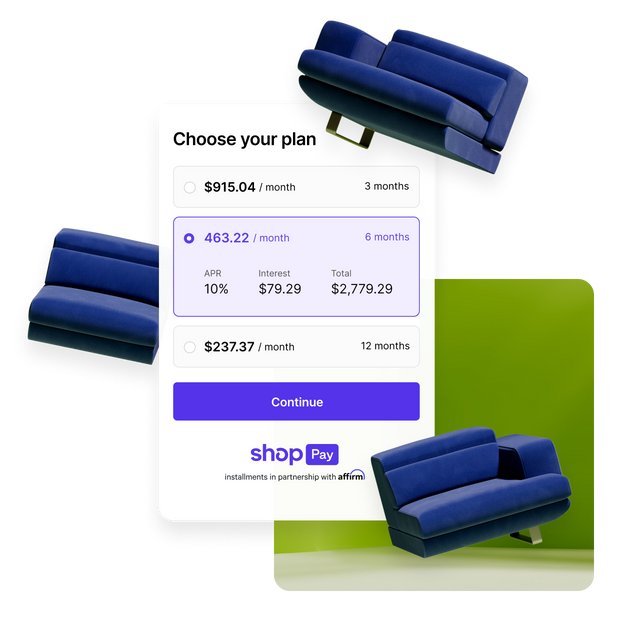
Choosing Shop Pay Installments at checkout is an application for a loan through Affirm, which services it. Affirm decides approval on each purchase, and Shop has no access to your eligibility or application.
| Question | Shop's stated answer |
|---|---|
| Where is it offered? | Australia, Canada, the UK and the US, and only at some stores |
| Order size (including shipping and tax) | $35–$30,000 USD in the US; $35–$30,000 CAD in Canada; £50–£30,000 in the UK; $50–$2,000 AUD in Australia |
| Payment schedule | Australia: 4 interest-free payments every 2 weeks. Elsewhere: every 2 weeks or monthly, depending on the plans shown at checkout |
| Interest | Some plans are interest-bearing; Shopify's merchant page quotes rates from 0–36% APR. Interest fees are not included in the order total the Shop app shows |
| Down payment | May be required, depending on location, amount and plan |
| Paying early | Allowed with no penalty; early payoff saves interest on interest-bearing loans |
| Cards not accepted | Capital One and Chase credit cards, and all prepaid cards; monthly plans need a debit card |
| Not eligible | Gift cards and other currency, subscriptions, B2B orders, multi-store orders, P.O. boxes, US APO addresses and US territories such as Puerto Rico |
| Age | 18 or older, or 19 in Alabama and several Canadian provinces and territories |
| Credit freeze | Any credit freeze or lock must be lifted before Affirm can process the application |
| Approval notice | An email from [email protected], which can land in spam |
Payment disputes, bankruptcy updates and financing questions go to Affirm's Shop Pay Installments help centre for your country. Refunds and returns go to the store.
How Shop Pay Influences Modern E-commerce
Shop Pay turns a one-store checkout into a login that follows the shopper from store to store. The table lists where Shopify says that login now reaches.
| Channel | How Shop Pay appears there |
|---|---|
| Shopify online stores | Accelerated checkout button on product, cart and checkout pages |
| The Shop app and shop.app | Default checkout for every purchase |
| Social and search | Available on Facebook, Instagram and Google, according to Shopify's merchant page |
| Checkout links | Merchants can share Shop Pay checkout links by email, chat or social posts |
| Shopify POS | QR code at the register that opens checkout on the Shop website |
| Store customer accounts | Checking out with Shop Pay signs you in with Shop on that store |
For shoppers, the practical effect is fewer accounts to create. For stores, it means a shopper's first visit can end in a purchase without form filling.
Limitations and Challenges
Shop Pay only works where a store offers it. These are the limits Shop's help pages spell out.
| Limitation | What it means for you |
|---|---|
| Participating stores only | It works only where a store offers Shop Pay, which Shopify includes with Shopify Payments |
| Card support | Cards issued in India are not supported, and some prepaid cards are not either |
| Store settings decide | Which payment methods you see depends on your location and the store's configuration |
| Tracking is app-only | The Shop website cannot track deliveries, and not every shipping method provides tracking data |
| Email tracking gaps | Some tracking emails from stores outside the Shop network cannot be read; forwarded emails must be in English |
| Fixed email address | The account email cannot be changed; a new address needs a new account |
| Installments lock the account | You cannot opt out of Shop Pay or delete the account until every installment is paid |
| No Apple Pay with Installments | Shop Pay Installments is not compatible with digital wallets such as Apple Pay |
Future Prospects and Developments
Shopify publishes no Shop Pay roadmap on its help pages. The clearest signal of direction is where Shop Pay already reaches beyond the classic online checkout, as documented today.
| Development | Current state per Shopify |
|---|---|
| Passwordless sign-in | Passkeys work for Shop Pay checkout, store follows, email sign-ups and store customer accounts |
| In-person retail | Shop Pay at participating stores' registers through a QR code |
| Local payment methods | Ten local methods, including BLIK, Swish, TWINT and USDC, where stores process them through Shopify Payments |
| Amazon Prime link (US) | US users can connect Amazon Prime to Shop for Prime delivery benefits at checkout |
| Monthly financing | Shopify's merchant page advertises monthly installment plans of up to 24 months, subject to eligibility |
How to check Shop Pay is set up on your account
Two quick checks confirm the wallet is active and holds the right details.
- Open the Shop app and go to your Wallet.
- Confirm your card and billing address are listed.
- Open Shipping addresses and confirm your default address is correct.
- On a store that offers Shop Pay, look at the Shop Pay button: when Chrome recognises you as signed in, it shows the last four digits of your primary card.
How to opt out of Shop Pay or delete your Shop account
These are different actions. Opting out of Shop Pay deletes your phone number and stored payment data but keeps the Shop account for tracking and shopping. Deleting the account removes everything, including any Shop Cash.
To opt out only, enter your mobile number in the Shop Pay opt-out form linked from Shop's Managing your Shop account and data page, then tap Submit request. To delete the whole account, follow these steps.
- Pay off every Shop Pay Installments order first; Shop blocks deletion while any are active.
- In the Shop app, tap the Account icon.
- Tap Data & privacy.
- Tap Delete account, then Delete account again.
- In the Are you sure you want to delete your account? dialog, tap Delete account.
Deleting the account does not erase your data from the stores you bought from. To use Shop again later, you must create a new account.
Fix Shop Pay when a payment or order does not go through
These symptoms come from the troubleshooting notes on Shop's own help pages.
Your card is declined in Shop Pay
The card is inactive, unsupported, or its billing details do not match the bank's records.
- Activate the card with your bank if it is new.
- Check the billing address in Wallet matches the bank's records, including the ZIP code.
- Try a different card if yours is prepaid or was issued in India, since Shop Pay does not support those.
- For Installments, switch away from a Capital One or Chase credit card or any prepaid card.
Shop Pay Installments is not offered at checkout
The store, the order or the account falls outside Affirm's eligibility rules.
- Confirm the order total, including shipping and tax, is inside the range for your country.
- Check the cart holds items from one store only and no gift cards.
- Use a shipping address that is not a P.O. box and is in Australia, Canada, the UK or the US.
- Lift any credit freeze or lock, then try again; Affirm assesses each purchase separately.
An order does not appear in the Shop app
Shop could not read the tracking email, or the shipping method provides no tracking.
- Open the Orders tab and tap Add order manually.
- Tap Search email for a tracking number if an inbox is connected, and copy the number.
- Fill in Tracking number, Package name and Carrier, then tap Add order.
Conclusion
Set up Shop Pay if you buy from Shopify stores more than occasionally, and install the Shop app if you also want every parcel tracked in one place. The wallet removes retyping and adds code or passkey checks at checkout, while the app is the only place Shop tracks deliveries. Treat Shop Pay Installments as a loan from Affirm and read the plan terms at checkout before accepting.
Frequently Asked Questions
What is Shop Pay?
Shop Pay is Shopify's checkout wallet. It saves your email, up to 20 shipping addresses, up to 10 credit cards and your mobile number, then fills them in on participating stores after you confirm it is you with a six-digit code or a passkey.
What is the Shop Pay app?
There is no separate Shop Pay app. The app is called Shop, made by Shopify for iOS and Android, and it holds your Shop Pay wallet alongside product browsing, Shop Cash rewards, Shop Pay Installments payments and delivery tracking.
What does the Shop app do?
The Shop app lets you browse and buy from participating Shopify stores, pay with Shop Pay, and track deliveries from Shop Pay orders, connected Gmail or Outlook inboxes, or tracking numbers you add yourself. Tracking works only in the mobile app, not on shop.app.
How does the Shop app work for tracking?
Shop pulls carrier data for each tracking number and shows a map, status updates, the carrier and a predicted delivery date. Orders arrive automatically from Shop Pay purchases and connected inboxes, which Shop scans for tracking emails from the last 30 days.
Does the Shop app cost money?
Shop's help pages list no charge for using the Shop app or Shop Pay checkout as a shopper. Shop Pay Installments is different: it is a loan through Affirm, and Shopify quotes rates from 0% to 36% APR depending on the plan you are approved for.
How do Shop Pay payments work?
When you select the Shop Pay button, you enter your email and confirm with an SMS code, email code or passkey. Shop Pay then fills in your saved address and card, and the store receives your details only when you place the order.
Is the Shop Pay app safe?
Shopify states that saved details are encrypted and stored on its PCI compliant servers, and each checkout needs a code or passkey. You can add a passkey and sign out of all devices from Sign in & security in the app.
What is Buy with Shop Pay?
Buying with Shop Pay means selecting the Shop Pay button a store shows on the product page, in the cart or at checkout. After you confirm your identity, the address and card saved in your Shop Pay wallet fill the checkout for you.
How do I apply for Shop Pay Installments?
Choose Shop Pay Installments at checkout on a participating store in Australia, Canada, the UK or the US. That submits an application to Affirm, which decides on each purchase and emails you from [email protected] with the result.
What is the difference between Apple Pay and Shop Pay?
Shop Pay works only on stores that offer it, and it adds order tracking, Shop Cash and Installments through the Shop app. Shop's help pages also state that Shop Pay Installments purchases are not compatible with digital wallets such as Apple Pay.
How do I contact Shop Pay customer service?
Use Chat with us or Contact Shop support in the Shop Help Center. Questions about an order go to the store, delivery questions go to the carrier, and Shop Pay Installments payment issues go to Affirm's help centre for your country.