The Corsair iCUE download for Windows 11 and Windows 10 is a 3.2 MB file called Install iCUE.exe, and Macs get a 73.7 MB package called iCUEInitialInstaller.zip. Both come free from the Corsair downloads page.
iCUE is the desktop app that configures supported Corsair gaming PCs and peripherals: lighting, performance, key assignments and audio settings. One install covers every supported device on the machine.
This guide covers the right file for your machine, installing on Windows and macOS, checking for updates, fixing install errors, and removing iCUE cleanly.
Which Corsair iCUE download do you need?
Match your computer to the file. Corsair publishes one iCUE 5 installer for Windows and one for macOS.
| Your computer | File to download | Size |
|---|---|---|
| Windows 11 or Windows 10, 64-bit | Install iCUE.exe | 3.2 MB |
| Mac from 2015 or newer on macOS 12.7 or later | iCUEInitialInstaller.zip | 73.7 MB |
| 32-bit Windows, or Windows 8.1 and older | Corsair requirements page | Not supported |
| Linux, PlayStation or Xbox | Corsair requirements page | Not supported |
| A select Corsair device that uses Web Hub instead of iCUE | Corsair Web Hub | No download |
Not sure whether Windows is 64-bit? Open Settings > System > About and read the System type line.
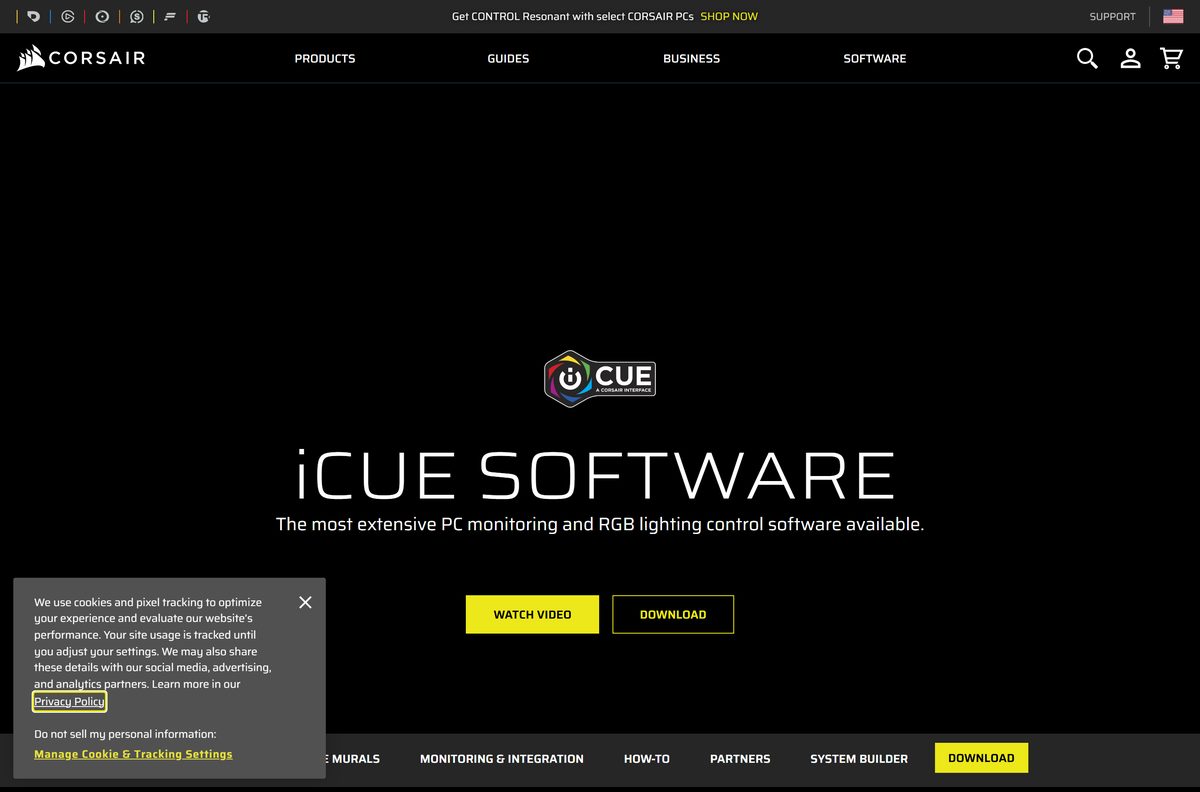
Check the Corsair iCUE system requirements and specifications
iCUE needs far more disk space than its installer suggests. Plan for 1.5 GB on Windows and 500 MB on a Mac.
| Field | Value |
|---|---|
| Software | Corsair iCUE 5 |
| Developer | Corsair Memory Inc. |
| Latest version | 5.49.34, released 5 August 2026 |
| Licence | Free |
| Supported Windows | Windows 10 64-bit or newer, including Windows 11 |
| Supported macOS | macOS 12.7 or newer on a 2015 or newer Mac |
| Linux and consoles | Not supported |
| Disk space | 1.5 GB on Windows, 500 MB on macOS |
| Recommended chipset | Intel Z170 or newer (dual channel), Intel X99 or newer (quad channel), AMD FM3+ or AM4 and newer |
| Download size | 3.2 MB on Windows, 73.7 MB on macOS |
| Offline installer | No, the Windows setup fetches its modules during installation |
| Official download source | corsair.com |
| Last verified | 2026-09-13 |
To check your own Windows edition, press Windows + R, type winver and press Enter. On a Mac, open the Apple menu and choose About This Mac.
Download Corsair iCUE from the official source
Corsair serves its pages from www.corsair.com and the installer files from www3.corsair.com and assets.corsair.com. A copy from any other domain is not Corsair’s.
- Corsair downloads page, iCUE section — Download for Windows and Download for macOS buttons
- Install iCUE.exe for Windows 11 and 10 — 3,392,176 bytes
- iCUEInitialInstaller.zip for macOS — 77,283,770 bytes
- iCUE release notes — dated notes for every iCUE 5 release
- iCUE Removal Tool — version 1.0.0.105, 6.2 MB
The downloads page does not work from a phone. Corsair asks you to open it on the PC or Mac that will run iCUE.
How to install Corsair iCUE on Windows 11 and 10
Connect your Corsair devices directly to the PC before you start. Corsair recommends avoiding USB hubs and docks when iCUE looks for devices.
- Open the Corsair downloads page and click Download for Windows.
- Turn off any VPN or tunnelling service, because the installer downloads its modules while it runs.
- Right-click Install iCUE.exe in your Downloads folder and select Run as administrator.
- Select Yes at the User Account Control prompt.
- Choose the language for the installer, then click OK.
- Follow the prompts and wait while the setup downloads and installs the iCUE modules.
- Click Finish when the installation completes.
- Restart your computer to finish the installation, then open iCUE from the Start menu.
Which Corsair iCUE download do you need for your Mac?
Open the Apple menu > About This Mac and read the year and the macOS version. Those two lines decide it.
| Your Mac says | What to do | Size |
|---|---|---|
| Apple silicon Mac on macOS 12.7 or later | Download iCUEInitialInstaller.zip | 73.7 MB |
| Intel Mac from 2015 or newer on macOS 12.7 or later | Download iCUEInitialInstaller.zip | 73.7 MB |
| Mac from 2014 or older, or macOS below 12.7 | Corsair requirements page | Not supported |
| iCUE already installed but misbehaving | Corsair macOS reset guide | Same package |
To install, double-click the zip to extract it, open the installer and click Next. Wait for the installation to complete, then click Start iCUE to launch it.
The same package handles removal. Run it with iCUE present and choose Uninstall iCUE instead.
Is Corsair iCUE free?
The installer downloads straight from corsair.com with no account, licence key or checkout step in between.
Yes, iCUE is free, and it is the full app. The Windows and macOS installers on the Corsair downloads page need no purchase. You pay for the Corsair hardware, not the software that controls it.
Some features depend on other hardware. The NVIDIA Broadcast noise and echo removal in iCUE requires an NVIDIA GeForce RTX graphics card.
Treat any site that charges for iCUE, or offers a “pro” or “premium” build, as a scam. The official installer costs nothing.
How to check your iCUE version and update it
iCUE updates itself and your device firmware from the same settings screen.
- Connect your Corsair devices and any wireless dongle directly to the computer, not through a hub or dock.
- Open iCUE.
- Click the cog icon in the top-right corner to open Settings.
- Select Software Updates. Your installed iCUE version appears at the top of this section.
- Click Check for Updates to find newer iCUE and firmware versions.
- Read the version shown next to each device, marked with a v. in front of the number.
- Install any iCUE or firmware update that appears.
Compare your number with the newest entry in the iCUE release notes if you are chasing a specific fix.
What Corsair iCUE can control
iCUE covers far more than RGB lighting. Use this table to check that the setting you want lives in iCUE.
| You want to | Where it lives in iCUE |
|---|---|
| Sync lighting across every Corsair device | Synchronized lighting effects and iCUE Murals |
| Watch temperatures and set fan speeds | System temperature monitoring and custom fan curves |
| Tune memory | DRAM profiles on supported Corsair RAM |
| Set mouse DPI or record a macro | Mouse calibration, DPI, macros and key or button remaps |
| Adjust headset sound | Predefined and custom equalizers, surround sound and SoundID |
| Show sensors on an LCD cooler | LCD screen widgets with temperature, load, images and GIFs |
| Control other brands’ lighting | Philips Hue, Nanoleaf, Govee, and select ASUS ROG boards and graphics cards |
| Trigger iCUE from a Stream Deck | Elgato Stream Deck integration |
Some Corsair devices skip iCUE and use the browser-based Web Hub instead. The alternatives table below covers that case.
Fix Corsair iCUE not installing on Windows 11 or 10
Find the symptom that matches, then work through its fix in order.
“Failed to install required modules due to some error”
Old Corsair services still running block the new modules from installing.
- Press Windows + R, type msconfig and press Enter.
- Open the Services tab and tick Hide all Microsoft services.
- Untick the Corsair services, such as LLaccess and CorsairService, and any service from Corsair Memory Inc.
- Right-click the taskbar, open Task Manager, go to Startup apps (Startup on Windows 10) and disable iCUE.
- Restart your computer.
- Right-click Install iCUE.exe and select Run as administrator.
The installer stalls or stops partway through
The setup file downloads iCUE while it runs, so a blocked connection stops it.
- Disconnect any VPN or tunnelling service.
- Run the installer again with Run as administrator.
- Open Settings > Windows Update, install pending updates and restart.
iCUE still fails or misbehaves after reinstalling
A damaged installation leaves settings and files behind.
- Download the iCUE Removal Tool from Corsair.
- Extract the archive and run the removal tool inside it.
- Restart the PC, then install a fresh copy of iCUE from the Corsair downloads page.
Export any profiles you want to keep before you remove iCUE. A clean removal deletes them.
How to uninstall Corsair iCUE completely
A normal uninstall leaves Corsair folders behind. Clear them too if you plan a clean reinstall.
- Open Control Panel and select Programs > Uninstall a program.
- Select Corsair iCUE Software and click Uninstall.
- Tick Delete Settings for All Users and confirm.
- Press Windows + R, type %appdata% , click OK and delete any Corsair folders.
- Repeat with %localappdata% and %programdata% , deleting the Corsair folders in each.
- Open File Explorer, go to C:\Program Files\ and delete any remaining Corsair folder.
- Restart your computer.
iCUE 3 installed to C:\Program Files (x86)\ instead, so check there too on an older PC.
On a Mac, run the iCUE installer, choose Uninstall iCUE and Delete Settings for All Users, then restart the Mac by hand.
Which Corsair tool should you use instead of iCUE?
Corsair lists two other tools beside iCUE on its downloads page. Web Hub configures select devices directly in the browser.
| Tool | Use it when | Link |
|---|---|---|
| iCUE | You want lighting, fans, macros, audio and monitoring for supported Corsair hardware | Corsair downloads |
| Web Hub | Your device is one of the select Corsair devices that use Web Hub instead of iCUE, or you only need onboard profiles | Open Web Hub |
| Firmware Update Utility | You only need the latest firmware for a Corsair device | Check my device |
Install iCUE on a Windows PC or Mac for most Corsair gear. Pick Web Hub only when your device page points there.
Frequently asked questions
Is Corsair iCUE free?
Yes. iCUE is a free download for Windows and macOS from the Corsair downloads page, with no licence key or purchase. Some integrations need extra hardware, such as an NVIDIA GeForce RTX card for the NVIDIA Broadcast audio effects.
Where is the official Corsair iCUE download?
The official page is corsair.com/us/en/s/downloads, which has Download for Windows and Download for macOS buttons. The files themselves come from www3.corsair.com. Any other domain is a third-party copy.
Does Corsair iCUE work on Windows 11?
Yes. Corsair supports iCUE on Windows 10 64-bit or newer, which includes Windows 11. The same Install iCUE.exe file installs on both, and it needs about 1.5 GB of free disk space.
How big is the Corsair iCUE download?
The Windows setup file, Install iCUE.exe, is 3.2 MB (3,392,176 bytes). The macOS package, iCUEInitialInstaller.zip, is 73.7 MB. The installed Windows app needs about 1.5 GB of disk space.
Is there a Corsair iCUE offline installer?
No. The Windows download is a 3.2 MB setup file that fetches the iCUE modules while it installs, so the PC must stay online. Turn off any VPN before running it.
Is there a Corsair iCUE for Mac?
Yes. Corsair ships iCUE 5 for macOS as iCUEInitialInstaller.zip, 73.7 MB. It needs macOS 12.7 or newer on a 2015 or newer Mac, and Corsair supports Apple silicon models such as M3 and M4 Macs.
Is there a 64-bit or 32-bit iCUE download?
iCUE for Windows is 64-bit only. Corsair requires Windows 10 64-bit or newer, and there is no 32-bit build. Check yours under Settings > System > About, on the System type line.
Which version of Corsair iCUE is the latest?
iCUE 5.49.34, released on 5 August 2026, is the newest entry in Corsair’s release notes. Open Settings > Software Updates inside iCUE to see your installed version and check for updates.
Is Corsair iCUE safe to download?
Yes, when it comes from corsair.com. Download only from the Corsair downloads page, whose files are served from www3.corsair.com. Avoid sites that charge for iCUE or bundle it in their own installer.
Why is Corsair iCUE not installing?
Old Corsair services, a VPN or missing permissions usually cause it. Disable Corsair services in msconfig, turn off the VPN, restart, then run Install iCUE.exe with Run as administrator.
Does iCUE work on Linux?
No. Corsair does not support iCUE on Linux and cannot advise on third-party software for its devices. iCUE also cannot be installed on a game console; use a Windows PC or a Mac.
How do I completely uninstall iCUE?
Uninstall Corsair iCUE Software from Control Panel with Delete Settings for All Users ticked. Then delete Corsair folders in %appdata%, %localappdata%, %programdata% and Program Files, and restart. The iCUE Removal Tool automates this.







Download NZXT CAM for PC, Windows 11 and Windows 10 (Free) - Techdows
[…] iCUE download guide […]