After updating to Firefox 70, some people found that certain websites, or parts of them, no longer loaded. Mozilla confirmed it. The Firefox 70 release notes list a known issue: “Some websites or page elements using dynamic JavaScript fail to load.” Mozilla’s support article named YouTube and Facebook as examples of affected sites.
What caused it
The problem came from a new storage system. Mozilla’s bug report for the fix (Bug 1592136) explains that with “LSNG” (LocalStorage NextGen) enabled, start-up failures in Firefox’s QuotaManager broke LocalStorage, “which results in oddly broken websites for users”. Sites that rely on LocalStorage through JavaScript then failed to load properly. Mozilla’s fix was to switch LSNG off in Firefox 70.
That also explains why not everyone saw the problem. It only struck when that start-up step failed for a particular Firefox profile, so one PC could load YouTube normally while another on the same Firefox version showed a broken page. The Mozilla engineer requesting the fix called switching the subsystem off low risk, because it was designed to be toggled.
Fix 1: update to Firefox 70.0.1 or later
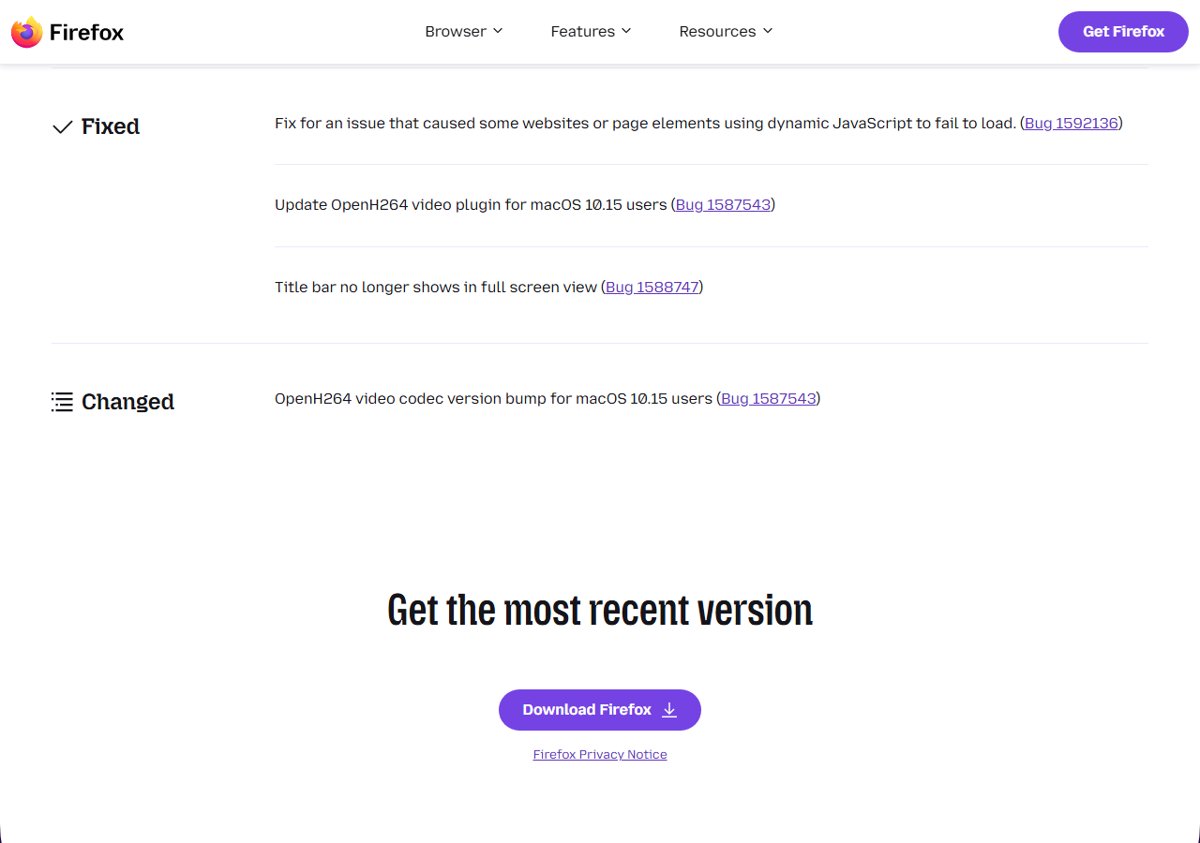
Mozilla released Firefox 70.0.1 on October 31, 2019. Its release notes list a “fix for an issue that caused some websites or page elements using dynamic JavaScript to fail to load”. To update:
- Open the Firefox menu and select Help > About Firefox.
- Firefox checks for updates and downloads them.
- Select Restart to update Firefox.
Fix 2: the temporary about:config workaround
If you could not update, Mozilla published a workaround. It changes a hidden setting, so Mozilla recommends it for advanced users only.
- Type about:config in the address bar and press Enter.
- If a warning page appears, select Accept the Risk and Continue.
- Search for dom.storage.next_gen.
- Double-click the preference to change its value to false.
- Restart Firefox and reload the site.
Once you are on a fixed version, right-click the preference and choose Reset so Firefox goes back to its default. Our about:config guide explains how to find and reset preferences safely.
Check which Firefox version you have
- Open the Firefox menu.
- Select Help > About Firefox.
- The window shows your version number. If it says 70.0, the bug can affect you. Version 70.0.1 or later has the fix.
What else changed in Firefox 70
Firefox 70 also brought a new crossed-out lock icon for sites delivered over insecure HTTP, and the green lock became grey. Built-in Firefox pages started following the system dark mode, and a new message panel behind a gift icon in the toolbar showed what was new in each release.
If a site still won’t load
Firefox 70 is long out of date, so this bug will not affect a current version. If a page still breaks, clear that site’s cookies and data, try it in a private window, and turn off extensions one by one. If a certificate error appears instead of a blank page, see our guide to certificate authority errors.