Microsoft released a free Windows 10 theme called The Grand Canyon National Park in the Microsoft Store on February 5, 2019. Microsoft’s description sums it up: “Take in the sunrise on the North Rim, sunset on the South Rim, Hopi Point at dusk, and Horseshoe Bend under the stars in this 16-image set, free for Windows 10 Themes.”
Grand Canyon theme details
- Publisher: Microsoft Corporation
- Price: free
- Images: 16 wallpapers of the canyon, including the North Rim at sunrise, the South Rim at sunset, Hopi Point at dusk and Horseshoe Bend at night
- Size: about 14 MB
- Requires: Windows 10 version 14951.0 or higher, on PC
- Category: Personalization, rated for everyone
Microsoft notes that the images are to be used as desktop wallpaper only.
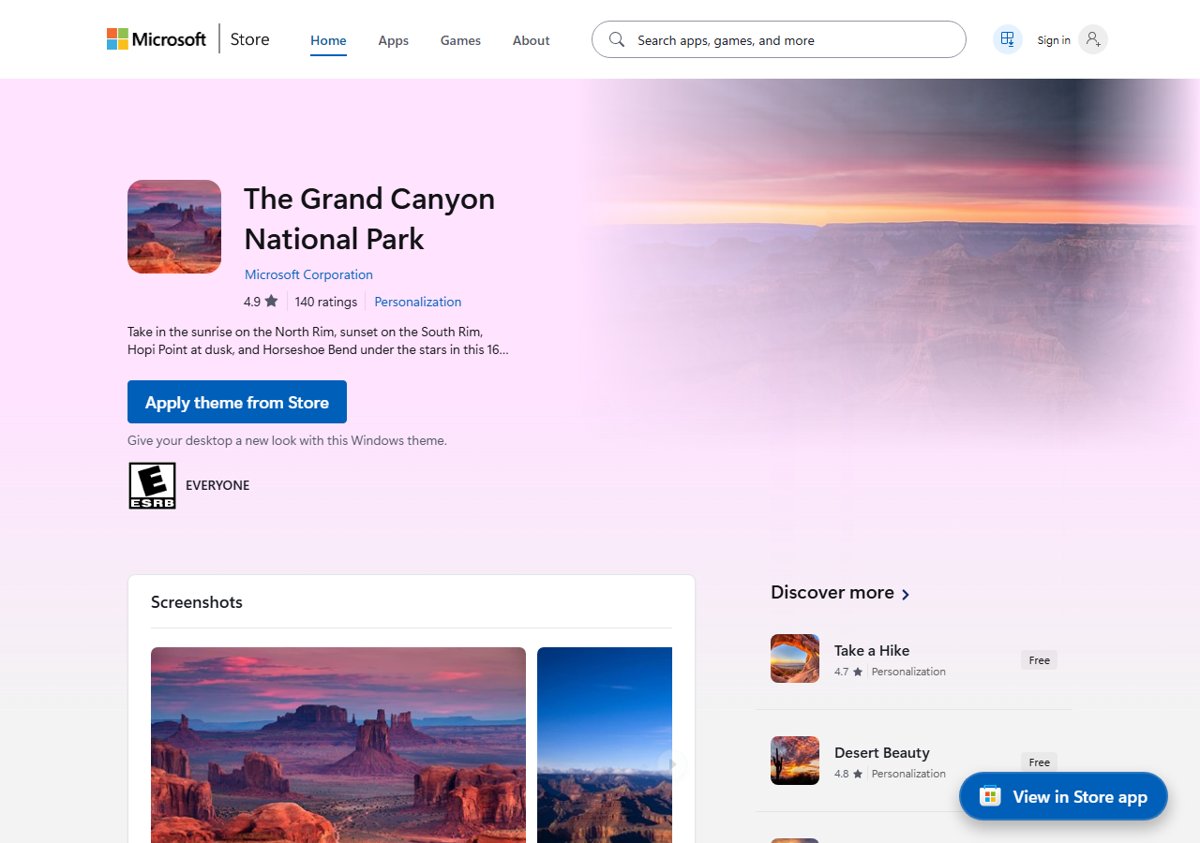
How to install the Grand Canyon theme
- Open the Microsoft Store and search for The Grand Canyon National Park, or open it from the Themes page in Settings with Browse themes.
- Check that the publisher is Microsoft Corporation, then select Get (the newer Store app shows Apply theme from Store).
- Wait for the theme to download.
How to apply it
- Open Settings and select Personalization > Themes.
- Under the list of themes, select The Grand Canyon National Park.
- Windows applies the theme’s wallpapers to your desktop.
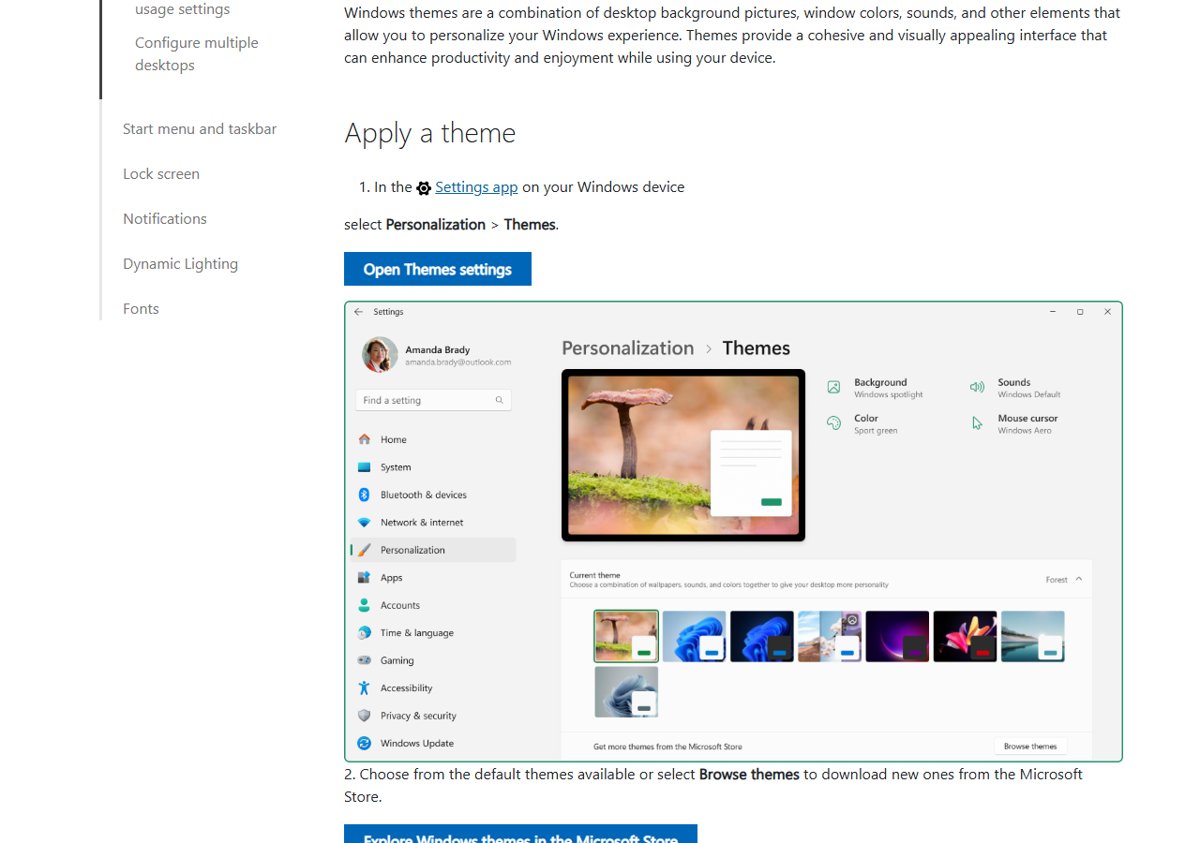
Customize the theme
Each theme combines a background, colour, sounds and mouse cursor, and you can change any of them. On the Themes page, select Background to change how often the slideshow moves to the next picture, or switch to a single favourite image. Select Color to pick your own accent colour. Once it looks right, select Save so you can reapply the same settings later. For screen resolution and multi-monitor options, see our Windows display settings guide.
Share or delete the theme
Microsoft’s support page covers two more options. To share your customised version, right-click your saved theme on the Themes page and select Save theme for sharing. Windows creates a .deskthemepack file that you can copy to another PC or send to friends. To remove the theme later, right-click it on the same page and select Delete. You cannot delete the default Windows themes, only the ones you added or saved.
Today
The theme is still listed in the Microsoft Store as a free download from Microsoft, and it works on Windows 11 as well. On Windows 11, the same steps apply under Settings > Personalization > Themes. If you also want quick access to your favourite apps on the new wallpaper, here is how to create desktop shortcuts.
