How to enable or disable Stickers on desktop in Windows 11
.Windows 11 gets support for Wallpaper stickers on the desktop, here is how you can enable stickers and add some from the different stickers available.
121 articles
Everything Techdows covers on Windows 11: download guides for the OS and popular apps, step-by-step how-tos, feature explainers, and fixes for common problems. Our guides are kept current for the latest Windows 11 builds, so the steps match what you actually see on your PC.
.Windows 11 gets support for Wallpaper stickers on the desktop, here is how you can enable stickers and add some from the different stickers available.
Microsoft has brought desktop Search box to Windows 11 with build 25120 in the dev channel. Here is how you can enable and later disable it.
After Mica effect, Microsoft is adding rounded Corners to tabs in Edge on Windows 11. Here is how you can enable rounded corners for tabs in Edge right now.

Soon, Windows 11 Task Manager to support Accent colors. This means better readable highlights or Performance values in Task Manager.
Want to set the default browser in Windows 11? It’s damn easy in the stable build 22000.593 or later, here is how you can do that right now.
At last, Microsoft allows Windows 11 insiders to switch to beta channel from Dev w/ build 22581. Here’s how to switch in time-limited window offered by MS.

Windows 11 and Windows 10 getting updated Search experience w/ interesting moments in time. Here’s how you can disable the search highlights feature.
Microsoft has added much wanted support for Tabs to File Explorer in Windows 11 build 22572 here is how you can enable it right now.

Windows 11’s Open with dialog gets a redesign in build 22567, the feature is still rolling outl, here is how you can enable it right now.
Pressing Win+X or right-clicking on the start button on the taskbar in Windows 11 build 22563.1 triggers an Explorer crash, here is how to fix the issue,
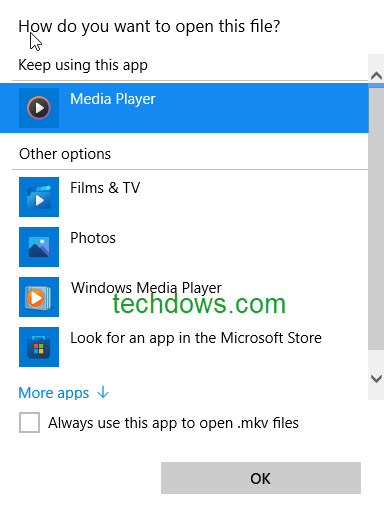
Microsoft has quietly updated the open with or choose app to open with dialog aka App Picker Ui in Windows 11, here is how you can enable it.
Don’t worry if your PC is unsupported for Windows 11 and shows a “System requirements not met” watermark on the desktop and settings app, you can easily remove it.