Techdows

Windows how-to guides, fixes and software downloads

  • Home
  • Settings and hardware

    • Printers
    • Sound and microphone
    • Wi-Fi and network
    • Bluetooth
    • Display and monitors
    • Drivers
    • Keyboard shortcuts and symbols

    Using Windows

    • File Explorer
    • Storage and disk space
    • Taskbar, Start and desktop
    • Apps and default programs
    • Accounts and sign-in
    • Copilot in Windows
    • Command Prompt and PowerShell

    Updates and fixes

    • Windows Update
    • Windows 11 26H2
    • Error codes and BSOD
    • Boot, BIOS and recovery
    • Security and Defender
    • Task Manager and performance
    • DLL and runtime errors

    Popular fixes

    • Get help in Windows 11
    • Connect a wireless printer
    • Re-pair Bluetooth earbuds for stereo sound
    • Cancel a stuck print job
    • Change default programs

    All Windows guides →

  • Browse by type

    • Web browsers
    • Office and productivity apps
    • PC games and launchers
    • Phone and media apps
    • Developer tools
    • Creative apps
    • CAD software
    • System utilities and drivers

    Popular downloads

    • GTA V for PC
    • YouTube app for PC
    • Google Meet for PC
    • Cisco Packet Tracer
    • TikTok for PC

    Windows tools

    • PC Health Check app
    • HEVC Video Extension
    • DirectX 12
    • Cinebench R23

    All download guides →

  • Browser guides

    • Microsoft Edge
    • Google Chrome
    • Firefox
    • Web browsers for PC

    Microsoft Edge

    • Fix WebView2 using too much memory
    • Internet Explorer mode in Edge
    • Manage Edge favorites
    • Set or remove Edge as default

    Chrome and Firefox

    • Make Chrome the default browser
    • Restore closed tabs
    • Change the default web browser

    All browser guides →

  • Office guides

    • Outlook
    • Excel
    • Word and PowerPoint
    • OneDrive
    • Install Microsoft 365

    Meetings and other tools

    • Teams, Zoom and Google Meet
    • Google Docs and Sheets
    • PDF tools

    Office apps

    • Office product key
    • Office Deployment Tool
    • What is OneDrive?
    • Turn off OneDrive in Windows 11

    Outlook and Teams

    • Outlook inbox view changed
    • Schedule an email in Outlook
    • Outlook dark mode
    • Teams breakout rooms

    All Office and productivity guides →

  • PHP security

    • PHP2Shell patch download
    • PHP critical RCE security update
    • CVE-2026-109618 fix
    • CVE-2026-109619 explained
    • Mitigations if you can't update

    Update PHP

    • Update PHP to the latest version
    • Check your PHP version
    • Update PHP on Ubuntu and Debian
    • Restart PHP-FPM

    Hosting and local servers

    • Update PHP in XAMPP
    • Change PHP version in cPanel
    • Update PHP in Laragon and WampServer
    • Update PHP Docker images
    • WordPress PHP version check

    PHP downloads

    • PHP 8.5.12 download
    • PHP 8.4.27 download
    • PHP 8.3.36 and 8.2.35 download
    • Download PHP for Windows

    PHP2Shell by platform

    • PHP 8.3 fix on Ubuntu 24.04
    • PHP 8.1 fix on Ubuntu 22.04
    • PHP 8.2 and 8.4 fix on Debian
    • Update PHP on IIS
    • Cloudflare PHP2Shell WAF rule

    All PHP guides →

  • Sections

    • Gaming
    • Apple
    • Android
    • Apps and services
    • Developer and IT

    Apple

    • iPhone tips and fixes
    • Reset and restore iPhone
    • iPad
    • Mac and macOS
    • Apple Account and iCloud
    • Apple devices on Windows

    Apps, Android and gaming

    • Gmail and Google account
    • YouTube
    • Social media accounts
    • Streaming TV
    • Android and Samsung Galaxy
    • PC gaming and Xbox
    • Roblox and Minecraft on PC

    Developer and IT

    • WSL and developer setup
    • Virtual machines
    • Group Policy and Intune
    • Windows Server
    • Website error codes
  • News
Home›Vivaldi

Vivaldi

143 articles

Vivaldi browser guides and news from Techdows: release highlights, its deep customization options, tab and panel tips, and solutions to common Vivaldi problems. Written for users who want more control over their browser.

News
Vivaldi 1.5 lazy tab loading

Lazy Tab Loading comes to Vivaldi 1.5, Activated by default

September 20, 2016 by Venkat Eswarlu Leave a Comment
Vivaldi 1.5 lazy tab loading

Finally, Vivaldi browser has got lazy tab loading feature and is activated by default in version 1.5 snapshot. Current Vivaldi 1.5 snapshot, startup settings has a new … [Read more…]

Posted in: News, Vivaldi
News

First Vivaldi 1.5 Snapshot released with a fix for HTML5 video issue

September 14, 2016 by Venkat Eswarlu Leave a Comment

Vivaldi team has released a new snapshot Vivaldi 1.5.604.4 for Windows, Mac and Linux platforms, with a fix to HTML5 video and audio issue in … [Read more…]

Posted in: News, Vivaldi
Tips and Tricks

Vivaldi 1.4: retain site specific zoom level

September 12, 2016 by Venkat Eswarlu Leave a Comment

Google Chrome remembers and always load some websites with custom zoom levels set by the users, you can check for which sites you’ve set … [Read more…]

Posted in: Tips and Tricks, Vivaldi
Troubleshooting

Fix HTML5 videos not playing in Vivaldi 1.4

September 11, 2016 by Venkat Eswarlu Leave a Comment

After updating to Vivaldi 1.4 from the 1.3 version, for some –not all affected, only a few with particular hardware configuration are– HTML5 videos on … [Read more…]

Posted in: Troubleshooting, Vivaldi
News

Vivaldi 1.4: Theme Scheduling Feature

September 2, 2016 by Venkat Eswarlu Leave a Comment

Vivaldi 1.4 RC1 snapshot 1.4.589.2 has been released by Vivaldi team and is available to download for Windows, Mac and Linux platforms with two … [Read more…]

Posted in: News, Vivaldi
How to

How to Set a custom background image for Vivaldi browser Start Page?

August 31, 2016 by Venkat Eswarlu 1 Comment

After Firefox. can we say Vivaldi is the most customizable browser ever? Vivaldi browser by default comes with a set of background images that … [Read more…]

Posted in: How to, Tips and Tricks, Vivaldi
How to

How to Change Vivaldi Snapshot Icon to Red from Black?

August 31, 2016 by Venkat Eswarlu Leave a Comment

If you’re running both Vivaldi stable and snapshot versions, for you to able to recognize which version you’re using, Vivaldi has created a new black … [Read more…]

Posted in: How to, Tips and Tricks, Vivaldi
News
Vivaldi homepage screenshot with mail panel on sidebar spotted

Vivaldi Email client is ready?

August 29, 2016 by Venkat Eswarlu Leave a Comment
Vivaldi homepage screenshot with mail panel on sidebar spotted

Opera fans who’ve switched to Vivaldi after Opera software has ditched Presto engine and moved to Blink/Chromium– FYI, email client, M2 is still available … [Read more…]

Posted in: News, Vivaldi
Tips and Tricks
Vivaldi accent color from active page setting in Theme preferences

Prevent or Stop Vivaldi from changing color of Tabs

August 25, 2016 by Venkat Eswarlu Leave a Comment
Vivaldi accent color from active page setting in Theme preferences

One excellent and unique feature of Vivaldi browser, that stands out and lacked by other browsers is, the browser adapts to the color of the … [Read more…]

Posted in: Tips and Tricks, Vivaldi
How to

Vivaldi : How to Show more bookmarks on Bookmark bar?

August 23, 2016 by Venkat Eswarlu Leave a Comment

Vivaldi browser by default doesn’t show bookmarks bar, you can display it by using Ctrl+Shift+B shortcut or by selecting the option provided in the … [Read more…]
Posted in: How to, Tips and Tricks, Vivaldi
How to
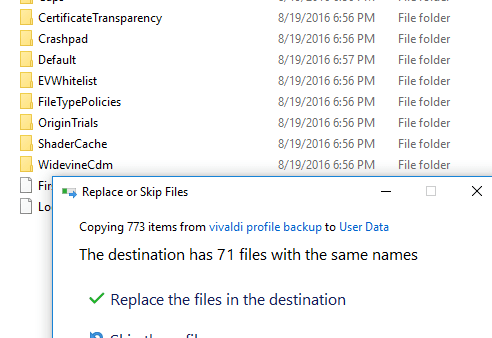
Backup restore Vivaldi profile

How to Backup and Restore Vivaldi Profile?

August 22, 2016 by Venkat Eswarlu Leave a Comment
Backup restore Vivaldi profile

If you’re about to reinstall Windows and worried about loosing your Vivaldi browser data as you need to install it freshly, don’t worry! We’ve … [Read more…]

Posted in: How to, Tips and Tricks, Vivaldi
News

Latest Vivaldi Snapshot lets you disable WebRTC to improve your Privacy

July 11, 2016 by Venkat Eswarlu Leave a Comment

Vivaldi team is back with a new snapshot after a long time (20 days), Vivaldi snapshot 1.3.534.3 has been released for Windows, Mac and … [Read more…]

Posted in: News, Vivaldi
« Previous 1 … 7 8 9 … 12 Next »

More from Techdows

Clipchamp projects on OneDrive - video editing timeline on a monitor
Clipchamp now saves projects to OneDrive: What Windows 11 users need to know
How to · 5 hours ago
USB Ethernet driver missing - USB-C hub with an Ethernet port
USB Ethernet driver missing? How to fix it
How to · 5 hours ago
Turn off an Android phone - Samsung Galaxy smartphone on a wooden surface
How to turn off an Android phone: Common methods for different devices
How to · 5 hours ago
Windows accessibility mouse pointer settings - hand on a computer mouse
Optimize Windows 10/11 accessibility: Text cursor, mouse pointer & Magnifier
How to · 5 hours ago
Google driving directions in words - Google Maps app icon on a phone
Getting Google driving directions in words: A step-by-step guide
How to · 4 hours ago
iCloud storage billing - iPhone on a wooden table
Can I pay for Apple iCloud storage yearly instead of monthly? How iCloud+ billing works
How to · 4 hours ago
Find and replace text in Notepad on Windows 11 - hands typing on a laptop keyboard
How to find and replace text in Notepad on Windows 11
How to · 4 hours ago
Explorer.exe application error on Windows - the word error on a plain background
Fix Explorer.exe application error on Windows 11/10
How to · 4 hours ago

© 2009–2026 Techdows · About · Contact · Privacy Policy

Copyright © 2026 Techdows.

Techdows WordPress Theme by Techdows