Techdows

Windows how-to guides, fixes and software downloads

  • Home
  • Settings and hardware

    • Printers
    • Sound and microphone
    • Wi-Fi and network
    • Bluetooth
    • Display and monitors
    • Drivers
    • Keyboard shortcuts and symbols

    Using Windows

    • File Explorer
    • Storage and disk space
    • Taskbar, Start and desktop
    • Apps and default programs
    • Accounts and sign-in
    • Copilot in Windows
    • Command Prompt and PowerShell

    Updates and fixes

    • Windows Update
    • Windows 11 26H2
    • Error codes and BSOD
    • Boot, BIOS and recovery
    • Security and Defender
    • Task Manager and performance
    • DLL and runtime errors

    Popular fixes

    • Get help in Windows 11
    • Connect a wireless printer
    • Re-pair Bluetooth earbuds for stereo sound
    • Cancel a stuck print job
    • Change default programs

    All Windows guides →

  • Browse by type

    • Web browsers
    • Office and productivity apps
    • PC games and launchers
    • Phone and media apps
    • Developer tools
    • Creative apps
    • CAD software
    • System utilities and drivers

    Popular downloads

    • GTA V for PC
    • YouTube app for PC
    • Google Meet for PC
    • Cisco Packet Tracer
    • TikTok for PC

    Windows tools

    • PC Health Check app
    • HEVC Video Extension
    • DirectX 12
    • Cinebench R23

    All download guides →

  • Browser guides

    • Microsoft Edge
    • Google Chrome
    • Firefox
    • Web browsers for PC

    Microsoft Edge

    • Fix WebView2 using too much memory
    • Internet Explorer mode in Edge
    • Manage Edge favorites
    • Set or remove Edge as default

    Chrome and Firefox

    • Make Chrome the default browser
    • Restore closed tabs
    • Change the default web browser

    All browser guides →

  • Office guides

    • Outlook
    • Excel
    • Word and PowerPoint
    • OneDrive
    • Install Microsoft 365

    Meetings and other tools

    • Teams, Zoom and Google Meet
    • Google Docs and Sheets
    • PDF tools

    Office apps

    • Office product key
    • Office Deployment Tool
    • What is OneDrive?
    • Turn off OneDrive in Windows 11

    Outlook and Teams

    • Outlook inbox view changed
    • Schedule an email in Outlook
    • Outlook dark mode
    • Teams breakout rooms

    All Office and productivity guides →

  • PHP security

    • PHP2Shell patch download
    • PHP critical RCE security update
    • CVE-2026-109618 fix
    • CVE-2026-109619 explained
    • Mitigations if you can't update

    Update PHP

    • Update PHP to the latest version
    • Check your PHP version
    • Update PHP on Ubuntu and Debian
    • Restart PHP-FPM

    Hosting and local servers

    • Update PHP in XAMPP
    • Change PHP version in cPanel
    • Update PHP in Laragon and WampServer
    • Update PHP Docker images
    • WordPress PHP version check

    PHP downloads

    • PHP 8.5.12 download
    • PHP 8.4.27 download
    • PHP 8.3.36 and 8.2.35 download
    • Download PHP for Windows

    PHP2Shell by platform

    • PHP 8.3 fix on Ubuntu 24.04
    • PHP 8.1 fix on Ubuntu 22.04
    • PHP 8.2 and 8.4 fix on Debian
    • Update PHP on IIS
    • Cloudflare PHP2Shell WAF rule

    All PHP guides →

  • Sections

    • Gaming
    • Apple
    • Android
    • Apps and services
    • Developer and IT

    Apple

    • iPhone tips and fixes
    • Reset and restore iPhone
    • iPad
    • Mac and macOS
    • Apple Account and iCloud
    • Apple devices on Windows

    Apps, Android and gaming

    • Gmail and Google account
    • YouTube
    • Social media accounts
    • Streaming TV
    • Android and Samsung Galaxy
    • PC gaming and Xbox
    • Roblox and Minecraft on PC

    Developer and IT

    • WSL and developer setup
    • Virtual machines
    • Group Policy and Intune
    • Windows Server
    • Website error codes
  • News
Home›Tips and Tricks

Tips and Tricks

809 articles

Tips and Tricks

Get Material Design for YouTube website in desktop Chrome right now

April 30, 2016 by Venkat Eswarlu Leave a Comment

You can now enable Material design for YouTube site in Google Chrome browser on the desktop, follow the instructions below for that. This has worked for … [Read more…]

Posted in: Tips and Tricks
Tips and Tricks

Reset Vivaldi Settings

April 27, 2016 by Venkat Eswarlu Leave a Comment

Why and when you need to reset Vivaldi browser settings? If you want to fix the issue with the browser you’re having caused by … [Read more…]

Posted in: Tips and Tricks, Vivaldi
Opera

Enable Free VPN in Opera browser

April 24, 2016 by Venkat Eswarlu Leave a Comment

It’s all set for Opera software to launch Opera 38 with two major features such as native ab blocker, and Free VPN– don’t forget about … [Read more…]

Posted in: Opera, Tips and Tricks
Tips and Tricks

Export Bookmarks in Vivaldi to an HTML File

April 13, 2016 by Venkat Eswarlu Leave a Comment

A month back, we’ve covered how to import Vivaldi bookmarks into Edge, IE, Chrome and Firefox browsers, now time to learn or know how … [Read more…]

Posted in: Tips and Tricks, Vivaldi
Tips and Tricks

Running both Vivaldi Stable and Snapshot on Windows

April 12, 2016 by Venkat Eswarlu Leave a Comment

Vivaldi team hasn’t taken a break after releasing 1.0, they’ve released a snapshot immediately after that with New tab options. FYI, Vivaldi browser is available … [Read more…]

Posted in: Tips and Tricks, Vivaldi
Tips and Tricks

Clear Vivaldi Browsing Data

April 7, 2016 by Venkat Eswarlu Leave a Comment

Vivaldi 1.0 has been released yesterday, if you’ve started using it and wondering about doing basic task one like deleting the browsing data that … [Read more…]

Posted in: Tips and Tricks, Vivaldi
Tips and Tricks

Enable Cortana on lock Screen in Windows 10 build 14316

April 7, 2016 by Venkat Eswarlu Leave a Comment

Microsoft has released Windows 10 build 14316 to insiders in the fast ring and is available to download with plenty of exciting new features. … [Read more…]

Posted in: Tips and Tricks
Tips and Tricks

Disable Vivaldi browser’s Password Saving Prompt

April 2, 2016 by Venkat Eswarlu Leave a Comment

Vivaldi browser based on Chromium can remember passwords for different websites you use. Whenever you sign into a website, Vivaldi asks to save your … [Read more…]

Posted in: Tips and Tricks, Vivaldi
Tips and Tricks

Turn off HTML5 Notifications in Vivaldi Browser

March 22, 2016 by Venkat Eswarlu Leave a Comment

Vivaldi, which is currently in beta 3, already supports HTML5 notifications feature, that’s useful for users who often visit websites like Facebook, Gmail or other email … [Read more…]

Posted in: Tips and Tricks, Vivaldi
Opera

Install Flash Player for Vivaldi/Opera browser

March 21, 2016 by Venkat Eswarlu Leave a Comment

If you don’t know, both Opera and Vivaldi browsers use Pepper version of Flash (PPAPI) that Chromium or Chrome uses, if you’re noticing ‘Couldn’t … [Read more…]
Posted in: Opera, Tips and Tricks, Vivaldi
Tips and Tricks
My purchases

Turn off Google Private Results

March 14, 2016 by Venkat Eswarlu Leave a Comment
My purchases

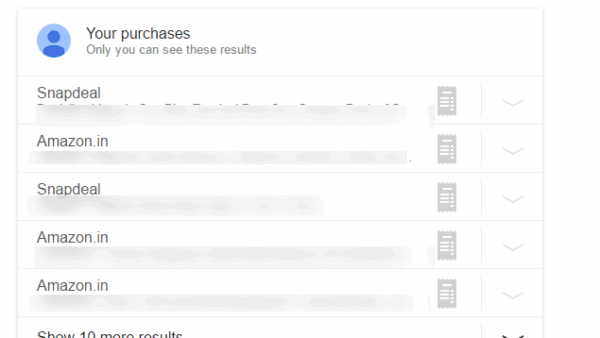
Three years back Google has announced they will display product information from their other products such a Gmail, Calendar and Google+ in its search … [Read more…]

Posted in: Tips and Tricks
Tips and Tricks
Vivaldi import bookmarks and settings

Import Chrome, Firefox, IE, Edge and Opera bookmarks to Vivaldi browser

March 14, 2016 by Venkat Eswarlu Leave a Comment
Vivaldi import bookmarks and settings

Vivaldi browser, which is currently in Beta (beta 3 to be precised) and yet to hit stable version, supports the import of bookmarks from … [Read more…]

Posted in: Tips and Tricks, Vivaldi
« Previous 1 … 35 36 37 … 68 Next »

More from Techdows

Access Amazon Drive in a web browser - hands using a laptop computer
How to access Amazon Drive on your computer using a web browser
How to · 5 hours ago
iCloud storage full email scam - phishing spelled in wooden letter tiles
Your iCloud storage is full email scam: how to tell if it is fake or real
How to · 5 hours ago
KMS activation for Windows and Office - rows of office computers
KMS activation FAQ: Windows & Office volume activation explained
How to · 5 hours ago
Install Xbox Insider Hub - close-up of a white Xbox controller
How to install Xbox Insider Hub in Windows 10/11 [tutorial]
How to · 4 hours ago
Chromecast desktop to TV - hand holding a remote in front of a TV
How to use Chromecast to cast your entire desktop to TV
How to · 4 hours ago
Clean Up in Photos on iPhone - iPhone editing a photo
How to get Clean Up in Photos on iPhone
How to · 4 hours ago
Install Office web apps as PWA - web app dashboard on a Windows laptop
How to install Office web apps as PWA on Windows 11/10
How to · 4 hours ago
Fix file system error on Windows 11 - internal hard drives showing their circuit boards
Fix file system error on Windows 11
How to · 3 hours ago

© 2009–2026 Techdows · About · Contact · Privacy Policy

Copyright © 2026 Techdows.

Techdows WordPress Theme by Techdows