Techdows

Windows how-to guides, fixes and software downloads

  • Home
  • Settings and hardware

    • Printers
    • Sound and microphone
    • Wi-Fi and network
    • Bluetooth
    • Display and monitors
    • Drivers
    • Keyboard shortcuts and symbols

    Using Windows

    • File Explorer
    • Storage and disk space
    • Taskbar, Start and desktop
    • Apps and default programs
    • Accounts and sign-in
    • Copilot in Windows
    • Command Prompt and PowerShell

    Updates and fixes

    • Windows Update
    • Windows 11 26H2
    • Error codes and BSOD
    • Boot, BIOS and recovery
    • Security and Defender
    • Task Manager and performance
    • DLL and runtime errors

    Popular fixes

    • Get help in Windows 11
    • Connect a wireless printer
    • Re-pair Bluetooth earbuds for stereo sound
    • Cancel a stuck print job
    • Change default programs

    All Windows guides →

  • Browse by type

    • Web browsers
    • Office and productivity apps
    • PC games and launchers
    • Phone and media apps
    • Developer tools
    • Creative apps
    • CAD software
    • System utilities and drivers

    Popular downloads

    • GTA V for PC
    • YouTube app for PC
    • Google Meet for PC
    • Cisco Packet Tracer
    • TikTok for PC

    Windows tools

    • PC Health Check app
    • HEVC Video Extension
    • DirectX 12
    • Cinebench R23

    All download guides →

  • Browser guides

    • Microsoft Edge
    • Google Chrome
    • Firefox
    • Web browsers for PC

    Microsoft Edge

    • Fix WebView2 using too much memory
    • Internet Explorer mode in Edge
    • Manage Edge favorites
    • Set or remove Edge as default

    Chrome and Firefox

    • Make Chrome the default browser
    • Restore closed tabs
    • Change the default web browser

    All browser guides →

  • Office guides

    • Outlook
    • Excel
    • Word and PowerPoint
    • OneDrive
    • Install Microsoft 365

    Meetings and other tools

    • Teams, Zoom and Google Meet
    • Google Docs and Sheets
    • PDF tools

    Office apps

    • Office product key
    • Office Deployment Tool
    • What is OneDrive?
    • Turn off OneDrive in Windows 11

    Outlook and Teams

    • Outlook inbox view changed
    • Schedule an email in Outlook
    • Outlook dark mode
    • Teams breakout rooms

    All Office and productivity guides →

  • PHP security

    • PHP2Shell patch download
    • PHP critical RCE security update
    • CVE-2026-109618 fix
    • CVE-2026-109619 explained
    • Mitigations if you can't update

    Update PHP

    • Update PHP to the latest version
    • Check your PHP version
    • Update PHP on Ubuntu and Debian
    • Restart PHP-FPM

    Hosting and local servers

    • Update PHP in XAMPP
    • Change PHP version in cPanel
    • Update PHP in Laragon and WampServer
    • Update PHP Docker images
    • WordPress PHP version check

    PHP downloads

    • PHP 8.5.12 download
    • PHP 8.4.27 download
    • PHP 8.3.36 and 8.2.35 download
    • Download PHP for Windows

    PHP2Shell by platform

    • PHP 8.3 fix on Ubuntu 24.04
    • PHP 8.1 fix on Ubuntu 22.04
    • PHP 8.2 and 8.4 fix on Debian
    • Update PHP on IIS
    • Cloudflare PHP2Shell WAF rule

    All PHP guides →

  • Sections

    • Gaming
    • Apple
    • Android
    • Apps and services
    • Developer and IT

    Apple

    • iPhone tips and fixes
    • Reset and restore iPhone
    • iPad
    • Mac and macOS
    • Apple Account and iCloud
    • Apple devices on Windows

    Apps, Android and gaming

    • Gmail and Google account
    • YouTube
    • Social media accounts
    • Streaming TV
    • Android and Samsung Galaxy
    • PC gaming and Xbox
    • Roblox and Minecraft on PC

    Developer and IT

    • WSL and developer setup
    • Virtual machines
    • Group Policy and Intune
    • Windows Server
    • Website error codes
  • News
Home›Tips and Tricks

Tips and Tricks

809 articles

How to
New Google

How to go back to Classic Google+?

September 1, 2016 by Venkat Eswarlu Leave a Comment
New Google

New version of Google+ has been made the default option for users using out there, if you’ve not switched to or not tried new … [Read more…]

Posted in: How to, Tips and Tricks
How to

How to Set a custom background image for Vivaldi browser Start Page?

August 31, 2016 by Venkat Eswarlu 1 Comment

After Firefox. can we say Vivaldi is the most customizable browser ever? Vivaldi browser by default comes with a set of background images that … [Read more…]

Posted in: How to, Tips and Tricks, Vivaldi
How to

How to Change Vivaldi Snapshot Icon to Red from Black?

August 31, 2016 by Venkat Eswarlu Leave a Comment

If you’re running both Vivaldi stable and snapshot versions, for you to able to recognize which version you’re using, Vivaldi has created a new black … [Read more…]
Posted in: How to, Tips and Tricks, Vivaldi
Google Chrome
Material and non material versions of Chrome in one frame

How to disable Google Chrome’s Material Design?

August 30, 2016 by Venkat Eswarlu Leave a Comment
Material and non material versions of Chrome in one frame

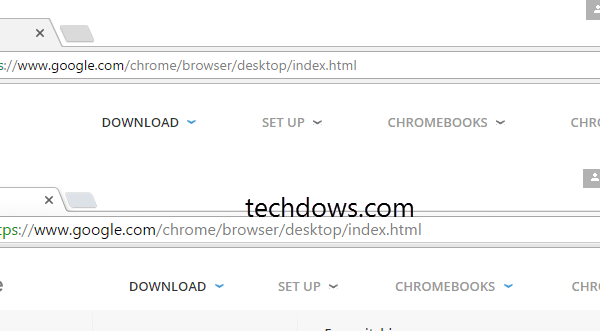
Google is slowly transitioning desktop Chrome’ default design to Material design, this has happened to the Mac version of Chrome 52, next is Windows … [Read more…]

Posted in: Google Chrome, How to, Tips and Tricks
Tips and Tricks
Free Download Manager Advanced Settings downloads

Configure Free Download Manager to shut down computer when a download is completed

August 26, 2016 by Venkat Eswarlu Leave a Comment
Free Download Manager Advanced Settings downloads

Like Internet Download Manager, Free Download Manager also allows to shut down the computer when the downloads are completed. This will be useful for large … [Read more…]

Posted in: Tips and Tricks
Tips and Tricks
Vivaldi accent color from active page setting in Theme preferences

Prevent or Stop Vivaldi from changing color of Tabs

August 25, 2016 by Venkat Eswarlu Leave a Comment
Vivaldi accent color from active page setting in Theme preferences

One excellent and unique feature of Vivaldi browser, that stands out and lacked by other browsers is, the browser adapts to the color of the … [Read more…]

Posted in: Tips and Tricks, Vivaldi
How to

Edge: How to add articles to Reading List to read later

August 24, 2016 by Venkat Eswarlu Leave a Comment

Have you Stumbled across an article on Edge browser that you want to read later? You can add it to reading list and open … [Read more…]

Posted in: How to, Microsoft Edge, Tips and Tricks
Opera
Opera profile folder location

Opera Profile folder location

August 24, 2016 by Venkat Eswarlu Leave a Comment
Opera profile folder location

Sometimes, you need to know the browser profile folder location on your computer to remove it and create a new profile, doing so fix … [Read more…]

Posted in: Opera, Tips and Tricks
How to

Vivaldi : How to Show more bookmarks on Bookmark bar?

August 23, 2016 by Venkat Eswarlu Leave a Comment

Vivaldi browser by default doesn’t show bookmarks bar, you can display it by using Ctrl+Shift+B shortcut or by selecting the option provided in the … [Read more…]
Posted in: How to, Tips and Tricks, Vivaldi
How to
Backup restore Vivaldi profile

How to Backup and Restore Vivaldi Profile?

August 22, 2016 by Venkat Eswarlu Leave a Comment
Backup restore Vivaldi profile

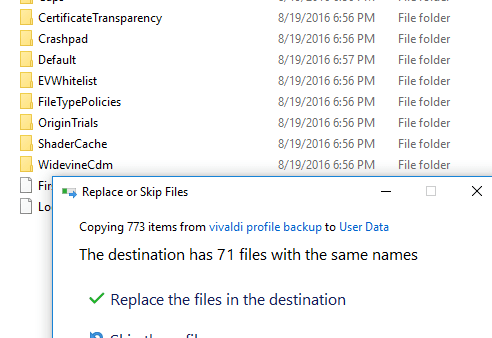
If you’re about to reinstall Windows and worried about loosing your Vivaldi browser data as you need to install it freshly, don’t worry! We’ve … [Read more…]

Posted in: How to, Tips and Tricks, Vivaldi
Opera

Disable Rate Opera dialog

August 22, 2016 by Venkat Eswarlu Leave a Comment

Starting Opera 37, Opera software has incorporated and enabled Rate Opera dialog on all channels such as developer, beta and stable. Sometimes, rate opera … [Read more…]

Posted in: Opera, Tips and Tricks
How to
Windows Defender latest definition updates download page

How to download Windows Defender definition Updates manually in Windows 10?

August 20, 2016 by Venkat Eswarlu 1 Comment
Windows Defender latest definition updates download page

FYI, Windows Update will automatically download and install Windows Defender definition updates once per day, if you want to download and install the antimalware … [Read more…]

Posted in: How to, Tips and Tricks
« Previous 1 … 30 31 32 … 68 Next »

More from Techdows

KMS activation for Windows and Office - rows of office computers
KMS activation FAQ: Windows & Office volume activation explained
How to · 5 hours ago
Install Xbox Insider Hub - close-up of a white Xbox controller
How to install Xbox Insider Hub in Windows 10/11 [tutorial]
How to · 5 hours ago
Chromecast desktop to TV - hand holding a remote in front of a TV
How to use Chromecast to cast your entire desktop to TV
How to · 5 hours ago
Clean Up in Photos on iPhone - iPhone editing a photo
How to get Clean Up in Photos on iPhone
How to · 4 hours ago
Install Office web apps as PWA - web app dashboard on a Windows laptop
How to install Office web apps as PWA on Windows 11/10
How to · 4 hours ago
Fix file system error on Windows 11 - internal hard drives showing their circuit boards
Fix file system error on Windows 11
How to · 4 hours ago
Change name on iCloud Mail - Mail app icon on an iPhone home screen
How to change the name associated with iCloud Mail
How to · 4 hours ago
View old notifications in Windows 11/10 - Windows laptop desktop on a table
How to view old notifications in Windows 11/10
How to · 3 hours ago

© 2009–2026 Techdows · About · Contact · Privacy Policy

Copyright © 2026 Techdows.

Techdows WordPress Theme by Techdows