
Techdows

Windows how-to guides, fixes and software downloads

  • Home
  • Settings and hardware

    • Printers
    • Sound and microphone
    • Wi-Fi and network
    • Bluetooth
    • Display and monitors
    • Drivers
    • Keyboard shortcuts and symbols

    Using Windows

    • File Explorer
    • Storage and disk space
    • Taskbar, Start and desktop
    • Apps and default programs
    • Accounts and sign-in
    • Copilot in Windows
    • Command Prompt and PowerShell

    Updates and fixes

    • Windows Update
    • Windows 11 26H2
    • Error codes and BSOD
    • Boot, BIOS and recovery
    • Security and Defender
    • Task Manager and performance
    • DLL and runtime errors

    Popular fixes

    • Get help in Windows 11
    • Connect a wireless printer
    • Re-pair Bluetooth earbuds for stereo sound
    • Cancel a stuck print job
    • Change default programs

    All Windows guides →

  • Browse by type

    • Web browsers
    • Office and productivity apps
    • PC games and launchers
    • Phone and media apps
    • Developer tools
    • Creative apps
    • CAD software
    • System utilities and drivers

    Popular downloads

    • GTA V for PC
    • YouTube app for PC
    • Google Meet for PC
    • Cisco Packet Tracer
    • TikTok for PC

    Windows tools

    • PC Health Check app
    • HEVC Video Extension
    • DirectX 12
    • Cinebench R23

    All download guides →

  • Browser guides

    • Microsoft Edge
    • Google Chrome
    • Firefox
    • Web browsers for PC

    Microsoft Edge

    • Fix WebView2 using too much memory
    • Internet Explorer mode in Edge
    • Manage Edge favorites
    • Set or remove Edge as default

    Chrome and Firefox

    • Make Chrome the default browser
    • Restore closed tabs
    • Change the default web browser

    All browser guides →

  • Office guides

    • Outlook
    • Excel
    • Word and PowerPoint
    • OneDrive
    • Install Microsoft 365

    Meetings and other tools

    • Teams, Zoom and Google Meet
    • Google Docs and Sheets
    • PDF tools

    Office apps

    • Office product key
    • Office Deployment Tool
    • What is OneDrive?
    • Turn off OneDrive in Windows 11

    Outlook and Teams

    • Outlook inbox view changed
    • Schedule an email in Outlook
    • Outlook dark mode
    • Teams breakout rooms

    All Office and productivity guides →

  • PHP security

    • PHP2Shell patch download
    • PHP critical RCE security update
    • CVE-2026-109618 fix
    • CVE-2026-109619 explained
    • Mitigations if you can't update

    Update PHP

    • Update PHP to the latest version
    • Check your PHP version
    • Update PHP on Ubuntu and Debian
    • Restart PHP-FPM

    Hosting and local servers

    • Update PHP in XAMPP
    • Change PHP version in cPanel
    • Update PHP in Laragon and WampServer
    • Update PHP Docker images
    • WordPress PHP version check

    PHP downloads

    • PHP 8.5.12 download
    • PHP 8.4.27 download
    • PHP 8.3.36 and 8.2.35 download
    • Download PHP for Windows

    PHP2Shell by platform

    • PHP 8.3 fix on Ubuntu 24.04
    • PHP 8.1 fix on Ubuntu 22.04
    • PHP 8.2 and 8.4 fix on Debian
    • Update PHP on IIS
    • Cloudflare PHP2Shell WAF rule

    All PHP guides →

  • Sections

    • Gaming
    • Apple
    • Android
    • Apps and services
    • Developer and IT

    Apple

    • iPhone tips and fixes
    • Reset and restore iPhone
    • iPad
    • Mac and macOS
    • Apple Account and iCloud
    • Apple devices on Windows

    Apps, Android and gaming

    • Gmail and Google account
    • YouTube
    • Social media accounts
    • Streaming TV
    • Android and Samsung Galaxy
    • PC gaming and Xbox
    • Roblox and Minecraft on PC

    Developer and IT

    • WSL and developer setup
    • Virtual machines
    • Group Policy and Intune
    • Windows Server
    • Website error codes
  • News
Home›How to

How to

3,752 articles

How to
How to Find Your Computer Name and Location on Windows 11/10(2026 Guide)

How to Find Your Computer Name and Location on Windows 11/10(2026 Guide)

October 27, 2026 by Philip Celasco 2 Comments
How to Find Your Computer Name and Location on Windows 11/10(2026 Guide)

Find your computer name on Windows 11 or 10 in Settings > System > About or with hostname, then check domain, location settings and rename the PC safely.


Posted in: How to, Windows
Apps and services
Gmail showing 1 unread message? Here’s how to find it

Gmail showing 1 unread message? Here’s how to find it

October 27, 2026 by Philip Celasco Leave a Comment
Gmail showing 1 unread message? Here’s how to find it

Gmail showing 1 unread message you can’t find? Search is:unread, then is:unread in:anywhere to check archived mail, category tabs, Spam, Trash and Snoozed.


Posted in: Apps and services, How to
How to
How to Cancel or Delete a Stuck Print Job in Windows 10 / 11

How to Cancel or Delete a Stuck Print Job in Windows 10 / 11

October 27, 2026 by Philip Celasco 1 Comment
How to Cancel or Delete a Stuck Print Job in Windows 10 / 11

Cancel a stuck print job in Windows 11 or 10 from Open print queue, then restart Print Spooler or clear the spool folder if the job still will not delete.
Posted in: How to, Windows
How to
OneDrive in Windows 11/10: set up, sync, settings, backup and fixes

OneDrive in Windows 11/10: set up, sync, settings, backup and fixes

October 27, 2026 by Philip Celasco Leave a Comment
OneDrive in Windows 11/10: set up, sync, settings, backup and fixes

OneDrive sync in Windows 11 and 10: sign in, choose folders, back up Desktop and Documents, read status icons, reset, unlink and fix sync problems.

Posted in: How to, Office and productivity
How to
Install and activate Microsoft 365 and Office

Install and activate Microsoft 365 and Office

October 27, 2026 by Philip Celasco Leave a Comment
Install and activate Microsoft 365 and Office

Microsoft 365 setup: sign in at m365.cloud.microsoft/apps, select Install apps, run setup, then open Word to activate. Office 2024/2021, Mac, keys and error fixes.
Posted in: How to, Office and productivity
Downloads
PC system utilities and drivers for motherboard hardware

PC system utilities and drivers: PC Health Check, maker update tools and hardware monitors

October 27, 2026 by Philip Celasco Leave a Comment
PC system utilities and drivers for motherboard hardware

PC system utilities for Windows 11 and 10: PC Health Check, Dell, HP and Lenovo update tools, Intel, NVIDIA and AMD drivers, hardware monitors and runtimes.
Posted in: Downloads, How to
Downloads
CAD software for PC and 3D printing workspace

CAD software for PC: AutoCAD, Revit, Fusion, SolidWorks and free CAD apps for Windows

October 27, 2026 by Philip Celasco Leave a Comment
CAD software for PC and 3D printing workspace

CAD software for PC by job: AutoCAD, Revit, Fusion, Inventor, SolidWorks, SketchUp, free FreeCAD and Onshape, slicers, laser tools, trials and education licences.


Posted in: Downloads, How to
Downloads
Creative apps for PC video editing software on a Windows desktop

Creative apps for PC: Adobe, video, photo, audio and design software for Windows

October 26, 2026 by Philip Celasco Leave a Comment
Creative apps for PC video editing software on a Windows desktop

Creative apps for PC: Adobe Creative Cloud, DaVinci Resolve, GIMP, OBS, Audacity and more for Windows 11/10, with free alternatives and Mac-only app equivalents.


Posted in: Downloads, How to
Downloads
Developer tools for Windows 11/10 code editors and languages on a laptop

Developer tools for Windows 11/10: code editors, languages, Git, WSL and databases

October 26, 2026 by Philip Celasco Leave a Comment
Developer tools for Windows 11/10 code editors and languages on a laptop

Developer tools for Windows 11/10: install order, code editors and IDEs compared, Python, Node.js, Java, Git, WSL, Docker, databases and where to get each one.


Posted in: Downloads, How to
How to
Microsoft Word and PowerPoint guide: documents, formatting and recovery

Microsoft Word and PowerPoint guide: documents, formatting and recovery

October 26, 2026 by Philip Celasco Leave a Comment
Microsoft Word and PowerPoint guide: documents, formatting and recovery

Microsoft Word and PowerPoint guide: start, format, save and print documents, build slides, delete blank pages and recover unsaved or damaged files.
Posted in: How to, Office and productivity
Developer and IT
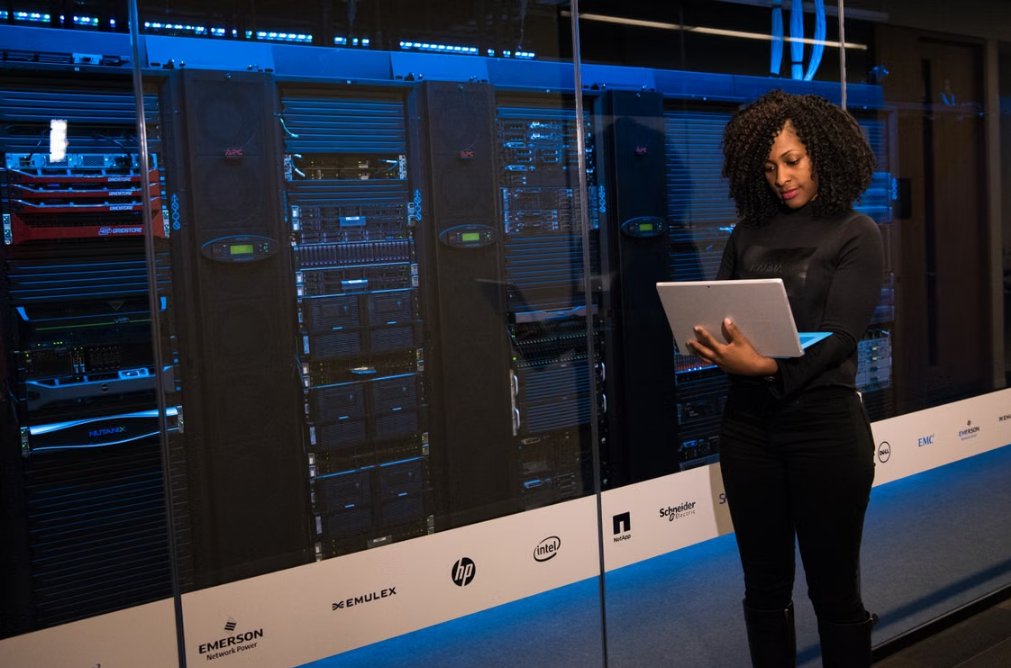
Group Policy and Intune admin managing Windows devices in a server room

Group Policy, Intune and Microsoft Entra: Windows admin guide

October 26, 2026 by Philip Celasco Leave a Comment
Group Policy and Intune admin managing Windows devices in a server room

Group Policy Editor, gpupdate, Intune and Microsoft Entra ID explained for Windows admins: consoles, commands, which tool fits each job, and fixes when policy fails.
Posted in: Developer and IT, How to
How to
How to Scan a Document on HP Printer

How to scan a document on HP printer

October 26, 2026 by Philip Celasco Leave a Comment
How to Scan a Document on HP Printer

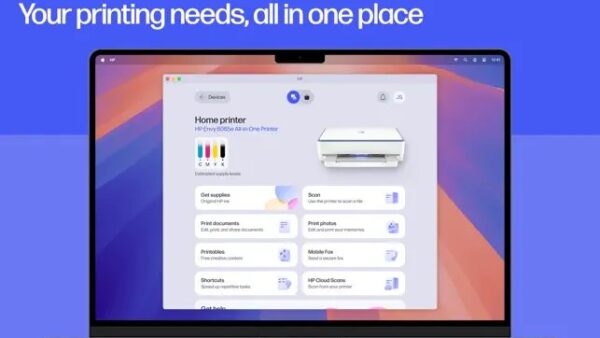
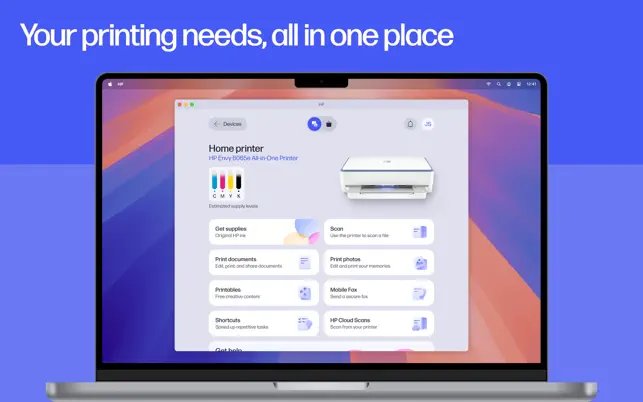
Scan a document on an HP printer with the HP app, HP Printer Assistant, Windows Fax and Scan, the Windows Scan app or Image Capture on a Mac, plus fixes.

Posted in: How to, Windows
« Previous 1 … 122 123 124 … 313 Next »

More from Techdows

Find Apple purchase receipts - MacBook, iPad, Apple Watch and AirPods on a desk
How to find your Apple purchase receipts on iPhone, Mac, PC and the web
How to · 4 hours ago
Stolen iPhone shows online but Location Services off - iPhone showing a world map in hand
Stolen iPhone shows online but Location Services off in Find My? What to do
How to · 2 hours ago
Record your screen with Snipping Tool in Windows 11 - typing on a Dell Windows laptop
Record your screen with Snipping Tool in Windows 11
How to · 1 hour ago
Paying cash at Apple Store - Apple Store entrance inside a shopping mall
Paying cash at Apple Store: does the Apple Store accept cash?
How to · 1 hour ago
Manage mouse DPI settings in Logitech G Hub - Logitech mouse with its USB receiver
How to manage mouse DPI settings using Logitech G Hub?
How to · 2 hours ago
iPhone 15 running slow - iPhone Pro on a desk in purple light
iPhone 15 running slow? How to fix it
How to · 2 hours ago
Connect Beats Solo 4 to Fire tablet - Beats wireless headphones
How to connect Beats Solo 4 to a Fire tablet
How to · 4 hours ago
Printable iPhone User Guide - iPhone lock screen on a desk stand
Printable iPhone User Guide download: how to get and print it
How to · 5 hours ago

© 2009–2026 Techdows · About · Contact · Privacy Policy

Copyright © 2026 Techdows.

Techdows WordPress Theme by Techdows