After Linux, Google has added the ability to reorder tabs in Chrome with keyboard shortcuts on Windows and Mac. The feature is new and is available and works in the latest Chrome 102 and Microsoft Edge 103 Canary by default.
Chrome itself allows using of plenty of keyboard shortcuts. For instance, we’re giving basic shortcuts we’ve covered in the past on this site.
You can able to
- Switch to the first tab in the tab bar using Ctrl+1, similar to the second tab using Ctrl+2 and so on.
- Cycle through tabs with Ctrl+Tab or Ctrl+ Pg Up/Pg Dn shortcuts
- use Ctrl+Shift+Tab to go to the left tab
Till now for years, Chrome on Linux supported shortcuts to move tabs. They have now come to Mac and Windows.
How to reorder tabs in Chrome on Windows/Mac using keyboard shortcuts
“At first, Chrome Linux/Lacros had shortcuts to reorder tabs left/right (Ctrl + Shift + Page up/down) . The Mac just got them. So add them to Windows” the commit reads.
To rearrange tabs in Chrome on Windows, just hold down Ctrl and Shift buttons and press the Page up/Page down keys.
- Ctrl+Shift+ Page Up – moves active tab to left
- Ctrl+Shift+Page Down -moves active tab to right
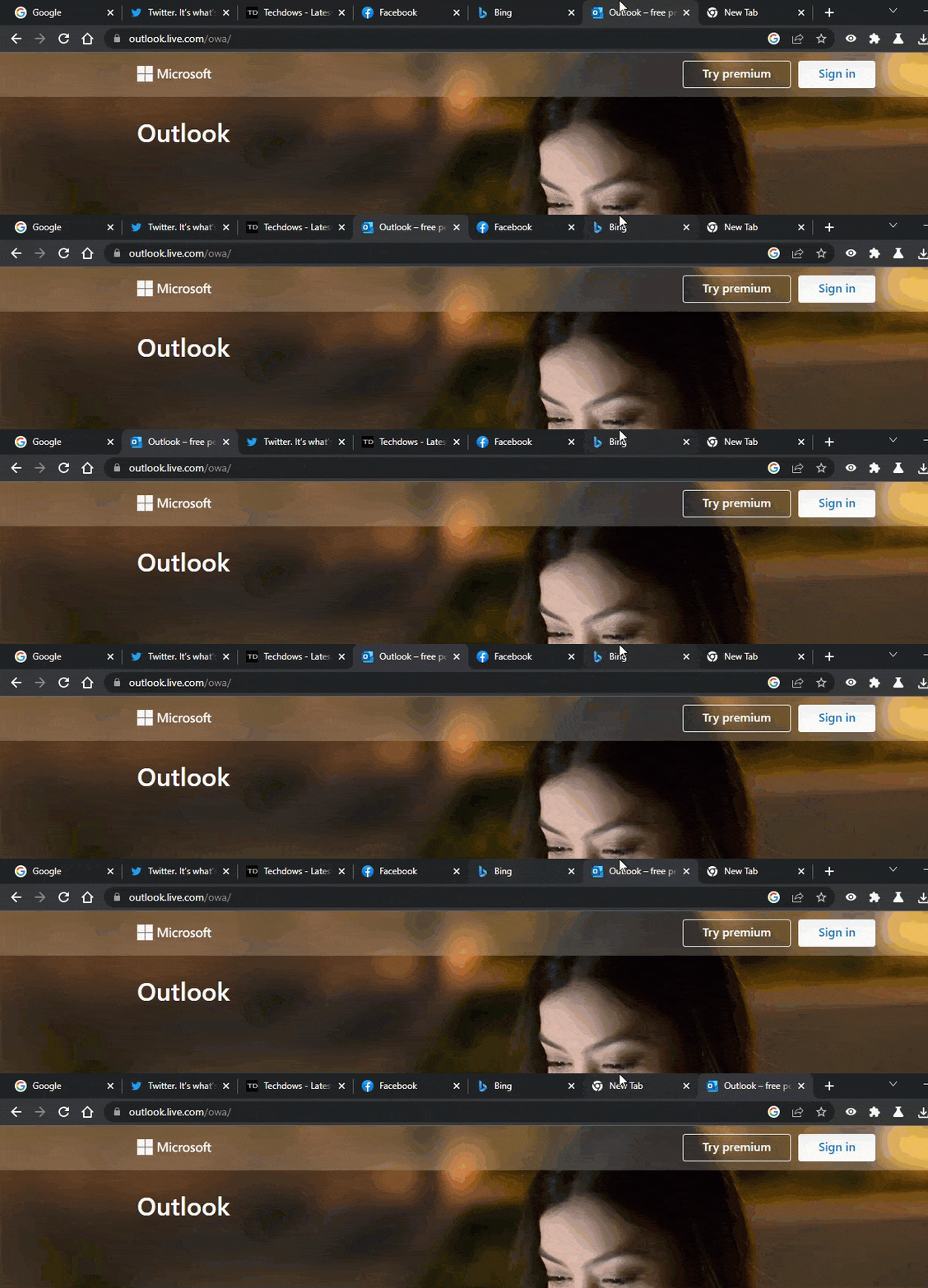
If you want more shortcuts to rearrange tabs, install the “keyboard shortcuts to Reorder tabs” extension available in the Chrome Web Store, which in addition to the above two, enables the following shortcuts.
- Move active tab to first position – Ctrl+Shit+1
- Move Active tabs to last position – Ctrl+Shift+ 9
Microsoft Edge also gains tab reordering shortcuts.
Chrome’s tab reordering keyboard shortcuts feature was picked up by Microsoft Edge 103 Canary through a change in upstream Chromium.

We’re not sure this will be kept or removed.
As of writing the article, the shortcuts are working fine in the respective Edge channel.
If the change was removed by Edge, you can revert to the extension mentioned above.
Final words:
Google has brought Tab reordering keyboard shortcuts available for Linux for a long time into Chrome and Microsoft Edge on Windows and Mac versions.
What’s your take on Google adding keyboard shortcuts to Chromium to reorder tabs on Windows and Mac? Are you going to use them?
Which shortcut do you use the most in Chrome and Microsoft Edge? Let us know in the comments below [Via reddit].
More on Chrome:
Chrome 101 for Android gets Chrome Actions
How to add notes to Saved Passwords in Chrome
Chrome puts Google Search results in Side Panel on Windows
Chrome 99 lets you Uninstall Web Apps from Windows Settings and remove default Search engines




