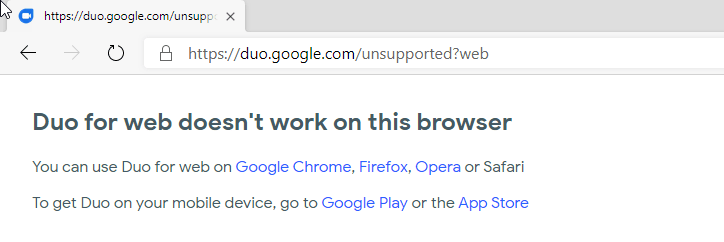
Count the number of Google Services, Chromium-based Edge doesn’t support till now, this list is increasing starting from Google Drive, Docs, YouTube, Google Earth, Google Meet, join Google Duo for Web to this list also now. Yes! If you visit sign into Duo website in new Edge, you’ll be shown “Duo for Web doesn’t work in this browser”, suggest users to use Google Chrome, Firefox, Opera or Safari for that.
Do note some of the services we mentioned above are working again in new Edge, I can confirm YouTube, Google Meet as examples. Here is how you can able to see the new issue in Edge browser.
Launch Edge Canary/dev build
- Visit Google Duo website
- Click Try “Duo for Web”
- Sign in with your Google account credentials to notice the unsupported browser information.
We have a handy trick available to make Duo for Web work in Edge Chromium again.
- Visit https://duo.google.com in New edge browser
- Click on Ellipsis > More tools > Developer tools
- Click on … > More tools >Network conditions
- For User Agent, uncheck “Select Automatically” and choose “Chrome-Windows” or Chrome-Mac”if you’re using Windows or Mac Operating System.
- Now click “Try Duo for web”
- Sign into website with your credentials, the service now works for you, you can able to make and receive video calls. Thanks to ow for spotting this.





