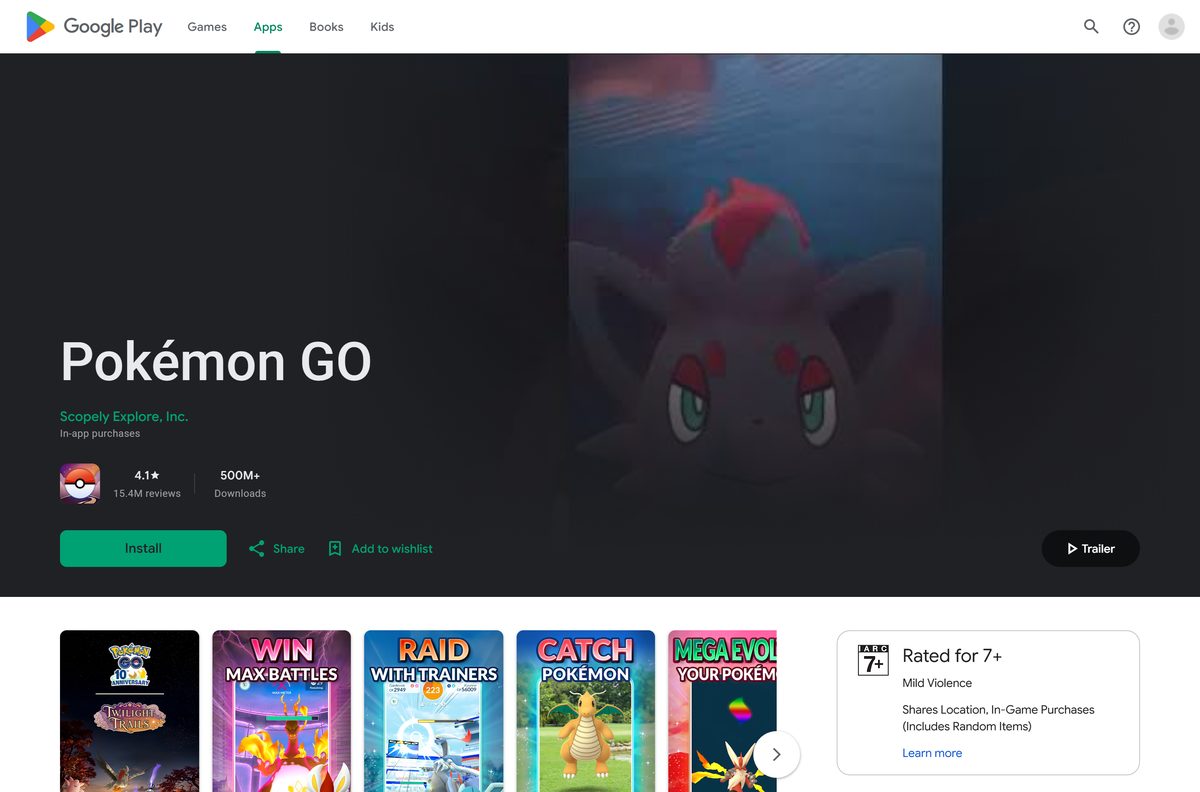
The Pokémon GO download is free on iPhone from the App Store and on Android from Google Play. Scopely Explore, Inc. publishes both official listings, and installing takes a few minutes.
Open the store on your phone, tap Get or Install, then sign in and catch your first Pokémon. A PC or Mac browser still helps with the official Web Store.
This guide covers the official links, install steps, requirements, the PC and Mac options, updates and fixes for failed installs.
Which Pokémon GO download do you need?
Match your device to a row and follow that link. Both store downloads are free.
| Your device | Where to get it | What it needs |
|---|---|---|
| iPhone | App Store | iOS 15.0 or later, about 424.1 MB free |
| Android phone | Google Play | Android 6.0 or later, 2 GB RAM or more, GPS |
| iPad or Android tablet | App Store or Google Play | Installs, but the game is optimized for phones and needs GPS |
| Windows PC or Mac | Pokémon GO Web Store | A browser; the game itself runs on your phone |
Pick the phone you carry outdoors. The game tracks real-world movement, so a device that stays at home misses most of it.
Download Pokémon GO from the official App Store and Google Play listings
Scopely Explore, Inc. is the developer on both stores. A listing under any other name is not the real game.
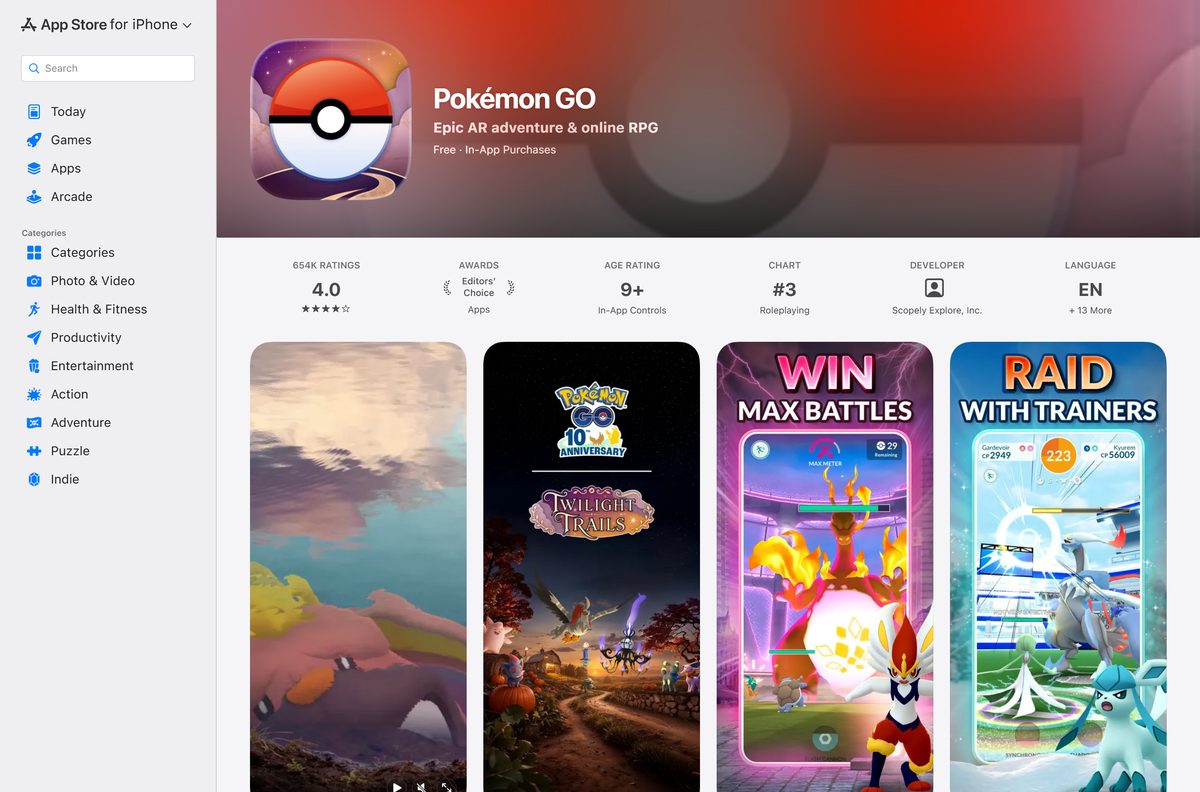
- Pokémon GO on the App Store — 424.1 MB · iPhone and iPad, free with in-app purchases
- Pokémon GO on Google Play — Android, free, 500M+ downloads
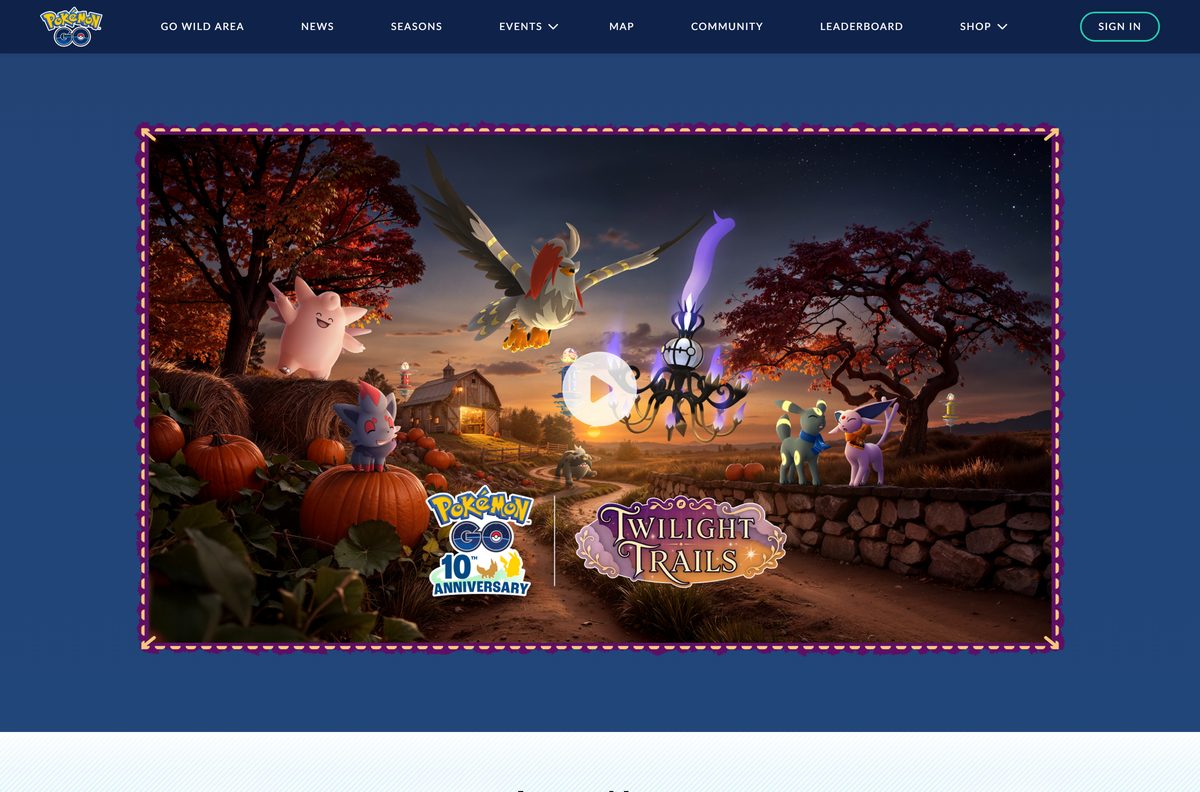
- Official Pokémon GO site — News, events, seasons and store links
- Pokémon GO on pokemon.com — The Pokémon Company’s game overview
The App Store rates the game 9+, and Google Play rates it Everyone.
How to install Pokémon GO on iPhone and Android
Use the store app on the phone itself. The setup finishes inside the game.
- On iPhone, open the Pokémon GO App Store listing.
- Tap Get, then confirm with Face ID, Touch ID or your Apple Account password.
- On Android, open the Pokémon GO Google Play listing.
- Tap Install and wait for the download to finish.
- Open the game and allow Location access when asked.
- Sign in with your existing Trainer account, or create a new one.
- Customize your Trainer and catch your first Pokémon.
Sign in with the same account on a new phone to keep your Pokémon, items and progress.
Can you play Pokémon GO on a Windows PC or Mac?
There is no Windows or Mac version. The Google Play listing does not offer the game for PCs, and the App Store listing covers iPhone and iPad only.
Pokémon GO depends on your phone’s GPS and camera, so the phone is where the game belongs.
| Your setup | What to do | Link |
|---|---|---|
| Windows 11 or Windows 10 PC | Play on your phone; use the PC browser for the Web Store | Web Store |
| Mac on any macOS version | Play on your iPhone; use the Mac browser for news and purchases | Official site |
| Android emulator or location spoofer | Skip it. It is not an official route to the game | Google Play listing |
A page that promises a Pokémon GO .exe or .dmg is not from Scopely.
What you can do for Pokémon GO from a desktop browser
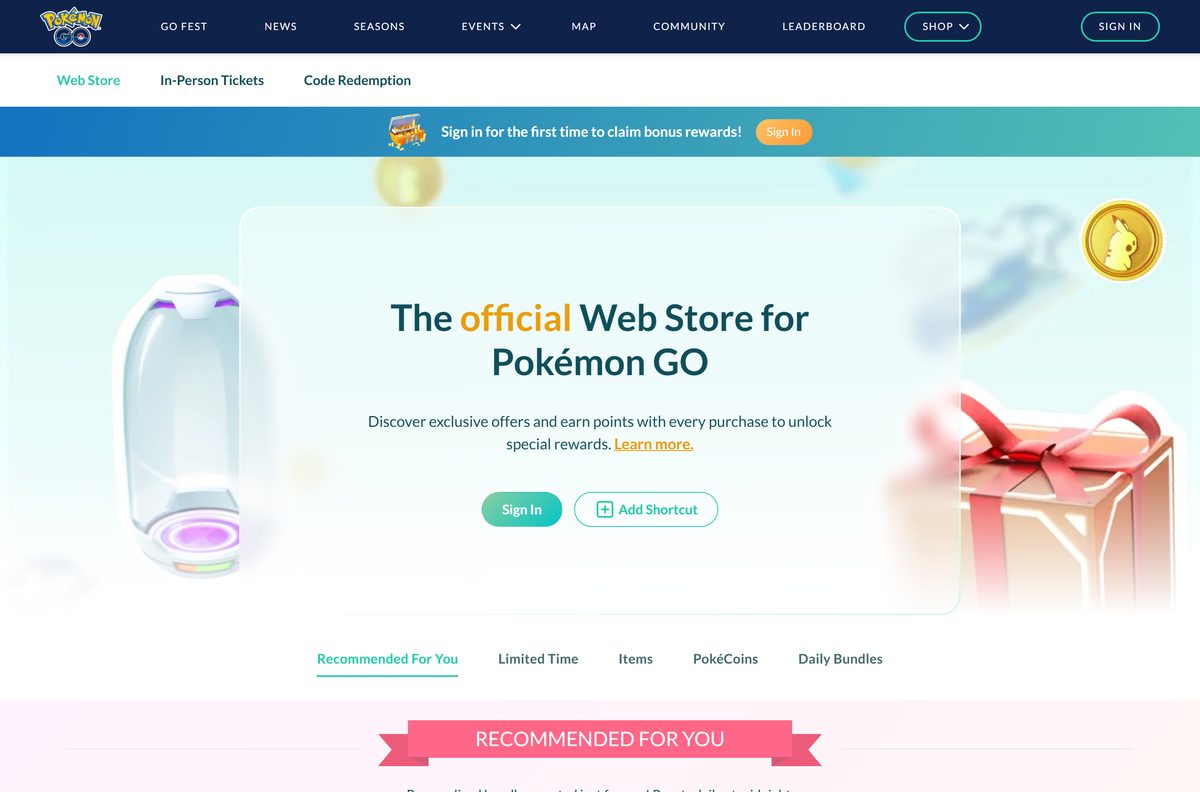
The official Web Store and site work in any browser on Windows or Mac. Sign in with your game account to buy or redeem.
| Task | Where | What you get |
|---|---|---|
| Buy PokéCoins and item bundles | Web Store | Web-only offers and points toward rewards |
| Redeem a promo code | Web Store | Use the Code Redemption tab |
| Check events and seasons | pokemongolive.com | News, event dates and the current season |
The Web Store offers 15% off a first purchase of $9.99 or more after you sign in.
Is Pokémon GO free to download and play?
The game costs nothing on either store.
Yes. Download it free and play without paying. The official site states that basic gameplay is available at no cost, with optional in-game purchases. The App Store lists it as free with in-app purchases, and Google Play shows the same.
No paid edition exists. A site asking for your login in exchange for free PokéCoins is a scam.
Check the Pokémon GO requirements before you download
| Field | Value |
|---|---|
| Game | Pokémon GO |
| Developer | Scopely Explore, Inc. |
| Latest version | 0.429.1 (App Store, September 2026) |
| Price | Free, optional in-game purchases |
| iPhone | iOS 15.0 or later |
| Android | Android 6.0 or later with 2 GB RAM or more |
| Hardware | GPS required; mobile network recommended for accurate location |
| Download size | 424.1 MB on the App Store |
| Windows and macOS | No version; play on your phone |
| Offline installer | No |
| Age rating | 9+ (App Store), Everyone (Google Play) |
| Last verified | 2026-09-25 |
Check your iPhone version in Settings, then General, then About. On Android, open Settings, then About phone.
How to check your Pokémon GO version and update it
Scopely ships every update through the two stores, so updating the app is all it takes.
- On iPhone, open the App Store and tap your profile picture.
- Scroll to the list of pending updates and tap Update next to Pokémon GO.
- On Android, open Google Play, tap your profile icon, then Manage apps & device.
- Tap Updates available and select Update next to Pokémon GO.
- Check the Version History on the App Store listing for the newest release number and date.
Turn on automatic updates in each store so a new build installs before your next session.
Fix Pokémon GO not downloading or installing
Find the message that matches your screen and follow the fix under it.
The App Store says Pokémon GO needs a newer iOS
The current build requires iOS 15.0 or later.
- Open Settings, then General, then Software Update.
- Install the update and restart the iPhone.
- Tap Get on the App Store listing again.
Google Play says your device isn’t compatible
The phone is below Android 6.0, has less than 2 GB of RAM or lacks GPS.
- Open Settings, then About phone, and check the Android version and memory.
- Install any system update your phone offers.
- If the phone still falls short, install the game on a newer phone.
Google Play stays on Download pending
Another download is queued ahead of it, or the store app has a stale cache.
- Cancel other downloads in Manage apps & device.
- Open Settings, then Apps, then Google Play Store, then Storage, and tap Clear cache.
- Restart the phone and tap Install again.
The game installs but cannot find your location
Location access is off, or the phone is connected only to Wi-Fi.
- Turn on Location in the phone’s settings and allow it for Pokémon GO.
- Switch on mobile data as well as Wi-Fi.
- Step outside or near a window and reopen the game.
How to uninstall Pokémon GO
Removing the app does not delete your Trainer account. Your progress stays with the account you signed in with.
- On iPhone, touch and hold the Pokémon GO icon.
- Tap Remove App, then Delete App.
- On Android, open Google Play, tap your profile icon, then Manage apps & device.
- Select Pokémon GO and tap Uninstall.
Reinstall any time from the same listing at no cost.
Which Scopely location games can you play next?
Scopely Explore, Inc. publishes these on the App Store alongside Pokémon GO.
| Game | Style | Best for |
|---|---|---|
| Pikmin Bloom | Walking adventure | A step counter and collector |
| Monster Hunter Now | Action | Players who want monster fights outdoors |
Pick Pikmin Bloom if you mainly want credit for your daily steps.
Frequently asked questions
Is Pokémon GO free to download?
Yes. Pokémon GO is free on the App Store and Google Play. Basic gameplay costs nothing, and Scopely sells optional in-game items such as PokéCoins. You can turn off in-app purchases in your phone’s settings.
Where is the official Pokémon GO download page?
Download Pokémon GO from the App Store on iPhone or Google Play on Android. Both listings name Scopely Explore, Inc. as the developer, and pokemongolive.com links to the same two stores.
Can you play Pokémon GO on a Windows 11 or Windows 10 PC?
No. There is no Windows version, and the Google Play listing does not offer the game for PCs. Play on an iPhone or Android phone, and use the Web Store in a PC browser to buy PokéCoins and items.
Is there a Pokémon GO app for Mac?
No. The App Store listing covers iPhone and iPad only, so the game does not install on macOS. Play on your phone and use a Mac browser for the Web Store, news and event pages.
How big is the Pokémon GO download?
The App Store lists Pokémon GO at 424.1 MB for iPhone and iPad. Google Play does not show a size on its listing. Keep some extra space free for future updates.
Is there a Pokémon GO offline installer or APK?
No official one. The App Store and Google Play install and update the game over the internet, and neither offers a standalone setup file. An APK from a download site is not an official copy.
Does Pokémon GO work on an iPad or Android tablet?
It installs on iPad, but both listings say Pokémon GO is optimized for smartphones, not tablets. Compatibility is not guaranteed on devices without GPS or on Wi-Fi-only devices, which rules out many tablets.
Is it safe to download Pokémon GO?
Yes, from the App Store and Google Play, where Scopely Explore, Inc. is the developer. Avoid modded APKs, location spoofers and any site offering free PokéCoins in exchange for your account login.
What is the latest version of Pokémon GO?
Version 0.429.1 is the current App Store build, released in September 2026. Google Play shows the Android listing updated on September 22, 2026. Both stores install the newest build automatically.
Why won’t Pokémon GO install on my phone?
The usual causes are an old operating system or a phone below the minimum. The App Store build needs iOS 15.0 or later, and the Google Play notes list Android 6.0 or later with 2 GB of RAM.
What languages does Pokémon GO support?
Pokémon GO is playable in English, French, German, Italian, Japanese, Spanish, Latin American Spanish, Traditional Chinese, Korean, Thai, Brazilian Portuguese, Turkish, Hindi and Indonesian. The full list appears on the official site, pokemongolive.com.