Instagram Notes are short posts of up to 60 characters that appear at the top of the Instagram inbox and above your profile picture for up to 24 hours.
This guide shows how to post a note, choose its audience, add Spotify music, like, reply, mute, report and delete notes, and how to use them well.
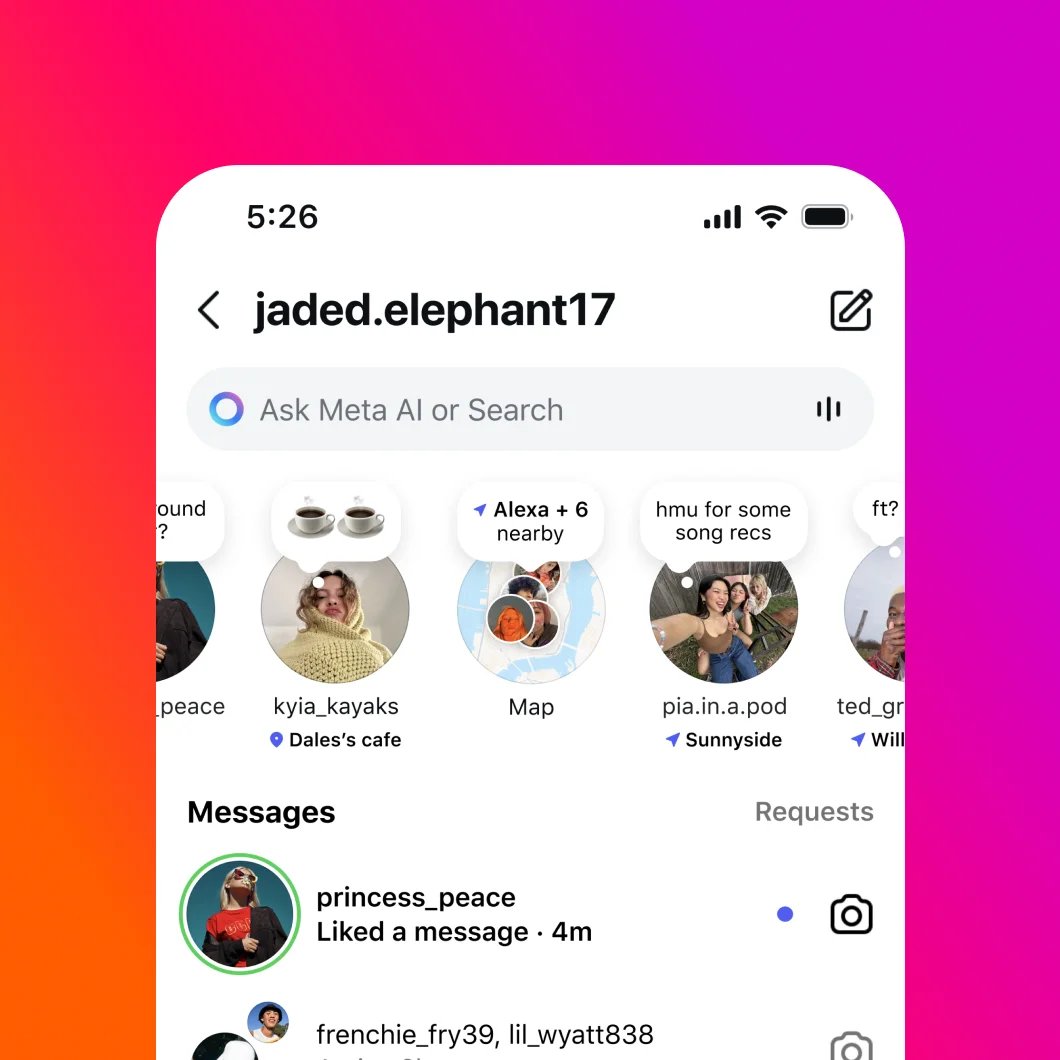
How to post a note on Instagram
You post a note from the Instagram app inbox. It takes less than a minute and needs no photo or video.
- Open the Instagram app and tap Messages at the bottom.
- Tap Note… above your profile picture at the top of the inbox.
- Type your note. You can enter up to 60 characters, including emojis.
- Choose who sees it: Followers you follow back or Close Friends.
- Tap Share in the top right.
Your note now shows at the top of the inbox for your chosen audience and above your profile picture on your profile.
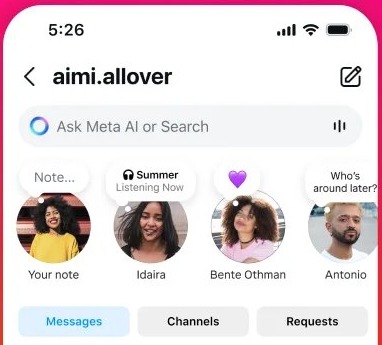
Understanding Instagram Notes
A note sits somewhere between a status line and a very short story. Instagram describes Notes as a space to share updates and thoughts as short posts with certain people.
| Property | How Instagram Notes behave |
|---|---|
| Length | Up to 60 characters of text and emojis |
| Lifetime | Visible for up to 24 hours, then it disappears from Instagram |
| Where it shows | Top of the inbox in Instagram messaging and above your profile picture on your profile |
| How many at once | One. A new note replaces the note you already shared |
| Audience | Followers you follow back, or your Close Friends list |
| Reactions | Viewers can like the note or reply to it |
| Privacy of reactions | Only you see who liked or replied |
| Availability | Not available to every account, and not available on Meta Quest devices |
How Instagram Notes work
Every action around a note has a fixed result. The table shows what happens at each stage of a note's life.
| When this happens | Result |
|---|---|
| You share a note | It appears for your chosen audience at the top of their inbox and on your profile |
| You share a second note | The new note replaces the current one |
| Someone likes it | The like is visible only to you, in the list you see when you tap your note |
| Someone replies | A private conversation between the two of you starts in your inbox |
| 24 hours pass | The note is no longer visible on Instagram |
| You delete it early | It disappears at once |
| Someone reports it | Meta reviews it against the Community Standards, even after the 24 hours are up |
Accessing Instagram Notes
Notes live in two places in the app: the inbox and the profile. With Instagram on a computer you can share a note, but liking, replying and reporting are app-only features.
| Where you are | How to reach notes | What you can do there |
|---|---|---|
| Instagram app inbox | Tap Messages at the bottom; notes sit in a row at the top | Post, like, reply, mute and report notes |
| Someone's profile | Open their profile; the note sits above their profile picture | Like or reply to their note |
| Your own profile | Tap your profile picture; your note sits above it | Leave a new note or delete the current one |
| Instagram on a computer | Open messages on instagram.com and click your note at the top | Share a new note; liking, replying and reporting are not available |
| Meta Quest headset | Not available | Notes do not appear on Meta Quest devices |
Who can see my Instagram notes?
You pick the audience each time you post. Nobody outside that audience sees the note, and nobody else sees who reacted to it.
| Audience option | Who sees the note | Good for |
|---|---|---|
| Followers you follow back | Accounts that follow you and that you follow in return | General updates for people you know |
| Close Friends | Only the accounts on your Close Friends list | Personal updates for a small group |
| Likes on your note | Only you | Seeing who reacted without others knowing |
| Replies to your note | Only you and the person who replied | Private one-to-one follow-ups |
How to add music to Instagram Notes
A music note shows what you are playing on Spotify and updates in real time. It keeps updating for up to 24 hours, or until 30 minutes after you stop playing music.
- Tap Messages at the bottom of the Instagram app.
- Tap Note… above your profile picture at the top of the inbox.
- Tap Music. If Spotify is not linked yet, tap Link Spotify and follow the prompts.
- Tap More next to Share from Spotify.
- Start playing music in the Spotify app if nothing is playing yet.
- Add text of up to 60 characters if you want, then choose Followers you follow back or Close Friends.
- Tap Share in the top right.
To stop, tap your note and select Stop sharing from Spotify. Posting a new note also replaces the Spotify note.
To link or unlink Spotify later, go to your profile, tap Menu, then under Your app and media tap App and website permissions and Spotify.
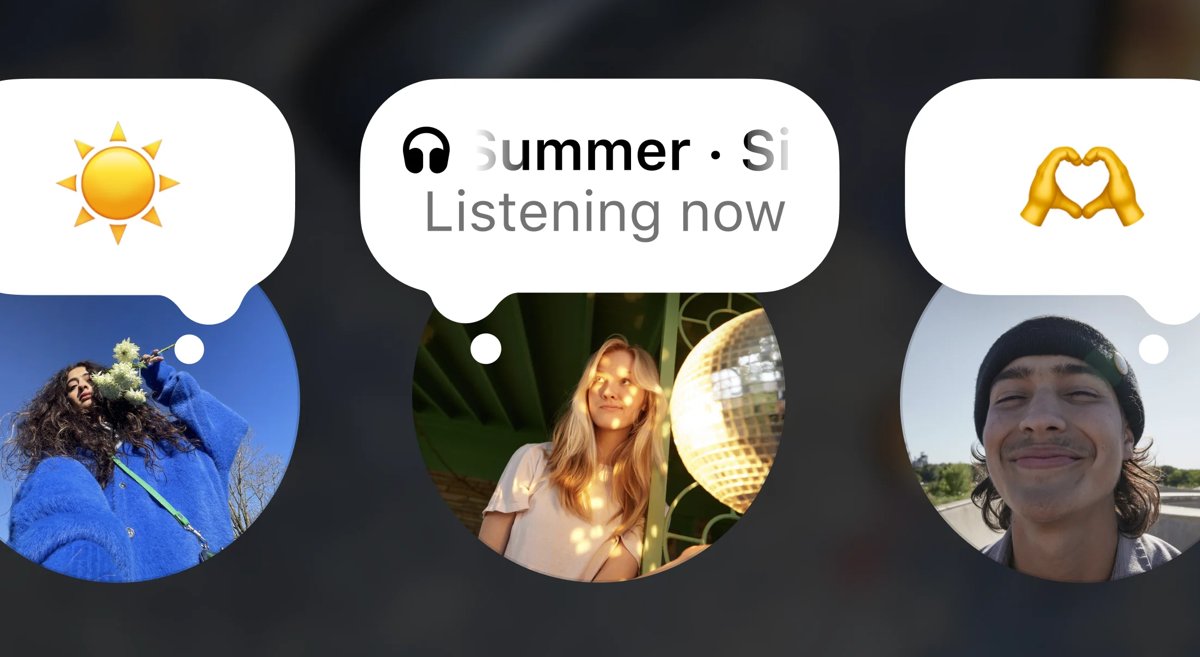
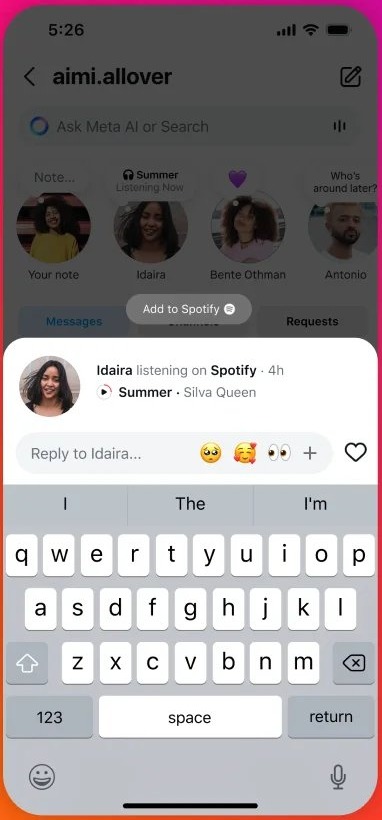
How to like and reply to Instagram notes
Reactions to a note stay private. Only the person who shared the note sees your like, and your reply opens a direct message thread with them alone.
- Tap someone's note at the top of your inbox or above their profile picture.
- Tap Like to like it, or double-tap the note instead.
- To reply, tap Send message… or Reply to [name].
- Type your reply and tap Send.
Your reply arrives in their inbox as a direct message, and the conversation stays in your inbox too.
How to leave a new note on Instagram
You can change your note at any time. There is no edit button, so changing the text or the audience means posting a replacement.
- Tap your note at the top of your inbox or above your profile picture.
- Tap Leave a new note.
- Enter the new text, up to 60 characters.
- Select the audience for the new note.
- Tap Share in the top right. The new note replaces the old one.
How to delete a note on Instagram
Deleting removes the note straight away instead of waiting for the 24 hours to run out. It removes only the note, not your posts or your Instagram account.
- Tap Messages at the bottom of the Instagram app.
- Tap your note above your profile picture at the top of the inbox.
- Tap Delete note.
How to mute notes on Instagram
Muting hides one person's notes from your inbox without unfollowing the Instagram account. The person is not notified, and their stories and feed posts still appear as normal.
- Tap Messages at the bottom of the Instagram app.
- Tap and hold the note you want to hide.
- Tap Mute notes.
- Confirm your choice.
To unmute, open that person's profile, tap Following, tap Mute, then turn off the switch next to Notes.
How to report a note on Instagram
Report a note that breaks the Community Standards. Reports are anonymous, except reports of intellectual property infringement.
- Tap and hold the note at the top of your inbox.
- Tap Report.
- Select the reason that fits the note.
- Follow the on-screen instructions to finish the report.
Reporting works in the Instagram app on Android, iPhone and iPad, not on a computer.
Best practices for using Instagram Notes
A note gets one line and one day, so small choices decide whether anyone responds to it.
| Practice | Why it helps |
|---|---|
| Write well under 60 characters | Short notes read at a glance in the inbox row |
| End with a question or call to action | Instagram itself suggests this to invite replies |
| Pick the audience every time | Close Friends keeps personal notes away from the wider follow-back list |
| Post a fresh note before the day ends | A note vanishes after 24 hours, so a regular update keeps you visible |
| Answer replies from the inbox | Each reply is a private thread, so a quick answer keeps the conversation going |
| Keep it within the Community Standards | Reported notes are reviewed even after they expire |
Creative uses for Instagram Notes
Instagram's own ideas for Notes lean on short prompts that start conversations.
| Idea | Example note |
|---|---|
| Ask a question | Best pizza place downtown? 🍕 |
| Run a quick poll | Beach or mountains this weekend? Reply 1 or 2 |
| Ask me anything | AMA about my new job, go! |
| Daily affirmation or quote | Small steps still count. |
| Trivia, jokes or riddles | What has keys but can't open locks? |
| Share what you are listening to | A Spotify music note that updates as the song changes |
Instagram Notes for businesses
Instagram mentions Notes as one way to promote a small business. The audience rules still apply, so a note only reaches followers the account follows back or its Close Friends list.
| Business goal | How a note can serve it | Limit to plan for |
|---|---|---|
| Announce a sale or drop | A one-line notice at the top of the inbox | Reaches only followers you follow back |
| Collect quick feedback | Ask a question and gather answers as DMs | Each reply is a separate private thread |
| Tease a new post or Reel | Point people to your profile or feed | Text and emojis only, up to 60 characters |
| Reward loyal customers | Use a Close Friends list for early offers | You have to curate that list yourself |
Analyzing your Instagram Notes
The Instagram Help Center describes two signals for a note: who liked it and who replied. Use them as a simple read on what your audience responds to.
| Signal | Where to find it | What it tells you |
|---|---|---|
| Likes | Tap your note to open the list of people who liked it | Which topics get a quick reaction |
| Replies | Your inbox, as one conversation per person | Which notes start real conversations |
| Follow-up chats | Tap Messages next to a name in the likes list | Turns a passive like into a conversation |
Common mistakes to avoid with Instagram Notes
| Mistake | What happens | Do this instead |
|---|---|---|
| Posting a new note to fix a typo while a Spotify note is live | The new note replaces the Spotify note | Decide which one you want visible before you post |
| Leaving the audience on Followers you follow back for a private update | Everyone you follow back can read it | Select Close Friends before you tap Share |
| Expecting the note to stay up | It disappears after 24 hours | Post a fresh note, or put lasting details in your bio |
| Assuming a muted friend is told | Nothing is sent to them, and only notes are hidden | Mute their stories or posts separately if you want those hidden too |
| Writing something that breaks the rules because it expires | Reported notes can still be reviewed after 24 hours | Treat a note like any other public post |
| Looking for notes on a computer to reply or report | Those actions are not available on computers | Use the Instagram app on a phone or iPad |
Instagram Notes FAQ
How do I share an Instagram note?
Tap Messages in the Instagram app, then tap Note… above your profile picture. Type up to 60 characters, choose Followers you follow back or Close Friends, and tap Share in the top right corner.
How long do Instagram notes last?
An Instagram note stays visible for up to 24 hours. After that it disappears from the inbox and your profile. You can delete it sooner, or replace it at any time by leaving a new note.
Who can see my Instagram note?
Only the audience you pick when you post: either followers you follow back, or the people on your Close Friends list. Likes and replies on the note are visible only to you.
How do I add music to an Instagram note?
Tap Note… in your inbox, tap Music, link Spotify if asked, then tap More next to Share from Spotify. Play a song in Spotify and the note shows it, updating as the music changes.
How do I delete an Instagram note?
Tap your note at the top of your inbox or above your profile picture, then tap Delete note. The note disappears straight away for everyone who could see it.
How do I leave a new Instagram note?
Tap your current note, tap Leave a new note, type up to 60 characters, choose the audience and tap Share. The new note replaces the old one, because you can only have one note at a time.
Can people see who liked my Instagram note?
No. Only you can see who liked or replied to your note. Tap your note to see the list of likes, and tap Messages next to a name to start a conversation with that person.
What happens when I mute someone's notes?
Their notes stop appearing in your inbox, and they are not notified. Muting notes does not hide their stories or feed posts. Unmute from their profile under Following > Mute > Notes.
Is reporting an Instagram note anonymous?
Yes. The account you report does not see who reported it. The only exception is a report of intellectual property infringement. Tap and hold the note, then tap Report to start.
Can you post Instagram notes from a computer?
Yes. Instagram on a computer lets you share a note from your messages. Liking, replying to and reporting notes are not available on computers, so use the app for those.
Why can't I see Instagram Notes on my account?
Instagram says some note features are not available to everyone, and Notes do not work on Meta Quest devices. Notes from a person you muted are also hidden until you unmute them.