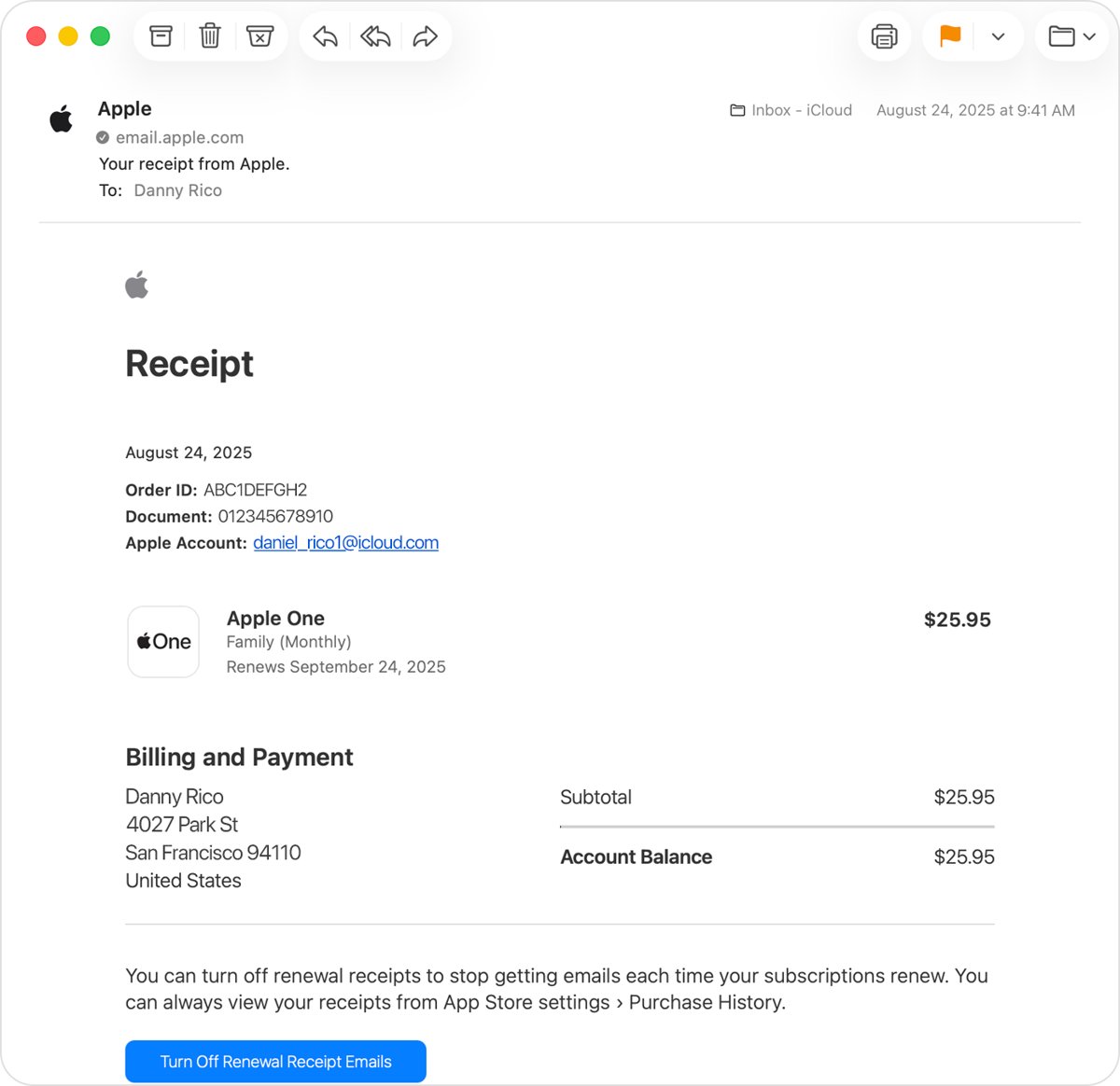
Sign in at reportaproblem.apple.com and click the purchase date next to any item to open the full receipt from Apple, including tax.
The steps below also cover purchase history on iPhone, iPad, Mac and Windows, receipt emails, Apple Store hardware invoices, Microsoft and Google Play order history, and what to do when a receipt is missing.
How to find Apple purchase receipts at reportaproblem.apple.com
This web page lists apps, subscriptions, music, movies, books and other content bought with your Apple Account. It works in any browser, including on a Windows PC or an Android phone.
- Open a web browser and go to reportaproblem.apple.com.
- Sign in with the Apple Account you used for the purchase.
- Find the item in the list. If you know the amount but not the item, search for the amount.
- Tap or click the purchase date to open the full receipt, including tax.
- Print the receipt from your browser or save it as a PDF from the print dialog if you need a copy for your records.
Apple may group several purchases and subscription renewals into one bill, so a single receipt can list more than one item.
Where to find receipts for Apple purchases
| What you bought | Where the receipt is | What you get |
|---|---|---|
| App, in-app purchase, subscription, music, movie or book | reportaproblem.apple.com, then the purchase date | The full receipt with tax |
| The same, but you are on your iPhone or iPad | App Store > your photo > Apps & Purchase History > Purchase History | A searchable list with date, cost and type filters |
| The same, on a Mac | App Store > your name > Apps & Purchase History > Purchase History | Your Mac purchase list |
| The same, on a Windows PC | Apple Music or Apple TV app > View My Account > Purchase History | Your purchase list without a Mac or iPhone |
| An iPhone, Mac or accessory from apple.com | Apple Store Order Listing > order details > View Invoice | A printable invoice once the item ships or is picked up |
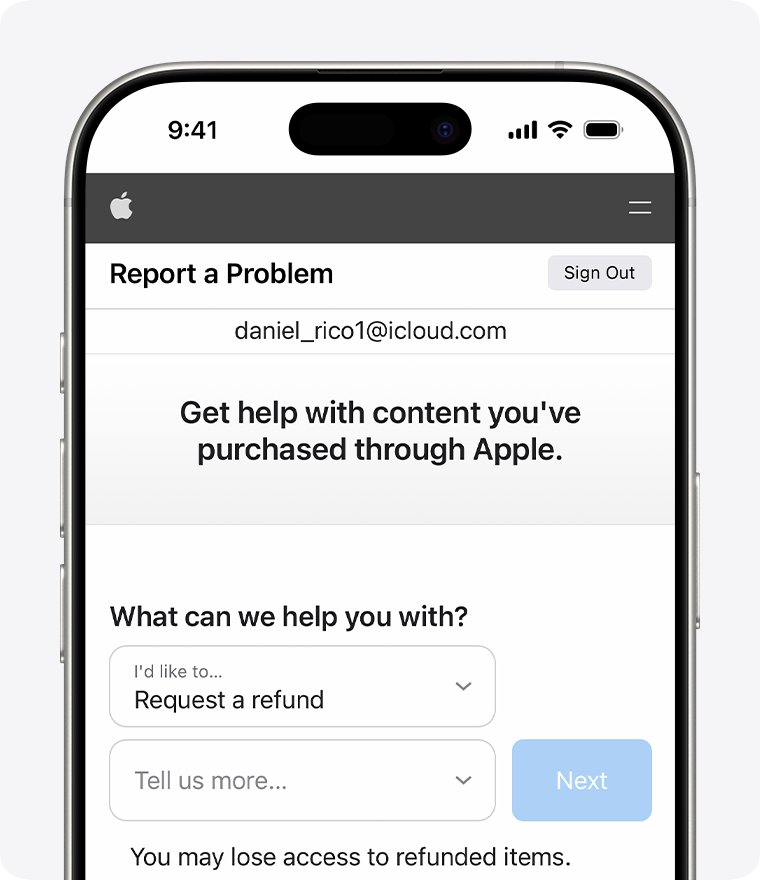
| Anything, and you have old email | Search your inbox for "receipt from Apple" or "invoice from Apple" | The emailed receipt and the Apple Account it was charged to |
How to see purchase history on iPhone or iPad
Purchase history on iPhone includes free and paid apps, in-app purchases, subscriptions, music, videos, books and AppleCare+. The iPad steps are the same.
- Open the App Store app.
- Tap your photo or initials at the top of the screen, or tap the My Account button and sign in.
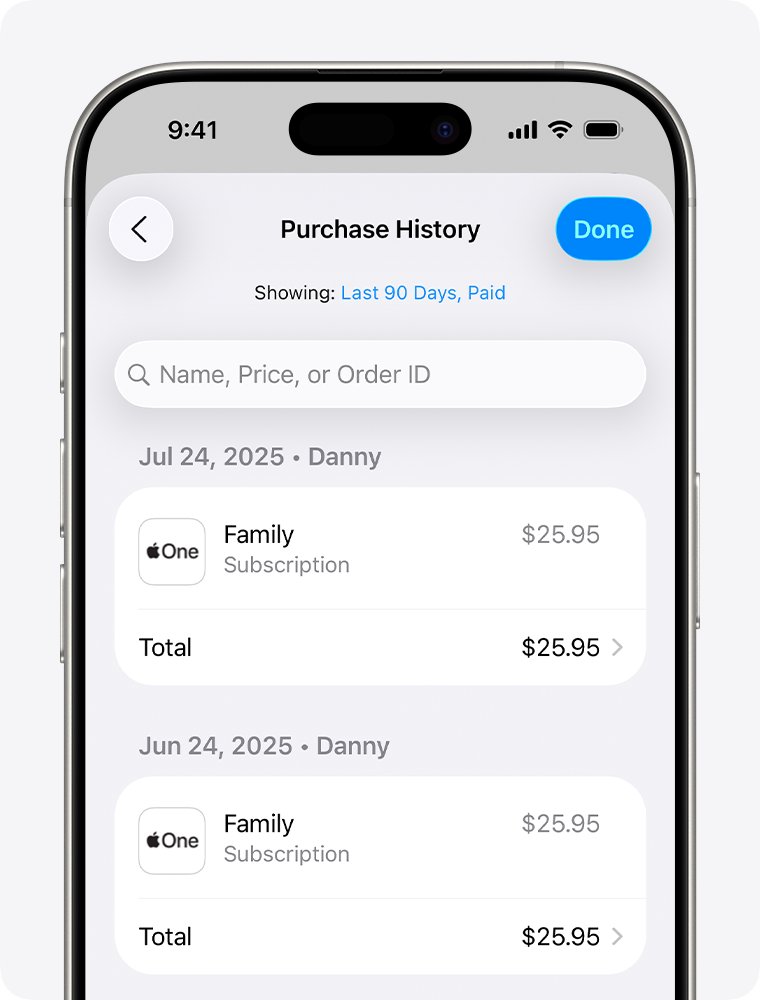
- Tap Apps & Purchase History, then tap Purchase History.
- Authenticate with Face ID, Touch ID or your passcode if asked.
- Enter the name, price or order ID in the search field to narrow the list.
- Tap Last 90 Days, Paid to change the date range, cost, type or, if you are a Family Sharing organizer, the family member.
Purchase history lists what you bought. The receipt with tax is on reportaproblem.apple.com, so use the web route when you need a copy to print or forward.
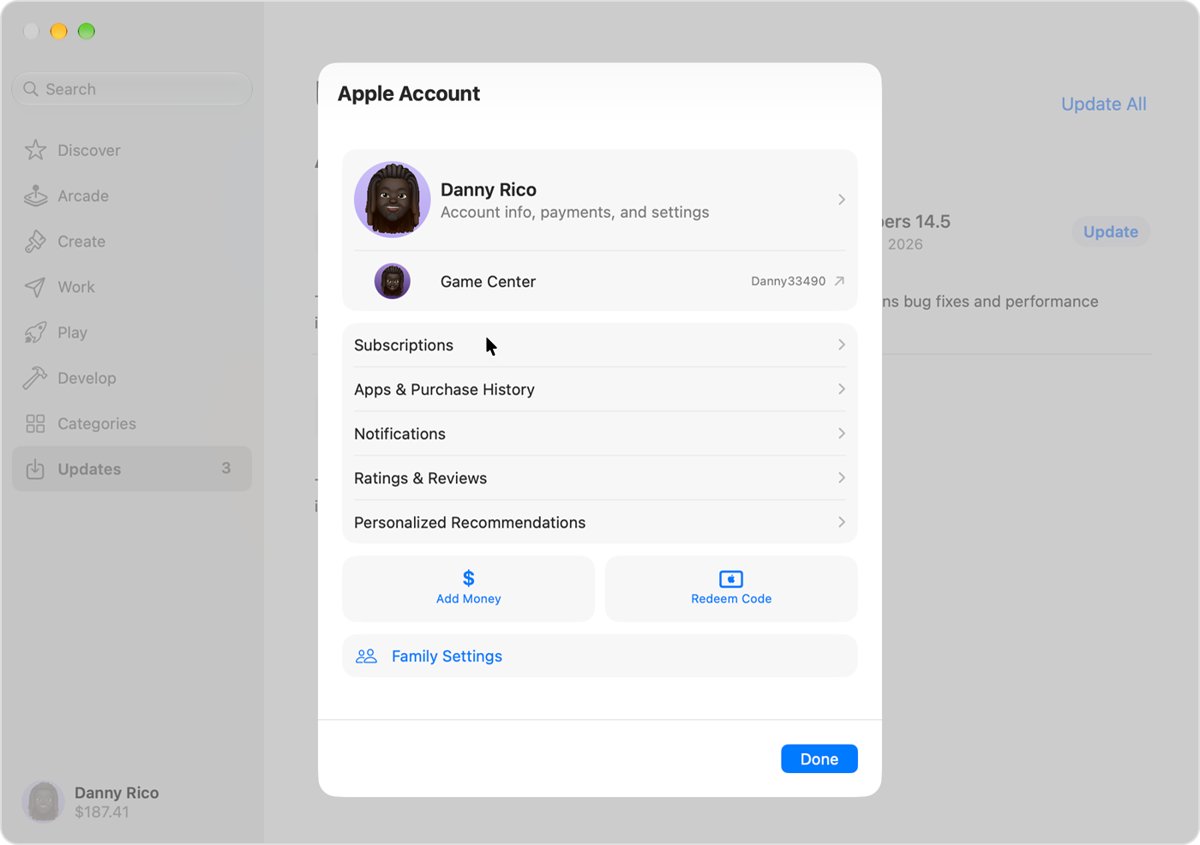
How to see App Store purchase history on Mac
- Open the App Store on your Mac.
- Click your name at the bottom of the sidebar, or click Sign In and sign in to your Apple Account.
- Click Apps & Purchase History and sign in again if asked.
- Click Purchase History to see your purchases.
- Click Last 90 Days at the top of the list and choose another filter to see older purchases.
How to see Apple purchase history on Windows PC
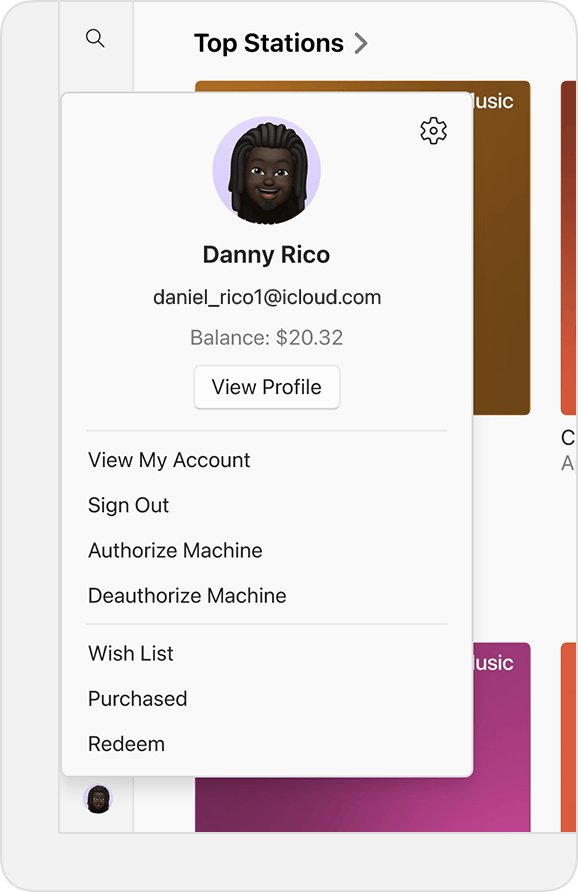
On Windows, purchase history lives in Apple's own apps rather than in a browser tab.
- Open the Apple Music app or the Apple TV app.
- Click your name at the bottom of the sidebar, or click Sign In and sign in to your Apple Account.
- Click View My Account and sign in again if asked.
- Scroll to the Purchase History section, then click See All next to Most Recent Purchase.
- Wait a moment for the list to load, then click Last 90 Days to change the filter.
If you need the receipt itself on Windows, reportaproblem.apple.com in any browser is quicker than the apps.
How to search email for a receipt from Apple
Apple emails a receipt for paid purchases, and the receipt shows what was bought and which Apple Account paid for it. This is the fastest way to find a purchase made with an account you have forgotten.
- Open each email account you have used with Apple.
- Search for the words receipt from Apple or invoice from Apple.
- Add the amount you were charged to the search if the list is long.
- Open the matching receipt and note the item and the Apple Account it shows.
- Sign in to reportaproblem.apple.com with that Apple Account to see the full purchase history.
If you are not sure which address your account uses, look under Settings > your name > Sign-In & Security on iPhone, or find which Apple ID bought an app by checking each account in turn.
How to get renewal receipt emails for Apple subscriptions
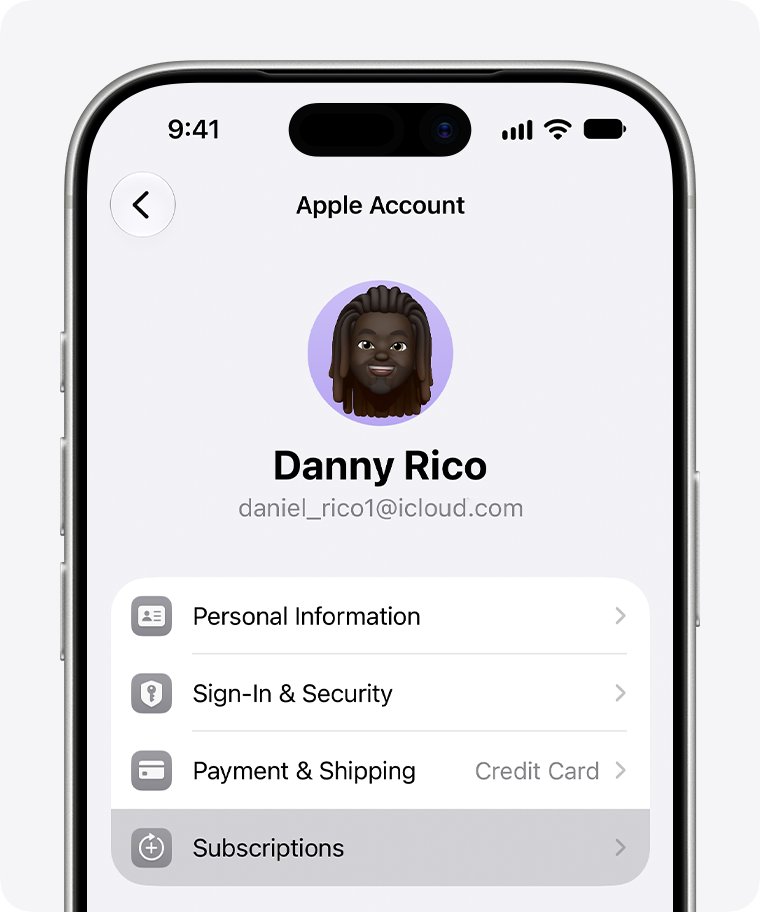
Subscriptions renew quietly unless you ask for a receipt each time. Turning this on gives you an emailed record of every renewal.
- Open the Settings app on your iPhone.
- Tap your name, then tap Subscriptions.
- Turn on Renewal Receipt Emails.
The same Subscriptions screen lets you cancel, change or renew a subscription.
How to view or print an Apple Store invoice for an iPhone or Mac
Hardware and accessories bought from the online Apple Store are not in App Store purchase history. They have their own order page, and Apple creates the invoice once an item ships or is picked up.
- Go to the Apple Store Order Listing page and sign in with your Apple Account.
- If you checked out as a guest, sign in with your order number plus your postcode or email address instead.
- Select the item to open its order details.
- Select View Invoice at the top of the order details page.
- Print the invoice or save it as a PDF from your browser's print dialog.
For help with an invoice, Apple's phone line is 1-800-MY-APPLE in the United States.
How to find my Microsoft purchases and print an invoice
Microsoft Store apps, games, subscriptions and hardware share one order history page in your Microsoft account.
- Go to account.microsoft.com/billing and sign in with the Microsoft account that made the purchase.
- Select Payment & billing > Order history.
- Under Refine, choose the order type and date range.
- Look for charges with a status of Completed or Redeemed. In progress charges have not posted yet.
- Select Order details on the order you want, then select Print.
How to see Google Play order history for app purchases
Google sends a confirmation email for each Google Play purchase to the Google Account that paid. The full order history is in the Play Store app or on the web.
- Open the Play Store app on your Android phone or tablet.
- Tap your profile icon at the top right.
- Tap Payments & subscriptions, then Budget & history.
- On a computer, go to play.google.com, click your profile icon, then click Payments & subscriptions > Budget & Order history.
- For card-level detail, go to payments.google.com and open Activity.
How to spot a fake receipt from Apple email
Phishing emails often look like a receipt for something you never bought. These checks separate a real Apple receipt from a fake.
| Check | Real receipt from Apple | Likely scam |
|---|---|---|
| Billing address | Shows your current billing address | No address, or a wrong one |
| Personal data request | Never asks for it | Asks for a Social Security number, mother's maiden name, full card number or card security code |
| Matching purchase | Also listed at reportaproblem.apple.com | Missing from your purchase history |
| Account updates | Done in Settings or at account.apple.com | A link that asks you to sign in or update payment details |
Forward a suspicious email to [email protected]. If you entered your password on a linked page, change your Apple Account password straight away.
Can't find a purchase in Apple purchase history
The item is not in your purchase history
It was bought with a different Apple Account.
- Search your email for receipt from Apple and check which Apple Account the receipt shows.
- Sign out of reportaproblem.apple.com and sign in with that account.
- Look for the item again in that account's purchase history.
A purchase you don't remember making
A family member bought it with a shared payment method.
- Sign in to reportaproblem.apple.com as the family organizer.
- Open the Apple Account menu and choose a family member, or choose All to see every purchase charged to the shared payment method.
- Ask the family member about the item, and require a password for every purchase if children can use your device.
One charge on your bank statement covers several items
Apple groups multiple purchases and subscription renewals into one bill.
- Open the receipt for that date at reportaproblem.apple.com.
- Check every line on the receipt rather than looking for a single item at that price.
- If the statement only shows apple.com/bill, the charge covers App Store and Apple media purchases on that bill.
No receipt for a new purchase yet
The charge is still pending.
- Wait for the email receipt to arrive.
- Check reportaproblem.apple.com again once it does.
- Pay any unpaid order first if your payment method was declined.
No receipt from Apple at all for a subscription
Another company bills you for it, not Apple.
- Check your bank or card statement for the name of the company that charged you.
- Contact that company for the receipt or to cancel.
Apple purchase receipts FAQ
How do I find my purchase history?
On an Apple device, open the App Store, tap your photo, then tap Apps & Purchase History and Purchase History. On any browser, sign in at reportaproblem.apple.com. Both show apps, subscriptions, music, movies and books bought with that Apple Account.
Where are my purchases?
Apple media purchases are listed at reportaproblem.apple.com and in App Store purchase history. Hardware from the online Apple Store is on the Order Listing page instead. If an item is missing, it was usually bought with another Apple Account.
How do I find my app purchases?
Open the App Store, tap your photo, then tap Apps & Purchase History. Purchase History shows what you paid for, and Your Apps shows every app the account downloaded. Use Your Apps to view purchased items you want to download again.
How do I find in-app purchases?
In-app purchases appear in Apple purchase history next to app purchases. Tap Last 90 Days, Paid and set the type filter to narrow the list. On Android, the Play Store's Budget & history screen lists Google Play in-app purchases.
How can you see what was purchased on a family member's account?
The Family Sharing organizer can sign in at reportaproblem.apple.com and choose a family member from the Apple Account menu. On iPhone, the organizer can also pick a family member in the purchase history filter to list Family Sharing purchases one member at a time.
How do I find my Microsoft purchases?
Sign in at account.microsoft.com/billing, then select Payment & billing and Order history. Refine the list by order type and date range, open Order details for the purchase you want, and select Print to get an invoice.
How can I find out when I purchased my iPhone?
If you bought it from the online Apple Store, sign in to the Order Listing page and open the order; the invoice shows the date. For other purchases, search your email for the order confirmation or receipt from the seller.
How do I check purchases made with my Apple Account?
Sign in at reportaproblem.apple.com to see every charge, or search for an amount if you only know the price. Unexpected items are usually a family member's purchase, a grouped bill, or someone using your password, which means you should change it.
Can I get a refund from my Apple purchase receipt?
Sign in at reportaproblem.apple.com, choose I'd like to, then Request a refund. Pick a reason, choose the item and select Submit. Apple usually updates you within 24 to 48 hours, and refund eligibility varies by country or region.