The Apple Music app for Windows comes only from the Microsoft Store, but Apple's standalone iTunes installer streams and downloads Apple Music songs without the Store, and music.apple.com plays them in a browser.
This guide covers the iTunes installer route, offline downloads in iTunes, the web player, how the routes differ, and fixes for a missing Music menu or a Store that will not install the app.
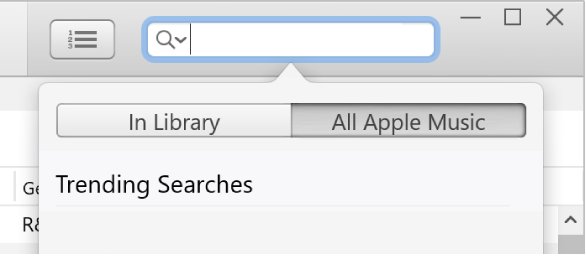
How to download Apple Music without the Windows Store using iTunes
Apple still hosts iTunes for Windows installers on its own documentation site. iTunes includes Apple Music as long as the separate Apple Music app is not installed on the PC.
- Go to support.apple.com/en-us/docs/software in any browser and select iTunes for Windows.
- Under Software, select iTunes 12.10.11 for Windows (Windows 64 bit). Pick the 32-bit entry only on a 32-bit edition of Windows.
- Select Download on that page, then run the installer from your browser's downloads list.
- Open iTunes, choose Account > Sign In, and sign in with your Apple Account.
- Choose Music from the pop-up menu at the top left, then select For You.
- Select Try it Now to start a subscription, or sign in with an account that already subscribes.
Apple lists Windows 7 or later and 400MB of free disk space for this installer, and notes that 64-bit editions of Windows need the 64-bit installer.
Apple Music app vs iTunes vs Apple Music web player on Windows
All three play the same Apple Music catalog and library. They differ in where you get them and whether songs can be saved for offline play.
| Your situation | Use this | Why |
|---|---|---|
| Microsoft Store is blocked, broken or missing, and you want offline songs | iTunes from Apple's documentation site | Installs without the Store and can download Apple Music songs to the PC |
| You only want to stream and cannot install anything | Apple Music on the web at music.apple.com | Runs in the browser with your library and playlists, but has no offline downloads |
| The Store works and you want Apple's current Windows app | Apple Music app from the Microsoft Store | Apple's recommended app for music on Windows, updated through the Store |
| You need podcasts or audiobooks as well | iTunes | Apple says iTunes remains the home for audiobooks and podcasts on a PC |
| An older PC with an old video card | iTunes 12.4.3 for Windows (64-bit, for older video cards) | Apple lists this separate installer on the same iTunes for Windows page |
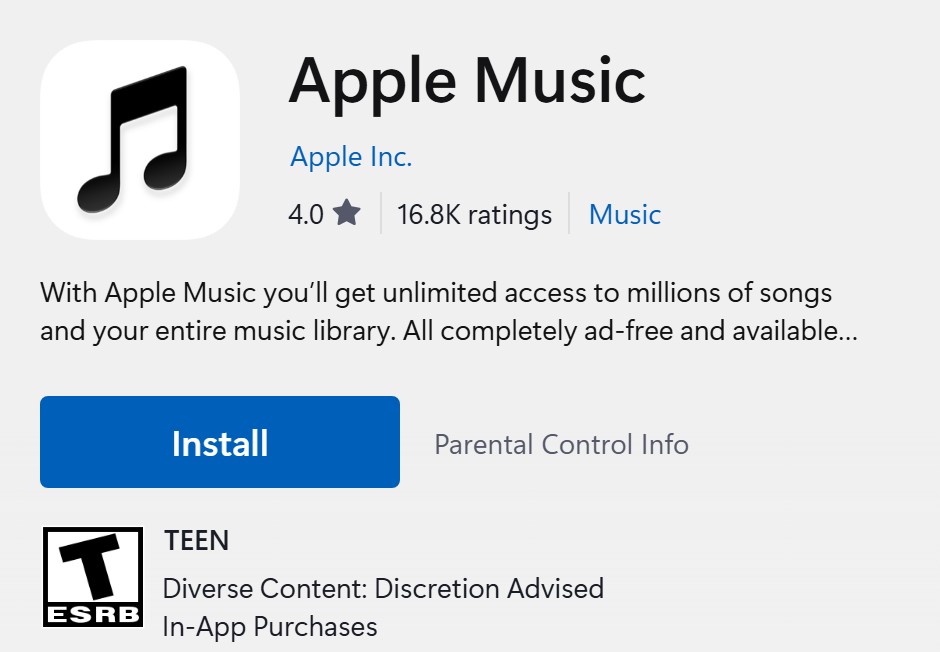
How to download Apple Music songs in iTunes for offline listening
Downloads need an active Apple Music subscription and iCloud Music Library turned on. Add a song to your library first, then download it to the PC.
- Open iTunes and choose Music from the pop-up menu at the top left.
- Find music with For You, Browse, or the search field at the top right, then select All Apple Music in the results.
- Move the pointer over a song, album or playlist, select the More button, then choose Add to Library.
- Select Library at the top of the window.
- Select the Download button next to the item, or open the More button and choose Download.
- Select Downloaded in the sidebar to see only the music saved on the PC.
If Add to Library is missing, choose Edit > Preferences, select General, tick iCloud Music Library, and select OK.

How to use Apple Music on the web at music.apple.com
The web player needs no installer at all. It streams the catalog and your library, but Apple says offline downloads need the Music or iTunes app.
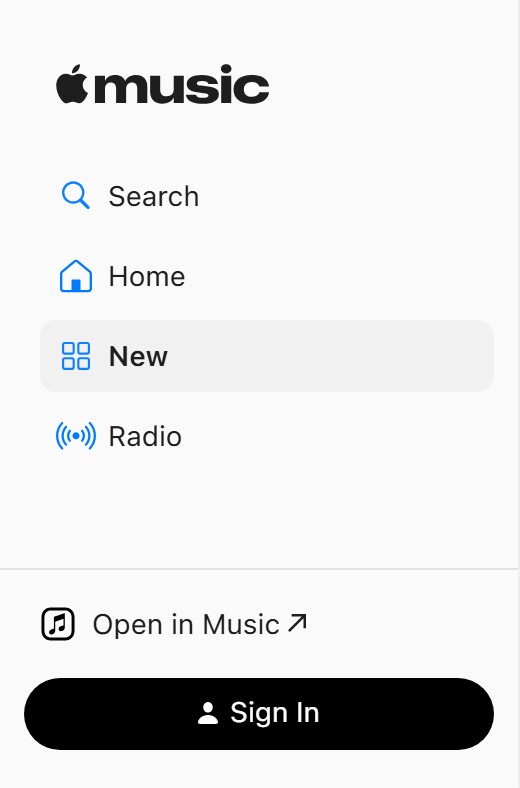
- Go to music.apple.com in your browser.
- Select the Sign In button in the bottom-left corner and sign in to your Apple Account.
- Select Home and follow the onscreen prompts if you still need to subscribe.
- Pick an option below Library in the sidebar, such as Albums, or a playlist below Playlists.
- Move the pointer over a song or album and select the Play button.
To add catalog music, hover over an item and select the Add button, or drag it onto the sidebar. Songs added here also appear in iTunes on any PC signed in to the same account.
Can you use iTunes and the Apple Music app at the same time?
Not for music. Apple says that once the Apple Music or Apple TV app is installed, you use those apps for music, TV shows and movies, and iTunes keeps only audiobooks and podcasts.
| Apps on the PC | Where your music plays | What iTunes still does |
|---|---|---|
| iTunes only | iTunes, including Apple Music streaming and downloads | Music, TV, movies, podcasts, audiobooks and device sync |
| iTunes and the Apple Music app | Apple Music app only | Audiobooks and podcasts; the Music option disappears from the pop-up menu |
| Apple Music app only | Apple Music app | Not installed |
Apple documents iTunes handling all your media only on a PC without the Apple Music or Apple TV app. Decide on one route before you set up downloads, and pick the Apple Music app for Windows only if the Store works on your PC.
How to update iTunes without the Microsoft Store
An iTunes copy installed from Apple's site does not update through the Store. It checks for new iTunes versions itself.
- Open iTunes.
- Choose Help > Check for Updates to look for a new version now.
- To check every week, choose Edit > Preferences and select Advanced.
- Tick Check for new software updates automatically, then select OK.
Weekly checks run only after you quit and restart iTunes at least once in a seven-day period. A Store copy of iTunes updates itself instead, under Library in Microsoft Store.
Apple Music not showing in iTunes on Windows
Music is missing from the iTunes pop-up menu
The Apple Music app is installed, so Apple hands all music playback to that app.
- Open the Apple Music app from the Start menu and play your music there.
- To keep iTunes for music instead, go to Start > Settings > Apps > Installed apps.
- Select the More button next to Apple Music, then select Uninstall.
- Restart iTunes and check the pop-up menu at the top left again.
For You is missing in iTunes
iTunes is not signed in to the Apple Account that holds the subscription.
- Choose Account > Sign In in iTunes.
- Sign in with the Apple Account you use for Apple Music.
- Choose Music from the pop-up menu and look for For You again.
No Add to Library or Download button in iTunes
You have not joined Apple Music, or iCloud Music Library is off.
- Choose Edit > Preferences, then select General.
- Tick iCloud Music Library and select OK.
- If the option is still missing, choose Account > View My Account and check under Subscriptions that Apple Music is active.
Downloaded Apple Music songs will not play
The subscription ended, so the files stay on the PC but are locked.
- Choose Account > View My Account and sign in.
- Select Manage next to Subscriptions and renew Apple Music.
- Open Library > Downloaded and play a song to test it.
Can't download songs on the Apple Music web player
Apple Music on the web streams only; offline copies need an app.
- Add the songs to your library at music.apple.com.
- Install iTunes from Apple's documentation site and sign in with the same account.
- Download the songs from Library in iTunes.
Microsoft Store not working when you install Apple Music
If you would rather use Apple's Windows app after all, these Microsoft fixes cover a Store that will not open or will not show the app.
Microsoft Store won't open
The Store cache is damaged or Windows is out of date.
- Press Windows logo key + R, type
wsreset.exe, and select OK. - Wait about ten seconds for the blank window to close and the Store to open.
- If it still fails, install the latest Windows updates and check your time and region settings.
Microsoft Store is missing from Windows
The Store was unpinned, you use a local account, or an administrator turned it off.
- Select Start, type Microsoft Store, and open the result.
- If it is not found, sign in to Windows with a Microsoft account.
- On a work PC, ask your administrator, because the Store may be turned off by policy.
- On a personal PC, reinstall the Microsoft Store app and try again.
Apple Music not found in Microsoft Store
Region, family settings, a pending restart or device compatibility can hide an app.
- Restart the PC if Windows installed updates recently.
- Check that you are signed in with the right Microsoft account, since family settings can hide apps.
- Search the Store for Apple Music again and select Get.
How to find downloaded Apple Music songs in iTunes
A finished download shows up in its own view, so you can test offline playback before you disconnect.
- Open iTunes, choose Music from the pop-up menu, and select Library.
- Select Downloaded in the sidebar. Only songs saved on the PC appear in this list.
- Turn off Wi-Fi or unplug the network cable.
- Play a song from the Downloaded list. It should play without a connection.
Apple Music without Microsoft Store FAQ
Can I download Apple Music on Windows 10 without the Microsoft Store?
Not the Apple Music app itself, which Apple distributes through the Microsoft Store. You can install iTunes for Windows from Apple's documentation site instead. iTunes streams Apple Music and downloads songs for offline play, as long as the Apple Music app is not installed.
Can you download songs from Apple Music on the web?
No. Apple Music on the web at music.apple.com streams the catalog and your library in a browser. Apple says you need the Music or iTunes app to download the music you added, so install iTunes to keep songs for offline listening.
Does iTunes still have Apple Music on Windows?
Yes, on a PC without the Apple Music app. Apple's iTunes guide for Windows still covers joining Apple Music, adding songs and downloading them. Once the Apple Music app is installed, iTunes keeps only audiobooks and podcasts.
Is Apple Music free on Windows?
The app and iTunes are free, but streaming the catalog needs a subscription after any trial. Without one, Apple Music on the web lets you search, play previews and, in Safari, Chrome or Firefox, listen to Apple Music radio once signed in.
Why is Music missing from iTunes on my PC?
The Apple Music app is installed on the PC. Apple routes music to that app and leaves iTunes with audiobooks and podcasts. Use the Apple Music app, or uninstall it from Settings > Apps > Installed apps if you want iTunes back for music.
Do downloaded Apple Music songs stay on my PC if I cancel?
The files stay on the computer, but you cannot play them until you rejoin Apple Music. Renewing the subscription with the same Apple Account unlocks the downloaded songs again in the Downloaded view.
Can I copy Apple Music downloads to a USB drive or CD?
No. Apple says music downloaded from Apple Music cannot be burned to a disc or transferred manually to a device such as an iPhone or iPod. Each device downloads songs directly from Apple Music instead.
How do I get the Apple Music app if the Store is blocked on a work PC?
Ask your administrator, because Microsoft says the Store may be turned off on work devices. Until then, play your library at music.apple.com in the browser, which needs no installation and uses the same Apple Account.