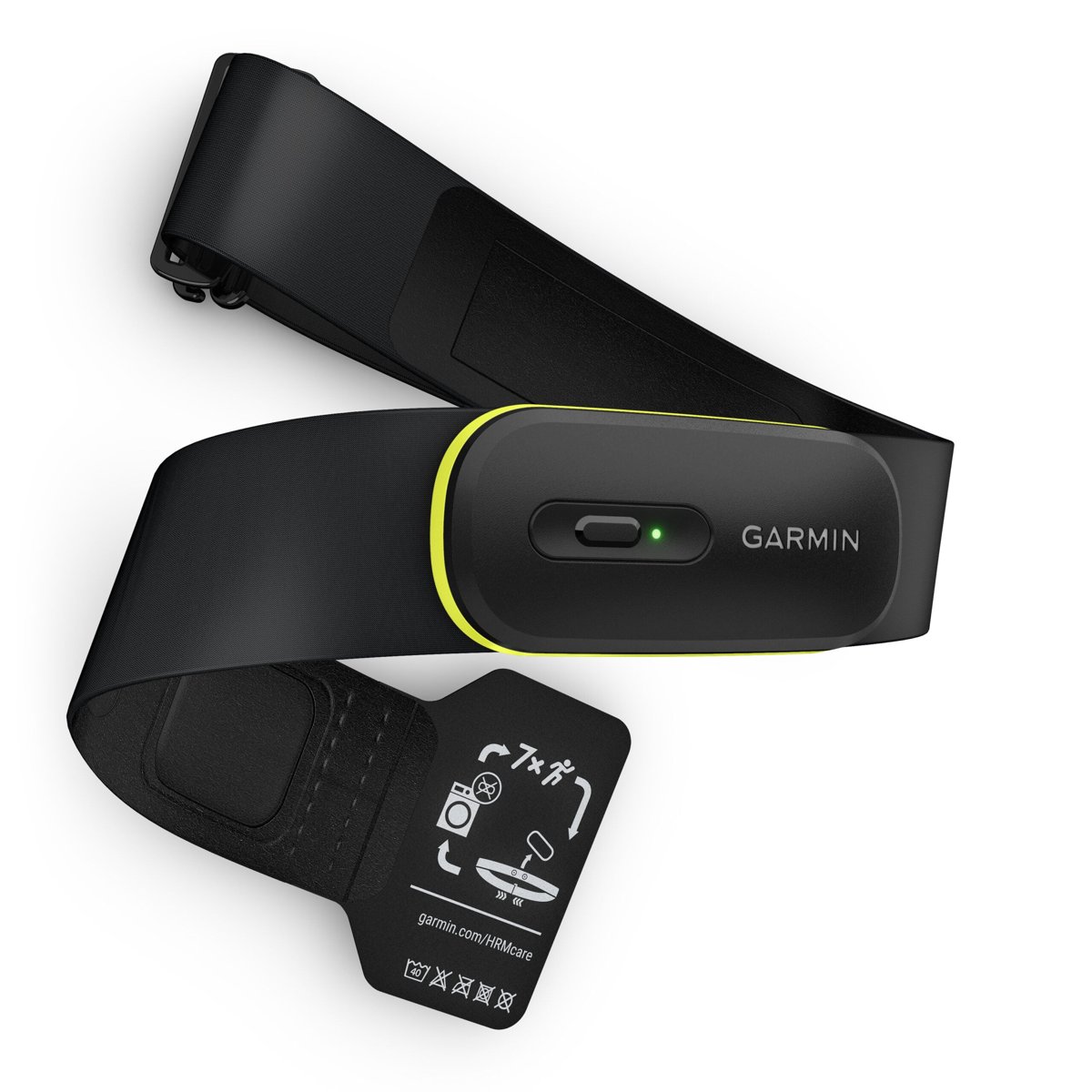
The HRM 600 is the best Garmin chest strap for runners, swimmers and triathletes, while the $79.99 HRM 200 is the better buy if you only need heart rate and HRV.
The HRM-Pro Plus is now listed as discontinued on garmin.com, so it only makes sense as a discounted retailer find or a strap you already own.
This comparison covers specs, running and swim features, watch-free recording, battery, compatibility and fixes for missing heart-rate data, all taken from Garmin's own product pages and press releases.
The short version
Match your training to a row and buy the strap in the middle column. Prices are Garmin's US list prices.
| If you | Buy | Why |
|---|---|---|
| Want heart rate and HRV for running, cycling or the gym | HRM 200 ($79.99) | Same core heart-rate and HRV data, a year of coin-cell battery, lowest price |
| Want running dynamics, treadmill pace or swim heart rate | HRM 600 ($169.99) | Adds step speed loss, pace and distance indoors and store-and-forward swim data |
| Play team sports or martial arts without a watch | HRM 600 | Records the activity itself and syncs it to the Garmin Connect app |
| Find an HRM-Pro Plus heavily discounted | HRM-Pro Plus | Running dynamics, swim data and a coin cell, but Garmin no longer sells it |
| Already own an HRM-Pro Plus that works | Keep it | The HRM 600's main gains are rechargeability, step speed loss and watch-free recording |
What is actually different about the three straps?
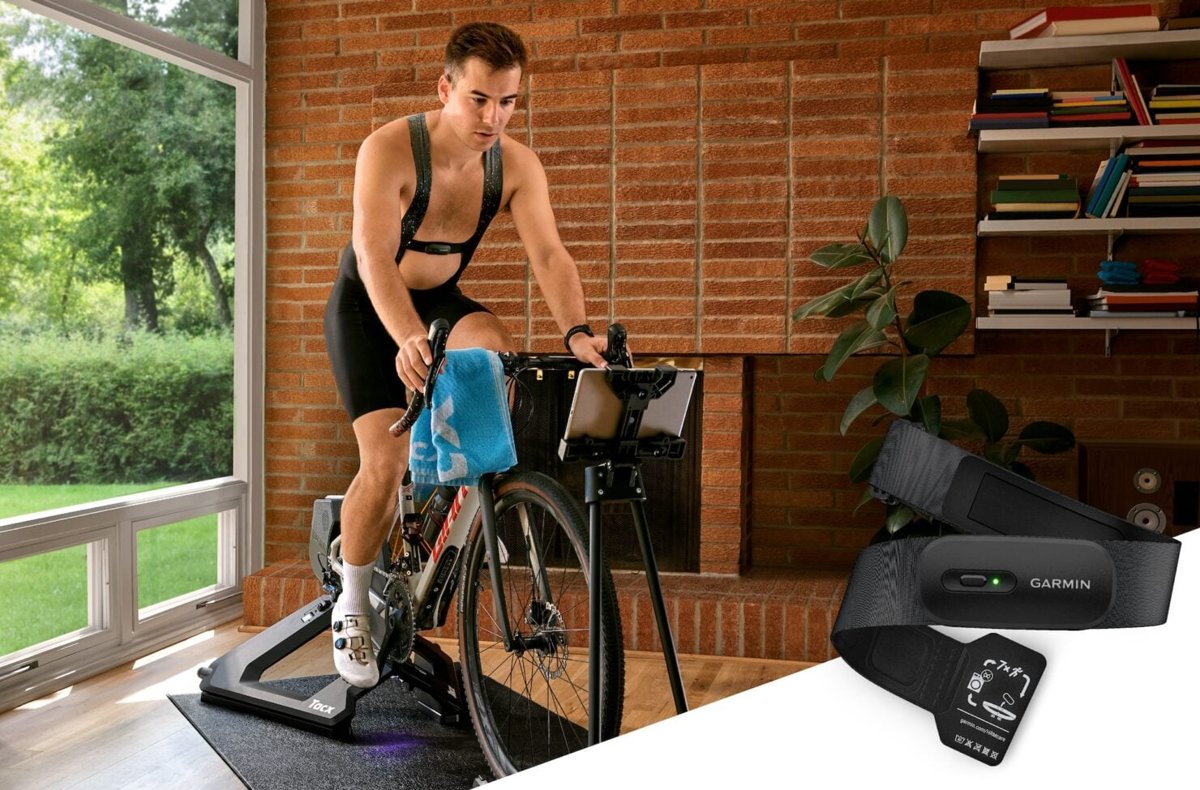
All three send heart rate and HRV over ANT+ and Bluetooth Low Energy to Garmin watches, Edge cycling computers, compatible fitness equipment and apps such as Tacx Training. The differences are in what each strap does beyond that.
| Model | Announced | Garmin's positioning | What it adds |
|---|---|---|---|
| HRM 200: the essential sensor | January 6, 2025 | Essential heart rate monitor | Heart rate and HRV, a wake button, a bi-color status LED and two strap sizes |
| HRM-Pro Plus: advanced features on an older platform | July 13, 2022 | Premium heart rate strap, now discontinued | Running dynamics, indoor pace and distance, swim store-and-forward and all-day activity tracking |
| HRM 600: the premium, newest option | May 15, 2025 | Premium heart rate monitor | Everything the Pro Plus does, plus step speed loss, a rechargeable battery and watch-free activity recording |
Garmin HRM 200 vs. HRM-Pro Plus vs. HRM 600 specifications
Every value below comes from the Specs tab of each product page on garmin.com. A dash means Garmin does not list the feature for that strap.
| Spec | HRM 200 | HRM-Pro Plus | HRM 600 |
|---|---|---|---|
| Garmin US price | $79.99 | Discontinued (launched at $129.99) | $169.99 |
| Module size | 68.0 x 31.6 x 11.0 mm | 53.7 x 29.6 x 8.6 mm | 68.0 x 31.6 x 10.0 mm |
| Weight | 63 g with M-XL strap, 20 g module only | 52 g | 61 g with M-XL strap, 18 g module only |
| Strap sizes | XS-S (60-85 cm chest) and M-XL (80-119 cm chest) | One size, 67.5-106 cm chest; up to 142 cm with optional extender | XS-S (60-85 cm chest) and M-XL (80-119 cm chest) |
| Water rating | 3 ATM | 5 ATM | 5 ATM |
| Battery | CR2032 coin cell, up to 12 months at 1 hour a day | CR2032 coin cell, up to 12 months of 1-hour-a-day tri training | Rechargeable lithium-ion, up to 2 months at 1 hour a day |
| Button and status LED | Yes, bi-color LED | – | Yes, tri-color LED |
| Detachable module | Yes | – | Yes |
| Heart rate and HRV | Yes | Yes | Yes |
| Running dynamics | – | Yes | Yes, including step speed loss |
| Indoor pace and distance | – | Yes | Yes |
| Swim heart rate store-and-forward | – | Yes | Yes |
| Activity tracking (steps, calories, intensity minutes) | – | Yes | Yes |
| Watch-free activity recording | – | – | Yes, started from the Garmin Connect app |
| XC ski power | – | Yes | – |
| Secure Bluetooth connections | Yes, with a compatible Garmin device | – | Yes, with a compatible Garmin device |
| Concurrent connections | ANT+ unlimited, Bluetooth 3 | ANT+ unlimited, Bluetooth 3 | ANT+ unlimited, Bluetooth 3 |
Is the HRM 600 more accurate?
Garmin describes all three straps as delivering accurate heart rate and HRV data. It publishes no accuracy figure that ranks one strap above another.
Do not pay the extra $90 for the HRM 600 expecting better heart-rate numbers; pay it only for the running, swim and recording features the HRM 200 lacks. On Garmin's own spec sheets, heart rate and HRV are the one feature row the HRM 200, HRM-Pro Plus and HRM 600 share without qualification. Everything the HRM 600 adds sits on top of that shared baseline.
Running features: dynamics, treadmill pace and new metrics
Running features only appear on a compatible Garmin watch, and Garmin notes that not every compatible watch supports the HRM 600's advanced running and swimming features. Check the Compatible devices tab for your exact model before you buy.
| Running feature | HRM 200 | HRM-Pro Plus | HRM 600 |
|---|---|---|---|
| Running dynamics (vertical oscillation, ground contact time, stride length) | No | Yes | Yes |
| Step Speed Loss, how much you slow when your foot lands | No | No | Yes, on select watches such as the Forerunner 970 |
| Running power on a compatible watch | No | Yes, Garmin lists it as enabled by the strap's running dynamics | Not listed on the HRM 600 page |
| Treadmill and indoor-track pace and distance | No | Yes | Yes |
Running Economy is not listed on any of the three product pages, so treat it as a watch feature to confirm on your watch's own page rather than a strap feature.

Swimming and triathlon
Chest straps store heart rate during a swim and pass it to the watch afterwards. Garmin's water-rating chart lists swimming as suitable for 5 ATM devices, but not for 3 ATM devices.
| Swim and tri need | HRM 200 | HRM-Pro Plus | HRM 600 |
|---|---|---|---|
| Water rating | 3 ATM: splashes, showering, jumping into water | 5 ATM: rated for swimming | 5 ATM: rated for swimming |
| Stores swim heart rate and forwards it to the watch | No | Yes | Yes |
| Swim interval heart-rate stats on a compatible watch | No | Yes | Yes |
| Run metrics on the run leg | Heart rate and HRV only | Running dynamics and pace | Running dynamics, pace and step speed loss |
For a triathlete, that leaves the HRM-Pro Plus and HRM 600. The HRM 200 is the wrong strap for pool or open-water training.
What does watch-free activity support really mean?
Garmin uses two different features here, and only one strap has both. Activity tracking logs daily totals; activity recording logs a full workout.
| Feature | What it records | Which straps |
|---|---|---|
| Activity tracking | Steps, calories burned, intensity minutes and heart rate while you are not wearing a watch, synced to every Garmin device through Garmin Connect and TrueUp | HRM-Pro Plus and HRM 600 |
| Activity recording | A full workout with heart rate, calories, speed and distance, started from the Garmin Connect app and viewed there afterwards | HRM 600 only |
| Activity types for recording | Cardio, running, cycling, swimming, basketball, volleyball, hockey, soccer, American football, lacrosse, rugby, ultimate disc, cricket, softball, baseball, mixed martial arts and boxing | HRM 600 |
| Team-sport speed and distance | Speed and distance for field and court team sports, on a compatible watch or the Garmin Connect app | HRM 600 |
The HRM 200 does neither. It needs a watch, Edge computer, fitness machine or app connected live to capture anything.
Battery, washing and long-term ownership
The choice here is a coin cell you swap once a year or a battery you charge every couple of months.
| Ownership factor | HRM 200 | HRM-Pro Plus | HRM 600 |
|---|---|---|---|
| Replaceable coin cell or rechargeable battery? | Replaceable CR2032, up to 1 year | Replaceable CR2032, up to 1 year | Rechargeable lithium-ion, up to 2 months per charge |
| Battery door or charger | Quarter-turn door; the opening tool is built into the strap slider | Tool-free battery door | Garmin proprietary plug charger |
| Strap design and cleaning | Remove the module, then machine-wash the strap | Garmin's page does not list a detachable module or washing method | Remove the module, then machine-wash the strap |
| Low-battery warning | Status LED | Not listed | Status LED |
| Still sold by Garmin | Yes | No, marked discontinued | Yes |
If you lose a charger easily, the HRM 200 avoids that risk. A spare CR2032 cell is the only thing it ever needs.
Connectivity and compatibility
All three straps broadcast over ANT+ and Bluetooth Low Energy at the same time, so one strap can feed a watch, a bike computer and a trainer app together.
| Connection detail | HRM 200 | HRM-Pro Plus | HRM 600 |
|---|---|---|---|
| ANT+ versus open Bluetooth | Both; ANT+ has no connection limit | Both; ANT+ has no connection limit | Both; ANT+ has no connection limit |
| Bluetooth connections at once | 3 | 3 | 3 |
| Secure Bluetooth with a compatible Garmin device | Yes | Not listed | Yes |
| Pairs with the Garmin Connect app | Yes | Yes | Yes |
| Works with third-party apps and fitness equipment | Yes, compatible equipment and apps | Yes, compatible equipment and apps | Yes, compatible equipment and apps |
| Older Garmin devices | Check the Compatible devices tab | Check the Compatible devices tab | List includes older models such as the Edge 520 Plus, Edge 1000, Forerunner 245 and fēnix 5 |
Pairing to a Garmin watch, an Edge computer or the Garmin Connect app starts the same way on the HRM 200 and HRM 600: press the module's button to wake it, then add the sensor from the device. Every Bluetooth link, including a phone or trainer app, counts toward the three-connection limit.
Who should buy each model?
| Your situation | Buy | Why |
|---|---|---|
| Casual runner, cyclist or gym user | HRM 200 | Heart rate and HRV are all most training plans use, at less than half the HRM 600's price |
| Serious runner who studies form | HRM 600 | Running dynamics plus step speed loss on supported watches |
| Triathlete or pool swimmer | HRM 600 | 5 ATM rating, swim store-and-forward and a supported strap that Garmin still sells |
| Plays team sports or martial arts | HRM 600 | Watch-free recording from the Garmin Connect app |
| Buys the HRM-Pro Plus when its advanced features are discounted | HRM-Pro Plus | Worth it only well below the HRM 600 price, since Garmin no longer sells it |
| Owns an older Garmin device | Check first | Confirm your model on the Compatible devices tab of the strap you want |
| Uses a third-party app or smart trainer | Any of the three | All transmit over ANT+ and Bluetooth; watch the three-device Bluetooth limit |
| Chest smaller than 67.5 cm | HRM 200 or HRM 600 in XS-S | The XS-S strap fits chests from 60 cm; the Pro Plus starts at 67.5 cm |
What about an HRM-Pro Plus you already own?
Keep using a working HRM-Pro Plus and upgrade only if you want step speed loss, a rechargeable battery or watch-free workout recording. The Pro Plus already sends running dynamics, indoor pace and distance and stored swim heart rate to a compatible watch, and it runs up to a year on a CR2032 cell. Garmin marks it discontinued, so plan on buying a replacement strap from Garmin's current range, not another Pro Plus.
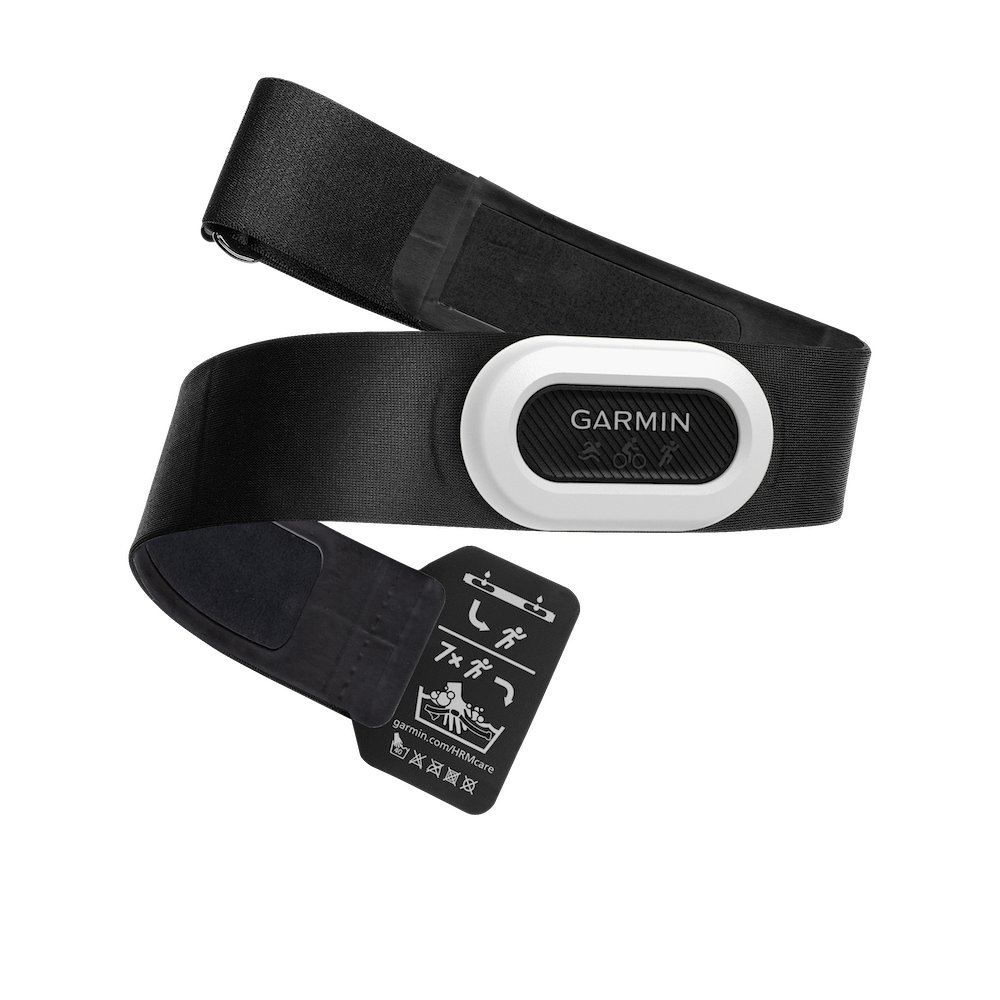
Garmin chest strap heart-rate readings erratic or missing
These fixes use only the controls and limits Garmin lists for each strap.
No heart rate at all on the watch or app
The module is asleep, the battery is flat, or the strap is paired to another device.
- Press the button on an HRM 200 or HRM 600 module and watch the status LED; no light points to a flat battery.
- Charge the HRM 600 with its Garmin plug charger, or replace the CR2032 cell in an HRM 200 or HRM-Pro Plus.
- Remove the strap from the sensor list on your watch or app, then pair it again while the module is awake.
Heart rate drops out or looks erratic during a workout
The strap size does not match your chest, or the battery is running low.
- Check that your chest size is inside the range of the strap you bought: 60-85 cm for XS-S, 80-119 cm for M-XL, 67.5-106 cm for the HRM-Pro Plus.
- Swap to the other strap size, or add the optional extender on an HRM-Pro Plus, if your chest falls outside that range.
- Watch the status LED for a low-battery warning and recharge or replace the battery if it shows.
Older Edge computer does not show heart rate
The Edge is not on the strap's compatibility list or has no free Bluetooth slot.
- Open the strap's product page on garmin.com and select Compatible devices.
- Find your Edge model in the list; the HRM 600 list includes the Edge 520 Plus, Edge 1000 and Edge 130.
- Pair the strap over ANT+, which has no connection limit, instead of Bluetooth when the Edge offers both.
After a battery change or repeated Bluetooth failure
The strap is already holding three Bluetooth connections, or the old pairing no longer matches.
- Close or disconnect trainer and phone apps you are not using, because each strap supports three Bluetooth connections at once.
- Delete the strap from the paired sensors on your watch, Edge or app.
- Wake an HRM 200 or HRM 600 module with its button and wait for the status LED.
- Pair the strap again as a new sensor.
Garmin chest strap comparison FAQ
Does the Garmin HRM 200 work for swimming?
No. The HRM 200 has a 3 ATM rating, which Garmin rates for splashes, showering and jumping into water but not swimming. It also lacks swim store-and-forward, so choose the HRM 600 for pool or open-water heart rate.
Can the HRM-Pro Plus record a workout without a Garmin watch?
Not as a full workout. The HRM-Pro Plus logs steps, calories, intensity minutes and all-day heart rate without a watch and syncs them later. Recording a complete workout from the Garmin Connect app is an HRM 600 feature.
Do I need the HRM 600 for accurate heart rate?
No. Garmin describes the HRM 200, HRM-Pro Plus and HRM 600 as giving accurate heart rate and HRV data. The HRM 600 costs more for running dynamics, swim data, watch-free recording and a rechargeable battery.
Will every Garmin watch show HRM 600 running metrics?
No. Garmin states that not every compatible watch supports the HRM 600's advanced running and swimming features, and step speed loss works only on select models such as the Forerunner 970. Check your watch on the Compatible devices tab.
Is the Garmin HRM-Pro Plus discontinued?
Yes. Garmin's US product page for the HRM-Pro Plus is marked discontinued and links to its current heart rate monitors instead. Its replacements in the range are the HRM 600 at $169.99 and the HRM 200 at $79.99.
How long does the HRM 600 battery last?
Up to 2 months per charge, based on 1 hour of use a day. The HRM 600 uses a rechargeable lithium-ion battery and a Garmin proprietary plug charger, unlike the CR2032 coin cell in the HRM 200 and HRM-Pro Plus.
Which size Garmin chest strap should I buy?
Measure your chest. The HRM 200 and HRM 600 come in XS-S for 60-85 cm chests and M-XL for 80-119 cm chests. The one-size HRM-Pro Plus fits 67.5-106 cm, or up to 142 cm with an optional extender.
Does the Garmin HRM 200 measure HRV?
Yes. The HRM 200 sends real-time heart rate and heart rate variability to compatible Garmin watches, Edge cycling computers, fitness equipment and apps such as Tacx Training. It does not add running dynamics or activity tracking.
Final verdict: which Garmin chest strap is best?
The bottom line: buy the HRM 600 if you run seriously, swim or play team sports, and buy the HRM 200 if heart rate and HRV are all you need. The HRM 600 is the only current Garmin strap with running dynamics, swim data and watch-free recording, while the HRM 200 delivers the same heart-rate and HRV baseline for $90 less. The HRM-Pro Plus is discontinued, so it is a buy only at a clear discount or a keep if you already own one.