An AirTag battery lasts more than a year, according to Apple, and both the original AirTag and AirTag (2nd generation) use the same user-replaceable CR2032 coin cell.
This guide covers how Apple measures that figure, what shortens it, how to check the battery in Find My, and how to swap in a new CR2032 safely.
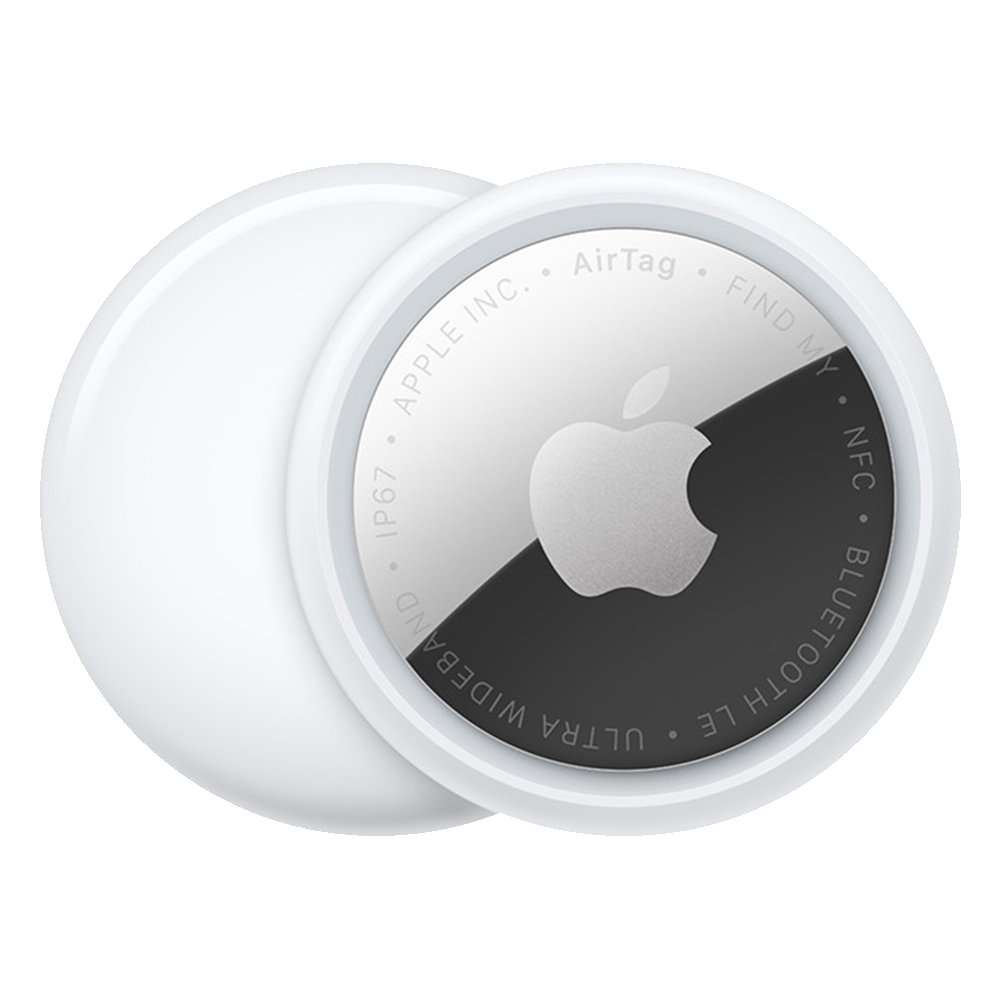
AirTag battery life: how long it lasts
Apple states that AirTag works for more than a year on a standard battery. Your iPhone alerts you when the battery runs low, so you do not need to track the date yourself.
Expect more than a year from each CR2032 battery, and replace it when your iPhone shows a low battery notification or Find My shows Low Battery. Apple's figure comes from everyday use of playing sound and Precision Finding, and it notes that battery life varies with usage, environmental conditions and the replacement battery's manufacturer.
There is no charging port. When the cell is used up, you twist off the back cover and fit a new one without any tools.
AirTag vs AirTag 2nd generation battery life
Apple tested each generation separately, with the iPhone models that were current at the time. Both share the same battery type and the same size, so one pack of CR2032 cells fits either model.
| Detail | AirTag (2021) | AirTag (2nd generation) |
|---|---|---|
| Year introduced | 2021 | 2026 |
| Battery | User-replaceable CR2032 coin cell | User-replaceable CR2032 coin cell |
| Battery life usage basis in Apple's testing | Four play sound events and one Precision Finding event per day | Everyday average usage of playing sound and Precision Finding |
| When Apple tested it | March 2021, with iPhone 11 and iPhone 12 models | December 2025, with iPhone 17 models and iPhone Air |
| Ultra Wideband chip | Apple U1 chip | Second-generation Ultra Wideband chip |
| Weight | 11 grams | 11.8 grams |
| Requires | iOS 14.5 or iPadOS 14.5 or later | iOS 26.0 or iPadOS 26.0 or later |
Apple's own wording for both models is the same headline: more than a year on a standard battery. Treat that as a typical figure, not a guarantee.
What drains an AirTag battery faster?
Apple names three things that change how long an AirTag battery lasts. Two of them are under your control.
| Factor | Why it matters | What you can do |
|---|---|---|
| How often you play a sound or use Precision Finding | Apple's battery figure assumes light daily use of both features | Use Play Sound and Find when you need them, not as a routine check |
| Environmental conditions | AirTag is rated to work from -4 to 140 degrees F (-20 to 60 degrees C) | Avoid leaving it in places outside that range, such as a car in summer heat |
| Replacement battery manufacturer | Apple says results vary by brand, and some bitter-coated CR2032 cells might not work | Buy a CR2032 whose packaging says it is compatible with Apple AirTag |
Normal background location reporting is not one of the factors to worry about. Apple describes the Find My network process as efficient enough that you do not need to worry about battery life or how much data Find My uses.
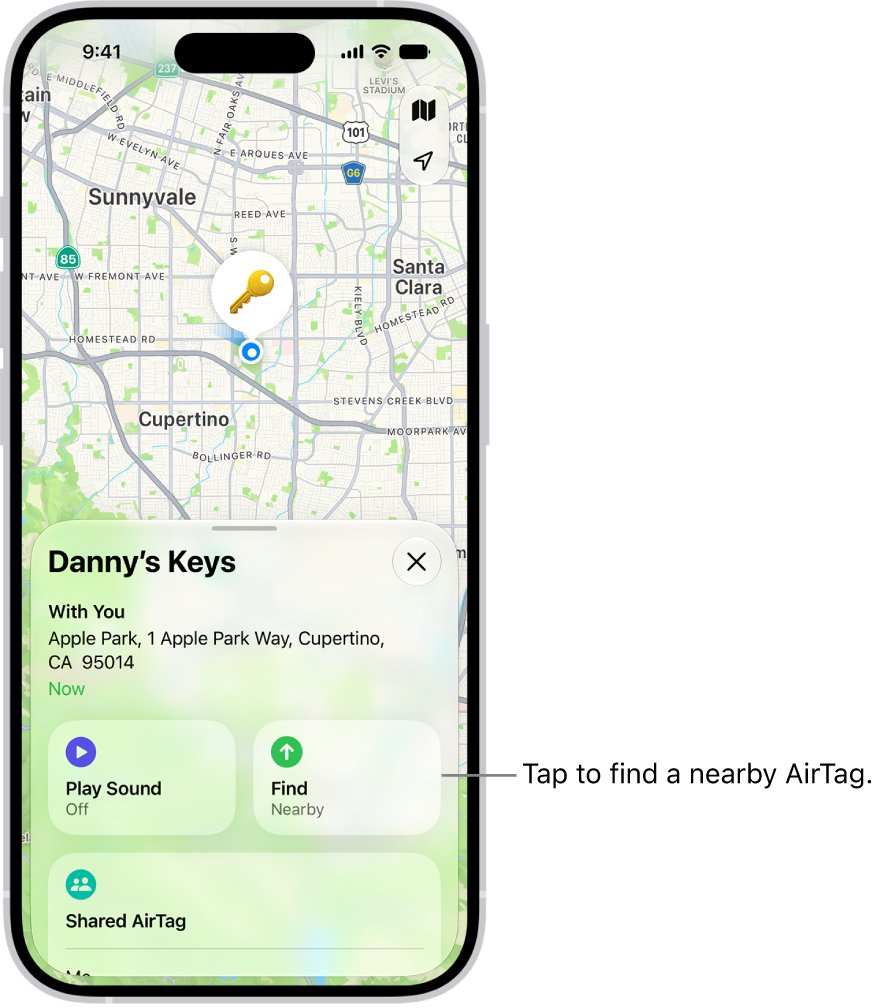
How to check AirTag battery level in Find My
Find My does not show a percentage for AirTag. It shows a warning only when the battery is low.
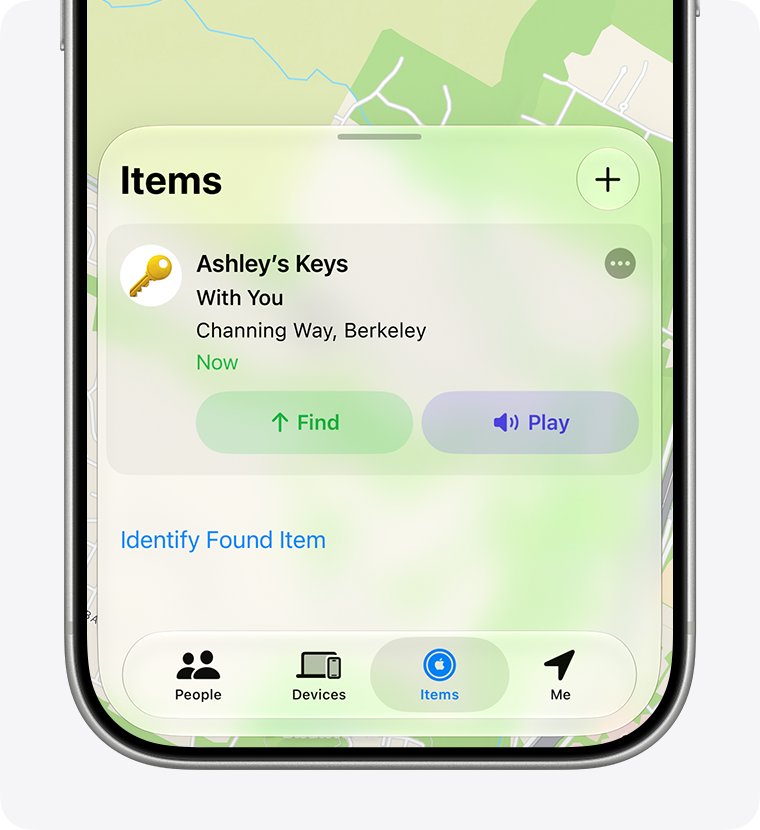
- Open the Find My app on your iPhone.
- Tap the Items tab.
- Look for a low battery indicator next to the AirTag's name in the list.
- Tap the AirTag to open its details.
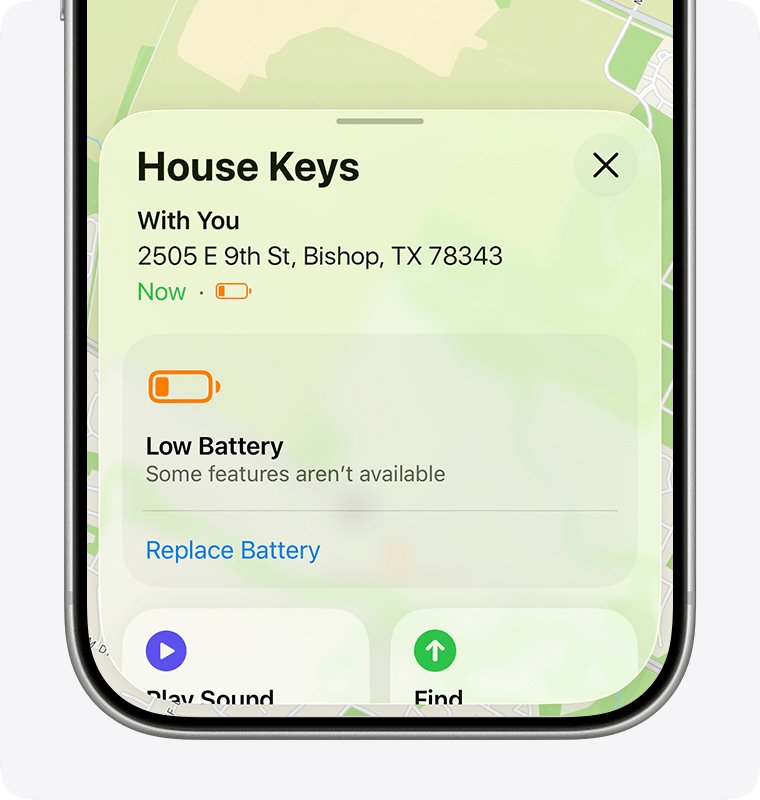
- If the charge is low, Low Battery appears under its name, and a message appears below its location.
If neither warning appears, the battery still has enough charge. Your iPhone also sends a notification when an AirTag battery gets low.
What battery does an AirTag use?
| Spec | Value |
|---|---|
| Battery type | CR2032 lithium coin cell |
| Voltage | 3V |
| Orientation | Positive side facing up |
| Where to buy | Most electronics and drug stores |
| Child-safety option | A bitterant-coated CR2032 labelled "Compatible with Apple AirTag", such as the Duracell 2032 Lithium Coin Battery with Bitter Coating |
| Caution | Some bitter-coated CR2032 batteries might not work with AirTag |
How to replace an AirTag battery
The cover is the polished stainless steel side of the AirTag, and it comes off by hand.
- Press down on the polished stainless steel battery cover.
- Rotate the cover counterclockwise until it stops.
- Lift off the cover and remove the old battery.
- Insert a new CR2032 lithium 3V coin battery with the positive side facing up. A sound plays when the battery connects.
- Line up the three tabs on the cover with the three slots on the AirTag.
- Rotate the cover clockwise until it stops.
Open Find My > Items afterwards and check that the Low Battery label is gone.
How to check AirTag firmware version
Apple delivers AirTag firmware updates automatically while the AirTag is in Bluetooth range of your iPhone. An AirTag that stays out of range of your iPhone does not receive them.
- Open the Find My app.
- Tap the Items tab.
- Select your AirTag in the list.
- Tap the AirTag's name to show its serial number and firmware version.
Firmware updates for the original AirTag need iOS 14.5 or later on the iPhone you set up the AirTag with.
AirTag coin battery safety for children
Store spare and used CR2032 batteries, the AirTag and its cover out of reach of children, and get medical help immediately if a battery may have been swallowed. Apple warns that a swallowed coin battery can cause internal chemical burns in as little as 2 hours, and that death or serious injury can occur.
A bitterant-coated CR2032 that is labelled as AirTag-compatible adds another layer of protection against accidental swallowing.
AirTag battery life FAQ
How long will an AirTag battery last?
More than a year, according to Apple. That figure is based on everyday use of playing sound and Precision Finding. Heavier use, extreme temperatures and some replacement battery brands can shorten it.
How long do Apple AirTags batteries last in the 2nd generation model?
Apple gives AirTag (2nd generation) the same more-than-a-year headline as the original. It was tested in December 2025 with iPhone 17 models and iPhone Air, using everyday average usage of sound and Precision Finding.
How do I know when my AirTag battery is low?
Your iPhone sends a low battery notification. In Find My > Items, a low battery indicator appears next to the AirTag's name, and Low Battery appears under its name when you open it.
What battery does an Apple AirTag use?
Every AirTag uses a CR2032 lithium 3V coin cell, inserted positive side up. Both the 2021 AirTag and AirTag (2nd generation) ship with one installed, and you can buy replacements at most electronics and drug stores.
Can you charge an AirTag battery?
No. AirTag has no charging port. The CR2032 coin cell is user-replaceable: twist the stainless steel cover counterclockwise, swap the battery and twist the cover back on.
Why do some CR2032 batteries not work in AirTag?
Apple notes that some CR2032 batteries with bitterant coatings might not work with AirTag. Look for packaging that states "Compatible with Apple AirTag" when you buy a bitter-coated cell.
How long do AirTag batteries work in cold or hot weather?
Apple does not publish a separate figure for temperature. It lists an operating range of -4 to 140 degrees F (-20 to 60 degrees C) and says environmental conditions are one of the factors that change battery life.